On this page
A university event is a registration problem before it is anything else: students, alumni, donors and the public all need different ticket types, different prices and different check-in lines. The tools in this comparison range from eighty-five cents a ticket to three point seven percent plus one dollar and seventy-nine cents a ticket, and the cheapest one depends on how many people you register. We compared eight tools on published price, per-ticket fees and annual plans. RegFox is our first pick — ninety-nine cents plus one percent per registrant, capped at four dollars and ninety-nine cents.
How we researched this
We started with the registration tools universities actually use to sell tickets and track attendees, then read each price on the vendor site on November 27, 2026 and noted the trial each plan carries. We judged them for a university running a mix of paid conferences, free lectures and alumni events, with student discounts and group registrations to handle. We dropped quote-only registration platforms and tools that publish no price, because a university buyer needs a number it can put in a budget.
Compare the tools
| Name | Best for | Starting price | Free plan | |
|---|---|---|---|---|
 RegFox | Universities that want the lowest per-registrant fee | $0.99 + 1% per registrant | No free plan; pay per registrant only | Visit |
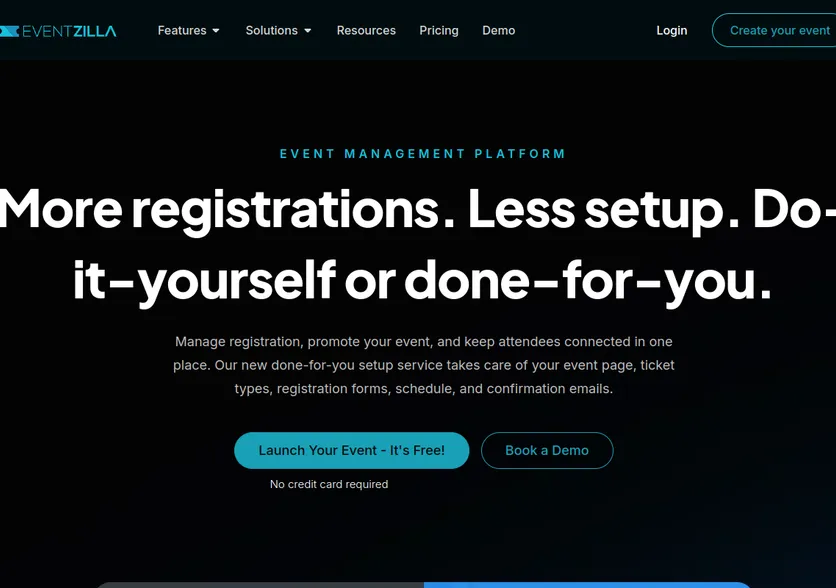
 Eventzilla | Universities that want an annual plan with zero per-registration fees | $1.50/registration | No free plan; pay per registration only | Visit |
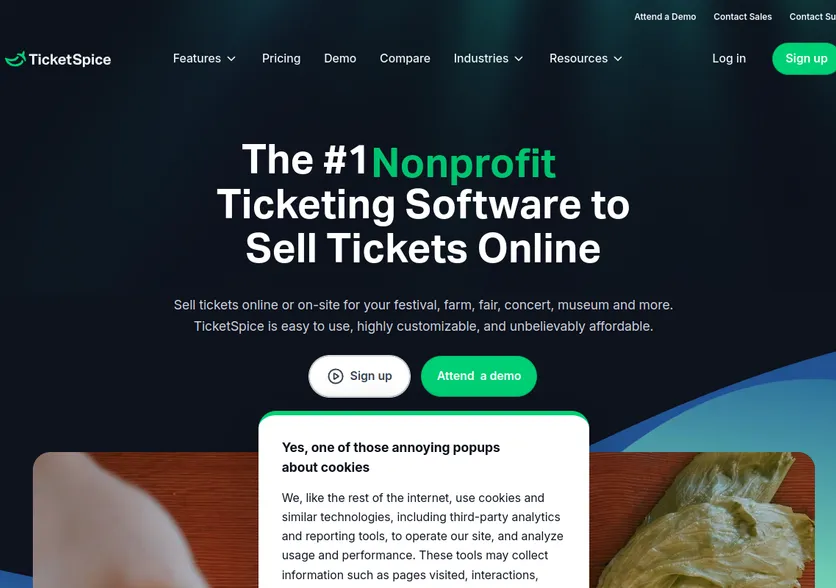
 TicketSpice | Small university events that want a flat per-ticket fee | $0.99/ticket | No free plan; pay per ticket only | Visit |
 Ticket Tailor | Universities that want the lowest per-ticket price | $0.85/ticket | No free plan; pay per ticket only | Visit |
| Brushfire | Universities that run paid and free events side by side | $1.50 + 1% per paid attendee | No free plan; pay per attendee only | Visit |
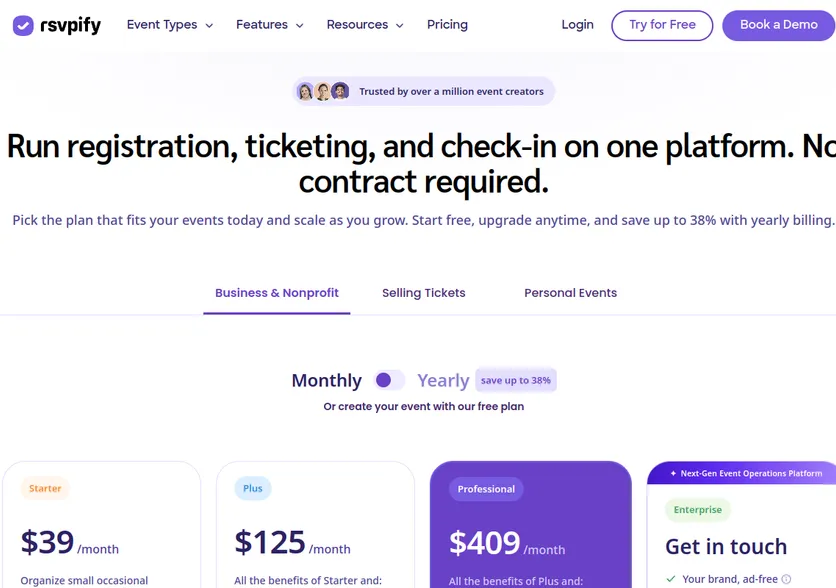
 RSVPify | Universities that want a monthly plan for regular events | $24/month | No free plan; free trial available | Visit |
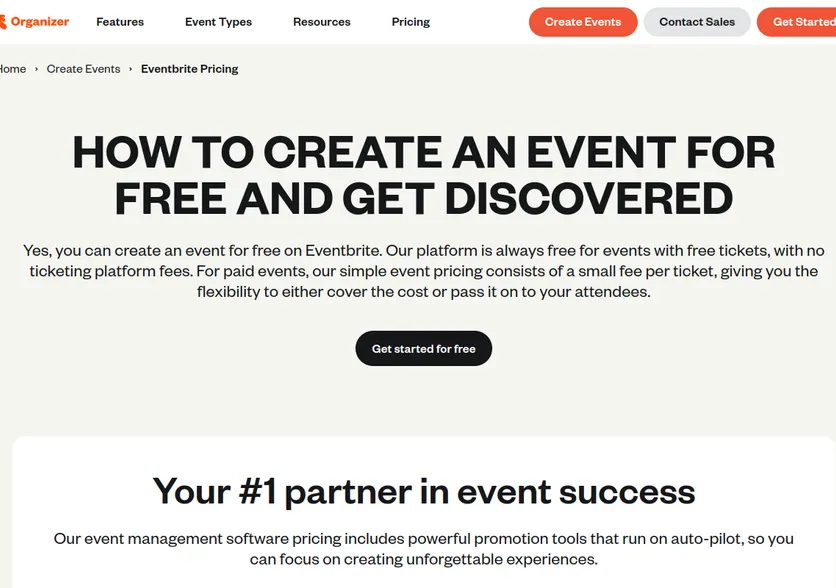
 Eventbrite | Large public university events that need a known brand | 3.7% + $1.79/ticket | Free plan available; free for free events | Visit |
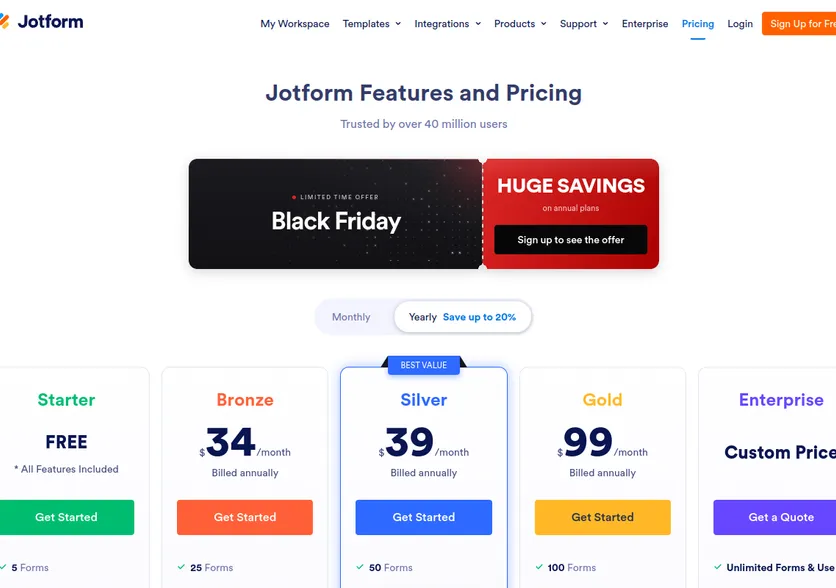
 Jotform | Universities that collect registrations with forms | $34/month | Free plan available | Visit |
The event registration software for universities, compared
1. RegFox
Best for: Universities that want the lowest per-registrant fee
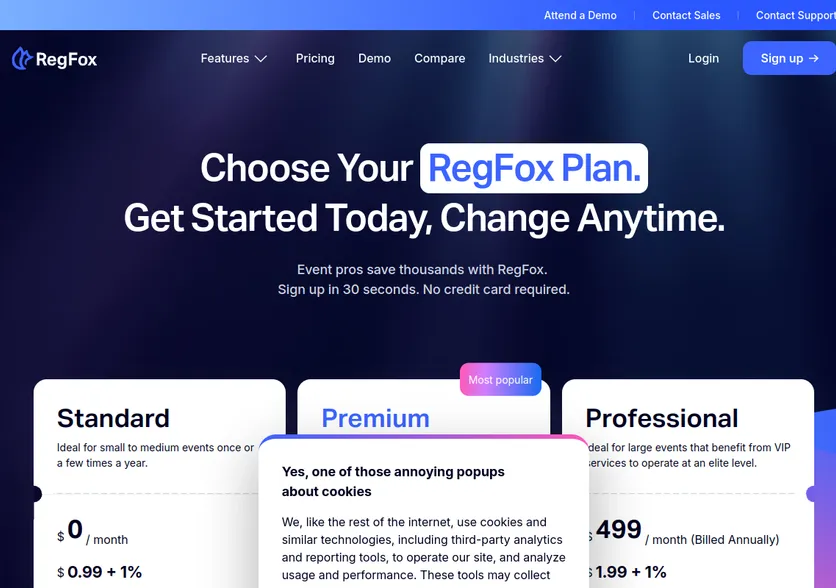
Paid tool Starting price: $0.99 + 1% per registrant · Ninety-nine cents plus one percent per registrant on Standard, capped at four dollars and ninety-nine cents; Premium costs one dollar and ninety-nine cents plus one percent capped at five dollars and ninety-nine cents; Professional costs four hundred and ninety-nine dollars a month billed annually
Free plan: No free plan; pay per registrant only
This RegFox plan costs ninety-nine cents plus one percent per registrant on Standard, capped at four dollars and ninety-nine cents, which makes it the cheapest per-registrant tool in this comparison. The form builder handles conditional logic, discounts and group registrations, and the Professional plan at four hundred and ninety-nine dollars a month billed annually covers high-volume teams. For a university running many small events, the cap is what keeps the bill predictable.
What we like
- Lowest per-registrant fee here at ninety-nine cents plus one percent
- Fee capped at four dollars and ninety-nine cents
- Conditional logic, discounts and group registration included
Watch out for
- No free plan, only pay per registrant
- Professional plan is a big jump to four hundred and ninety-nine dollars a month
How to try it
- Open the RegFox pricing page and build your registration form
- Set the discount codes and group registration rules
- Launch registration and watch the fees cap at four dollars and ninety-nine cents
2. Eventzilla
Best for: Universities that want an annual plan with zero per-registration fees
Paid tool Starting price: $1.50/registration · One dollar and fifty cents per registration on Basic; Pro costs one point nine percent plus one dollar and fifty cents and Plus two point nine percent plus one dollar and fifty cents; the Annual plan starts at one thousand nine hundred and ninety-nine dollars a year for five hundred registrations with zero per-registration fees
Free plan: No free plan; pay per registration only
This Eventzilla plan costs one dollar and fifty cents per registration on Basic, and the Annual plan from one thousand nine hundred and ninety-nine dollars a year covers five hundred registrations with zero per-registration fees. The platform handles ticketing, seating, discounts and check-in, and the Pro and Plus tiers add a percentage fee for teams that want lower per-registration charges. For a university running a full calendar of events, the annual plan is the better deal.
What we like
- Annual plan with zero per-registration fees
- Ticketing, seating, discounts and check-in in one tool
- Basic at one dollar and fifty cents per registration
Watch out for
- No free plan, only pay per registration
- Annual plan needs five hundred registrations to pay off
How to try it
- Open the Eventzilla pricing page and compare Basic and Annual
- Build your event page with seating and discount codes
- Pick the Annual plan when your yearly registrations pass five hundred
3. TicketSpice
Best for: Small university events that want a flat per-ticket fee
Paid tool Starting price: $0.99/ticket · Ninety-nine cents per ticket, or forty-nine cents for tickets at five dollars or less; Premium costs one dollar and forty-nine cents per ticket and Pro one dollar and ninety-nine cents; no percentage fee on top of the per-ticket charge
Free plan: No free plan; pay per ticket only
This TicketSpice plan costs ninety-nine cents per ticket, with tickets at five dollars or less costing forty-nine cents. The fee is flat and simple, with no percentage on top, which makes the total easy to predict for a university budget. Premium costs one dollar and forty-nine cents per ticket and Pro one dollar and ninety-nine cents, adding features such as reserved seating and advanced reporting for larger events.
What we like
- Flat ninety-nine cent fee with no percentage on top
- Tickets at five dollars or less cost forty-nine cents
- Simple pricing a university budget can predict
Watch out for
- No free plan, only pay per ticket
- Reserved seating waits for the Premium tier
How to try it
- Open the TicketSpice pricing page and build your event
- Set the ticket types and prices for students and guests
- Launch ticket sales and track the flat ninety-nine cent fee
4. Ticket Tailor
Best for: Universities that want the lowest per-ticket price
Paid tool Starting price: $0.85/ticket · Eighty-five cents per ticket on pay as you go in US dollars, with credits available from thirty cents each; no monthly subscription, so the tool costs nothing in months with no events
Free plan: No free plan; pay per ticket only
This Ticket Tailor plan costs eighty-five cents per ticket on pay as you go, which makes it the cheapest per-ticket tool in this comparison. Credits can be bought in advance from thirty cents each, which drops the effective price further for a university that sells many tickets. The checkout is clean and white-labelled, so the event looks like the university rather than the vendor, and there is no monthly subscription to pay in quiet months.
What we like
- Cheapest per-ticket price here at eighty-five cents
- Credits from thirty cents lower the cost further
- White-labelled checkout that looks like the university
Watch out for
- No free plan, only pay per ticket
- Fewer built-in event management features than the full platforms
How to try it
- Open the Ticket Tailor pricing page and set up your box office
- Buy ticket credits in advance to lower the per-ticket cost
- Launch ticket sales with the white-labelled checkout
5. Brushfire
Best for: Universities that run paid and free events side by side
Paid tool Starting price: $1.50 + 1% per paid attendee · One dollar and fifty cents plus one percent per paid attendee, with free attendees costing one dollar each and no cap on the fee; the vendor support page and directory listings confirm the rates
Free plan: No free plan; pay per attendee only
This Brushfire plan costs one dollar and fifty cents plus one percent per paid attendee, with free attendees costing one dollar each and no cap on the fee. The platform is built for conferences, camps and university events, with registration, check-in and seating in one system. The per-attendee fee has no cap, so a large paid event costs more than on RegFox, but the free-attendee rate is simple and predictable for a university running free lectures alongside paid conferences.
What we like
- Built for conferences, camps and university events
- Free attendees cost one dollar each with no surprises
- Registration, check-in and seating in one system
Watch out for
- No cap on the per-attendee fee
- No free plan, only pay per attendee
How to try it
- Open the Brushfire pricing page and build your registration form
- Set the ticket types for paid and free attendees
- Launch registration and track the per-attendee fees
6. RSVPify
Best for: Universities that want a monthly plan for regular events
Paid tool Starting price: $24/month · Twenty-four dollars a month billed annually for Business Starter, or thirty-nine dollars a month on monthly billing; Plus costs one hundred and twenty-five dollars a month billed annually and Professional four hundred and nine dollars; a free trial is included
Free plan: No free plan; free trial available
This RSVPify plan costs twenty-four dollars a month billed annually for Business Starter, which makes it the cheapest monthly plan in this comparison. The tool covers invitations, registration, seating and check-in, with a polished guest experience that suits a university hosting donors and alumni. The monthly price rises to thirty-nine dollars if you pay month to month, and the Plus and Professional tiers add more events and guests for a busy calendar.
What we like
- Cheapest monthly plan here at twenty-four dollars a month
- Polished guest experience for donors and alumni
- Invitations, registration, seating and check-in in one tool
Watch out for
- No free plan, only a free trial
- Monthly billing jumps to thirty-nine dollars
How to try it
- Open the RSVPify pricing page and start the free trial
- Build your invitation list and registration form
- Set the seating chart and test check-in before the event
7. Eventbrite
Best for: Large public university events that need a known brand
Paid tool Starting price: 3.7% + $1.79/ticket · Three point seven percent plus one dollar and seventy-nine cents per ticket, plus two point nine percent processing; free events are free; acquired by Bending Spoons in March 2026
Free plan: Free plan available; free for free events
This Eventbrite plan costs three point seven percent plus one dollar and seventy-nine cents per ticket, plus two point nine percent processing, which makes it the most expensive per-ticket tool in this comparison. The price buys the biggest discovery marketplace in events, so a public university event can find an audience beyond its own mailing list. Free events are free, and the company was acquired by Bending Spoons in March 2026, which is worth knowing before you sign a long-term plan.
What we like
- Biggest event discovery marketplace
- Free for free events
- Familiar checkout that attendees already trust
Watch out for
- Most expensive per-ticket fee in this comparison
- Processing fee of two point nine percent on top
How to try it
- Open the Eventbrite pricing page and create your event
- Set the ticket types and prices for the public listing
- Publish the event and promote it through the Eventbrite marketplace
8. Jotform
Best for: Universities that collect registrations with forms
Paid tool Starting price: $34/month · Thirty-four dollars a month billed annually for Bronze, or thirty-nine dollars a month on monthly billing; the meta description figure of nineteen dollars a month is stale; higher tiers add more submissions and users
Free plan: Free plan available
This Jotform plan costs thirty-four dollars a month billed annually for Bronze, and it is the form builder that many universities already use for everything from applications to surveys. The registration forms support payments, conditional logic and approvals, so a department can run event registration without buying a dedicated platform. The free plan covers a small number of submissions, and the paid tiers raise the limit for a busy events calendar.
What we like
- Form builder many universities already use
- Payments, conditional logic and approvals in the form
- Free plan for a small number of submissions
Watch out for
- A form builder, not a dedicated registration platform
- Submission limits force an upgrade on a busy calendar
How to try it
- Open the Jotform pricing page and start the free plan
- Build a registration form with payments and conditional logic
- Connect the form to your payment processor and launch registration
Prices above were checked on each vendor’s own website on Nov 27, 2026 and can change — the vendor’s page is the final word. Vendor links are editorial: nobody paid to be listed or ranked here. Vendors who want a featured listing can see how it works on our Get listed page.
How a university should pick registration software
Start with the volume. A department running one small event should pay per registration, because a monthly subscription bills you in months with no events, while a university running a full calendar should look at the annual plans, such as Eventzilla at one thousand nine hundred and ninety-nine dollars a year for five hundred registrations with zero per-registration fees. Add up the yearly registrations first, because the annual plan only pays off past the break-even point.
Check the fee on free registrations next. Brushfire charges one dollar per free attendee, while RegFox, TicketSpice and Ticket Tailor only charge when money changes hands, which matters for a university running free lectures alongside paid conferences. Confirm that student discounts and group registrations work the way your university needs them, and check that the checkout carries your branding rather than the vendor's, because a university event should look like the university.
Before you buy
- Count your expected registrations before you buy, because per-registration fees beat a subscription for a small event
- Check the fee on free registrations, since some tools charge for free tickets too
- Confirm the tool handles student discounts and group registrations, because universities need both
- Ask whether the annual plan removes per-registration fees, since a busy university can save thousands
- Check the checkout branding, because a university event should look like the university, not like the vendor
Official websites
Official websites of the products reviewed above. Features and prices were checked against these sites when this guide was written, and they can change, so confirm on the vendor site before you buy.
Frequently asked questions
What is the cheapest event registration software for universities?
Ticket Tailor costs eighty-five cents per ticket on pay as you go, with credits from thirty cents, which makes it the cheapest per-ticket tool in this comparison. RegFox costs ninety-nine cents plus one percent per registrant, capped at four dollars and ninety-nine cents, and TicketSpice costs ninety-nine cents per ticket with no percentage. For a small university event, Ticket Tailor at eighty-five cents a ticket is the cheapest way to sell tickets.
Can I run free events without paying a fee?
Yes, on Eventbrite, which is free for free events, and on Jotform, which offers a free plan for a small number of submissions. The per-registration tools charge for free attendees too: Brushfire charges one dollar per free attendee, while RegFox, TicketSpice and Ticket Tailor only charge when money changes hands. If your university runs mostly free lectures, pick a tool that does not charge for free registrations.
Is there an annual plan with no per-registration fees?
Eventzilla Annual starts at one thousand nine hundred and ninety-nine dollars a year for five hundred registrations with zero per-registration fees, which suits a university running a full calendar. RegFox Professional costs four hundred and ninety-nine dollars a month billed annually for high-volume teams. For a university with many small events, add up the yearly registrations first, because the annual plan only pays off once volume passes the break-even point.
Do these tools handle student discounts and group registration?
Yes. RegFox handles conditional logic, discounts and group registrations, Eventzilla covers seating, discounts and check-in, and RSVPify covers invitations, seating and check-in with a polished guest experience. Brushfire covers registration, check-in and seating for conferences and camps. Check that student discounts and group registrations work the way your university needs them before you commit, because the details differ between tools.
Why is Eventbrite so much more expensive?
Eventbrite charges three point seven percent plus one dollar and seventy-nine cents per ticket plus two point nine percent processing, which makes it the most expensive per-ticket tool here. The price buys the biggest discovery marketplace in events, so a public event can find an audience beyond the university mailing list. For a closed university event with a known audience, a cheaper per-ticket tool such as Ticket Tailor or RegFox will save far more than the marketplace is worth.
Compare the eight tools above, then run registration for one real university event on the cheapest per-registration plan.
Browse Business Tools tools