On this page
A corporate meeting needs more than a calendar invite: registration, a website, check-in, an app and a report, and the tool that ties it together can cost nineteen dollars a month or seventeen thousand nine hundred and ninety-nine dollars a year. The range here is the widest of any event category, because a quarterly all-hands and an annual conference are different jobs. We compared eight tools on published price, event limits and users. EventMobi is our first pick — three thousand dollars per event or eight thousand nine hundred dollars a year for unlimited events, with a mobile app.
How we researched this
We started with the event management tools corporate teams actually run meetings on, then read each price on the vendor site on November 27, 2026 and noted the trial each plan carries. We judged them for a company running regular corporate meetings, from a quarterly all-hands to an annual conference. We dropped quote-only enterprise platforms and tools that publish no price, because a corporate buyer needs a number it can put in a budget.
Compare the tools
| Name | Best for | Starting price | Free plan | |
|---|---|---|---|---|
 Accelevents | Large conferences that need one event done properly | $7,500/event | No free plan; demo available | Visit |
| Swoogo | Corporate teams running a full portfolio of events | $11,800/year | No free plan; demo available | Visit |
 Stova | Mid-market conferences that want published package prices | $1,995 | No free plan; demo available | Visit |
 EventMobi | Teams that want per-event or unlimited annual pricing | $3,000/event | No free plan; demo available | Visit |
| Bizzabo | Enterprise event programs with a per-user budget | $499/user/month | No free plan; demo available | Visit |
| RingCentral Events | Marketing teams running many webinars and virtual events | $99/organizer/month | No free plan; 30-day free trial | Visit |
 Luma | Small teams that run simple events on a budget | $59/month | Free plan available; 5% platform fee on free plan | Visit |
 EventCreate | Small teams that want a beautiful event website fast | $19/month | Free plan available; 1 event, 50 attendees | Visit |
The event management software for corporate meetings, compared
1. Accelevents
Best for: Large conferences that need one event done properly
Paid tool Starting price: $7,500/event · Seven thousand five hundred dollars per event for Professional with one event; Business costs thirteen thousand five hundred dollars a year for unlimited events; Enterprise and White Label plans are quoted individually
Free plan: No free plan; demo available
This Accelevents plan costs seven thousand five hundred dollars for one event on the Professional tier, which makes it the choice for a single large conference rather than a weekly meeting. The platform covers registration, a mobile app, virtual sessions and exhibitor tools in one system, and the Business plan at thirteen thousand five hundred dollars a year covers unlimited events. It is expensive, but it replaces several smaller tools at once.
What we like
- Registration, app and virtual sessions in one platform
- Business plan covers unlimited events for thirteen thousand five hundred dollars a year
- Built for large conferences with exhibitors
Watch out for
- Seven thousand five hundred dollars for a single event is steep
- No free plan, only a demo
How to try it
- Open the Accelevents pricing page and book a demo
- Build your event site and registration flow
- Launch the mobile app and test check-in before the conference
2. Swoogo
Best for: Corporate teams running a full portfolio of events
Paid tool Starting price: $11,800/year · Eleven thousand eight hundred dollars a year for Professional with one full user and one reporting user; three users cost sixteen thousand five hundred dollars, five users twenty-six thousand dollars and eight users thirty-eight thousand four hundred dollars a year; Enterprise is quoted individually
Free plan: No free plan; demo available
This Swoogo plan costs eleven thousand eight hundred dollars a year for Professional, with one full user and one reporting user included. The price buys unlimited events and unlimited registrations, so a corporate team running a dozen meetings a year pays the same as a team running two. The workflow tools automate session assignments and attendee approvals, which is where a busy events team saves its time.
What we like
- Unlimited events and unlimited registrations
- Automated workflows for sessions and approvals
- First response from support in fifteen minutes or less
Watch out for
- Eleven thousand eight hundred dollars a year for a two-person team
- Extra users jump the price quickly
How to try it
- Open the Swoogo pricing page and book a demo
- Set up your first event site and registration path
- Build the automated workflows for sessions and approvals
3. Stova
Best for: Mid-market conferences that want published package prices
Paid tool Starting price: $1,995 · One thousand nine hundred and ninety-five dollars for the Core package plus three dollars per registration; Pro costs five thousand nine hundred and ninety-five dollars plus four dollars and fifty cents per registration and Enterprise twelve thousand nine hundred and ninety-five dollars plus five dollars and sixty cents; the packages page does not state whether the base fee is annual or per event
Free plan: No free plan; demo available
This Stova package starts at one thousand nine hundred and ninety-five dollars for Core, plus three dollars per registration. The platform covers the full event lifecycle, from registration and websites through onsite badge printing to analytics, and it grew from the merger of Aventri, MeetingPlay and eventcore in October 2022. Note the packages page does not state whether the base fee is annual or per event, so confirm the term before you sign.
What we like
- Published package prices, rare for an enterprise platform
- Full lifecycle from registration to onsite badging
- Strategic meetings management and venue sourcing included
Watch out for
- The billing period for the package fee is not stated on the page
- Onsite solutions and BI are quoted separately
How to try it
- Open the Stova packages page and compare Core and Pro
- Build your registration flow and event website
- Add the onsite badge printing for check-in day
4. EventMobi
Best for: Teams that want per-event or unlimited annual pricing
Paid tool Starting price: $3,000/event · Three thousand dollars per event, or eight thousand nine hundred dollars a year for unlimited events; the price scales with attendee count and the products you add, and custom pricing applies above ten thousand attendees
Free plan: No free plan; demo available
This EventMobi plan starts at three thousand dollars per event, or eight thousand nine hundred dollars a year for unlimited events. The platform covers registration, a mobile event app, networking and live polling, and it scales with attendee count and the products you add. For a corporate team running several meetings a year, the annual plan is the better deal; for a single conference, the per-event price is simpler to budget.
What we like
- Per-event or unlimited annual pricing to choose from
- Mobile event app with networking and live polling
- Scales with attendee count and products
Watch out for
- The per-event price rises with attendee count
- Custom pricing above ten thousand attendees
How to try it
- Open the EventMobi pricing page and request a quote
- Pick the per-event or annual plan for your meeting count
- Build the event app and test networking before the conference
5. Bizzabo
Best for: Enterprise event programs with a per-user budget
Paid tool Starting price: $499/user/month · Four hundred and ninety-nine dollars per user a month billed annually, with a three-user minimum that sets the floor at seventeen thousand nine hundred and ninety-nine dollars a year; enterprise features and pricing are quoted individually
Free plan: No free plan; demo available
This Bizzabo plan costs four hundred and ninety-nine dollars per user a month billed annually, with a three-user minimum that sets the floor at seventeen thousand nine hundred and ninety-nine dollars a year. The platform is built for enterprise event programs, with a command centre for the whole portfolio, AI-powered networking and deep analytics. It is the most expensive tool in this comparison, and it only makes sense for a team running many large events a year.
What we like
- Command centre for a whole event portfolio
- AI-powered networking and attendee matching
- Deep analytics across every event
Watch out for
- Three-user minimum sets a seventeen thousand nine hundred and ninety-nine dollar floor
- The most expensive tool in this comparison
How to try it
- Open the Bizzabo pricing page and request a demo
- Bring your event calendar and user count to the sales call
- Test the command centre with a real event portfolio
6. RingCentral Events
Best for: Marketing teams running many webinars and virtual events
Paid tool Starting price: $99/organizer/month · Ninety-nine dollars per organiser a month billed annually for Events Pro, or one hundred and nineteen dollars a month on monthly billing; Pro+ costs one hundred and ninety-nine dollars and Enterprise two hundred and ninety-nine dollars a month billed annually; both billing options carry an annual commitment
Free plan: No free plan; 30-day free trial
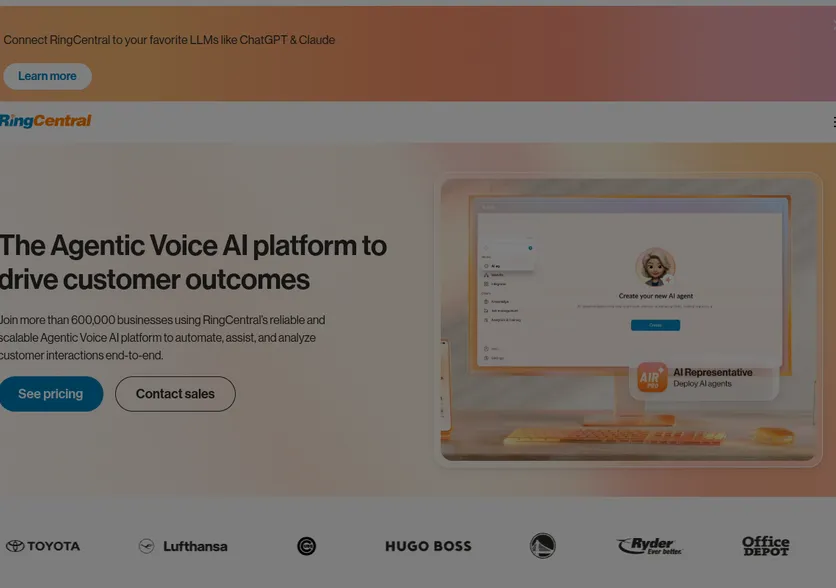
This RingCentral Events plan costs ninety-nine dollars per organiser a month billed annually for Events Pro, and it is the former Hopin platform, bought by RingCentral in 2023. Every plan includes unlimited events and registrations, a virtual venue with stage and networking, and a production studio. The entry price is the lowest subscription in this comparison, though the per-organiser billing means a second organiser doubles the cost.
What we like
- Lowest subscription price here at ninety-nine dollars a month
- Unlimited events and registrations on every plan
- Virtual venue with stage, networking and expo areas
Watch out for
- Per-organiser pricing doubles the bill with a second organiser
- Both billing options carry an annual commitment
How to try it
- Open the RingCentral Events pricing page and start the trial
- Build your virtual venue with stage and networking areas
- Run a rehearsal webinar before the first live event
7. Luma
Best for: Small teams that run simple events on a budget
Paid tool Starting price: $59/month · Fifty-nine dollars a month billed annually for Plus, or sixty-nine dollars a month on monthly billing; the free plan takes a five percent platform fee while Plus takes zero percent
Free plan: Free plan available; 5% platform fee on free plan
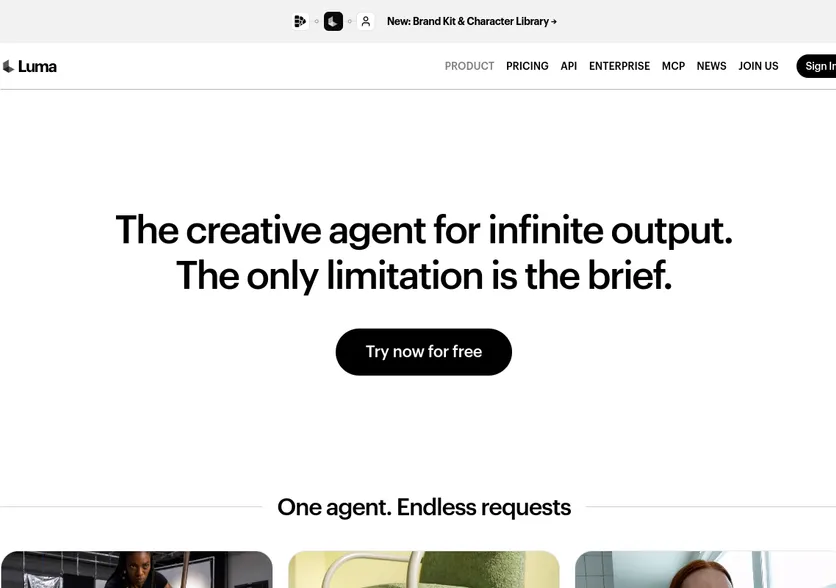
This Luma plan costs fifty-nine dollars a month billed annually for Plus, and the free plan covers small events with a five percent platform fee. The tool is deliberately simple: build an event page, take registrations, send reminders and host the event, with no enterprise features to learn. Plus drops the platform fee to zero, which is the main reason to pay, and the calendar-style event pages look good without any design work.
What we like
- Simplest event tool in this comparison
- Free plan with a five percent platform fee
- Plus drops the platform fee to zero
Watch out for
- No enterprise features for large conferences
- Free plan takes five percent of ticket revenue
How to try it
- Open the Luma pricing page and start the free plan
- Create your event page and set the registration form
- Upgrade to Plus when the five percent fee costs more than fifty-nine dollars a month
8. EventCreate
Best for: Small teams that want a beautiful event website fast
Paid tool Starting price: $19/month · Nineteen dollars a month billed annually for Personal, or twenty-nine dollars a month on monthly billing; Pro costs fifty-nine dollars a month billed annually and Summit two hundred and forty-nine dollars; plans were restructured on November 1, 2026, so older prices are stale; subscriptions from May 21, 2026 carry EventCreate ticket fees at an unpublished rate
Free plan: Free plan available; 1 event, 50 attendees
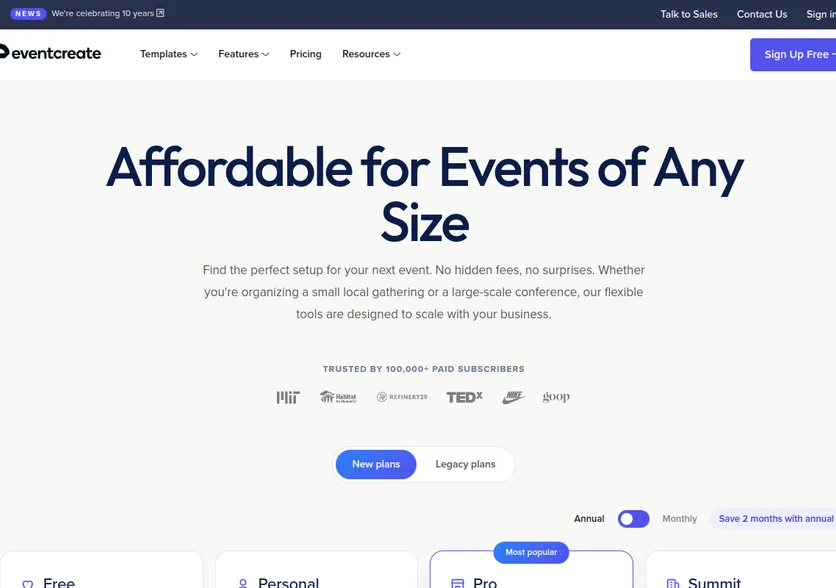
This EventCreate plan costs nineteen dollars a month billed annually for Personal, after a restructure on November 1, 2026 that changed every plan and price. The tool builds a polished event website with registration in minutes, and the free plan covers one event with fifty attendees. Note that subscriptions started on or after May 21, 2026 carry EventCreate ticket fees at an unpublished rate, so check the fee before you sell tickets.
What we like
- Polished event websites built in minutes
- Free plan covers one event with fifty attendees
- Pro and Summit tiers scale to large events
Watch out for
- Ticket fees apply on newer subscriptions at an unpublished rate
- Plans were restructured in November 2026, so older guides are stale
How to try it
- Open the EventCreate pricing page and start the free plan
- Pick a template and build your event website
- Upgrade to Personal when the event passes fifty attendees
Prices above were checked on each vendor’s own website on Nov 27, 2026 and can change — the vendor’s page is the final word. Vendor links are editorial: nobody paid to be listed or ranked here. Vendors who want a featured listing can see how it works on our Get listed page.
How a corporate team should pick an event platform
Start with how many events you run. A team with one conference a year should pay per event, while a team with a dozen meetings should buy an annual plan and stop counting. Count your users next, because the tools here charge in three different ways: per event, per user and per registration, and a five-person team on a per-user plan pays far more than the headline price suggests. Stova adds three dollars per registration on top of its package fee, so a large conference costs more than the package alone.
Book a demo with a real agenda in hand. Ask the vendor to build your actual meeting, with your sessions, your registration questions and your check-in flow, because a generic demo hides the gaps. Check whether the event app and onsite badge printing are included or paid add-ons, and confirm the billing period on any package price, since Stova does not state whether its fee is annual or per event.
Before you buy
- Count your events per year before you buy, because per-event pricing beats an annual plan for a one-meeting team
- Check the user count in the base price, since some tools charge per user and a five-person team triples the bill
- Confirm the per-registration fee on top of the package price, because a cheap package can get expensive at scale
- Ask whether the plan includes an event app and check-in, or whether those are paid add-ons
- Check the trial length and whether a demo is required, since most tools here do not offer a self-serve free plan
Official websites
Official websites of the products reviewed above. Features and prices were checked against these sites when this guide was written, and they can change, so confirm on the vendor site before you buy.
Frequently asked questions
What is the cheapest event management software for corporate meetings?
Luma Plus costs fifty-nine dollars a month billed annually, and RingCentral Events Pro costs ninety-nine dollars per organiser a month billed annually. EventCreate Personal costs nineteen dollars a month billed annually, which makes it the cheapest paid plan here, though it is a website builder rather than a full event platform. For a corporate meeting with registration and check-in, RingCentral Events at ninety-nine dollars a month is the cheapest full platform.
Can I run unlimited events on one plan?
Yes, on the annual plans. Swoogo Professional at eleven thousand eight hundred dollars a year covers unlimited events and unlimited registrations, Accelevents Business at thirteen thousand five hundred dollars a year does the same, and EventMobi offers an annual plan at eight thousand nine hundred dollars a year. RingCentral Events includes unlimited events and registrations on every plan, including the ninety-nine dollar monthly tier, which is unusual at this price.
What happened to Aventri and MeetingPlay?
Stova is the current name for Aventri, MeetingPlay and eventcore, three platforms merged and rebranded in October 2022. The product is one platform now, with registration, websites, an event app and onsite services in a single system. If your team used Aventri or MeetingPlay before, the same features live under the Stova name, and the packages page publishes the prices.
Can I try these tools for free?
No. Accelevents, Swoogo, Stova, EventMobi and Bizzabo all require a demo or a sales call, and none of them offers a self-serve free plan. Luma and EventCreate both have free plans, and RingCentral Events offers a thirty-day free trial. If you want to test a platform before talking to sales, start with Luma or EventCreate, then book demos with the two enterprise finalists.
Why do some tools charge per user and others per registration?
Bizzabo charges four hundred and ninety-nine dollars per user a month with a three-user minimum, a floor of seventeen thousand nine hundred and ninety-nine dollars a year. Swoogo charges eleven thousand eight hundred dollars a year for one full user and one reporting user, and extra users cost more. Stova adds three dollars per registration on top of the package fee, so a large conference costs more. Always count your users and your registrations before you compare.
Compare the eight tools above, then book a demo with your two finalists and bring a real meeting agenda to test them.
Browse Business Tools tools