
On this page
An event staffing agency lives on the gap between the booking and the show: a client calls on Tuesday, the event is on Saturday, and fifty staff have to be hired, briefed and paid. The software has to schedule shifts, track hours, message the crew and prove who showed up, without a phone tree that falls apart at midnight. We compared eight tools on published price, scheduling depth, and how they handle time tracking and payroll. Deputy is our first pick — five dollars per user a month with labour-law compliance built in, which matters when crews work across venues.
How we researched this
We started with the scheduling and staffing tools an event agency can actually buy without an enterprise sales call, then read each price on the vendor site on November 27, 2026 and noted the trial or free tier each plan carries. We judged them for an agency that hires fast, schedules across venues, tracks hours and pays a part-time crew on time. We dropped quote-only agency platforms such as Rosterfy and the wider LASSO crew platform because an agency needs a published price before it quotes a client.
Compare the tools
| Name | Best for | Starting price | Free plan | |
|---|---|---|---|---|
 Connecteam | Agencies that want scheduling plus chat and HR in one app | $29/month | Free plan for up to 10 users | Visit |
 Deputy | Agencies that need labour-law compliance across many venues | $5/user/month | No free plan; 14-day free trial | Visit |
 When I Work | Small agencies that want the lowest per-user scheduling price | $2.50/user/month | No free plan; 14-day free trial | Visit |
 7shifts | Agencies that staff restaurants and venues with shift teams | $39.99/location/month | Free Comp plan for 1 location with up to 15 employees | Visit |
 Homebase | Single-location agencies that want flat pricing with unlimited staff | $24/location/month | Free Basic plan for 1 location with up to 10 employees | Visit |
 Planday | European shift teams that need payroll-ready schedules | $2.99/user/month | No free plan; 30-day free trial | Visit |
 Sling | Small agencies that want free scheduling for up to thirty staff | $1.70/user/month | Free plan for scheduling, shift swaps and messaging for up to 30 users | Visit |
 Bullhorn | Staffing agencies that recruit, place and track candidates in one system | $99/user/month | No free plan; demo available | Visit |
The event staffing software for agencies, compared
1. Connecteam
Best for: Agencies that want scheduling plus chat and HR in one app
Paid tool Starting price: $29/month · Twenty-nine dollars a month for the Basic plan, covering scheduling, time clock, chat and forms; the free plan covers up to ten users; Advanced is forty-nine dollars and Expert ninety-nine dollars a month with more HR and payroll tools
Free plan: Free plan for up to 10 users
This Connecteam plan is the all-in-one pick for a staffing agency that manages deskless crews, because scheduling, time clock, chat, forms and HR live in one app. Basic costs twenty-nine dollars a month and covers the scheduling and communication tools an agency uses every day. The free plan covers up to ten users, so a small agency can run its first crews without paying anything.

What we like
- Scheduling, time clock, chat and HR in one app
- Free plan covers up to ten users
- Built for deskless teams that work on phones
Watch out for
- Priced per hub, so multi-site agencies pay more
- Payroll tools wait for the higher plans
How to try it
- Start on the free plan and schedule your next ten-person crew
- Add the time clock and forms before the first event day
- Upgrade to Basic when the crew passes ten users
2. Deputy
Best for: Agencies that need labour-law compliance across many venues
Paid tool Starting price: $5/user/month · Five dollars per user a month billed annually for Lite, or five dollars fifty cents billed monthly; Core is six dollars fifty cents and Pro is nine dollars per user a month billed annually; a thirty-dollar monthly minimum applies
Free plan: No free plan; 14-day free trial
This Deputy plan is the compliance-first pick for an agency that staffs many venues, because labour-law rules, demand forecasting and wage budgets are built into the scheduling. Lite costs five dollars per user a month billed annually and covers scheduling, timesheets, time clocking, shift swaps, leave management and messaging. A thirty-dollar monthly minimum applies, so a very small team should check the maths before signing up.

What we like
- Labour-law compliance built into the schedule
- Demand forecasting and wage budgets included
- Auto-scheduling on Core for busy weeks
Watch out for
- Thirty-dollar monthly minimum even for a tiny team
- Auto-scheduling waits for the Core plan
How to try it
- Start the fourteen-day trial and build one multi-venue week
- Turn on the labour-law rules for each venue before you publish shifts
- Check the thirty-dollar monthly minimum against your seat count
3. When I Work
Best for: Small agencies that want the lowest per-user scheduling price
Paid tool Starting price: $2.50/user/month · Two dollars fifty cents per user a month for Essentials, covering scheduling, messaging and auto-scheduling; Pro is five dollars and Premium is eight dollars per user a month; time tracking lifts Essentials to four dollars per user a month; seats are sold in blocks of five
Free plan: No free plan; 14-day free trial
This When I Work plan is the cheapest per-user scheduler here, at two dollars fifty cents per user a month for Essentials. It covers scheduling, team messaging, auto-scheduling, templates, shift swaps and open shifts, with payroll and point-of-sale links included. Seats are sold in blocks of five, so a team of twenty-two people is billed for twenty-five seats, which is a detail worth checking before you buy.

What we like
- Cheapest per-user entry here at two dollars fifty cents
- Auto-scheduling and shift swaps on the entry plan
- Simple enough for a new scheduler to learn in a day
Watch out for
- Seats are sold in blocks of five, so odd crew sizes cost more
- Time tracking is an add-on that lifts the entry price
How to try it
- Start the fourteen-day trial and build one event week
- Count your crew in blocks of five before you price it
- Add time tracking only if you need it, because it lifts the price
4. 7shifts
Best for: Agencies that staff restaurants and venues with shift teams
Paid tool Starting price: $39.99/location/month · Thirty-nine dollars ninety-nine cents per location a month billed annually for Essentials, covering up to thirty employees; month-to-month billing is forty-four dollars ninety-nine cents; Pro is seventy-nine dollars ninety-nine cents and Premium one hundred thirty-four dollars ninety-nine cents a location a month
Free plan: Free Comp plan for 1 location with up to 15 employees
This 7shifts plan is built for restaurants and venues, which is where many event agencies place their crews. Essentials costs thirty-nine dollars ninety-nine cents per location a month billed annually and covers up to thirty employees, with advanced scheduling, team messaging and a basic time clock. The Comp plan is free for one location with up to fifteen employees, so a small agency can start without paying anything.

What we like
- Free Comp plan for one location with fifteen staff
- Labour forecasting from point-of-sale data
- Tip management and payroll tools on higher plans
Watch out for
- Built for restaurants, so event-only agencies may miss features
- Payroll add-on costs extra unless you take Premium
How to try it
- Start on the free Comp plan for your first location
- Upgrade to Essentials when the crew passes fifteen people
- Connect the point-of-sale data for labour forecasting
5. Homebase
Best for: Single-location agencies that want flat pricing with unlimited staff
Paid tool Starting price: $24/location/month · Twenty-four dollars per location a month billed annually for Essentials, covering unlimited employees at one location; month-to-month billing costs more; the Basic plan is free for one location with up to ten employees
Free plan: Free Basic plan for 1 location with up to 10 employees
This Homebase plan suits an agency that staffs one location with a large part-time crew, because Essentials costs twenty-four dollars per location a month billed annually and covers unlimited employees. The Basic plan is free for one location with up to ten employees, and it already includes basic scheduling and a time clock. Payroll and team messaging are included on paid plans, so a small agency can run hiring, scheduling and pay in one place.

What we like
- Flat per-location price with unlimited employees
- Free Basic plan with scheduling and time clock
- Payroll and messaging in the same app
Watch out for
- Priced per location, so multi-venue agencies pay per site
- Advanced scheduling tools wait for higher plans
How to try it
- Start on the free Basic plan for your first location
- Upgrade to Essentials when the crew passes ten people
- Turn on payroll once the event volume is steady
6. Planday
Best for: European shift teams that need payroll-ready schedules
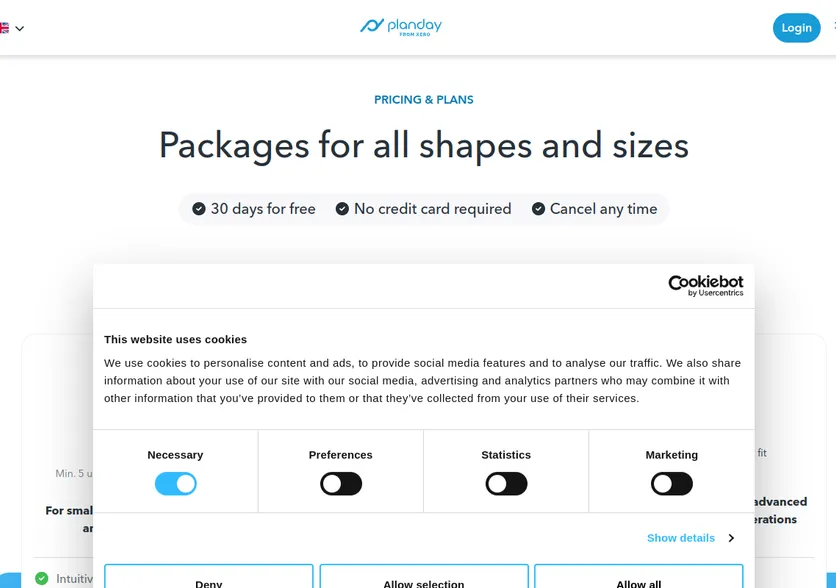
Paid tool Starting price: $2.99/user/month · Two dollars ninety-nine cents per user a month for Starter, with a five-user minimum, covering scheduling, simple time tracking and working-time warnings; Plus is four dollars forty-nine cents per user a month plus a fifteen-dollar monthly subscription fee, with a ten-user minimum
Free plan: No free plan; 30-day free trial
This Planday plan is the low per-user pick for shift teams that need working-time rules and payroll-ready schedules. Starter costs two dollars ninety-nine cents per user a month with a five-user minimum, and it covers scheduling, simple time tracking, working-time warnings and basic payroll reporting. Users are billed in bundles of five, so a team of eight users is billed for ten, which is a cost detail worth checking before you commit.
What we like
- Low per-user price with working-time rules built in
- Payroll-ready reporting on the entry plan
- Simple time tracking included, not an add-on
Watch out for
- Billed in bundles of five users, so odd crew sizes cost more
- Leave management waits for the Plus plan
How to try it
- Start the thirty-day trial and build one week of shifts
- Check the five-user bundles against your real crew size
- Turn on working-time warnings before the first event
7. Sling
Best for: Small agencies that want free scheduling for up to thirty staff
Paid tool Starting price: $1.70/user/month · One dollar seventy cents per user a month billed annually for Premium; the free plan covers scheduling, shift swaps and messaging for up to thirty users
Free plan: Free plan for scheduling, shift swaps and messaging for up to 30 users
This Sling plan is the best free start here, because the free plan covers scheduling, shift swaps and messaging for up to thirty users at no cost. Premium costs one dollar seventy cents per user a month billed annually and adds the tools a growing agency needs. For an agency that is just starting, Sling lets the crew run on a real schedule for months before the first invoice arrives.

What we like
- Free scheduling for up to thirty users
- Cheapest paid plan here at one dollar seventy cents per user
- Shift swaps and messaging included for free
Watch out for
- Advanced tools wait for the paid plan
- No recruiting or applicant tracking built in
How to try it
- Start on the free plan and schedule your next crew of thirty
- Turn on shift swaps so staff cover each other without a phone call
- Upgrade to Premium when you need the extra tools
8. Bullhorn
Best for: Staffing agencies that recruit, place and track candidates in one system
Paid tool Starting price: $99/user/month · Ninety-nine dollars per user a month for small-agency software as listed; enterprise pricing is quoted; the platform covers recruiting, CRM and placement tracking for staffing agencies
Free plan: No free plan; demo available
This Bullhorn plan is the agency-side pick, because it is built for recruiting and placement, not just scheduling. It covers the candidate pipeline, client records and placement tracking that a staffing agency needs to fill roles fast, and it is the only tool here that treats recruiting as the core job. The small-agency price is listed at ninety-nine dollars per user a month, with enterprise pricing quoted for larger teams.
What we like
- Built for recruiting and placement, not just scheduling
- Candidate pipeline and client records in one system
- The agency-standard tool for staffing firms
Watch out for
- Priciest tool here by a wide margin
- No shift scheduling or time clock built in
How to try it
- Book a demo and bring a real requisition to test the workflow
- Map your candidate pipeline against the Bullhorn stages
- Check the per-user price against your recruiter headcount
Prices above were checked on each vendor’s own website on Nov 27, 2026 and can change — the vendor’s page is the final word. Vendor links are editorial: nobody paid to be listed or ranked here. Vendors who want a featured listing can see how it works on our Get listed page.
How an event staffing agency should schedule crews without a phone tree
Put the schedule where the crew already looks: their phones. A schedule that lives in email will be missed, and a phone tree will fail the first time someone does not pick up, so pick a tool with push notifications, shift swaps and messaging in one app. Publish the schedule early enough that staff can swap shifts themselves, and keep the swap rules visible, because a swap the manager never sees is how a post goes uncovered.
Prove attendance the same day, not at payroll time. A time clock with GPS or a venue check-in gives you the record you need when a client disputes the invoice, and it stops the argument before it starts. Check whether time tracking is included in the plan you buy, because on some tools it is an add-on that doubles the bill, and export the hours in the format your payroll system already reads.
Before you buy
- Check whether the price is per user or per location, because a large part-time crew changes the maths
- Confirm time tracking is included, not an add-on that doubles the bill
- Make sure shift swaps and messaging reach staff on their phones, not just email
- Check the minimum seat count and monthly minimum before you sign up
- Confirm the payroll export matches the system your accountant already uses
Official websites
Official websites of the products reviewed above. Features and prices were checked against these sites when this guide was written, and they can change, so confirm on the vendor site before you buy.
Frequently asked questions
What is the cheapest staffing software for an event agency?
Sling Premium costs one dollar seventy cents per user a month billed annually, and its free plan covers scheduling for up to thirty users at no cost. When I Work Essentials costs two dollars fifty cents per user a month, and Planday Starter costs two dollars ninety-nine cents per user a month with a five-user minimum. Deputy Lite costs five dollars per user a month billed annually and adds labour-law compliance.
What is the best tool for a staffing agency that also recruits?
Bullhorn is the pick for a staffing agency that recruits, because it covers the candidate pipeline, client records and placement tracking in one system at ninety-nine dollars per user a month. The schedulers here, such as Deputy and When I Work, cover shifts and hours but not recruiting. An agency that fills roles every week needs both, so budget for Bullhorn plus a scheduler.
Do these tools handle last-minute call-outs?
Yes, when the tool has shift swaps and messaging on staff phones. Sling, When I Work and Deputy all let staff swap shifts and message the team from their phones, so a call-out at midnight reaches the whole crew at once. Pick a tool with push notifications rather than email, because email is too slow when the event starts in six hours.
Should we pay per user or per location?
Pay per user when the crew is small and stable, because two dollars fifty cents a user on When I Work beats a flat location fee for a ten-person team. Pay per location when the crew is large and part-time, because Homebase Essentials at twenty-four dollars a location a month covers unlimited employees at one site. Model both against your real headcount before you choose.
How much does Deputy cost for 25 staff?
Deputy Lite costs five dollars per user a month billed annually, so twenty-five staff cost one hundred twenty-five dollars a month, plus the thirty-dollar monthly minimum does not apply because the total is above it. Monthly billing is five dollars fifty cents per user, or one hundred thirty-seven dollars fifty cents a month. Core adds auto-scheduling at six dollars fifty cents per user a month.
Compare the eight tools above, then trial the scheduler on one real event crew before the next big booking.
Browse Business Tools tools


