On this page
Bankruptcy cases turn on expert witnesses: valuation experts, accountants and industry specialists whose reports, depositions and fees have to be tracked alongside the case itself. The software has to keep the expert file, the deposition calendar and the billing in one place, or the firm loses track of what each expert has cost. We compared seven practice-management tools on published price and how well they run the expert-witness workflow for bankruptcy firms. Clio is our first pick — the most widely used platform, with EasyStart at forty-nine dollars per user a month.
How we researched this
We started with practice-management platforms that publish a US dollar price and cover the work a bankruptcy firm does with expert witnesses: matter files, expert reports, deposition calendars and expert billing. We read each price on the vendor site on November 27, 2026. Dedicated expert-witness marketplaces are all quote-only, so we did not include them; instead we judged these seven platforms on how well they run the expert-witness workflow inside a bankruptcy practice.
Compare the tools
| Name | Best for | Starting price | Free plan | |
|---|---|---|---|---|
 Clio | Bankruptcy firms that want the most widely used practice platform | $49/user/month | No free plan; 7-day free trial | Visit |
 MyCase | Bankruptcy firms that want the lowest starting price with billing included | $50/user/month | No free plan; free trial available | Visit |
 PracticePanther | Solo and small bankruptcy practices that want simple per-user pricing | $49/user/month | No free plan; free trial available | Visit |
 CosmoLex | Bankruptcy firms that need accounting and practice management in one tool | $49/user/month | No free plan; free trial available | Visit |
 Smokeball | Firms that want automated billing and document assembly for expert work | $49/user/month | No free plan; free trial available | Visit |
 Rocket Matter | Bankruptcy firms that want predictable annual pricing with no monthly option | $59/user/month | No free plan; free trial available | Visit |
 CARET Legal | Firms that want an enterprise platform built for complex litigation | $79/user/month | No free plan; demo available | Visit |
The expert witness management software for bankruptcy law firms, compared
1. Clio
Best for: Bankruptcy firms that want the most widely used practice platform
Paid tool Starting price: $49/user/month · Manage EasyStart costs forty-nine dollars per user a month billed annually, or fifty-nine dollars monthly; Essentials eighty-nine dollars, or ninety-nine dollars monthly; Advanced one hundred and nineteen dollars, or one hundred and thirty-nine dollars monthly; Expand one hundred and forty-nine dollars; Grow standalone fifty-nine dollars billed annually
Free plan: No free plan; 7-day free trial
This Clio platform is the default choice for law firms because almost every legal integration, court filing tool and accountant already works with it. Matter files, expert reports, deposition calendars and expert billing share one record, and the time tracking feeds straight into invoices. Manage EasyStart costs forty-nine dollars per user a month on annual billing, with Essentials at eighty-nine dollars and Advanced at one hundred and nineteen dollars for firms that need deeper automation.

What we like
- The widest legal integration support of any tool here
- Matter files, experts and billing share one record
- Time tracking feeds straight into invoices with no retyping
Watch out for
- Client intake and growth features wait for the Grow add-on
- Advanced automation needs the higher Advanced tier
How to try it
- Open the Clio pricing page and start the seven-day trial
- Create one bankruptcy matter with its expert witnesses attached
- Set the billing rates and trust accounting rules before go-live
2. MyCase
Best for: Bankruptcy firms that want the lowest starting price with billing included
Paid tool Starting price: $50/user/month · Basic costs fifty dollars per user a month billed annually, or sixty dollars monthly; Pro one hundred dollars, or one hundred and twenty dollars monthly; Advanced one hundred and thirty dollars, or one hundred and fifty dollars monthly; accounting add-on thirty-nine dollars per user a month
Free plan: No free plan; free trial available
This MyCase platform covers the whole matter in one subscription: case files, expert witnesses, calendars, billing and client communication share one screen. Expert reports and deposition dates sit next to the billing record, so the firm can see what each expert has cost on a matter at a glance. Basic costs fifty dollars per user a month on annual billing, with Pro at one hundred dollars and Advanced at one hundred and thirty dollars for firms that need deeper reporting.

What we like
- Case files, billing and client messages share one screen
- Expert costs are visible on the matter at a glance
- The client portal keeps experts and clients updated without email
Watch out for
- Full accounting needs a thirty-nine dollar add-on per user
- Reporting depth is thinner than Clio on the Basic plan
How to try it
- Open the MyCase pricing page and start the free trial
- Create one bankruptcy matter with its expert witnesses attached
- Turn on the client portal so experts and clients see their own updates
3. PracticePanther
Best for: Solo and small bankruptcy practices that want simple per-user pricing
Paid tool Starting price: $49/user/month · Solo costs forty-nine dollars per user a month billed annually, or fifty-nine dollars monthly; Essential sixty-nine dollars, or seventy-nine dollars monthly; Business eighty-nine dollars, or ninety-nine dollars monthly; Business Pro one hundred and fourteen dollars, or one hundred and twenty-four dollars monthly
Free plan: No free plan; free trial available
This PracticePanther platform is built for small firms: matter files, expert contacts, calendars and billing are simple to set up, and the automation handles routine reminders without a dedicated administrator. Expert witnesses can be tracked with their rates, reports and deposition dates in one place, and the mobile app keeps the file in the attorney pocket at court. Solo costs forty-nine dollars per user a month on annual billing, with Essential at sixty-nine dollars and Business at eighty-nine dollars.

What we like
- Simple setup with no administrator needed
- Automation handles routine reminders without extra staff
- Mobile app keeps the matter file in your pocket at court
Watch out for
- Trust accounting depth is thinner than CosmoLex on the Solo plan
- Advanced reporting waits for the Business tiers
How to try it
- Open the PracticePanther pricing page and start the free trial
- Import one bankruptcy matter with its expert contacts and rates
- Set the automation rules for deposition reminders before go-live
4. CosmoLex
Best for: Bankruptcy firms that need accounting and practice management in one tool
Paid tool Starting price: $49/user/month · Launch costs forty-nine dollars per user a month billed annually, or fifty-nine dollars monthly; Core ninety-nine dollars, or one hundred and nine dollars monthly; Pro one hundred and twenty-nine dollars, or one hundred and thirty-nine dollars monthly; yearly billing saves one hundred and twenty dollars per user
Free plan: No free plan; free trial available
This CosmoLex platform is the only one here that includes full legal accounting in the base subscription, with trust accounting built in rather than bolted on. Expert billing, matter files and deposition calendars share one record, and the accounting stays compliant with state bar rules without a separate bookkeeping tool. Launch costs forty-nine dollars per user a month on annual billing, with Core at ninety-nine dollars and Pro at one hundred and twenty-nine dollars.

What we like
- Full legal accounting is included, not a paid add-on
- Trust accounting is built in and bar compliant
- Expert billing and matter files share one record
Watch out for
- The interface is denser than MyCase or PracticePanther
- Migration from another system takes longer than the simpler tools
How to try it
- Open the CosmoLex pricing page and start the free trial
- Set the trust accounting rules for your state bar before importing matters
- Create one bankruptcy matter with its expert billing attached
5. Smokeball
Best for: Firms that want automated billing and document assembly for expert work
Paid tool Starting price: $49/user/month · Bill costs forty-nine dollars per user a month; Boost costs eighty-nine dollars; Grow and Prosper+ are custom
Free plan: No free plan; free trial available
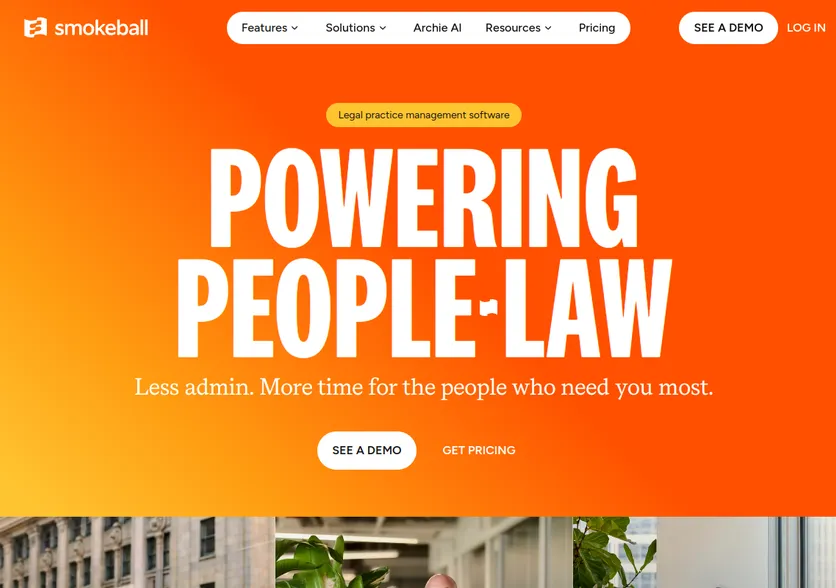
This Smokeball platform automates the repetitive parts of a bankruptcy practice: time tracking, billing and document assembly run from the matter file, so expert reports and fee applications take less drafting time. Calendars, tasks and expert contacts share one screen, and the billing rules follow the matter automatically. Bill costs forty-nine dollars per user a month, with Boost at eighty-nine dollars for firms that need deeper automation and reporting.
What we like
- Automatic time tracking captures billable expert work
- Document assembly cuts drafting time on fee applications
- Billing rules follow the matter without manual setup
Watch out for
- Grow and Prosper+ pricing is custom, so larger firms must get a quote
- The interface assumes a Windows-first workflow
How to try it
- Open the Smokeball pricing page and start the free trial
- Turn on automatic time tracking for expert-related work
- Build one fee application template from a live bankruptcy matter
6. Rocket Matter
Best for: Bankruptcy firms that want predictable annual pricing with no monthly option
Paid tool Starting price: $59/user/month · Essentials costs fifty-nine dollars per user a month; Pro ninety-five dollars; Premier one hundred and fifteen dollars; Elite one hundred and forty-five dollars; annual billing only
Free plan: No free plan; free trial available
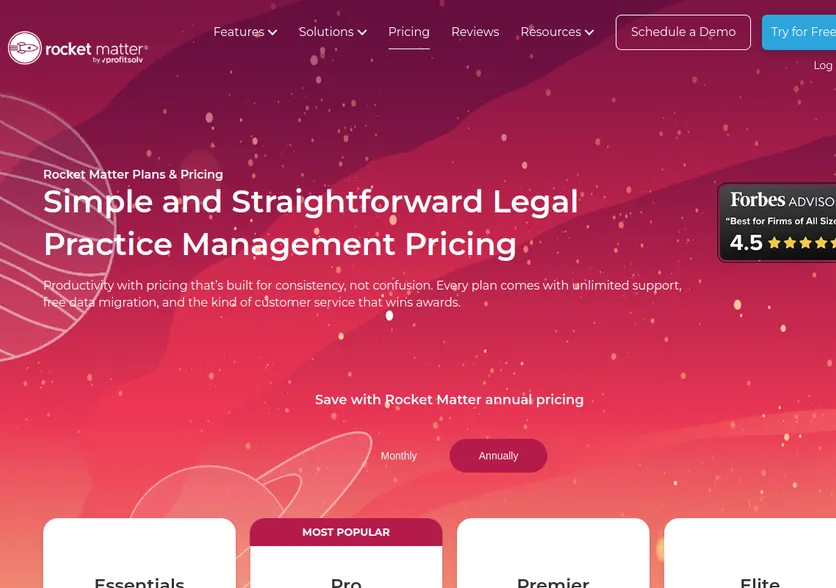
This Rocket Matter platform keeps the pricing simple: four tiers on annual billing only, with matter files, expert contacts, calendars and billing in every plan. Time tracking and invoicing run from the matter, and the reporting shows what each expert has cost across all open bankruptcy cases. Essentials costs fifty-nine dollars per user a month, with Pro at ninety-five dollars, Premier at one hundred and fifteen dollars, and Elite at one hundred and forty-five dollars.
What we like
- Four clear tiers with no monthly-billing confusion
- Reporting shows expert costs across all open matters
- Time tracking and invoicing run from the matter file
Watch out for
- Annual billing only, so there is no monthly option to test with
- The integration list is shorter than Clio or MyCase
How to try it
- Open the Rocket Matter pricing page and compare the four tiers
- Create one bankruptcy matter with its expert contacts attached
- Set the billing rates once, then let invoices generate from time entries
7. CARET Legal
Best for: Firms that want an enterprise platform built for complex litigation
Paid tool Starting price: $79/user/month · Enterprise costs seventy-nine dollars per user a month billed annually; Enterprise Plus ninety-nine dollars; Enterprise Insights one hundred and nineteen dollars; one-time implementation fees are unpublished. Formerly Zola Suite; zolasuite.com now redirects to caretlegal.com
Free plan: No free plan; demo available
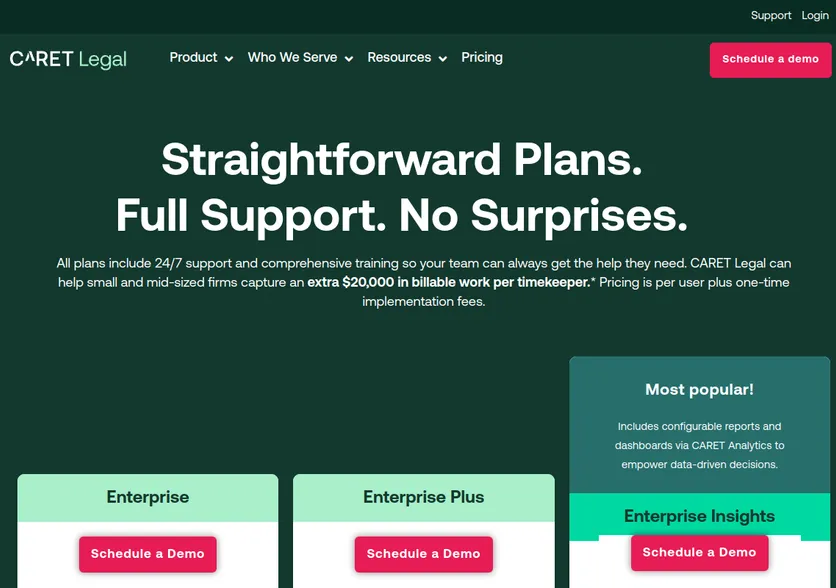
This CARET Legal platform, formerly Zola Suite, is the enterprise option here: it handles complex bankruptcy matters with deep matter management, document automation and reporting for larger firms. Expert witnesses, deposition calendars and billing share one record, and the platform scales from a small team to a multi-office firm without a migration. Enterprise costs seventy-nine dollars per user a month on annual billing, with Enterprise Plus at ninety-nine dollars and Enterprise Insights at one hundred and nineteen dollars.
What we like
- Built for complex, multi-office litigation from the start
- Document automation covers expert reports and court filings
- Scales without a migration as the firm grows
Watch out for
- One-time implementation fees are not published
- The enterprise focus makes it heavy for a solo practice
How to try it
- Open the CARET Legal pricing page and book a demo
- Map one complex bankruptcy matter onto the platform with your team
- Check the document automation against your current templates before signing
Prices above were checked on each vendor’s own website on Nov 27, 2026 and can change — the vendor’s page is the final word. Vendor links are editorial: nobody paid to be listed or ranked here. Vendors who want a featured listing can see how it works on our Get listed page.
How a bankruptcy firm should run expert witnesses without losing the file
Attach the expert to the matter on day one, with their rate, report deadline and deposition date in the same record as the case file. An expert tracked in a separate spreadsheet is an expert whose invoice surprises the firm at the end of the case. Set the billing rule when you add the expert, so their time and expenses flow into the matter invoice automatically instead of being retyped at month end.
Keep the deposition calendar inside the same system as the matter file, because a deposition that lives only in email gets missed. Run one live matter through the new tool before you migrate the firm, and check the invoice it produces against your old system. If the numbers match, the migration is safe; if they do not, the billing rules need fixing before anything else moves.
Before you buy
- Check the plan covers expert billing and deposition calendars, not just case files
- Confirm trust accounting meets your state bar rules before you buy
- Count every attorney and paralegal when you check per-user minimums
- Make sure documents and expert reports sync to your document system
- Check whether the renewal price is higher than the first-year price
Official websites
Official websites of the products reviewed above. Features and prices were checked against these sites when this guide was written, and they can change, so confirm on the vendor site before you buy.
Frequently asked questions
Is there software made only for managing expert witnesses?
Dedicated expert-witness marketplaces exist, but they price by quote and do not publish a dollar figure, so they cannot be compared on price. The honest route is a practice-management platform that runs the expert-witness workflow: matter files, expert reports, deposition calendars and expert billing in one place. All seven tools here publish a price and cover that workflow for a bankruptcy firm.
What is the cheapest practice software for a bankruptcy firm?
Clio, MyCase, PracticePanther, CosmoLex and Smokeball all start at forty-nine or fifty dollars per user a month on annual billing. Clio EasyStart is forty-nine dollars, MyCase Basic is fifty dollars, and PracticePanther Solo is forty-nine dollars. The cheapest fit depends on whether you need accounting included, which only CosmoLex bundles at that price, or client intake, which Clio charges extra for.
Does practice software handle trust accounting?
Yes, and it is the first thing to check: trust accounting rules differ by state, and the tool must keep client funds separate and produce the reports your bar requires. CosmoLex includes full legal accounting with trust accounting built in. Clio, MyCase and PracticePanther all handle trust accounting, but check the plan tier, because the deepest trust features sometimes wait for a higher tier.
How do we test practice software before switching?
Start with one live matter and run it in parallel with your current system for two weeks. Attach the expert witnesses, set their rates, log the deposition dates, and generate one invoice. If the invoice matches what your old system produced, the migration is safe. The tools that fail this test usually fail on billing rules, not on case files, so check the invoice first.
Is there a free plan for law firm software?
No, every tool here charges per user with no free plan, although most offer a free trial or a demo. The per-user price is only part of the bill: check for accounting add-ons, implementation fees and the cost of extra users. CARET Legal does not publish its implementation fees, and MyCase charges thirty-nine dollars per user a month extra for its accounting add-on.
Compare the seven tools above, then trial the top two with one live bankruptcy matter before you move the whole firm across.
Browse Business Tools tools