On this page
A retail store needs its tills, shelves and signage fixed before opening, so the service company behind it needs software that schedules visits around trading hours, handles the same job across ten locations and invoices each store correctly. The tools below cover that work at prices from twenty-nine dollars a month to two hundred and twenty-five, from a simple scheduler to a platform with unlimited users. We compared seven of them on published price, multi-store handling and how they fit a service crew. Jobber is our first pick, because it covers the whole job cycle at the lowest starting price.
How we researched this
We started with the field-service tools retail service teams actually use, then read each price on the vendor site on November 27, 2026 and noted the trial each plan carries. We judged them for a team that services retail stores, works around opening hours and needs the schedule, the invoice and the follow-up to agree. We dropped quote-only field-service platforms and tools with no published price, because a service company owner needs a number to budget around.
Compare the tools
| Name | Best for | Starting price | Free plan | |
|---|---|---|---|---|
| Zenbooker | Retail service teams that book store visits by appointment and territory | $29/month | No free plan; 14-day free trial, no card | Visit |
 Jobber | Retail service teams that want one app for quotes, scheduling and invoicing | $29/month | No free plan; 14-day free trial | Visit |
 Housecall Pro | Retail service crews that want job tracking and payments on mobile | $59/month | No free plan; 14-day free trial | Visit |
 Kickserv | Small retail service teams that want estimates and invoicing for five users | $60/month | No free plan; 30-day free trial | Visit |
 RazorSync | Retail service companies that need dispatch, routing and QuickBooks sync | $85/month | No free plan; free trial available | Visit |
 Service Fusion | Retail service companies with many technicians and no seat limits | $208/month | No free plan; no free trial (demo available) | Visit |
 Workiz | Larger retail service operations that want AI call answering and a free tier | $225/month | Free plan available (Lite: up to 2 users, 20 jobs a month) | Visit |
The field service management software for retail stores, compared
1. Zenbooker
Best for: Retail service teams that book store visits by appointment and territory
Paid tool Starting price: $29/month · Standard costs twenty-nine dollars a month for two service territories; Professional costs seventy-nine dollars for eight territories, Enterprise one hundred and forty-nine for thirty-six and National two hundred and fifty-nine for ninety-six; unlimited team members and bookings on every plan, month to month with no contract
Free plan: No free plan; 14-day free trial, no card
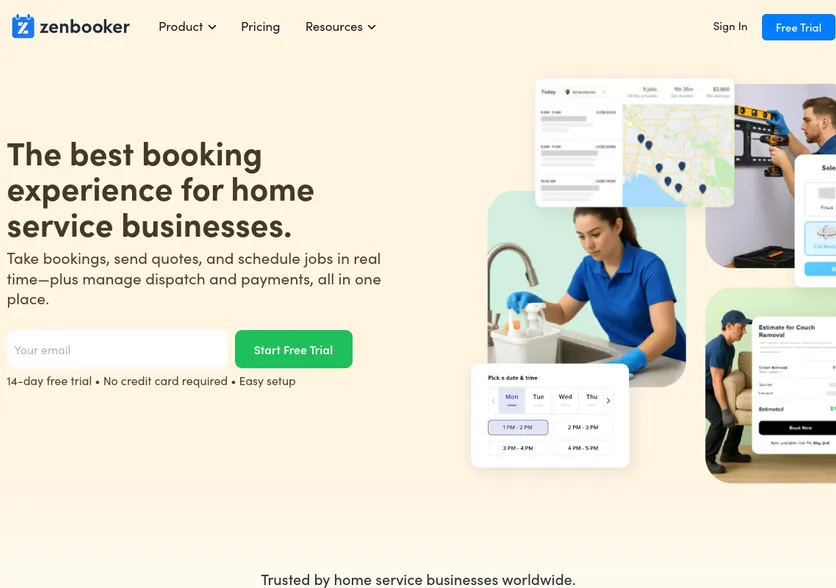
For a retail service team that books store visits by appointment, this Zenbooker plan offers online booking, territories and unlimited team members on every plan. A retail service company can book store visits by territory, assign technicians and send reminders without paying per seat. The price is flat by territory count rather than by user, so a growing team does not push the bill up every time a new technician joins.
What we like
- Unlimited team members and bookings on every plan
- Flat pricing by territory, not per user
- Month-to-month billing with no contract
Watch out for
- No estimating or invoicing built in
- Territory limits cap how far you can expand on a plan
How to try it
- Start the fourteen-day trial and map your store territories
- Set up online booking for store service visits
- Assign technicians to territories and check the daily schedule
2. Jobber
Best for: Retail service teams that want one app for quotes, scheduling and invoicing
Paid tool Starting price: $29/month · Core costs twenty-nine dollars a month billed annually; higher tiers add more users and automation, with Grow and Scale priced above Core
Free plan: No free plan; 14-day free trial
This Jobber plan is the cheapest general field-service starting point in this comparison, covering the whole job cycle from quote to invoice and payment. The Core plan suits a small team that services retail stores, from a single till repair to a full refit. The mobile app lets technicians check job details and collect payment on site, which matters when the store needs the work done before opening.

What we like
- Cheapest general field-service starting price here
- One app for quotes, scheduling, invoicing and payments
- Mobile app works well for technicians on site
Watch out for
- No retail-specific service templates by default
- Advanced automation waits for the higher tiers
How to try it
- Start the fourteen-day trial with your real job list
- Build a retail store service template
- Test the technician mobile app on one store visit
3. Housecall Pro
Best for: Retail service crews that want job tracking and payments on mobile
Paid tool Starting price: $59/month · Basic costs fifty-nine dollars a month billed annually, or seventy-nine dollars month to month; higher tiers add dispatch, automation and marketing tools
Free plan: No free plan; 14-day free trial
This Housecall Pro plan covers estimates, scheduling, dispatch and payments in one mobile-first app, which fits a retail service crew that works from vans rather than an office. The Basic plan suits a small team, and online booking helps a store request a repair without a phone call. The monthly rate is seventy-nine dollars if you pay month to month, so the annual price saves a real amount.

What we like
- Mobile-first app built for crews in vans
- Estimates, scheduling and payments in one place
- Online booking for store repair requests
Watch out for
- Monthly billing jumps to seventy-nine dollars
- No retail-specific templates built in
How to try it
- Start the fourteen-day trial and import your retail store clients
- Build a service call template for common store equipment
- Turn on online booking for repair requests
4. Kickserv
Best for: Small retail service teams that want estimates and invoicing for five users
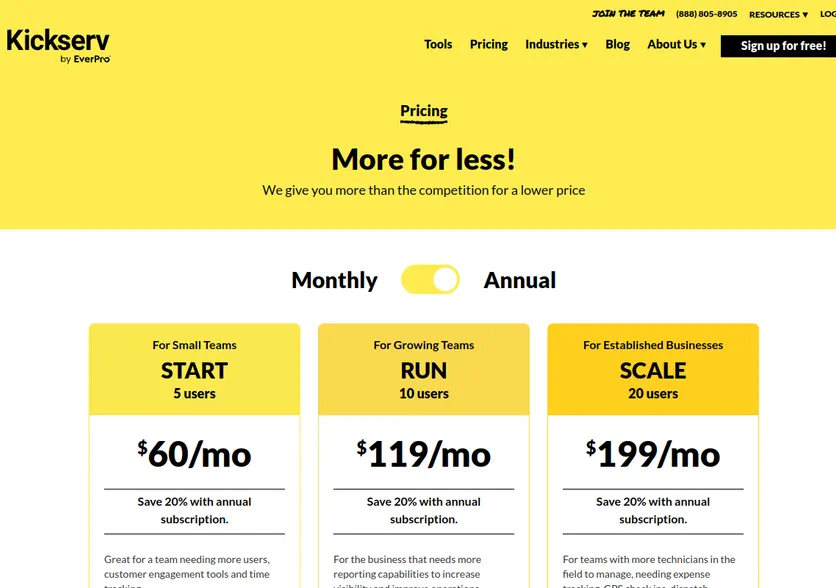
Paid tool Starting price: $60/month · Start costs sixty dollars a month billed annually, or seventy-five dollars month to month, for up to five users; Run costs one hundred and nineteen dollars a month billed annually for ten users and Scale one hundred and ninety-nine for twenty; annual billing saves twenty percent; online card fees are three point nine percent plus thirty cents
Free plan: No free plan; 30-day free trial
For a small retail service company with an office and two crews, this Kickserv plan covers estimates, scheduling, invoicing and customer history for up to five users. The thirty-day trial is the longest here, giving a team time to test it on real store visits before paying. Card fees of three point nine percent plus thirty cents apply to online payments, so check the payment costs against your average repair bill.
What we like
- Thirty-day trial, the longest in this comparison
- Five users included on the entry plan
- Estimates, scheduling and invoicing in one place
Watch out for
- Card fees of three point nine percent plus thirty cents apply
- Only five users on the entry plan
How to try it
- Start the thirty-day trial and import your retail store clients
- Set up a service call template with parts line items
- Run one full job from quote to invoice before paying
5. RazorSync
Best for: Retail service companies that need dispatch, routing and QuickBooks sync
Paid tool Starting price: $85/month · Solo costs eighty-five dollars a month billed annually, or ninety dollars month to month, for up to two users; Team costs one hundred and ninety-five dollars a month billed annually for up to seven users and Pro four hundred and thirty-nine for up to fifteen, with Enterprise custom; QuickBooks sync costs twenty dollars a month extra, route optimisation fifty and inventory thirty
Free plan: No free plan; free trial available
This RazorSync plan adds dispatch and routing to the standard estimate and invoice tools, which helps a retail service company run several technicians across a city. The Solo plan covers two users, and Team covers seven, so the price scales with team size rather than job count. QuickBooks sync is a twenty-dollar add-on, and route optimisation costs fifty dollars more, so the real monthly bill can run well above the headline price.
What we like
- Dispatch and routing for multiple service crews
- Scales by user count, not by job count
- Strong invoicing and payment collection tools
Watch out for
- QuickBooks sync and route optimisation are paid add-ons
- Two-user limit on the entry plan
How to try it
- Book a demo and ask which plan covers your team size
- Check the QuickBooks sync add-on price before you budget
- Test dispatch and routing with two crews for a week
6. Service Fusion
Best for: Retail service companies with many technicians and no seat limits
Paid tool Starting price: $208/month · Starter costs two hundred and eight dollars a month billed annually, or two hundred and forty-five dollars month to month; Plus costs three hundred and twenty-five dollars a month billed annually and Pro five hundred and thirty-three; unlimited users on every plan with no contract and no free trial; the vendor page has shown a lower grid on some visits, with Starter at one hundred and ninety-two dollars
Free plan: No free plan; no free trial (demo available)
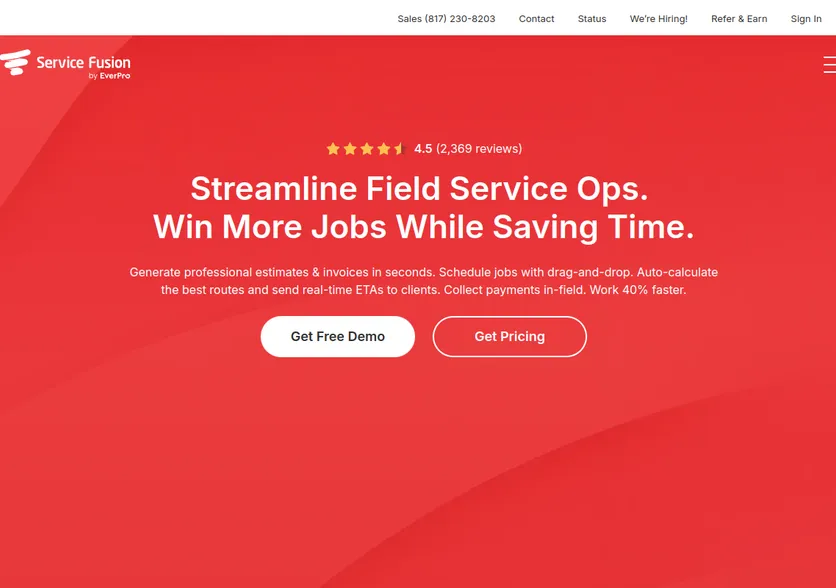
For a retail service company with a large technician team, this Service Fusion plan covers scheduling, dispatch, estimates and invoicing with unlimited users on every plan. Starter costs two hundred and eight dollars a month billed annually, and there is no contract and no free trial, so the commitment starts the day you sign. The vendor page has shown a lower price grid on some visits, with Starter at one hundred and ninety-two dollars, so confirm the current price before you buy.
What we like
- Unlimited users on every plan
- No contract, so you can leave any month
- Built for larger service teams with heavy dispatch
Watch out for
- No free trial to test before paying
- Vendor page has shown two different price grids
How to try it
- Book a demo and ask for the current Starter price in writing
- Check that unlimited users covers every technician
- Trial the dispatch board with your busiest week of jobs
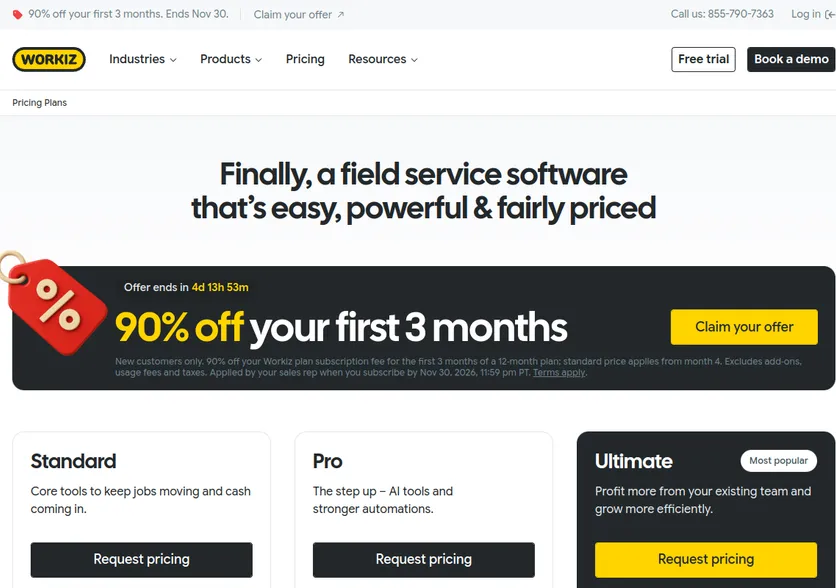
7. Workiz
Best for: Larger retail service operations that want AI call answering and a free tier
Paid tool Starting price: $225/month · Kickstart costs two hundred and twenty-five dollars a month, Standard two hundred and seventy-five and Pro three hundred and twenty-five, for up to five users on monthly billing, with annual billing saving about seventeen percent; Ultimate is custom-priced; the free Lite plan covers up to two users and twenty jobs a month; the phone system costs around one hundred dollars a month and Genius AI answering around two hundred as paid add-ons
Free plan: Free plan available (Lite: up to 2 users, 20 jobs a month)
For a larger retail service operation, this Workiz plan brings scheduling, dispatch, invoicing and a phone system that can answer calls when the office is busy. Kickstart costs two hundred and twenty-five dollars a month for up to five users, and annual billing saves about seventeen percent. The free Lite plan covers up to two users and twenty jobs a month, so a tiny team can start without paying, and the Genius AI answering add-on costs around two hundred dollars a month.
What we like
- Free Lite plan for up to two users
- Phone system and AI answering for busy offices
- Built for larger service operations with heavy call volume
Watch out for
- Phone system and AI answering are paid add-ons
- Highest entry price in this comparison
How to try it
- Start on the free Lite plan with up to two users
- Test scheduling and dispatch with real store jobs
- Ask about the Genius AI answering add-on before upgrading
Prices above were checked on each vendor’s own website on Nov 27, 2026 and can change — the vendor’s page is the final word. Vendor links are editorial: nobody paid to be listed or ranked here. Vendors who want a featured listing can see how it works on our Get listed page.
How a retail service team should schedule store visits
Schedule around trading hours first, because most retail repair and install work happens before the shop opens or after it closes. A tool that shows the store's opening hours next to the job stops the classic mistake of booking a noisy install in the middle of the trading day. For multi-store rollouts, pick a tool that repeats the same job across locations without retyping it ten times, because manual copying is where errors creep in.
Then check the price at your real team size, because the headline rarely tells the whole story. Service Fusion charges a flat rate with unlimited users, Zenbooker charges by territory, and Jobber, Housecall Pro and RazorSync price by user or tier, so a five-technician team and a twenty-technician team will rank these tools differently. Trial the technician app on a real store visit, because a confusing app means jobs get logged late and the store manager is left waiting.
Before you buy
- Count technicians as well as office staff when you check user limits
- Check whether the tool covers multi-store rollouts, not just single jobs
- Confirm the price covers unlimited users or count the seats you need
- Ask whether text updates to the store manager cost extra
- Test the technician mobile app on a real store visit before you commit
Official websites
Official websites of the products reviewed above. Features and prices were checked against these sites when this guide was written, and they can change, so confirm on the vendor site before you buy.
Frequently asked questions
What is the cheapest field service software for retail stores?
Zenbooker Standard and Jobber Core both cost twenty-nine dollars a month, the lowest entry prices here, with Zenbooker priced by territory and Jobber billed annually. Housecall Pro Basic is fifty-nine dollars a month billed annually. The larger platforms cost more: Service Fusion Starter is two hundred and eight dollars a month billed annually with unlimited users, and Workiz Kickstart is two hundred and twenty-five dollars a month.
What should retail service software handle that other field service tools do not?
A retail service team needs to schedule visits around store opening hours, because most repair and install work happens before the shop opens or after it closes. The tool must handle multi-store rollouts, where the same job repeats across ten locations, and keep the store manager updated by text. Jobber, Housecall Pro and Service Fusion all handle recurring jobs, but check the multi-location features on the tier you buy.
Which tool is best for a large retail service company?
Service Fusion and Workiz both suit larger operations: Service Fusion offers unlimited users on every plan with no contract, and Workiz adds a phone system and AI call answering for busy offices. Zenbooker suits a team that books by territory, because its flat price does not rise with headcount. Compare the per-user cost at your real team size, not the headline price.
Do retail service teams need a mobile app?
Yes, if the technicians work from vans, because they need to see the day's store visits, log parts used and collect payment without calling the office. Jobber, Housecall Pro, RazorSync and Workiz all have technician mobile apps. Test the app on a real store visit during the trial, because a confusing app means jobs get logged late and the store manager is left waiting.
Which tools sync with QuickBooks?
Jobber, Housecall Pro and RazorSync all sync with QuickBooks, though RazorSync charges twenty dollars a month extra for the sync. Service Fusion and Workiz also offer accounting integrations. Check whether the sync covers invoices, payments and customer records, because a partial sync still leaves manual work at month end, and confirm the add-on price before you budget.
Compare the seven tools above, then trial your pick with one retail service crew for two weeks and check that store visits, invoices and follow-ups all land in the same place.
Browse Business Tools tools