On this page
Financial services forms carry more weight than most: an application, a disclosure or a signed agreement has to be right, auditable and compliant. The tools below automate the whole flow, from the first field to the signature. Formstack leads because its approval workflows and compliance fit regulated teams, but a small advisory firm may do better on a flat eight-dollar signing plan.
How we researched this
We checked every price on the vendor pricing page or a November 2026 vendor read, and only included tools with a published US dollar list price that automate forms, documents or signatures for financial work. We ranked each tool on what a team pays in practice, including per-seat and per-envelope limits, and on whether approvals and audit trails are included. Quote-only platforms such as Nintex, Laserfiche and FormAssembly were left out, so every price below can be verified.
Compare the tools
| Name | Best for | Starting price | Free plan | |
|---|---|---|---|---|
| Formstack | Financial teams that need approval workflows and compliance | $83/mo | 14-day free trial, no free plan | Visit |
 Jotform | Financial teams that want one builder for every client form | $34/mo | Free Starter plan with 5 forms and 100 submissions a month | Visit |
 PandaDoc | Financial teams that turn forms into signed agreements | $19/seat/mo | Free eSign plan for basic signing | Visit |
 DocuSign eSignature | Financial teams that need the most recognised signing brand | $25/user/mo | 30-day free trial, no free plan | Visit |
 SignNow | Financial teams that want one flat price for everyone | $8/mo | 7-day free trial, no free plan | Visit |
| BoldSign | Financial teams that want the lowest per-user signing price | $5/user/mo | Free Essential plan with 25 envelopes a month | Visit |
| Cognito Forms | Financial teams that need calculated forms and quotes | $19/mo | Free Individual plan with unlimited forms and 100 entries a month | Visit |
| Zoho Forms | Financial teams inside Zoho who want the cheapest plan | $10/mo | Free plan with 3 forms and 500 submissions a month | Visit |
The forms automation software for financial services, compared
1. Formstack
Best for: Financial teams that need approval workflows and compliance
Paid tool Starting price: $83/mo · Eighty-three dollars a month for the Forms plan billed annually, or ninety-nine dollars monthly; the Suite is two hundred fifty dollars a month billed annually and bundles forms with document generation and e-signatures
Free plan: 14-day free trial, no free plan
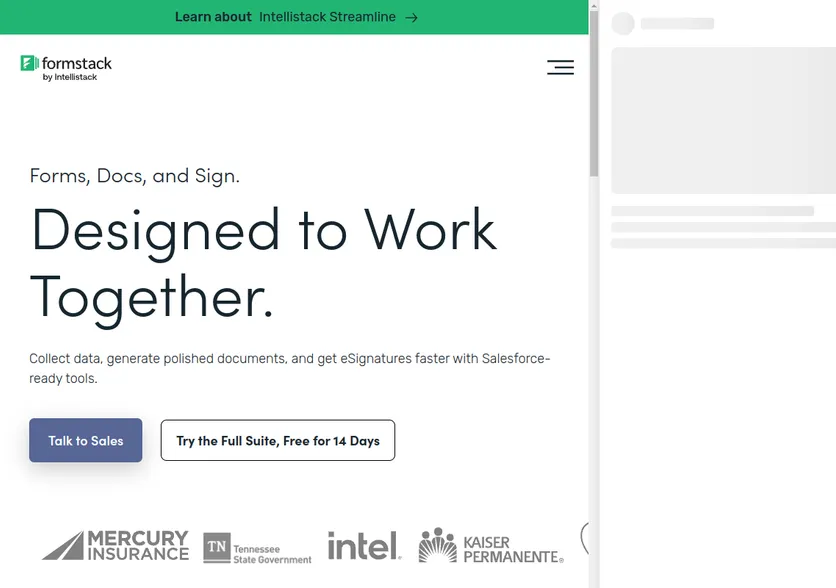
This Formstack Forms plan costs eighty-three dollars a month billed annually, and it is the compliance pick for financial services forms. It covers twenty-five forms with one thousand submissions each, approval workflows and custom branding, and it is HIPAA compliant. The Suite adds document generation and e-signatures, which matters when a form becomes a signed agreement.
What we like
- Approval workflows and HIPAA compliance included
- Documents and e-signatures in the Suite plan
- Custom branding on the entry plan
Watch out for
- No permanent free plan, only a trial
- Abandonment tracking is a separate add-on
How to try it
- Build the form with the drag-and-drop editor
- Set the approval workflow for submissions
- Route approved forms to the document workflow
2. Jotform
Best for: Financial teams that want one builder for every client form
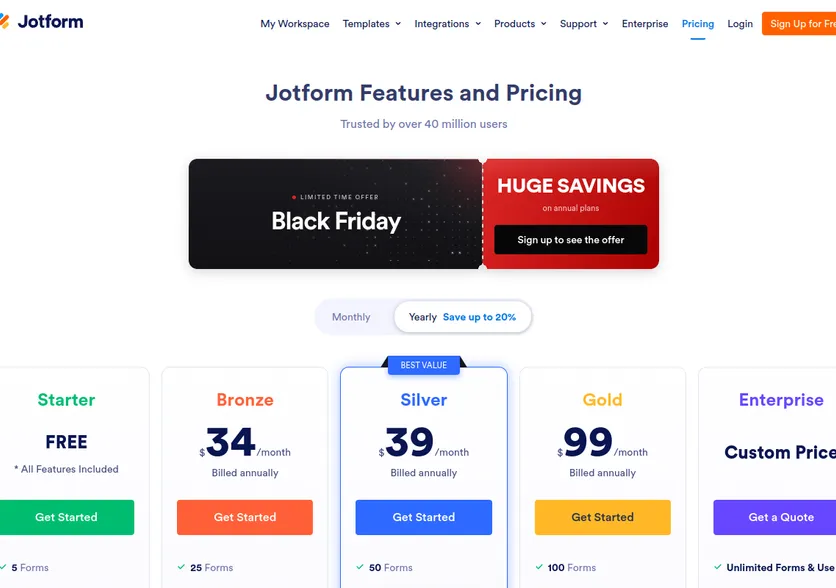
Paid tool Starting price: $34/mo · Thirty-four dollars a month for Bronze billed annually, or thirty-nine dollars monthly; Silver is thirty-nine dollars annually, Gold is ninety-nine dollars annually, and Enterprise is by quote
Free plan: Free Starter plan with 5 forms and 100 submissions a month
This Jotform Bronze plan costs thirty-four dollars a month billed annually, and it is the workhorse for financial services forms. It offers more than ten thousand templates, including loan applications, account openings and payment forms, and it supports more than thirty payment processors. The limit is one user per account on every standard plan, so a team that shares form building should plan for Enterprise.
What we like
- Largest template library, including financial forms
- Payments through more than thirty processors
- Conditional logic and approval flows included
Watch out for
- Only one user per account on standard plans
- Interface gets cluttered at higher volumes
How to try it
- Pick a financial template for the form needed
- Add conditional logic for the application flow
- Connect payments and route submissions to the team
3. PandaDoc
Best for: Financial teams that turn forms into signed agreements
Paid tool Starting price: $19/seat/mo · Nineteen dollars per seat a month for the Starter plan, with Business at forty-nine dollars per seat a month; pricing settled from the vendor pricing page in earlier waves
Free plan: Free eSign plan for basic signing
This PandaDoc Starter plan costs nineteen dollars per seat a month, and it is the pick for financial teams whose forms become signed documents. It covers proposals, quotes and contracts with e-signatures, payment collection and approval workflows in one flow. A form that collects an application and a signature in the same step saves a round of emails and a second tool.

What we like
- Forms, documents and e-signatures in one flow
- Payment collection built into the document
- Approval workflows included
Watch out for
- Per-seat pricing grows with every team member
- Advanced automation needs the Business plan
How to try it
- Build the form or document from a template
- Add signature and payment fields
- Send it and track signing in real time
4. DocuSign eSignature
Best for: Financial teams that need the most recognised signing brand
Paid tool Starting price: $25/user/mo · Twenty-five dollars per user a month for the Standard plan billed annually, with shared templates, custom branding and signer attachments; pricing settled from the vendor pricing page in earlier waves
Free plan: 30-day free trial, no free plan
This DocuSign eSignature Standard plan costs twenty-five dollars per user a month billed annually, and it is the brand clients already trust on financial documents. It adds shared templates, custom branding, comments and signer attachments to the basic signing workflow. The envelope cap of one hundred per user a year is the limit to count before committing.

What we like
- Clients recognise and trust the brand
- Shared templates and branding on Standard
- Strong mobile signing experience
Watch out for
- One hundred envelopes a year per user can run short
- Higher tiers needed for advanced workflows
How to try it
- Upload the document and place signature fields
- Add signers in order and send the envelope
- Download the completed document with its certificate
5. SignNow
Best for: Financial teams that want one flat price for everyone
Paid tool Starting price: $8/mo · Eight dollars a month for the Business plan billed annually, with unlimited users and one hundred signature invites a year; Business Premium is twenty dollars a month and Enterprise is thirty dollars a month
Free plan: 7-day free trial, no free plan
This SignNow Business plan costs eight dollars a month billed annually, and it is the flat-price pick for financial teams. One price covers unlimited users across the whole team, with templates, reminders and an audit trail included. Signers never need an account, which matters when clients sign loan or account documents from their phones.
What we like
- Flat account pricing with unlimited users
- Templates and reminders included on the entry plan
- Signers need no account to sign
Watch out for
- One hundred invites a year can run short for busy teams
- Full API access needs the per-invite Site License plan
How to try it
- Upload the document and add signature fields
- Enter the signers and send from one team account
- Track the status and download the completed document
6. BoldSign
Best for: Financial teams that want the lowest per-user signing price
Paid tool Starting price: $5/user/mo · Five dollars per user a month for the Growth plan billed annually, with fifty envelopes a month; Essential is free with twenty-five envelopes a month, Business is fifteen dollars a user a month and Premium is ninety-nine dollars a month
Free plan: Free Essential plan with 25 envelopes a month
For a small financial team watching every dollar, BoldSign Growth is the cheapest per-user signing plan in this comparison at five dollars per user a month billed annually. It includes fifty envelopes a month, ten templates, in-person signing and team management, so a team gets real collaboration tools at the entry price. The free Essential plan covers twenty-five envelopes a month, which lets a team test it properly before paying.
What we like
- Lowest per-user price in this comparison
- Free plan with a generous envelope allowance
- In-person signing included on the Growth plan
Watch out for
- Fifty envelopes a month can run short at higher volumes
- Single sign-on needs the fifteen-dollar Business plan
How to try it
- Create a free account and upload the document
- Place signature fields with automatic detection
- Send the envelope and follow its status in the dashboard
7. Cognito Forms
Best for: Financial teams that need calculated forms and quotes
Paid tool Starting price: $19/mo · Nineteen dollars a month for the Pro plan billed annually, or twenty-four dollars monthly; Team is thirty-nine dollars a month and Enterprise is one hundred twenty-nine dollars a month billed annually
Free plan: Free Individual plan with unlimited forms and 100 entries a month
This Cognito Forms Pro plan costs nineteen dollars a month billed annually, and it is the calculation pick for financial services. It handles calculated quotes, loan estimates and order forms, with built-in workflow automation and e-signatures. The free plan covers unlimited forms with one hundred entries a month, which is enough to test a quote calculator before paying.
What we like
- Calculations for quotes and loan estimates
- Unlimited forms on every plan including free
- Built-in workflows and e-signatures
Watch out for
- Cognito adds its own payment fee on free and Pro plans
- PayPal and Square need the Team plan
How to try it
- Build the form with calculations and logic
- Set the entry limits and payment options
- Publish it and route entries to the team
8. Zoho Forms
Best for: Financial teams inside Zoho who want the cheapest plan
Paid tool Starting price: $10/mo · Ten dollars a month for Basic billed annually, or twelve dollars monthly; the free plan covers three forms, five hundred submissions a month and ten payment submissions, with branding removed on any paid plan
Free plan: Free plan with 3 forms and 500 submissions a month
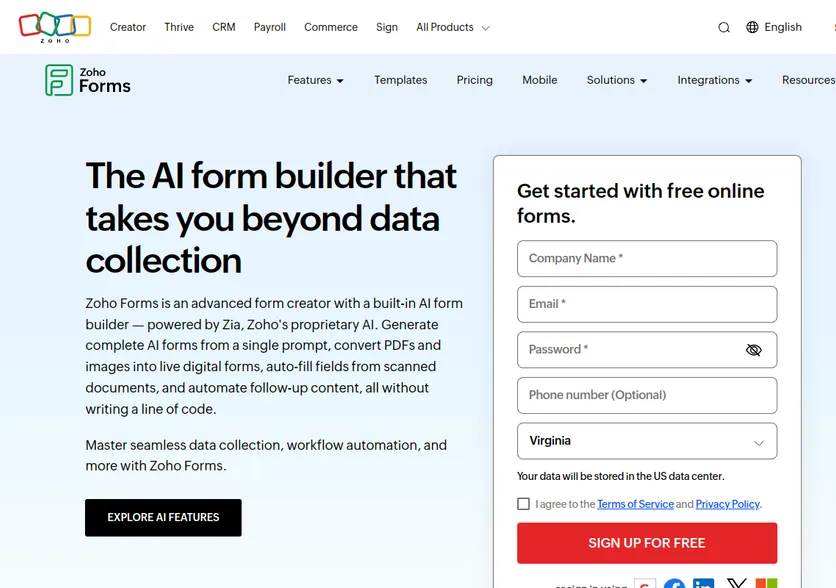
This Zoho Forms Basic plan costs ten dollars a month billed annually, and it is the cheapest paid forms tool in this list. It includes conditional rules, quiz forms with scoring and AI form building from a prompt, and it connects naturally to Zoho CRM. A financial team that already runs on Zoho gets client data flowing into the CRM without a second integration.
What we like
- Cheapest paid plan in this list at ten dollars
- Connects naturally to Zoho CRM
- AI form building from a prompt
Watch out for
- Design is traditional rather than striking
- Best value sits inside the Zoho ecosystem
How to try it
- Create the form from a prompt or a template
- Add conditional rules for the application flow
- Connect it to Zoho CRM or email
Prices above were checked on each vendor’s own website on Nov 27, 2026 and can change — the vendor’s page is the final word. Vendor links are editorial: nobody paid to be listed or ranked here. Vendors who want a featured listing can see how it works on our Get listed page.
How to pick forms automation for financial services
Start with the compliance requirement, because a HIPAA-compliant form and an audit trail are not optional in financial work. Check whether the form, the document and the signature live in one flow or need three tools stitched together. Count the real cost per user or per envelope, since a cheap seat price with a tight envelope cap costs more than a flat plan. Confirm where client data is stored and who can see it, and test the full application flow with a real client file before launch. Finally, confirm the retention policy for client documents, since a firm must know how long records are kept and how they are deleted.
Before you buy
- Match the tool to the compliance rules the firm must follow
- Check whether form, document and signature live in one flow
- Count the real cost per user and per envelope, not just the seat price
- Confirm where client data is stored and who can see it
- Test the full application flow with a real client file before launch
Official websites
Official websites of the products reviewed above. Features and prices were checked against these sites when this guide was written, and they can change, so confirm on the vendor site before you buy.
Frequently asked questions
What is forms automation for financial services?
Forms automation turns paper applications, disclosures and agreements into digital workflows that collect data, route it for approval and capture a signature. In financial services it covers loan applications, account openings, onboarding forms and compliance disclosures. The tools in this list automate the whole flow, so a form that starts as a client application ends as a signed, auditable document without retyping.
Which tool is best for financial forms with signatures?
Formstack is the best all-round pick, because it combines forms, approval workflows and document generation, with e-signatures in the Suite plan. PandaDoc is better when the form itself becomes the signed agreement, since it covers proposals, contracts and payments in one flow. DocuSign is the best choice when clients need the most recognised signing brand, though its envelope cap of one hundred per user a year needs counting.
Is Formstack HIPAA compliant?
Yes, Formstack lists HIPAA compliance among its features, which is why regulated teams pick it for forms that collect health or financial information. It also covers approval workflows, custom branding and document generation, which matter when a form becomes part of a compliance record. A team should still confirm the compliance terms in writing for its own use case, since requirements differ between firms and regulators.
How much does e-signing cost for a small financial team?
SignNow is the cheapest flat option at eight dollars a month covering unlimited users, though it caps signature invites at one hundred a year. BoldSign costs five dollars per user a month with fifty envelopes a month, and its free plan covers twenty-five envelopes. DocuSign Standard costs twenty-five dollars per user a month with one hundred envelopes a year. A five-person team sending two hundred documents a year pays ninety-six dollars a year on SignNow, versus fifteen hundred on DocuSign.
Why are Nintex and Laserfiche not in this list?
Nintex, Laserfiche, M-Files and FormAssembly do not publish prices on their own pricing pages, so they cannot be compared on a published figure. Their sales teams quote by user count, modules and deployment, which makes a list price misleading. The tools in this list all publish at least one per-seat or per-user rate, which is why a financial team can budget for them without a sales call.
Compare the eight tools above, then test the full application flow with a real client file before you pay for a full year.
Browse Finance Calculators tools