On this page
Hospitality runs on hourly staff, split shifts, tips and turnover, so a generic HR system that assumes salaried office workers will fight the business every day. The right HCM tool schedules by demand, tracks tips and overtime, and onboards new hires fast enough to keep up with churn. 7shifts leads this list because it is built for restaurants and prices per location, and the other seven tools are ranked on hospitality fit, honest pricing and how they handle hourly teams.
How we researched this
We checked every price on the vendor pricing page on November 27, 2026, and only included tools with a published US dollar list price and a free trial or free plan. We ranked each tool on hospitality fit, including shift scheduling, time tracking, tip handling, payroll and onboarding for hourly staff. Tools with quote-only pricing, including Harri, Fourth and Push Operations, were left out, so every price below can be verified on the vendor site.
Compare the tools
| Name | Best for | Starting price | Free plan | |
|---|---|---|---|---|
 7shifts | Restaurants that schedule by sales and need tip pooling | $39.99/location/mo | Free Comp plan for 1 location, up to 15 staff | Visit |
 Homebase | Single-location cafes, bars and shops that want scheduling free | $24/location/mo | Free Basic plan for 1 location, up to 10 team members | Visit |
 Deputy | Multi-site hospitality teams that need labour law compliance | $5/user/mo | 31-day free trial, no free plan | Visit |
 When I Work | Small hospitality teams that want the lowest per-user price | $2.50/user/mo | 14-day free trial, no free plan | Visit |
 Sling | Small hospitality teams that want a free rota for up to thirty staff | $1.70/user/mo | Free plan for up to 30 users | Visit |
 Rippling | Hospitality groups that want HR, payroll, IT and devices on one record | $8/user/mo | No free plan; demo available | Visit |
 Gusto | Small hospitality businesses that want simple payroll with HR | $49/mo | No free plan; demo available | Visit |
 BambooHR | Hospitality teams that prioritise employee experience and clean people data | $10/employee/mo | No free plan; demo available | Visit |
The hcm software for hospitality, compared
1. 7shifts
Best for: Restaurants that schedule by sales and need tip pooling
Paid tool Starting price: $39.99/location/mo · Thirty-nine dollars and ninety-nine cents per location a month on annual billing for Essentials; forty-four dollars and ninety-nine cents month to month; Pro is seventy-nine dollars and ninety-nine cents; Premium is one hundred thirty-four dollars and ninety-nine cents
Free plan: Free Comp plan for 1 location, up to 15 staff
7shifts is purpose-built for food service, with scheduling by sales forecast, tip pooling, labour cost tools and a free Comp tier for one location. Essentials costs thirty-nine dollars and ninety-nine cents per location a month on annual billing for up to thirty employees, with team messaging and basic time clocking. Its payroll add-on costs thirty-nine dollars and ninety-nine cents per location a month plus six dollars per employee on the payroll run.

What we like
- Built for restaurants, not adapted from office HR
- Per-location pricing suits large hourly teams
- Free Comp tier for one small location
Watch out for
- Restaurant-only, so hotels need a second tool
- Payroll is a paid add-on, not included
How to try it
- Set up the location with roles, wages and sales forecasts
- Build the schedule from the forecast and publish it to staff
- Track time, tips and labour cost against sales each week
2. Homebase
Best for: Single-location cafes, bars and shops that want scheduling free
Paid tool Starting price: $24/location/mo · Twenty-four dollars per location a month on annual billing for Essentials; thirty dollars a month on monthly billing; Plus is fifty-six dollars a month; All-in-One is ninety-six dollars a month
Free plan: Free Basic plan for 1 location, up to 10 team members
Homebase combines scheduling with a time clock, team messaging, hiring and onboarding in one app built for hourly teams in food service, retail and care. Essentials costs twenty-four dollars per location a month on annual billing with unlimited team members, advanced scheduling and GPS time tracking. Its free Basic plan covers one location with up to ten team members, which suits a small cafe that wants the schedule and the clock at no monthly charge.

What we like
- Free plan covers a real small location
- Per-location pricing stays flat as headcount grows
- Hiring and onboarding in the same app
Watch out for
- Payroll with tax filing sits on the top tier
- Scheduling depth trails restaurant specialists
How to try it
- Add the team and set up the location schedule
- Publish shifts and let staff swap them in the app
- Track time with GPS clock-ins and run payroll reports
3. Deputy
Best for: Multi-site hospitality teams that need labour law compliance
Paid tool Starting price: $5/user/mo · Five dollars per user a month on annual billing for Lite; five dollars and fifty cents month to month; Core is six dollars and fifty cents; Pro is nine dollars; a thirty-dollar minimum monthly spend applies
Free plan: 31-day free trial, no free plan
Deputy treats scheduling like a logistics problem, with demand forecasting, auto-scheduling, break rules and fair workweek controls for teams across several locations. Lite costs five dollars per user a month on annual billing and covers basic scheduling, timesheets, time clocking and labour law compliance. Its biometric clocking, wage budgets and timesheet auto-approval on higher tiers suit hotel and restaurant groups with complex labour rules.

What we like
- Strongest labour law and fair workweek controls
- Auto-scheduling from demand forecasts
- Biometric clocking with GPS geofencing
Watch out for
- Scheduling and time tracking are separate five-dollar charges
- Thirty-dollar minimum monthly spend applies
How to try it
- Add locations, roles and pay rates for each site
- Let auto-scheduling build rosters from the sales forecast
- Approve timesheets and export payroll with break rules applied
4. When I Work
Best for: Small hospitality teams that want the lowest per-user price
Paid tool Starting price: $2.50/user/mo · Two dollars and fifty cents per user a month for Essentials scheduling; about four dollars per user with the time clock; Pro is five dollars; Premium is eight dollars
Free plan: 14-day free trial, no free plan
When I Work is the cheapest per-seat scheduler in this list, with shift scheduling, team messaging and time tracking for hourly teams that need a simple rota. Essentials costs two dollars and fifty cents per user a month for scheduling only, or about four dollars with the time clock included. Its mobile app lets staff view shifts, swap with teammates and clock in, which suits small restaurants and cafes with tight budgets.

What we like
- Lowest per-user price in this list
- Simple rota that staff learn fast
- Shift swaps handled inside the app
Watch out for
- No free plan, only a fourteen-day trial
- HR and payroll depth is limited
How to try it
- Add staff and set their roles and availability
- Build the weekly rota and publish it to the app
- Let staff swap shifts and track time from their phones
5. Sling
Best for: Small hospitality teams that want a free rota for up to thirty staff
Paid tool Starting price: $1.70/user/mo · One dollar and seventy cents per user a month on annual billing; the free plan covers up to thirty users; Premium adds the time clock and higher features
Free plan: Free plan for up to 30 users
Sling is a scheduling app with a free plan for up to thirty users, which suits a small restaurant or cafe that needs a rota without a monthly bill. The paid plan costs one dollar and seventy cents per user a month on annual billing and adds the features a growing team needs. Its shift scheduling, team messaging and time-off requests cover the basics, though the time clock sits on the Premium tier rather than the entry plan.

What we like
- Free rota for up to thirty users
- Cheapest paid plan in this list
- Simple scheduling with team messaging
Watch out for
- Time clock is locked behind Premium
- Limited HR and payroll features
How to try it
- Add the team and build the weekly rota
- Publish shifts and handle time-off requests in the app
- Upgrade for the time clock when the team outgrows the free plan
6. Rippling
Best for: Hospitality groups that want HR, payroll, IT and devices on one record
Paid tool Starting price: $8/user/mo · Eight dollars per user a month for the core platform, plus a monthly base fee that Rippling does not publish; payroll adds eight dollars per user a month when billed annually
Free plan: No free plan; demo available
Rippling runs HR, payroll, IT and finance from one employee record, so a new hire start date can trigger payroll setup, app accounts and a laptop order in one step. The core platform starts at eight dollars per user a month plus an unpublished monthly base fee, with payroll adding eight dollars per user a month. Its workflow automation handles onboarding and offboarding for high-turnover hospitality teams, though the real bill needs a quote for the modules used.

What we like
- One record drives HR, payroll, IT and devices
- Strong onboarding automation for high turnover
- Scales from one site to many
Watch out for
- Base fee is unpublished, so the real price needs a quote
- Overkill for a single small restaurant
How to try it
- Add the employee record with role, location and pay
- Automate onboarding across payroll, apps and devices
- Run payroll and cut access automatically on departure
7. Gusto
Best for: Small hospitality businesses that want simple payroll with HR
Paid tool Starting price: $49/mo · Forty-nine dollars a month plus six dollars per person for Simple; Plus is eighty dollars a month plus twelve dollars per person; Premium is one hundred eighty dollars a month plus twenty-two dollars per person
Free plan: No free plan; demo available
Gusto is a payroll-led people platform for small businesses, with full-service payroll, health benefits and HR tools in one login. Simple costs forty-nine dollars a month plus six dollars per person and covers unlimited payroll runs, direct deposit and automatic tax filing. Its onboarding, time tracking and benefits administration suit a restaurant or hotel that wants payroll done properly without hiring a payroll specialist.

What we like
- Full-service payroll with tax filing included
- Unlimited payroll runs on every plan
- Simple setup for small hospitality teams
Watch out for
- Plus is needed for multi-state payroll and time tracking
- Per-person charges grow with headcount
How to try it
- Add employees with pay rates, tips and schedules
- Run unlimited payroll with automatic tax filing
- Offer benefits and track time off from the same login
8. BambooHR
Best for: Hospitality teams that prioritise employee experience and clean people data
Paid tool Starting price: $10/employee/mo · Ten dollars per employee a month for Core; the vendor pricing page listed Core at ten dollars and twenty-five cents per employee a month in November 2026; higher tiers and add-ons are quoted
Free plan: No free plan; demo available
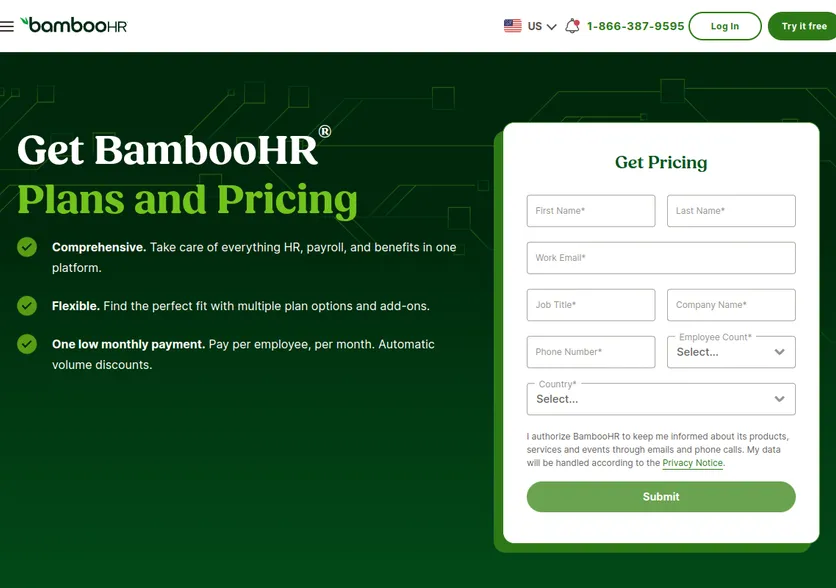
BambooHR is an HR platform built around employee experience, with clean people data, onboarding, time off and performance tools that suit hospitality teams with high churn. Core costs about ten dollars per employee a month, with the vendor pricing page listing ten dollars and twenty-five cents in November 2026. Its onboarding checklists and e-signatures help a hotel or restaurant get a new hire working fast, though payroll is an add-on rather than included.
What we like
- Cleanest people data and onboarding in this list
- Strong employee self-service tools
- Good fit for high-churn hospitality teams
Watch out for
- Payroll is an add-on, not included
- No free plan, only a demo
How to try it
- Add the employee record with role, location and manager
- Run onboarding checklists and collect signatures
- Track time off and performance from one dashboard
Prices above were checked on each vendor’s own website on Nov 27, 2026 and can change — the vendor’s page is the final word. Vendor links are editorial: nobody paid to be listed or ranked here. Vendors who want a featured listing can see how it works on our Get listed page.
How to pick HCM software for hospitality
Start with the rota, not the HR suite: if the tool cannot schedule by demand, track tips and handle split shifts, no amount of payroll polish will save it. Count the real cost at your headcount and locations, since per-location pricing wins past about fifteen staff at one site while per-user pricing wins for small teams. Check tip pooling, overtime and break rules before you buy, because hospitality labour rules differ by state and city. Confirm onboarding is fast enough for your churn, since a two-week setup for a hire who leaves in a month wastes more than it saves. Finally, trial the staff mobile app with real hourly workers, because a rota nobody checks on their phone will not be followed.
Before you buy
- Check scheduling by demand, tip pooling and split-shift support first
- Compare per-location against per-user pricing at your real headcount
- Confirm overtime, break and fair workweek rules for your states
- Test onboarding speed against your actual staff turnover rate
- Trial the staff mobile app with real hourly workers before you buy
Official websites
Official websites of the products reviewed above. Features and prices were checked against these sites when this guide was written, and they can change, so confirm on the vendor site before you buy.
Frequently asked questions
What is the best HCM software for hospitality?
7shifts is the best overall choice for restaurants, with scheduling by sales forecast, tip pooling and labour cost tools at thirty-nine dollars and ninety-nine cents per location a month. Homebase suits single-location cafes best, with a free plan and Essentials at twenty-four dollars per location a month. Deputy is the best pick for multi-site groups, with labour law compliance and auto-scheduling at five dollars per user a month.
What is the cheapest HCM software for hospitality?
Sling is the cheapest option, with a free plan for up to thirty users and a paid plan at one dollar and seventy cents per user a month on annual billing. When I Work costs two dollars and fifty cents per user a month for scheduling, while Homebase and 7shifts both offer free plans for one location. For a single site with more than fifteen staff, per-location pricing from Homebase or 7shifts usually beats per-user pricing.
Does 7shifts handle tips and payroll?
Yes, 7shifts includes tip pooling and labour cost tools on its scheduling plans, and a payroll add-on costs thirty-nine dollars and ninety-nine cents per location a month plus six dollars per employee on the payroll run. The add-on handles tip reporting alongside regular pay, which suits restaurants where tips are a large share of earnings. Payroll is free on the Premium plan apart from the per-employee charge.
Per-location or per-user pricing for a restaurant?
Per-location pricing usually wins once a single site grows past about fifteen people, since the bill stays flat as headcount grows. Homebase Essentials costs twenty-four dollars per location a month with unlimited team members, and 7shifts Essentials costs thirty-nine dollars and ninety-nine cents per location for up to thirty employees. Per-user pricing suits small teams better: When I Work at two dollars and fifty cents and Sling at one dollar and seventy cents a user a month.
Can hospitality HCM handle high staff turnover?
Yes, the best tools in this list are built for it: Rippling automates onboarding and offboarding from one employee record, while BambooHR uses onboarding checklists and e-signatures to get new hires working fast. Homebase adds hiring and onboarding to scheduling in the same app, and 7shifts publishes schedules and availability requests that suit short-tenure staff. Pick the tool whose onboarding takes hours, not weeks, at your real turnover rate.
Compare the eight tools above, then trial the one that fits your locations and headcount with real hourly staff before you commit.
Browse Business Tools tools