
On this page
Schools and colleges answer students, parents, faculty and staff from one desk, and the volume spikes hard at the start of every term. A shared inbox that cannot sort those groups apart leaves urgent requests buried. Freshdesk leads this list as the cheapest paid seat with a full ticketing system, and the other seven are ranked on the same test: what a campus team actually pays per agent, and how well each tool handles several audiences. Tools that publish no prices are not in this list.
How we researched this
We checked every price on the vendor pricing page on November 27, 2026, and only included tools with a published US dollar list price and a free trial or free plan. We ranked each tool on what a campus team pays in practice, including per-agent pricing, knowledge base and portal features, and whether the plan covers ticketing alone or chat and messaging too. Enterprise platforms that publish no prices were excluded, so this list covers the priced tools a school can actually budget for.
Compare the tools
| Name | Best for | Starting price | Free plan | |
|---|---|---|---|---|
 Freshdesk | Schools that want the cheapest full ticketing system | $19/agent/mo | 14-day free trial, no free plan | Visit |
 Zoho Desk | Small campus teams that want the lowest bill | $7/agent/mo | Free plan for up to 3 agents | Visit |
 Help Scout | Small schools that want an easy email-first inbox | $25/user/mo | Free plan for up to 5 users | Visit |
 Zendesk | Colleges that need structured queues across departments | $19/agent/mo | 14-day free trial, no free plan | Visit |
 HappyFox | Schools that need SLA-backed ticketing | $24/agent/mo | 14-day free trial, no free plan | Visit |
 LiveChat | Schools that want fast live chat for students | $19/agent/mo | 14-day free trial, no free plan | Visit |
 Jira Service Management | Campus IT desks already running on Jira | $21.50/agent/mo | Free plan for up to 3 agents | Visit |
 Intercom | Schools whose students need in-app support | $29/seat/mo | 14-day free trial, no free plan | Visit |
The help desk software for educational institutions, compared
1. Freshdesk
Best for: Schools that want the cheapest full ticketing system
Paid tool Starting price: $19/agent/mo · Nineteen dollars per agent a month on the Growth plan billed annually, or twenty-three dollars month to month; Pro is fifty-five dollars and Enterprise is eighty-nine dollars per agent a month billed annually, and every plan includes five hundred Freddy AI Agent sessions
Free plan: 14-day free trial, no free plan
Freshdesk Freshdesk gives a campus desk core ticketing, a shared inbox, a portal and a knowledge base at a low paid seat price. Its Freddy AI sessions are included on every plan, so a small team gets AI drafting and routing without an add-on bill. Growth costs $19 per agent a month billed annually, with Pro at $55 and Enterprise at $89, and every plan includes five hundred Freddy AI Agent sessions. It covers ticketing, a shared inbox, a customer portal and a knowledge base, with Freddy AI drafting replies and routing tickets.

What we like
- Growth covers ticketing, portal and knowledge base
- Freddy AI sessions are included on every plan
- Simple setup with no seat minimum
Watch out for
- The free plan was discontinued in 2026
- Skill-based routing starts only on Enterprise
How to try it
- Sign up for the 14-day Enterprise trial
- Connect email and set up the customer portal
- Build automations and assign agents to groups
2. Zoho Desk
Best for: Small campus teams that want the lowest bill
Paid tool Starting price: $7/agent/mo · Seven dollars per agent a month on the Express plan billed annually, or nine dollars month to month, capped at five agents; Standard is fourteen dollars per agent a month billed annually, or twenty dollars monthly, with unlimited agents, and Professional is twenty-three dollars and Enterprise is forty dollars
Free plan: Free plan for up to 3 agents
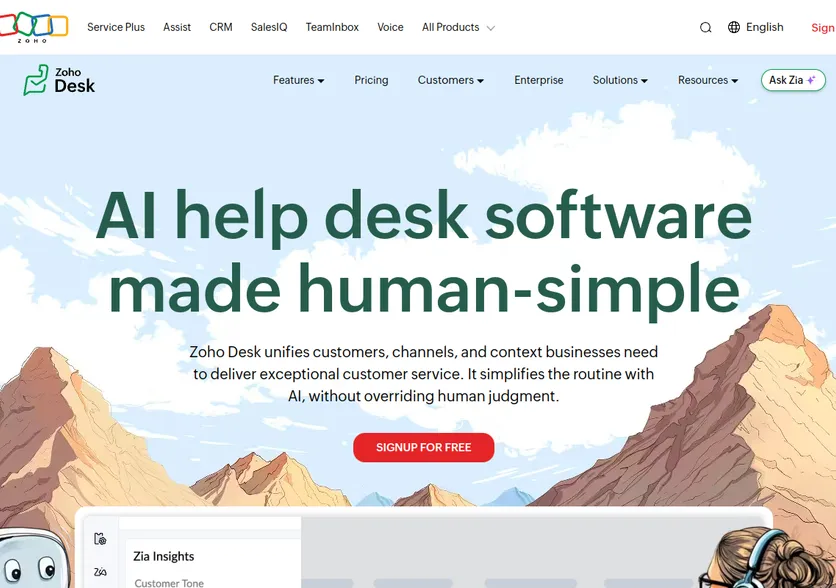
Zoho Desk Zoho Desk is the cheapest paid option here, with Express at $7 per agent a month for teams of up to five. Its free plan covers three agents, and Standard adds messaging apps, a knowledge base and an Answer Bot for common student questions. Express costs $7 per agent a month billed annually for up to five agents, while Standard, with unlimited agents, costs $14, and Professional costs $23. It adds WhatsApp and other messaging apps, a public knowledge base, an Answer Bot and Zia AI, and it fits teams already using Zoho apps.
What we like
- Cheapest paid seat in this list
- Free plan covers up to three agents
- Messaging apps and knowledge base on Standard
Watch out for
- Express caps the team at five agents
- Monthly billing costs roughly forty percent more
How to try it
- Create a Zoho Desk account and pick a plan
- Connect email and messaging channels
- Set up the knowledge base and assignment rules
3. Help Scout
Best for: Small schools that want an easy email-first inbox
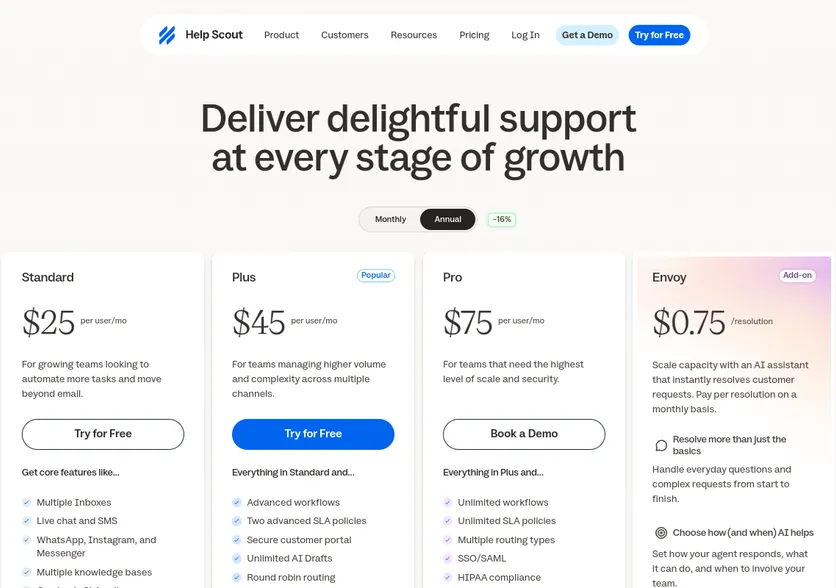
Paid tool Starting price: $25/user/mo · Twenty-five dollars per user a month on the Standard plan billed annually, or thirty dollars month to month; Plus is forty-five dollars and Pro is seventy-five dollars per user a month billed annually, and AI Answers costs seventy-five cents per resolution on top
Free plan: Free plan for up to 5 users
Help Scout Help Scout suits a small campus team that wants an email-first inbox the whole staff learns in a day. Its free plan covers five users, and Standard adds live chat, WhatsApp and messaging plus a Docs knowledge base for repeat questions. Standard costs $25 per user a month billed annually, with Plus at $45 and Pro at $75, and AI Answers is billed separately at seventy-five cents per resolution. It is an email-first shared inbox with live chat, WhatsApp and messaging, a Docs knowledge base, workflows and one basic SLA policy on Standard.
What we like
- Free plan works for up to five users
- Email-first inbox is easy to learn
- Live chat and messaging included on Standard
Watch out for
- Standard stops at twenty-five users
- AI Answers is metered separately
How to try it
- Start the free plan or the trial
- Connect the shared inbox and add teammates
- Set up Docs and a basic SLA policy
4. Zendesk
Best for: Colleges that need structured queues across departments
Paid tool Starting price: $19/agent/mo · Nineteen dollars per agent a month on the Support Team plan billed annually, or twenty-five dollars month to month; Suite Team, which adds messaging, live chat, voice and a help center, is fifty-five dollars per agent a month billed annually, or sixty-nine dollars monthly, and Suite Professional is one hundred fifteen dollars billed annually
Free plan: 14-day free trial, no free plan
Zendesk Zendesk suits a college that has grown past a handful of departments and needs structured queues, macros and reporting. Its Support Team plan covers ticketing at $19 per agent a month, while Suite Team adds messaging, live chat and voice. Support Team costs $19 per agent a month billed annually, while Suite Team, which adds messaging, live chat, voice and a help center, costs $55, and Suite Professional costs $115. Its multi-brand support, SLAs, macros and automations suit teams that run structured queues across more than one brand or client.

What we like
- Multi-brand support keeps separate clients apart
- Strong automations, macros and SLA controls
- Huge integration catalog covers most stacks
Watch out for
- Suite Team costs nearly three times Support Team
- AI resolutions are metered on top of seat prices
How to try it
- Create a Zendesk account and start the 14-day trial
- Connect the email and chat channels the team answers
- Set up groups, macros and SLAs, then invite the agents
5. HappyFox
Best for: Schools that need SLA-backed ticketing
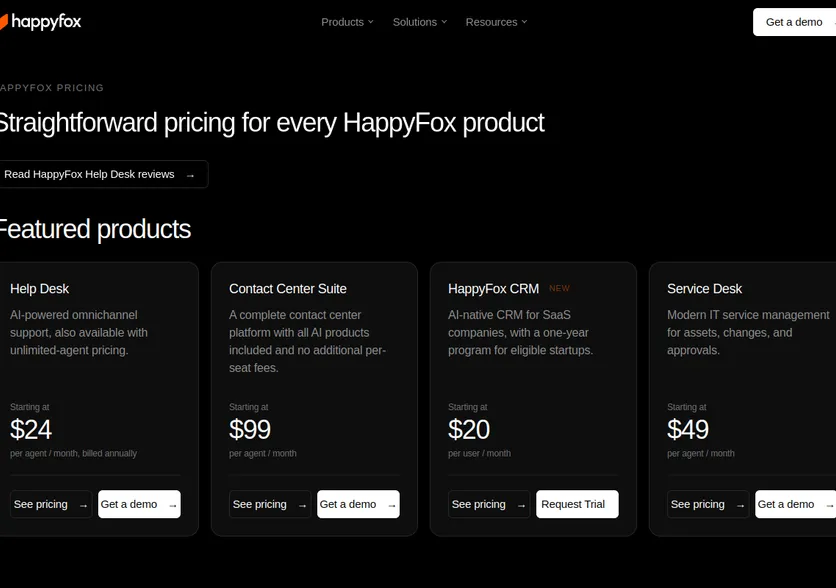
Paid tool Starting price: $24/agent/mo · Twenty-four dollars per agent a month on the Basic plan billed annually, or twenty-nine dollars month to month, capped at five agents; Team is forty-nine dollars and Pro is ninety-nine dollars per agent a month billed annually, and HappyFox AI is a separate add-on from fourteen dollars per agent a month
Free plan: 14-day free trial, no free plan
HappyFox HappyFox fits a campus that needs structured ticketing with SLAs, since it turns email, phone, live chat and social requests into tickets with Smart Rules and skill-based routing. Its Basic plan covers teams of up to five agents. Basic costs $24 per agent a month billed annually, with Team at $49 and Pro at $99, and HappyFox AI is a separate add-on from $14 per agent a month. It turns email, phone, live chat and social requests into tickets with Smart Rules automation, skill-based routing and SLA enforcement.
What we like
- SLA enforcement and Smart Rules included
- Multi-department support out of the box
- Free white-glove migration on annual plans
Watch out for
- Basic caps the team at five agents
- Chat, AI and reporting are separate products
How to try it
- Request the 14-day trial through the demo form
- Connect email and chat channels
- Set up Smart Rules, SLAs and ticket queues
6. LiveChat
Best for: Schools that want fast live chat for students
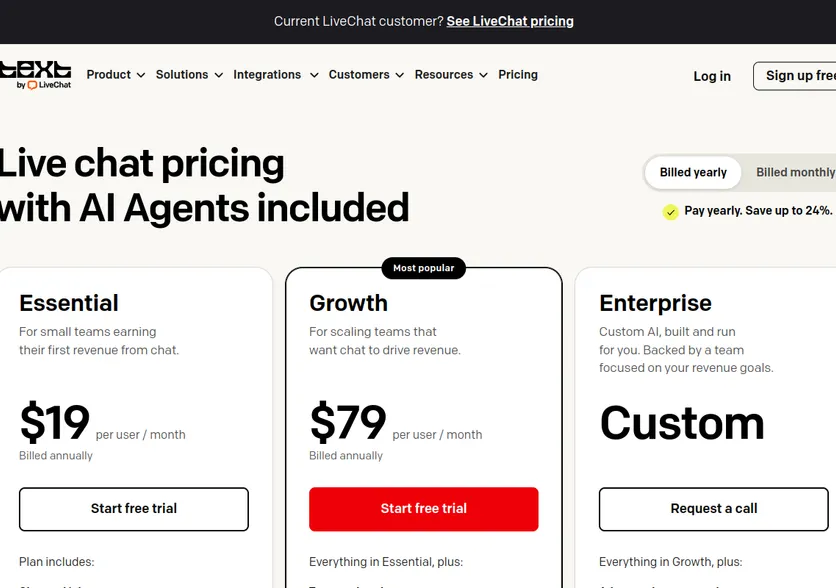
Paid tool Starting price: $19/agent/mo · Nineteen dollars per agent a month on the Starter plan billed annually, or twenty-five dollars month to month, limited to one agent; Team is forty-nine dollars and Business is seventy-nine dollars per agent a month billed annually, and Enterprise is quoted
Free plan: 14-day free trial, no free plan
LiveChat LiveChat suits a school that wants fast chat for students, since its widget, ticketing and visitor tracking answer questions in real time. Its Starter plan costs $19 per agent a month but covers one agent only, so a team needs Team at $49. Starter costs $19 per agent a month billed annually but covers one agent only, while Team costs $49 and Business costs $79. It is a chat-first help desk with a customizable widget, ticketing, visitor tracking and canned responses, plus a ChatBot add-on sold separately.
What we like
- Fast chat widget with ticketing built in
- Visitor tracking on every plan
- 14-day trial mirrors the Team plan
Watch out for
- Starter covers a single agent only
- The AI chatbot is a separate paid add-on
How to try it
- Start the 14-day trial and add the widget
- Set up canned responses and ticket routing
- Invite agents and connect the inbox
7. Jira Service Management
Best for: Campus IT desks already running on Jira
Paid tool Starting price: $21.50/agent/mo · Twenty-one dollars fifty per agent a month on the Standard plan at Atlassian's default seventy-five-agent calculator size; monthly billing is graduated, with the first fifteen agents at twenty-six dollars ninety each, and annual billing for ten agents works out at twenty-two dollars fifty per agent a month, while Premium is fifty-five dollars twenty-eight at the calculator default and Enterprise is quoted
Free plan: Free plan for up to 3 agents
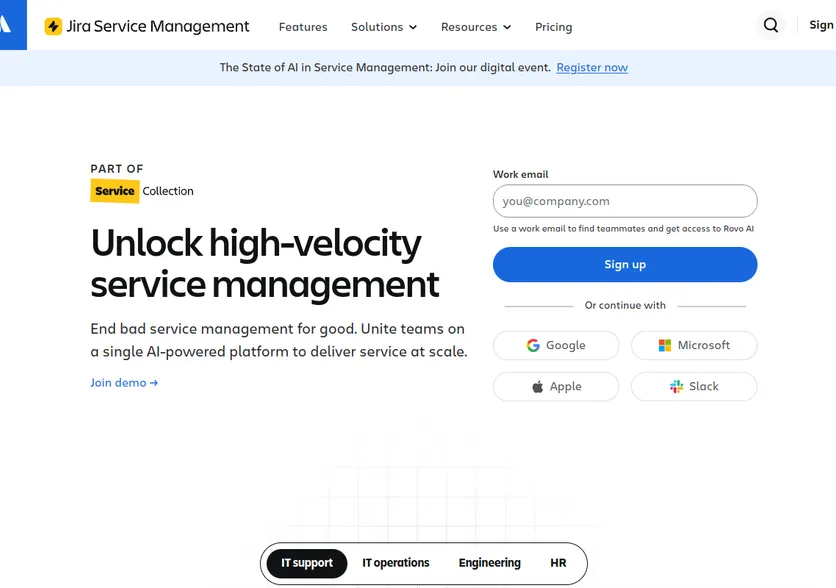
Jira Service Management Jira Service Management fits a school IT desk already running on Atlassian tools, since it adds asset management, a branded help center and audit logs. Its free plan covers three agents, and Standard lists at twenty-one dollars fifty per agent a month. Standard lists at twenty-one dollars fifty per agent a month at Atlassian's default calculator size, with Premium at fifty-five dollars twenty-eight, and the per-agent price falls as the team grows. It is now sold inside Atlassian's Service Collection with asset management, a branded help center, audit logs and Rovo AI agents for ITSM teams.
What we like
- Free plan covers up to three agents
- Asset management and branded help center
- Natural fit for teams already on Jira
Watch out for
- Now bundled in Service Collection, not sold alone
- Per-agent price depends on team size band
How to try it
- Start the free plan for up to three agents
- Connect Jira and set up request types
- Build the help center and asset inventory
8. Intercom
Best for: Schools whose students need in-app support
Paid tool Starting price: $29/seat/mo · Twenty-nine dollars per seat a month on the Essential plan billed annually, or thirty-nine dollars month to month; Advanced is eighty-five dollars and Expert is one hundred thirty-two dollars, and the Fin AI agent costs ninety-nine cents per resolved outcome on top of seats
Free plan: 14-day free trial, no free plan
Intercom Intercom fits a college whose students live in its apps and portals, since Messenger chat, a shared inbox and ticketing sit beside the Fin AI agent. Its public help center answers common questions before students open a ticket. Essential costs $29 per seat a month billed annually, with Advanced at $85 and Expert at $132, and the Fin AI agent adds ninety-nine cents per resolved outcome. It combines Messenger live chat, a shared inbox, ticketing and a public help center, with Fin resolving routine conversations before a human sees them.

What we like
- Messenger chat plus ticketing in one place
- Fin AI agent resolves routine conversations
- Strong fit for product-led support teams
Watch out for
- Essential includes no free Lite seats
- Fin outcomes add a usage bill on top of seats
How to try it
- Start the 14-day trial and add the Messenger
- Connect the inbox and build the help center
- Set Fin's scope, then invite the team
Prices above were checked on each vendor’s own website on Nov 27, 2026 and can change — the vendor’s page is the final word. Vendor links are editorial: nobody paid to be listed or ranked here. Vendors who want a featured listing can see how it works on our Get listed page.
How a school or college should pick help desk software
Start by listing every group the desk serves, usually students, parents, faculty and staff, and pick a tool that sorts those groups into separate queues. Check whether the plan includes a knowledge base and student portal, since self-service answers cut term-start volume more than any staffing change. Count agents honestly, including part-time student workers, because most plans bill per seat. Test the tool during a busy week, not a quiet one, since term-start spikes expose weak routing fast. Finally, confirm the trial covers the features you need, because some vendors hide SLAs and reporting behind higher tiers.
Before you buy
- Confirm the tool sorts students, parents, faculty and staff into separate queues before you commit
- Check the knowledge base and portal, because self-service cuts term-start volume more than staffing
- Count every agent including part-time student workers, since most plans bill per seat each month
- Test the tool during a busy week, because term-start spikes expose weak routing fast
- Verify the trial includes SLAs and reporting, since some vendors gate them behind higher tiers
Official websites
Official websites of the products reviewed above. Features and prices were checked against these sites when this guide was written, and they can change, so confirm on the vendor site before you buy.
Frequently asked questions
What should a school look for in help desk software?
Start with a knowledge base and student portal, because self-service answers cut the term-start flood more than any staffing change. Then check per-agent pricing against the real team size, including part-time student workers, and confirm the tool sorts students, parents, faculty and staff into separate queues. Ticketing, chat and reporting per group matter more than advanced automation a small campus team will never use.
Is Freshdesk worth it for a school IT desk?
Yes, for most campus desks. Growth at $19 per agent a month covers ticketing, a shared inbox, a customer portal and a knowledge base, with Freddy AI sessions included. A five-person desk pays $95 a month, which is cheaper than hiring another agent for term-start volume. Schools that need SLAs and routing should look at Pro at $55 per agent.
How do schools handle term-start ticket spikes?
Most schools pair a knowledge base with automation that routes common requests, such as password resets and enrollment questions, without an agent. Freshdesk and Zoho Desk handle this with automations and Answer Bots, while Jira Service Management adds a branded help center. The key is publishing answers before the term starts, so students find them before they open a ticket.
Should a school pay per agent or per ticket?
Per-agent pricing suits a school with steady volume and a fixed desk team, since the bill is predictable across the year. Per-ticket pricing suits schools whose volume spikes only at term starts, because quiet months cost less. Count tickets in a term-start month and a quiet month before choosing, and model both prices for each.
Can a school start on a free plan?
Yes. Zoho Desk is free for up to three agents, Help Scout is free for up to five users, and Jira Service Management is free for up to three agents. Those plans cover basic ticketing and a shared inbox, which is enough for a small school's first desk. Once the team grows or needs SLAs, a paid plan becomes necessary.
Compare the eight tools above, then trial the one that fits your campus during a busy week before you roll it out.
Browse Business Tools tools


