
On this page
A healthcare practice runs on tight schedules, compliance paperwork and staff who work in shifts, so HR software has to handle time-off, credentials and payroll without adding admin. BambooHR leads this list because its employee record, time-off tracking and reporting fit a practice without an implementation project. The other seven tools cover payroll, scheduling and team messaging, so a practice can keep clinicians on the rota and paperwork in order. Prices below are the list prices we verified on 27 November 2026.
How we researched this
We checked the vendor pricing pages on 27 November 2026 and kept only tools with a published starting price, so every figure below comes from the vendor, not a directory. We favoured tools that handle shift scheduling, time-off and payroll for clinical staff, and we dropped any vendor that had shut down or stopped publishing prices.
Compare the tools
| Name | Best for | Starting price | Free plan | |
|---|---|---|---|---|
 BambooHR | Mid-size teams that need a strong employee record and time off | $10/employee/mo | No free plan, demo available | Visit |
 Gusto | Companies that want payroll, benefits and onboarding in one place | $49/mo + $6/person/mo | No free plan, demo available | Visit |
 Rippling | Growing companies that want HR, payroll and IT in one system | $8/user/mo | No free plan, demo on request | Visit |
 Deputy | Shift teams that need scheduling, time tracking and payroll exports | $4.50/user/mo | 31-day free trial, no free plan | Visit |
 Homebase | Hourly teams that need scheduling, time clocks and messaging | $24.95/location/mo | Free Basic plan for 1 location, up to 20 employees | Visit |
 When I Work | Small hourly teams that want cheap, simple scheduling | $2.50/user/mo | 14-day free trial, no free plan | Visit |
 Sling | Shift teams that want free scheduling with cheap paid upgrades | $1.70/user/mo | Free plan for up to 30 users | Visit |
 OnPay | Small businesses that want one simple payroll price | $49/mo + $6/person/mo | First month free, no free plan | Visit |
The hr software for healthcare practices, compared
1. BambooHR
Best for: Mid-size teams that need a strong employee record and time off
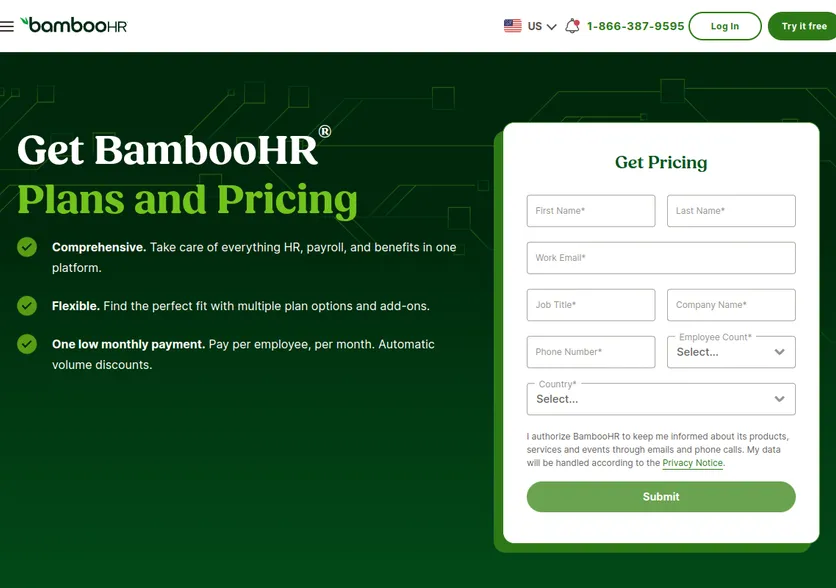
Paid tool Starting price: $10/employee/mo · Ten dollars an employee a month on Core, seventeen on Pro and twenty-five on Elite for organisations with twenty-six or more employees; teams of twenty-five or fewer pay a flat two hundred fifty dollars a month on Core, and payroll and benefits are add-ons
Free plan: No free plan, demo available
For healthcare practices, BambooHR gives mid-size teams a clean employee record, time-off tracking and reporting. BambooHR centres on the employee record, with time off, onboarding, performance and reporting built around it, plus payroll and benefits as separate add-ons. BambooHR is strongest on the everyday HR record, and it integrates with most payroll providers if you keep payroll elsewhere.
What we like
- The employee record is clear and easy to search
- Time-off approvals take seconds for managers
- Reporting is strong without a spreadsheet export
Watch out for
- Payroll and benefits are add-ons, not included
- The flat rate for small teams jumps once you pass twenty-five staff
How to try it
- Import employee records and set up departments
- Configure time-off policies and approval chains
- Build a headcount report for the leadership team
2. Gusto
Best for: Companies that want payroll, benefits and onboarding in one place
Paid tool Starting price: $49/mo + $6/person/mo · Forty-nine dollars a month plus six dollars per person a month on Simple; Plus is eighty dollars plus twelve per person, Premium one hundred eighty plus twenty-two; no annual-billing discount is published, and the Contractor Only plan closed to new signups in October 2026
Free plan: No free plan, demo available
For healthcare practices, Gusto keeps payroll, benefits and onboarding in one dashboard. It runs payroll, tax filing, benefits administration and new-hire onboarding from a single dashboard, with time tracking, hiring and performance reviews as paid add-ons. Gusto also pays contractors, files federal and state payroll taxes, and stores offer letters and employee documents in one place.

What we like
- Payroll, benefits and onboarding share one dashboard
- Tax filing is included in every plan
- New-hire onboarding is genuinely quick to set up
Watch out for
- Per-person pricing climbs steeply past one hundred employees
- Time tracking and hiring cost extra on every plan
How to try it
- Run a payroll cycle with the built-in tax filing
- Enrol staff in health benefits from the same dashboard
- Send offer letters and onboarding paperwork to new hires
3. Rippling
Best for: Growing companies that want HR, payroll and IT in one system
Paid tool Starting price: $8/user/mo · Eight dollars a user a month plus a forty-dollar monthly base fee for the core platform; US payroll costs another eight dollars an employee a month billed annually, and benefits, IT and learning modules are quoted separately
Free plan: No free plan, demo on request
For healthcare practices, Rippling unifies HR, payroll and device management in a single system. Rippling combines employee records, payroll, benefits and IT provisioning, so a new hire gets accounts, a laptop and payroll enrolment from one workflow. Rippling charges for each module separately, so the final bill depends on how many pieces you switch on.

What we like
- One workflow onboards people, devices and payroll
- Payroll and benefits share the same employee record
- Automation rules cut admin on every hire
Watch out for
- The base fee and module pricing make small teams pay more than the headline
- Most useful modules are paid add-ons
How to try it
- Import your employee roster and set up departments
- Run payroll with benefits and tax filing switched on
- Automate app access and device provisioning for new hires
4. Deputy
Best for: Shift teams that need scheduling, time tracking and payroll exports
Paid tool Starting price: $4.50/user/mo · Four dollars fifty cents a user a month for Scheduling and the same for Time and Attendance; the Premium bundle is six dollars a user a month with a thirty-dollar monthly minimum
Free plan: 31-day free trial, no free plan
For healthcare practices, Deputy builds rosters, tracks time and exports hours to payroll. Deputy builds rosters, tracks time and attendance, and exports hours to payroll, with demand forecasting that matches staffing to busy periods. Deputy is priced per user, so a small shift team pays very little for scheduling and time tracking.

What we like
- Rosters publish to the team app instantly
- Time and attendance feed straight into payroll
- Demand forecasting cuts overstaffing
Watch out for
- Two modules at four dollars fifty each add up
- The thirty-dollar minimum bites on tiny teams
How to try it
- Build a roster from the demand forecast
- Let staff clock in with the mobile app
- Export approved hours to payroll
5. Homebase
Best for: Hourly teams that need scheduling, time clocks and messaging
Paid tool Starting price: $24.95/location/mo · Twenty-four dollars ninety-five cents a location a month on Essentials, with an annual option listed at two hundred forty dollars a year; Plus is fifty-nine dollars ninety-five, All-in-One ninety-nine ninety-five, and payroll is a separate add-on
Free plan: Free Basic plan for 1 location, up to 20 employees
For healthcare practices, Homebase schedules hourly staff, tracks time and messages the team for free to start. Homebase covers scheduling, time clocks, team messaging and hiring for hourly teams, with payroll as a separate add-on. Homebase starts free for one location with up to twenty employees, which suits a single shop or restaurant.

What we like
- The free plan covers a whole small team
- Scheduling and time clocks are in one app
- Team messaging replaces group texts
Watch out for
- Payroll is a separate add-on at forty-nine dollars a month
- Costs multiply with every extra location
How to try it
- Build the weekly schedule and publish it to the team
- Set up the time clock for clocking in and out
- Message the team about a shift change
6. When I Work
Best for: Small hourly teams that want cheap, simple scheduling
Paid tool Starting price: $2.50/user/mo · Two dollars fifty cents a user a month on Essentials; Pro is five dollars, Premium eight, time tracking is a paid add-on, and the vendor publishes no separate annual rate
Free plan: 14-day free trial, no free plan
For healthcare practices, When I Work keeps shift scheduling simple and cheap for small hourly teams. When I Work covers employee scheduling, time tracking and team messaging for hourly staff, with shift swaps and availability built in. When I Work is one of the cheapest scheduling tools here, and its free trial covers a full pay period.

What we like
- Scheduling is genuinely simple to learn
- Shift swaps and availability are built in
- The entry price is low for small teams
Watch out for
- Time tracking costs extra on top of scheduling
- There is no free plan any more
How to try it
- Build the schedule from staff availability
- Publish shifts and let staff swap them
- Approve timesheets and export to payroll
7. Sling
Best for: Shift teams that want free scheduling with cheap paid upgrades
Paid tool Starting price: $1.70/user/mo · One dollar seventy cents a user a month billed annually on Premium, two dollars month to month; Business is three dollars forty billed annually, and the free plan covers scheduling for up to thirty users
Free plan: Free plan for up to 30 users
For healthcare practices, Sling schedules shifts free for up to thirty staff, with cheap paid tiers. Sling covers scheduling, time clocks, team messaging and task lists for shift teams, with a free plan that suits a single small team. Sling is the cheapest paid scheduling here, and its free plan covers thirty users.

What we like
- Free plan covers thirty users
- Scheduling, messaging and tasks share one app
- Paid tiers are cheap per user
Watch out for
- Advanced reporting sits on the Business plan
- Payroll integrations are limited
How to try it
- Build the schedule and publish it to the team
- Let staff clock in from the mobile app
- Message the team about open shifts
8. OnPay
Best for: Small businesses that want one simple payroll price
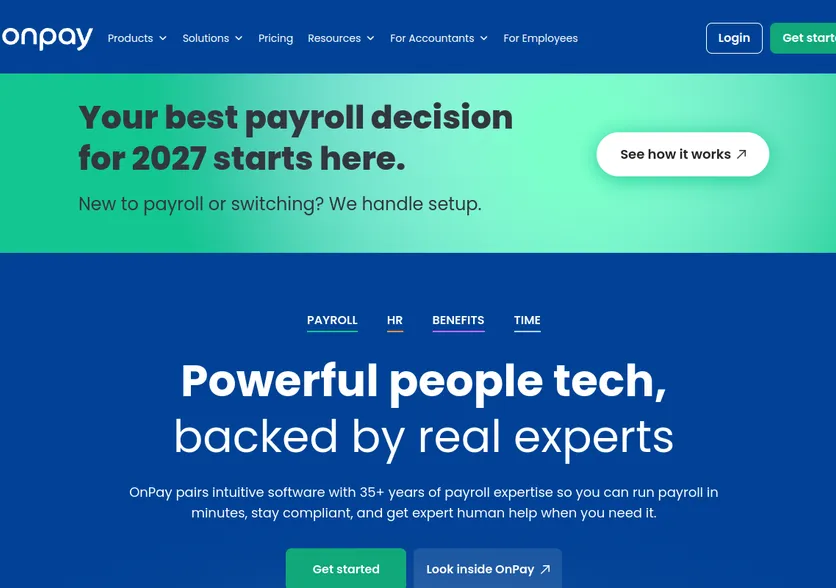
Paid tool Starting price: $49/mo + $6/person/mo · Forty-nine dollars a month plus six dollars per person a month on a single all-inclusive plan; multi-state payroll and tax filing are included, and the first month is free
Free plan: First month free, no free plan
For healthcare practices, OnPay runs payroll with one flat price and no tier games. OnPay charges one flat price for full-service payroll, with tax filing, multi-state payroll and HR tools included rather than split across tiers. OnPay is the simplest payroll price in this list, and the first month is free.
What we like
- One plan, one price, no upsells
- Multi-state payroll and tax filing included
- HR tools and offer letters are built in
Watch out for
- Per-person pricing adds up past fifty staff
- No tiered plans means no cheaper stripped-back option
How to try it
- Set up payroll and add your employees
- Run payroll with taxes filed automatically
- Use the built-in HR tools for offer letters
Prices above were checked on each vendor’s own website on Nov 27, 2026 and can change — the vendor’s page is the final word. Vendor links are editorial: nobody paid to be listed or ranked here. Vendors who want a featured listing can see how it works on our Get listed page.
How to choose HR software for a healthcare practice
A healthcare practice needs scheduling and compliance first, so the first test is whether a shift roster, time-off and credentials can run from one employee record. Trial two finalists with a real week: roster the clinicians, approve time off and run payroll, then check how long each step takes. Check whether the price is per employee or per location, because a practice with several sites pays very different amounts on the two models. Finally, confirm whether the tool handles the compliance paperwork your state requires, and check how staff data exports if you leave.
Finally, confirm the trial covers a full week of shifts, because a trial that only covers setup tells you nothing about the daily rota.
Before you buy
- Confirm a shift roster, time-off and credentials share one employee record
- Run a real week of rosters and payroll through the trial
- Check whether the price is per employee or per location
- Confirm the tool handles the compliance paperwork your state requires
- Check how staff data exports if you leave
Official websites
Official websites of the products reviewed above. Features and prices were checked against these sites when this guide was written, and they can change, so confirm on the vendor site before you buy.
Frequently asked questions
How much does HR software cost for healthcare practices?
A small practice pays roughly one hundred to three hundred dollars a month: BambooHR Core is ten dollars an employee a month, Gusto Simple is forty-nine dollars a month plus six per person, and Rippling starts at eight dollars a user plus a forty-dollar base fee. Scheduling tools such as Sling start free for up to thirty users, so the full stack is usually under four hundred dollars a month.
What is the best HR software for healthcare practices?
BambooHR leads this list for healthcare practices because its employee record, time-off tracking and reporting fit a practice without an implementation project. Gusto is the better pick if payroll is the priority, and Deputy suits practices that need shift scheduling with time tracking and payroll exports.
Do healthcare practices need special HR compliance features?
Most do, because clinical staff need credentials tracked and shifts covered: BambooHR stores documents and certifications in the employee record, Deputy handles shift scheduling with time tracking, and OnPay files payroll taxes including multi-state payroll. Confirm the tool handles the compliance paperwork your state requires before you commit.
Can a healthcare practice use free HR software?
Sling is free for up to thirty users, and Homebase is free for one location with up to twenty employees, so a small practice can cover scheduling and messaging without paying. Payroll and the employee record will need a paid plan, so budget for BambooHR or Gusto once the practice grows past a handful of staff.
How do healthcare practices schedule shifts?
Deputy, When I Work and Sling all build shift rosters, handle shift swaps and track time, and Deputy exports approved hours straight to payroll. Sling is free for up to thirty users, When I Work starts at two fifty a user a month, and Deputy is four fifty a user a month for scheduling or time tracking.
Compare the eight tools above, then trial the one that fits your healthcare practice with a real week of shifts before you roll it out.
Browse Business Tools tools


