
On this page
A restaurant runs on hourly staff, split shifts and tips, so its HR software has to handle scheduling and payroll together. Homebase leads this list as the cheapest paid option for a single restaurant, and the other seven are ranked on the same test: what a restaurant actually pays each month, and how well each tool handles the shift work, tip rules and overtime that define a dining room. The quote-only enterprise tools publish no prices, so they are not in this list.
How we researched this
We checked every price on the vendor pricing page on November 27, 2026, and only included tools with a published US dollar list price and a free plan or free trial. We ranked each tool on what a restaurant actually pays, including per-location versus per-person billing, scheduling and payroll coverage, and whether tip and overtime rules are handled. Quote-only tools like HotSchedules and ADP Workforce Now publish no prices and were excluded, so this list covers only the priced tools a restaurant can budget for.
Compare the tools
| Name | Best for | Starting price | Free plan | |
|---|---|---|---|---|
 Homebase | Restaurants that want scheduling, time tracking and payroll in one low-cost tool | $24/location/mo | Free Basic plan for 1 location and up to 10 employees | Visit |
 Rippling | Restaurant groups that want HR, payroll and IT in one system | $8/user/mo | No free plan; 14-day trial only for Rippling IT | Visit |
 Deputy | Restaurants that need shift scheduling with strong pay-rule controls | $5/user/mo | 30-day free trial, no free plan | Visit |
 When I Work | Small restaurants that want the cheapest per-user scheduling and payroll | $2.50/user/mo | 14-day free trial, no free plan | Visit |
 Gusto | Restaurants that want payroll plus benefits without an enterprise HR suite | $49/mo + $6/person | No free plan; free trial available | Visit |
 Square Payroll | Restaurants already taking payments through Square | $35/mo + $6/person | No free plan or trial listed | Visit |
 OnPay | Restaurants that want full-service payroll with an HR add-on | $49/mo + $6/worker | First month free, no free plan | Visit |
 7shifts | Restaurants that want scheduling built for shift workers first | $39.99/location/mo | Free Comp plan for 1 location and up to 15 employees | Visit |
The HRIS software for restaurants, compared
1. Homebase
Best for: Restaurants that want scheduling, time tracking and payroll in one low-cost tool
Paid tool Starting price: $24/location/mo · Essentials is twenty-four dollars per location a month billed annually, or thirty dollars month to month; Plus and All-in-One cost more, and the free Basic plan covers one location with up to ten employees
Free plan: Free Basic plan for 1 location and up to 10 employees
Homebase costs twenty-four dollars per location a month billed annually, and it is the cheapest paid HRIS option in this list for a single restaurant. It combines scheduling, time tracking, team messaging and payroll in one tool built for hourly teams, which suits a restaurant that needs the basics without buying separate systems. The free Basic plan covers one location with up to ten employees, while the Plus and All-in-One plans add hiring, onboarding and HR compliance help.

What we like
- Cheapest paid plan here for one location
- Scheduling, time tracking and payroll in one place
- Free plan covers a small restaurant team
Watch out for
- Payroll is a separate add-on on lower plans
- Per-location pricing grows with each new restaurant
How to try it
- Create a Homebase account and add your first location
- Import the team and build the first weekly schedule
- Connect payroll and run the first pay period
2. Rippling
Best for: Restaurant groups that want HR, payroll and IT in one system
Paid tool Starting price: $8/user/mo · Eight dollars per user a month plus a forty-dollar monthly base fee on the small-business page; some reviews cite a thirty-five dollar base fee instead, so confirm the base fee on the quote, and US Payroll also costs eight dollars per employee a month billed annually
Free plan: No free plan; 14-day trial only for Rippling IT
Rippling costs eight dollars per user a month plus a forty-dollar monthly base fee, and it is the most complete HRIS in this list for a growing restaurant group. It runs HR, payroll, benefits and device management from one employee record, which suits a multi-location operator that is tired of re-entering the same staff data in four systems. US Payroll also costs eight dollars per employee a month billed annually, and there is no free plan, so budget for the base fee on top of the per-user price.

What we like
- One employee record across HR, payroll and IT
- Strong automation for onboarding and offboarding
- Scales cleanly from one site to many
Watch out for
- Base fee sits on top of the per-user price
- No free plan, and setup takes longer than simpler tools
How to try it
- Create a Rippling account and set up the company profile
- Import employees and assign them to locations and roles
- Connect payroll and run the first pay period
3. Deputy
Best for: Restaurants that need shift scheduling with strong pay-rule controls
Paid tool Starting price: $5/user/mo · Lite is five dollars per user a month billed annually, or five dollars fifty month to month; Core is six dollars fifty billed annually and Pro is nine dollars, and every plan carries a thirty-dollar monthly invoice minimum
Free plan: 30-day free trial, no free plan
Deputy costs five dollars per user a month billed annually on the Lite plan, and it is the best fit here for a restaurant that lives or dies by its shift schedule. It builds rosters, tracks time and attendance, and flags overtime and break-rule problems before payroll runs, which suits a manager who juggles students, part-timers and split shifts. Core costs six dollars fifty a user a month and Pro nine dollars, and every plan carries a thirty-dollar monthly invoice minimum.

What we like
- Lowest paid entry price in this list
- Strong overtime and break-rule warnings
- Staff can swap shifts from the mobile app
Watch out for
- Thirty-dollar monthly invoice minimum applies
- Payroll itself needs a separate system or integration
How to try it
- Create a Deputy account and add locations and roles
- Import the team and publish the first roster
- Approve timesheets and export them to payroll
4. When I Work
Best for: Small restaurants that want the cheapest per-user scheduling and payroll
Paid tool Starting price: $2.50/user/mo · Essentials is two dollars fifty per user a month for a single location; Pro is five dollars and Premium is eight dollars, and the time and attendance add-on costs one dollar fifty to two dollars per user a month, with seats billed in bundles of five or ten
Free plan: 14-day free trial, no free plan
When I Work costs two dollars fifty per user a month on the Essentials plan for a single location, and it is the cheapest per-user option in this list. It covers employee scheduling, time tracking and team messaging, with payroll available as an add-on, which suits a small restaurant that wants a simple rota tool first and payroll second. Seats are billed in bundles of five or ten, and the time and attendance add-on costs one dollar fifty to two dollars per user a month.

What we like
- Cheapest per-user price in this list
- Simple scheduling that staff learn fast
- Free trial to test with a real rota
Watch out for
- Payroll is an add-on, not included
- Seat bundles can overcharge a very small team
How to try it
- Create a When I Work account and add the team
- Build the weekly schedule from saved shift templates
- Turn on time tracking and connect payroll
5. Gusto
Best for: Restaurants that want payroll plus benefits without an enterprise HR suite
Paid tool Starting price: $49/mo + $6/person · Simple is forty-nine dollars a month plus six dollars per person; Plus is eighty dollars plus twelve dollars per person and Premium is one hundred eighty dollars plus twenty-two dollars, and the Contractor Only plan closed on October first 2026
Free plan: No free plan; free trial available
Gusto costs forty-nine dollars a month plus six dollars per person on the Simple plan, and it is the easiest payroll-first option in this list for a restaurant owner. It handles payroll, tax filings, benefits and onboarding in one friendly dashboard, which suits a small restaurant that wants payroll done right without hiring an HR manager. The Plus plan costs eighty dollars plus twelve per person and Premium one hundred eighty dollars plus twenty-two, and the old Contractor Only plan closed on October first 2026.

What we like
- Payroll and tax filings handled end to end
- Friendly dashboard owners actually use
- Benefits and onboarding in the same system
Watch out for
- Per-person fees add up fast with a big hourly team
- Scheduling needs a separate tool or integration
How to try it
- Create a Gusto account and add the restaurant details
- Add employees, pay rates and tax information
- Run the first payroll and set up direct deposit
6. Square Payroll
Best for: Restaurants already taking payments through Square
Paid tool Starting price: $35/mo + $6/person · Full-service is thirty-five dollars a month plus six dollars per person paid; contractor-only is six dollars per person paid with no base fee, and no free plan or trial is listed
Free plan: No free plan or trial listed
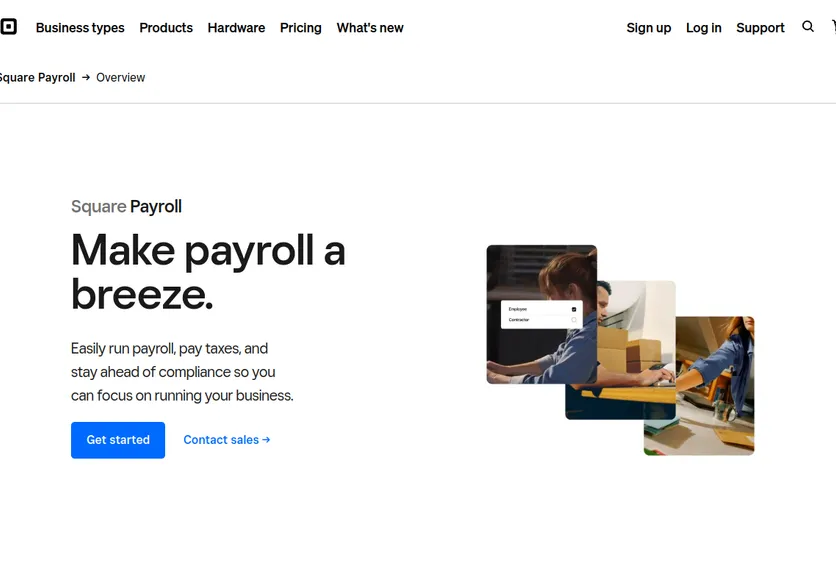
Square Payroll costs thirty-five dollars a month plus six dollars per person paid on the full-service plan, and it is the natural pick for a restaurant already running Square point of sale. It pulls hours straight from Square shifts, files taxes and pays the team by direct deposit, which suits an owner who wants payroll to follow the till rather than a separate spreadsheet. A contractor-only plan costs six dollars per person paid with no base fee, and no free plan or trial is listed.
What we like
- Hours flow straight from Square shifts
- Tax filing included in the full-service plan
- Contractor-only plan has no base fee
Watch out for
- Best value only if the restaurant uses Square POS
- No free plan or trial listed
How to try it
- Sign in to Square and turn on Square Payroll
- Add employees and connect their Square shifts
- Run payroll and let Square file the taxes
7. OnPay
Best for: Restaurants that want full-service payroll with an HR add-on
Paid tool Starting price: $49/mo + $6/worker · Payroll Essentials is forty-nine dollars a month plus six dollars per worker; the HR add-on is fifteen dollars plus two dollars per worker, the first month is free, and the pricing page also shows a conflicting starting-at fifty-five dollars headline
Free plan: First month free, no free plan
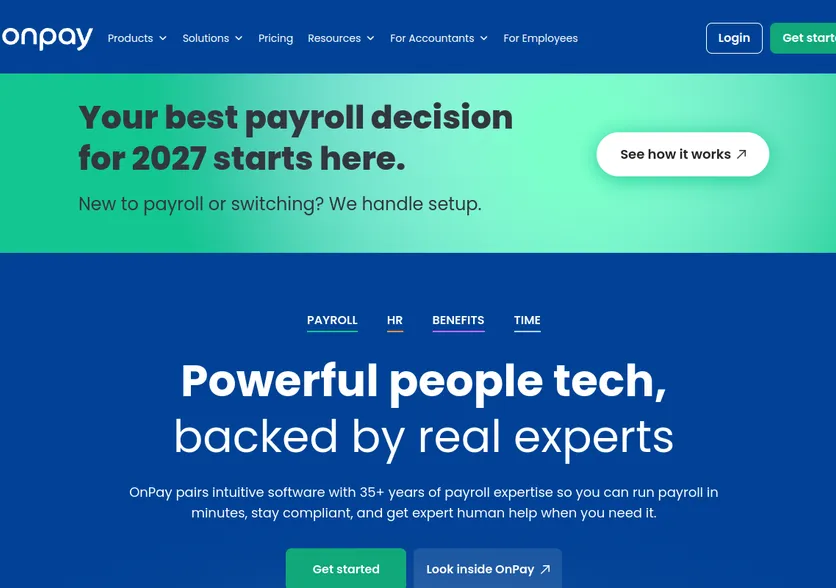
OnPay costs forty-nine dollars a month plus six dollars per worker on the Payroll Essentials plan, and it is a solid full-service payroll pick for a restaurant with a steady crew. It runs payroll, files taxes in all fifty states and handles new-hire reporting, which suits an owner who wants compliance handled without a big monthly bill. An HR add-on costs fifteen dollars plus two dollars per worker, the first month is free, and the pricing page also shows a conflicting starting-at fifty-five dollars headline.
What we like
- Tax filing in all fifty states included
- First month free to test the workflow
- HR add-on available when the team grows
Watch out for
- Pricing page shows a conflicting fifty-five dollar headline
- No built-in scheduling for shift planning
How to try it
- Create an OnPay account and add the business details
- Add workers, pay rates and tax settings
- Run the first payroll and check the tax filings
8. 7shifts
Best for: Restaurants that want scheduling built for shift workers first
Paid tool Starting price: $39.99/location/mo · Essentials is forty-four dollars ninety-nine per location a month month to month, or thirty-nine dollars ninety-nine billed annually, for up to thirty employees; Pro is eighty-nine dollars ninety-nine and Premium is one hundred forty-nine dollars ninety-nine, and the free Comp plan covers one location with up to fifteen employees
Free plan: Free Comp plan for 1 location and up to 15 employees
7shifts costs thirty-nine dollars ninety-nine per location a month billed annually on the Essentials plan, and it is the most restaurant-specific scheduling tool in this list. It was built for shift-based restaurant teams, with scheduling, time tracking, team communication and labor-cost tracking that follows the way a dining room actually runs. The free Comp plan covers one location with up to fifteen employees, while Pro and Premium add forecasting, onboarding and manager logbooks.

What we like
- Built specifically for restaurant shift teams
- Free plan covers a small single-location team
- Labor-cost tracking tied to the schedule
Watch out for
- Payroll needs a separate system or integration
- Per-location pricing adds up across a group
How to try it
- Create a 7shifts account and add the restaurant location
- Import the team and set roles and availability
- Publish the first schedule and track labor cost daily
Prices above were checked on each vendor’s own website on Nov 27, 2026 and can change — the vendor’s page is the final word. Vendor links are editorial: nobody paid to be listed or ranked here. Vendors who want a featured listing can see how it works on our Get listed page.
How a restaurant should pick HRIS software
Start with the rota, because scheduling is where a restaurant feels HR software every day. A tool that cannot handle split shifts, student availability and last-minute swaps will be fought by every manager on the floor. Next, count the real monthly cost: per-location pricing wins for a big team in one building, while per-person pricing wins for a small team spread across sites. Check tip pooling and overtime handling in a live trial, not on a feature list, because those two rules cause most restaurant payroll errors. Finally, confirm the payroll connection before you sign, since hours that do not flow from the schedule into payroll become manual work every single week.
Before you buy
- Count the locations and employees honestly, because most restaurant HRIS plans bill per location or per person
- Check whether scheduling, time tracking and payroll are included or sold as separate add-ons
- Confirm tip pooling, overtime rules and minor work restrictions for your state before you buy
- Ask whether managers can approve time off and swap shifts from a phone on the floor
- Run a real two-week payroll cycle on a trial before you move the whole team across
Official websites
Official websites of the products reviewed above. Features and prices were checked against these sites when this guide was written, and they can change, so confirm on the vendor site before you buy.
Frequently asked questions
What is the cheapest HRIS software for restaurants?
Homebase is the cheapest paid HRIS here at twenty-four dollars per location a month billed annually, and it even has a free plan for one location with up to ten employees. When I Work is the cheapest per user at two dollars fifty a user a month. Deputy starts at five dollars a user a month. The right cheap pick depends on whether the restaurant pays per location or per person, so count both before choosing.
What should a restaurant HRIS include?
A restaurant HRIS should cover scheduling, time tracking, team messaging, payroll and tip handling in one place. Tip pooling, overtime rules and minor work restrictions matter more in restaurants than in offices, so check those before you buy. The tool should also let managers approve time off and swap shifts from a phone on the floor, because that is where restaurant scheduling actually happens.
Is there free HRIS software for restaurants?
Homebase and 7shifts both offer free plans that cover a small single-location team, so a restaurant can start without paying. Homebase Basic covers one location with up to ten employees, while 7shifts Comp covers one location with up to fifteen employees. Both free plans limit features, so a growing restaurant will move to a paid plan once it needs payroll, hiring or labor forecasting.
Can restaurant HRIS tools connect payroll to scheduling?
Yes, Square Payroll pulls hours straight from Square shifts when a restaurant runs Square point of sale, which removes a whole step from payroll. Gusto, Rippling and OnPay connect to scheduling tools like Homebase, Deputy and 7shifts instead. Check the integration list before you buy, because a payroll tool that cannot read the schedule will force manual hour entry every week.
How do I pick HRIS software for my restaurant?
Count locations and employees first, because some tools bill per location and others per person, and the cheaper model flips with team size. Check whether scheduling, time tracking and payroll are included or sold as add-ons, since add-ons change the real monthly cost. Finally, run a real two-week payroll cycle on a trial, because a tool that cannot handle tips and overtime cleanly will cost more in fixes than it saves in fees.
Compare the eight tools above, then run a real two-week payroll cycle on the one that fits your restaurant before you commit.
Browse Business Tools tools


