
On this page
A small HVAC business lives or dies on the schedule, and the right software turns missed calls into booked jobs. The seven tools below run from free to about two hundred dollars a month, with prices checked on each vendor site on November 26, 2026. Some charge per user, others per job, so count your trucks and your monthly jobs before you compare prices. Jobber is our first pick — the whole job flow, from booking to paid invoice, in one app.
How we researched this
We started with field service tools that publish prices for small HVAC shops, then read each price on the vendor pricing page on November 26, 2026 and noted the free trial or free plan each one carries. We judged them for a business of one to seven trucks that needs scheduling, dispatch, invoicing and payments in one system. We kept only tools with a published price, so quote-only platforms like ServiceTitan are not in this list.
Compare the tools
| Name | Best for | Starting price | Free plan | |
|---|---|---|---|---|
 Jobber | Small HVAC shops that want the whole job flow in one app | $29/month | No free plan; 14-day free trial | Visit |
 Housecall Pro | Growing HVAC shops that want a price book and online booking | $59/month | No free plan; 14-day free trial | Visit |
 ServiceM8 | Solo techs and small crews that want the cheapest professional setup | $29/month | Free plan for 1 user and 30 jobs a month | Visit |
 Kickserv | Small HVAC shops that want straightforward work orders | $60/month | No free plan; 30-day free trial | Visit |
 Service Fusion | Growing HVAC crews that want one flat price with unlimited users | $192/month | No free plan; demo available | Visit |
| Fieldd | Small HVAC shops that want simple scheduling and dispatch | $199/month | No free plan; free trial available | Visit |
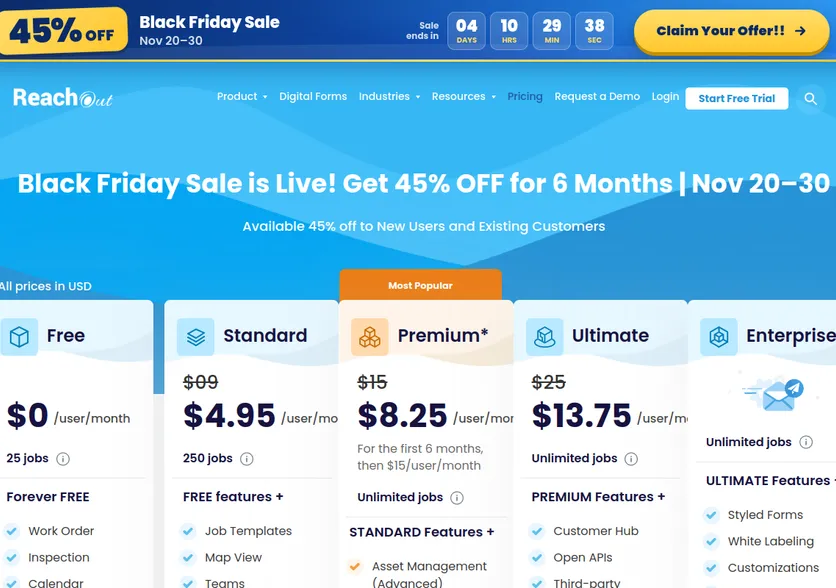
 ReachOut Suite | Budget-conscious HVAC shops that want a free plan with unlimited users | $9/user/month | Free plan with unlimited users and up to 25 jobs per user a month | Visit |
The HVAC software for small business, compared
1. Jobber
Best for: Small HVAC shops that want the whole job flow in one app
Paid tool Starting price: $29/month · Core plan, twenty nine dollars a month billed annually or forty nine dollars with no commitment for one user; a lower first-year promo rate is not the list price
Free plan: No free plan; 14-day free trial
Jobber is the small HVAC shop standard, covering booking, quotes, scheduling, invoicing and payments in one app the crew can run from a phone. This Jobber Core plan costs twenty nine dollars a month billed annually, or forty nine dollars with no commitment, for one user. A one-truck owner gets the whole job flow, from online booking to paid invoice, without a second system.

What we like
- Booking, quotes, scheduling and invoicing in one app
- Clean mobile app the crew actually uses
- Online payments and client hub included
Watch out for
- Core covers one user only, so a second tech needs Connect
- QuickBooks sync needs the Connect plan
How to try it
- Open the Jobber pricing page and start the free trial
- Set up online booking and your first quote template
- Run one week of jobs from booking to paid invoice
2. Housecall Pro
Best for: Growing HVAC shops that want a price book and online booking
Paid tool Starting price: $59/month · Basic plan, fifty nine dollars a month billed annually or seventy nine dollars billed monthly for one user; Essentials is one hundred forty nine dollars for five users
Free plan: No free plan; 14-day free trial
Housecall Pro is the all-in-one pick for a growing HVAC shop, adding a price book, online booking and review requests to scheduling and dispatch. This Housecall Pro Basic plan costs fifty nine dollars a month billed annually, or seventy nine dollars billed monthly, for one user. A shop with one to seven trucks gets payments, financing and customer follow-up in the same login.

What we like
- Price book and online booking built in
- Payments and consumer financing in one login
- Review requests that bring in repeat work
Watch out for
- QuickBooks sync is not on the Basic plan
- Price rises with every user you add
How to try it
- Open the Housecall Pro pricing page and start the free trial
- Build your price book with your most common jobs
- Turn on online booking and review requests
3. ServiceM8
Best for: Solo techs and small crews that want the cheapest professional setup
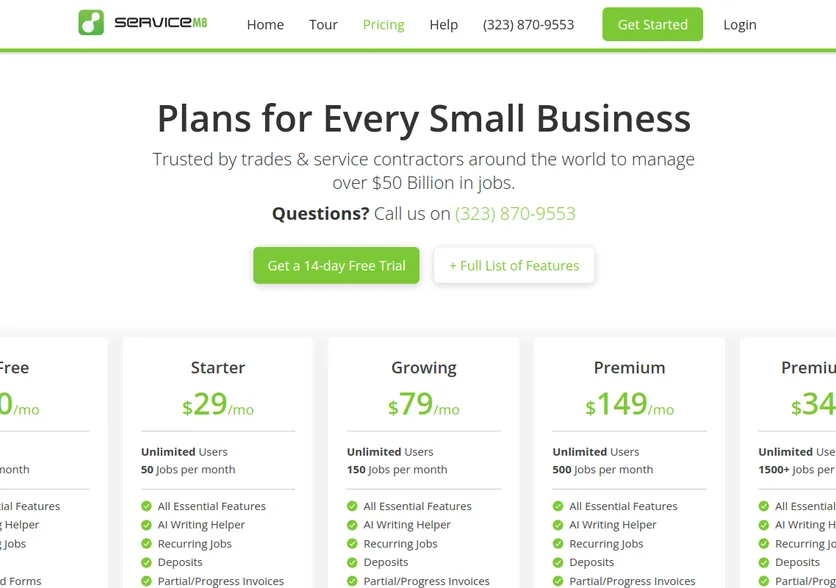
Paid tool Starting price: $29/month · Starter plan, twenty nine dollars a month for unlimited users and fifty new jobs a month; free plan covers one user and thirty jobs
Free plan: Free plan for 1 user and 30 jobs a month
ServiceM8 is the cheapest professional setup for a small HVAC business, charging by jobs instead of seats so the crew size never moves the bill. This ServiceM8 Starter plan costs twenty nine dollars a month for unlimited users and fifty new jobs a month, with a free plan for one user and thirty jobs. A solo tech on an iPhone can run the whole business from the free tier and upgrade only when jobs pass thirty a month.
What we like
- Free plan for one user and thirty jobs a month
- Unlimited users on every paid plan
- Cheapest paid plan that covers a whole crew
Watch out for
- Job cap rises the bill as volume grows
- Best experience needs an iPhone for the field app
How to try it
- Open the ServiceM8 pricing page and start the free plan
- Add your clients and set up job templates
- Upgrade to Starter once jobs pass thirty a month
4. Kickserv
Best for: Small HVAC shops that want straightforward work orders
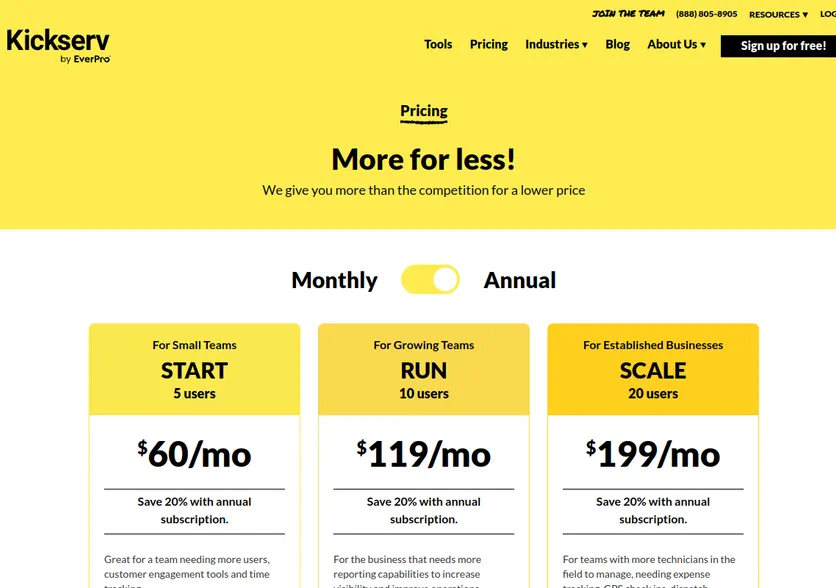
Paid tool Starting price: $60/month · Start plan, sixty dollars a month for up to five users; thirty-day free trial
Free plan: No free plan; 30-day free trial
Kickserv is the straightforward work-order pick for a small HVAC shop, covering scheduling, jobs, customer history and invoicing without enterprise weight. This Kickserv Start plan costs sixty dollars a month for up to five users, with a thirty-day free trial. A shop with a handful of techs gets GPS check-ins and dispatch mapping on the higher tiers as it grows.
What we like
- Simple work orders your techs learn fast
- Customer history on every job card
- Thirty-day free trial with no card pressure
Watch out for
- No free plan, only the thirty-day trial
- GPS tracking needs a higher tier
How to try it
- Open the Kickserv pricing page and start the free trial
- Import your customer list and job history
- Set up dispatch mapping for your service area
5. Service Fusion
Best for: Growing HVAC crews that want one flat price with unlimited users
Paid tool Starting price: $192/month · Starter plan, one hundred ninety two dollars a month billed annually or two hundred twenty five dollars billed monthly, with unlimited users on every plan
Free plan: No free plan; demo available
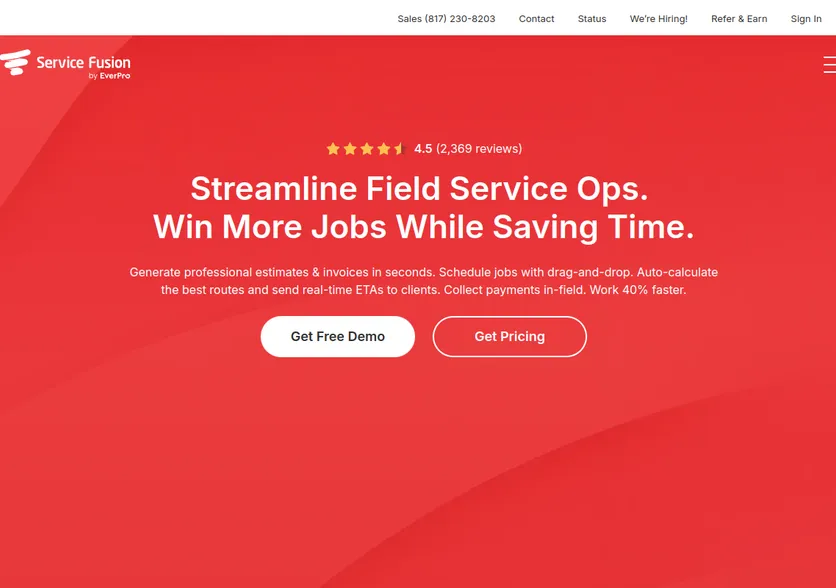
Service Fusion is the flat-rate pick for a growing HVAC crew, charging one monthly price with unlimited users on every plan. This Service Fusion Starter plan costs one hundred ninety two dollars a month billed annually, or two hundred twenty five dollars billed monthly, with unlimited users included. A shop adding trucks fast will like that the tenth tech costs the same as the first.
What we like
- Unlimited users on every plan
- Flat monthly price that never grows with headcount
- Service agreements and inventory on higher tiers
Watch out for
- Highest starting price in this list
- No free trial, demo only
How to try it
- Open the Service Fusion pricing page and request a demo
- List every office and field user who needs access
- Compare Starter with Plus for inventory and GPS
6. Fieldd
Best for: Small HVAC shops that want simple scheduling and dispatch
Paid tool Starting price: $199/month · Start plan, one hundred ninety nine dollars a month flat and includes ten users; Scale is two hundred ninety nine dollars a month for thirty users; Pro is nine hundred ninety nine dollars a month; month to month, no contracts
Free plan: No free plan; free trial available
Fieldd is the simple scheduling-first pick for a small HVAC business that wants appointments, dispatch and invoicing without a long setup. This Fieldd Start plan costs one hundred ninety nine dollars a month flat and includes ten users, with no contracts. A small shop that books most jobs by phone will like the clean dispatch board and the fast start.
What we like
- Simple dispatch board your techs learn fast
- Flat monthly price with no contracts or lock-in
- Clean job scheduling without enterprise setup
Watch out for
- Start plan is flat-priced, so a one-person shop pays the same as a ten-user team
- Fewer integrations than Jobber or Housecall Pro
How to try it
- Open the Fieldd pricing page and check the starting plan
- Set up your service areas and tech list
- Run one week of jobs through the dispatch board
7. ReachOut Suite
Best for: Budget-conscious HVAC shops that want a free plan with unlimited users
Paid tool Starting price: $9/user/month · Standard plan, nine dollars per user a month; Premium is fifteen dollars and Ultimate is twenty five dollars; free plan covers unlimited users up to twenty five jobs per user a month
Free plan: Free plan with unlimited users and up to 25 jobs per user a month
ReachOut Suite is the budget per-user pick for a small HVAC business, with a genuinely free plan for unlimited users up to twenty five jobs per user a month. This ReachOut Suite Standard plan costs nine dollars per user a month, with Premium at fifteen dollars and Ultimate at twenty five dollars. A shop watching every dollar can run scheduling, dispatch and invoicing for less than any other paid tool here.
What we like
- Free plan with unlimited users
- Cheapest paid plan in this list at nine dollars per user
- No credit card needed for the free plan
Watch out for
- Smaller vendor with a shorter track record than Jobber
- Advanced features need the higher Standard plan
How to try it
- Open the ReachOut Suite pricing page and start the free plan
- Add your techs and set up job types
- Upgrade to Standard once jobs pass the free limits
Prices above were checked on each vendor’s own website on Nov 26, 2026 and can change — the vendor’s page is the final word. Vendor links are editorial: nobody paid to be listed or ranked here. Vendors who want a featured listing can see how it works on our Get listed page.
What HVAC software for a small business costs in 2026
HVAC pricing comes in three shapes, and the shape matters more than the number. Per-user tools like Jobber charge for every tech, per-job tools like ServiceM8 charge for monthly job volume, and flat-rate tools like Service Fusion charge one price no matter how many techs log in. The headline price in the table above is the vendor list price checked on November 26, 2026, for the cheapest paid tier of each tool, before card processing fees.
Trial two tools with a real week of jobs, from the first call to the paid invoice. Check how dispatch, the price book and QuickBooks sync behave on a busy day, and confirm the plan covers your truck count. Pick the tool your techs will actually open on site, because the best dispatch board is the one the crew uses.
Before you buy
- Count trucks and monthly jobs first, because per-user and per-job pricing punish different kinds of growth.
- Check whether QuickBooks sync is included, because Jobber and Housecall Pro reserve it for higher plans.
- Ask about card processing fees, because they sit on top of the subscription on every tool here.
- Confirm the free plan limits, because ServiceM8 free covers one user and thirty jobs a month.
- Test dispatch on a busy day, because a clean board on a quiet day hides the real workflow.
Official websites
Official websites of the products reviewed above. Features and prices were checked against these sites when this guide was written, and they can change, so confirm on the vendor site before you buy.
Frequently asked questions
Which HVAC software is best for a small business in 2026?
Jobber is the safest default at twenty nine dollars a month billed annually for one user, because booking, quotes, scheduling, invoicing and payments sit in one app. ServiceM8 is the cheapest professional setup at twenty nine dollars a month for unlimited users and fifty jobs, with a free plan below that. Housecall Pro wins for growing shops at fifty nine dollars a month, with a price book and online booking built in.
How much does HVAC software cost for a small business?
Most tools in this list run from free to sixty dollars a month for a one-truck shop, with ServiceM8 free for one user and thirty jobs a month. Jobber Core is twenty nine dollars a month billed annually, Housecall Pro Basic is fifty nine dollars, and Service Fusion is the premium pick at one hundred ninety two dollars a month with unlimited users. Card processing fees sit on top of every subscription here.
Is ServiceTitan worth it for a small HVAC business?
ServiceTitan does not publish prices, so a small shop cannot budget it without a sales demo and a custom quote. It is built for larger multi-crew operations with implementation and annual contracts. A shop under seven trucks will get more value from Jobber or Housecall Pro at published prices, and can revisit ServiceTitan once the crew outgrows them.
Do I need a price book in my HVAC software?
Yes, once the shop repeats the same jobs with the same parts, because a price book turns quoting from guesswork into a tap. Housecall Pro includes a price book on the Basic plan, while Jobber adds flat-rate pricing on higher tiers and FieldPulse sells it as a core feature. A solo tech can start without one and add it when quotes start taking too long.
What should a small HVAC business check before buying software?
Count trucks and monthly jobs, confirm QuickBooks sync is included, and ask about card processing fees on top of the subscription. Check free plan limits, because ServiceM8 free covers one user and thirty jobs a month. Trial the tool with a real week of jobs, because dispatch on a busy day shows the workflow a demo never will.
Need everyday business help too? Try Toolsvine's free business tools for home service businesses right in your browser.
Browse Business Tools tools


