
On this page
A small business loses money every hour its data is gone, so backup software has to restore fast and work without babysitting. IDrive Business leads this list as the best-value backup for a small team, and the other six are ranked on the same test: what a business actually pays each year, and how well each tool keeps a local copy and a cloud copy of the same data. The quote-only enterprise tools publish no prices, so they are not in this list.
How we researched this
We checked every price on the vendor pricing page on November 27, 2026, and only included tools with a published US dollar list price and a free trial. We ranked each tool on what a small business actually pays, including per-device versus per-storage billing, local plus cloud coverage, and restore options. Quote-only tools like Veeam, Datto SIRIS and N-able Backup publish no prices and were excluded, so this list covers only the priced tools a small business can budget for.
Compare the tools
| Name | Best for | Starting price | Free plan | |
|---|---|---|---|---|
| Acronis Cyber Protect | Small businesses that want cyber protection plus backup in one licence | $85/device/yr | 30-day free trial, no free plan | Visit |
 IDrive Business | Small businesses that want one backup pool for every device and server | $99.50/yr | Free trial available, no free plan | Visit |
 Backblaze Computer Backup | Businesses that want simple unlimited backup for one computer | $99/yr | 15-day free trial, no free plan | Visit |
 Carbonite Safe Backup Pro | Small businesses with up to 25 computers that want a fixed yearly price | $287.99/yr | Free trial available, no free plan | Visit |
 CrashPlan for Small Business | Small businesses that want unlimited storage per device at a flat monthly rate | $10/device/mo | Free trial available, no free plan | Visit |
 MSP360 Managed Backup | Businesses that want backup managed for them with their own cloud storage | $2.50/workload/mo | 15-day free trial, no free plan | Visit |
 NovaBACKUP | Small businesses that want local and cloud backup with a one-time-style licence | $99.95/yr | Free trial available, no free plan | Visit |
The hybrid backup software for small business, compared
1. Acronis Cyber Protect
Best for: Small businesses that want cyber protection plus backup in one licence
Paid tool Starting price: $85/device/yr · Cyber Protect Standard is eighty-five dollars per device a year; Backup Advanced is one hundred nine dollars and Advanced is one hundred twenty-nine dollars, while server licences run much higher at five hundred ninety-five dollars per server a year, with a thirty-day trial
Free plan: 30-day free trial, no free plan
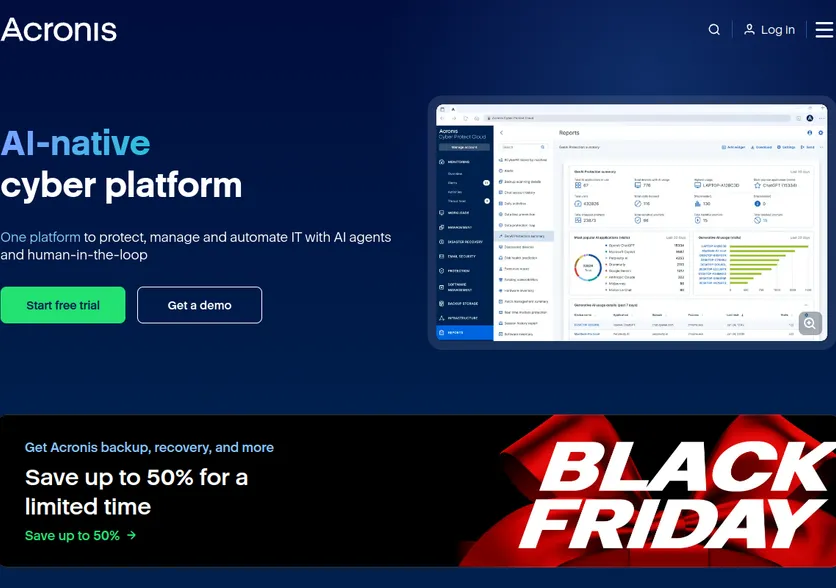
Acronis Cyber Protect Standard costs eighty-five dollars per device a year, and it is the most security-focused backup in this list. It combines backup with anti-malware, patching and recovery in one agent, which suits a small business that wants one tool to cover both data protection and endpoint security. Backup Advanced costs one hundred nine dollars per device a year and Advanced one hundred twenty-nine, while server licences run much higher at five hundred ninety-five dollars per server a year.
What we like
- Backup plus anti-malware in one agent
- Local and cloud backup in the same plan
- Strong recovery options for servers
Watch out for
- Server licences cost far more than device licences
- No free plan, only a trial
How to try it
- Create an Acronis account and start the trial
- Install the agent on each device and server
- Set the backup schedule and test a restore
2. IDrive Business
Best for: Small businesses that want one backup pool for every device and server
Paid tool Starting price: $99.50/yr · Business is ninety-nine dollars fifty a year for two hundred fifty gigabytes at the standard rate; the first year is sixty-nine dollars sixty-five with a thirty percent promo, and unlimited users, computers, servers and NAS devices share one pool, though one source lists Business from seven hundred forty-nine dollars fifty for one point two five terabytes, which conflicts with the standard rate
Free plan: Free trial available, no free plan
IDrive Business costs ninety-nine dollars fifty a year for two hundred fifty gigabytes at the standard rate, and it is the best-value backup in this list for a small team. One pool covers unlimited users, computers, servers and NAS devices, which suits a business that wants every machine backed up without counting licences. The first year costs sixty-nine dollars sixty-five with a thirty percent promo, so budget on the standard rate rather than the introductory price.
What we like
- One storage pool for unlimited devices
- Cheapest standard rate in this list
- Servers and NAS included in one plan
Watch out for
- First-year promo price is not the standard rate
- Storage upgrades add cost as data grows
How to try it
- Create an IDrive Business account and start the trial
- Install the app on computers, servers and NAS devices
- Set the backup schedule and test a restore
3. Backblaze Computer Backup
Best for: Businesses that want simple unlimited backup for one computer
Paid tool Starting price: $99/yr · Computer Backup is ninety-nine dollars a year per computer, or nine dollars a month, or one hundred eighty-nine dollars for two years; Business Backup is also ninety-nine dollars a year per computer, with unlimited data for one computer plus attached drives and a fifteen-day trial
Free plan: 15-day free trial, no free plan
Backblaze Computer Backup costs ninety-nine dollars a year per computer, and it is the simplest unlimited backup in this list. One computer plus its attached drives gets unlimited data, which suits a small business that wants every workstation backed up without watching a storage meter. Business Backup also costs ninety-nine dollars a year per computer, and a fifteen-day trial lets a team test the restore process first.
What we like
- Unlimited data per computer, no meter watching
- Simple setup with no per-file limits
- Restore by download, drive or courier
Watch out for
- Priced per computer, so many machines add up
- Server backup needs the Business plan
How to try it
- Create a Backblaze account and start the trial
- Install the app on each computer
- Let the first backup finish and test a file restore
4. Carbonite Safe Backup Pro
Best for: Small businesses with up to 25 computers that want a fixed yearly price
Paid tool Starting price: $287.99/yr · Safe Backup Pro Core is two hundred eighty-seven dollars ninety-nine a year for up to twenty-five computers and two hundred fifty gigabytes; the first year is two hundred thirty dollars thirty-nine with a promo, Power is seven hundred ninety-nine dollars ninety-nine a year and Ultimate is one thousand two hundred ninety-nine dollars ninety-nine, with extra storage at ninety-nine dollars per one hundred gigabytes
Free plan: Free trial available, no free plan
Carbonite Safe Backup Pro Core costs two hundred eighty-seven dollars ninety-nine a year for up to twenty-five computers and two hundred fifty gigabytes, and it is the fixed-price pick in this list. One yearly price covers the whole small office, which suits a business that wants predictable backup costs without per-device billing. Power costs seven hundred ninety-nine dollars ninety-nine a year for one server plus twenty-five computers, and Ultimate one thousand two hundred ninety-nine dollars ninety-nine.
What we like
- One price covers up to twenty-five computers
- Predictable yearly billing, no per-device math
- Server plans available when the office grows
Watch out for
- First-year promo price is not the standard rate
- Storage cap of two hundred fifty gigabytes on Core
How to try it
- Create a Carbonite account and start the trial
- Install the agent on up to twenty-five computers
- Set the backup schedule and test a restore
5. CrashPlan for Small Business
Best for: Small businesses that want unlimited storage per device at a flat monthly rate
Paid tool Starting price: $10/device/mo · Ten dollars per device a month for small business with unlimited storage and an admin console; there is no annual plan, and a free trial is available
Free plan: Free trial available, no free plan
CrashPlan for Small Business costs ten dollars per device a month, and it is the unlimited-storage pick in this list. Every device gets unlimited storage with an admin console to manage the whole team, which suits a business with large files that refuses to watch a storage meter. There is no annual plan, so the monthly rate is the rate, and a free trial lets a team test backup and restore before paying.
What we like
- Unlimited storage per device, no caps
- Admin console manages the whole team
- Flat monthly rate with no annual lock-in
Watch out for
- No annual plan, so no yearly discount
- Per-device pricing adds up with many machines
How to try it
- Create a CrashPlan account and start the trial
- Install the app on each device
- Set retention and test a restore from the console
6. MSP360 Managed Backup
Best for: Businesses that want backup managed for them with their own cloud storage
Paid tool Starting price: $2.50/workload/mo · Managed Backup is from two dollars fifty per workload a month; storage is billed separately through your own Wasabi, Backblaze B2, S3 or Azure account, with a twenty-five dollar monthly minimum and a fifteen-day trial
Free plan: 15-day free trial, no free plan
MSP360 Managed Backup costs from two dollars fifty per workload a month, and it is the cheapest entry point in this list. It manages backup across computers, servers and virtual machines while storage lives in the business's own Wasabi, Backblaze B2, S3 or Azure account, which suits a team that already pays for cloud storage and wants backup managed on top. A twenty-five dollar monthly minimum applies, and a fifteen-day trial is available.
What we like
- Cheapest entry price in this list
- Use your own low-cost cloud storage
- Managed backup with central monitoring
Watch out for
- Storage is billed separately on top
- Twenty-five dollar monthly minimum applies
How to try it
- Create an MSP360 account and connect cloud storage
- Add workloads and set the backup policy
- Test a restore and check the monitoring dashboard
7. NovaBACKUP
Best for: Small businesses that want local and cloud backup with a one-time-style licence
Paid tool Starting price: $99.95/yr · PC Agent is ninety-nine dollars ninety-five a year; Server Agent is three hundred ninety-nine dollars ninety-five a year with two hundred fifty gigabytes of cloud storage; the vendor site shows prices in euros and a Black Friday twenty percent Server Agent offer ran November twentieth to December fourth 2026, and one directory lists PC Agent at one hundred forty-nine dollars ninety-five, which conflicts
Free plan: Free trial available, no free plan
NovaBACKUP PC Agent costs ninety-nine dollars ninety-five a year, and it is the hybrid pick in this list for a business that wants local backup plus cloud. It backs up to local drives and to the cloud from the same console, which suits a small office that wants a fast local restore and an off-site copy. Server Agent costs three hundred ninety-nine dollars ninety-five a year with two hundred fifty gigabytes of cloud storage, though the vendor site shows prices in euros.
What we like
- Local and cloud backup in one console
- Fast local restores plus off-site copies
- One yearly price per agent, no monthly billing
Watch out for
- Vendor site shows prices in euros, not dollars
- Price reads conflict across sources
How to try it
- Create a NovaBACKUP account and download the agent
- Set up a local backup and a cloud backup
- Test both a local restore and a cloud restore
Prices above were checked on each vendor’s own website on Nov 27, 2026 and can change — the vendor’s page is the final word. Vendor links are editorial: nobody paid to be listed or ranked here. Vendors who want a featured listing can see how it works on our Get listed page.
How a small business should pick hybrid backup software
Start with the restore, not the backup, because a backup is only as good as its restore. Test a full restore on a spare machine before you trust any tool with real data, and time it, since a restore that takes three days is no restore at all. Next, count devices and data honestly: per-device pricing punishes a big team, while storage caps punish a business with large files. Check that local and cloud backup are both included, because the local copy gives speed and the cloud copy gives survival. Finally, read the storage pricing for year two, since first-year promos hide the real long-term cost.
Before you buy
- Check whether local backup and cloud backup are both included in the plan
- Confirm the storage limit and the cost of extra storage before you buy
- Ask how fast a full restore runs and whether files can be restored by courier
- Count every device, server and NAS box, because most plans bill per device
- Test a full restore on a spare machine before you trust the backup
Official websites
Official websites of the products reviewed above. Features and prices were checked against these sites when this guide was written, and they can change, so confirm on the vendor site before you buy.
Frequently asked questions
What is the cheapest hybrid backup software for small business?
IDrive Business is the cheapest standard rate here at ninety-nine dollars fifty a year for two hundred fifty gigabytes, covering unlimited devices in one pool. Backblaze costs ninety-nine dollars a year per computer with unlimited data, and MSP360 starts at two dollars fifty per workload a month plus separate storage. The cheapest pick depends on whether the business pays per device or per storage pool, so count devices and data before choosing.
What is hybrid backup and why does a small business need it?
Hybrid backup keeps a local copy and a cloud copy of the same data. The local copy restores fast after a deleted file or a failed drive, while the cloud copy protects against fire, theft and flood. A small business should test both restores: a local restore for speed and a cloud restore for the worst case. Acronis, NovaBACKUP and MSP360 all support local plus cloud backup.
Is there free hybrid backup software for small business?
None of the tools in this list offer a free plan, though all offer free trials from fifteen to thirty days. Backblaze and MSP360 offer fifteen-day trials, while Acronis offers thirty days. Use the trial to run a full backup and a full restore, because a backup that has never been restored is only a guess. The trial is the real test of whether the tool fits.
How do I pick backup software for a small business?
Count the devices first, because most plans bill per device and the total changes fast with a big team. Check the storage limit and the cost of extra storage, since a capped plan gets expensive as data grows. Ask how fast a full restore runs and whether files can be restored by courier drive, because a slow restore is what actually hurts after a failure.
What is the 3-2-1 backup rule?
A 3-2-1 backup keeps three copies of data, on two different media, with one copy off-site. For a small business that means a local backup on a drive or NAS, plus a cloud backup from one of the tools in this list. The off-site copy is the one that saves the business after a fire or theft, so do not skip it even when the local backup feels fast enough.
Compare the seven tools above, then test a full restore on a spare machine before you trust any backup with your business.
Browse Security & Privacy tools


