
On this page
When a system goes down at midnight, the difference between a quick fix and a lost night is who gets paged and how fast they respond. The seven platforms below run from about six dollars a user a month to twenty-five dollars a user a month, and every price was checked on the vendor site on November 26, 2026. Most offer a free plan or a free trial, so you can test alerting on a real service before paying. PagerDuty is our first pick — the on-call standard from twenty-one dollars a user a month.
How we researched this
We started with the incident platforms teams actually page from, then read each price on the vendor pricing page on November 26, 2026 and noted the free plan or trial each one carries. We judged them for a small team that needs reliable alerting, on-call rotations and a clear incident record without enterprise weight. We kept only tools with a published price and dropped any tool whose price we could not verify on the vendor site.
Compare the tools
| Name | Best for | Starting price | Free plan | |
|---|---|---|---|---|
 PagerDuty | Teams that need reliable on-call paging and escalation | $21/user/month | No free tier published on the pricing page; free trial available | Visit |
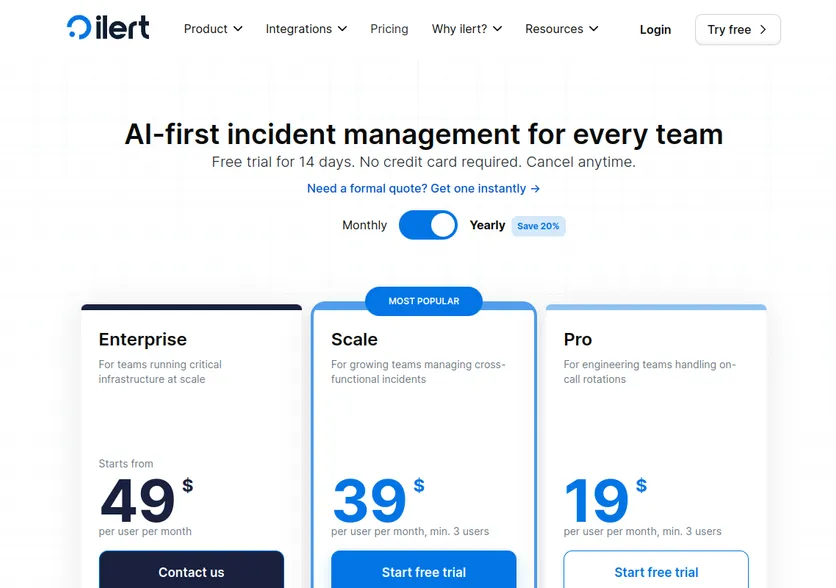
 ilert | Teams that want paging on top of existing monitoring | $19/user/month | Free plan available for small teams | Visit |
 SIGNL4 | Small teams that run on-call from mobile phones | $9/user/month | No free tier published on the pricing page; free trial available | Visit |
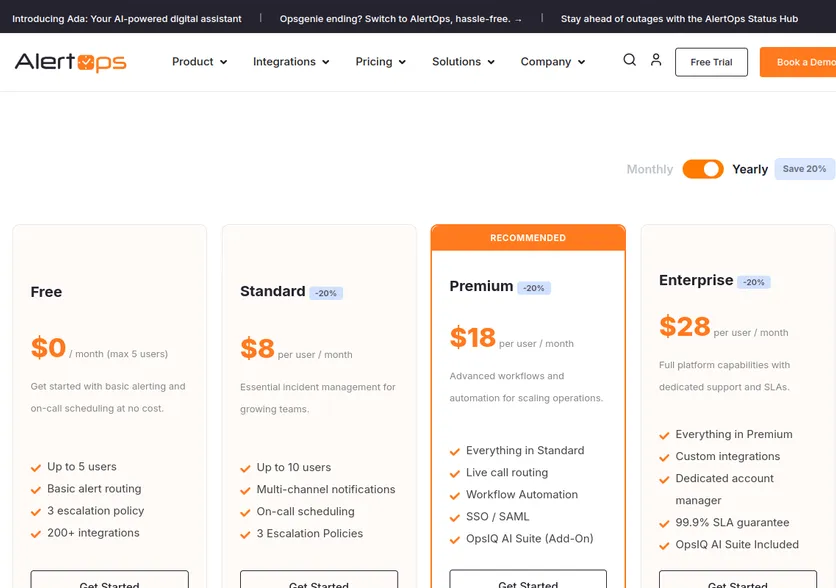
 AlertOps | Teams drowning in monitoring alerts | $10/user/month | No free tier published on the pricing page; free trial available | Visit |
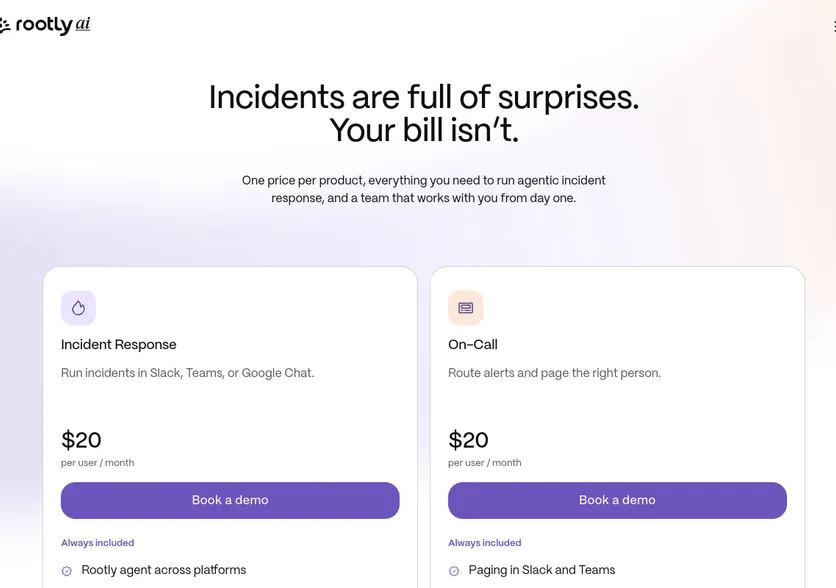
 Rootly | Slack-first teams that run incidents in chat | $20/user/month | No free tier published on the pricing page; free trial available | Visit |
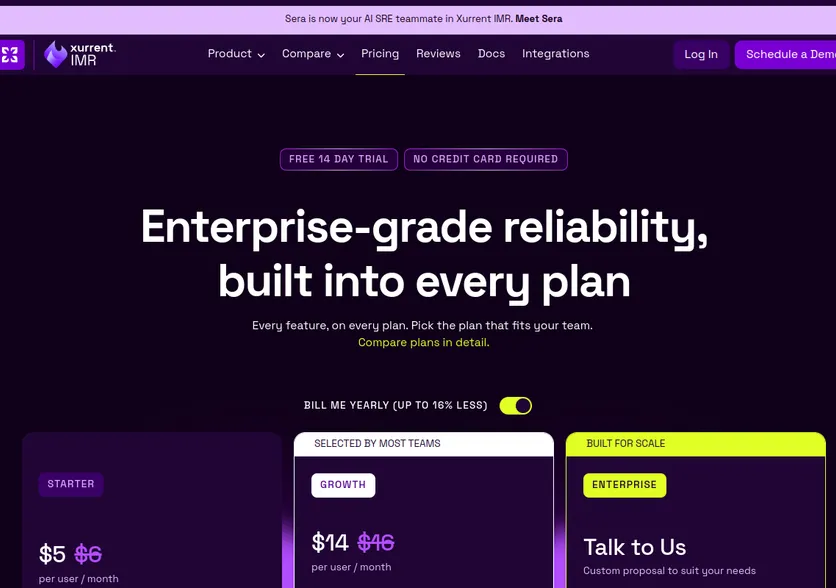
 Zenduty | Small teams that need on-call cover on a tight budget | $6/user/month | No free tier published on the pricing page; free trial available | Visit |
 incident.io | Growing engineering teams that live in Slack | $25/user/month | Free Basic plan with one on-call schedule | Visit |
The incident reporting software platforms, compared
1. PagerDuty
Best for: Teams that need reliable on-call paging and escalation
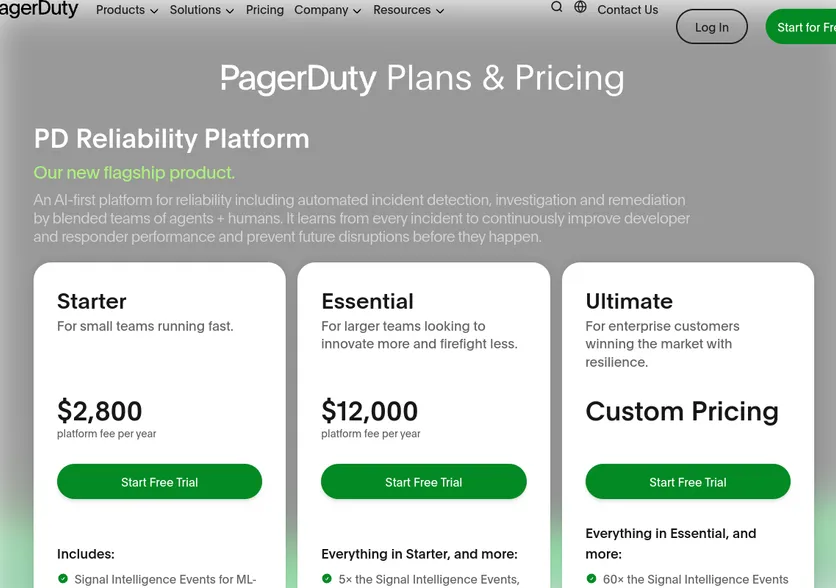
Paid tool Starting price: $21/user/month · Professional plan, $21 a user a month billed annually; Business is $41
Free plan: No free tier published on the pricing page; free trial available
PagerDuty is the on-call standard that most engineering teams already know, routing alerts to the right person instead of a noisy group chat. This PagerDuty Professional plan covers on-call schedules, alert grouping and incident timelines with automation built in. A small team can stop waking everyone up and start waking only the person who can fix it.
What we like
- On-call schedules with escalation built in
- Alert grouping cuts noise during outages
- Integrates with hundreds of monitoring tools
Watch out for
- Professional costs twenty-one dollars a user a month
- AI features cost extra as add-ons
How to try it
- Open the PagerDuty pricing page and start a trial
- Connect your monitoring tool and set up an on-call rotation
- Run a test incident and check the alert reaches the right person
2. ilert
Best for: Teams that want paging on top of existing monitoring
Paid tool Starting price: $19/user/month · Starts at $19 a user a month
Free plan: Free plan available for small teams
ilert is the alerting platform that plugs into the tools a small team already runs, turning monitoring noise into a clean page for the person on call. This ilert plan adds on-call schedules, escalation policies and incident timelines at a price below the big names. A team can keep its existing monitoring and add proper paging without migrating anything.
What we like
- Works with the monitoring tools you already run
- Escalation policies with no extra modules
- Cheaper per user than the big on-call names
Watch out for
- Plans start at nineteen dollars a user a month
- Smaller integration list than PagerDuty
How to try it
- Open the ilert pricing page and create an account
- Connect your monitoring tool as an alert source
- Set up an escalation policy and test a page
3. SIGNL4
Best for: Small teams that run on-call from mobile phones
Paid tool Starting price: $9/user/month · Starts at $9 a user a month
Free plan: No free tier published on the pricing page; free trial available
SIGNL4 is the mobile-first alerting tool that puts the whole incident on a phone, so the person on call can acknowledge and fix things away from a desk. This SIGNL4 plan covers alerting, on-call duty planning and team collaboration from nine dollars a user a month. A small team can run on-call from pockets instead of laptops and still keep a full incident record.

What we like
- Cheapest paid plan on this list
- Mobile app built for on-call work
- Duty planning included at the entry price
Watch out for
- Plans start at nine dollars a user a month
- Fewer enterprise integrations than PagerDuty
How to try it
- Open the SIGNL4 pricing page and start a trial
- Connect an alert source and set up duty planning
- Acknowledge a test alert from the mobile app
4. AlertOps
Best for: Teams drowning in monitoring alerts
Paid tool Starting price: $10/user/month · Starts at $10 a user a month
Free plan: No free tier published on the pricing page; free trial available
AlertOps is the alert management layer that sits between your monitoring tools and your team, filtering noise before anyone gets paged. This AlertOps plan adds intelligent alert routing, on-call schedules and incident workflows at ten dollars a user a month. A team drowning in alerts can cut the noise first and page people only when something truly breaks.
What we like
- Alert filtering cuts paging noise fast
- On-call schedules included at the entry price
- Works across many monitoring sources
Watch out for
- Plans start at ten dollars a user a month
- Smaller community than the big on-call platforms
How to try it
- Open the AlertOps pricing page and start a trial
- Connect your monitoring tools as alert sources
- Set up routing rules that filter noise before paging
5. Rootly
Best for: Slack-first teams that run incidents in chat
Paid tool Starting price: $20/user/month · Starts at $20 a user a month
Free plan: No free tier published on the pricing page; free trial available
Rootly runs incident response inside Slack, so a team can declare, triage and resolve an outage without leaving the chat where everyone already works. This Rootly plan adds automated workflows, incident timelines and retrospectives to the Slack-native response flow. A team that lives in Slack can run a full incident from a single channel instead of juggling five tools.
What we like
- Incident response lives inside Slack
- Automated workflows cut manual steps
- Retrospectives built into every incident
Watch out for
- Plans start at twenty dollars a user a month
- Slack-first, so non-Slack teams get less value
How to try it
- Open the Rootly pricing page and start a trial
- Install Rootly in your Slack workspace
- Declare a test incident and run the workflow
6. Zenduty
Best for: Small teams that need on-call cover on a tight budget
Paid tool Starting price: $6/user/month · Starts at $6 a user a month
Free plan: No free tier published on the pricing page; free trial available
Zenduty is the budget on-call platform that covers the essentials, schedules, escalations and alerting, without charging for features a small team never touches. This Zenduty plan gives a team on-call rotations, incident timelines and integrations at six dollars a user a month. A small team can run proper on-call cover for less than the cost of a lunch per person.
What we like
- Cheapest on-call cover on this list
- Schedules and escalations included
- Simple setup with no sales call
Watch out for
- Plans start at six dollars a user a month
- Lighter analytics than the bigger platforms
How to try it
- Open the Zenduty pricing page and start a trial
- Set up an on-call rotation for your team
- Connect your monitoring tool and test an alert
7. incident.io
Best for: Growing engineering teams that live in Slack
Paid tool Starting price: $25/user/month · Team plan with on-call, $25 a user a month billed annually; base incident response alone is $15 a user a month
Free plan: Free Basic plan with one on-call schedule
Incident IO is the Slack-native incident platform that turns a channel into a full response room, with roles, timelines and status pages built in. This Incident IO Team plan with on-call covers incident response plus paging at twenty-five dollars a user a month billed annually. A growing engineering team can run the whole incident lifecycle without leaving Slack.

What we like
- Full incident lifecycle inside Slack
- Status pages included at no extra cost
- Free Basic plan for small teams
Watch out for
- Team with on-call costs twenty-five dollars a user a month billed annually
- On-call is an add-on on the base price
How to try it
- Open the incident.io pricing page and start a trial
- Install the app in Slack and create a response channel
- Run a test incident with roles and a status page
Prices above were checked on each vendor’s own website on Nov 26, 2026 and can change — the vendor’s page is the final word. Vendor links are editorial: nobody paid to be listed or ranked here. Vendors who want a featured listing can see how it works on our Get listed page.
What incident reporting software costs in 2026
A small team pages a handful of responders, so the per-user price is the whole budget and the cheapest plan is not always the cheapest deal. This list runs from about six dollars a user a month to twenty-five dollars a user a month, and on-call is sometimes an add-on that doubles the base price. The headline plan each vendor shows on its own pricing page is the number in the table above, checked on November 26, 2026.
Start with the free plan or trial on two tools and run a test incident through both. Compare how fast the right person gets paged and how much noise gets filtered, then pick the tool your team will actually trust at midnight. A twenty-one-dollar tool that pages the right person beats a six-dollar tool that wakes the whole team.
Before you buy
- Count the responders first, because most plans here charge per user and on-call cover is priced by headcount.
- Check whether on-call is included, because some vendors sell it as an add-on that doubles the bill.
- Test the tool on a real alert first, because a demo incident never shows how it handles your noisiest monitor.
- Ask whether the tool fits your chat: Rootly and incident.io live in Slack, while PagerDuty works anywhere.
- Add up the noise cost, because a ten-dollar tool that filters alerts saves more sleep than a cheap pager.
Official websites
Official websites of the products reviewed above. Features and prices were checked against these sites when this guide was written, and they can change, so confirm on the vendor site before you buy.
Frequently asked questions
Which incident reporting software is best in 2026?
PagerDuty, at twenty-one dollars a user a month billed annually, is the safest default because it covers on-call schedules, alert grouping and timelines with the widest integrations. incident.io is better when your team lives in Slack, since it runs the whole incident lifecycle in a channel. SIGNL4 wins when your responders work from phones and you want the cheapest paid start.
What is the cheapest incident management tool?
Zenduty, at six dollars a user a month, is the cheapest on-call cover here and includes schedules and escalations. SIGNL4, at nine dollars a user a month, is the cheapest mobile-first option. AlertOps, at ten dollars a user a month, is the cheapest way to filter alert noise before anyone gets paged.
Can I run on-call for free?
Yes, incident.io has a free Basic plan with one on-call schedule, and ilert offers a free plan for small teams. PagerDuty, SIGNL4, AlertOps, Rootly and Zenduty offer free trials instead, so you can test paging on a real service before the first payment. Start with the free plan that matches your team size and upgrade when you outgrow it.
What is the difference between alerting and on-call?
Alerting routes the signal, while on-call decides who responds. A monitoring tool raises an alert when something breaks, and an on-call platform pages the right person, escalates when nobody answers and records the incident timeline. Most teams need both, which is why these tools combine alert routing with schedules and escalations in one plan.
Which incident tool is best for Slack teams?
incident.io and Rootly are the strongest picks, because both run incident response inside Slack with roles, timelines and workflows in the channel. PagerDuty also integrates with Slack, but it is a standalone platform rather than a Slack-native one. Pick incident.io when you want status pages included, and Rootly when you want automated workflows.
Need free business help too? Try Toolsvine's free business tools for everyday work right in your browser.
Browse Business Tools tools


