On this page
A small business does not need an enterprise wiki. It needs one place where the Wi-Fi password, the onboarding checklist and the client setup notes actually live, and where a new hire can find them without asking. Notion leads this list because its $10-a-month Plus plan covers docs, wikis and project notes in one flexible workspace, and the other eight tools are judged on the same practical test: how little effort it takes to keep the documentation current.
How we researched this
We checked every price on the vendor pricing page on November 28, 2026, and only included tools with a published US dollar list price and a free trial or free plan. Two names in this category publish no prices any more, Document360 and Guru, so they are not in this list. Prices change, so confirm the current figure on the vendor site before you buy.
Compare the tools
| Name | Best for | Starting price | Free plan | |
|---|---|---|---|---|
 Confluence | Small businesses already running Jira that need a team wiki | $7.15/user/month | Free plan for up to 10 users | Visit |
 Notion | Small businesses that want docs, wikis and notes in one workspace | $10/member/month | Free plan | Visit |
 Nuclino | Small businesses that want the simplest possible team wiki | $6/user/month | Free plan capped at 50 items | Visit |
 Slab | Small businesses that want a clean internal wiki with good search | $6.67/user/month | Free plan for up to 10 users | Visit |
 Tettra | Small businesses that want answers surfaced in Slack | $8/user/month | 30-day free trial | Visit |
 Slite | Small businesses that work async and need docs that stay current | $10/user/month | 14-day free trial; no free plan | Visit |
| Docsie | Small businesses that turn videos and documents into a knowledge base | $25/month | Free plan | Visit |
 Scribe | Small businesses where one person does the IT and writes the guides | $25/seat/month | Free Basic plan | Visit |
 Archbee | Small businesses that publish customer-facing documentation | $49/month | 14-day free trial; no free plan | Visit |
The IT documentation software for small business, compared
1. Confluence
Best for: Small businesses already running Jira that need a team wiki
Paid tool Starting price: $7.15/user/month · Standard $7.15 per user a month on monthly billing for users 1 to 100; Premium $14.10; free for up to 10 users
Free plan: Free plan for up to 10 users
For a small business that already lives in Jira, Confluence gives the team a wiki for $7.15 per user a month on monthly billing. Runbooks, onboarding notes and client setup pages sit beside the tickets they support, and pages link straight into Jira issues. The free plan covers up to 10 users, which is enough for most small teams to document everything that matters.

What we like
- Cheapest solid start at $7.15 a user a month
- Pages link straight into Jira tickets
- Free plan covers up to 10 users
Watch out for
- No built-in password or asset management
- Structure depends on the team keeping pages tidy
How to try it
- Create a space for the handbook, runbooks and client notes
- Link each page to the Jira tickets and projects it supports
- Review pages quarterly and update the ones that changed
2. Notion
Best for: Small businesses that want docs, wikis and notes in one workspace
Paid tool Starting price: $10/member/month · Plus $10 per member a month billed annually, or $12 on monthly billing; Business $20; Enterprise by quote; a free plan exists
Free plan: Free plan
This Notion plan costs $10 per member a month billed annually, and it mixes documents, wikis, databases and project notes in one workspace your team shapes to fit. A small business can keep its handbook, client notes and meeting records in the same place, with pages that link to each other like a private website. The free plan is generous enough for a tiny team to start, and Plus adds the history and permissions a growing team needs.

What we like
- Docs, wikis and databases share one workspace
- Flexible pages fit almost any team workflow
- Free plan is generous for a tiny team
Watch out for
- Flexibility means the team must design its own structure
- Offline access is limited compared with desktop wikis
How to try it
- Set up a workspace with pages for the handbook and client notes
- Link related pages together so the team can browse by topic
- Add databases for tracking projects, clients and tasks
3. Nuclino
Best for: Small businesses that want the simplest possible team wiki
Paid tool Starting price: $6/user/month · Starter $6 per user a month billed annually, or $8 on monthly billing; Business $10; a free plan is capped at 50 items
Free plan: Free plan capped at 50 items
This Nuclino plan costs $6 per user a month billed annually, and it is the simplest wiki in this list: a clean editor, a visual graph of linked pages, and nothing to configure. A small team can write its handbook, client notes and procedures in an afternoon and actually keep them updated. Guests and read-only members count as paid users, so count the whole team before you compare the price.

What we like
- Simplest wiki in this list, nothing to configure
- Visual graph shows how pages connect
- Fast editor keeps writing effort low
Watch out for
- Guests and read-only members count as paid users
- Fewer integrations than the bigger wiki tools
How to try it
- Create collections for the handbook, clients and procedures
- Write pages in the clean editor and link them together
- Use the visual graph to spot topics with no documentation
4. Slab
Best for: Small businesses that want a clean internal wiki with good search
Paid tool Starting price: $6.67/user/month · Startup $6.67 per user a month billed annually; Business $12.50; Enterprise is custom with a 100-user minimum; free for up to 10 users
Free plan: Free plan for up to 10 users
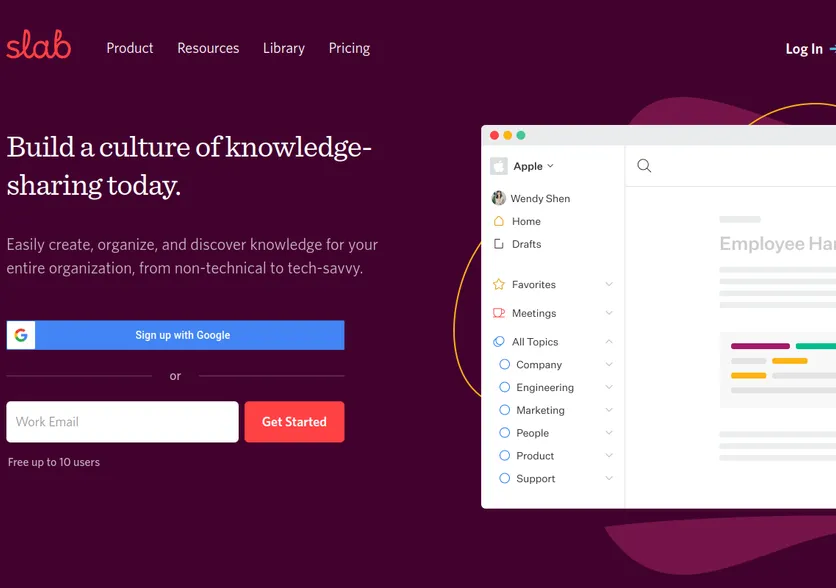
This Slab plan costs $6.67 per user a month billed annually, and it is a clean internal wiki with fast search, topics and integrations that surface docs where the team already works. A small business can organize its handbook and procedures into topics, and new hires find answers without asking the owner. The free plan covers up to 10 users, which suits most small teams.
What we like
- Clean design with fast, reliable search
- Topics keep the handbook organized
- Integrations surface docs where the team works
Watch out for
- Enterprise needs 100 users, so large teams pay custom prices
- Fewer templates than the biggest wiki tools
How to try it
- Organize the handbook and procedures into topics
- Connect integrations so docs surface in Slack and other tools
- Let new hires search the wiki before they ask questions
5. Tettra
Best for: Small businesses that want answers surfaced in Slack
Paid tool Starting price: $8/user/month · Scaling $8 per user a month billed annually, or $10 on monthly billing, with a 10-user minimum; Enterprise by quote; 30-day free trial
Free plan: 30-day free trial
This Tettra plan costs $8 per user a month billed annually, and it answers team questions from a knowledge base that lives where the team already chats. When someone asks a question in Slack, Tettra suggests the documented answer, and unanswered questions become a prompt to write the missing page. The 10-user minimum sets the smallest bill at $80 a month, which suits a team, not a solo owner.

What we like
- Answers surface inside Slack where questions happen
- Unanswered questions become a writing list
- Verification keeps pages trustworthy
Watch out for
- The 10-user minimum sets an $80 a month floor
- Slack is central, so teams off Slack get less value
How to try it
- Connect Tettra to Slack and import the existing docs
- Let it suggest answers when teammates ask questions
- Turn unanswered questions into new pages to write
6. Slite
Best for: Small businesses that work async and need docs that stay current
Paid tool Starting price: $10/user/month · Basic $10 per user a month billed annually; Pro $20; Enterprise by quote; no free plan, 14-day trial
Free plan: 14-day free trial; no free plan
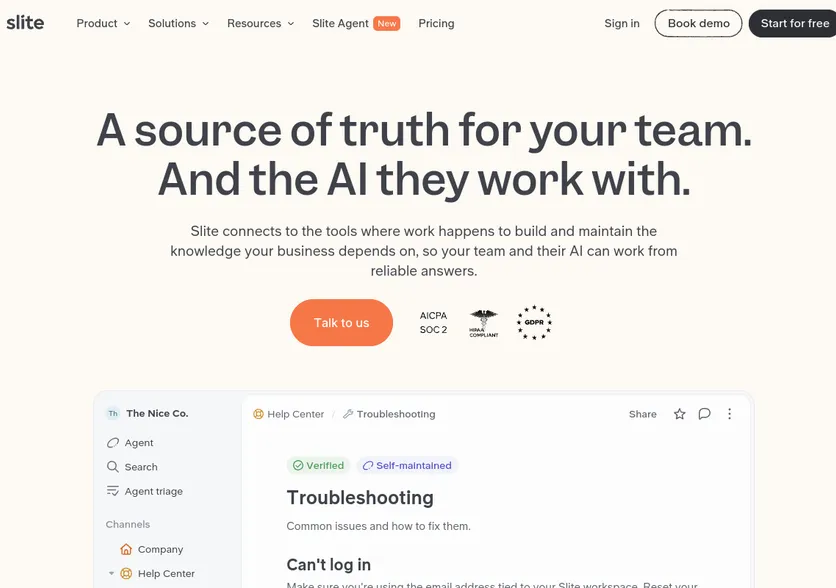
This Slite plan costs $10 per user a month billed annually, and it is built for async teams: docs carry verification dates, so the team knows which pages are still true and which need a check. A small business can keep its handbook, decisions and procedures in one place, with AI helping to draft and find pages. There is no free plan, only a 14-day trial, so the trial is the time to test the workflow.
What we like
- Verification dates flag stale pages automatically
- Built for async teams that rarely meet
- AI helps draft and find pages
Watch out for
- No free plan, only a 14-day trial
- Smaller integration list than the biggest wikis
How to try it
- Write the handbook and key procedures in Slite
- Set verification dates so stale pages get flagged
- Use AI search to find answers across all docs
7. Docsie
Best for: Small businesses that turn videos and documents into a knowledge base
Paid tool Starting price: $25/month · Hobby $25 a month billed annually, or $29 on monthly billing, for 1 seat; Starter $83 a month for 5 seats; Premium $170; a free plan exists
Free plan: Free plan
This Docsie plan costs $25 a month billed annually for one seat, and it turns videos, PDFs and websites into written documentation published as a knowledge base. A small business can record a how-to video once and get a written guide from it, instead of writing the same procedure twice. The free plan includes a knowledge base on your own domain, so a tiny team can publish before it pays.

What we like
- Video-to-docs saves writing time
- Knowledge base runs on your own domain
- Free plan lets a tiny team publish first
Watch out for
- Extra seats cost $10 each on the higher plans
- AI credits are metered, so heavy use costs more
How to try it
- Upload a how-to video and let Docsie draft the written guide
- Edit the draft and publish it to your knowledge base
- Import existing PDFs and websites to fill the gaps
8. Scribe
Best for: Small businesses where one person does the IT and writes the guides
Paid tool Starting price: $25/seat/month · Pro Personal $25 per seat a month billed annually, or $35 on monthly billing; Pro Team $13 per seat a month with a 5-seat minimum; Basic is free
Free plan: Free Basic plan
For a small business where one person does the IT, Scribe records the fix once and turns it into a step-by-step guide for $25 per seat a month billed annually. The guide carries screenshots and the exact clicks, so the next person follows it without asking. A free Basic plan covers web capture, and Pro Team drops the rate to $13 a seat for five or more.
What we like
- Guides generate themselves from a recorded fix
- Screenshots and steps come out ready to share
- Free Basic plan covers web capture
Watch out for
- Pro Team needs at least five seats to get the low rate
- Desktop capture and exports need a paid plan
How to try it
- Record the procedure once while you do it for real
- Edit the generated guide and add notes where a step is tricky
- Share the guide with the team or publish it to customers
9. Archbee
Best for: Small businesses that publish customer-facing documentation
Paid tool Starting price: $49/month · Growing $49 a month billed annually, or $59 on monthly billing, with 1 team member included and extra members $5 a month; Scaling $199 a month; Enterprise by quote
Free plan: 14-day free trial; no free plan
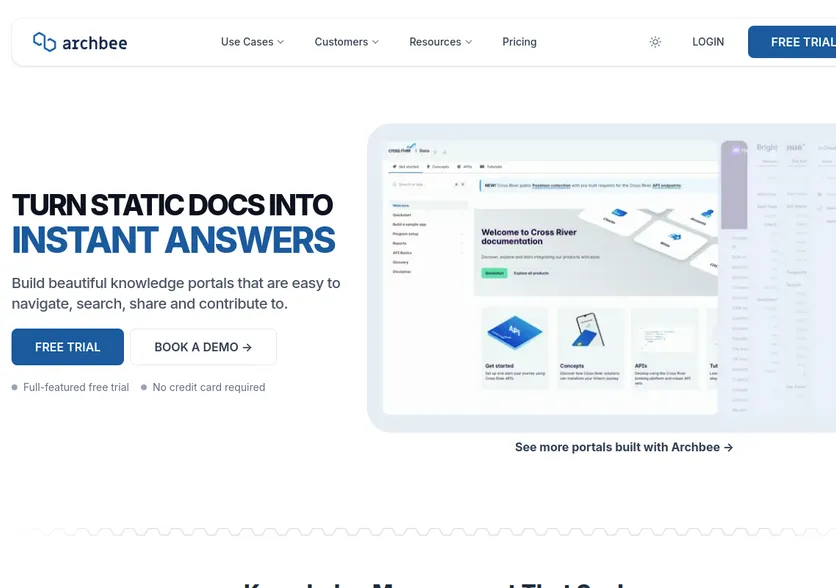
This Archbee plan costs $49 a month billed annually, and it publishes customer-facing documentation with a custom domain, search and versioning from a docs-first editor. A small business can keep its product docs, API guides and changelogs in one place, with AI and other capabilities as $49 a month add-ons. Extra team members cost $5 a month each on Growing, so the bill grows slowly with the team.
What we like
- Docs-first editor built for customer-facing docs
- Custom domain, search and versioning included
- Extra members cost only $5 a month each
Watch out for
- No free plan, only a 14-day trial
- AI and other capabilities are paid add-ons
How to try it
- Set up the docs site with your domain and branding
- Write product docs, API guides and changelogs in the editor
- Publish versions and keep the changelog current
Prices above were checked on each vendor’s own website on Nov 28, 2026 and can change — the vendor’s page is the final word. Vendor links are editorial: nobody paid to be listed or ranked here. Vendors who want a featured listing can see how it works on our Get listed page.
How a small business should run its documentation
Start with the ten pages that save a phone call. The Wi-Fi password, the onboarding checklist, the client setup notes and the seven fixes you repeat most often are the documentation that pays for itself in the first week. Keep one system as the home for all of it, because docs scattered across drives, chats and inboxes are docs nobody can find. Write short pages with the exact clicks and the exact error message, and put a date on each one so the team knows which pages are still true. Finally, review the whole set once a quarter, since a small business changes fast and a stale page is worse than a missing one.
Before you buy
- Check that the free plan covers your real team size, not just one or two people
- Confirm whether guests and read-only members count as paid users before you buy
- Ask how search works, since a wiki nobody can search is a wiki nobody uses
- Count the cost at your full team size, including minimums and extra members
- Run a trial with the ten pages you need most and see how fast the team finds them
Official websites
Official websites of the products reviewed above. Features and prices were checked against these sites when this guide was written, and they can change, so confirm on the vendor site before you buy.
Frequently asked questions
What is IT documentation software for a small business?
It is software that stores the procedures, passwords and client notes a small team needs, in one place everyone can find. The tools in this list cover wikis, knowledge bases and auto-generated guides, from $6 a user a month to $49 a month flat. A small business needs it because the knowledge usually lives in one person's head, and that person goes on holiday, gets sick or leaves.
How much does IT documentation software cost for a small business?
The tools in this list start at $6 a user a month for Nuclino Starter and $6.67 for Slab Startup, with free plans on both. Notion Plus costs $10 a member a month, Slite Basic $10 and Tettra Scaling $8, while Docsie Hobby is $25 a month flat and Archbee Growing $49. A team of five pays roughly $30 to $50 a month on the cheapest plans.
Which tool is best for a small business wiki?
Notion is the best overall pick, since its $10-a-month Plus plan covers docs, wikis and project notes in one flexible workspace. Nuclino is the simplest and cheapest at $6 a user a month, which suits a team that wants a wiki without configuration. Slab is the cleanest internal wiki at $6.67 a user a month, with a free plan for up to 10 users.
Can a small business use the free plan long term?
Yes, on several tools in this list. Notion, Nuclino, Slab, Confluence and Docsie all have free plans that cover a small team, though each one caps something: users, items or features. The practical rule is to start free and pay when the cap bites, which usually means more users, more history or custom permissions. Scribe and Archbee also have free tiers, though Scribe's free plan is limited to web capture.
How do I keep documentation current in a small team?
Give every page an owner and a date, and review the set once a quarter. Slite builds this in with verification dates, while other tools need a simple routine: the person who owns a page checks it when the procedure changes. Let the people who do the work write the docs, since they know which step is easy to miss, and keep pages short enough to follow while the customer waits.
Compare the nine tools above, then start with a free plan on the tool that matches how your team already works before you pay for anything.
Browse Business Tools tools