On this page
Remote work means the IT team can never walk over to a broken computer: the laptop is in another city, the server is in an empty office, and the phone is in a hotel room. Support has to happen over the network, and it has to be fast enough that a worker is not stuck for an afternoon. Splashtop leads this list because it gives fast remote access for six dollars per user per month, and the other seven tools are judged on the same practical test: how quickly a remote worker gets back to work.
How we researched this
We checked every price on the vendor pricing page on November 28, 2026, and only included tools with a published US dollar list price and a free trial or free plan. The big remote monitoring names in this category, including Kaseya VSA, ConnectWise Automate, Datto RMM and N-able N-central, publish no prices, so they are not in this list. Prices change, so confirm the current figure on the vendor site before you buy.
Compare the tools
| Name | Best for | Starting price | Free plan | |
|---|---|---|---|---|
 Splashtop | Remote teams that need fast, cheap remote access to office and home computers | $6/user per month | Free trial, no free plan | Visit |
 TeamViewer | Remote teams that need a long-established remote access tool with wide platform support | $24.90/user per month | 14-day free trial | Visit |
 AnyDesk | Remote teams that need quick remote access without a long setup process | $28.90/month | Free for personal use only | Visit |
 RemotePC | Remote teams that want to cover many computers for one flat yearly price | $299.50/year for 50 computers | Free trial | Visit |
 JumpCloud | Remote teams that need to control who can sign in to every system and device | $9/user per month | 30-day free trial | Visit |
 Hexnode UEM | Remote teams that manage fleets of tablets, laptops and staff phones | $2.20/device per month | 14-day free trial | Visit |
 Scalefusion | Remote teams that need to lock down company phones and tablets cheaply | $2/device per month | 14-day free trial | Visit |
| LogMeIn Resolve | Remote teams that need remote support plus endpoint management in one tool | $2.50/endpoint per month | Free trial | Visit |
The IT management software for remote work, compared
1. Splashtop
Best for: Remote teams that need fast, cheap remote access to office and home computers
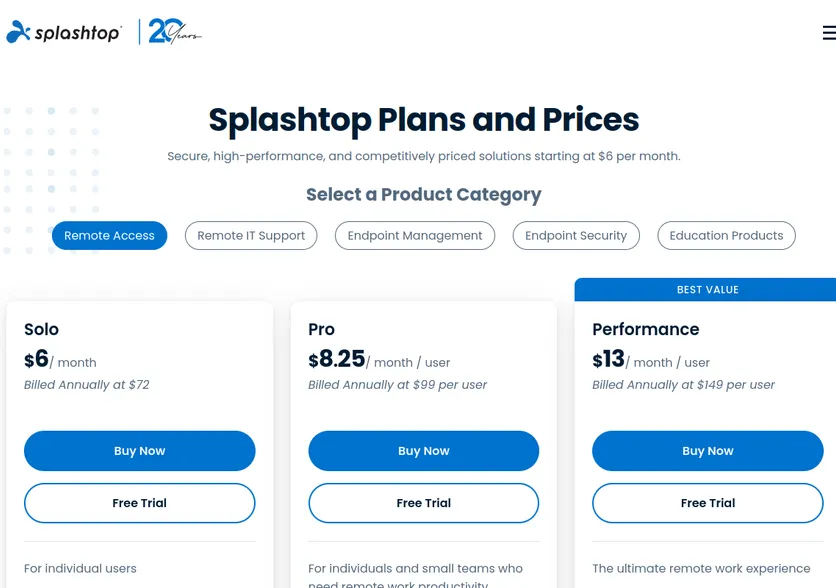
Paid tool Starting price: $6/user per month · Six dollars per user per month billed annually on the Solo plan for remote access (seventy-two dollars a year); Pro is eight dollars and twenty-five cents and Performance is thirteen dollars per user per month, and annual billing only
Free plan: Free trial, no free plan
This Splashtop plan costs six dollars per user per month billed annually, and it is the cheapest way to reach a computer that sits in another city or another room. A support technician can take over a remote worker's laptop, restart a frozen office workstation, or pull a file from a server without anyone driving anywhere. The connection is fast enough for daily work rather than just emergency fixes, and the higher plans add unattended access for machines that need help outside working hours.
What we like
- Lowest entry price for real remote access in this list
- Fast connections that work for daily fixes, not just emergencies
- Unattended access covers servers and office machines on higher plans
Watch out for
- Remote access only, with no patching or monitoring included
- Annual billing only, with no monthly option
How to try it
- Install Splashtop on every office computer and remote worker laptop
- Set up unattended access for servers and machines that need fixes out of hours
- Group devices by team so technicians find the right machine fast
2. TeamViewer
Best for: Remote teams that need a long-established remote access tool with wide platform support
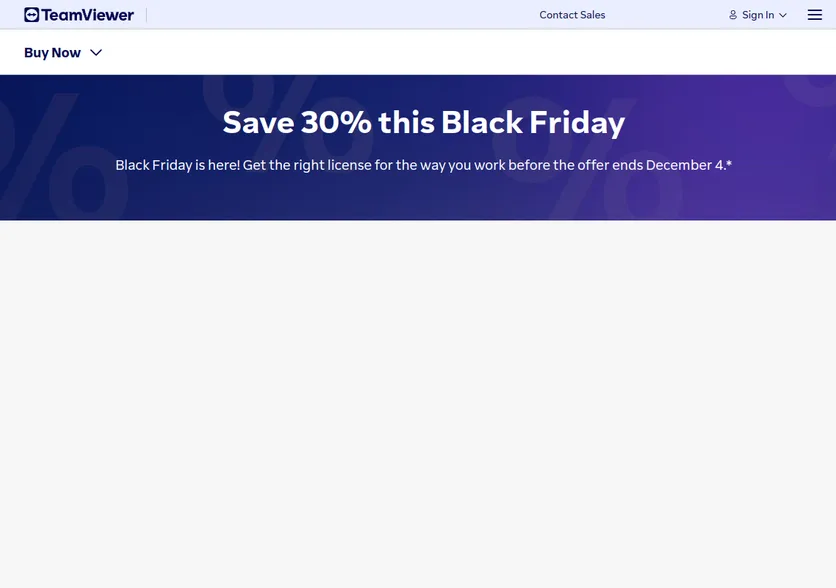
Paid tool Starting price: $24.90/user per month · Twenty-four dollars and ninety cents per month billed annually on the Remote Access plan; Business is fifty dollars and ninety cents, Premium is one hundred and twenty dollars and ninety cents, and Corporate is two hundred and forty-five dollars and ninety cents, all billed annually only, and a fourteen-day free trial is included
Free plan: 14-day free trial
This TeamViewer plan costs twenty-four dollars and ninety cents per month billed annually on the Remote Access plan, and it connects to almost any device a remote team uses. A technician can support a Windows laptop, a Mac and an Android phone from the same console, with file transfer and multi-monitor views built in. It is the most widely known name in remote access, which means new staff and contractors usually already know how to use it.
What we like
- Works across Windows, Mac, Linux, Android and iOS
- File transfer and multi-monitor support are built in
- The best-known name, so staff usually need no training
Watch out for
- The entry plan costs four times the cheapest option in this list
- Annual billing only, with no monthly option
How to try it
- Install TeamViewer on every office computer and remote worker device
- Set up unattended access for machines that need help outside working hours
- Use the file transfer and multi-monitor tools during support sessions
3. AnyDesk
Best for: Remote teams that need quick remote access without a long setup process
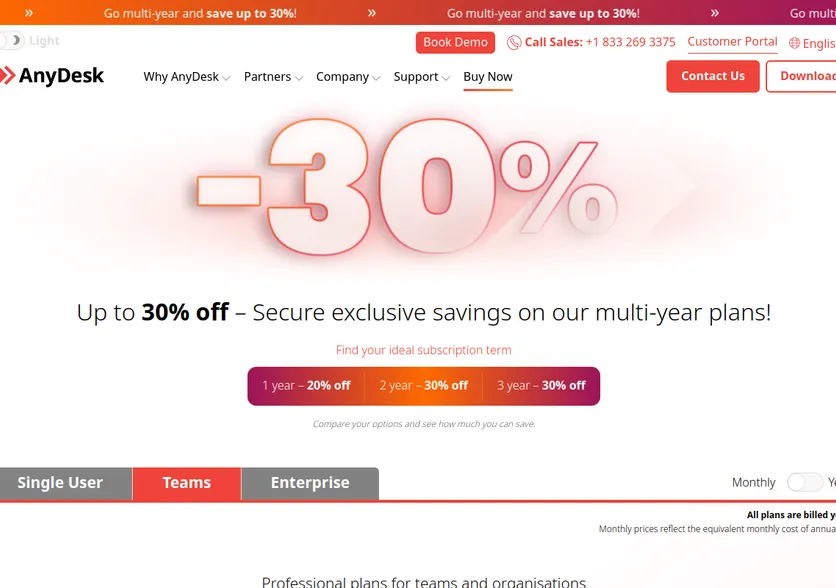
Paid tool Starting price: $28.90/month · Twenty-eight dollars and ninety cents per month billed annually on the Solo plan (three hundred and forty-six dollars and eighty cents a year); a twenty percent first-year promotion brings it to twenty-three dollars and twelve cents, which is not the list price. Standard is forty-nine dollars and ninety cents and Advanced is one hundred and eleven dollars and ninety cents per month
Free plan: Free for personal use only
This AnyDesk plan costs twenty-eight dollars and ninety cents per month billed annually on the Solo plan, and it starts a remote session in seconds with no heavy installation. A support technician can connect to a remote worker's computer, see the screen and take control while the worker watches, which makes it easy to guide someone through a fix. The higher plans add session recording, address book management and mass deployment for larger teams.
What we like
- Sessions start in seconds with a light install
- Workers can watch the fix happen on their own screen
- Session recording and mass deployment on higher plans
Watch out for
- The list price is higher than the first-year promotion shown on the site
- The entry plan is for one user, so teams pay more per seat
How to try it
- Install AnyDesk on every office computer and remote worker device
- Share the nine-digit address for ad-hoc support sessions
- Set up unattended access for machines that need help outside working hours
4. RemotePC
Best for: Remote teams that want to cover many computers for one flat yearly price
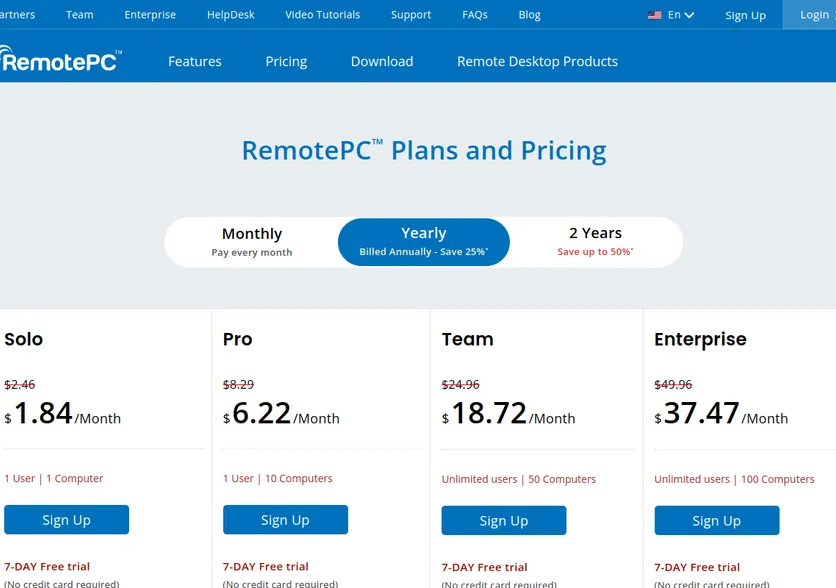
Paid tool Starting price: $299.50/year for 50 computers · Two hundred and ninety-nine dollars and fifty cents a year for the Team plan covering fifty computers with unlimited users; the first year is twenty-five percent off, so the renewal list price is the figure to budget on. Consumer is twenty-nine dollars and fifty cents a year and Enterprise is five hundred and ninety-nine dollars and fifty cents a year
Free plan: Free trial
This RemotePC plan costs two hundred and ninety-nine dollars and fifty cents a year for the Team plan, covering fifty computers with unlimited users. A remote team can give every support technician access to every machine for one flat annual fee, instead of paying per user per month. File transfer, remote printing and chat are built in, and the higher plans add unlimited computers and always-on access for servers.
What we like
- One flat yearly price covers fifty computers and unlimited users
- File transfer, remote printing and chat are built in
- Cheapest per-computer cost in this list for larger teams
Watch out for
- The first-year discount is not the renewal price, so budget on the list figure
- The interface is simpler than the deeper management platforms
How to try it
- Install RemotePC on every office computer and remote worker machine
- Invite every support technician as a user at no extra cost
- Set up always-on access for servers on the higher plans
5. JumpCloud
Best for: Remote teams that need to control who can sign in to every system and device
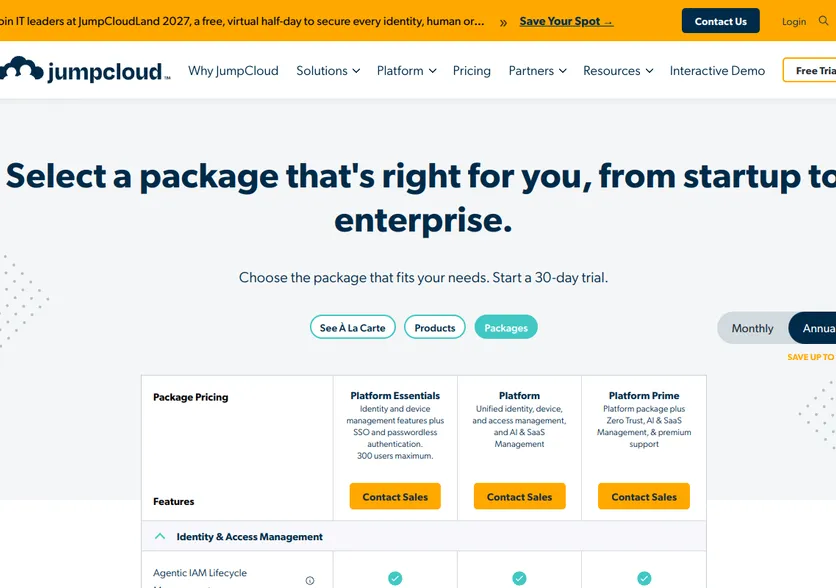
Paid tool Starting price: $9/user per month · Nine dollars per user per month billed annually on the Device Management plan (eleven dollars on monthly billing); single sign-on is eleven dollars and Device Identity Management is thirteen dollars per user per month, and a thirty-day free trial is included
Free plan: 30-day free trial
This JumpCloud plan costs nine dollars per user per month billed annually, and it puts identity at the center of remote team IT. One directory controls sign-in to laptops, servers, Wi-Fi and cloud apps, so a departing employee loses access everywhere at once instead of system by system. Device policies can require disk encryption and screen locks on every machine, which matters when laptops carry company files into home offices and coffee shops.
What we like
- One directory for devices, servers and cloud apps
- Access can be revoked everywhere at once
- Device policies enforce encryption on every machine
Watch out for
- No permanent free plan, only a thirty-day trial
- Full identity features need the higher-priced plans
How to try it
- Connect the team directory to laptops, servers and cloud apps
- Set device policies that require encryption and screen locks
- Remove access in one place when a team member leaves
6. Hexnode UEM
Best for: Remote teams that manage fleets of tablets, laptops and staff phones
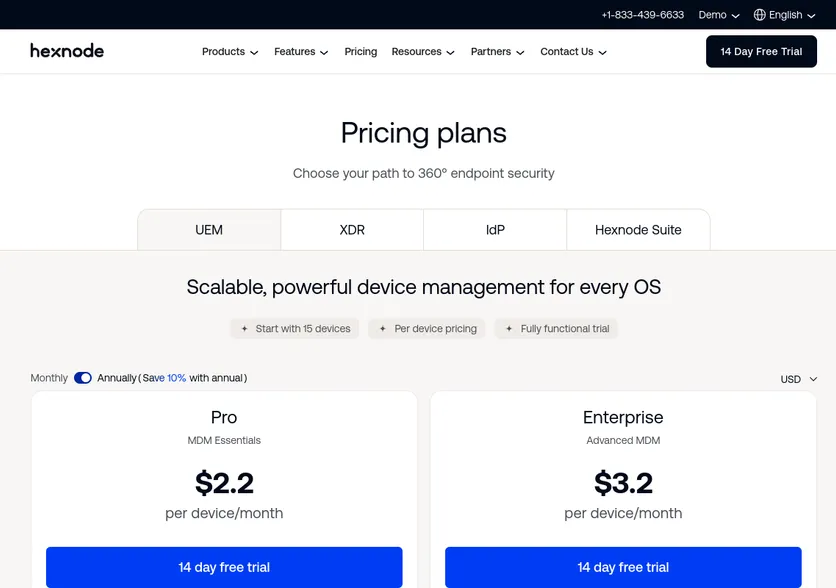
Paid tool Starting price: $2.20/device per month · Two dollars and twenty cents per device per month billed annually on the Pro plan (two dollars and forty cents on monthly billing); Enterprise is three dollars and twenty cents and Ultimate is four dollars and seventy cents, with a fifteen-device minimum and a fourteen-day free trial
Free plan: 14-day free trial
Remote teams work on tablets, laptops and phones they never bring to an office, and Hexnode UEM manages them all for two dollars and twenty cents per device per month billed annually. Work devices can be locked to the apps staff need, a frozen tablet can be reset remotely, and a lost device can be wiped before company data is exposed. Policies apply by group, so the sales fleet and the support fleet can run different rules without separate consoles.
What we like
- One dashboard for phones, tablets, laptops and kiosks
- Lost devices can be locked and wiped remotely
- Policies apply by group across distributed teams
Watch out for
- A fifteen-device minimum applies to cloud plans
- It manages devices, so a separate service desk is still needed for tickets
How to try it
- Enroll remote worker laptops, tablets and phones in Hexnode
- Create device groups per team with their own app and security policies
- Set up remote lock and wipe for lost or stolen devices
7. Scalefusion
Best for: Remote teams that need to lock down company phones and tablets cheaply
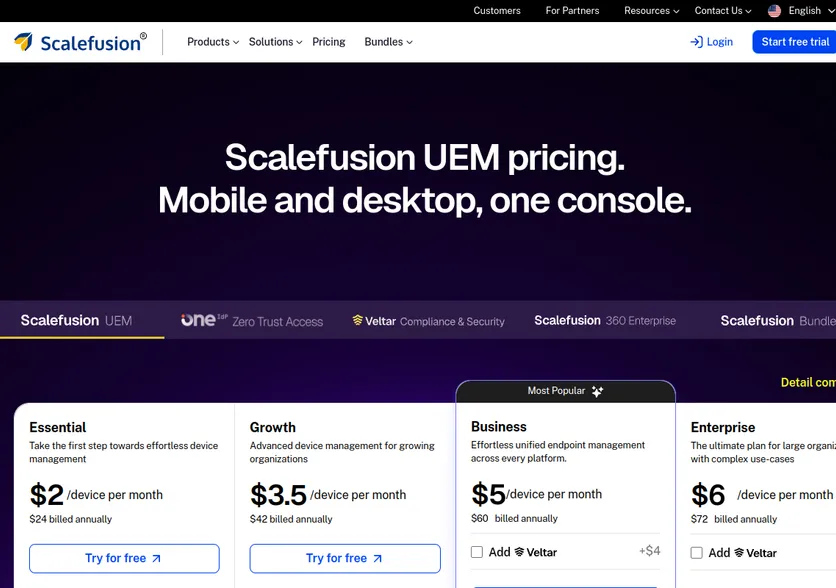
Paid tool Starting price: $2/device per month · Two dollars per device per month on the Essential plan, billed annually only; Growth is three dollars and fifty cents, Business is five dollars and Enterprise is six dollars per device per month, with a ten-device minimum and a fourteen-day free trial
Free plan: 14-day free trial
This Scalefusion plan costs two dollars per device per month on the Essential plan, billed annually only, and it is the cheapest device management option in this list. Remote worker phones and tablets can be locked to work apps, wiped if lost, and updated from one dashboard, with no per-user charge on top. The higher plans add kiosk mode, content management and deeper security controls for teams that need them.
What we like
- Cheapest device management price in this list
- No per-user charge on top of the per-device price
- Kiosk mode and content controls on higher plans
Watch out for
- Annual billing only, with no monthly option
- A ten-device minimum applies to every plan
How to try it
- Enroll remote worker phones and tablets in Scalefusion
- Lock devices to work apps and block personal app installs
- Set up remote wipe for lost or stolen devices
8. LogMeIn Resolve
Best for: Remote teams that need remote support plus endpoint management in one tool
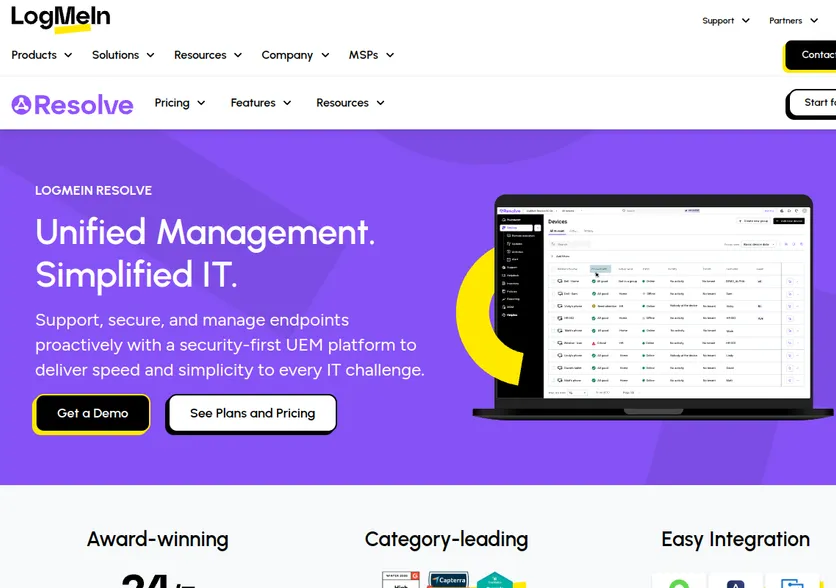
Paid tool Starting price: $2.50/endpoint per month · Two dollars and fifty cents per endpoint per month billed annually on the Advanced plan (seven hundred and forty-nine dollars a year with a twenty-five endpoint minimum), including one Remote Support license; Starter is ninety-two cents per endpoint per month and Complete is three dollars. The old per-agent prices from the GoTo Resolve era are stale
Free plan: Free trial
This LogMeIn Resolve plan costs two dollars and fifty cents per endpoint per month billed annually on the Advanced plan, and it pairs remote support with endpoint management. A technician can take over a remote worker's computer, patch it and check its health from the same console, without switching tools. The product was formerly GoTo Resolve, and the pricing moved to a per-endpoint model with the rebrand, so old per-agent figures from the GoTo era no longer apply.
What we like
- Remote support and endpoint management share one console
- Per-endpoint pricing scales with the device fleet
- Mobile device management is included on the top plan
Watch out for
- The rebrand is recent, so older guides still show GoTo prices
- Remote Support on the Starter plan is a paid add-on
How to try it
- Enroll every remote worker device in LogMeIn Resolve
- Use remote support sessions to fix problems while the worker watches
- Set up patching policies that run after working hours
Prices above were checked on each vendor’s own website on Nov 28, 2026 and can change — the vendor’s page is the final word. Vendor links are editorial: nobody paid to be listed or ranked here. Vendors who want a featured listing can see how it works on our Get listed page.
How a remote team should run IT without an office
Start with access, because a remote team loses the most when the wrong person can sign in or the right person cannot. Give every worker one sign-in that works across laptops, servers and cloud apps, and remove it in one place when someone leaves. Next, make sure every device can be reached remotely, even when the worker is not at the keyboard, because unattended access is what turns a two-hour outage into a ten-minute fix. Patch after hours in the worker's time zone, not yours, and keep a spare laptop ready to ship. Finally, write down the support process and share it with the whole team, since a remote worker who knows what to do first waits less.
Before you buy
- Check that remote sessions are encrypted and logged, since home networks are outside your control
- Confirm the tool works on the mix of Windows, Mac and mobile devices your team actually uses
- Ask whether unattended access covers servers and office machines outside staffed hours
- Count every remote worker and device before you compare per-user and per-device pricing
- Run a trial with one real support session, from a locked-out worker to a fixed laptop, before you commit
Official websites
Official websites of the products reviewed above. Features and prices were checked against these sites when this guide was written, and they can change, so confirm on the vendor site before you buy.
Frequently asked questions
What is IT management software for remote work?
It is software that keeps a distributed team's computers, phones and tablets working without anyone visiting an office. The tools in this list cover remote access to fix machines from anywhere, device management for the hardware staff use at home, and identity control for sign-in. A remote team needs all three, because a laptop that fails at home is just as urgent as one that fails at a desk.
Which tool is best for a small remote team?
Splashtop is the best starting point at six dollars per user per month billed annually, because it gives fast remote access for the lowest price in this list. If the team mainly needs to manage devices rather than reach them, Scalefusion at two dollars per device per month is cheaper still. JumpCloud at nine dollars a month adds identity control for sign-in across every system.
How much does TeamViewer cost for remote work?
TeamViewer Remote Access costs twenty-four dollars and ninety cents per month billed annually. Business is fifty dollars and ninety cents, Premium is one hundred and twenty dollars and ninety cents, and Corporate is two hundred and forty-five dollars and ninety cents per month, all billed annually only. A fourteen-day free trial is included, and the free plan is for personal use only.
Can these tools keep remote work secure?
Yes, in the practical sense. JumpCloud controls who can sign in to every laptop, server and cloud app, and can require disk encryption and screen locks on every machine. Device tools like Hexnode and Scalefusion can wipe a lost laptop or phone remotely. No tool replaces the team's own policies, but these give the controls that auditors ask about.
Why are the big remote monitoring tools missing from this list?
The big names in remote monitoring, including Kaseya VSA, ConnectWise Automate, Datto RMM and N-able N-central, publish no prices on their websites, so there is no list price to compare. Every tool in this list publishes a US dollar price and offers a free trial or free plan, which is why they made the cut. If a vendor will not publish a price, budget on a quote, not on a roundup.
Compare the eight tools above, then start with a free trial for your remote team and test it on a real support session before you pay for a full year.
Browse Business Tools tools