On this page
A solo attorney cannot hire a marketing team, so the software has to do the follow-up: answer the enquiry, send the intake form, remind the client and stay in touch after the case closes. The tools below do that work from two directions, practice software that automates intake and email software that automates campaigns. HubSpot Marketing Hub leads the list because it puts forms, email and automation on one contact record for fifteen dollars a seat a month, and the other six tools are judged on the same test: how much follow-up happens without the attorney lifting a finger.
How we researched this
We checked every price on the vendor pricing page on November 28, 2026, and only included tools with a published US dollar list price and a free trial or free plan. The pure legal marketing tools in this category, including Lawmatics and Clio Grow, publish no prices, so they are not in this list. The seven tools below pair practice software that automates intake and follow-up with email tools priced for a one-attorney practice, and prices change, so confirm the current figure on the vendor site before you buy.
Compare the tools
| Name | Best for | Starting price | Free plan | |
|---|---|---|---|---|
 HubSpot Marketing Hub | Solo attorneys who want enquiries, follow-up and email in one system | $15/seat/month | Free plan | Visit |
 MyCase | Solo attorneys who want intake and follow-up automated inside the case file | $50/user/month | Free trial | Visit |
 PracticePanther | Solo attorneys who want the practice to run while they are in court | $49/user/month | Free trial | Visit |
 ActiveCampaign | Solo attorneys who want follow-up sequences to run themselves | $15/month | No free plan; 14-day free trial | Visit |
 Mailchimp | Solo practices that want simple, reliable email to past clients | $13/month | Free plan (250 contacts) | Visit |
 Brevo | Solo attorneys who want the cheapest paid email that still automates | $8.08/month | Free plan (300 emails/day) | Visit |
 Constant Contact | Solo attorneys who want live phone support with their email | $10.20/month | No free plan; 30-day free trial (100 sends) | Visit |
The law firm marketing automation software for solo attorneys, compared
1. HubSpot Marketing Hub
Best for: Solo attorneys who want enquiries, follow-up and email in one system
Paid tool Starting price: $15/seat/month · Fifteen dollars per seat per month billed annually on the Starter plan, or twenty dollars month to month; new customers currently see a seven-dollar first-year offer, which is a promotion rather than the list price
Free plan: Free plan
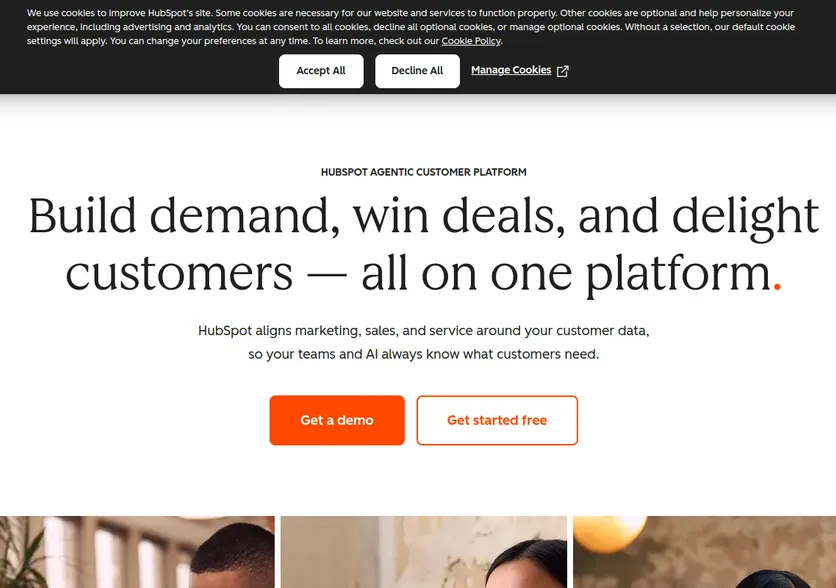
A solo attorney has no marketing team, so HubSpot Marketing Hub has to do the follow-up work itself, and it does: forms, email and automation share one contact record for fifteen dollars a seat a month. A new enquiry lands on the record, a sequence follows up, and the attorney sees the whole history before the first call. The Starter plan covers a solo practice well, while the higher tiers add the lead scoring and reporting a firm buys only when the volume justifies it.
What we like
- Forms, email and automation share one contact record
- Follow-up sequences run without daily attention
- Free plan lets a solo attorney start before paying
Watch out for
- The price is per seat, so a second user doubles it
- Lead scoring needs the higher tiers
How to try it
- Put the HubSpot form on your website and connect it to your inbox
- Build a short follow-up sequence for every new enquiry
- Check the contact record before each first call to see the full history
2. MyCase
Best for: Solo attorneys who want intake and follow-up automated inside the case file
Paid tool Starting price: $50/user/month · Fifty dollars per user per month on the Basic plan billed annually, or sixty dollars month to month; Pro is one hundred dollars and Advanced is one hundred and thirty dollars
Free plan: Free trial
A solo attorney loses billable hours to intake calls and follow-up emails, and MyCase automates both from inside the case record for fifty dollars a user a month. Intake forms collect the facts, the client portal handles messages and signatures, and the case file keeps every step in one place. It is marketing automation in the practical sense: the follow-up happens because the system does it, not because the attorney remembers.

What we like
- Intake forms feed straight into the case file
- Client portal handles messages and signatures
- Follow-up happens inside the practice system
Watch out for
- It automates intake, not email campaigns
- The Basic plan has limited automation
How to try it
- Send the intake form link to every new enquiry
- Let the client portal collect documents and signatures
- Follow up through the portal instead of chasing by phone
3. PracticePanther
Best for: Solo attorneys who want the practice to run while they are in court
Paid tool Starting price: $49/user/month · Forty-nine dollars per user per month on the Solo plan billed annually, or fifty-nine dollars month to month; Essential is sixty-nine dollars and Business is eighty-nine dollars
Free plan: Free trial
PracticePanther is built for the solo attorney who wants the practice to keep moving while they are in court, and it does that with intake, tasks and billing in one flow for forty-nine dollars a user a month. A new enquiry becomes a matter with tasks attached, reminders fire on their own, and invoices follow the work without a separate system. The Solo plan is priced for one attorney, and the higher tiers add the team features a firm buys when it hires.

What we like
- Intake, tasks and billing share one workflow
- Reminders fire without the attorney chasing them
- Solo plan is priced for a one-attorney practice
Watch out for
- Email campaigns need a separate marketing tool
- The Solo plan is for one user only
How to try it
- Turn a new enquiry into a matter with tasks attached
- Let reminders and calendar events fire from the matter
- Invoice from the time already recorded on the case
4. ActiveCampaign
Best for: Solo attorneys who want follow-up sequences to run themselves
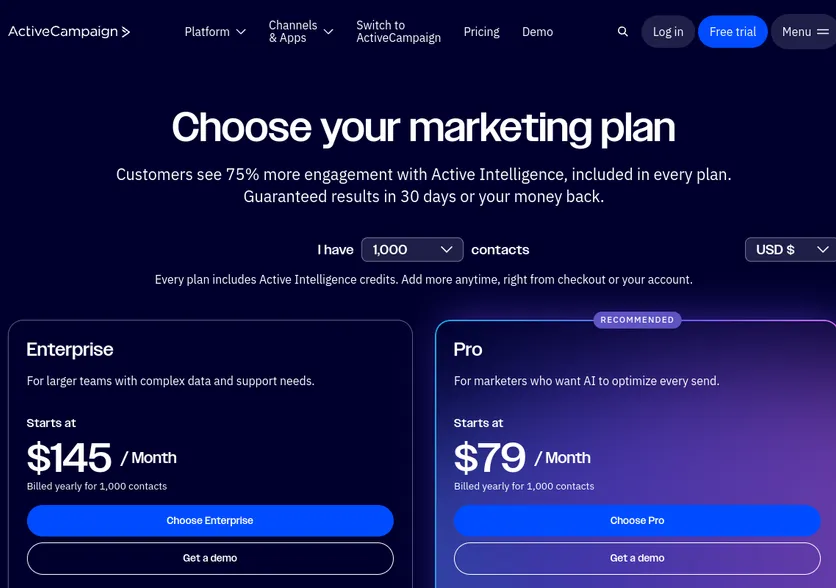
Paid tool Starting price: $15/month · Fifteen dollars per month on the Starter plan for one thousand contacts billed yearly, or nineteen dollars month to month; Plus is forty-nine dollars and Pro is seventy-nine dollars
Free plan: No free plan; 14-day free trial
ActiveCampaign suits a solo attorney who wants follow-up sequences to run themselves, and it builds them around tags, triggers and timing for fifteen dollars a month. A new enquiry can get a welcome email, a reminder and a check-in on a schedule the attorney sets once. The Starter plan covers one thousand contacts, which is plenty for a solo practice, and the higher tiers add the scoring and sales automation a firm grows into.
What we like
- Automation runs follow-up without daily attention
- Tags keep clients sorted by practice area
- Starter plan covers one thousand contacts
Watch out for
- No free plan, only a fourteen-day trial
- The price rises with the contact count
How to try it
- Import past clients and tag them by practice area
- Build one welcome sequence for new enquiries
- Set a reminder email for anyone who goes quiet
5. Mailchimp
Best for: Solo practices that want simple, reliable email to past clients
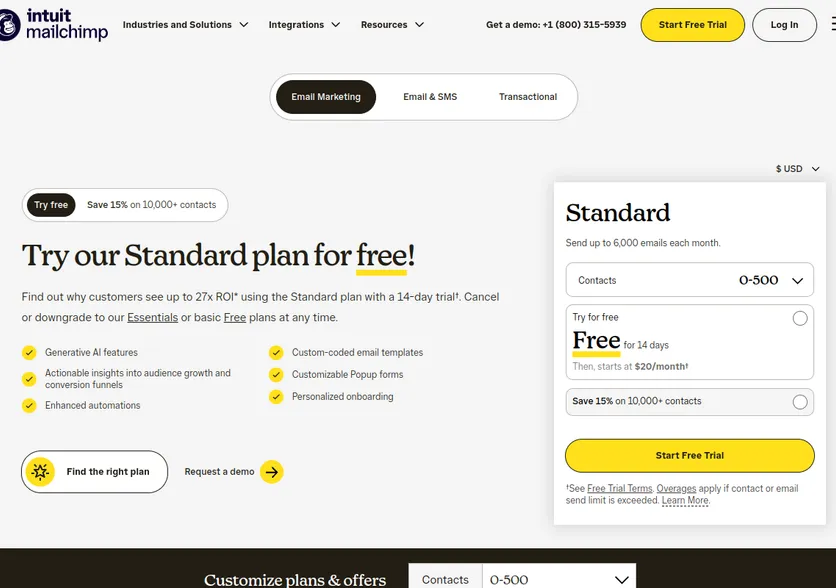
Paid tool Starting price: $13/month · Thirteen dollars per month on the Essentials plan for five hundred contacts on monthly billing, or about eleven dollars with annual prepay; Standard is twenty dollars and Premium is three hundred and fifty dollars
Free plan: Free plan (250 contacts)
For a solo practice, Mailchimp is the low-effort way to stay in touch with past clients, with newsletters, landing pages and basic automation for thirteen dollars a month. A monthly update keeps the firm in mind when a past client needs help again, and the audience tools sort contacts by interest without a spreadsheet. The Essentials plan covers five hundred contacts, and the free plan is enough to test whether email brings work back.
What we like
- Simple email that a solo attorney can send alone
- Landing pages capture enquiries without a website rebuild
- Free plan covers two hundred and fifty contacts
Watch out for
- Automation is basic on the Essentials plan
- The price rises steeply as the list grows
How to try it
- Import past clients and sort them by practice area
- Send a short monthly update with useful legal news
- Watch opens and replies to see which topics bring work back
6. Brevo
Best for: Solo attorneys who want the cheapest paid email that still automates
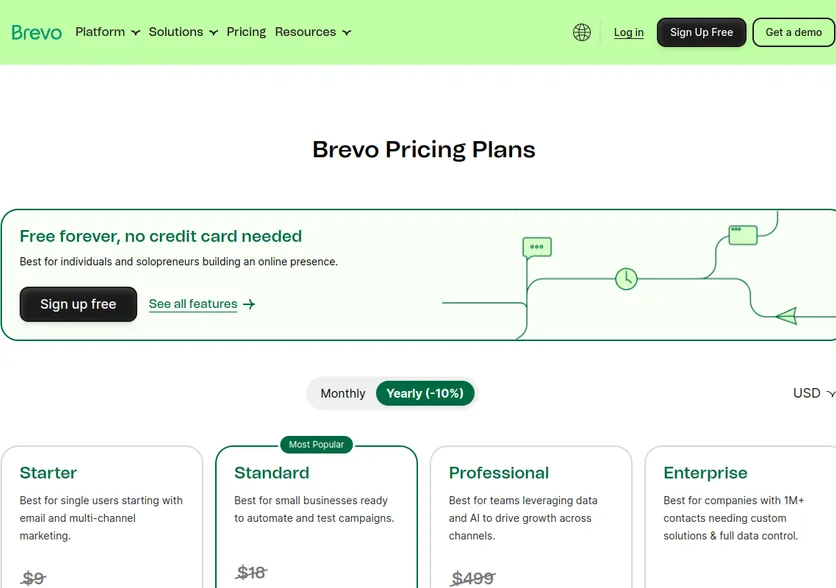
Paid tool Starting price: $8.08/month · Nine dollars per month on the Starter plan billed monthly, or ninety-seven dollars a year (eight dollars and eight cents a month) on annual billing, for five thousand emails a month; Standard is eighteen dollars
Free plan: Free plan (300 emails/day)
Brevo is the cheapest paid email in this list, and for a solo attorney that matters: the Starter plan sends five thousand emails a month for eight dollars and eight cents a month on annual billing. Automation, segmentation and forms are included, so a welcome sequence and a monthly newsletter both run from the same account. The free plan sends three hundred emails a day, which is enough to test the tool before paying anything.
What we like
- Cheapest paid plan in this list
- Automation and segmentation included on Starter
- Free plan sends three hundred emails a day
Watch out for
- Removing the Brevo footer costs extra on Starter
- The price rises with monthly send volume
How to try it
- Import contacts and segment them by practice area
- Build a welcome sequence for new enquiries
- Send a monthly newsletter and watch the open rate
7. Constant Contact
Best for: Solo attorneys who want live phone support with their email
Paid tool Starting price: $10.20/month · Twelve dollars per month on the Lite plan billed monthly, or ten dollars and twenty cents a month with annual prepay, for up to five hundred contacts; Standard is thirty-five dollars and the price rises sharply with contacts
Free plan: No free plan; 30-day free trial (100 sends)
Constant Contact is the oldest email tool in this list, and a solo attorney buys it for the support as much as the software: live phone and chat help comes on every plan for ten dollars and twenty cents a month on annual billing. The Lite plan sends newsletters, builds landing pages and runs a basic welcome automation for up to five hundred contacts. It is the plainest choice for an attorney who wants someone to call when the email does not send.
What we like
- Live phone and chat support on every plan
- Simple editor a solo attorney can use alone
- Landing pages included on the Lite plan
Watch out for
- No free plan, only a thirty-day trial
- Send allowance is capped at ten times contacts
How to try it
- Import up to five hundred contacts into the Lite plan
- Send a welcome email to every new enquiry
- Call support when a campaign needs a second pair of eyes
Prices above were checked on each vendor’s own website on Nov 28, 2026 and can change — the vendor’s page is the final word. Vendor links are editorial: nobody paid to be listed or ranked here. Vendors who want a featured listing can see how it works on our Get listed page.
How a solo attorney should automate follow-up
Start with the first reply, because a solo practice loses the enquiries it answers late. Automate a welcome message the moment someone fills in the intake form, then add a short sequence that explains the process and asks for the documents you need. Keep a monthly email to past clients, since they are the cheapest source of new work a firm has. Review the numbers once a month and cut anything nobody replies to, because automation only earns its price when it brings consultations back.
Before you buy
- Check that follow-up runs itself after intake, without the attorney remembering to send each message
- Confirm the price covers the contact count you actually have, since per-contact pricing climbs fast
- Ask whether intake forms and e-signatures are included or sold as a separate product
- Count the monthly cost against the hours of admin it removes, not against the cheapest tool on the list
- Run a trial with one real enquiry, from first contact to signed retainer, before you commit
Official websites
Official websites of the products reviewed above. Features and prices were checked against these sites when this guide was written, and they can change, so confirm on the vendor site before you buy.
Frequently asked questions
What is law firm marketing automation software for solo attorneys?
It is software that follows up with new enquiries and past clients without the attorney doing it by hand: intake forms, welcome emails, reminders and newsletters that run on a schedule. The tools in this list pair practice software that automates intake with email tools that automate campaigns. For a solo attorney, the point is leverage: one person serving clients while the system handles the follow-up.
What does HubSpot Marketing Hub cost for a solo attorney?
HubSpot Marketing Hub costs fifteen dollars per seat per month billed annually on the Starter plan, or twenty dollars month to month. Forms, email and automation share one contact record, so a new enquiry gets a follow-up sequence without the attorney remembering. A free plan is available, and new customers currently see a seven-dollar first-year offer, which is a promotion rather than the list price.
Can practice management software do marketing automation?
Yes, in the practical sense. MyCase and PracticePanther automate intake, follow-up and reminders inside the case file, which is where most solo attorneys lose time. They do not run email campaigns the way Mailchimp or Brevo do, so a firm that wants newsletters still needs an email tool. The combination of one practice tool and one email tool covers most solo practices.
Which tool is cheapest for a solo attorney?
Brevo is cheapest at eight dollars and eight cents per month on annual billing for five thousand emails, and Constant Contact follows at ten dollars and twenty cents a month. Both send newsletters and run basic automation. Compare the send allowance as well as the price, since Brevo charges by emails sent while Constant Contact caps sends at ten times the contact count.
How should a solo attorney start with marketing automation?
Start with the intake form, because a solo practice loses enquiries that never get a reply. Automate the first response, then add a welcome sequence and a monthly newsletter. Keep the list clean and the emails short, and measure replies rather than opens, since a reply is the only metric that turns into a consultation.
Compare the seven tools above, then start with a free trial on the tool that matches how your practice already follows up with new clients before you pay for a full year.
Browse Business Tools tools