On this page
A freelancer's list is the cheapest growth channel they own, so marketing automation has to send the right email to the right person without a marketing team behind it. The eight tools below run from about nine dollars a month to thirty-nine dollars a month, and every price was checked on the vendor site on November 26, 2026. Most offer a free plan, so you can build your list before paying. Mailchimp is our first pick — the easiest email tool for a solo business.
How we researched this
We started with the marketing automation tools freelancers actually buy, then read each price on the vendor pricing page on November 26, 2026 and noted the free plan or trial each one carries. We judged them for a solo operator who sends emails to a growing list and needs automations that run while they work. We kept only tools with a published price, and we dropped any tool whose price we could not verify on the vendor site.
Compare the tools
| Name | Best for | Starting price | Free plan | |
|---|---|---|---|---|
 Mailchimp | Freelancers who want the easiest email tool with the widest templates | $13/month | Free plan available | Visit |
 ActiveCampaign | Freelancers who want serious automation at a small-business price | $15/month | No free tier published on the pricing page | Visit |
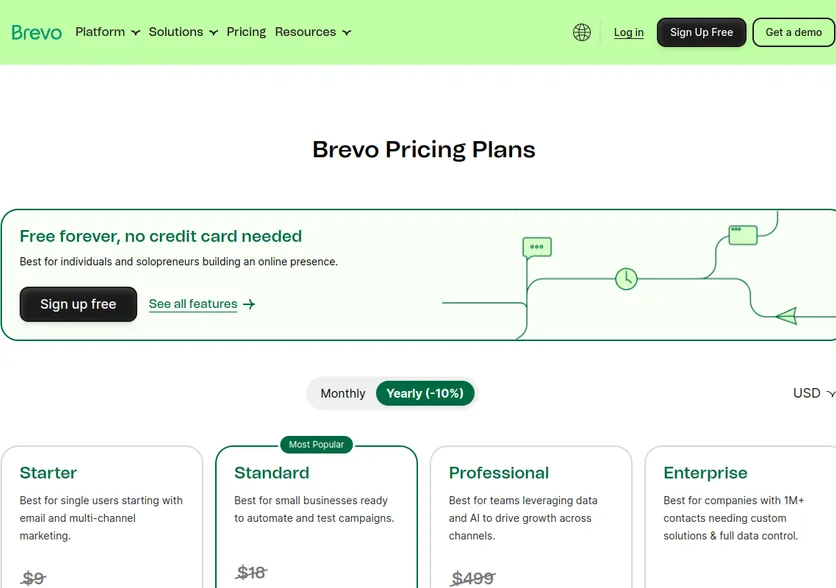
 Brevo | Freelancers who send a lot of email on a tight budget | $9/month | Free plan available | Visit |
 Constant Contact | Freelancers who want simple email plus event and social tools | $12/month | No free tier published on the pricing page | Visit |
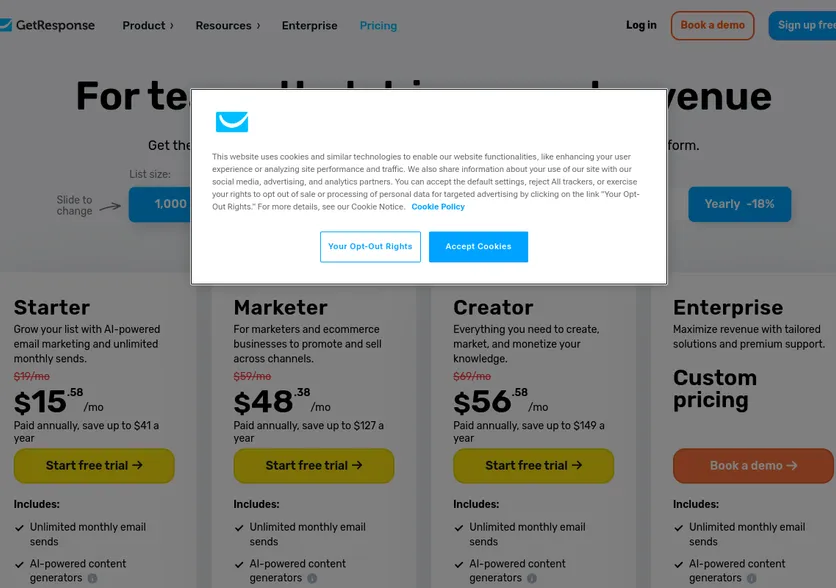
 GetResponse | Freelancers who sell courses or digital products by email | $19/month | Free plan for up to 500 contacts | Visit |
 Omnisend | Freelancers who sell through an online store and need email plus SMS | $16/month | Free plan for up to 250 contacts | Visit |
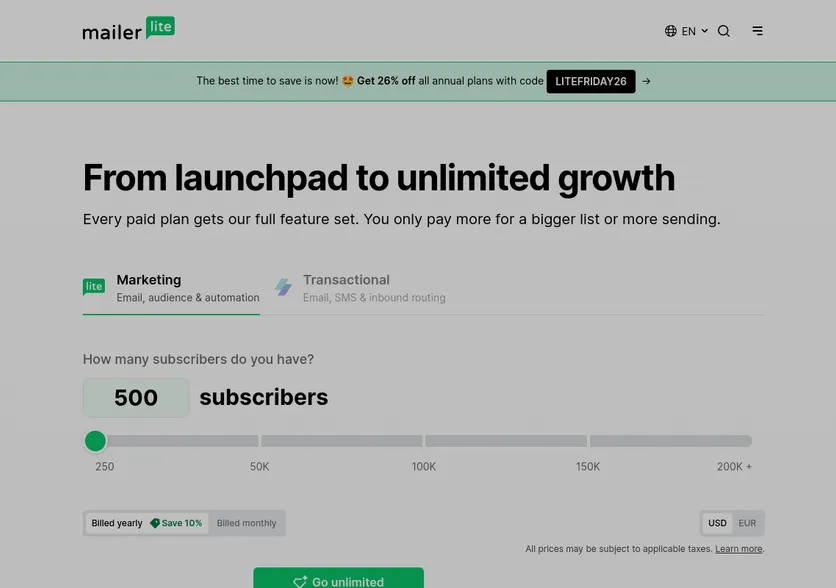
 MailerLite | Freelancers who want a clean, affordable newsletter tool | $12/month | Free plan for up to 250 subscribers | Visit |
 Kit | Freelancers who build an audience around a newsletter or course | $39/month | Free plan for up to 10,000 subscribers | Visit |
The marketing automation software for freelancers, compared
1. Mailchimp
Best for: Freelancers who want the easiest email tool with the widest templates
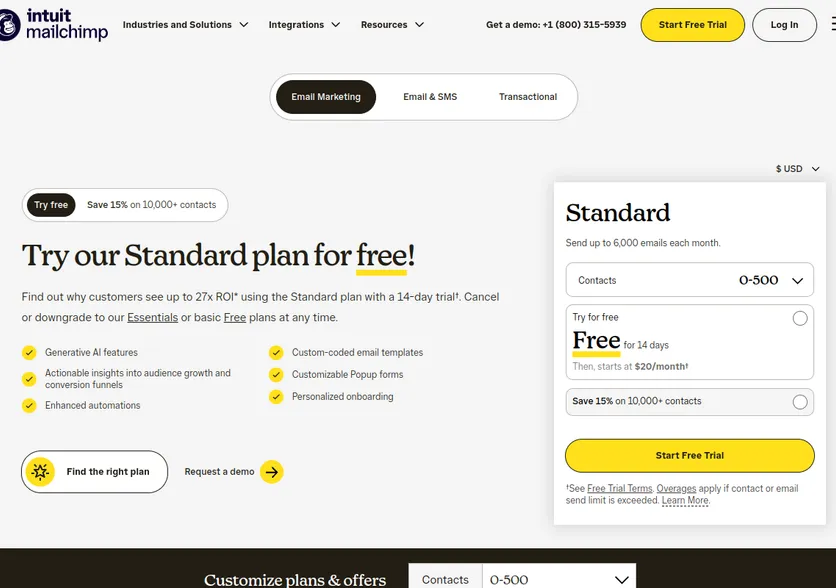
Paid tool Starting price: $13/month · Essentials plan, from $13 a month for 500 contacts with 10 emails per contact a month; prices rise with contact count
Free plan: Free plan available
Mailchimp is the email tool most freelancers meet first, because its templates and editor make a decent newsletter possible in an afternoon. This Mailchimp Essentials plan adds email scheduling, A/B testing, automated customer journeys and three seats for five hundred contacts. A solo operator can send a weekly newsletter, welcome new subscribers automatically and watch open rates climb.
What we like
- Easiest editor and widest template library
- Automated journeys for new subscribers
- Free plan to start your list
Watch out for
- Essentials starts at thirteen dollars a month for five hundred contacts
- Price climbs steeply as contacts grow
How to try it
- Open the Mailchimp pricing page and start the free plan
- Import your contact list and build a signup form
- Create a welcome automation for new subscribers
2. ActiveCampaign
Best for: Freelancers who want serious automation at a small-business price
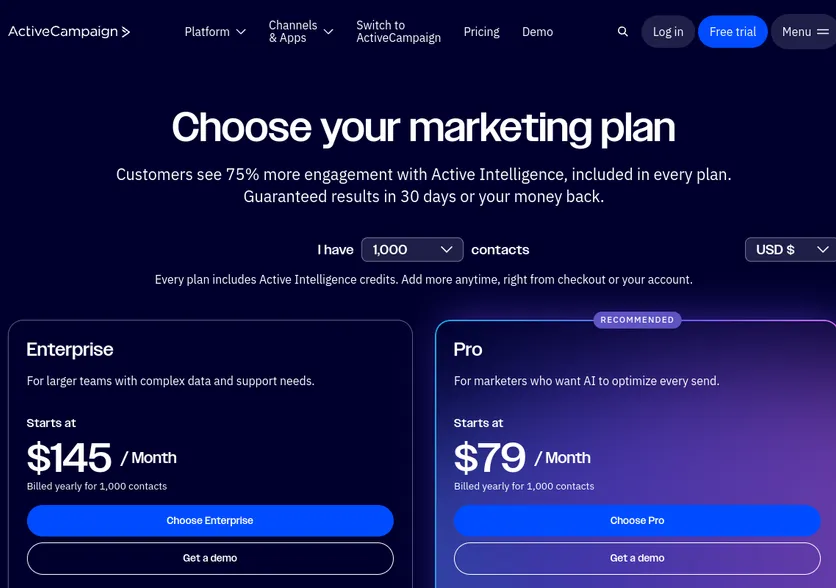
Paid tool Starting price: $15/month · Starter plan, $15 a month billed annually or $19 billed monthly for 1,000 contacts; Plus is $49 a month
Free plan: No free tier published on the pricing page
ActiveCampaign gives a freelancer the automation depth of a much bigger tool, with visual journeys that react to what each subscriber does. This ActiveCampaign Starter plan adds email marketing, marketing automation, landing pages and site tracking for a thousand contacts. A solo operator can build a journey that tags, scores and follows up with every lead without lifting a finger.
What we like
- Deepest automation on this list
- Visual journey builder is easy to follow
- Site tracking shows what subscribers do
Watch out for
- Starter costs fifteen dollars a month billed annually for a thousand contacts
- No free plan, only a trial
How to try it
- Open the ActiveCampaign pricing page and start a trial
- Import your contacts and tag them by interest
- Build a visual automation for your most common journey
3. Brevo
Best for: Freelancers who send a lot of email on a tight budget
Paid tool Starting price: $9/month · Starter plan, $9 a month for 5,000 emails a month or $8.08 a month billed annually; Standard is $18 a month
Free plan: Free plan available
Brevo charges by email volume instead of contacts, so a freelancer with a large list and a modest send schedule pays very little. This Brevo Starter plan adds five thousand emails a month, email support, basic reporting and no daily sending limit. A solo operator can mail a big list every week for about nine dollars a month and still afford the rest of the business.
What we like
- Cheapest paid plan on this list
- Charges by emails sent, not contacts held
- Free plan to start your list
Watch out for
- Starter costs nine dollars a month for five thousand emails
- Logo removal costs extra on Starter
How to try it
- Open the Brevo pricing page and start the free plan
- Import your contacts and verify your sending domain
- Send your first campaign to the whole list
4. Constant Contact
Best for: Freelancers who want simple email plus event and social tools
Paid tool Starting price: $12/month · Lite plan, $12 a month for up to 500 contacts or $10.20 a month billed annually; Standard is $35 a month
Free plan: No free tier published on the pricing page
Constant Contact keeps email simple and adds event registration and social posting, so a freelancer who runs workshops can promote them from the same account. This Constant Contact Lite plan adds one user, email marketing, list growth tools and a mobile app for up to five hundred contacts. A solo operator can send a newsletter, run a workshop signup and post to social without juggling three tools.
What we like
- Email plus events and social in one place
- Simple editor with no learning curve
- Mobile app for sending on the go
Watch out for
- Lite costs twelve dollars a month for up to five hundred contacts
- Price jumps at five hundred and one contacts
How to try it
- Open the Constant Contact pricing page and start a trial
- Import your contacts and create your first campaign
- Add an event registration form for your next workshop
5. GetResponse
Best for: Freelancers who sell courses or digital products by email
Paid tool Starting price: $19/month · Starter plan, $19 a month for 1,000 contacts on monthly billing, $15.58 billed annually or $13.30 biennially; Marketer is $59 a month
Free plan: Free plan for up to 500 contacts
GetResponse pairs email with landing pages and webinars, so a freelancer who sells a course can run the whole launch from one account. This GetResponse Starter plan adds email marketing, autoresponders, landing pages and signup forms for a thousand contacts. A solo operator can build a launch funnel, send the emails and host the webinar without a second subscription.
What we like
- Email plus landing pages and webinars
- Autoresponders run your follow-up
- Free plan for up to five hundred contacts
Watch out for
- Starter costs nineteen dollars a month for a thousand contacts
- Webinars sit on higher plans
How to try it
- Open the GetResponse pricing page and start a trial
- Import your contacts and build a landing page
- Create an autoresponder series for new subscribers
6. Omnisend
Best for: Freelancers who sell through an online store and need email plus SMS
Paid tool Starting price: $16/month · Standard plan, $16 a month for 500 contacts or $13 billed annually; the vendor page shows $11.20, which is a 30% off first-three-months promo
Free plan: Free plan for up to 250 contacts
Omnisend is built for sellers, with email and SMS in one place and product recommendations that pull straight from the store. This Omnisend Standard plan adds six thousand emails a month, SMS credits, automation workflows and product picker for five hundred contacts. A freelancer who runs a shop can recover abandoned carts and send order follow-ups without a second tool.
What we like
- Email and SMS in one place
- Product recommendations from your store
- Free plan for up to two hundred and fifty contacts
Watch out for
- Standard costs sixteen dollars a month for five hundred contacts
- Built for stores, so non-sellers pay for features they skip
How to try it
- Open the Omnisend pricing page and start the free plan
- Connect your online store and import your contacts
- Turn on the abandoned cart automation
7. MailerLite
Best for: Freelancers who want a clean, affordable newsletter tool
Paid tool Starting price: $12/month · Comfort plan, $12 a month at 500 subscribers or $10.80 billed annually; Power is $25 a month
Free plan: Free plan for up to 250 subscribers
MailerLite is the cleanest newsletter tool here, with an editor that stays out of the way and automation that just works. This MailerLite Comfort plan adds unlimited monthly emails, automation, landing pages and websites for five hundred subscribers. A freelancer can write a beautiful newsletter every week and automate the welcome series in an afternoon.
What we like
- Cleanest editor on this list
- Unlimited monthly emails on paid plans
- Free plan for up to two hundred and fifty subscribers
Watch out for
- Comfort costs twelve dollars a month at five hundred subscribers
- Plans were renamed in June 2026, so old prices are stale
How to try it
- Open the MailerLite pricing page and start the free plan
- Import your subscribers and build a signup form
- Create a welcome automation for new subscribers
8. Kit
Best for: Freelancers who build an audience around a newsletter or course
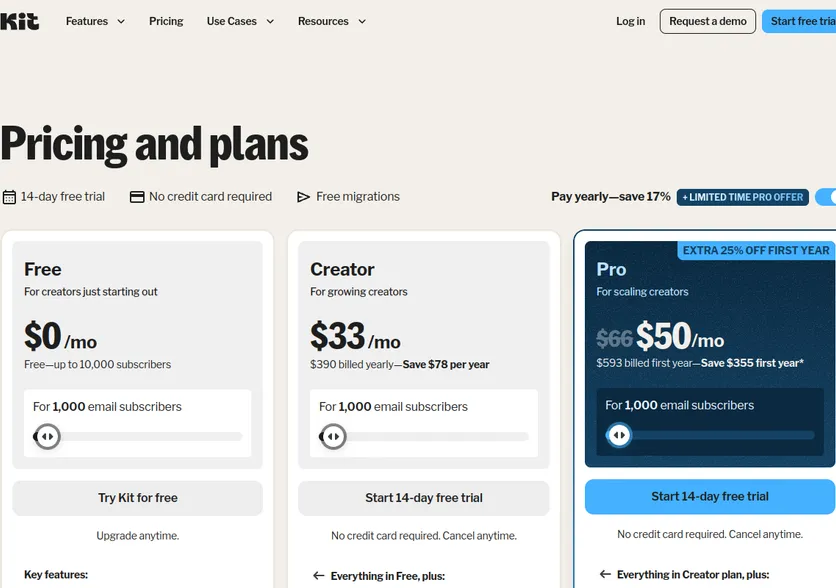
Paid tool Starting price: $39/month · Creator plan, $39 a month at 1,000 subscribers or $33 billed annually; Pro is $79 a month
Free plan: Free plan for up to 10,000 subscribers
Kit is built for creators, with forms, landing pages and automations designed to grow a newsletter into a business. This Kit Creator plan adds unlimited landing pages, automated email sequences, visual automations and subscriber tagging for a thousand subscribers. A freelancer can turn a weekly newsletter into paid products and charge a commerce fee only when a sale lands.
What we like
- Built for creators, not corporations
- Unlimited landing pages on paid plans
- Free plan for up to ten thousand subscribers
Watch out for
- Creator costs thirty-nine dollars a month at a thousand subscribers
- The most expensive tool on this list
How to try it
- Open the Kit pricing page and start the free plan
- Build a landing page for your newsletter
- Create an automated email sequence for new subscribers
Prices above were checked on each vendor’s own website on Nov 26, 2026 and can change — the vendor’s page is the final word. Vendor links are editorial: nobody paid to be listed or ranked here. Vendors who want a featured listing can see how it works on our Get listed page.
The marketing automation software for freelancers, compared
Marketing automation pays for itself when a subscriber becomes a client while you sleep, so the list you build matters more than the tool you pick. This list runs from about nine dollars a month to thirty-nine dollars a month, but every plan scales with contacts or emails, so the price you pay in a year depends on how fast your list grows. The headline plan each vendor shows on its own pricing page is the number in the table above, checked on November 26, 2026.
Start with the free plan on two tools and send a real campaign to your list from each. Compare how many subscribers open it and how easy the automation feels, then pick the tool that fits your list size today. A tool that charges by contacts will punish a fast-growing list, so check the price at double your current size.
Before you buy
- Count the contacts first, because most plans here scale with list size and a growing list doubles the bill.
- Check whether the price is per contact or per email, because a big list with few sends costs less on Brevo than on Mailchimp.
- Test the automation on your real list first, because a demo journey never shows how your subscribers actually behave.
- Ask whether you can export your list, because a tool that traps your subscribers costs far more than its monthly price.
- Add up the sales won, because an automation that converts one extra client a month pays for itself many times over.
Official websites
Official websites of the products reviewed above. Features and prices were checked against these sites when this guide was written, and they can change, so confirm on the vendor site before you buy.
Frequently asked questions
What is the best marketing automation software for freelancers in 2026?
Mailchimp, at thirteen dollars a month on Essentials for five hundred contacts, is the best default because its templates and automated journeys make a newsletter easy. ActiveCampaign is better when you need deep automation, with visual journeys from fifteen dollars a month for a thousand contacts. Brevo wins on price, at nine dollars a month for five thousand emails a month.
What is the cheapest marketing automation software for freelancers?
Brevo Starter, at nine dollars a month for five thousand emails, is the cheapest paid plan here, with a free plan to start your list. Constant Contact Lite and MailerLite Comfort both follow at twelve dollars a month, and Mailchimp Essentials is thirteen dollars a month. Mailchimp, Brevo, GetResponse, Omnisend, MailerLite and Kit all offer free plans.
Can I use marketing automation software for free as a freelancer?
Yes, several tools on this list offer free plans. Mailchimp and Brevo both have free plans, GetResponse is free for up to five hundred contacts, Omnisend is free for up to two hundred and fifty contacts, MailerLite is free for up to two hundred and fifty subscribers, and Kit is free for up to ten thousand subscribers. Start free, grow your list, and upgrade only when a limit blocks your work.
Which marketing automation tool is best for growing a small email list?
Kit is built for creators growing a list, with forms and landing pages on a free plan for up to ten thousand subscribers. MailerLite is the simplest option, with a clean editor and automation from twelve dollars a month. Mailchimp is the most recognisable, with templates and journeys that help a new list look professional from the first send.
Do I need marketing automation, or is a simple newsletter enough?
A simple newsletter is enough until your list grows past a few hundred subscribers, when personal follow-ups stop scaling. Automation pays when you want a welcome series, a launch sequence or a cart recovery email running while you work on clients. Start with a newsletter, add one automation at a time, and only pay for the features your list actually uses.
Need more everyday help? Try Toolsvine's free business tools for freelancers right in your browser.
Browse Business Tools tools