On this page
Inside sales teams live or die by follow-up. A lead left alone for a week goes cold, and a rep juggling fifty conversations cannot remember who needs what next. The tools below keep every lead warm with timed emails, behavior triggers and a handoff to sales when the lead is ready. HubSpot Marketing Hub leads the list because its Starter plan puts workflows, contact timelines and nurture on one record for fifteen dollars a seat a month, and the other seven tools are judged on the same test: whether a rep can trust the follow-up to happen on its own.
How we researched this
We checked every price on the vendor pricing page on November 28, 2026, and only included tools with a published US dollar list price and a free trial or free plan. The big sales engagement names in this category, including Outreach, Salesloft and Pardot, publish no prices, so they are not in this list. Prices change, so confirm the current figure on the vendor site before you buy.
Compare the tools
| Name | Best for | Starting price | Free plan | |
|---|---|---|---|---|
 HubSpot Marketing Hub | Inside sales teams that want nurture, CRM and reporting in one place | $15/seat/month | Free plan with basic marketing tools | Visit |
 ActiveCampaign | Small teams that want behavior-triggered nurture at a low price | $15/month | No free plan; 14-day free trial | Visit |
 Keap | Small businesses that want campaigns, pipeline and appointments in one tool | $249/month | No free plan; 14-day free trial | Visit |
| Zoho Marketing Automation | Zoho CRM users who want journeys at a low entry price | $14/month | Free trial available | Visit |
 Mailchimp | Small teams that want simple journeys and a free starting plan | $13/month | Free plan for up to 250 contacts and 500 sends a month | Visit |
 Brevo | Teams with big lists that mail lightly and want the lowest price | $9/month | Free plan with 300 emails a day | Visit |
 GetResponse | Small teams that want webinars beside their nurture emails | $19/month | Free tier for up to 500 contacts | Visit |
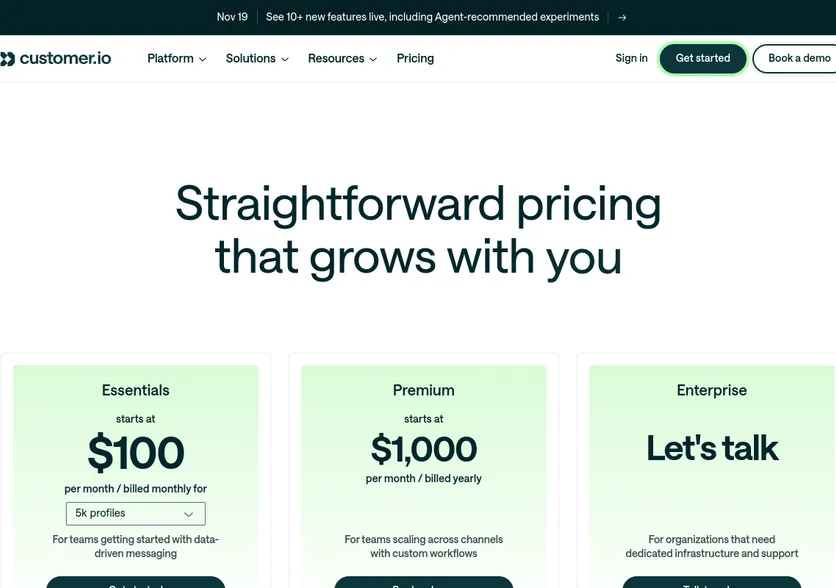
 Customer.io | Product teams that nurture from real usage behavior | $100/month | No free plan; 14-day free trial | Visit |
The lead nurturing software for inside sales, compared
1. HubSpot Marketing Hub
Best for: Inside sales teams that want nurture, CRM and reporting in one place
Paid tool Starting price: $15/seat/month · Fifteen dollars per seat per month billed annually on the Starter plan (twenty dollars month to month) with 1,000 marketing contacts; the seven to nine dollar figures seen online are first-year new-customer discounts, not the list price. Professional is eight hundred dollars a month plus a three thousand dollar onboarding fee, and lead scoring is a Professional feature
Free plan: Free plan with basic marketing tools
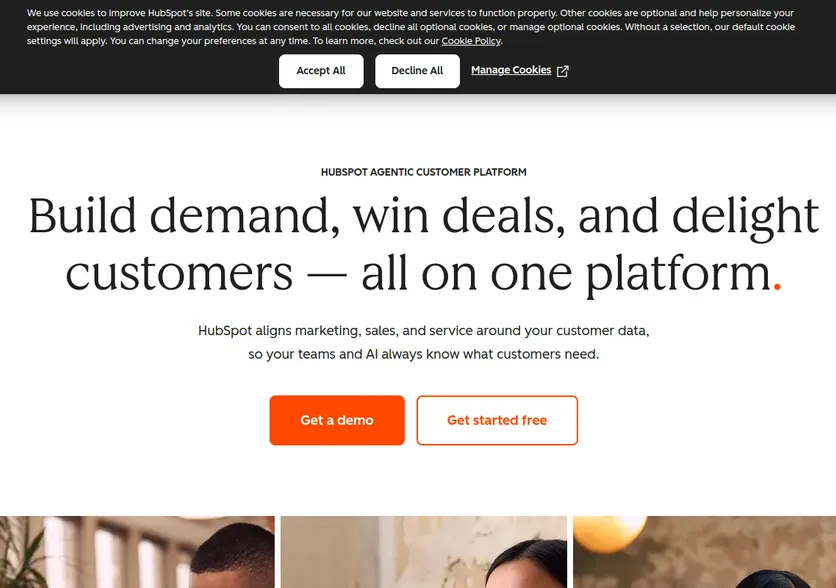
For inside sales teams, this HubSpot Marketing Hub Starter plan costs fifteen dollars a seat a month billed annually with one thousand marketing contacts, and it keeps every follow-up on the contact timeline. Workflows trigger the next email from opens, clicks and form fills, and every reply lands on the same contact timeline. Reports show which sequence turns cold leads into meetings, so the team fixes the weak step instead of guessing.
What we like
- Contact timelines show every email open and click in one place
- Workflows trigger follow-ups from real lead behavior
- The free plan covers basic forms and email for small lists
Watch out for
- Lead scoring needs the Professional plan at $800 a month
- Contact limits and seat prices rise quickly as the list grows
How to try it
- Import your lead list and set up the contact properties you track
- Build a workflow that sends the next email when a lead opens or clicks
- Review the contact timeline weekly and move warm leads to sales
2. ActiveCampaign
Best for: Small teams that want behavior-triggered nurture at a low price
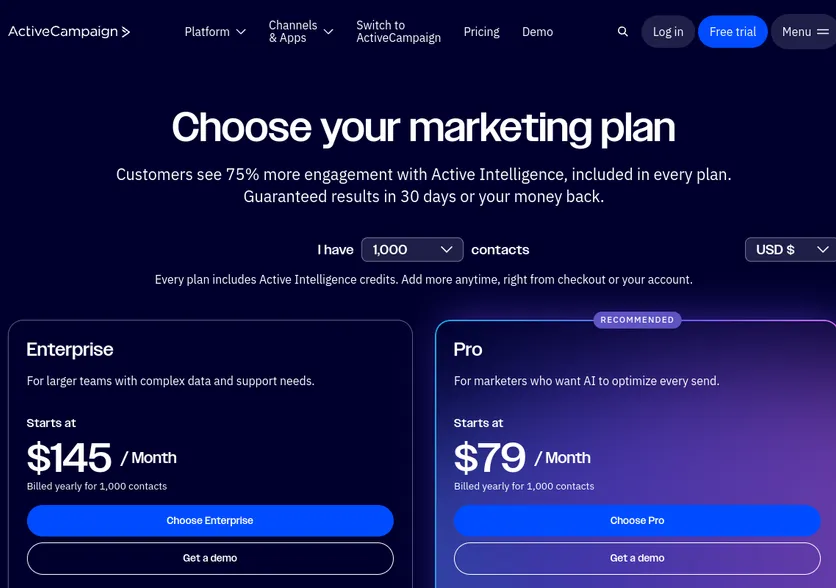
Paid tool Starting price: $15/month · Fifteen dollars a month billed annually on the Starter plan at 1,000 contacts, or nineteen dollars on monthly billing. Lead scoring starts on the Plus plan at forty-nine dollars a month billed annually. No free plan; a fourteen-day trial is available
Free plan: No free plan; 14-day free trial
On a small-team budget, this ActiveCampaign Starter plan costs fifteen dollars a month billed annually at one thousand contacts, and it turns tags and site visits into timed follow-ups. Automations combine email, tags and site tracking in one builder, and deal pipelines sit beside the email tools. Pricing stays low at small contact counts, which suits a team that is just starting to nurture.
What we like
- Automations combine email, tags and site tracking in one builder
- Deal pipelines sit beside the email tools
- Pricing stays low at small contact counts
Watch out for
- Starter caps automations at five actions and one user
- Lead scoring needs the Plus plan
How to try it
- Import contacts and tag them by source, interest and buying stage
- Build an automation that sends a timed email series after each tag
- Set a goal step that hands the contact to sales when they engage
3. Keap
Best for: Small businesses that want campaigns, pipeline and appointments in one tool
Paid tool Starting price: $249/month · Two hundred and forty-nine dollars a month billed annually on the Pro plan with 1,500 contacts and two users, or two hundred and ninety-nine dollars on monthly billing. Lead scoring is on the Max plan at two hundred and eighty-nine dollars a month, and onboarding starts at four hundred and ninety-nine dollars
Free plan: No free plan; 14-day free trial
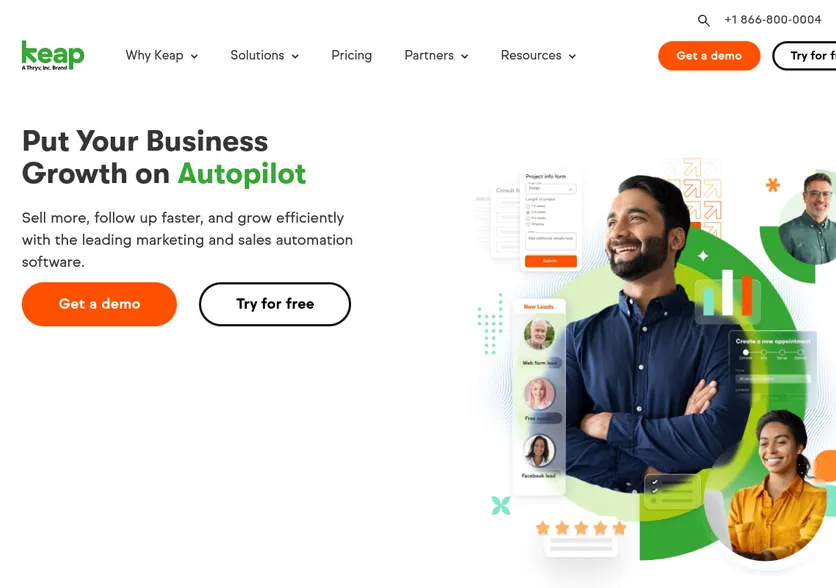
For small inside sales teams, this Keap Pro plan costs two hundred and forty-nine dollars a month billed annually with one thousand five hundred contacts, and it runs campaigns, pipeline and appointments from one record. Campaigns, pipeline and appointments share one contact record, and text messaging is built in for faster follow-up. Templates cover the common small-business follow-up flows, so a team can launch a nurture campaign in a day.
What we like
- Campaigns, pipeline and appointments share one contact record
- Text messaging is built in for faster follow-up
- Templates cover the common small-business follow-up flows
Watch out for
- Mandatory onboarding starts at $499
- Lead scoring needs the Max plan
How to try it
- Import contacts and set up the pipeline stages your team actually uses
- Build a campaign that follows up automatically after each form fill
- Set an appointment or task when a lead replies
4. Zoho Marketing Automation
Best for: Zoho CRM users who want journeys at a low entry price
Paid tool Starting price: $14/month · Fourteen dollars a month billed annually on the Standard plan for 1,000 contacts, or nineteen dollars on monthly billing. Contact scoring is on the Professional plan at twenty-two dollars a month billed annually
Free plan: Free trial available
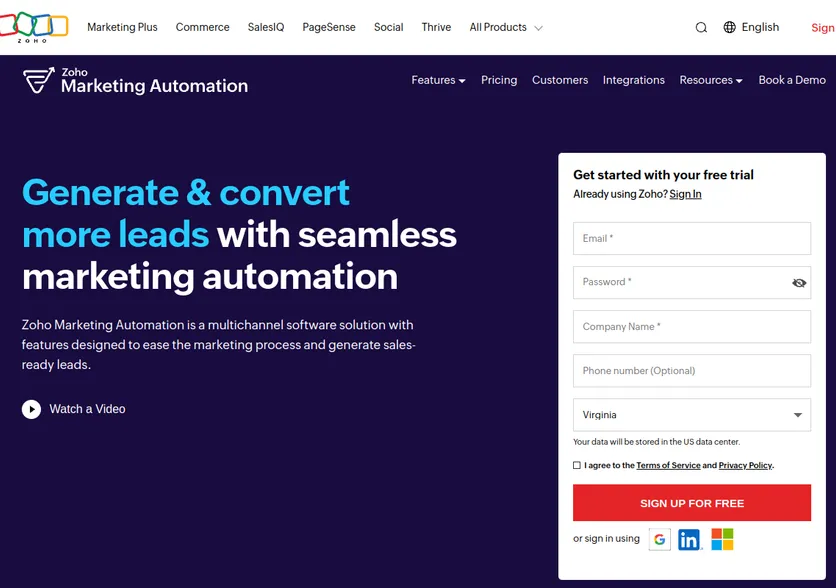
For teams already on Zoho CRM, this Zoho Marketing Automation Standard plan costs fourteen dollars a month billed annually for one thousand contacts, and it maps the whole nurture path on one canvas. Journeys map the whole nurture path on one canvas, and leads sync cleanly with Zoho CRM. The entry price is low for a full automation tool, which suits a team moving up from basic email.
What we like
- Journeys map the whole nurture path on one canvas
- Syncs cleanly with Zoho CRM contacts
- Entry price is low for a full automation tool
Watch out for
- Contact scoring needs the Professional plan
- The interface packs in many settings for new users
How to try it
- Sync leads from Zoho CRM or import them by CSV
- Build a journey that emails leads based on opens and clicks
- Hand scored leads to sales when they cross your threshold
5. Mailchimp
Best for: Small teams that want simple journeys and a free starting plan
Paid tool Starting price: $13/month · Thirteen dollars a month on the Essentials plan at 500 contacts; Standard is twenty dollars and Premium is three hundred and fifty dollars a month. Prices rise by contact band, so check the price at your real list size, and there is no published annual discount
Free plan: Free plan for up to 250 contacts and 500 sends a month
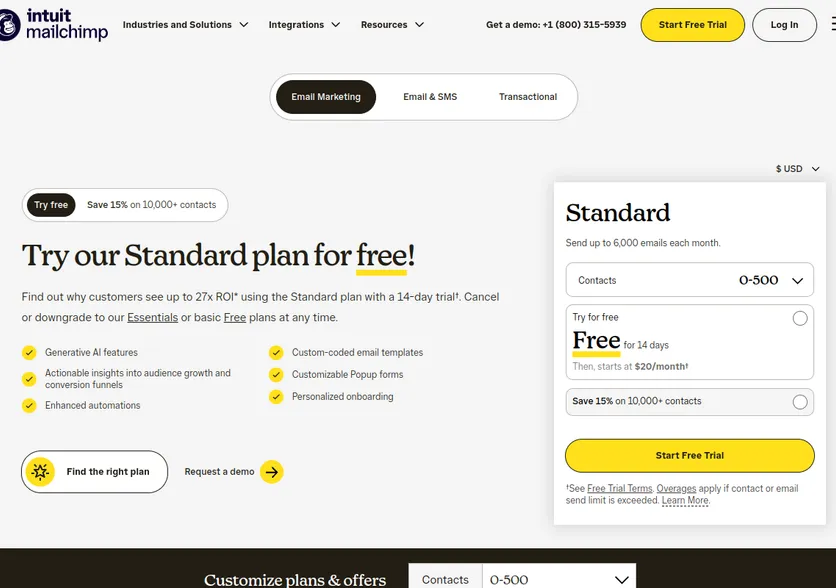
For teams starting with simple journeys, this Mailchimp Essentials plan costs thirteen dollars a month at five hundred contacts, and it turns a welcome series into steady follow-up. Customer journeys are easy to build without training, and the free plan covers small lists. Templates and the content studio are strong, though automation depth is thinner than dedicated nurture tools.
What we like
- Customer journeys are easy to build without training
- The free plan covers small lists
- Templates and the content studio are strong
Watch out for
- Prices rise steeply as the contact count grows
- Automation depth is thinner than dedicated nurture tools
How to try it
- Import your list and tag contacts by interest or source
- Set up a customer journey that emails new leads over two weeks
- Send a re-engagement email to contacts who stop opening
6. Brevo
Best for: Teams with big lists that mail lightly and want the lowest price
Paid tool Starting price: $9/month · Nine dollars a month on the Starter plan for 5,000 emails; the price is set by emails sent, not contacts stored, and rises with send volume. Business is eighteen dollars a month and adds automation, A/B testing and landing pages
Free plan: Free plan with 300 emails a day
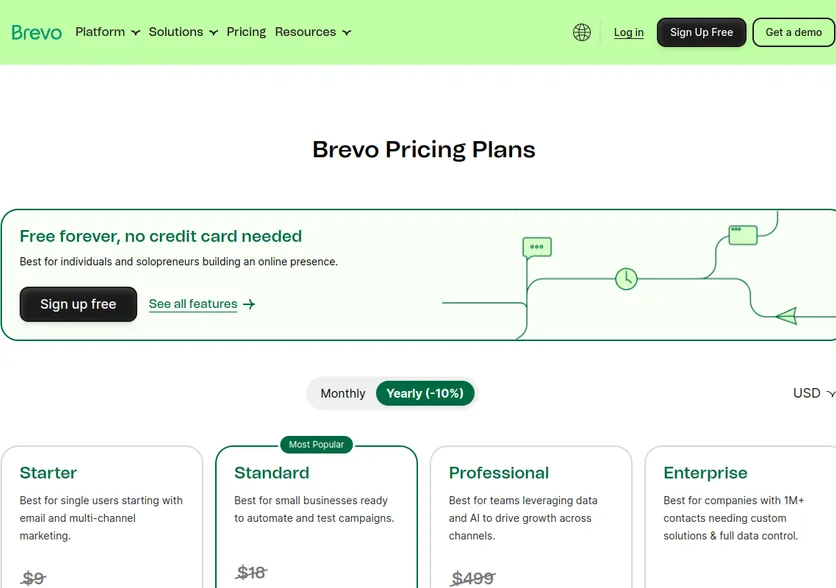
For the lowest entry price, this Brevo Starter plan costs nine dollars a month for five thousand emails, and it charges by sends rather than contacts stored. Pricing is set by emails sent rather than contacts stored, which suits large lists that mail lightly. Email, SMS and WhatsApp share one platform, and the free plan sends 300 emails a day.
What we like
- Pricing by emails sent suits large, lightly mailed lists
- Email, SMS and WhatsApp share one platform
- The free plan sends 300 emails a day
Watch out for
- Starter has no marketing automation
- Contact scoring sits on the Professional plan at $499 a month
How to try it
- Import contacts and set the monthly send volume you need
- Build an automation that welcomes new leads and follows up
- Add SMS to the sequence for leads who ignore email
7. GetResponse
Best for: Small teams that want webinars beside their nurture emails
Paid tool Starting price: $19/month · Nineteen dollars a month on the Starter plan at 1,000 contacts, or fifteen dollars and fifty-eight cents a month billed annually. The Marketer plan at fifty-nine dollars a month adds unlimited workflows; Starter includes only one automation workflow
Free plan: Free tier for up to 500 contacts
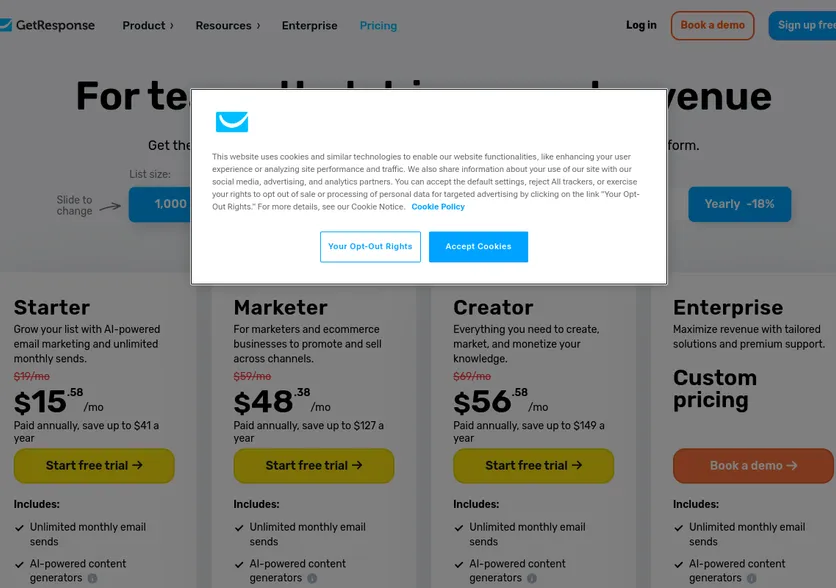
For teams that nurture with webinars, this GetResponse Starter plan costs nineteen dollars a month at one thousand contacts, and it puts webinars and email in one account. Webinars and landing pages sit beside email in one account, and autoresponders are quick to set up. The free tier covers 500 contacts, which is enough to test a nurture sequence.
What we like
- Webinars and landing pages sit beside email in one account
- Autoresponders are quick to set up
- The free tier covers 500 contacts
Watch out for
- Starter includes only one automation workflow
- List prices rise with contact count
How to try it
- Import contacts and create a list for each lead source
- Build a welcome series that runs when someone joins the list
- Add a webinar invite to the sequence for warm leads
8. Customer.io
Best for: Product teams that nurture from real usage behavior
Paid tool Starting price: $100/month · One hundred dollars a month on the Essentials plan, billed monthly, for 5,000 profiles and one million emails a month. Extra profiles cost nine-tenths of a cent each, and the Premium plan starts at one thousand dollars a month billed annually
Free plan: No free plan; 14-day free trial
For nurture driven by product behavior, this Customer.io Essentials plan costs one hundred dollars a month for five thousand profiles, and it messages users when an event fires. Workflows trigger from real product behavior, not just email opens, and broadcasts and transactional email share one system. Segmentation handles event history well, though setup needs developer help to send events.
What we like
- Workflows trigger from real product behavior, not just email opens
- Broadcasts and transactional email share one system
- Segmentation handles event history well
Watch out for
- Pricing is built for product teams, not simple newsletters
- Setup needs developer help to send events
How to try it
- Send product and website events into Customer.io from your app
- Build a workflow that messages users when an event fires
- Split the workflow by plan, usage or engagement
Prices above were checked on each vendor’s own website on Nov 28, 2026 and can change — the vendor’s page is the final word. Vendor links are editorial: nobody paid to be listed or ranked here. Vendors who want a featured listing can see how it works on our Get listed page.
How inside sales teams should run lead nurturing
Start with the handoff rule, not the email template. Decide exactly what a lead must do before sales calls — open three emails, visit the pricing page, reply once — and write it down where both teams can see it. Then build one short sequence per lead source instead of one long sequence for everyone, because a demo request and a cold webinar lead need different follow-ups. Keep every sequence under five touches in the first two weeks, and stop the sequence the moment a lead replies so no one gets a robot email after a human conversation started. Review the numbers monthly: which sequence produces meetings, which step loses people, and which subject lines earn replies. A nurture system that no one measures quietly stops working.
Before you buy
- Check that email opens, clicks and replies all land on one contact timeline
- Confirm the automation limits on the entry plan before you build long sequences
- Ask how leads hand off to sales, and whether the sequence stops on reply
- Count contacts and seats separately, since both can push the price up
- Run one real sequence end to end on a trial before you move the whole list
Official websites
Official websites of the products reviewed above. Features and prices were checked against these sites when this guide was written, and they can change, so confirm on the vendor site before you buy.
Frequently asked questions
What is lead nurturing software for inside sales?
It is software that keeps leads warm between first contact and a sales call, using timed emails, behavior triggers and reminders. The tools in this list send follow-up sequences automatically, track who opens and clicks, and hand the lead to a rep when they show buying signals. Without it, reps chase every lead by hand and the quiet ones go cold.
How much does lead nurturing software cost for inside sales?
Entry prices in this list run from nine dollars a month for Brevo to one hundred dollars a month for Customer.io, with most tools between thirteen and twenty dollars a month. The price usually depends on contacts, seats or emails sent, so check the cost at your real list size. Lead scoring and deeper automation sit on higher plans, which can cost several times the entry price.
Which tool is best for a small inside sales team?
ActiveCampaign is the best value pick at fifteen dollars a month, with behavior-triggered automations that small teams can set up in a day. Brevo is cheaper at nine dollars a month but has no automation on its Starter plan, so a team that needs sequences should start on Business at eighteen dollars. HubSpot Marketing Hub is the strongest all-rounder if the team already uses HubSpot CRM.
Do I need lead scoring for inside sales nurturing?
Not at first. A simple handoff rule, such as three email opens or a pricing page visit, works well for small teams and costs nothing extra. Scoring earns its keep once the list passes a few thousand leads and reps cannot tell who is hot by hand. HubSpot and ActiveCampaign both add scoring on higher plans, so a team can start simple and upgrade when the volume demands it.
Can these tools replace a sales engagement platform?
For follow-up emails and handoff, yes for most small teams, but the dedicated engagement platforms like Outreach and Salesloft add multi-channel cadences, dialers and deeper analytics that these tools do not match. They also publish no prices, so they are not in this list. A team that lives on the phone may still need a dialer beside one of these tools.
Compare the eight tools above, then start with a free trial on the tool that matches how your team already follows up before you pay for a full year.
Browse Business Tools tools