On this page
A sales team cannot chase every lead. With five hundred new leads a month, the team must tell buyers from browsers fast and hand buyers to a rep the same day. The tools below qualify leads with scores, rules and routing built into the CRM, so the good ones never sit in a queue. HubSpot Sales Hub leads the list because its Starter plan puts sequences, pipelines and lead tracking on one record for twenty dollars a seat a month, and the other six tools are judged on the same test: how fast a qualified lead reaches a human.
How we researched this
We checked every price on the vendor pricing page on November 28, 2026, and only included tools with a published US dollar list price and a free trial or free plan. The dedicated qualification tools in this category, including Leadspace, Madkudu and 6sense, publish no prices, so they are not in this list. Prices change, so confirm the current figure on the vendor site before you buy.
Compare the tools
| Name | Best for | Starting price | Free plan | |
|---|---|---|---|---|
 HubSpot Sales Hub | Small sales teams that want sequences and routing in one CRM | $20/seat/month | Free plan with basic CRM tools | Visit |
| Salesforce Sales Cloud | Growing teams that want assignment rules and flows at a low entry price | $25/user/month | No free plan; free trial available | Visit |
 Pipedrive | Small teams that want a visual pipeline at the lowest price | $14/user/month | No free plan; 14-day free trial | Visit |
 Zoho CRM | Small teams that want a cheap CRM with basic routing | $14/user/month | Free plan for up to 3 users | Visit |
 Freshsales | Small teams that want a cheap CRM with a clean pipeline | $9/user/month | No free plan; 21-day free trial | Visit |
 ActiveCampaign | Small teams that want behavior-triggered nurture at a low price | $15/month | No free plan; 14-day free trial | Visit |
 Keap | Small businesses that want campaigns, pipeline and appointments in one tool | $249/month | No free plan; 14-day free trial | Visit |
The lead qualification software for SMB sales, compared
1. HubSpot Sales Hub
Best for: Small sales teams that want sequences and routing in one CRM
Paid tool Starting price: $20/seat/month · Twenty dollars per seat per month on the Starter plan; the seven to nine dollar figures seen online are first-year new-customer discounts, not the list price. Professional is ninety dollars per seat per month billed annually plus a one thousand five hundred dollar onboarding fee
Free plan: Free plan with basic CRM tools
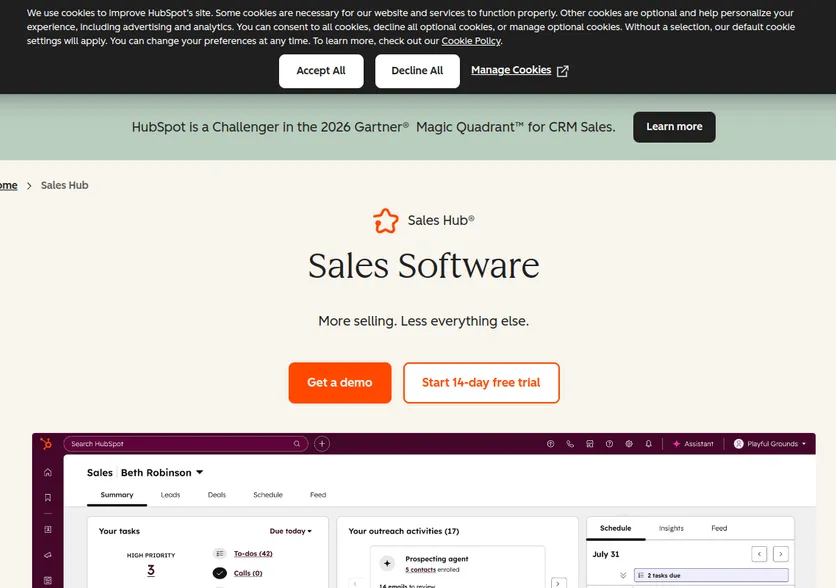
For small teams qualifying leads in one CRM, this HubSpot Sales Hub Starter plan costs twenty dollars a seat a month, and it runs sequences, templates and calling from one inbox. Sequences, templates and calling share one inbox, and the free CRM covers contacts and deals. Reporting is built in from the start, so a small team can see which follow-up turns into a meeting.
What we like
- Sequences, templates and calling share one inbox
- The free CRM covers contacts and deals
- Reporting is built in from the start
Watch out for
- Lead scoring needs Professional or Enterprise
- Onboarding fees start at $1,500 on paid plans
How to try it
- Import leads and set up the deal pipeline stages
- Build a sequence that emails and calls new leads on a schedule
- Set a workflow that routes new leads to the right rep
2. Salesforce Sales Cloud
Best for: Growing teams that want assignment rules and flows at a low entry price
Paid tool Starting price: $25/user/month · Twenty-five dollars per user per month on the Starter Suite, the only paid plan with monthly billing. Pro Suite is one hundred dollars and Core is one hundred and ninety-five dollars per user per month. Einstein predictive lead scoring is a paid add-on, not in the Starter price
Free plan: No free plan; free trial available
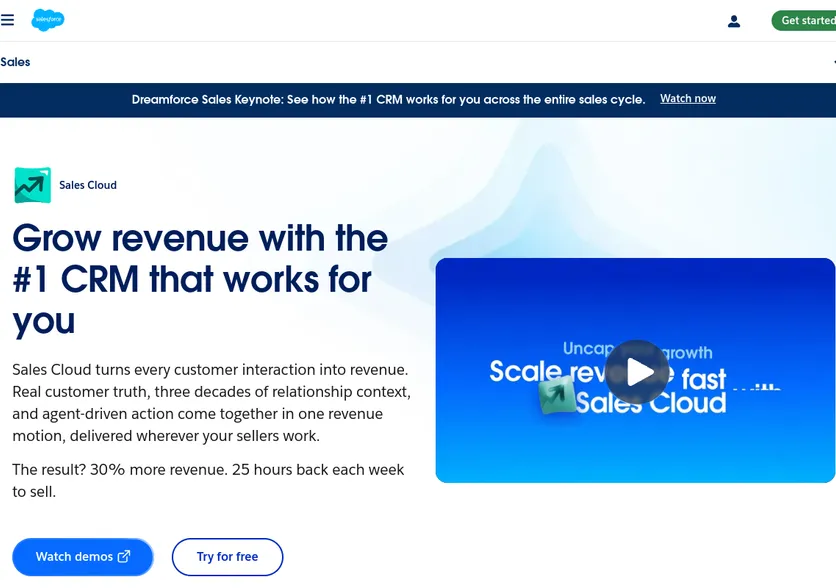
For small teams qualifying on the biggest CRM, this Salesforce Sales Cloud Starter Suite costs twenty-five dollars per user per month, and it routes and scores leads with assignment rules and flows. Assignment rules route leads by territory, brand or team, and flows automate scoring and handoff without code. Reports track every lead from capture to close, though admin work grows as the org customizes.
What we like
- Assignment rules route leads by territory, brand or team
- Flows automate scoring and handoff without code
- Reports track every lead from capture to close
Watch out for
- Predictive scoring is a paid add-on
- Admin work grows quickly as the org customizes
How to try it
- Import leads and set assignment rules for each territory or brand
- Build a flow that scores and routes leads as they arrive
- Review the lead queue daily and reassign stalled leads
3. Pipedrive
Best for: Small teams that want a visual pipeline at the lowest price
Paid tool Starting price: $14/user/month · Fourteen dollars per user per month billed annually on the Essential plan, or twenty-four dollars on monthly billing. Advanced is twenty-nine dollars and Professional is forty-nine dollars per user per month billed annually
Free plan: No free plan; 14-day free trial
For small teams qualifying in a visual pipeline, this Pipedrive Essential plan costs fourteen dollars per user per month billed annually, and it keeps every lead visible on one board. The visual pipeline is fast to learn, and automations handle routine follow-ups. Email marketing is a separate add-on, so budget for it if the team wants campaigns beside the pipeline.

What we like
- The visual pipeline is fast to learn
- AI scoring flags deals that need attention
- Automations handle routine follow-ups
Watch out for
- Lead scoring needs the Professional plan
- Email marketing is a separate add-on
How to try it
- Import leads and set up the pipeline stages
- Add the AI sales assistant to score deals on the Professional plan
- Automate follow-up emails when a deal goes quiet
4. Zoho CRM
Best for: Small teams that want a cheap CRM with basic routing
Paid tool Starting price: $14/user/month · Fourteen dollars per user per month billed annually on the Standard plan, or twenty dollars on monthly billing. Professional is twenty-three dollars and Enterprise is forty dollars per user per month billed annually
Free plan: Free plan for up to 3 users
For small teams qualifying on a budget, this Zoho CRM Standard plan costs fourteen dollars per user per month billed annually, and it keeps leads, contacts and deals on one record. Leads, contacts and deals share one record, and workflows automate the routine follow-ups. The free plan covers three users, which suits a small team testing the CRM.

What we like
- Scoring rules run from the Standard plan up
- Zia AI scores arrive on Professional
- The free plan covers three users
Watch out for
- Standard allows only one scoring rule per module
- Zia needs at least 200 records before it scores
How to try it
- Import leads and set up scoring rules by field and activity
- Build a workflow that assigns hot leads to the right rep
- Review the Zia score weekly and adjust the rules
5. Freshsales
Best for: Small teams that want a cheap CRM with a clean pipeline
Paid tool Starting price: $9/user/month · Nine dollars per user per month billed annually on the Growth plan, or eleven dollars on monthly billing. Pro is thirty-nine dollars and Enterprise is fifty-nine dollars per user per month billed annually, and the free plan was removed in November 2026
Free plan: No free plan; 21-day free trial
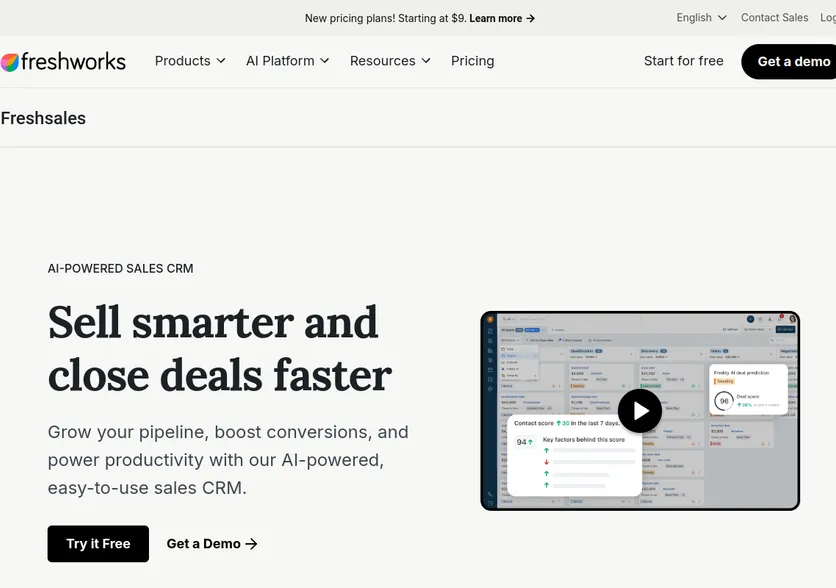
For the lowest per-user CRM price, this Freshsales Growth plan costs nine dollars per user per month billed annually, and it gives small teams a clean pipeline to qualify in. The Growth plan is cheap for small teams, and the pipeline view is clean and fast. Scoring, sequences and territory rules need the Pro plan, so growing teams should budget for the upgrade.
What we like
- Sequences automate calls, emails and tasks
- Contact scoring is included on Pro
- The Growth plan is cheap for small teams
Watch out for
- The free plan was removed in November 2026
- Scoring and sequences need the Pro plan
How to try it
- Import leads and set up the sales sequences for each stage
- Turn on contact scoring on the Pro plan
- Set territory rules so leads reach the right rep
6. ActiveCampaign
Best for: Small teams that want behavior-triggered nurture at a low price
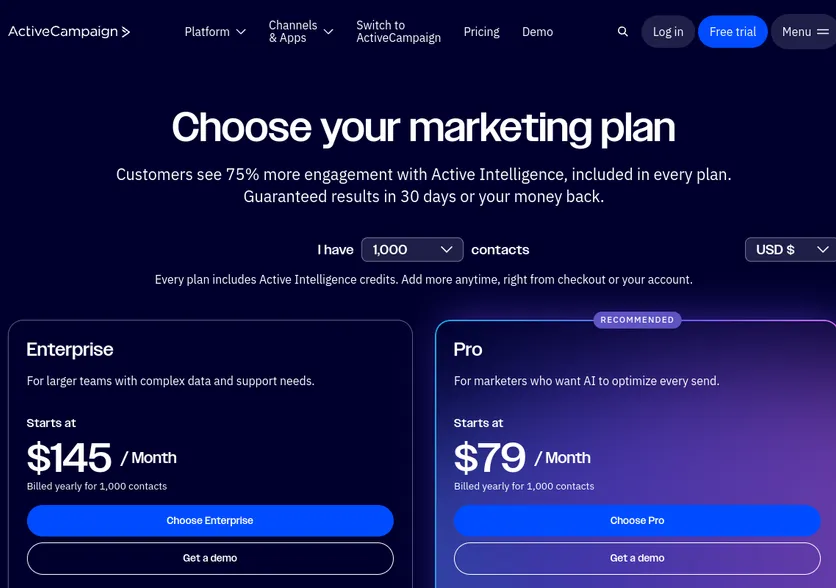
Paid tool Starting price: $15/month · Fifteen dollars a month billed annually on the Starter plan at 1,000 contacts, or nineteen dollars on monthly billing. Lead scoring starts on the Plus plan at forty-nine dollars a month billed annually. No free plan; a fourteen-day trial is available
Free plan: No free plan; 14-day free trial
For small teams qualifying leads by hand, this ActiveCampaign Starter plan costs fifteen dollars a month billed annually at one thousand contacts, and it tags and routes leads from their behavior. Automations combine email, tags and site tracking in one builder, and deal pipelines sit beside the email tools. Pricing stays low at small contact counts, which suits a team that is just starting to nurture.
What we like
- Automations combine email, tags and site tracking in one builder
- Deal pipelines sit beside the email tools
- Pricing stays low at small contact counts
Watch out for
- Starter caps automations at five actions and one user
- Lead scoring needs the Plus plan
How to try it
- Import contacts and tag them by source, interest and buying stage
- Build an automation that sends a timed email series after each tag
- Set a goal step that hands the contact to sales when they engage
7. Keap
Best for: Small businesses that want campaigns, pipeline and appointments in one tool
Paid tool Starting price: $249/month · Two hundred and forty-nine dollars a month billed annually on the Pro plan with 1,500 contacts and two users, or two hundred and ninety-nine dollars on monthly billing. Lead scoring is on the Max plan at two hundred and eighty-nine dollars a month, and onboarding starts at four hundred and ninety-nine dollars
Free plan: No free plan; 14-day free trial
For small teams that qualify and close in one tool, this Keap Pro plan costs two hundred and forty-nine dollars a month billed annually with one thousand five hundred contacts, and it runs campaigns, pipeline and appointments from one record. Campaigns, pipeline and appointments share one contact record, and text messaging is built in for faster follow-up. Templates cover the common small-business follow-up flows, so a team can launch a nurture campaign in a day.
What we like
- Campaigns, pipeline and appointments share one contact record
- Text messaging is built in for faster follow-up
- Templates cover the common small-business follow-up flows
Watch out for
- Mandatory onboarding starts at $499
- Lead scoring needs the Max plan
How to try it
- Import contacts and set up the pipeline stages your team actually uses
- Build a campaign that follows up automatically after each form fill
- Set an appointment or task when a lead replies
Prices above were checked on each vendor’s own website on Nov 28, 2026 and can change — the vendor’s page is the final word. Vendor links are editorial: nobody paid to be listed or ranked here. Vendors who want a featured listing can see how it works on our Get listed page.
How small sales teams should qualify leads
Write the qualification rule before you buy software. Pick four or five facts that predict a sale — company size, budget, timeline, the problem they need solved — and score every lead against the same list. Then automate the easy half: let the CRM score and route leads that match, and let reps spend their time on the ones in the middle. Review the rule monthly with real outcomes, because a rule that qualified everyone last quarter is not a rule. And keep the form short, since every extra field on a lead form costs you leads that never finish it.
Before you buy
- Check that scoring or qualification rules run on the plan you would buy
- Confirm qualified leads route to a rep automatically, not by hand
- Ask how the tool handles leads that match only part of your rule
- Count seats and contacts together, since both drive the monthly bill
- Test the qualification flow with ten real leads before you commit
Official websites
Official websites of the products reviewed above. Features and prices were checked against these sites when this guide was written, and they can change, so confirm on the vendor site before you buy.
Frequently asked questions
What is lead qualification software for SMB sales?
It is software that sorts new leads into buyers and browsers, using scores, rules and routing built into the CRM. The tools in this list score leads from their details and behavior, then hand the good ones to a rep and keep the rest in nurture. A small team without it either chases every lead or lets good ones sit in a queue.
How much does lead qualification software cost for a small business?
Entry prices in this list run from nine dollars per user per month for Freshsales to twenty-five dollars for Salesforce, with most tools between fourteen and twenty dollars per user per month. Scoring sits on higher plans for some tools, so a team that needs scoring should budget thirty-nine to forty-nine dollars per user per month for Freshsales Pro or Pipedrive Professional.
What is the BANT framework for qualifying leads?
BANT scores a lead on four facts: budget, authority, need and timeline. A lead with a budget, a decision maker, a real need and a near-term timeline is qualified, while a lead missing two or more is not. The tools in this list can encode BANT as scoring rules or custom fields, so reps apply the same test to every lead.
Do I need a separate lead scoring tool as well as a CRM?
Not at small scale. The CRMs in this list include scoring rules or AI scores on their paid plans, which covers most small teams. A separate scoring tool earns its keep when the list passes tens of thousands of leads or when scoring needs data the CRM cannot see, such as product usage or third-party intent signals.
Which tool is best for a five-person sales team?
HubSpot Sales Hub is the best all-rounder at twenty dollars a seat a month, with sequences and reporting built in. Freshsales is the cheapest at nine dollars per user per month, with scoring on its thirty-nine dollar Pro plan. Pipedrive is the easiest to learn, with a visual pipeline that makes qualification obvious at a glance.
Compare the seven tools above, then start with a free trial on the tool that matches how your team qualifies before you pay for a full year.
Browse Business Tools tools