On this page
A sales org with five teams and one inbox has a routing problem. The enterprise team gets the small-business leads, the SMB team gets the enterprise deals, and everyone wastes a morning forwarding records. The tools below route each lead to the right team by size, territory or product, and keep the load even. Distribution Engine leads the list because it routes Salesforce leads by team, territory or load for twenty dollars per user per month, and the other six tools are judged on the same test: whether the right team gets the lead in minutes.
How we researched this
We checked every price on the vendor pricing page on November 28, 2026, and only included tools with a published US dollar list price and a free trial or free plan. The dedicated routing specialists in this category, including LeanData, RingLead and Openprise, publish no prices, so they are not in this list. Prices change, so confirm the current figure on the vendor site before you buy.
Compare the tools
| Name | Best for | Starting price | Free plan | |
|---|---|---|---|---|
| Distribution Engine | Salesforce teams that need serious lead routing rules | $20/user/month | No free plan; 30-day trial on the AppExchange | Visit |
| Chili Piper | Teams that want form fills booked into meetings instantly | $1,250/month | No free plan; demo only | Visit |
 HubSpot Sales Hub | Small sales teams that want sequences and routing in one CRM | $20/seat/month | Free plan with basic CRM tools | Visit |
| Salesforce Sales Cloud | Growing teams that want assignment rules and flows at a low entry price | $25/user/month | No free plan; free trial available | Visit |
 Zoho CRM | Small teams that want a cheap CRM with basic routing | $14/user/month | Free plan for up to 3 users | Visit |
 Pipedrive | Small teams that want a visual pipeline at the lowest price | $14/user/month | No free plan; 14-day free trial | Visit |
 Calendly | Teams that want simple routing forms and round-robin booking | $16/seat/month | Free plan with one event type | Visit |
The lead routing software for multi-team sales orgs, compared
1. Distribution Engine
Best for: Salesforce teams that need serious lead routing rules
Paid tool Starting price: $20/user/month · Twenty dollars per user per month billed annually on the Starter plan, with Advanced at thirty-five dollars and Unlimited at fifty-five dollars. A five-licence minimum applies, and a thirty-day trial is available on the AppExchange
Free plan: No free plan; 30-day trial on the AppExchange
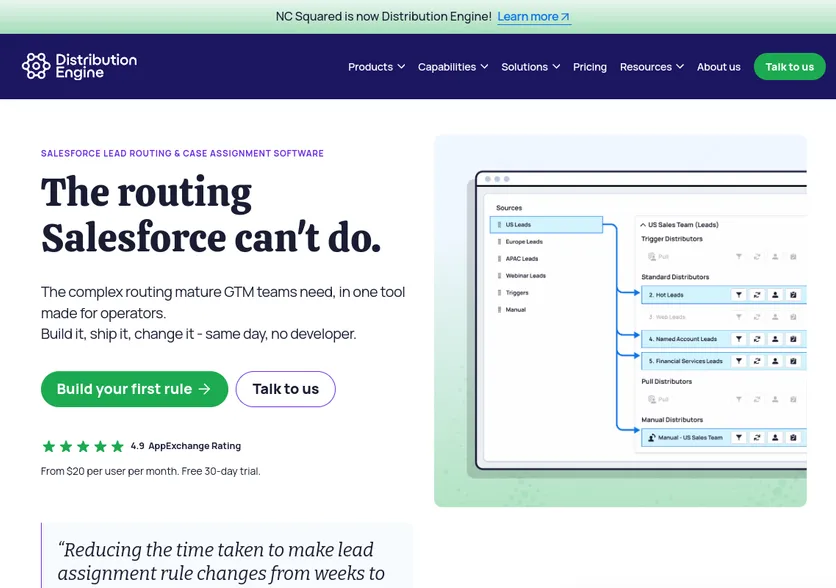
For multi-team orgs on Salesforce, this Distribution Engine Starter plan costs twenty dollars per user per month billed annually, and it routes every lead by team, territory or load. Routing rules cover territory, round robin and load balancing, and leads never leave the CRM because the tool is built for Salesforce. The entry price is low for a routing tool, though other CRMs need a different option.
What we like
- Routing rules cover territory, round robin and load balancing
- Built for Salesforce, so leads never leave the CRM
- The entry price is low for a routing tool
Watch out for
- Five-licence minimum applies
- Salesforce-only, so other CRMs need a different tool
How to try it
- Install Distribution Engine from the Salesforce AppExchange
- Set routing rules by territory, brand or product line
- Test the rules with sample leads before going live
2. Chili Piper
Best for: Teams that want form fills booked into meetings instantly
Paid tool Starting price: $1,250/month · One thousand two hundred and fifty dollars a month for fifteen seats on the Growth plan, billed annually at fifteen thousand dollars a year, with extra seats at forty-five dollars a month each. The old fifteen-dollar-per-user Instant Booker plan was replaced on 30 October 2026, so confirm the current price before buying
Free plan: No free plan; demo only
For multi-team orgs that book meetings from forms, this Chili Piper Growth plan costs one thousand two hundred and fifty dollars a month for fifteen seats, and it turns a form fill into a booked meeting. Instant booking turns a form fill into a meeting in one step, and routing rules handle multi-team and multi-brand setups. Calendar sync avoids double booking, though the entry price is high for small teams.
What we like
- Instant booking turns a form fill into a meeting in one step
- Routing rules handle multi-team and multi-brand setups
- Calendar sync avoids double booking
Watch out for
- Growth starts at $1,250 a month for fifteen seats
- No free plan or trial, demo only
How to try it
- Connect Chili Piper to your CRM and calendar
- Build a routing rule that books meetings by territory or team
- Add the booking form to your website and test it
3. HubSpot Sales Hub
Best for: Small sales teams that want sequences and routing in one CRM
Paid tool Starting price: $20/seat/month · Twenty dollars per seat per month on the Starter plan; the seven to nine dollar figures seen online are first-year new-customer discounts, not the list price. Professional is ninety dollars per seat per month billed annually plus a one thousand five hundred dollar onboarding fee
Free plan: Free plan with basic CRM tools
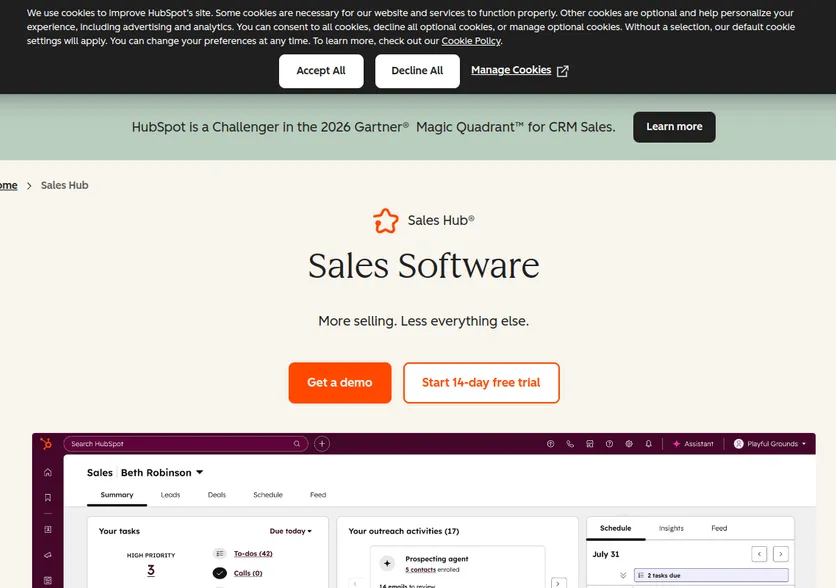
For multi-team orgs routing in the CRM, this HubSpot Sales Hub Starter plan costs twenty dollars a seat a month, and it runs sequences, templates and calling from one inbox. Sequences, templates and calling share one inbox, and the free CRM covers contacts and deals. Reporting is built in from the start, so a small team can see which follow-up turns into a meeting.
What we like
- Sequences, templates and calling share one inbox
- The free CRM covers contacts and deals
- Reporting is built in from the start
Watch out for
- Lead scoring needs Professional or Enterprise
- Onboarding fees start at $1,500 on paid plans
How to try it
- Import leads and set up the deal pipeline stages
- Build a sequence that emails and calls new leads on a schedule
- Set a workflow that routes new leads to the right rep
4. Salesforce Sales Cloud
Best for: Growing teams that want assignment rules and flows at a low entry price
Paid tool Starting price: $25/user/month · Twenty-five dollars per user per month on the Starter Suite, the only paid plan with monthly billing. Pro Suite is one hundred dollars and Core is one hundred and ninety-five dollars per user per month. Einstein predictive lead scoring is a paid add-on, not in the Starter price
Free plan: No free plan; free trial available
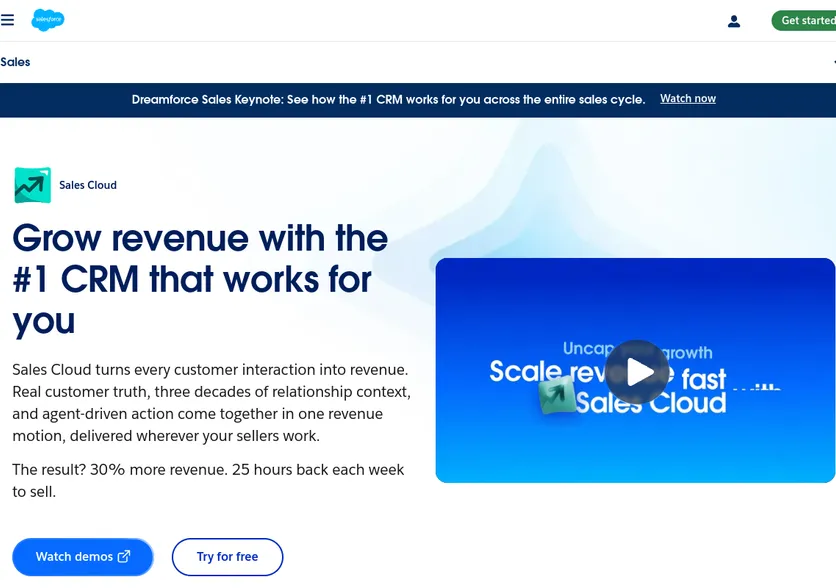
For multi-team orgs on Salesforce, this Salesforce Sales Cloud Starter Suite costs twenty-five dollars per user per month, and it routes leads by territory or team. Assignment rules route leads by territory, brand or team, and flows automate scoring and handoff without code. Reports track every lead from capture to close, though admin work grows as the org customizes.
What we like
- Assignment rules route leads by territory, brand or team
- Flows automate scoring and handoff without code
- Reports track every lead from capture to close
Watch out for
- Predictive scoring is a paid add-on
- Admin work grows quickly as the org customizes
How to try it
- Import leads and set assignment rules for each territory or brand
- Build a flow that scores and routes leads as they arrive
- Review the lead queue daily and reassign stalled leads
5. Zoho CRM
Best for: Small teams that want a cheap CRM with basic routing
Paid tool Starting price: $14/user/month · Fourteen dollars per user per month billed annually on the Standard plan, or twenty dollars on monthly billing. Professional is twenty-three dollars and Enterprise is forty dollars per user per month billed annually
Free plan: Free plan for up to 3 users
For multi-team orgs routing on a budget, this Zoho CRM Standard plan costs fourteen dollars per user per month billed annually, and it keeps leads, contacts and deals on one record. Leads, contacts and deals share one record, and workflows automate the routine follow-ups. The free plan covers three users, which suits a small team testing the CRM.

What we like
- Scoring rules run from the Standard plan up
- Zia AI scores arrive on Professional
- The free plan covers three users
Watch out for
- Standard allows only one scoring rule per module
- Zia needs at least 200 records before it scores
How to try it
- Import leads and set up scoring rules by field and activity
- Build a workflow that assigns hot leads to the right rep
- Review the Zia score weekly and adjust the rules
6. Pipedrive
Best for: Small teams that want a visual pipeline at the lowest price
Paid tool Starting price: $14/user/month · Fourteen dollars per user per month billed annually on the Essential plan, or twenty-four dollars on monthly billing. Advanced is twenty-nine dollars and Professional is forty-nine dollars per user per month billed annually
Free plan: No free plan; 14-day free trial
For multi-team orgs working one pipeline per team, this Pipedrive Essential plan costs fourteen dollars per user per month billed annually, and it keeps every lead visible on one board. The visual pipeline is fast to learn, and automations handle routine follow-ups. Email marketing is a separate add-on, so budget for it if the team wants campaigns beside the pipeline.

What we like
- The visual pipeline is fast to learn
- AI scoring flags deals that need attention
- Automations handle routine follow-ups
Watch out for
- Lead scoring needs the Professional plan
- Email marketing is a separate add-on
How to try it
- Import leads and set up the pipeline stages
- Add the AI sales assistant to score deals on the Professional plan
- Automate follow-up emails when a deal goes quiet
7. Calendly
Best for: Teams that want simple routing forms and round-robin booking
Paid tool Starting price: $16/seat/month · Sixteen dollars per seat per month billed annually on the Teams plan, or twenty dollars on monthly billing. Round robin and routing forms start on Teams; the Standard plan at ten dollars a seat has no routing
Free plan: Free plan with one event type
For multi-team orgs routing by form answers, this Calendly Teams plan costs sixteen dollars per seat per month billed annually, and it qualifies leads before they book. Routing forms qualify leads before they book, and round robin spreads meetings evenly across the team. Setup takes minutes, though deeper CRM routing needs a dedicated tool.

What we like
- Routing forms qualify leads before they book
- Round robin spreads meetings evenly
- Setup takes minutes, not days
Watch out for
- Routing needs the Teams plan
- Deeper CRM routing needs a dedicated tool
How to try it
- Set up a routing form that asks leads a few qualifying questions
- Build a round-robin event that shares bookings across the team
- Connect the calendar and test the form end to end
Prices above were checked on each vendor’s own website on Nov 28, 2026 and can change — the vendor’s page is the final word. Vendor links are editorial: nobody paid to be listed or ranked here. Vendors who want a featured listing can see how it works on our Get listed page.
How multi-team sales orgs should route leads
Start with the team map, not the software. Write down which team owns which segment — enterprise, mid-market, SMB, by region or by product — and get every sales manager to sign it, because routing arguments start when the map is vague. Then build one rule per team and test each with sample leads before going live. Add a load cap per rep so the top performer does not take every lead while new reps starve. Finally, review the unassigned queue daily, because the leads no rule caught are usually the ones the map forgot.
Before you buy
- Check that rules can split leads by team, segment and territory together
- Confirm you can cap load per rep so top performers never drown
- Ask where leads go when no rule matches them
- Count licences across every team before you compare prices
- Test each team rule with sample leads from every segment before you go live
Official websites
Official websites of the products reviewed above. Features and prices were checked against these sites when this guide was written, and they can change, so confirm on the vendor site before you buy.
Frequently asked questions
What is lead routing software for multi-team sales orgs?
It is software that sends each new lead to the right sales team automatically, using rules based on company size, territory, product or load. The tools in this list route the lead the moment it arrives, so no one spends a morning forwarding records. A multi-team org without it loses deals to slow handoffs and mixed-up ownership.
Should leads route by round robin or by territory?
By territory first, then round robin inside the territory. Territory rules make sure the rep who knows the region gets the lead, and round robin inside the territory keeps the load even. Pure round robin across teams sends enterprise deals to SMB reps, while pure territory rules can overload the best rep in a busy region.
What is the cheapest lead routing tool for a multi-team org?
Pipedrive is cheapest at fourteen dollars per user per month, and Zoho CRM matches it at fourteen dollars. Calendly Teams at sixteen dollars a seat adds routing forms and round robin without a full CRM. Distribution Engine at twenty dollars per user per month is the cheapest dedicated routing tool, but it only works with Salesforce.
How do you stop one team from taking every lead?
With load caps and round robin. A load cap stops new leads going to a rep who already holds more than their share, and round robin spreads new leads evenly inside a team. Review the queue weekly, because a rule that worked when the org had three teams often breaks when it grows to five.
What happens to leads that match no routing rule?
They land in an unassigned queue, and someone has to own that queue every day. The tools in this list all have a fallback, but the fallback only works if a manager reviews it daily. Most unassigned leads come from a segment the team map forgot, so treat a growing unassigned queue as a sign the rules need updating.
Compare the seven tools above, then start with a free trial on the tool that matches your team map before you pay for a full year.
Browse Business Tools tools