
On this page
A workers compensation case starts with an injured worker, a short call and forms that must be right the first time. The intake tool decides whether that first call becomes a signed client or a lost lead, because it controls the form, the follow-up and the file the case opens with. Clio Grow leads this list because it turns website enquiries into signed clients with forms, e-signature and automated follow-up for fifty-nine dollars a user a month, and the other seven tools are ranked on the same test: how fast a new enquiry becomes a billable matter.
How we researched this
We checked every price on the vendor pricing page on November 28, 2026, and only included tools with a published US dollar list price and a free trial or demo. The big enterprise intake platforms in this category, including Filevine, Litify and Lawmatics, publish no prices, so they are not in this list. Prices change, so confirm the current figure on the vendor site before you buy.
Compare the tools
| Name | Best for | Starting price | Free plan | |
|---|---|---|---|---|
| Clio Grow | Workers compensation firms that want website enquiries to become signed clients without phone tag | $59/user/month | Free trial | Visit |
 MyCase | Small workers compensation firms that want intake and case work in one login | $50/user/month | Free trial | Visit |
 PracticePanther | Firms that want intake to run as a checklist with automated follow-up | $49/user/month | Free trial | Visit |
 Smokeball | Outlook-based firms that want intake built around email and documents | $49/user/month | Free trial | Visit |
 Rocket Matter | Firms that want intake tied to billing from the first call | $59/user/month | Free trial | Visit |
 CosmoLex | Firms that need trust accounting handled correctly from the first retainer | $49/user/month | Free trial | Visit |
 TimeSolv | Hourly-billing firms that want intake calls and meetings billed, not forgotten | $43/user/month | Free trial | Visit |
 Bill4Time | Firms that bill by the hour from the first consultation | $39/user/month | Free trial | Visit |
The legal intake software for workers compensation law firms, compared
1. Clio Grow
Best for: Workers compensation firms that want website enquiries to become signed clients without phone tag
Paid tool Starting price: $59/user/month · Fifty-nine dollars per user per month billed annually as an add-on to a Clio Manage plan (sixty-nine dollars on monthly billing), plus a three hundred ninety-nine dollar one-time setup fee
Free plan: Free trial
When a hurt worker finds a firm online, Clio Grow turns that first click into a signed client without a phone tag chase. Intake forms collect the injury details, e-signature captures the fee agreement, and automated follow-up nudges every enquiry that goes quiet. The intake pipeline shows exactly which enquiries are waiting, which signed and which went cold, so no workers compensation lead slips away unnoticed.

What we like
- Intake forms, e-signature and follow-up live in one pipeline
- Enquiry status is visible at a glance, from new to signed
- Works beside Clio Manage so intake flows straight into the matter
Watch out for
- The one-time setup fee adds to the first-year cost
- Full value needs Clio Manage beside it for case work
How to try it
- Build an intake form that asks for the injury date, employer and medical provider
- Send the fee agreement for e-signature as soon as the enquiry qualifies
- Set automated follow-up messages for enquiries that go quiet after two days
2. MyCase
Best for: Small workers compensation firms that want intake and case work in one login
Paid tool Starting price: $50/user/month · Fifty dollars per user per month billed annually on the Basic plan (sixty dollars on monthly billing); Pro is one hundred dollars and Advanced is one hundred thirty dollars per user per month
Free plan: Free trial
A small workers compensation firm that wants intake and case work in one login gets both from MyCase. New enquiries land in the same system that holds the matter, the documents and the billing, so nothing is retyped between intake and the first hearing. Client messaging, appointment reminders and online payments sit beside the case file, which keeps injured clients informed while the firm moves the matter forward.

What we like
- Intake, matters, documents and billing share one system
- Client messaging keeps injured workers updated without phone calls
- Online payments and trust accounting are built in
Watch out for
- Higher tiers are needed for advanced reporting and automation
- The interface packs a lot in, so new staff need a week to settle
How to try it
- Create an intake form for new workers compensation enquiries
- Convert a qualified enquiry into a matter with one click
- Send the client a message and a payment link from the same case file
3. PracticePanther
Best for: Firms that want intake to run as a checklist with automated follow-up
Paid tool Starting price: $49/user/month · Forty-nine dollars per user per month billed annually on the Solo plan (fifty-nine dollars on monthly billing); Essential is sixty-nine dollars, Business is eighty-nine dollars and Business Pro is one hundred fourteen dollars
Free plan: Free trial
Intake becomes a checklist instead of a memory test once PracticePanther is running the front desk. Custom intake forms feed straight into matters, tasks and calendars, and automated workflows chase missing documents and schedule follow-up calls. The firm sees every new enquiry in one pipeline, and the same system that signed the client also tracks the billable time the case generates.

What we like
- Intake forms flow directly into matters, tasks and calendars
- Automated workflows chase documents and follow-up calls
- Time tracking starts the moment the matter opens
Watch out for
- Trust accounting is not built in, unlike some rivals
- Advanced intake reporting sits on the higher plans
How to try it
- Build a workers compensation intake form with custom fields
- Set a workflow that creates tasks when a new enquiry arrives
- Review the pipeline weekly and follow up every enquiry still waiting
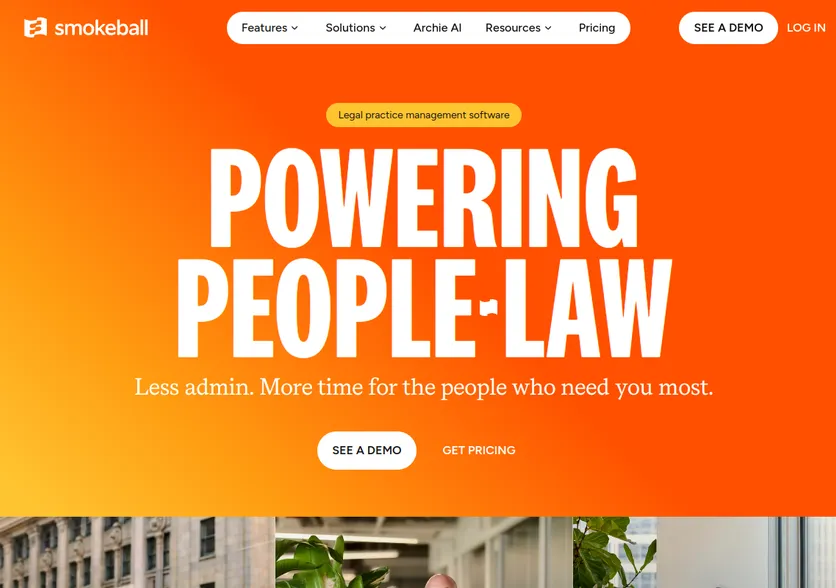
4. Smokeball
Best for: Outlook-based firms that want intake built around email and documents
Paid tool Starting price: $49/user/month · Forty-nine dollars per user per month on the Bill plan, according to the vendor pricing page and November 2026 reads; Boost is listed near eighty-nine dollars, while other November 2026 reads of the same page report different figures from twenty-nine to one hundred forty-nine dollars, so confirm the current price in writing before buying
Free plan: Free trial
Firms that live inside Microsoft Outlook will feel at home with Smokeball, which builds intake around the inbox and the document library. Intake forms and automated document assembly turn a first call into a complete file, with every form pre-filled from the matter details. Automatic time tracking catches the billable minutes that intake calls usually lose, which matters on contingency-heavy workers compensation work.
What we like
- Deep Outlook integration keeps intake inside the inbox
- Document assembly pre-fills forms from matter details
- Automatic time tracking captures intake call minutes
Watch out for
- The published price is disputed across November 2026 reads, so confirm it in writing
- Best suited to firms already committed to Microsoft tools
How to try it
- Save the first client email to the matter straight from Outlook
- Generate the intake packet from document templates
- Check the automatic time log at the end of each intake call
5. Rocket Matter
Best for: Firms that want intake tied to billing from the first call
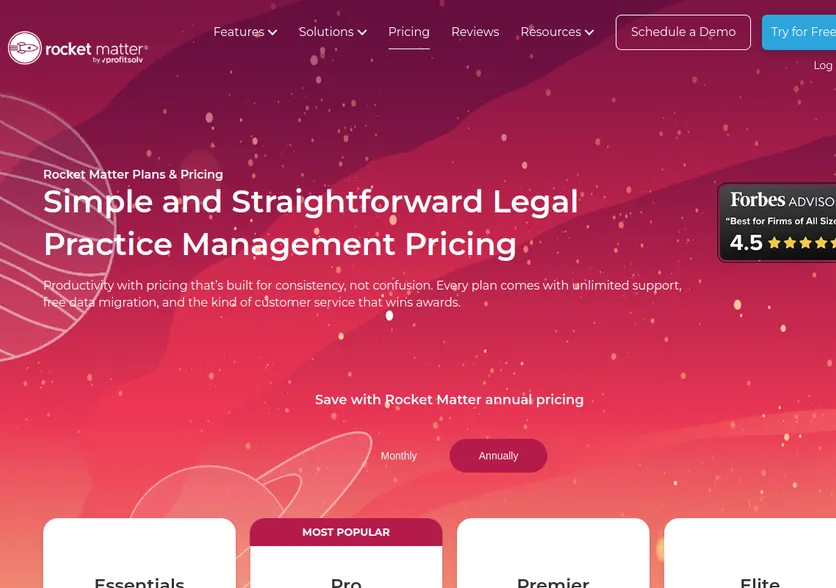
Paid tool Starting price: $59/user/month · Fifty-nine dollars per user per month billed annually on the Essentials plan; Pro is ninety-five dollars, Premier is one hundred fifteen dollars and Elite is one hundred forty-five dollars. Older listings show thirty-nine dollars, which is stale, and the vendor FAQ still says plans start at forty-nine dollars, so confirm before buying
Free plan: Free trial
A firm that wants intake tied to billing from day one can start with Rocket Matter, where every new enquiry opens a matter with time tracking already running. Intake forms, document templates and task lists move the case from first contact to filed claim without a second system. The dashboard shows intake volume beside billable hours, so the firm can see whether new enquiries are turning into revenue.
What we like
- Time tracking runs from the moment the matter opens
- Matter dashboards show intake and billing side by side
- Task lists carry the case from first contact to filing
Watch out for
- The vendor FAQ still says plans start at forty-nine dollars, against the fifty-nine dollar plan card
- Fewer native integrations than the biggest rivals
How to try it
- Open a matter from the intake form with billing rates attached
- Run the document templates for the claim and the fee agreement
- Review intake volume against billable hours each month
6. CosmoLex
Best for: Firms that need trust accounting handled correctly from the first retainer
Paid tool Starting price: $49/user/month · Forty-nine dollars per user per month billed annually on the Launch plan (fifty-nine dollars on monthly billing); Core is ninety-nine dollars and Pro is one hundred twenty-nine dollars per user per month
Free plan: Free trial
For a firm that needs trust accounting handled correctly from the first retainer, CosmoLex pairs intake with a built-in ledger. New clients come in through intake forms, and their payments land in trust accounts that reconcile without a separate bookkeeping tool. Billing, time tracking and document management share the same matter record, so the file a new client opens is complete on day one.

What we like
- Built-in trust accounting removes the separate bookkeeping tool
- Intake, billing and documents share one matter record
- Flat per-user pricing is easy to budget
Watch out for
- No free plan, only a trial, so the first month is paid
- The interface is practical rather than polished
How to try it
- Take the new client through the intake form
- Record the retainer into the built-in trust ledger
- Run the three-way reconciliation before the month closes
7. TimeSolv
Best for: Hourly-billing firms that want intake calls and meetings billed, not forgotten
Paid tool Starting price: $43/user/month · Forty-three dollars per user per month on the Pro plan billed yearly, with a twenty-five percent first-year discount that drops it to thirty-three dollars and is not the list price; Legal is fifty-eight dollars, and another November 2026 read of the vendor page reports forty-nine dollars as the starting price, so confirm before buying
Free plan: Free trial
Time is the product in workers compensation work, and TimeSolv makes sure intake calls and first meetings are billed rather than forgotten. The intake workflow captures the client and the matter, then time tracking and expense entries follow the case from the first consultation. Flexible billing rules handle contingency and hourly mixes, and the reports show which intake sources produce the cases that actually pay.

What we like
- Time tracking starts at the first consultation
- Billing rules handle mixed hourly and contingency cases
- Reports tie intake sources to paying cases
Watch out for
- Another November 2026 read of the vendor page reports forty-nine dollars as the starting price
- The first-year discount can confuse the real list price
How to try it
- Log the intake call against the new matter as it happens
- Set the billing rules for the case, hourly or contingency
- Run the intake-source report to see which enquiries pay
8. Bill4Time
Best for: Firms that bill by the hour from the first consultation
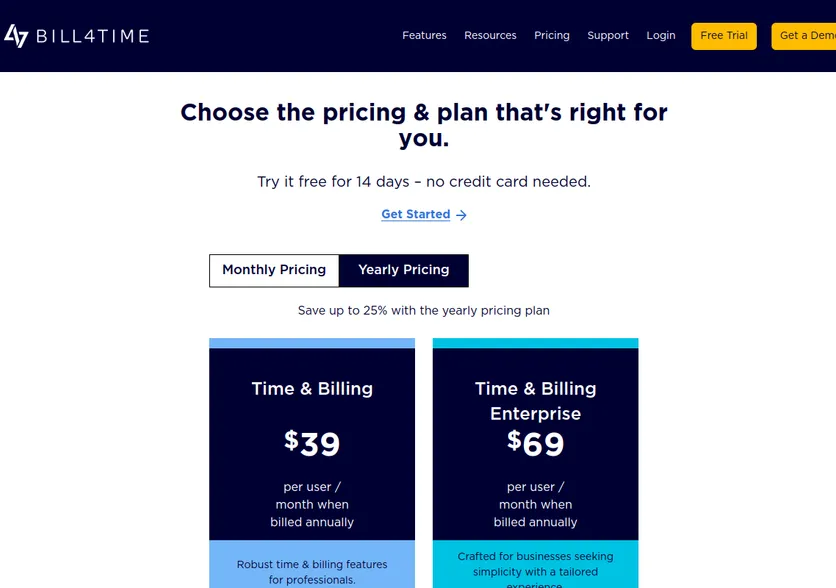
Paid tool Starting price: $39/user/month · Thirty-nine dollars per user per month billed annually on the Time and Billing plan (forty-nine dollars on monthly billing); Legal Pro is fifty-nine dollars, Time and Billing Enterprise is sixty-nine dollars and Legal Enterprise is eighty-nine dollars
Free plan: Free trial
A firm that bills by the hour from the first consultation will find Bill4Time a straightforward home for intake and timekeeping. Client intake forms open matters with billing rates attached, and the timer runs on every call and meeting from that point on. Invoicing pulls the tracked time straight into bills, so the work done during intake shows up on the first invoice instead of vanishing.
What we like
- Simple intake-to-invoice flow with no extra systems
- Timers run on calls and meetings from day one
- Low entry price for a small firm
Watch out for
- No document assembly on the entry plan
- Matter management is lighter than the full practice suites
How to try it
- Open the matter from the intake form with rates attached
- Start the timer on every intake call and client meeting
- Generate the first invoice from the tracked time
Prices above were checked on each vendor’s own website on Nov 28, 2026 and can change — the vendor’s page is the final word. Vendor links are editorial: nobody paid to be listed or ranked here. Vendors who want a featured listing can see how it works on our Get listed page.
How a workers compensation firm should run intake
Answer the first call with a form, not a notebook. A firm that sends every new enquiry the same intake form, with the injury date, employer and medical provider asked up front, can qualify a case in minutes instead of days. Put one person in charge of the pipeline and review it daily, because an enquiry that waits a weekend is an enquiry that calls the next firm. Chase the quiet ones twice, then let them go, and track which sources send the cases that sign, not just the ones that call.
Before you buy
- Check that intake forms, e-signature and follow-up live in the same pipeline
- Confirm whether the price covers every user or only the attorneys on the team
- Ask how intake data moves into the matter file without retyping
- Test the form on a phone, since most injured workers enquire from one
- Run a trial with one real enquiry, from first call to signed agreement, before you commit
Official websites
Official websites of the products reviewed above. Features and prices were checked against these sites when this guide was written, and they can change, so confirm on the vendor site before you buy.
Frequently asked questions
What is legal intake software for workers compensation law firms?
It is software that captures new enquiries, qualifies them with intake forms, collects e-signatures on fee agreements and follows up automatically until the client signs. The tools in this list do that through intake pipelines, document templates and client messaging. None of them replaces the attorney's judgment on whether a case is worth taking, but a good intake system means no enquiry waits days for a callback.
How much does legal intake software cost for a workers compensation firm?
The tools in this list start at thirty-nine to fifty-nine dollars per user per month billed annually. Bill4Time is cheapest at thirty-nine dollars, while PracticePanther, CosmoLex and Clio Manage start at forty-nine dollars and Clio Grow at fifty-nine dollars. Compare the total for the whole team, since per-user pricing multiplies fast across intake staff and attorneys.
Do I need a separate intake tool if I already use practice management software?
Not usually. Most practice management tools in this list include intake forms and pipelines, so a separate intake product adds cost without adding much. Clio Grow is the exception worth considering, because it is built only for intake and sits beside Clio Manage. If your current system already captures enquiries and follows up, spend the money on follow-up discipline instead.
What should a workers compensation intake form ask first?
Start with the injury date, the employer, the medical provider and how the caller found the firm. Those four answers tell you whether the case is in time, who the respondent is and whether the client is already treating. Ask for contact details that actually work, a mobile number and an email, and keep the form short enough to finish on a phone in under five minutes.
Can intake software help with trust accounting for retainers?
Only some tools in this list handle trust accounting. CosmoLex and MyCase include trust ledgers and reconciliation, so a retainer taken at intake lands in the right account. PracticePanther, TimeSolv and Bill4Time need a separate accounting tool for trust work. If your firm takes retainers at intake, pick a tool with the ledger built in rather than bolting one on later.
Compare the eight tools above, then start with a free trial on the tool that matches how your firm already handles first calls before you pay for a full year.
Browse Business Tools tools