On this page
A real estate law firm signs more agreements than most practices: vendors, title companies, inspectors and service providers all come with terms and renewal dates. The eight tools below store those agreements, extract their terms and flag renewals before they pass, and every price was checked on the vendor site. Spendwise leads at nine dollars a user a month as the cheapest published procurement price by a wide margin. The rest are ranked on contract storage, renewal alerts and cost.
How we researched this
We checked every price on the vendor pricing page on November 28, 2026, and only included tools with a published US dollar list price. Gatekeeper, CobbleStone, Icertis and Procurify sell by quote, so they are not in this list. Prices change, so confirm the current figure on the vendor site before you buy.
Compare the tools
| Name | Best for | Starting price | Free plan | |
|---|---|---|---|---|
 Spendwise | Small firms that want purchase orders under control at the lowest price | $9/user/month | 14-day free trial | Visit |
 DocuSign | Firms that need counterparties to sign without friction | $10/month | Free plan | Visit |
 PandaDoc | Firms that draft, send and store agreements in one tool | $19/user/month | Free plan | Visit |
 ContractWorks | Teams that want a flat-priced contract library with alerts | $425/month | 14-day free trial | Visit |
 ContractSafe | Teams that want flat pricing by contract count, not seats | $450/month | Free trial | Visit |
 Concord | Growing teams that want drafting to renewal in one workspace | $499/month | 14-day free trial | Visit |
 Precoro | Finance teams that want purchasing control at a flat price | $499/month | Free trial | Visit |
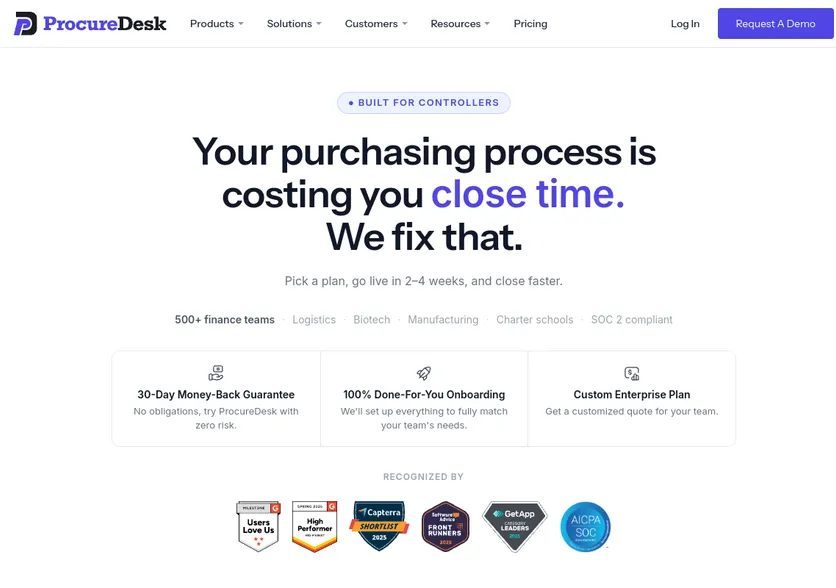
 ProcureDesk | Finance teams that want guided setup and three-way matching | $830/month | 14-day free trial | Visit |
The legal vendor management software for real estate law firms, compared
1. Spendwise
Best for: Small firms that want purchase orders under control at the lowest price
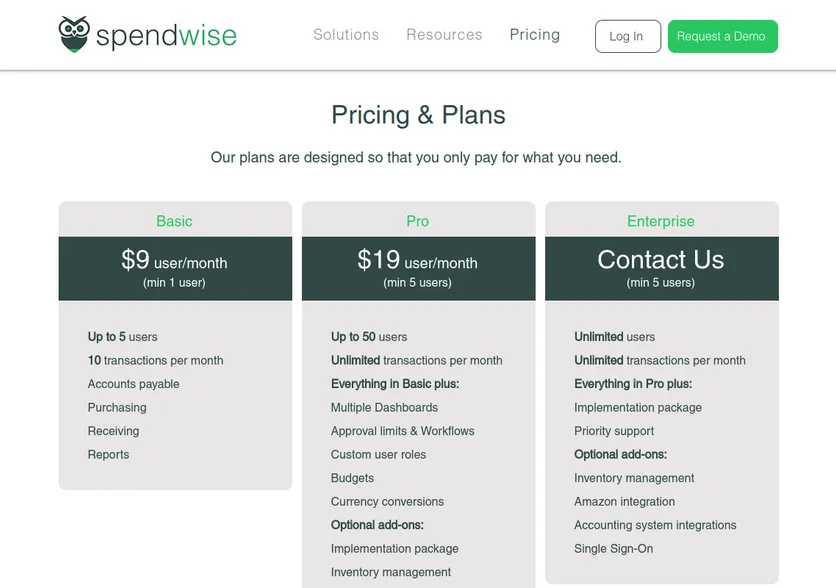
Paid tool Starting price: $9/user/month · Nine dollars per user a month on Basic, for up to five users and ten transactions a month; Pro is nineteen dollars per user a month for five to fifty users with unlimited transactions
Free plan: 14-day free trial
This Spendwise plan costs nine dollars a user a month, and it brings purchase orders, receiving and reports to the smallest teams. A real estate law firm can stop approving vendor spend by email and see every order against its budget. It is the cheapest published procurement price anywhere, though Basic stops at five users.
What we like
- Nine dollars a user a month, the cheapest published procurement price
- Purchase orders, receiving and reports from the first plan
- Quick setup with no implementation project
Watch out for
- Basic stops at five users and ten transactions a month
- Budgets and approval limits need the Pro plan
How to try it
- Add suppliers and set approval rules
- Raise a purchase order against the budget
- Match the invoice and mark the order received
2. DocuSign
Best for: Firms that need counterparties to sign without friction
Paid tool Starting price: $10/month · Ten dollars a month on the Personal plan billed annually; Standard is twenty-five dollars a user a month billed annually and Business Pro is forty dollars
Free plan: Free plan
This DocuSign plan costs ten dollars a month, and it is the signature tool counterparties already know and trust. A firm can send vendor agreements and engagement letters for signature, chase the unsigned ones and file the completed copies. It is the pick when the agreement only needs signing, not a whole contract system.

What we like
- The signature standard that counterparties already trust
- Templates and reminders that chase unsigned documents
- Audit trails on every envelope
Watch out for
- Vendor agreements need the higher plans for bulk send
- Envelope limits apply on the cheaper plans
How to try it
- Upload the agreement and tag the signature fields
- Send the envelope and track who has signed
- File the completed agreement in the matter
3. PandaDoc
Best for: Firms that draft, send and store agreements in one tool
Paid tool Starting price: $19/user/month · Nineteen dollars per user a month billed annually on Starter, or thirty-five dollars billed monthly; Business is forty-nine dollars billed annually, and the free plan allows five documents a month
Free plan: Free plan
This PandaDoc plan costs nineteen dollars a user a month, and it drafts, sends and stores agreements with e-signature built in. A real estate law firm can create vendor agreements from templates, send them for signature and set expiry alerts. It is the pick for a firm that wants documents and signatures in one affordable tool.

What we like
- Unlimited uploads and e-signatures from the Starter plan
- A contract repository with expiry alerts
- Approval workflows and deal rooms on Business
Watch out for
- The free plan allows only five documents a month
- CRM integrations sit on the Business plan
How to try it
- Create the agreement from a template
- Send it for signature with an expiry alert
- Store the signed copy in the repository
4. ContractWorks
Best for: Teams that want a flat-priced contract library with alerts
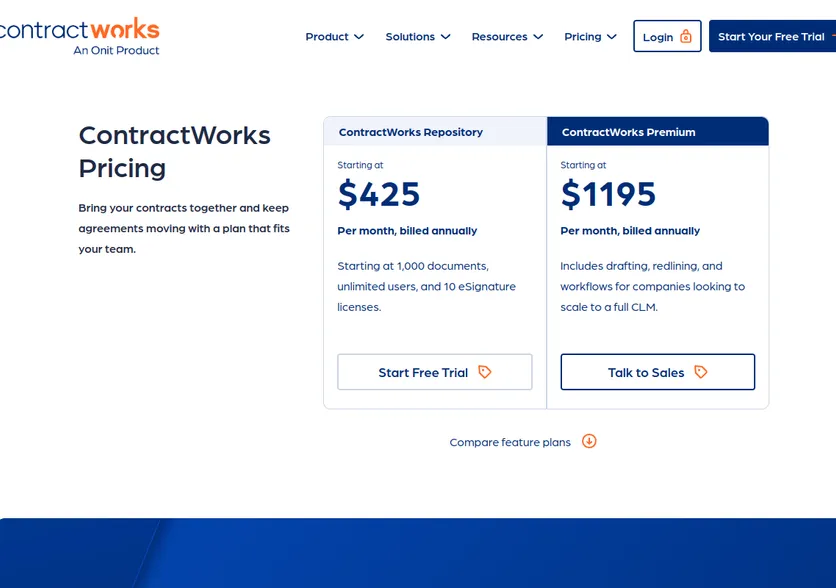
Paid tool Starting price: $425/month · Four hundred and twenty-five dollars a month billed annually on Repository, for up to one thousand documents and unlimited users; Premium starts at one thousand one hundred and ninety-five dollars a month billed annually
Free plan: 14-day free trial
This ContractWorks plan costs four hundred and twenty-five dollars a month, and it keeps signed agreements in a searchable repository with AI tagging. A firm can find any vendor contract, see its renewal date and get an alert before the deadline passes. It is the pick for a firm whose main problem is finding contracts and remembering dates.
What we like
- Unlimited users for a flat monthly price
- AI tagging that pulls dates and parties from each contract
- Milestone alerts before renewals and deadlines
Watch out for
- Drafting and redlining need the Premium plan
- The starting price covers one thousand documents
How to try it
- Upload signed agreements into the repository
- Let AI tag the dates, parties and renewal terms
- Set alerts for every deadline that matters
5. ContractSafe
Best for: Teams that want flat pricing by contract count, not seats
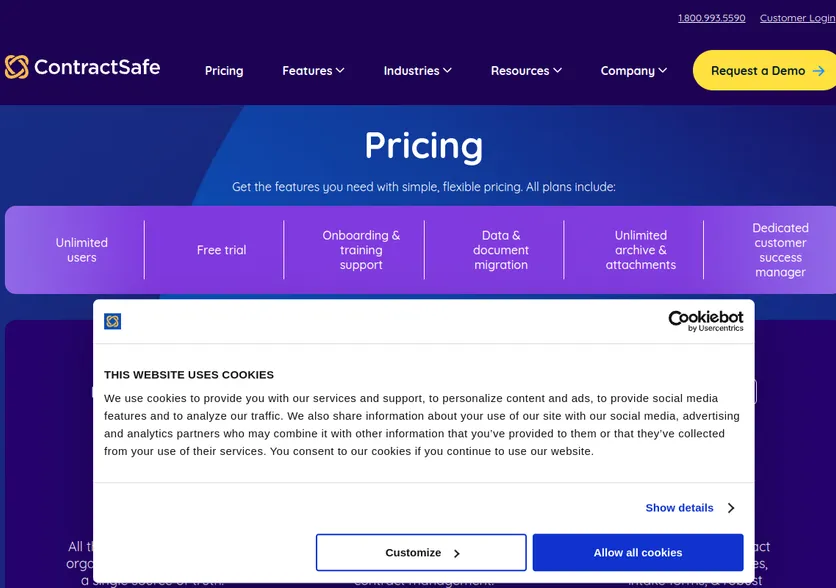
Paid tool Starting price: $450/month · Four hundred and fifty dollars a month billed annually on Organize, or five hundred and forty dollars billed monthly, for up to one hundred contracts and unlimited users; Finalize starts at six hundred and sixty dollars and Maximize at eight hundred and fifteen dollars
Free plan: Free trial
This ContractSafe plan costs four hundred and fifty dollars a month, and it prices by contract count instead of seats so the whole firm can log in. AI extracts the key terms from every agreement, and plain-language search finds the answer to any question. It is the pick for a firm that wants every vendor agreement searchable by everyone.
What we like
- Unlimited users with pricing by contract count, not seats
- AI extraction and plain-language search on every plan
- Unlimited reminders and tags on the Organize plan
Watch out for
- E-signature starts on the Finalize plan
- Templates and the API need the Maximize plan
How to try it
- Upload contracts and let AI extract the key terms
- Tag the owner and set renewal reminders
- Search in plain language when a question comes up
6. Concord
Best for: Growing teams that want drafting to renewal in one workspace
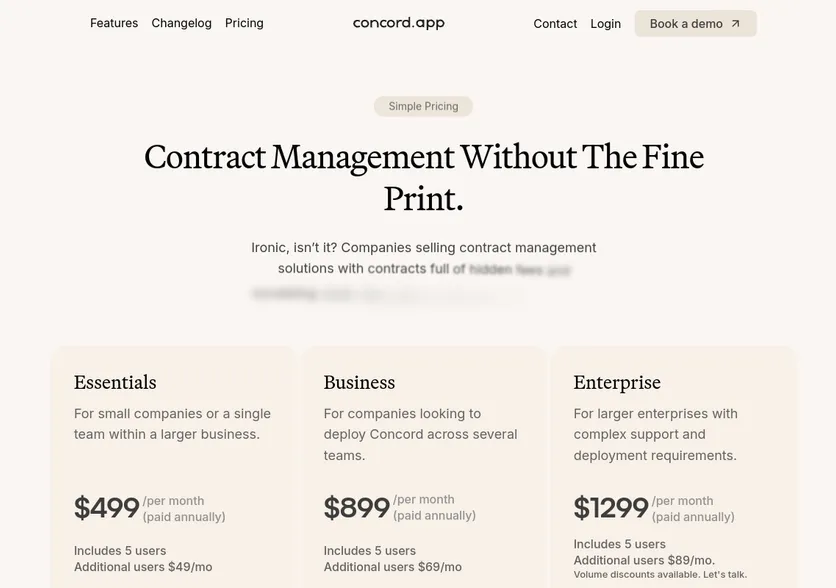
Paid tool Starting price: $499/month · Four hundred and ninety-nine dollars a month billed annually on Essentials, for five users; Business is eight hundred and ninety-nine dollars and Enterprise is one thousand two hundred and ninety-nine dollars, with extra users at forty-nine to eighty-nine dollars a month
Free plan: 14-day free trial
This Concord plan costs four hundred and ninety-nine dollars a month, and it covers drafting, negotiation, signing and renewal in one workspace. A firm can redline with a vendor inside the document, sign it and set the renewal reminder without leaving the tool. It is the pick for a team that negotiates its vendor agreements, not just files them.
What we like
- Drafting, negotiation, signing and renewal in one workspace
- AI Copilot that reviews clauses and extracts terms
- Unlimited e-signatures and storage on every plan
Watch out for
- Essentials covers five users and extra seats cost more
- Approval workflows need the Business plan
How to try it
- Draft the agreement from a template or upload
- Negotiate redlines with the counterparty in the document
- Sign and set the renewal reminder
7. Precoro
Best for: Finance teams that want purchasing control at a flat price
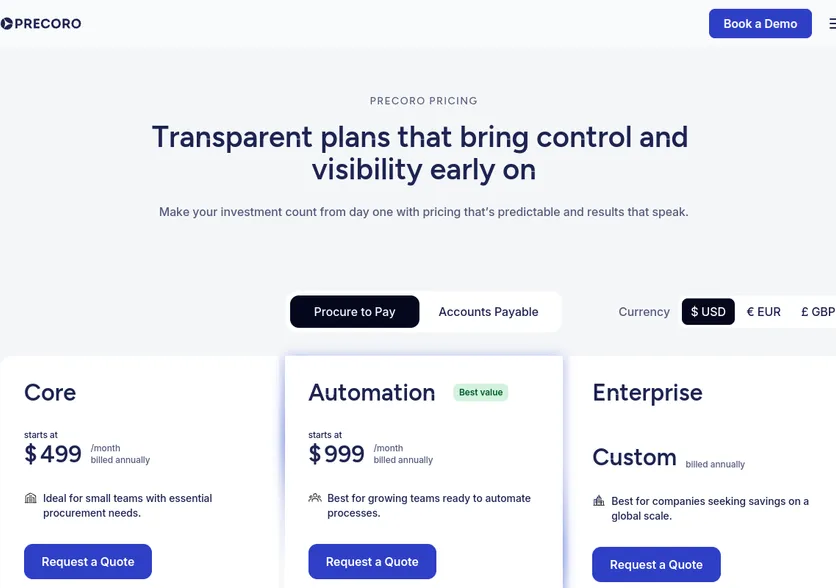
Paid tool Starting price: $499/month · Four hundred and ninety-nine dollars a month billed annually on Core; Automation is nine hundred and ninety-nine dollars a month billed annually and Enterprise is quoted, and the older thirty-five dollar per-user figure is no longer published
Free plan: Free trial
This Precoro plan costs four hundred and ninety-nine dollars a month, and it runs approvals, budgets and three-way matching at a flat price. A firm can set approval chains for each department and match every invoice to its order before paying. It is the pick for a firm that wants purchasing control without per-seat maths.
What we like
- Approvals, budgets and three-way matching at a flat price
- No per-user maths, so the whole team can log in
- QuickBooks, Xero and NetSuite integrations included
Watch out for
- Real-time budget tracking waits for Automation
- Annual billing only, so the minimum is five thousand nine hundred and eighty-eight dollars a year
How to try it
- Set budgets and approval chains for each department
- Raise purchase requests and approve them in Precoro
- Match invoices to orders before paying
8. ProcureDesk
Best for: Finance teams that want guided setup and three-way matching
Paid tool Starting price: $830/month · Eight hundred and thirty dollars a month billed annually on Startup, or nine thousand nine hundred and sixty dollars a year, for ten users; Growth is one thousand two hundred and fifty dollars a month for twenty users, and extra users cost twenty dollars a month
Free plan: 14-day free trial
This ProcureDesk plan costs eight hundred and thirty dollars a month, and it adds guided setup and three-way matching to the procurement workflow. A firm gets custom approval workflows, purchase order tracking and integrations with the accounting tools it already uses. It is the dearest tool here, and it suits a firm that wants implementation done for it.
What we like
- Guided setup with three-way matching included
- Custom approval workflows for every department
- Integrations with QuickBooks, Xero and NetSuite
Watch out for
- Startup starts at eight hundred and thirty dollars a month
- Supplier onboarding and single sign-on need Growth
How to try it
- Configure approval workflows for each spend category
- Raise and approve purchase orders in the system
- Match the invoice to the order and the receipt
Prices above were checked on each vendor’s own website on Nov 28, 2026 and can change — the vendor’s page is the final word. Vendor links are editorial: nobody paid to be listed or ranked here. Vendors who want a featured listing can see how it works on our Get listed page.
How to keep vendor agreements under control
File every agreement the day it is signed, with the owner and the renewal date tagged before it leaves your desk. A real estate law firm that files late discovers renewals after they pass, so make filing part of the signing step itself. Set the alert for sixty days before renewal, because that leaves time to renegotiate or cancel. Review the whole agreement list once a quarter and close the ones that have ended, because a stale repository hides the live obligations. Assign every agreement an owner, because an agreement nobody owns is an agreement nobody renews or cancels on time.
Before you buy
- Check whether the price is per user, per contract or flat
- Ask which plans include renewal alerts and AI extraction
- Confirm e-signature is included or a higher tier
- Test the search on a real agreement before you commit
- Make sure the whole team can log in without per-seat surprises
Official websites
Official websites of the products reviewed above. Features and prices were checked against these sites when this guide was written, and they can change, so confirm on the vendor site before you buy.
Frequently asked questions
What is legal vendor management software for real estate law firms?
It is software that stores vendor agreements, extracts their terms and flags renewal dates before they pass. The tools in this list cover the whole job, from purchase orders and approvals to signed contracts and e-signatures. A good tool answers one question fast: which agreements are active, who owns them and when do they renew.
How much does Spendwise cost?
Spendwise costs nine dollars per user a month on Basic, for up to five users and ten transactions a month. Pro costs nineteen dollars per user a month for five to fifty users with unlimited transactions, budgets and approval limits. It is the cheapest published procurement price in this list by a wide margin.
Can a real estate law firm start for free?
PandaDoc and DocuSign offer free plans, and most other tools in this list offer free trials, including ContractWorks with fourteen days. The free plans cover only a few documents a month, so a firm with regular vendor agreements will need a paid plan. ContractSafe, Concord, Precoro and ProcureDesk have no free plan.
Which tool is best for a real estate law firm?
ContractWorks is the strongest fit for a real estate law firm because it stores signed agreements with AI tagging and renewal alerts for a flat four hundred and twenty-five dollars a month. Spendwise is the value pick for purchase orders at nine dollars a user a month. PandaDoc is the pick when the firm mostly needs to draft and sign agreements.
Do these tools handle renewal alerts?
Yes, renewal alerts are the core feature here: ContractWorks, ContractSafe and PandaDoc all flag expiry and renewal dates before they pass. Concord and ContractSafe add AI extraction, so the dates are pulled from the document itself. Set the alert owner and the lead time when the agreement is filed, not after the deadline is missed.
Compare the eight tools above, then start with a free trial on the tool that matches how your firm handles vendor agreements before you pay for a full year.
Browse Business Tools tools