
On this page
Vendor management sounds like an enterprise problem until the first unapproved purchase, the first missing invoice and the first supplier with no tax form land on the same desk. The seven tools below handle budgets, approvals, purchase orders and supplier payments, with entry prices from nine dollars a user a month to eight hundred thirty dollars a month. Every price was checked on the vendor site on November 26, 2026. Precoro is our first pick — the most complete procure-to-pay platform here, from four hundred ninety-nine dollars a month.
How we researched this
We started with the vendor management tools small teams actually buy, then read each price on the vendor pricing page on November 26, 2026 and noted the free trial or free plan each one carries. We judged them for a freelancer or small team that buys from vendors and needs approvals, purchase orders and budgets without an enterprise suite. We kept only tools with a published price, and we dropped Procurify, Coupa, SAP Ariba, Zip, Airbase, Gatekeeper and Kissflow because none of them publishes a price.
Compare the tools
| Name | Best for | Starting price | Free plan | |
|---|---|---|---|---|
 Precoro | Teams that need budget control across locations and vendors | $499/month | No free tier published; demo available | Visit |
 Tradogram | Small buying teams that want sourcing and purchase orders cheap | $99/month | Free plan capped at 5 transactions a month | Visit |
 Spendwise | Low-volume teams that want simple purchase orders per user | $9/user/month | No free tier published; free trial available | Visit |
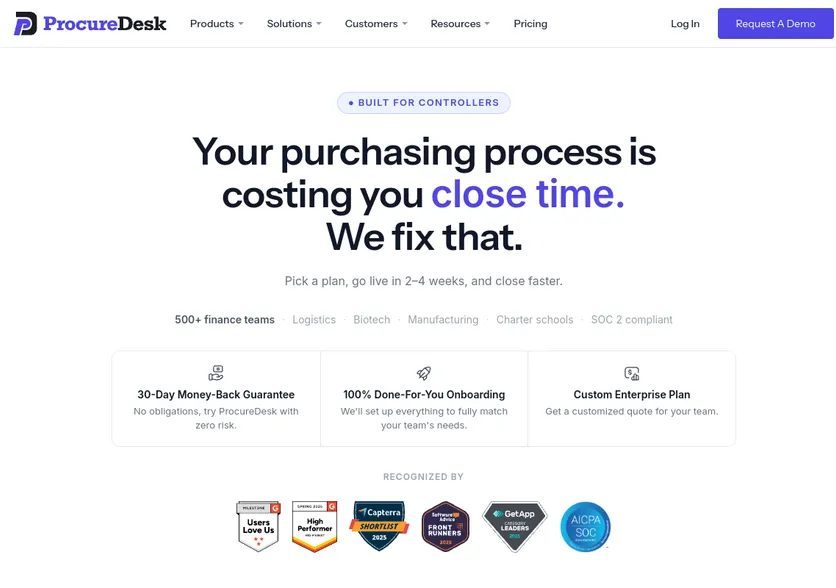
 ProcureDesk | Finance teams that want guided setup and three-way matching | $830/month | No free tier published; demo available | Visit |
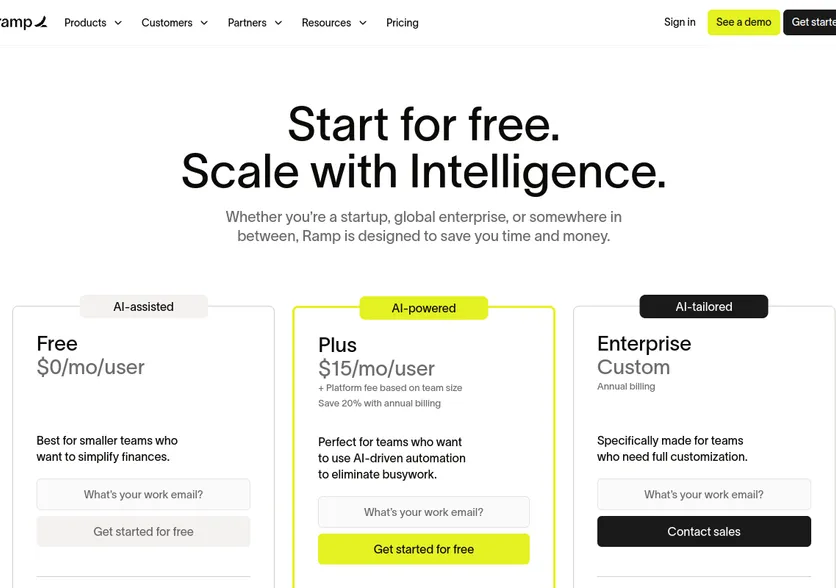
 Ramp | Teams that run spend on corporate cards and want procurement alongside | $15/user/month | Free base tier | Visit |
 Tipalti | Small teams paying suppliers across borders | $99/month | No free tier published; demo available | Visit |
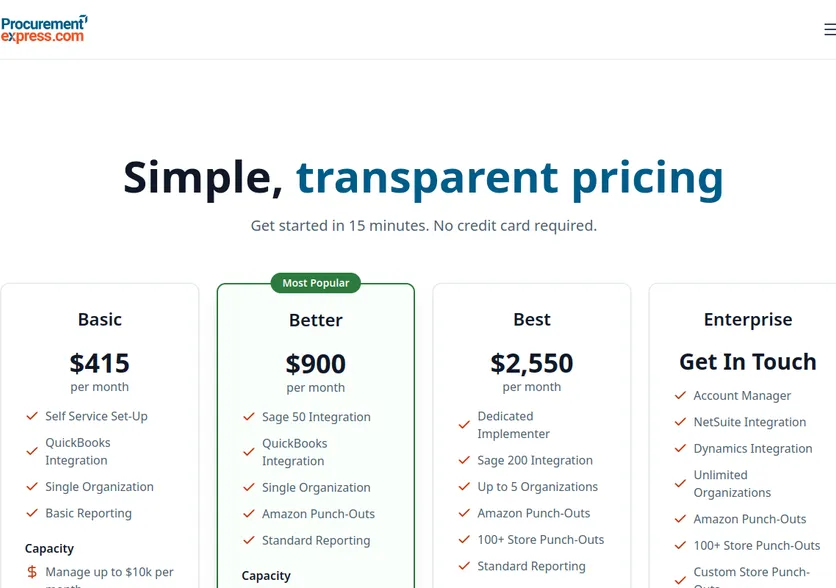
 ProcurementExpress.com | Small teams that want approvals by email and a quick setup | $415/month | 14-day free trial | Visit |
The vendor management software tools, compared
1. Precoro
Best for: Teams that need budget control across locations and vendors
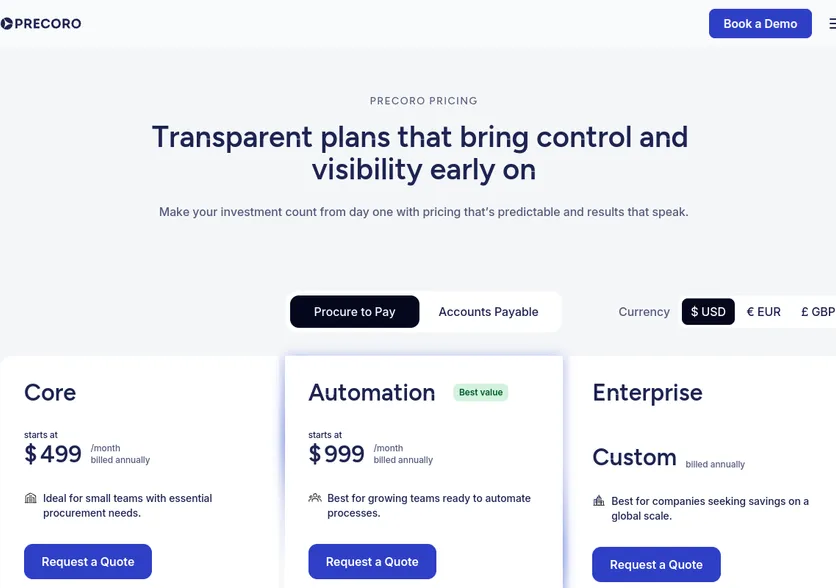
Paid tool Starting price: $499/month · Core plan, $499 a month billed annually; Automation $999 a month
Free plan: No free tier published; demo available
Precoro is a procure-to-pay platform that controls spending before it happens, with budgets, approvals and purchase orders in one place. This Precoro Core plan covers purchase requests, approvals and budgets for four hundred ninety-nine dollars a month billed annually. A team with several locations can see what each one spends before the invoice arrives.
What we like
- Real-time budgets across locations
- Approval chains before money is spent
- Inventory tracking included on higher plans
Watch out for
- Core costs $499 a month billed annually
- No free tier published on the pricing page
How to try it
- Open the Precoro pricing page and book a demo
- Set up budgets and approval chains for your team
- Create your first purchase order and track it
2. Tradogram
Best for: Small buying teams that want sourcing and purchase orders cheap
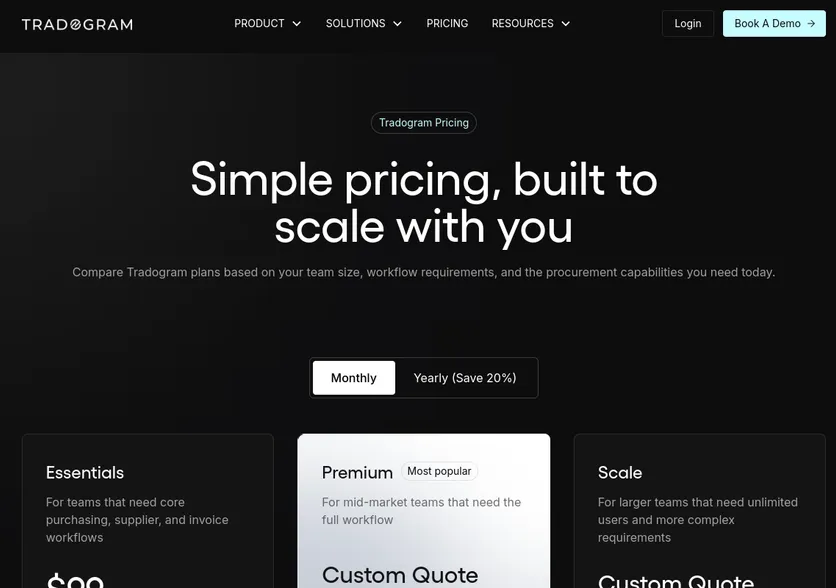
Paid tool Starting price: $99/month · Essentials plan, $99 a month for 1 user; Pro from about $195 a month; free plan capped at 5 transactions a month
Free plan: Free plan capped at 5 transactions a month
Tradogram is a procurement tool for small teams, with sourcing, purchase orders and vendor management at a price a small business can afford. This Tradogram Essentials plan covers one user with purchase orders, approvals and supplier records for ninety-nine dollars a month. A small buying team can replace spreadsheets with a real system without a big budget.
What we like
- The cheapest full procurement plan here
- Free plan for the smallest teams
- Sourcing and RFx tools included
Watch out for
- Essentials costs $99 a month for one user
- Sourcing extras sit on higher plans
How to try it
- Open the Tradogram pricing page and create an account
- Add your vendors and set up approval rules
- Create a purchase order and send it to a supplier
3. Spendwise
Best for: Low-volume teams that want simple purchase orders per user
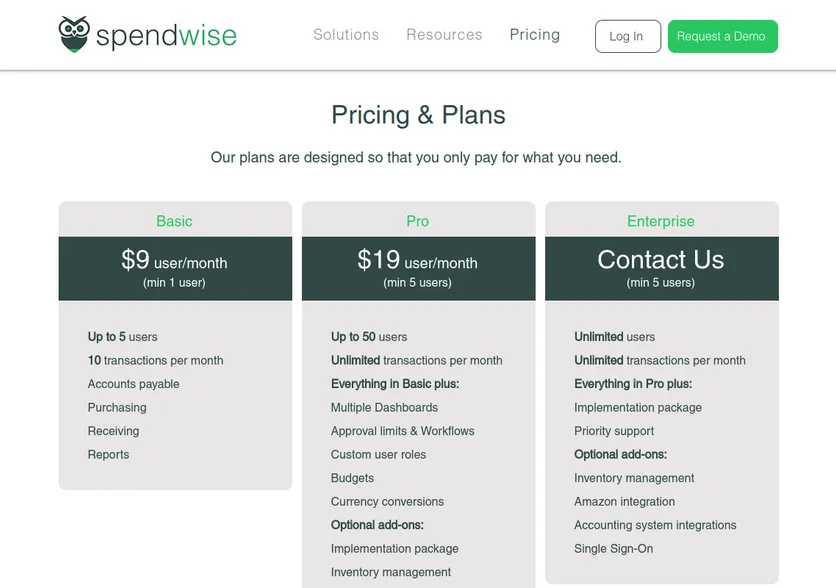
Paid tool Starting price: $9/user/month · Basic plan, $9 a user a month for up to 5 users and 10 transactions a month; Pro $19 a user a month
Free plan: No free tier published; free trial available
Spendwise is a lightweight purchasing tool for small teams that want purchase orders and approvals without a large platform fee. This Spendwise Basic plan covers purchase orders, receiving and reports for nine dollars a user a month. A team of five can run its whole buying process for less than fifty dollars a month.
What we like
- Lowest per-user price on this list
- Self-serve setup with no consultant
- Purchase orders and approvals included
Watch out for
- Basic costs $9 a user a month for up to 5 users
- Basic caps at ten transactions a month
How to try it
- Open the Spendwise pricing page and start a trial
- Add your vendors and set up approval chains
- Create purchase orders and track deliveries
4. ProcureDesk
Best for: Finance teams that want guided setup and three-way matching
Paid tool Starting price: $830/month · Startup plan, $830 a month billed annually for 10 users; Growth $1,250 a month for 20 users; $20 a month per extra user
Free plan: No free tier published; demo available
ProcureDesk connects procurement and accounts payable in one system, so purchase orders, receipts and invoices share a single workflow. This ProcureDesk Startup plan covers ten users with guided setup for eight hundred thirty dollars a month billed annually. A finance team can close the month faster when every invoice matches a purchase order automatically.
What we like
- Three-way matching cuts month-end close time
- Guided setup done for you in two to four weeks
- Fixed annual price for ten users
Watch out for
- Startup costs $830 a month billed annually
- Supplier onboarding needs the Growth plan
How to try it
- Open the ProcureDesk pricing page and book a demo
- Set up your vendors and approval chains
- Create purchase orders and match invoices automatically
5. Ramp
Best for: Teams that run spend on corporate cards and want procurement alongside
Paid tool Starting price: $15/user/month · Ramp Plus, $15 a user a month plus an unpublished platform fee; procurement is an add-on on top of Plus; free base tier available
Free plan: Free base tier
Ramp is a spend platform that combines corporate cards, expenses and bill pay, with procurement as an add-on for teams that want it all in one place. This Ramp Plus plan covers custom approvals, purchase orders and three-way matching for fifteen dollars a user a month plus a platform fee. A team already running cards on Ramp can add procurement without a second vendor.
What we like
- Cards, expenses and procurement in one platform
- Free base tier to start
- Real-time budgets and card controls
Watch out for
- Plus costs $15 a user a month plus a platform fee
- Procurement is an add-on, not priced publicly
How to try it
- Open the Ramp pricing page and create an account
- Set up Ramp Plus and your approval rules
- Add the procurement module and create purchase orders
6. Tipalti
Best for: Small teams paying suppliers across borders
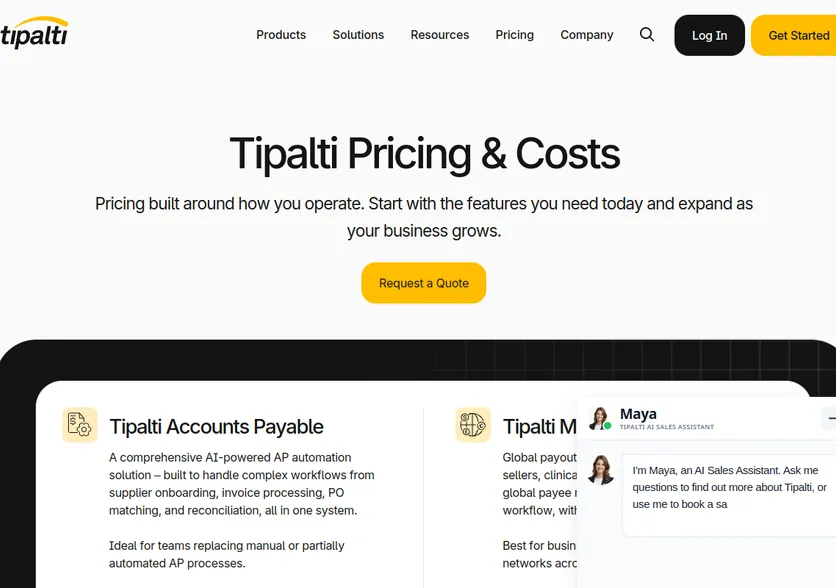
Paid tool Starting price: $99/month · Accounts Payable plan, $99 a month plus transaction fees; supplier onboarding and global payments included
Free plan: No free tier published; demo available
Tipalti is an accounts payable platform that handles supplier onboarding, global payments and tax compliance for teams that pay vendors worldwide. This Tipalti Accounts Payable plan covers supplier payments and tax forms for ninety-nine dollars a month plus transaction fees. A small business paying suppliers in several countries can handle tax forms and payments in one place.
What we like
- Global payments with tax compliance built in
- Supplier onboarding with tax forms
- Handles many currencies and payment methods
Watch out for
- Accounts Payable costs $99 a month plus fees
- Transaction fees add to the monthly price
How to try it
- Open the Tipalti pricing page and book a demo
- Onboard your suppliers with tax forms
- Set up payment runs and approve invoices
7. ProcurementExpress.com
Best for: Small teams that want approvals by email and a quick setup
Paid tool Starting price: $415/month · Basic plan, $415 a month for up to $10,000 a month in spend; 14-day free trial
Free plan: 14-day free trial
ProcurementExpress is a simple procurement tool built around email approvals, so a small team can approve purchases without learning a new system. This ProcurementExpress Basic plan covers approvals, purchase orders and budgets for four hundred fifteen dollars a month. A team that approves spending by email can keep the same habit with a proper audit trail.
What we like
- Approvals by email, with no app to learn
- Quick setup for small teams
- Budget tracking on the Basic plan
Watch out for
- Basic costs $415 a month
- Basic caps at ten thousand dollars a month in spend
How to try it
- Open the ProcurementExpress pricing page and start a trial
- Add your team and set up approval chains
- Approve purchase orders by email and track budgets
Prices above were checked on each vendor’s own website on Nov 26, 2026 and can change — the vendor’s page is the final word. Vendor links are editorial: nobody paid to be listed or ranked here. Vendors who want a featured listing can see how it works on our Get listed page.
What vendor management software costs in 2026
Vendor tools charge per user or per month, and the cheaper model depends on your team size. Per-user plans run from nine dollars a user a month for Spendwise to fifteen dollars a user a month for Ramp Plus, while flat plans run from ninety-nine dollars a month for Tradogram and Tipalti to eight hundred thirty dollars a month for ProcureDesk. The headline plan each vendor shows on its own pricing page is the number in the table above, checked on November 26, 2026.
Count your vendors and your buyers, then compare the models at your real numbers. A team of five pays less than fifty dollars a month on a per-user plan, while a team of fifty pays far less on a flat plan. Trial one tool on a real purchase, and check whether supplier onboarding is included before you commit.
Before you buy
- Count your vendors first, because per-user pricing suits small teams while flat plans suit large ones.
- Check whether supplier onboarding is included, because a tool without it leaves you chasing paperwork by email.
- Ask whether purchase orders and approvals are included, because buying without approvals is where budgets leak.
- Test the tool on a real purchase, because a demo never shows how it handles your messy vendor list.
- Add up the yearly cost, because a low monthly price with no annual discount costs more over twelve months.
Official websites
Official websites of the products reviewed above. Features and prices were checked against these sites when this guide was written, and they can change, so confirm on the vendor site before you buy.
Frequently asked questions
Which vendor management software is best for freelancers in 2026?
Precoro, at four hundred ninety-nine dollars a month, is the safest default because it covers budgets, approvals and purchase orders with real-time control across locations. Tradogram is better for a small team, at ninety-nine dollars a month with sourcing included. Spendwise wins on price, at nine dollars a user a month for simple purchase orders and approvals.
What is the cheapest vendor management software?
Spendwise, at nine dollars a user a month, is the cheapest per-user price here, and a team of five pays less than fifty dollars a month. Tradogram and Tipalti both start at ninety-nine dollars a month flat, which suits a team with many users. Ramp has a free base tier, and Tradogram has a free plan capped at five transactions a month.
Why do so many vendor management tools hide their prices?
Most of the big names are quote-only, including Procurify, Coupa, SAP Ariba, Zip and Airbase, which is why this list leans on tools that publish prices. Procurify publishes nothing and third-party trackers put it around fifteen thousand dollars a year. Gatekeeper stopped publishing prices too, and Kissflow no longer lists tier prices on its own site.
What should I look for in vendor management software?
Look for budgets and approvals first, since pre-spend control is where vendor management saves money. Check whether supplier onboarding is included, because a tool without it leaves you chasing paperwork by email. Test the tool on a real purchase, and count the cost at your real vendor count before committing.
What is the difference between procurement and accounts payable software?
Use a procurement tool like Precoro or Tradogram when you need budgets, approvals and purchase orders before money is spent. Use an accounts payable tool like Tipalti when the pain is paying suppliers across borders with tax forms. Many teams need both, and Ramp covers cards, expenses and procurement in one platform.
Need everyday business help too? Try Toolsvine's free business tools for small teams right in your browser.
Browse Business Tools tools


