On this page
Live chat has become a core support channel, and the right platform depends on whether you prioritize AI resolution, sales conversations or simplicity. The eight tools below answer visitors in real time, resolve routine questions automatically and hand off to a person when it matters. Zendesk leads the list because its Suite Team plan pairs AI agents with ticketing for fifty-five dollars per agent a month, and the other seven tools are judged on the same practical test: how much of the support workload they resolve for the price.
How we researched this
We checked every price on the vendor pricing page on November 28, 2026, and only included tools with a published US dollar list price, so Drift publishes no prices and is not in this list, while Zendesk Support Team at nineteen dollars covers email ticketing only, so the live chat price is Suite Team at fifty-five dollars. Prices change, so confirm the current figure on the vendor site before you buy.
Compare the tools
| Name | Best for | Starting price | Free plan | |
|---|---|---|---|---|
 Zendesk | Teams that want AI agents resolving issues end to end | $55/agent/month | 14-day free trial | Visit |
 LiveChat | Sites focused on sales conversations from support chats | $19/user/month | 14-day free trial | Visit |
 Help Scout | Customer-first brands wanting simpler support tooling | $25/user/month | Free plan | Visit |
 Freshdesk | Teams that want omnichannel ticketing with automation | $19/agent/month | Free program for 2 agents, 6 months | Visit |
 Intercom | Teams that want a modern messenger with AI resolution | $29/seat/month | 14-day free trial | Visit |
 Olark | Marketers wanting an AI agent on site | $29/agent/month | 14-day free trial | Visit |
 Tidio | Smaller businesses that want chat tied to revenue | $29/month | Free plan | Visit |
 Crisp | Teams that want multichannel messaging in one platform | $45/month | Free plan | Visit |
The live chat software for customer support, compared
1. Zendesk
Best for: Teams that want AI agents resolving issues end to end
Paid tool Starting price: $55/agent/month · Fifty-five dollars per agent a month on the Suite Team plan billed annually, or sixty-nine dollars billed monthly; Support Team is nineteen dollars but covers email ticketing only, with no live chat; Suite Professional is one hundred and fifteen dollars
Free plan: 14-day free trial
For fifty-five dollars per agent a month billed annually, Zendesk Suite Team pairs AI agents with a broad service platform for end-to-end issue resolution. The AI agents resolve issues rather than only deflecting them, and chat sits alongside ticketing, a help center and telephony in one system. It suits support organizations that want chat as part of a wider service operation and care about quality, speed and scale.

What we like
- AI agents resolve issues end to end
- Broad customer service platform
- Focus on service quality and scale
Watch out for
- Can feel heavy for small teams
- Setup involves many configuration choices
How to try it
- Set up messaging, ticketing and the help center
- Configure AI agents for your common issues
- Route chats to the right team with triggers
2. LiveChat
Best for: Sites focused on sales conversations from support chats
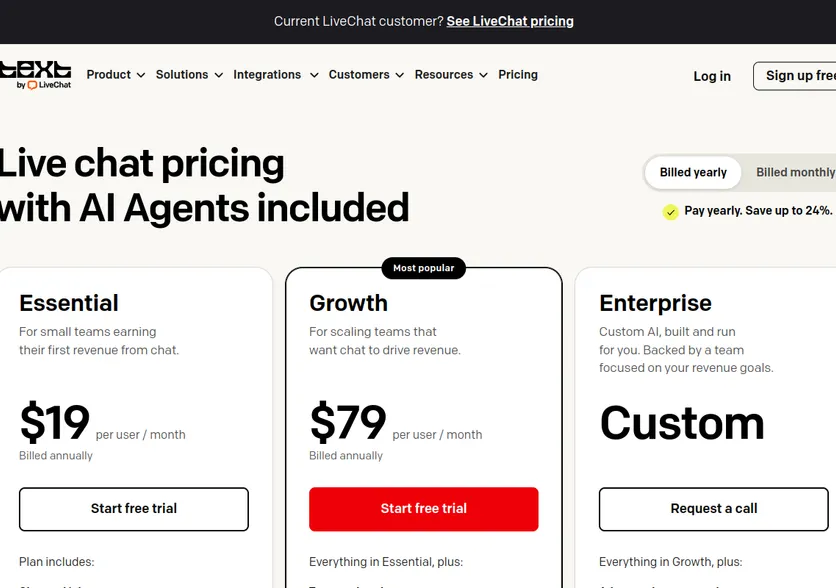
Paid tool Starting price: $19/user/month · Nineteen dollars per user a month on the Essential plan billed annually, or twenty-five dollars billed monthly; Growth is seventy-nine dollars a user a month billed annually, or ninety-nine dollars billed monthly; Enterprise is quoted; the product is now sold as Text by LiveChat
Free plan: 14-day free trial
At nineteen dollars per user a month billed annually, LiveChat Essential is live chat software for your website with an AI Agent that answers around the clock. The product emphasizes qualifying leads and tracking sales from chats, so it fits businesses where support conversations often turn into revenue opportunities. A chat-first experience matters more here than a sprawling service suite.
What we like
- AI Agent answers around the clock
- Qualifies leads and tracks sales
- Straightforward website chat focus
Watch out for
- Sales emphasis may not fit pure support
- Fewer deep service workflows than suites
How to try it
- Install the chat widget on your website
- Configure the AI Agent with your support content
- Set up lead qualification and sales tracking
3. Help Scout
Best for: Customer-first brands wanting simpler support tooling
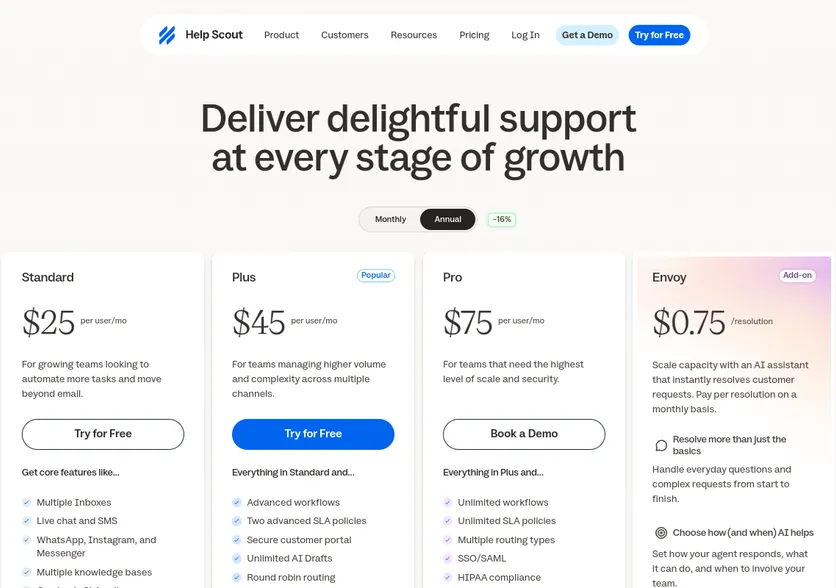
Paid tool Starting price: $25/user/month · Twenty-five dollars per user a month on the Standard plan billed annually, or thirty dollars billed monthly; Plus is forty-five dollars and Pro is seventy-five dollars; the free plan covers up to five users; AI Answers costs seventy-five cents per resolution
Free plan: Free plan
Costing twenty-five dollars per user a month billed annually, Help Scout Standard is the AI-driven support platform for customer-first brands, delivering powerful, intuitive features at a fraction of the cost of larger platforms. It combines a shared inbox, live chat, messaging channels and a knowledge base in one place. Teams that value simplicity and a customer-first posture over sprawling feature lists will find it a natural fit.
What we like
- Intuitive features for support teams
- AI-driven support platform
- Positioned as a cost-conscious alternative
Watch out for
- Chat is one part of a support suite
- Confirm chat specifics on the vendor site
How to try it
- Create a shared inbox for your team
- Add live chat to your website
- Build Docs articles for common questions
4. Freshdesk
Best for: Teams that want omnichannel ticketing with automation
Paid tool Starting price: $19/agent/month · Nineteen dollars per agent a month on the Growth plan billed annually, or twenty-three dollars billed monthly; Pro is fifty-five dollars and Enterprise is eighty-nine dollars; the free program covers two agents for six months and is not a permanent free tier; omnichannel plans start at twenty-nine dollars
Free plan: Free program for 2 agents, 6 months
For nineteen dollars per agent a month billed annually, Freshdesk Growth is an AI-powered customer service solution with omnichannel ticketing and automated workflows. It aims to boost agent productivity and deliver seamless experiences across channels, with five hundred Freddy AI Agent sessions included. Ecommerce and service teams that handle chat alongside email in a ticketing model will find the structure familiar.

What we like
- Omnichannel ticketing in one place
- Automated workflows to boost productivity
- AI features aimed at agent efficiency
Watch out for
- Chat is one part of a larger suite
- Configuration options can feel extensive
How to try it
- Set up the shared inbox and ticket workflows
- Add live chat to your website
- Configure automations for routing and SLAs
5. Intercom
Best for: Teams that want a modern messenger with AI resolution
Paid tool Starting price: $29/seat/month · Twenty-nine dollars per seat a month on the Essential plan billed annually, or thirty-nine dollars billed monthly; Advanced is eighty-five dollars and Expert is one hundred and thirty-two dollars; Fin AI costs ninety-nine cents per resolved outcome on top
Free plan: 14-day free trial
At twenty-nine dollars per seat a month billed annually, Intercom Essential gives a support team a shared inbox, unlimited live chat, a help center and automation workflows. Its Fin AI agent resolves conversations for ninety-nine cents per outcome on top of the seat price. It suits teams that want a modern messenger-style chat experience with AI resolution built in from the start.

What we like
- Shared inbox with unlimited live chat
- Fin AI agent for automated resolution
- Help center and automation included
Watch out for
- Fin outcomes add ninety-nine cents each
- No permanent free tier
How to try it
- Install the Intercom Messenger on your site
- Set up the shared inbox and team roles
- Configure Fin with your help center content
6. Olark
Best for: Marketers wanting an AI agent on site
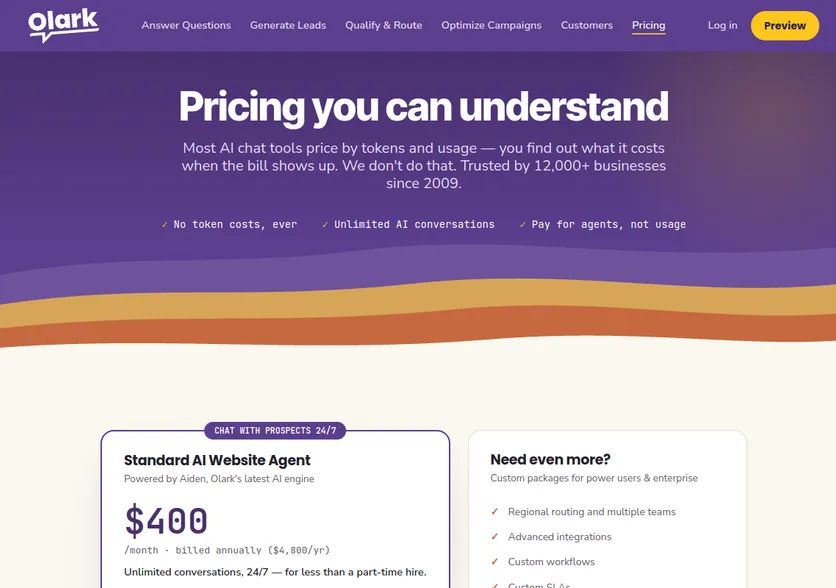
Paid tool Starting price: $29/agent/month · Twenty-nine dollars per agent a month for human-only live chat; the Standard AI Website Agent costs four hundred dollars a month billed annually and includes one human seat, with extra seats at twenty-nine dollars each; PowerUps for co-browsing and translation cost extra
Free plan: 14-day free trial
For twenty-nine dollars per agent a month, Olark offers an AI agent that works your marketing funnel around the clock, answering questions, qualifying visitors and knowing when to bring in a human. It trains on your own site in under a minute, which makes it quick to deploy for a support team that also handles sales inquiries. The marketing-funnel framing means it is strongest for visitor engagement and qualification.
What we like
- AI agent trained on your own site
- Answers questions and qualifies visitors
- Knows when to bring in a human
Watch out for
- Positioned for marketers more than support teams
- Less suited to large service operations
How to try it
- Add the Olark widget to your website
- Train the AI agent on your support pages
- Set handoff rules for complex questions
7. Tidio
Best for: Smaller businesses that want chat tied to revenue
Paid tool Starting price: $29/month · Twenty-nine dollars a month on the Starter plan, or twenty-four dollars and seventeen cents a month billed annually, for one hundred billable conversations; the Lyro AI agent is a separate meter from thirty-nine dollars a month for fifty AI conversations; Growth starts at fifty-nine dollars a month
Free plan: Free plan
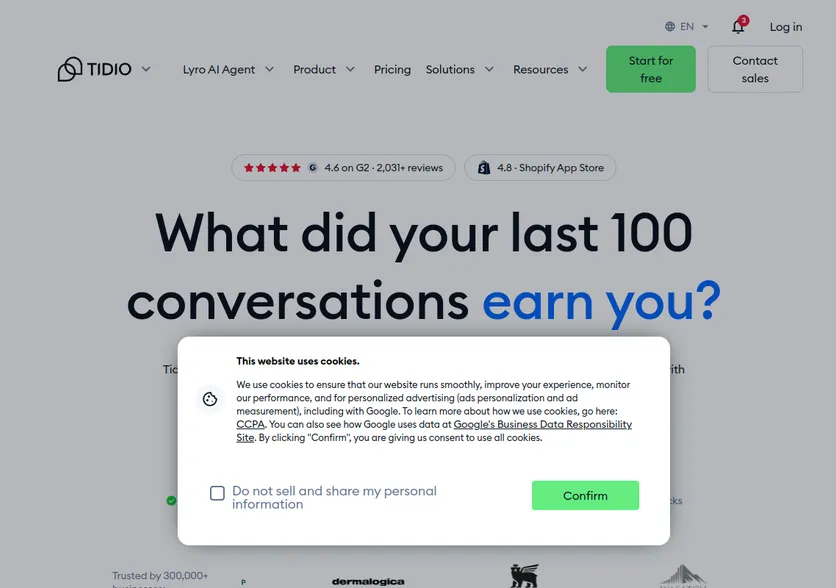
Costing twenty-nine dollars a month, Tidio Starter presents AI customer service that turns chats into revenue, with its Lyro assistant resolving questions instantly and turning the rest into sales, leads and bookings you can attribute. It suits smaller businesses that want to see what customer conversations earn while keeping support responsive. The revenue-oriented positioning is less relevant for teams measured purely on resolution quality.
What we like
- Lyro resolves questions instantly
- Attributes sales, leads and bookings
- Clear revenue framing for chats
Watch out for
- Revenue focus may not suit every support team
- AI is a separate meter from thirty-nine dollars
How to try it
- Install Tidio and connect your channels
- Train Lyro on your help content
- Track which chats turn into sales or bookings
8. Crisp
Best for: Teams that want multichannel messaging in one platform
Paid tool Starting price: $45/month · Forty-five dollars a month on the Mini plan per workspace, for four seats; Free covers two seats and Essentials is ninety-five dollars a month for ten seats, with Plus at two hundred and ninety-five dollars; Hugo AI credits are metered on top
Free plan: Free plan
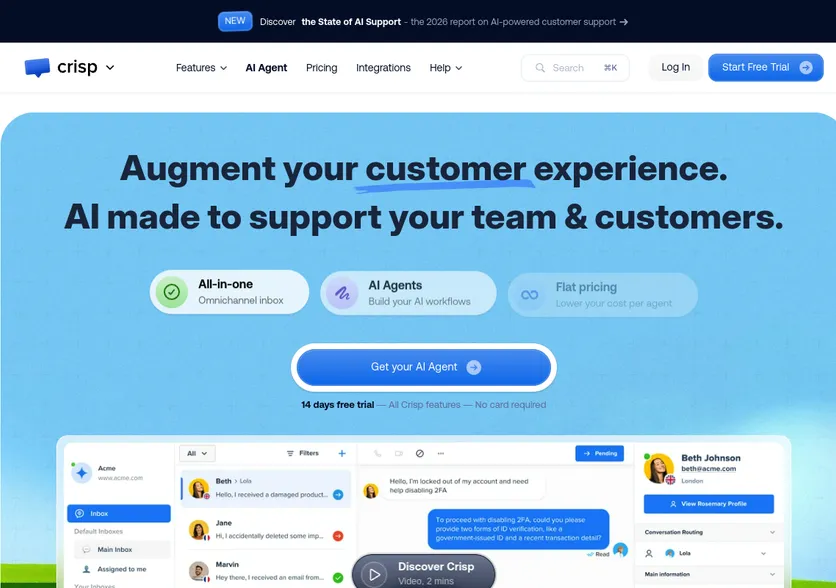
At forty-five dollars a month per workspace, Crisp calls itself the AI customer support platform for every business, an all-in-one multichannel messaging platform that connects instantly with customers or leads. It fits teams that want several messaging channels handled in one place alongside an evolving toolkit. An all-in-one approach means more moving parts to configure, so confirm the channel coverage you need.
What we like
- All-in-one multichannel messaging
- AI-powered support positioning
- Connects with customers and leads
Watch out for
- Broad scope can mean more setup
- Verify channel coverage on the vendor site
How to try it
- Create a workspace and invite your agents
- Connect website chat and messaging channels
- Configure the AI assistant for routine questions
Prices above were checked on each vendor’s own website on Nov 28, 2026 and can change — the vendor’s page is the final word. Vendor links are editorial: nobody paid to be listed or ranked here. Vendors who want a featured listing can see how it works on our Get listed page.
How to run live chat support without losing track of tickets
Start with the resolution, not the widget: decide which questions the AI should answer on its own and which must reach a person, then write the handoff rules down. Give each agent a clear queue and a shared inbox, because chats answered by whoever happens to be free become chats nobody owns. Connect chat to your ticketing system so a conversation that needs follow-up becomes a ticket automatically, with the full transcript attached. Review response and resolution times weekly, and feed the questions the AI could not answer back into your help content. Finally, measure what matters for your team, whether that is resolution time, customer satisfaction or revenue from chats, and judge the tool on that number.
Before you buy
- Check which channels the tool supports beyond website chat
- Confirm how the AI agent is trained and when it hands off to humans
- Verify reporting and attribution features match your support goals
- Review administration effort required for your team size
- Confirm integration needs with your existing help desk or CRM
Official websites
Official websites of the products reviewed above. Features and prices were checked against these sites when this guide was written, and they can change, so confirm on the vendor site before you buy.
Frequently asked questions
Which live chat tool is best for AI-driven support?
Zendesk stands out for AI agents that resolve issues end to end, while Tidio's Lyro and LiveChat's AI Agent also emphasize automated answers. The right fit depends on whether you want a broad service platform or a chat-first tool. Intercom's Fin agent is another strong option at ninety-nine cents per resolved outcome.
Can live chat software handle sales as well as support?
Several tools blend the two. LiveChat tracks sales from chats, Olark qualifies visitors, and Tidio attributes sales, leads and bookings, so chat can serve both support and revenue goals. If sales matter, check the attribution reporting before you buy, since not every tool proves which chats earned money.
How much does Zendesk cost for live chat?
Live chat needs the Suite Team plan at fifty-five dollars per agent a month billed annually, or sixty-nine dollars billed monthly. The cheaper Support Team plan at nineteen dollars covers email ticketing only and has no live chat. Suite Professional is one hundred and fifteen dollars per agent a month billed annually.
What should small teams look for in live chat software?
Small teams often benefit from simpler setup, clear handoff to humans and straightforward reporting. Help Scout and Olark position themselves around intuitive, marketer-friendly experiences, while broader suites may require more administration. A free plan or a short trial helps a small team test the real workflow before paying.
Does live chat software support multiple messaging channels?
Some tools do. Crisp describes itself as an all-in-one multichannel messaging platform, and others vary in channel coverage. Zendesk, Freshdesk and Intercom cover email, chat and social channels in one inbox. Confirm supported channels on each vendor site before deciding.
Compare the eight tools above, then start with a free trial on the tool that matches how your team measures support, before you pay for a full year.
Browse Business Tools tools