On this page
Healthcare portals need live chat that supports patients while protecting sensitive interactions. The seven tools below answer routine questions around the clock, qualify inquiries and hand off to staff when a conversation turns clinical. LiveChat leads the list because its Essential plan pairs an AI Agent with lead tracking for nineteen dollars per user a month, and the other six tools are judged on the same practical test: how safely they handle patient inquiries for the price.
How we researched this
We checked every price on the vendor pricing page on November 28, 2026, and only included tools with a published US dollar list price. Drift publishes no prices, so it is not in this list. Prices change, so confirm the current figure on the vendor site before you buy.
Compare the tools
| Name | Best for | Starting price | Free plan | |
|---|---|---|---|---|
 LiveChat | Healthcare portals needing AI-assisted chat and lead tracking | $19/user/month | 14-day free trial | Visit |
 Zendesk | Portals handling high volumes of patient questions | $55/agent/month | 14-day free trial | Visit |
 Freshdesk | Portals that want omnichannel ticketing and automation | $19/agent/month | Free program for 2 agents, 6 months | Visit |
 HubSpot Service Hub | Growing portals needing CRM integration | $20/seat/month | Free plan | Visit |
 Olark | Portals that want quick AI training and visitor qualification | $29/agent/month | 14-day free trial | Visit |
 Tidio | Portals that want AI chat with clear attribution of leads and bookings | $29/month | Free plan | Visit |
 Help Scout | Small portals that want simple, customer-first support | $25/user/month | Free plan | Visit |
The live chat software for healthcare portals, compared
1. LiveChat
Best for: Healthcare portals needing AI-assisted chat and lead tracking
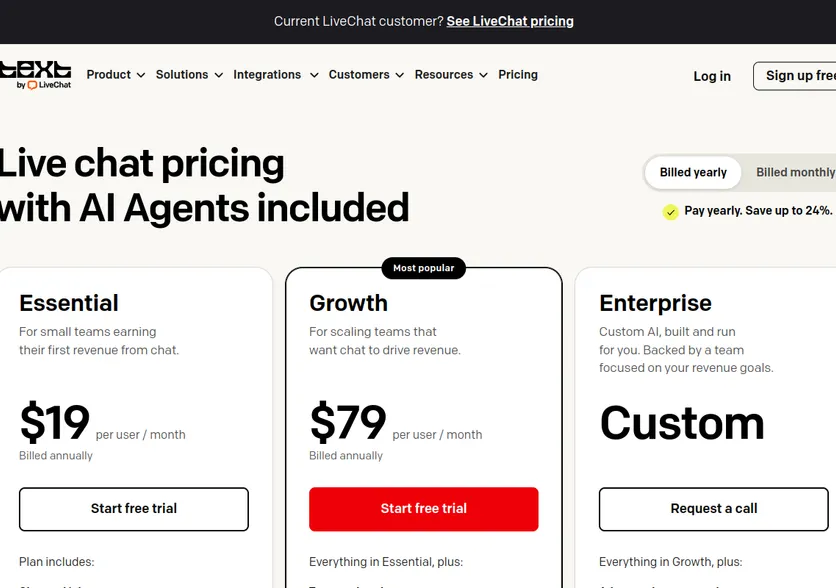
Paid tool Starting price: $19/user/month · Nineteen dollars per user a month on the Essential plan billed annually, or twenty-five dollars billed monthly; Growth is seventy-nine dollars a user a month billed annually, or ninety-nine dollars billed monthly; Enterprise is quoted; the product is now sold as Text by LiveChat
Free plan: 14-day free trial
Costing nineteen dollars per user a month billed annually, LiveChat Essential is live chat software for websites that includes an AI Agent to answer questions around the clock. It qualifies leads and tracks sales from chats, making it a fit for healthcare portals that want to capture patient inquiries and route them efficiently. Teams looking for a dedicated chat tool with AI support may find it suitable.
What we like
- AI Agent answers around the clock
- Tracks sales from chats
- Qualifies leads
Watch out for
- Limited healthcare-specific features
- Requires setup for portal integration
How to try it
- Add LiveChat to your patient portal
- Train the AI Agent on common patient questions
- Set handoff rules for clinical questions
2. Zendesk
Best for: Portals handling high volumes of patient questions
Paid tool Starting price: $55/agent/month · Fifty-five dollars per agent a month on the Suite Team plan billed annually, or sixty-nine dollars billed monthly; Support Team is nineteen dollars but covers email ticketing only, with no live chat; Suite Professional is one hundred and fifteen dollars
Free plan: 14-day free trial
For fifty-five dollars per agent a month billed annually, Zendesk Suite Team is an AI-powered customer service platform where AI agents aim to resolve issues end-to-end. It is designed to improve service quality, speed and scale, which can benefit healthcare portals handling a high volume of patient questions. Organizations seeking a comprehensive service ecosystem may find it a strong candidate.

What we like
- AI agents resolve issues
- Scalable service platform
- Improves service quality
Watch out for
- Complex setup for simple portals
- May require add-ons for healthcare needs
How to try it
- Set up messaging and ticketing for patient inquiries
- Configure AI agents for common questions
- Connect chat to your patient systems
3. Freshdesk
Best for: Portals that want omnichannel ticketing and automation
Paid tool Starting price: $19/agent/month · Nineteen dollars per agent a month on the Growth plan billed annually, or twenty-three dollars billed monthly; Pro is fifty-five dollars and Enterprise is eighty-nine dollars; the free program covers two agents for six months and is not a permanent free tier; omnichannel plans start at twenty-nine dollars
Free plan: Free program for 2 agents, 6 months
At nineteen dollars per agent a month billed annually, Freshdesk Growth is an AI-powered customer service solution with omnichannel ticketing and automated workflows. It aims to boost agent productivity and deliver seamless experiences, which suits healthcare portals that manage inquiries across multiple channels. Teams wanting ticketing plus chat in one system may consider it.

What we like
- Omnichannel ticketing
- Automated workflows
- Boosts agent productivity
Watch out for
- Chat may be one channel among many
- Healthcare templates not highlighted
How to try it
- Set up the shared inbox and ticket routing
- Add live chat to your portal
- Configure automations for appointment and billing questions
4. HubSpot Service Hub
Best for: Growing portals needing CRM integration
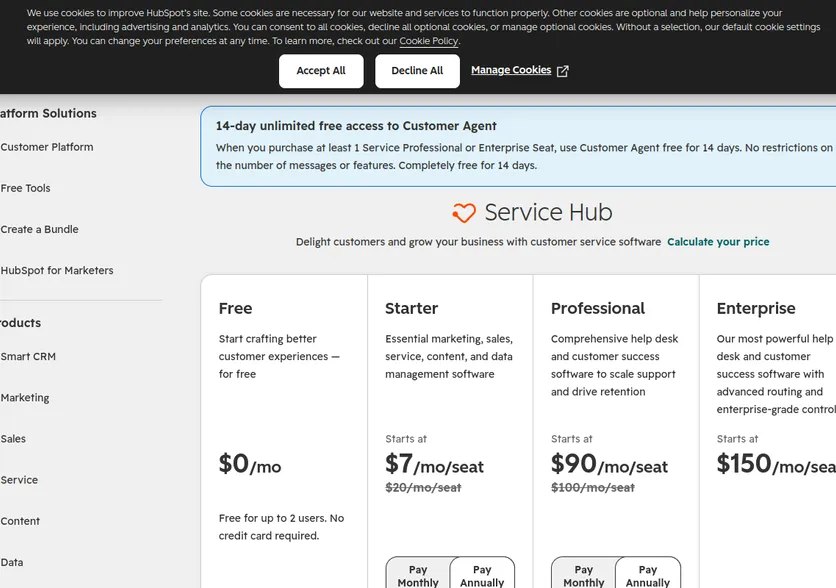
Paid tool Starting price: $20/seat/month · Twenty dollars per seat a month on the Service Hub Starter plan at list price, or seven dollars for new customers on a limited-time offer with renewals stepping up to fifteen dollars; Professional is one hundred dollars per seat a month and Enterprise is one hundred and fifty dollars
Free plan: Free plan
For twenty dollars per seat a month at list price, HubSpot Service Hub Starter is an AI-powered customer service platform for growing teams. It transforms customer experience by combining service tools with CRM data, which can help healthcare portals personalize patient interactions. Portals already using HubSpot may find the integration valuable.
What we like
- AI-powered service platform
- Integrates with CRM
- Designed for growing teams
Watch out for
- Chat features tied to wider suite
- May be more than small portals need
How to try it
- Connect Service Hub to your HubSpot CRM
- Add live chat to your patient portal
- Set up conversation routing for your team
5. Olark
Best for: Portals that want quick AI training and visitor qualification
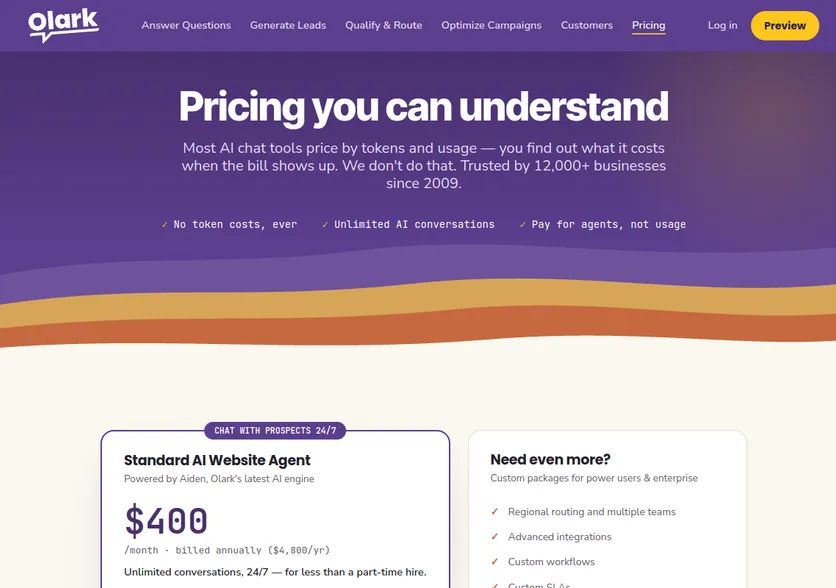
Paid tool Starting price: $29/agent/month · Twenty-nine dollars per agent a month for human-only live chat; the Standard AI Website Agent costs four hundred dollars a month billed annually and includes one human seat, with extra seats at twenty-nine dollars each; PowerUps for co-browsing and translation cost extra
Free plan: 14-day free trial
Priced at twenty-nine dollars per agent a month, Olark offers an AI agent that works the marketing funnel around the clock, answering questions, qualifying visitors and knowing when to bring in a human, and it is trained on your own site in under a minute. This can help healthcare portals handle common inquiries and route complex ones to staff.
What we like
- AI agent trained on your site
- Qualifies visitors
- Human handoff
Watch out for
- Marketing funnel focus
- Healthcare-specific features not highlighted
How to try it
- Install Olark on your portal
- Train the AI agent on patient FAQs
- Set handoff rules for clinical questions
6. Tidio
Best for: Portals that want AI chat with clear attribution of leads and bookings
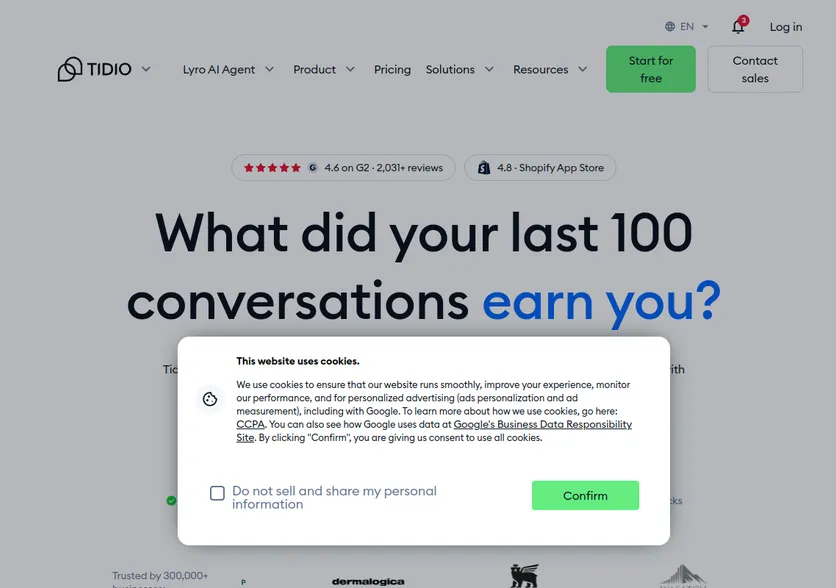
Paid tool Starting price: $29/month · Twenty-nine dollars a month on the Starter plan, or twenty-four dollars and seventeen cents a month billed annually, for one hundred billable conversations; the Lyro AI agent is a separate meter from thirty-nine dollars a month for fifty AI conversations; Growth starts at fifty-nine dollars a month
Free plan: Free plan
Costing twenty-nine dollars a month, Tidio Starter is AI customer service software that shows what customer conversations earn, with its Lyro AI resolving questions instantly and turning the rest into sales, leads and bookings you can attribute. Healthcare portals focused on measurable outcomes from chat may find this useful for tracking patient inquiries.
What we like
- Lyro resolves questions instantly
- Turns chats into leads
- Attributes revenue
Watch out for
- Revenue focus may not fit all portals
- Healthcare compliance not highlighted
How to try it
- Add Tidio to your patient portal
- Train Lyro on common patient questions
- Track which chats become appointments
7. Help Scout
Best for: Small portals that want simple, customer-first support
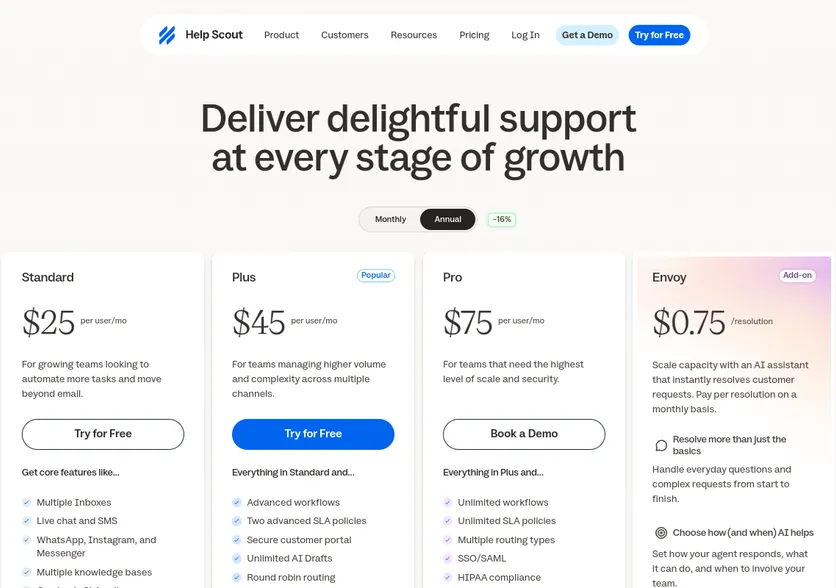
Paid tool Starting price: $25/user/month · Twenty-five dollars per user a month on the Standard plan billed annually, or thirty dollars billed monthly; Plus is forty-five dollars and Pro is seventy-five dollars; the free plan covers up to five users; AI Answers costs seventy-five cents per resolution
Free plan: Free plan
At twenty-five dollars per user a month billed annually, Help Scout Standard is an AI-driven support platform for customer-first brands, with a shared inbox, live chat and a knowledge base in one place. It fits healthcare portals that value a clean, approachable interface and want patient conversations handled in a shared inbox rather than a complex ticketing build-out. The free plan covers up to five users.
What we like
- Intuitive interface for small teams
- Shared inbox with live chat included
- Free plan for up to five users
Watch out for
- Chat is one part of a support suite
- User cap of twenty-five on Standard
How to try it
- Create a shared inbox for patient inquiries
- Add live chat to your portal
- Build Docs for appointment and billing questions
Prices above were checked on each vendor’s own website on Nov 28, 2026 and can change — the vendor’s page is the final word. Vendor links are editorial: nobody paid to be listed or ranked here. Vendors who want a featured listing can see how it works on our Get listed page.
How to run live chat for a healthcare portal
Start with compliance, because patient conversations carry obligations that ordinary support chats do not: confirm whether the tool supports HIPAA-compliant chat and offers a business associate agreement before you install anything. Verify integration options with your patient portal and electronic health record systems, so staff see the patient context without copying data between systems. Configure the AI to answer common questions and hand off to staff for anything clinical, and review transcripts regularly to catch answers that overstep. Keep data security practices in view, including encryption and access controls, and ask about customization for healthcare workflows and patient privacy before you commit.
Before you buy
- Check if the tool supports HIPAA-compliant chat or offers a business associate agreement
- Verify integration options with your patient portal and electronic health record systems
- Confirm AI capabilities, such as answering common questions and handing off to staff
- Review data security practices, including encryption and access controls
- Ask about customization for healthcare workflows and patient privacy requirements
Official websites
Official websites of the products reviewed above. Features and prices were checked against these sites when this guide was written, and they can change, so confirm on the vendor site before you buy.
Frequently asked questions
What should healthcare portals look for in live chat software?
Prioritize compliance features such as HIPAA support and business associate agreements, secure data handling, and integration with existing patient systems. Also consider AI capabilities for handling routine questions and easy handoff to human staff. A tool that cannot sign a business associate agreement should not handle patient conversations.
Can live chat software handle patient questions securely?
Security depends on the vendor's compliance and encryption practices. Confirm that the tool supports necessary safeguards and sign a business associate agreement where required. Not all chat tools are designed for healthcare, so verify before deploying. Ask each vendor directly about their healthcare compliance.
How much does LiveChat cost for a healthcare portal?
LiveChat Essential costs nineteen dollars per user a month billed annually, or twenty-five dollars billed monthly. Growth is seventy-nine dollars a user a month billed annually. A three-person portal team on Essential pays fifty-seven dollars a month on annual billing, before any extra AI resolution packs.
How does AI chat help healthcare portals?
AI chat can answer common questions around the clock, qualify inquiries, and route complex issues to staff. This can reduce wait times and free up human agents for sensitive or clinical conversations. The key is a clear handoff rule, so clinical questions always reach a person.
Is live chat suitable for small healthcare portals?
Yes, many tools offer scalable options. Smaller portals may prefer chat-focused tools with quick setup, while larger organizations might need omnichannel platforms. Evaluate based on volume, compliance needs, and integration requirements, and start with a free plan or trial first.
Compare the seven tools above, then start with a free trial on the tool that matches your portal's compliance and integration needs, before you pay for a full year.
Browse Business Tools tools