On this page
Public sector teams need chat tools that handle high volumes, route cases to the right staff and keep records consistent. The seven platforms below cover website chat, ticketing and full contact centers at prices from nineteen dollars a user to enterprise scale. Zendesk leads the list because its Suite Team plan pairs AI-assisted chat with broad ticketing for fifty-five dollars per agent a month, and the other six tools are judged on the same practical test: how well they route public inquiries to the right team.
How we researched this
We checked every price on the vendor pricing page on November 28, 2026, and only included tools with a published US dollar list price. Oracle Service Cloud and Genesys alternatives that publish no prices are excluded, and Genesys Cloud CX is included because it publishes its four tiers. Prices change, so confirm the current figure on the vendor site before you buy.
Compare the tools
| Name | Best for | Starting price | Free plan | |
|---|---|---|---|---|
 Zendesk | Government service desks that want AI chat with ticketing | $55/agent/month | 14-day free trial | Visit |
 LiveChat | Agencies that want straightforward website chat | $19/user/month | 14-day free trial | Visit |
 Freshdesk | Government teams that want omnichannel ticketing with automation | $19/agent/month | Free program for 2 agents, 6 months | Visit |
 HubSpot Service Hub | Smaller agencies wanting connected service without an enterprise suite | $20/seat/month | Free plan | Visit |
 Salesforce Service Cloud | Agencies already on Salesforce that need service tied to constituent data | $25/user/month | Free trial | Visit |
 Genesys Cloud CX | Enterprise contact centers handling many channels at scale | $75/user/month | Free trial | Visit |
 Help Scout | Small agencies that want simple, approachable public support | $25/user/month | Free plan | Visit |
The live chat software for government, compared
1. Zendesk
Best for: Government service desks that want AI chat with ticketing
Paid tool Starting price: $55/agent/month · Fifty-five dollars per agent a month on the Suite Team plan billed annually, or sixty-nine dollars billed monthly; Support Team is nineteen dollars but covers email ticketing only, with no live chat; Suite Professional is one hundred and fifteen dollars
Free plan: 14-day free trial
Zendesk Suite Team costs fifty-five dollars per agent a month billed annually and is an AI-powered customer service platform that goes beyond simple deflection, using AI agents to resolve issues end-to-end. It combines chat with ticketing and service workflows, which fits government service desks handling mixed inquiries across several departments. Agencies that want one place for chat, email and case tracking will find it a natural fit.

What we like
- AI agents that resolve issues end-to-end
- Broad ticketing and service workflows
- Scales across multiple teams
Watch out for
- Configuration can be involved
- Full platform may exceed small agency needs
How to try it
- Set up messaging, ticketing and the help center
- Configure department routing rules
- Train AI agents on agency services and FAQs
2. LiveChat
Best for: Agencies that want straightforward website chat
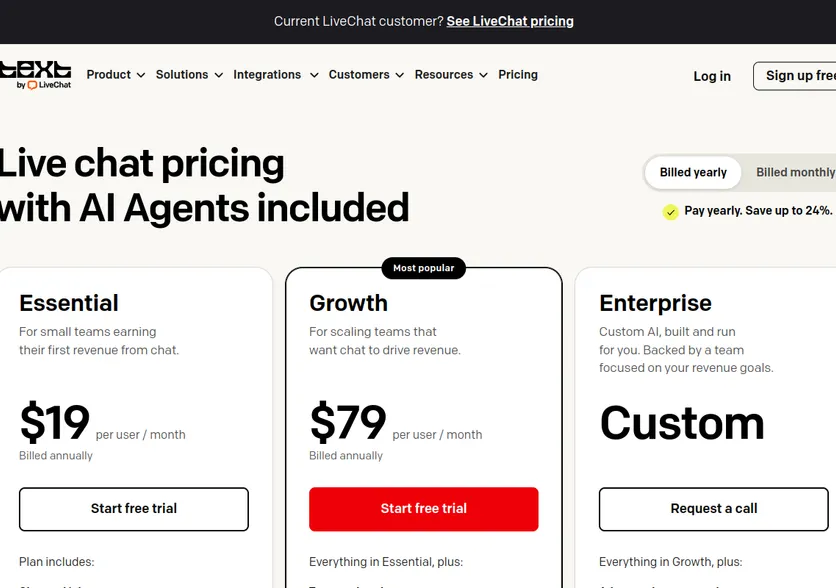
Paid tool Starting price: $19/user/month · Nineteen dollars per user a month on the Essential plan billed annually, or twenty-five dollars billed monthly; Growth is seventy-nine dollars a user a month billed annually, or ninety-nine dollars billed monthly; Enterprise is quoted; the product is now sold as Text by LiveChat
Free plan: 14-day free trial
For nineteen dollars per user a month billed annually, LiveChat Essential is live chat software for a website, with an AI Agent that answers around the clock. It qualifies leads and tracks sales from chats, so it suits agencies that mainly want a direct chat channel on public-facing pages, such as permit or benefits information sites, without adopting a full service suite.
What we like
- AI Agent answers around the clock
- Simple agent chat workflows
- Chat tracking for conversations
Watch out for
- Narrower case management than suites
- Less suited to complex multi-team routing
How to try it
- Add the chat widget to public-facing pages
- Train the AI Agent on agency services
- Set up handoff rules for staff hours
3. Freshdesk
Best for: Government teams that want omnichannel ticketing with automation
Paid tool Starting price: $19/agent/month · Nineteen dollars per agent a month on the Growth plan billed annually, or twenty-three dollars billed monthly; Pro is fifty-five dollars and Enterprise is eighty-nine dollars; the free program covers two agents for six months and is not a permanent free tier; omnichannel plans start at twenty-nine dollars
Free plan: Free program for 2 agents, 6 months
Freshdesk Growth costs nineteen dollars per agent a month billed annually and is an AI-powered customer service solution with omnichannel ticketing and automated workflows. It is aimed at boosting agent productivity and delivering seamless customer experiences, which fits government teams that want chat handled alongside email and other channels in a single ticketing system.

What we like
- Omnichannel ticketing in one place
- Automated workflows for routing
- AI features aimed at agent productivity
Watch out for
- Chat is one part of a larger suite
- Setup effort grows with customization
How to try it
- Set up the shared inbox and ticket routing
- Add live chat to agency websites
- Configure automations by department and program
4. HubSpot Service Hub
Best for: Smaller agencies wanting connected service without an enterprise suite
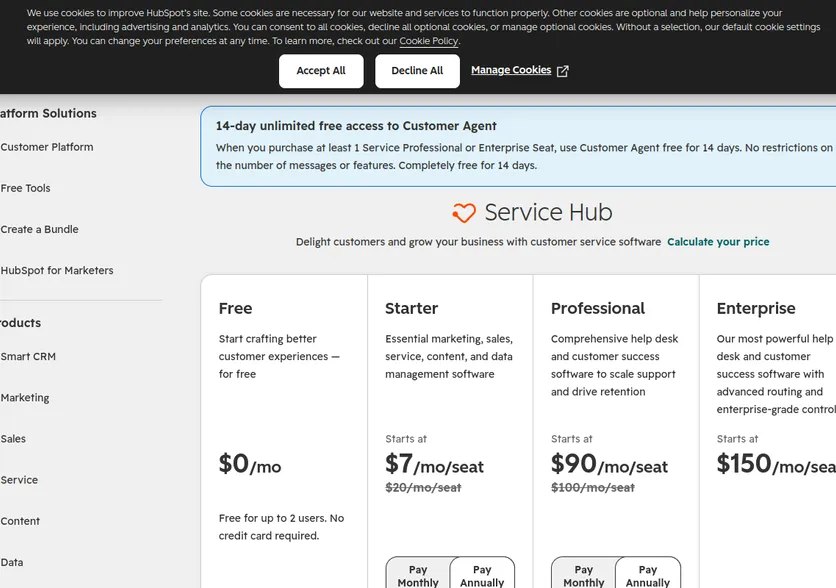
Paid tool Starting price: $20/seat/month · Twenty dollars per seat a month on the Service Hub Starter plan at list price, or seven dollars for new customers on a limited-time offer with renewals stepping up to fifteen dollars; Professional is one hundred dollars per seat a month and Enterprise is one hundred and fifty dollars
Free plan: Free plan
At twenty dollars per seat a month at list price, HubSpot Service Hub Starter is an AI-powered customer service platform for growing teams, aimed at transforming the customer experience. It fits smaller agencies or departments that want chat and service tools connected to their customer records without adopting a large enterprise suite.
What we like
- AI-powered customer service platform
- Designed for growing teams
- Connects service with customer context
Watch out for
- Less deep than enterprise suites
- Best value within the HubSpot ecosystem
How to try it
- Connect Service Hub to your records
- Add live chat to public pages
- Set up routing rules by department
5. Salesforce Service Cloud
Best for: Agencies already on Salesforce that need service tied to constituent data
Paid tool Starting price: $25/user/month · Twenty-five dollars per user a month on the Starter Suite; Professional is eighty dollars per user a month billed annually and Enterprise is one hundred and sixty-five dollars; newer Core, Advanced and Max tiers start at one hundred and ninety-five dollars; AI features are metered separately
Free plan: Free trial
Starting at twenty-five dollars per user a month, Salesforce Service Cloud is customer service support software powered by AI, built to create connected, efficient and scalable service. It suits government agencies that already use Salesforce or need service tied closely to constituent data. Chat and case handling sit within a broader platform rather than as a standalone widget.
What we like
- AI-powered service support tools
- Connected, scalable service model
- Fits organizations already on Salesforce
Watch out for
- Requires platform expertise
- Can be complex for small teams
How to try it
- Set up Service Cloud with constituent data
- Configure chat and case routing by program
- Add AI agents for routine public inquiries
6. Genesys Cloud CX
Best for: Enterprise contact centers handling many channels at scale
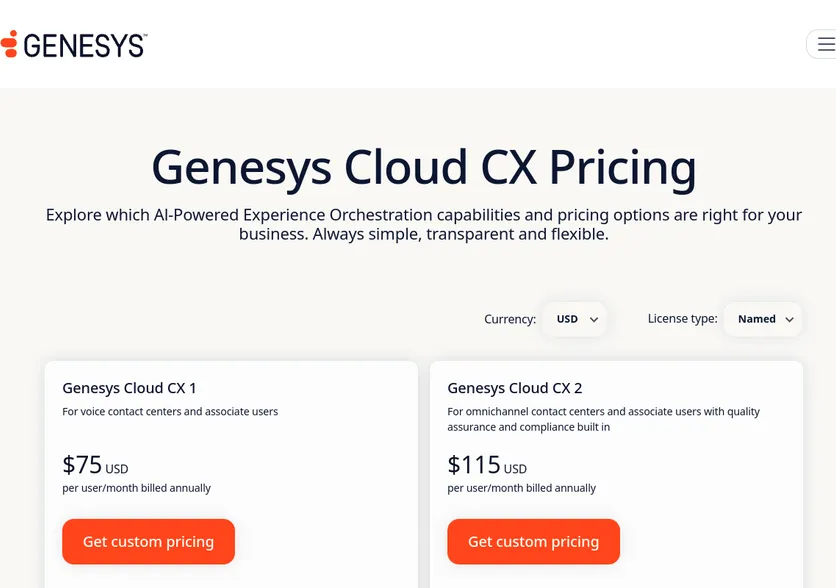
Paid tool Starting price: $75/user/month · Seventy-five dollars per user a month on the CX 1 plan billed annually; CX 2 is one hundred and fifteen dollars, CX 3 is one hundred and fifty-five dollars and CX 4 is two hundred and forty dollars; Genesys also applies a two thousand dollar monthly minimum
Free plan: Free trial
For seventy-five dollars per user a month billed annually, Genesys Cloud CX is an agentic AI CX platform that delivers personalized customer and employee experiences across every channel. It fits government contact centers that handle voice, chat and other channels at scale and want AI support across the whole experience rather than chat alone. Note the two thousand dollar monthly minimum, which rules out very small agencies.
What we like
- Agentic AI CX platform
- Personalized experiences across channels
- Built for enterprise scale
Watch out for
- Heavy for simple chat needs
- Requires contact center planning
How to try it
- Plan the contact center rollout with Genesys
- Configure voice and digital channels
- Set up AI experience tokens and routing
7. Help Scout
Best for: Small agencies that want simple, approachable public support
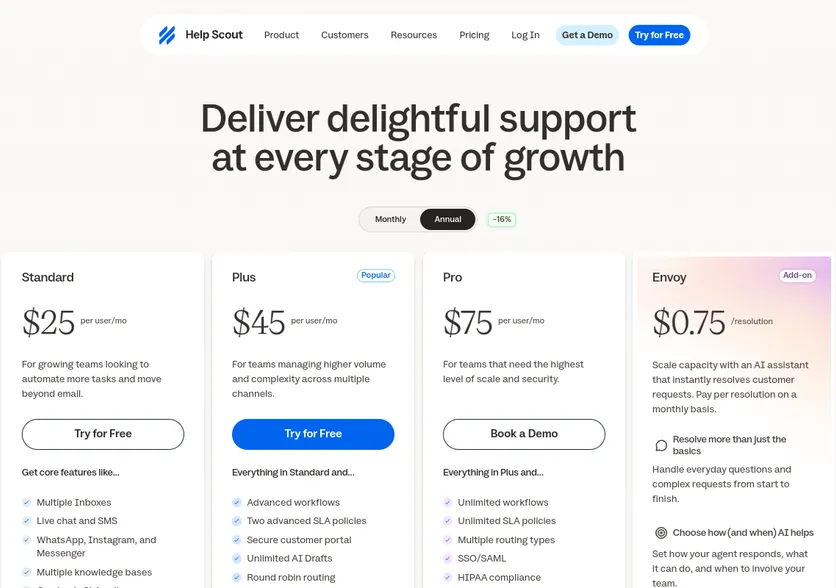
Paid tool Starting price: $25/user/month · Twenty-five dollars per user a month on the Standard plan billed annually, or thirty dollars billed monthly; Plus is forty-five dollars and Pro is seventy-five dollars; the free plan covers up to five users; AI Answers costs seventy-five cents per resolution
Free plan: Free plan
At twenty-five dollars per user a month billed annually, Help Scout Standard gives a small agency a shared inbox, live chat and a knowledge base without an enterprise platform. It suits departments that want a clean, approachable support tool for public inquiries and a free plan for up to five users to start. The Docs knowledge base helps answer common questions before they become chats.
What we like
- Intuitive interface for small teams
- Shared inbox with live chat included
- Free plan for up to five users
Watch out for
- Less deep than enterprise suites
- User cap of twenty-five on Standard
How to try it
- Create a shared inbox for public inquiries
- Add live chat to agency pages
- Build Docs for common questions
Prices above were checked on each vendor’s own website on Nov 28, 2026 and can change — the vendor’s page is the final word. Vendor links are editorial: nobody paid to be listed or ranked here. Vendors who want a featured listing can see how it works on our Get listed page.
How to run live chat for a government service desk
Start with routing, because a chat that reaches the wrong department is worse than no chat at all: map every inquiry type to the team that owns it before you buy. Confirm records retention and audit options meet your agency requirements, and check that the widget is accessible on public-facing websites. Decide how AI-assisted responses are reviewed or escalated to staff, since public answers carry more weight than private ones. Test the handoff from AI to human on real inquiry types, and keep a human in the loop for sensitive topics. Finally, confirm integration with existing case management or identity systems, because a chat tool that cannot write back to your case system creates double work.
Before you buy
- Check whether chat can route cases to the correct department or program team
- Confirm records retention and audit options meet your agency requirements
- Verify accessibility of the chat widget for public-facing websites
- Ask how AI-assisted responses are reviewed or escalated to staff
- Confirm integration with existing case management or identity systems
Official websites
Official websites of the products reviewed above. Features and prices were checked against these sites when this guide was written, and they can change, so confirm on the vendor site before you buy.
Frequently asked questions
What should government teams look for in live chat software?
Prioritize routing to the right department, record retention and audit trails, accessibility for public websites, and clear escalation from AI responses to staff. Integration with existing case systems matters as much as the chat widget itself. Confirm each of these on the vendor site before deciding.
Is simple website chat enough for a public agency?
For information pages such as permits or hours, a focused chat tool like LiveChat can be sufficient. Agencies handling casework across departments usually need ticketing and workflow features found in Zendesk, Freshdesk or larger suites. Match the tool to the complexity of the inquiries you receive.
How much does Zendesk cost for a government service desk?
Live chat needs the Suite Team plan at fifty-five dollars per agent a month billed annually, or sixty-nine dollars billed monthly. The cheaper Support Team plan at nineteen dollars covers email ticketing only. Suite Professional is one hundred and fifteen dollars per agent a month billed annually.
How do enterprise platforms differ from chat-first tools?
Platforms such as Genesys Cloud CX cover many channels, contact center operations and AI across the whole experience, which suits large agencies. Chat-first tools are faster to adopt but offer less depth in case management and routing. Choose based on volume, channels and the size of your service operation.
Can AI chat handle public inquiries safely?
AI agents can answer common questions and resolve routine issues, but agencies should confirm how responses are reviewed, how sensitive topics are escalated and what records are kept. Human handoff and auditability are key checks before deployment. Test the AI on your real inquiry types first.
Compare the seven tools above, then start with a free trial on the platform that matches your agency's routing and records needs, before you pay for a full year.
Browse Business Tools tools