On this page
Financial advisors need chat tools that qualify leads, protect client information and fit into existing workflows. The eight tools below answer prospects after hours, route sensitive questions to a person and keep the conversation attached to the client record. LiveChat leads the list because its Essential plan pairs an AI Agent with lead tracking for nineteen dollars per user a month, and the other seven tools are judged on the same practical test: how well they qualify prospects without giving advice.
How we researched this
We checked every price on the vendor pricing page on November 28, 2026, and only included tools with a published US dollar list price. Drift publishes no prices, so it is not in this list. Prices change, so confirm the current figure on the vendor site before you buy.
Compare the tools
| Name | Best for | Starting price | Free plan | |
|---|---|---|---|---|
 LiveChat | Financial advisors who want AI-assisted chat and lead tracking | $19/user/month | 14-day free trial | Visit |
 Zendesk | Advisory teams needing a broad service platform | $55/agent/month | 14-day free trial | Visit |
 HubSpot Service Hub | Advisory firms already in HubSpot that want CRM-tied chat | $20/seat/month | Free plan | Visit |
 Olark | Advisors focused on funnel automation and qualification | $29/agent/month | 14-day free trial | Visit |
 Salesforce Service Cloud | Larger advisory firms needing enterprise-grade service | $25/user/month | Free trial | Visit |
 Tidio | Advisors that want revenue-attributed AI chat | $29/month | Free plan | Visit |
 Freshdesk | Advisory firms that want chat inside a ticketing queue | $19/agent/month | Free program for 2 agents, 6 months | Visit |
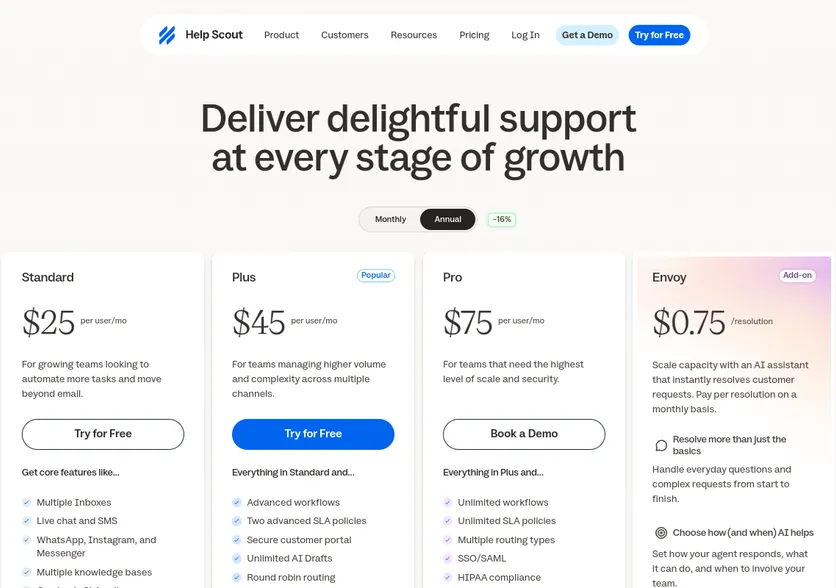
 Help Scout | Small advisory firms that want simple, customer-first support | $25/user/month | Free plan | Visit |
The live chat software for financial advisors, compared
1. LiveChat
Best for: Financial advisors who want AI-assisted chat and lead tracking
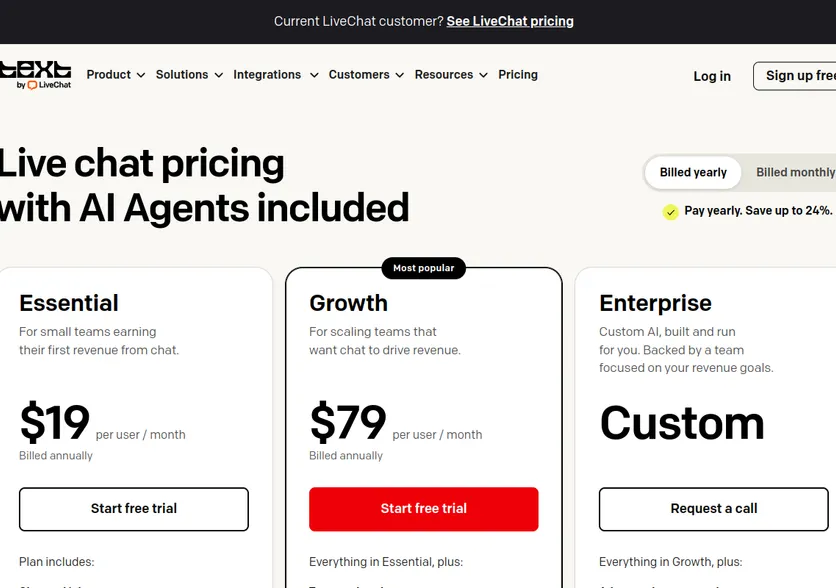
Paid tool Starting price: $19/user/month · Nineteen dollars per user a month on the Essential plan billed annually, or twenty-five dollars billed monthly; Growth is seventy-nine dollars a user a month billed annually, or ninety-nine dollars billed monthly; Enterprise is quoted; the product is now sold as Text by LiveChat
Free plan: 14-day free trial
For nineteen dollars per user a month billed annually, LiveChat Essential is live chat software for your website that includes an AI Agent to answer questions around the clock. It is designed to qualify leads and track sales directly from chat conversations. For financial advisors, this means after-hours inquiries can be handled automatically while capturing prospect details for follow-up.
What we like
- AI Agent answers around the clock
- Tracks sales from chats
- Qualifies leads within conversations
Watch out for
- May require configuration for financial compliance
- Advanced automation may need setup time
How to try it
- Add LiveChat to your advisory website
- Configure the AI Agent for compliant, general answers
- Set lead qualification questions for prospects
2. Zendesk
Best for: Advisory teams needing a broad service platform
Paid tool Starting price: $55/agent/month · Fifty-five dollars per agent a month on the Suite Team plan billed annually, or sixty-nine dollars billed monthly; Support Team is nineteen dollars but covers email ticketing only, with no live chat; Suite Professional is one hundred and fifteen dollars
Free plan: 14-day free trial
At fifty-five dollars per agent a month billed annually, Zendesk Suite Team is an AI-powered customer service platform that aims to move beyond simple deflection with AI agents that resolve issues end to end. It includes features to improve service quality, speed and scale. Financial advisors with growing support teams can use it to manage client inquiries across channels while applying AI to routine questions.

What we like
- AI agents resolve issues end to end
- Tools to improve service quality
- Scales with support operations
Watch out for
- May be more than needed for small firms
- Setup can require technical resources
How to try it
- Set up messaging and ticketing for client inquiries
- Configure AI agents for routine questions
- Connect chat to your CRM for client context
3. HubSpot Service Hub
Best for: Advisory firms already in HubSpot that want CRM-tied chat
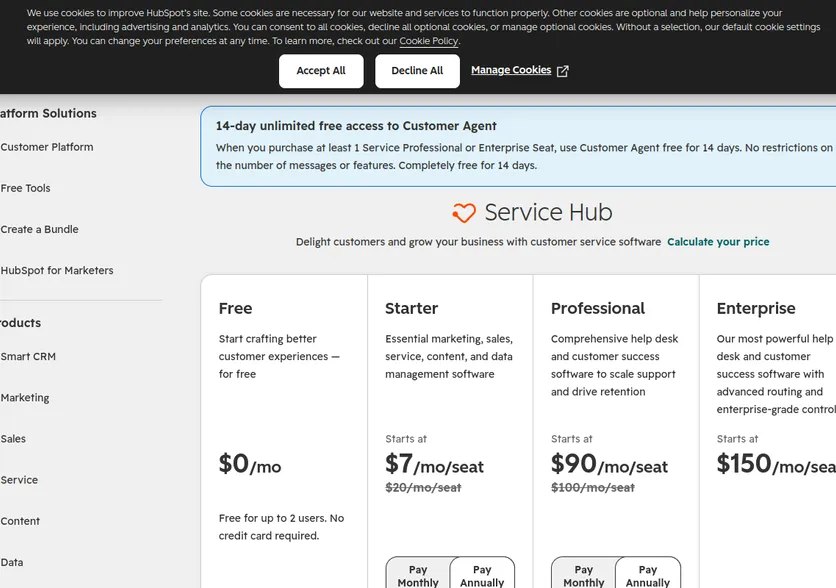
Paid tool Starting price: $20/seat/month · Twenty dollars per seat a month on the Service Hub Starter plan at list price, or seven dollars for new customers on a limited-time offer with renewals stepping up to fifteen dollars; Professional is one hundred dollars per seat a month and Enterprise is one hundred and fifty dollars
Free plan: Free plan
Costing twenty dollars per seat a month at list price, HubSpot Service Hub Starter is an AI-powered customer service platform for growing teams, designed to transform customer experience. It integrates with HubSpot's CRM, allowing financial advisors to connect chat interactions with contact records and service history. It fits firms already using or planning to use HubSpot for marketing and sales, where a unified view of the client is valuable.
What we like
- Ties service to CRM data
- Supports growing teams
- AI-powered customer experience features
Watch out for
- Best value within HubSpot ecosystem
- May require onboarding for full use
How to try it
- Connect Service Hub to your HubSpot CRM
- Add live chat to your website
- Set up conversation routing for client inquiries
4. Olark
Best for: Advisors focused on funnel automation and qualification
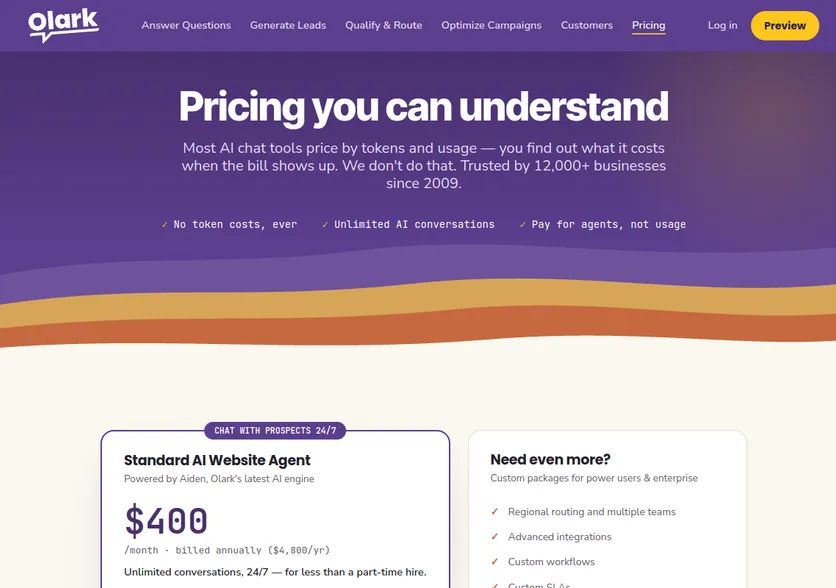
Paid tool Starting price: $29/agent/month · Twenty-nine dollars per agent a month for human-only live chat; the Standard AI Website Agent costs four hundred dollars a month billed annually and includes one human seat, with extra seats at twenty-nine dollars each; PowerUps for co-browsing and translation cost extra
Free plan: 14-day free trial
For twenty-nine dollars per agent a month, Olark presents itself as more than a chatbot, offering an AI agent that works your marketing funnel around the clock. It answers questions, qualifies visitors, and knows when to bring in a human, and it can be trained on your own site in under a minute. This suits financial advisors who handle multiple marketing tasks and want automated qualification without deep technical setup.
What we like
- AI agent trained on your site quickly
- Qualifies visitors automatically
- Hands off to humans at the right time
Watch out for
- Marketing focus may not cover all service needs
- AI training requires site content
How to try it
- Install Olark on your advisory website
- Train the AI agent on your services and FAQs
- Set qualification rules for new prospects
5. Salesforce Service Cloud
Best for: Larger advisory firms needing enterprise-grade service
Paid tool Starting price: $25/user/month · Twenty-five dollars per user a month on the Starter Suite; Professional is eighty dollars per user a month billed annually and Enterprise is one hundred and sixty-five dollars; newer Core, Advanced and Max tiers start at one hundred and ninety-five dollars; AI features are metered separately
Free plan: Free trial
Starting at twenty-five dollars per user a month, Salesforce Service Cloud is customer service software powered by AI, designed to enable teams with support tools and solutions that create connected, efficient and scalable service. Financial advisors at larger firms can use it to unify client service across channels and apply AI to service workflows. It suits organizations that need a robust, scalable platform with extensive customization.
What we like
- AI-powered service solutions
- Connected and scalable platform
- Supports efficient service operations
Watch out for
- Can be complex to implement
- May require dedicated administration
How to try it
- Set up Service Cloud with your client data
- Configure chat and case routing
- Add AI agents for routine client questions
6. Tidio
Best for: Advisors that want revenue-attributed AI chat
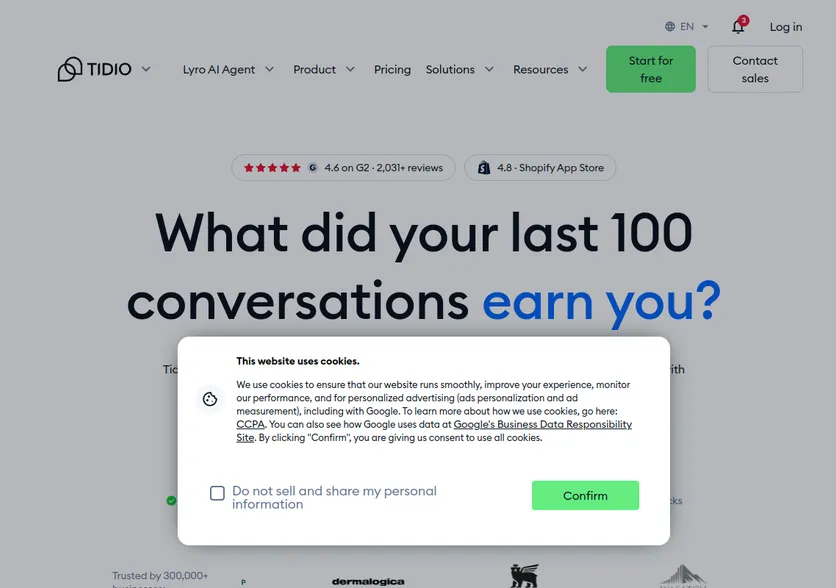
Paid tool Starting price: $29/month · Twenty-nine dollars a month on the Starter plan, or twenty-four dollars and seventeen cents a month billed annually, for one hundred billable conversations; the Lyro AI agent is a separate meter from thirty-nine dollars a month for fifty AI conversations; Growth starts at fifty-nine dollars a month
Free plan: Free plan
At twenty-nine dollars a month, Tidio Starter offers AI customer service that turns chats into revenue, with its Lyro AI resolving questions instantly and turning the rest into sales, leads and bookings you can attribute. Financial advisors who want to measure chat's impact on business outcomes may appreciate this revenue attribution. It fits firms that treat chat as a growth channel and want clear visibility into results.
What we like
- Lyro AI resolves questions instantly
- Attributes chats to sales and leads
- Focus on revenue outcomes
Watch out for
- AI may need tuning for financial topics
- Revenue focus may not suit service-only firms
How to try it
- Add Tidio to your website
- Train Lyro on your services and compliance boundaries
- Review which chats become booked meetings
7. Freshdesk
Best for: Advisory firms that want chat inside a ticketing queue
Paid tool Starting price: $19/agent/month · Nineteen dollars per agent a month on the Growth plan billed annually, or twenty-three dollars billed monthly; Pro is fifty-five dollars and Enterprise is eighty-nine dollars; the free program covers two agents for six months and is not a permanent free tier; omnichannel plans start at twenty-nine dollars
Free plan: Free program for 2 agents, 6 months
For nineteen dollars per agent a month billed annually, Freshdesk Growth gives an advisory firm omnichannel ticketing and automated workflows with live chat included. It suits firms that handle client enquiries by email and chat and want them in one queue with clear ownership. The Freddy AI sessions included on every plan help answer routine questions, and the free program covers two agents for six months.

What we like
- Omnichannel ticketing in one place
- Automated workflows for routing
- AI sessions included on every plan
Watch out for
- Chat is one part of a larger suite
- Configuration options can feel extensive
How to try it
- Set up the shared inbox and ticket workflows
- Add live chat to your website
- Configure automations for client inquiries
8. Help Scout
Best for: Small advisory firms that want simple, customer-first support
Paid tool Starting price: $25/user/month · Twenty-five dollars per user a month on the Standard plan billed annually, or thirty dollars billed monthly; Plus is forty-five dollars and Pro is seventy-five dollars; the free plan covers up to five users; AI Answers costs seventy-five cents per resolution
Free plan: Free plan
Costing twenty-five dollars per user a month billed annually, Help Scout Standard is an AI-driven support platform for customer-first brands, with a shared inbox, live chat and a knowledge base in one place. It fits advisory firms that value a clean interface and a personal, customer-first posture over a sprawling enterprise suite. The free plan covers up to five users, so a small firm can start without paying.
What we like
- Intuitive interface for small teams
- Shared inbox with live chat included
- Free plan for up to five users
Watch out for
- Chat is one part of a support suite
- User cap of twenty-five on Standard
How to try it
- Create a shared inbox for client enquiries
- Add live chat to your website
- Build Docs for common client questions
Prices above were checked on each vendor’s own website on Nov 28, 2026 and can change — the vendor’s page is the final word. Vendor links are editorial: nobody paid to be listed or ranked here. Vendors who want a featured listing can see how it works on our Get listed page.
How to run live chat for a financial advisory firm
Start with compliance, not convenience: decide what the AI may and may not say, and make sure it never gives financial advice without a human in the loop. Configure the agent to qualify prospects and book meetings, then hand the conversation to an advisor before any recommendation is made. Connect chat to your CRM so every inquiry arrives with the prospect record attached and nothing is lost between channels. Set clear handoff rules for sensitive topics, and review chat transcripts regularly to catch answers that drift outside your approved language. Finally, confirm data security and retention settings with each vendor, because client information handling is a regulatory matter, not a preference.
Before you buy
- Check how the tool handles sensitive financial information and whether it supports your compliance requirements
- Verify integration options with your CRM and other advisory software
- Review AI capabilities and the level of customization available for financial topics
- Assess reporting features for lead tracking and revenue attribution
- Confirm support and training resources for your team size
Official websites
Official websites of the products reviewed above. Features and prices were checked against these sites when this guide was written, and they can change, so confirm on the vendor site before you buy.
Frequently asked questions
Can live chat software help financial advisors qualify leads?
Yes, many tools include lead qualification features. For example, LiveChat tracks sales from chats, and Olark's AI agent qualifies visitors automatically. These features can help advisors identify prospects without manual screening. The key is setting qualification questions that match your ideal client profile.
Is AI chat suitable for financial advisory conversations?
AI chat can handle routine questions and initial qualification, but financial advisors should ensure it is configured to avoid giving advice. Tools like Zendesk and Tidio offer AI agents that resolve issues, but human oversight remains important for sensitive topics. Always set a clear handoff to an advisor.
How much does LiveChat cost for a financial advisor?
LiveChat Essential costs nineteen dollars per user a month billed annually, or twenty-five dollars billed monthly. Growth is seventy-nine dollars a user a month billed annually. A two-advisor firm on Essential pays thirty-eight dollars a month on annual billing, before any extra AI resolution packs.
How do I choose between a standalone chat tool and a full service platform?
Standalone tools like LiveChat focus on chat and lead tracking, while platforms like Zendesk and Salesforce Service Cloud offer broader service management. Consider your team size, existing systems, and whether you need integrated CRM and service workflows. Smaller firms usually start with a standalone tool.
What should financial advisors check before buying live chat software?
Confirm data security and compliance features, integration with your CRM, AI customization options, and reporting capabilities. Also verify support and training resources to ensure a smooth adoption for your team. Ask each vendor how transcripts are stored and who can access them.
Compare the eight tools above, then start with a free trial on the tool that matches how your firm qualifies prospects, before you pay for a full year.
Browse Business Tools tools