
On this page
A visitor who chats is a visitor about to buy, so live chat has to answer fast even when a freelancer is the only person on the team. The eight tools below run from about seven dollars an operator a month to forty-five dollars a month, and every price was checked on the vendor site on November 26, 2026. Most offer a free plan or trial, so you can put chat on your site before paying. LiveChat is our first pick — the most reliable chat for a solo business.
How we researched this
We started with the live chat tools freelancers actually buy, then read each price on the vendor pricing page on November 26, 2026 and noted the free plan or trial each one carries. We judged them for a solo operator who answers chat alone and needs canned replies, offline messages and a mobile app. We kept only tools with a published price, and we dropped any tool whose price we could not verify on the vendor site.
Compare the tools
| Name | Best for | Starting price | Free plan | |
|---|---|---|---|---|
 LiveChat | Freelancers who want the most proven chat widget with the widest integrations | $19/agent/month | No free tier published on the pricing page | Visit |
 Tidio | Freelancers who want chat plus AI that answers simple questions alone | $29/month | Free plan available | Visit |
 Crisp | Freelancers who want chat, email and a help centre in one shared inbox | $45/month | Free plan for 2 seats | Visit |
 Olark | Freelancers who want simple human chat with no AI in the way | $29/agent/month | No free tier published on the pricing page | Visit |
 Freshchat | Freelancers who want chat inside a full customer support suite | $19/agent/month | Free plan for up to 10 agents | Visit |
 LiveAgent | Freelancers who want chat plus tickets at the lowest per-agent price | $15/agent/month | No free tier published on the pricing page | Visit |
 Help Scout | Freelancers who want chat and email support that feels personal | $25/user/month | Free plan for up to 5 users | Visit |
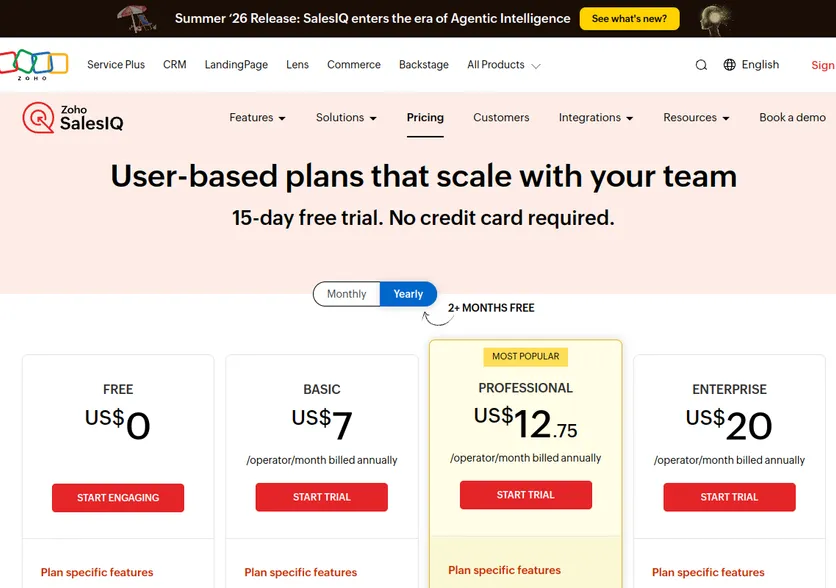
 Zoho SalesIQ | Freelancers who want the cheapest real chat with visitor tracking | $7/operator/month | Free plan for 3 operators | Visit |
The live chat software for freelancers, compared
1. LiveChat
Best for: Freelancers who want the most proven chat widget with the widest integrations
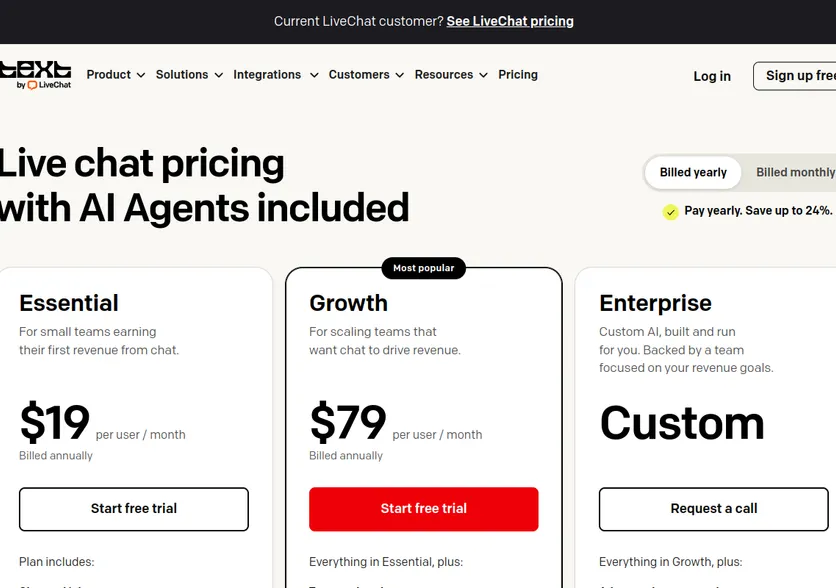
Paid tool Starting price: $19/agent/month · Starter plan, $19 an agent a month billed annually or $25 billed monthly, limited to 1 seat; Team is $49 an agent a month
Free plan: No free tier published on the pricing page
LiveChat is the chat widget most visitors already recognise, which means they trust it enough to type the first message. This LiveChat Starter plan adds one seat, canned responses, chat ratings and integrations with the tools a freelancer already uses. A solo operator can answer sales questions from a phone and never miss a visitor who is ready to buy.
What we like
- Visitors already recognise and trust the widget
- Canned replies speed up every conversation
- Mobile app answers chats anywhere
Watch out for
- Starter costs nineteen dollars an agent a month billed annually
- Starter is limited to one seat
How to try it
- Open the LiveChat pricing page and start a trial
- Add the chat widget to your website
- Write three canned replies for your most common questions
2. Tidio
Best for: Freelancers who want chat plus AI that answers simple questions alone
Paid tool Starting price: $29/month · Starter plan, $29 a month or $24.17 a month billed annually, for 100 billable conversations; Growth starts from $59 a month
Free plan: Free plan available
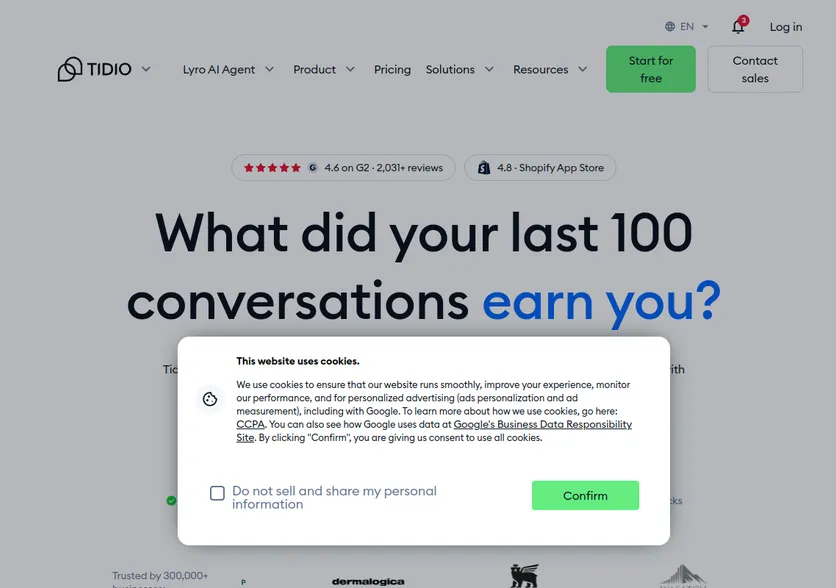
Tidio pairs live chat with an AI assistant that answers simple questions while a freelancer is busy with client work. This Tidio Starter plan adds a hundred billable conversations a month, live visitor tracking and a shared inbox for chat and email. A solo operator can let the AI handle opening questions and step in only when a visitor is ready to buy.
What we like
- AI assistant answers simple questions alone
- Live visitor tracking shows who is browsing
- Shared inbox for chat and email
Watch out for
- Starter costs twenty-nine dollars a month
- AI features are billed separately on higher plans
How to try it
- Open the Tidio pricing page and start the free plan
- Add the chat widget to your website
- Set up the AI assistant with your most common answers
3. Crisp
Best for: Freelancers who want chat, email and a help centre in one shared inbox
Paid tool Starting price: $45/month · Mini plan, $45 a month per workspace for 4 seats and $10 per extra seat; Essentials is $95 a month for 10 seats
Free plan: Free plan for 2 seats
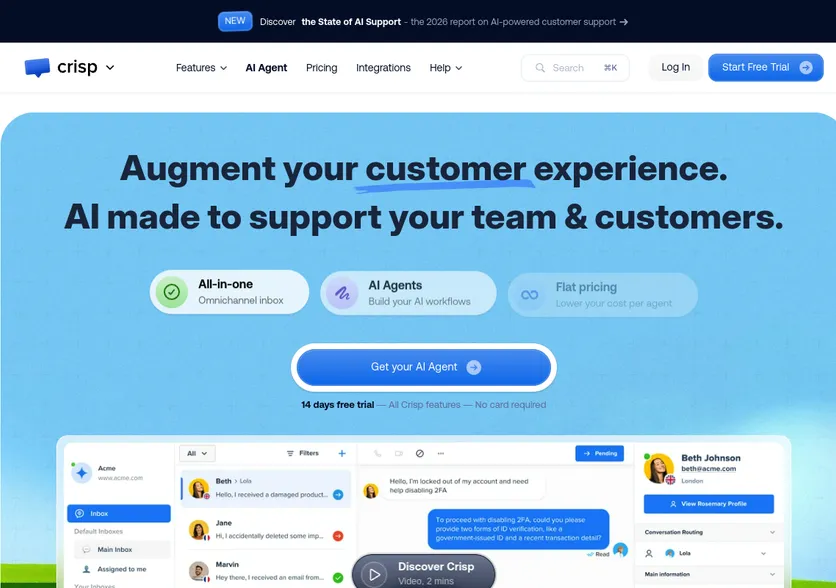
Crisp gives a freelancer one inbox for chat, email and help articles, so no visitor question falls between two tools. This Crisp Mini plan adds four seats, a knowledge base, canned replies and AI credits for drafting answers. A solo operator can run support, sales and onboarding from a single screen that stays tidy.
What we like
- One inbox for chat, email and help articles
- Built-in knowledge base included
- Free plan for two seats
Watch out for
- Mini costs forty-five dollars a month per workspace
- Priced per workspace, so the entry cost is higher than per-agent tools
How to try it
- Open the Crisp pricing page and start the free plan
- Add the chat widget to your website
- Write your first help articles in the built-in knowledge base
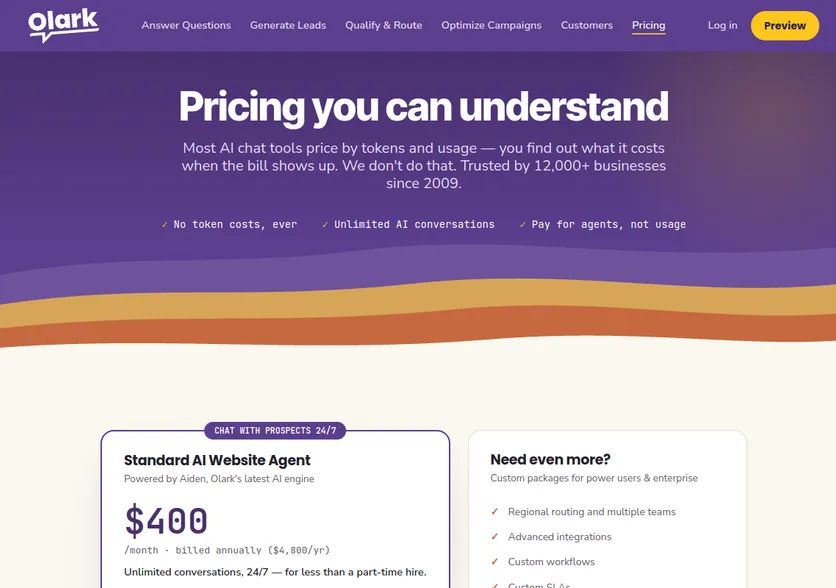
4. Olark
Best for: Freelancers who want simple human chat with no AI in the way
Paid tool Starting price: $29/agent/month · Live Chat plan, $29 an agent a month for human-only chat; Standard AI Website Agent is $400 a month billed annually
Free plan: No free tier published on the pricing page
Olark keeps live chat simple, with a clean widget, transcripts and visitor details and no AI layer getting between you and the customer. This Olark Live Chat plan adds unlimited chats, canned responses, chat ratings and integrations with common CRM tools. A freelancer who answers every message personally will find nothing here to fight against.
What we like
- Simple chat with no AI in the way
- Unlimited chats on the entry plan
- Clean visitor details on every conversation
Watch out for
- Live Chat costs twenty-nine dollars an agent a month
- No free plan, only a trial
How to try it
- Open the Olark pricing page and start a trial
- Add the chat widget to your website
- Set your away message for hours when you are offline
5. Freshchat
Best for: Freelancers who want chat inside a full customer support suite
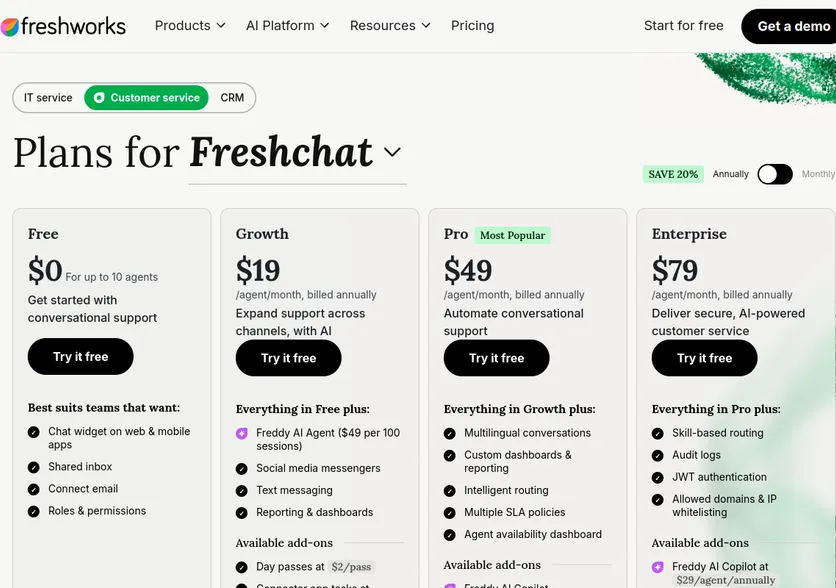
Paid tool Starting price: $19/agent/month · Growth plan, $19 an agent a month billed annually or $23 billed monthly; Pro is $49 an agent a month
Free plan: Free plan for up to 10 agents
Freshchat sits inside the Freshworks suite, so a freelancer who outgrows chat can add ticketing and email without switching vendors. This Freshchat Growth plan adds AI chatbots, campaigns that message visitors proactively, and a shared team inbox. A solo operator can start with chat alone and grow into a full support desk on the same account.
What we like
- Grows into a full support suite
- AI chatbots answer after hours
- Free plan for up to ten agents
Watch out for
- Growth costs nineteen dollars an agent a month billed annually
- Part of a bigger suite, so setup takes longer
How to try it
- Open the Freshchat pricing page and start the free plan
- Add the chat widget to your website
- Set up a chatbot to answer questions after hours
6. LiveAgent
Best for: Freelancers who want chat plus tickets at the lowest per-agent price
Paid tool Starting price: $15/agent/month · Starter plan, $15 an agent a month billed annually or $19 billed monthly; the vendor page currently shows a Black Friday promo until December 15, 2026
Free plan: No free tier published on the pricing page
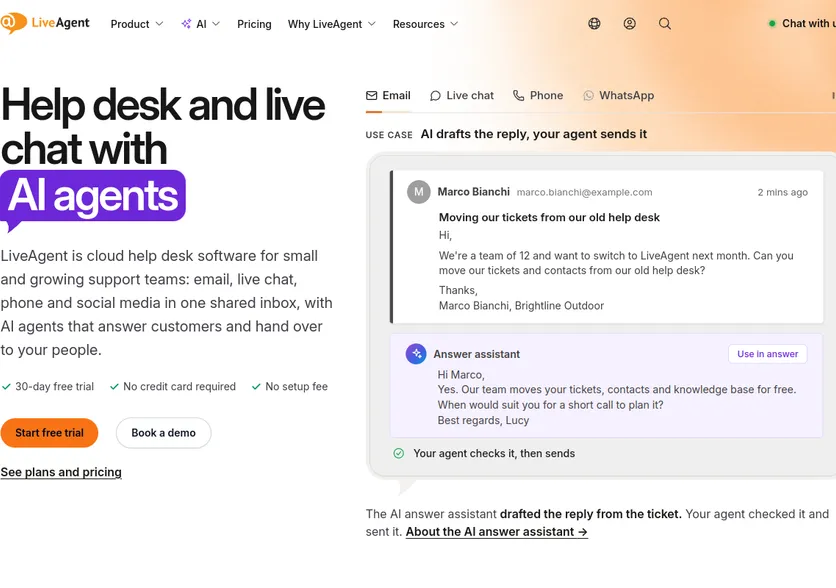
LiveAgent combines live chat with a ticket system, so a question that starts in chat can become a tracked ticket when it needs follow-up. This LiveAgent Starter plan adds chat, email tickets, a knowledge base and canned replies for up to five agents. A freelancer can handle sales chats and support tickets from one inbox without paying for two tools.
What we like
- Chat and tickets in one inbox
- Knowledge base included on the entry plan
- Lowest per-agent price on this list
Watch out for
- Starter costs fifteen dollars an agent a month billed annually
- Interface feels dated next to newer chat tools
How to try it
- Open the LiveAgent pricing page and start a trial
- Add the chat widget to your website
- Set up ticket rules so follow-ups never get lost
7. Help Scout
Best for: Freelancers who want chat and email support that feels personal
Paid tool Starting price: $25/user/month · Standard plan, $25 a user a month billed annually or $30 billed monthly; Plus is $45 a user a month
Free plan: Free plan for up to 5 users
Help Scout makes support feel like a personal email, because every chat and message lands in a shared inbox that reads like a conversation. This Help Scout Standard plan adds live chat, two Docs sites, collision detection and workflows for up to twenty-five users. A freelancer can answer clients by name, remember their history and never sound like a robot.
What we like
- Support that reads like personal email
- Live chat plus two Docs sites included
- Free plan for up to five users
Watch out for
- Standard costs twenty-five dollars a user a month billed annually
- Docs sites are capped at two on Standard
How to try it
- Open the Help Scout pricing page and start the free plan
- Add the chat widget to your website
- Create a Docs site with answers to common questions
8. Zoho SalesIQ
Best for: Freelancers who want the cheapest real chat with visitor tracking
Paid tool Starting price: $7/operator/month · Basic plan, $7 an operator a month billed annually or $10 billed monthly; Professional is $12.75 an operator a month
Free plan: Free plan for 3 operators
Zoho SalesIQ is the cheapest real chat on this list, with live visitor tracking that shows exactly which page a visitor is reading before they type. This Zoho SalesIQ Basic plan adds chat, visitor tracking, canned replies and integrations with the wider Zoho suite. A freelancer on a tight budget can still greet visitors by the page they are reading.
What we like
- Cheapest paid chat on this list
- Live visitor tracking on every plan
- Free plan for three operators
Watch out for
- Basic costs seven dollars an operator a month billed annually
- Interface is less polished than pricier rivals
How to try it
- Open the Zoho SalesIQ pricing page and start the free plan
- Add the chat widget to your website
- Watch live visitors and greet them by the page they read
Prices above were checked on each vendor’s own website on Nov 26, 2026 and can change — the vendor’s page is the final word. Vendor links are editorial: nobody paid to be listed or ranked here. Vendors who want a featured listing can see how it works on our Get listed page.
The live chat software for freelancers, compared
Live chat pays for itself when a visitor turns into a client, so speed matters more than the number of features. This list runs from about seven dollars an operator a month to forty-five dollars a month, and a freelancer who answers alone should favour canned replies, a mobile app and offline messages over team features. The headline plan each vendor shows on its own pricing page is the number in the table above, checked on November 26, 2026.
Start with the free plan or trial on two tools and run chat on your site for a week. Compare how many visitors start a conversation and how fast you can answer, then pick the tool that fits your working hours. A chat widget that sits unanswered does more harm than no chat at all.
Before you buy
- Count the seats first, because most plans here charge per agent and a freelancer feels every extra seat.
- Check the mobile app before you commit, because a freelancer answers most chats away from a desk.
- Test the free plan on your real site first, because a demo widget never shows how visitors actually behave.
- Ask whether offline messages reach your email, because a visitor who writes at midnight still deserves an answer.
- Add up the sales won, because a chat tool that converts one extra client a month pays for itself many times over.
Official websites
Official websites of the products reviewed above. Features and prices were checked against these sites when this guide was written, and they can change, so confirm on the vendor site before you buy.
Frequently asked questions
What is the best live chat software for freelancers in 2026?
LiveChat, at nineteen dollars an agent a month billed annually, is the safest default because visitors recognise the widget and trust it enough to type. Zoho SalesIQ is better on a tight budget, with live visitor tracking from seven dollars an operator a month. Tidio wins when you want an AI assistant to answer simple questions while you are busy with client work.
What is the cheapest live chat software for freelancers?
Zoho SalesIQ Basic, at seven dollars an operator a month billed annually, is the cheapest paid plan here, with a free plan for three operators. LiveAgent Starter follows at fifteen dollars an agent a month billed annually, and LiveChat Starter and Freshchat Growth are both nineteen dollars an agent a month. Crisp, Tidio, Freshchat, Help Scout and Zoho SalesIQ all offer free plans.
Can I use live chat software for free as a freelancer?
Yes, several tools on this list offer free plans. Tidio has a free plan, Crisp is free for two seats, Freshchat is free for up to ten agents, Help Scout is free for up to five users, and Zoho SalesIQ is free for three operators. Start free, put the widget on your real site, and upgrade only when a limit blocks your work.
Do I need AI chatbots as a freelancer, or is human chat enough?
Human chat is enough for most freelancers, because clients hire you for a personal answer, not a bot. AI helps after hours, when Tidio or Freshchat can answer simple questions and take a message while you sleep. Start with human chat and canned replies, then add AI only when you see the same questions arriving outside your working hours.
Which live chat tool is best for converting website visitors into clients?
LiveChat converts well because visitors recognise the widget and trust it, and canned replies keep answers fast. Zoho SalesIQ helps you greet visitors by the page they are reading, which starts a warmer conversation. Tidio adds proactive messages and an AI assistant that engages visitors before they leave. Test two widgets on your real site for a week and compare how many chats each one starts.
Need more everyday help? Try Toolsvine's free business tools for freelancers right in your browser.
Browse Business Tools tools


