On this page
A remote team sells to customers who shop on their phones, so the store has to look good on a small screen, check out in seconds and keep working while the team works from different time zones. The eight tools below build mobile-first stores, take payments and handle orders without an office. Shopify leads because it is the most complete mobile commerce platform, and the rest are ranked on the same test: how fast a small team can launch a store that sells well on a phone.
How we researched this
We checked every price on the vendor pricing page on November 28, 2026, and only included tools with a published US dollar list price. Prices change, so confirm the current figure on the vendor site before you buy. Some tools charge a monthly fee plus a share of each sale, so the cheapest headline is not always the cheapest bill.
Compare the tools
| Name | Best for | Starting price | Free plan | |
|---|---|---|---|---|
 Wix | Small remote teams that want the cheapest paid store | $17/month | 14-day free trial | Visit |
 Duda | Agencies and remote teams managing stores for clients | $19/month | 14-day free trial | Visit |
 Squarespace | Remote teams that want a beautiful store with no designer | $19/month | 14-day free trial | Visit |
 Shopify | Remote teams that want the most complete commerce platform | $29/month | 3-day free trial | Visit |
 BigCommerce | Remote teams planning to sell on many channels at once | $29/month | 15-day free trial | Visit |
 Ecwid | Remote teams adding a store to an existing website | $29/month | No free plan | Visit |
 WooCommerce | Remote teams on WordPress that want a free, flexible store | $0/month | Free plan | Visit |
 Shift4Shop | US remote teams happy to use Shift4 Payments | $0/month | Free plan (with Shift4 Payments) | Visit |
The mobile e-commerce software for remote teams, compared
1. Wix
Best for: Small remote teams that want the cheapest paid store
Paid tool Starting price: $17/month · Seventeen dollars a month billed annually on the Business Basic plan; some listings show $23 or $27 a month for the same tier, but three November 2026 reads of the vendor pricing page agree on $17. Higher tiers add more storage and staff accounts
Free plan: 14-day free trial
This Wix plan costs seventeen dollars a month on annual billing, and it is the cheapest paid way for a remote team to start selling. It builds a mobile-first store with a drag-and-drop editor, takes payments and manages orders without any code, which suits a team with no developer. A small team can launch a store in a weekend and run it from anywhere.

What we like
- The lowest paid entry price in this list
- Drag-and-drop store builder with no code needed
- Mobile-first templates that look good on phones
Watch out for
- No permanent free plan for selling, only a 14-day trial
- Fewer advanced commerce features than Shopify or BigCommerce
How to try it
- Start a trial and pick a mobile-first store template
- Add products, prices and photos from anywhere
- Connect a payment method and test checkout on a phone
2. Duda
Best for: Agencies and remote teams managing stores for clients
Paid tool Starting price: $19/month · Nineteen dollars a month billed annually on the Basic plan, or twenty-five dollars month to month; eCommerce is a separate per-site add-on from $7 a month, so the total cost of selling is higher than the headline price
Free plan: 14-day free trial
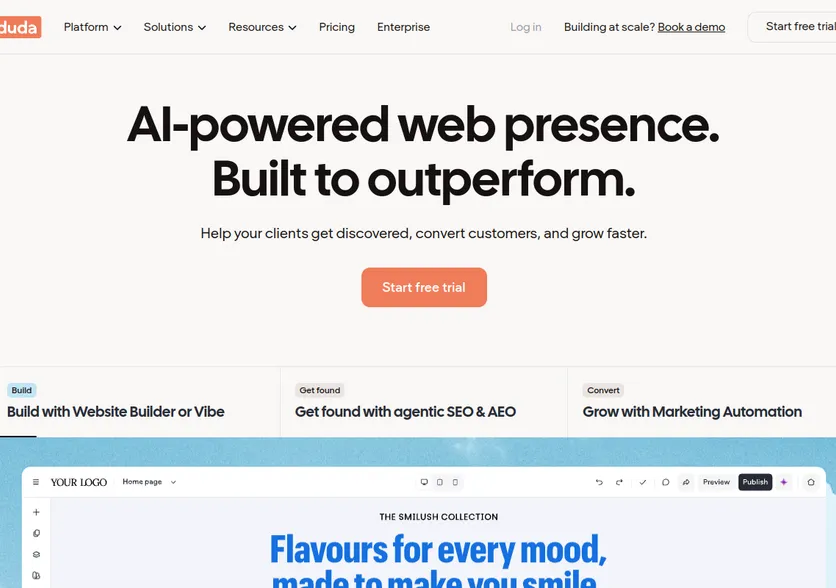
This Duda plan costs nineteen dollars a month on annual billing, and it is built for teams that manage stores for clients. It designs responsive sites fast, with team workflows and white-label options that suit an agency working remotely. Selling needs the eCommerce add-on, which starts at seven dollars a month per site, so budget for the add-on when you compare prices.
What we like
- Fast responsive design with strong team workflows
- White-label options for client work
- Good for managing many sites from one account
Watch out for
- Selling needs a separate eCommerce add-on from $7 a month
- Less known for commerce than Shopify or BigCommerce
How to try it
- Start a trial and build a store for one client
- Add the eCommerce add-on and set up products and payments
- Test checkout on a phone and hand the site to the client
3. Squarespace
Best for: Remote teams that want a beautiful store with no designer
Paid tool Starting price: $19/month · Nineteen dollars a month billed annually on the Basic plan, or twenty-five dollars month to month, with a 2 percent store fee; Core is $29 a month billed annually with no store fee, Plus is $49 and Advanced is $99. The old Commerce Basic tier at $27 or $36 a month is no longer listed
Free plan: 14-day free trial
This Squarespace plan costs nineteen dollars a month on annual billing, and it is the best-looking store builder in this list. It pairs beautiful mobile templates with built-in selling, inventory and marketing tools, so a remote team can run a store that looks like it had a designer. The Basic plan charges a two percent fee on each sale, so a busy store should move to Core, which removes the fee.

What we like
- The best-looking mobile store templates in this list
- Selling, inventory and marketing built in
- Simple setup with no code needed
Watch out for
- The Basic plan charges a 2 percent fee on each sale
- Fewer third-party apps than Shopify or WooCommerce
How to try it
- Start a trial and pick a template that fits the brand
- Add products and set up payments and shipping
- Test checkout on a phone and publish the store
4. Shopify
Best for: Remote teams that want the most complete commerce platform
Paid tool Starting price: $29/month · Twenty-nine dollars a month billed annually on the Basic plan, or thirty-nine dollars month to month; Grow is $89 a month billed annually and Advanced is $359 a month billed annually. Transaction fees apply unless Shopify Payments is used
Free plan: 3-day free trial
This Shopify plan costs twenty-nine dollars a month on annual billing, and it is the most complete mobile commerce platform a remote team can buy. It handles the store, payments, shipping, inventory and apps from one dashboard, and its mobile checkout converts well on phones. A team can start small and grow to thousands of orders without switching platforms.

What we like
- The most complete mobile commerce platform in this list
- Fast mobile checkout that converts well
- A huge app store for adding features as the business grows
Watch out for
- Transaction fees apply unless Shopify Payments is used
- Only a 3-day free trial on the standard plans
How to try it
- Start a trial and pick a mobile-first theme
- Add products, set up Shopify Payments and shipping
- Test checkout on a phone and launch the store
5. BigCommerce
Best for: Remote teams planning to sell on many channels at once
Paid tool Starting price: $29/month · Twenty-nine dollars a month billed annually on the Core plan, or thirty-nine dollars month to month; Growth is $79 a month billed annually and Scale is $299 a month billed annually. The plan was renamed from Standard to Core in June 2026, and listings disagree on whether the GMV threshold is $30,000 or $50,000 a year
Free plan: 15-day free trial
This BigCommerce plan costs twenty-nine dollars a month on annual billing, and it is built for stores that expect to grow. It offers strong built-in selling features without needing many apps, including multi-channel selling and advanced product options. A remote team that plans to sell on marketplaces as well as its own store will use more of BigCommerce than of simpler builders.

What we like
- Strong built-in features with fewer apps needed
- Multi-channel selling included on the entry plan
- Scales well as order volume grows
Watch out for
- Listings disagree on the annual GMV threshold for the Core plan
- The interface is less friendly than Wix or Squarespace
How to try it
- Start a trial and pick a theme for the store
- Add products and connect the sales channels the team uses
- Test checkout on a phone and publish the store
6. Ecwid
Best for: Remote teams adding a store to an existing website
Paid tool Starting price: $29/month · Twenty-nine dollars a month billed annually on the Venture plan, or thirty-five dollars month to month, with 100 products; Starter is $5 a month with 10 products, Business is $49 a month billed annually and Unlimited is $119 a month billed annually. The free plan was removed in November 2026
Free plan: No free plan
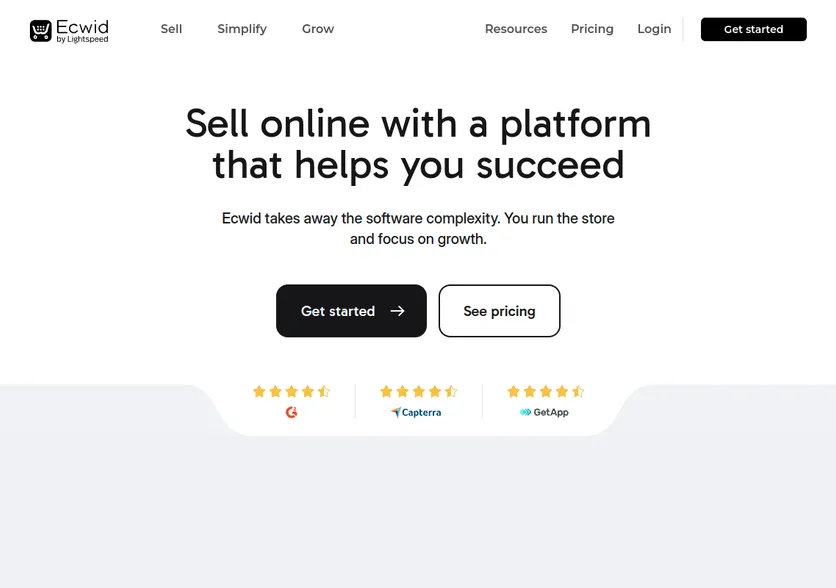
This Ecwid plan costs twenty-nine dollars a month on annual billing, and it adds a store to a website a team already has. It works as a widget on any site, on social media and on marketplaces, so a remote team can start selling without rebuilding its website. The Venture plan covers one hundred products, which is enough for most small catalogs.
What we like
- Adds a store to any existing website or social page
- Sells on social media and marketplaces from one place
- Simple setup with no rebuild needed
Watch out for
- The free plan was removed in November 2026
- Fewer design options than full store builders
How to try it
- Sign up and add the store widget to the existing website
- Add products and connect a payment method
- Test checkout on a phone and share the store link
7. WooCommerce
Best for: Remote teams on WordPress that want a free, flexible store
Paid tool Starting price: $0/month · Zero dollars a month for the plugin itself, which is free and open source; hosting, a domain and payment processing cost extra, so the total bill depends on the hosting plan chosen
Free plan: Free plan
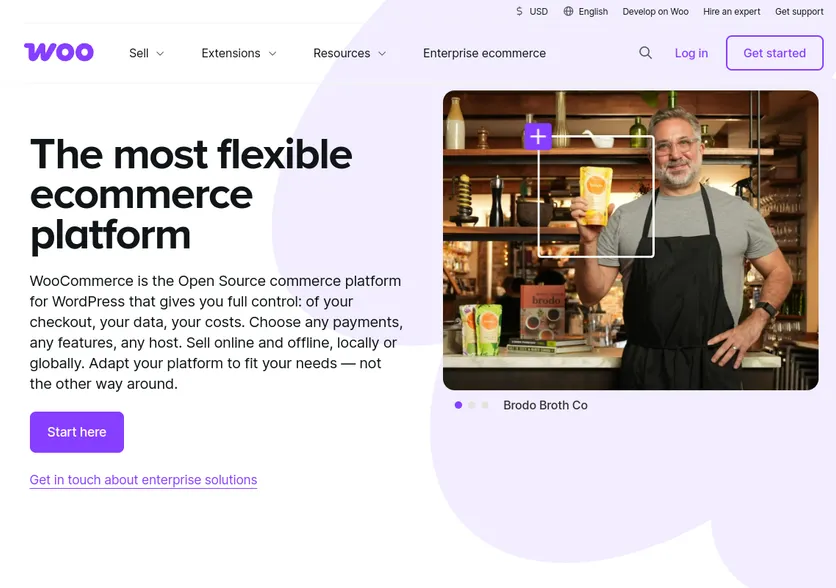
This WooCommerce plan costs nothing a month, because the plugin itself is free and open source. It turns a WordPress site into a full store with products, payments, shipping and taxes, and thousands of free and paid extensions add features. A remote team with a WordPress site and some technical skill gets the most flexible store in this list for the price of hosting alone.
What we like
- The plugin itself is completely free
- Thousands of extensions for any feature imaginable
- Full ownership of the store and its data
Watch out for
- Hosting, domain and payment fees cost extra
- Needs more technical skill than hosted builders
How to try it
- Install WooCommerce on the WordPress site
- Add products and connect a payment gateway
- Pick a mobile-first theme and test checkout on a phone
8. Shift4Shop
Best for: US remote teams happy to use Shift4 Payments
Paid tool Starting price: $0/month · Zero dollars a month for US merchants who use Shift4 Payments, at 2.9 percent plus thirty cents per transaction; the pricing page itself lists $41 a month, and using a third-party processor costs $229 a month. Read the plan carefully before comparing it with other tools
Free plan: Free plan (with Shift4 Payments)
This Shift4Shop plan costs nothing a month for US merchants who process payments with Shift4 Payments, and it includes a full store with hosting. It suits a US-based remote team that is happy to use one payment processor, because the monthly fee disappears in exchange for processing fees. Teams outside the US or with another processor should expect the listed monthly price instead.

What we like
- No monthly fee for US merchants on Shift4 Payments
- Full store with hosting included
- Built-in marketing and SEO tools
Watch out for
- The zero price only applies with Shift4 Payments in the US
- The pricing page itself lists a different monthly figure
How to try it
- Sign up and pick a theme for the store
- Connect Shift4 Payments and add products
- Test checkout on a phone and publish the store
Prices above were checked on each vendor’s own website on Nov 28, 2026 and can change — the vendor’s page is the final word. Vendor links are editorial: nobody paid to be listed or ranked here. Vendors who want a featured listing can see how it works on our Get listed page.
How a remote team launches a store that sells on phones
Start with the phone, not the desktop, because most customers will meet the store on a small screen first. Pick a template that loads fast and checks out in a few taps, then test the whole purchase on a real phone before you tell anyone the store is open. Keep the product list small at launch, because a store with twenty good products beats a store with two hundred half-finished ones. Set up shipping, taxes and returns before the first order arrives, and agree who on the team answers customer messages, since a remote team has no shop counter to catch problems in person.
Before you buy
- Test the whole checkout on a real phone before launch
- Check whether the plan charges a monthly fee, a sales fee, or both
- Confirm the store loads fast and looks right on small screens
- Set up shipping, taxes and returns before the first order
- Agree who on the team answers customer messages each day
Official websites
Official websites of the products reviewed above. Features and prices were checked against these sites when this guide was written, and they can change, so confirm on the vendor site before you buy.
Frequently asked questions
What is mobile e-commerce software for remote teams?
It is software that builds and runs an online store designed for shoppers on phones, managed by a team working from different locations. It covers the storefront, product pages, checkout, payments, orders and shipping from one dashboard. The tools in this list range from free plugins to full hosted platforms, and the best fit depends on budget, technical skill and how many products the team sells.
How much does mobile e-commerce software cost?
Entry prices in this list run from zero dollars a month on WooCommerce and Shift4Shop to twenty-nine dollars a month on Shopify, BigCommerce and Ecwid, all billed annually. Most tools also charge a share of each sale, from zero on some plans to about three percent plus thirty cents per transaction. Free plans and trials exist on several tools, so a team can test before paying.
Is WooCommerce really free?
Yes, the WooCommerce plugin itself is free and open source, and it turns a WordPress site into a full store. Hosting, a domain name and payment processing still cost money, so the total bill depends on the hosting plan and the payment gateway. A team with a WordPress site and some technical skill can run a store for the price of hosting alone.
Which tool is best for a remote team with no developer?
Wix is the easiest start at seventeen dollars a month, with a drag-and-drop builder and no code needed. Squarespace is the best-looking option at nineteen dollars a month, and Shopify is the most complete platform at twenty-nine dollars a month. All three let a non-technical team launch a mobile store in a weekend and run it from anywhere.
Do these tools charge a fee on every sale?
Most do, either as a payment processing fee of about three percent plus thirty cents per transaction or as a store fee on some plans. Squarespace Basic charges a two percent store fee on top of processing, while Shopify charges a transaction fee unless Shopify Payments is used. Shift4Shop charges no monthly fee for US merchants on Shift4 Payments but takes its cut through processing fees.
Compare the eight tools above, then start with the free plan or trial on the tool that fits the team's budget and technical skill before you pay for a full year.
Browse Business Tools tools