On this page
A solopreneur newsletter lives or dies on two things: how fast you can send a good issue, and how much of your revenue the tool takes as your list grows. The nine tools below all publish a US dollar price, from free plans that cover your first thousand readers to flat-rate plans that never charge per subscriber. Mailchimp leads the list because its Essentials plan starts at thirteen dollars a month and its free plan covers two hundred and fifty contacts, and the rest are ranked on the same test: what a one-person business pays to reach its readers.
How we researched this
We checked every price on the vendor pricing page on November 28, 2026, and only included tools with a published US dollar list price. Substack charges no subscription and takes ten percent of paid subscription revenue instead, so it has no list price to compare. Prices change, so confirm the current figure on the vendor site before you buy.
Compare the tools
| Name | Best for | Starting price | Free plan | |
|---|---|---|---|---|
 Mailchimp | Solopreneurs who want the biggest integration list and a familiar editor | $13/month | Free plan, 250 contacts | Visit |
 Kit | Creators who sell paid newsletters or digital products | $33/month | Free plan up to 10,000 subscribers | Visit |
| Beehiiv | Solopreneurs building a newsletter publication with growth tools | $49/month | Free Launch plan | Visit |
 MailerLite | Solopreneurs who want a simple editor and honest pricing | $19/month | Free plan, 250 subscribers | Visit |
 Brevo | Solopreneurs with a big list who send infrequently | $9/month | Free plan, 300 emails a day | Visit |
| Flodesk | Solopreneurs with a fast-growing list who want one flat price | $38/month | Free plan (no sending) | Visit |
| Ghost | Solopreneurs who want a newsletter and a publication in one | $9/month | Free self-hosted version | Visit |
| Buttondown | Writers who want a plain, fast newsletter tool | $9/month | Free plan up to 100 subscribers | Visit |
| EmailOctopus | Solopreneurs who want the lowest paid price with a generous free tier | $9/month | Free Starter plan | Visit |
The newsletter software for solopreneurs, compared
1. Mailchimp
Best for: Solopreneurs who want the biggest integration list and a familiar editor
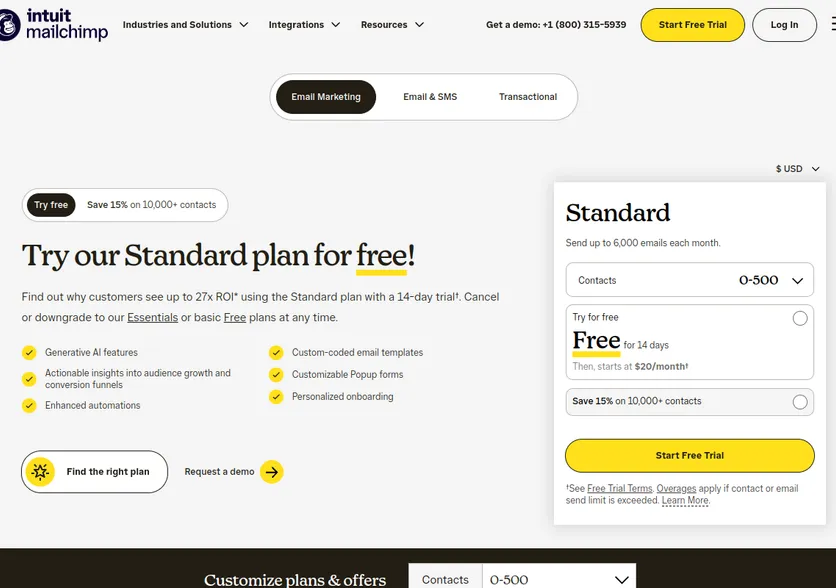
Paid tool Starting price: $13/month · Thirteen dollars per month on the Essentials plan for 500 contacts, or $11.05 billed annually; Standard is $20 and Premium is $350; the free plan covers 250 contacts and 500 sends a month; verified nonprofits get 15% off
Free plan: Free plan, 250 contacts
This Mailchimp plan costs thirteen dollars a month for five hundred contacts, and it is the most familiar newsletter tool a solopreneur can buy. A one-person business gets templates, signup forms, basic automations and the largest integration list in this roundup. The free plan covers two hundred and fifty contacts, so a new list can start sending before spending anything.
What we like
- The largest integration catalogue in this list
- Templates and signup forms that need no design skill
- A free plan to start a new list at no cost
Watch out for
- The price climbs steeply as contacts grow
- Automation depth needs the higher tiers
How to try it
- Create an audience and import your existing contacts
- Pick a template and write your first issue
- Schedule the send and check the open report
2. Kit
Best for: Creators who sell paid newsletters or digital products
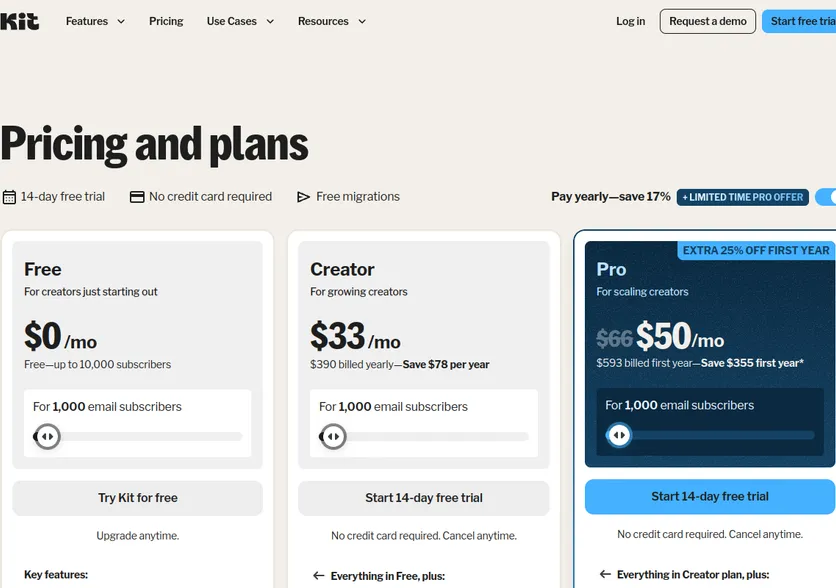
Paid tool Starting price: $33/month · Thirty-three dollars per month billed annually on the Creator plan at 1,000 subscribers, or $39 month to month; Pro is $66 billed annually; the free plan covers up to 10,000 subscribers but blocks automations; a Black Friday offer cut Creator by 50% for three months until December 1, 2026, and that promo is not the list price
Free plan: Free plan up to 10,000 subscribers
This Kit plan costs thirty-three dollars a month billed annually, and it is built for creators who sell through email. A solopreneur can run paid newsletters, sell digital products and tag readers by interest, all from one account. The free plan covers ten thousand subscribers, though automations stay locked until you pay.
What we like
- Commerce tools built for paid newsletters
- Subscriber tagging that powers simple automations
- A free plan that covers ten thousand subscribers
Watch out for
- Automations are locked on the free plan
- The price rose from twenty-nine to thirty-nine dollars monthly in 2025
How to try it
- Create a form and connect it to your site
- Tag subscribers by what they signed up for
- Send a broadcast or build a welcome sequence
3. Beehiiv
Best for: Solopreneurs building a newsletter publication with growth tools
Paid tool Starting price: $49/month · Forty-nine dollars per month billed annually on the Lite plan at 1,000 subscribers, or $59 month to month; Pro is $109 per month; plans were renamed on October 1, 2026, when Scale became Lite and Max became Pro, so older Scale prices are stale
Free plan: Free Launch plan
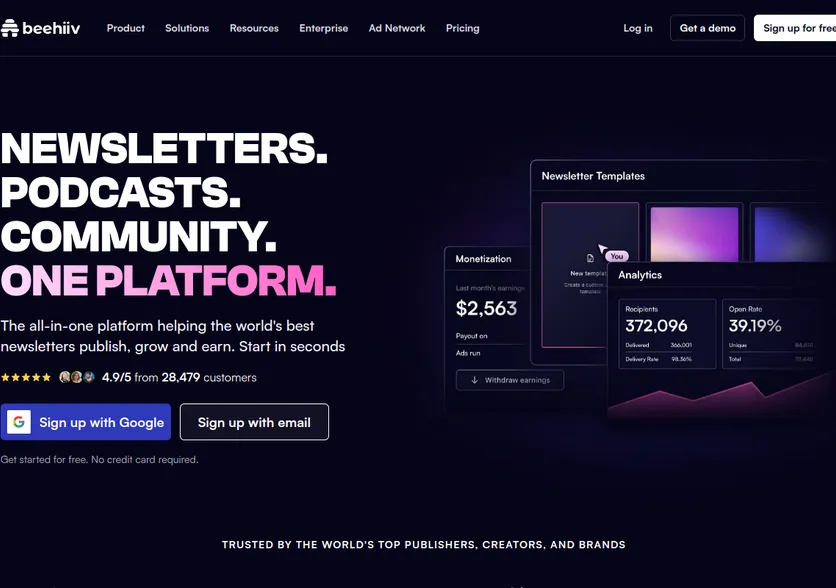
This Beehiiv plan costs forty-nine dollars a month billed annually, and it is built for newsletters that want to grow into publications. A solopreneur gets a built-in website, referral programs and ad network options alongside the email editor. The plans were renamed in October 2026, when Scale became Lite and Max became Pro, so older price lists no longer match.
What we like
- A built-in website alongside the newsletter
- Referral programs that reward readers for sharing
- Ad network options for monetizing a growing list
Watch out for
- The entry price is higher than most tools here
- Plan names changed in 2026, so old reviews mislead
How to try it
- Start a publication and pick a design
- Import your list and write the first issue
- Turn on referrals to grow the audience
4. MailerLite
Best for: Solopreneurs who want a simple editor and honest pricing
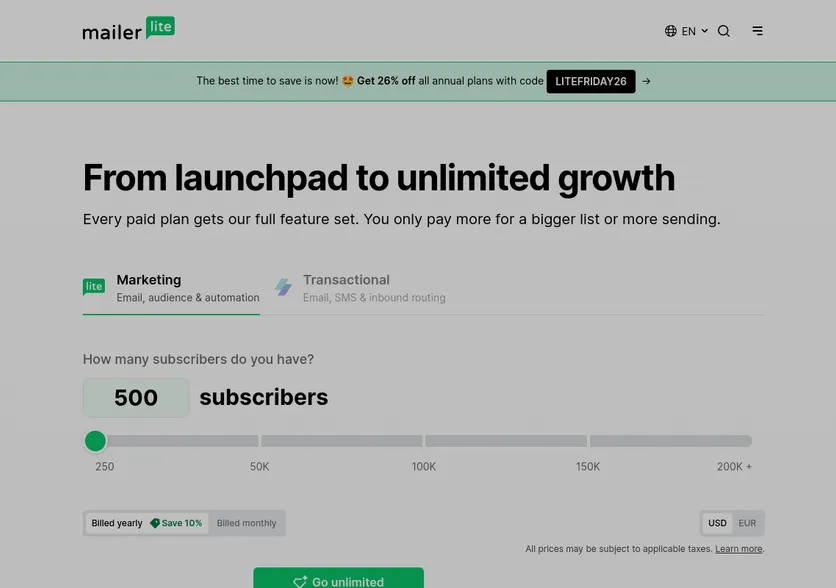
Paid tool Starting price: $19/month · Nineteen dollars per month on the Comfort plan at 1,000 subscribers, or $17.10 billed annually; Power is $39 at 1,000 subscribers; plans were renamed on June 16, 2026, when Growing Business became Comfort and Advanced became Power, with prices up 10 to 30 percent; the free plan now covers 250 subscribers
Free plan: Free plan, 250 subscribers
This MailerLite plan costs nineteen dollars a month at one thousand subscribers, and it is one of the easiest editors in this list. A solopreneur can build a clean issue, set up a simple automation and sell digital products without learning a complex platform. The plans were renamed in June 2026, when Growing Business became Comfort and Advanced became Power, and prices rose at the same time.
What we like
- A clean editor that stays out of the way
- Automations and landing pages on the paid plans
- Only active subscribers count toward the bill
Watch out for
- The free plan now covers only 250 subscribers
- Prices rose ten to thirty percent in June 2026
How to try it
- Create a group and import your subscribers
- Build an issue in the drag-and-drop editor
- Set up a welcome automation for new signups
5. Brevo
Best for: Solopreneurs with a big list who send infrequently
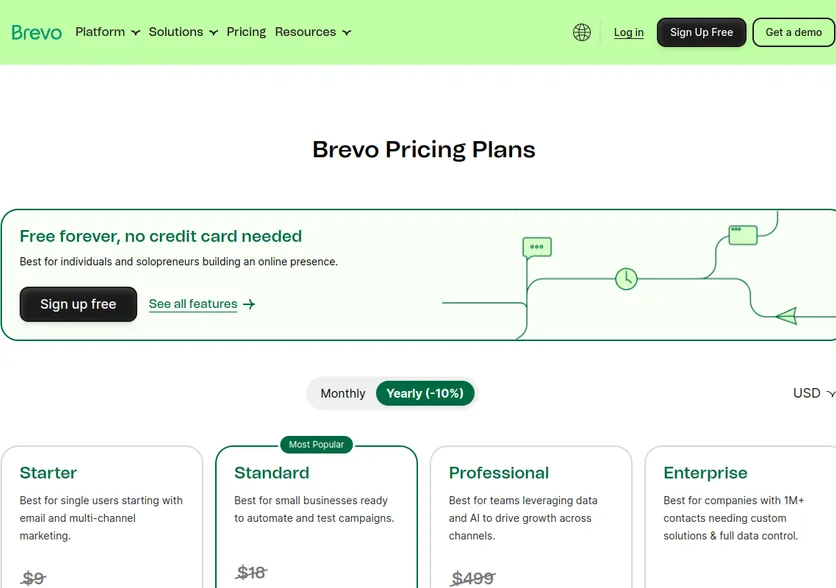
Paid tool Starting price: $9/month · Nine dollars per month on the Starter plan for 5,000 emails a month; Standard is $18 and Professional is $499; annual billing saves 10 percent; removing the Brevo logo costs extra on Starter
Free plan: Free plan, 300 emails a day
This Brevo plan costs nine dollars a month, and it prices by emails sent rather than by contacts. A solopreneur with a large list who sends rarely pays far less here than on a per-subscriber tool. The Starter plan covers five thousand emails a month, and the free plan sends three hundred emails a day.
What we like
- Pricing by emails sent, not by list size
- Transactional email and SMS in the same account
- A free plan with three hundred emails a day
Watch out for
- Removing the Brevo logo costs extra on Starter
- The editor is plainer than the design-led tools
How to try it
- Import contacts and create your first campaign
- Design the email and pick your send list
- Check delivery reports and adjust the next send
6. Flodesk
Best for: Solopreneurs with a fast-growing list who want one flat price
Paid tool Starting price: $38/month · Thirty-eight dollars per month billed annually on the Email plan, or $46 month to month; the Everything plan is $79 billed annually; flat-rate pricing was reinstated on November 10, 2026, after a tiered experiment, so tiered prices from late 2025 are stale; the free plan includes no email sending
Free plan: Free plan (no sending)
This Flodesk plan costs thirty-eight dollars a month billed annually, and it charges the same no matter how many subscribers you have. A solopreneur with a fast-growing list never pays more for winning readers, and every template looks polished without design work. Flat-rate pricing came back in November 2026 after a tiered experiment, so older tiered prices no longer apply.
What we like
- Unlimited subscribers and sends for one flat price
- Beautiful templates that need no design skill
- No per-subscriber bill as the list grows
Watch out for
- The free plan cannot send email at all
- Fewer automation options than the bigger platforms
How to try it
- Pick a template and style it to your brand
- Build a signup form and connect it to your site
- Send your first issue to the whole list
7. Ghost
Best for: Solopreneurs who want a newsletter and a publication in one
Paid tool Starting price: $9/month · Nine dollars per month billed annually on the Ghost(Pro) Starter plan, or $11 month to month; Creator is $25 billed annually and Team is $50; the software itself is free and open source when self-hosted, with no platform fee on paid memberships
Free plan: Free self-hosted version
This Ghost plan costs nine dollars a month billed annually, and it pairs a newsletter with a full publishing site. A solopreneur can write posts, send them as email and sell paid memberships, with no platform fee taken from subscriptions. The software is free and open source when self-hosted, so the hosted price is really paying for hosting and updates.
What we like
- Publishing, email and paid memberships in one tool
- No platform fee on paid subscriptions
- Free and open source when self-hosted
Watch out for
- The hosted price is really a hosting fee
- Fewer marketing automations than email-first tools
How to try it
- Start a Ghost(Pro) site or self-host the software
- Import your list and set up membership tiers
- Publish a post and send it as an email
8. Buttondown
Best for: Writers who want a plain, fast newsletter tool
Paid tool Starting price: $9/month · Nine dollars per month on the Basic plan up to 1,000 active subscribers; Standard is $29, Professional is $79 and Advanced is $139; there is no annual discount; optional add-ons for tagging, paid subscriptions and analytics cost $9 to $29 per month each
Free plan: Free plan up to 100 subscribers
This Buttondown plan costs nine dollars a month, and it is the plainest newsletter tool in this list. A solopreneur who writes in Markdown and wants no clutter gets a fast editor, a simple archive and honest per-subscriber pricing. There is no annual discount, and features such as tagging and paid subscriptions come as add-ons rather than in the base plan.
What we like
- A clean Markdown-first writing experience
- Simple per-subscriber pricing with no surprises
- A free plan for the first hundred subscribers
Watch out for
- Paid subscriptions need a higher tier or an add-on
- Add-ons can push the real price above nine dollars
How to try it
- Create an account and write your first issue in Markdown
- Import subscribers or add a signup form
- Send the issue and read the simple analytics
9. EmailOctopus
Best for: Solopreneurs who want the lowest paid price with a generous free tier
Paid tool Starting price: $9/month · Nine dollars per month billed annually on the Pro plan up to 500 subscribers, or $10 month to month; Pro is $12 billed annually at 1,000 subscribers and $18 at 2,500; the free Starter plan covers 2,500 subscribers and 10,000 emails a month
Free plan: Free Starter plan
This EmailOctopus plan costs nine dollars a month billed annually, and it is the cheapest paid route in this list. A solopreneur gets a straightforward editor, simple automations and a free Starter plan that covers two thousand five hundred subscribers. The price stays low as the list grows, because the tiers rise gently rather than jumping.
What we like
- The cheapest paid plan in this list
- A free tier covering 2,500 subscribers
- Simple pricing tiers that rise gently
Watch out for
- Fewer advanced automations than the bigger tools
- Template choice is narrower than Mailchimp or Flodesk
How to try it
- Create a list and import your subscribers
- Build a campaign in the editor
- Set up a welcome automation for new signups
Prices above were checked on each vendor’s own website on Nov 28, 2026 and can change — the vendor’s page is the final word. Vendor links are editorial: nobody paid to be listed or ranked here. Vendors who want a featured listing can see how it works on our Get listed page.
How to pick newsletter software that stays cheap as you grow
Start with your list size a year from now, not today, because most of these tools price by subscriber count and the bill climbs with every reader you win. A tool that looks cheap at five hundred subscribers can cost three times as much at five thousand, so run your growth through each pricing ladder before you commit. Next, check what the free plan actually lets you send, because some free tiers block automations or paid subscriptions. Finally, confirm you can export your list in full, because a newsletter audience you cannot take with you is rented, not owned.
Before you buy
- Price the tool at your list size a year from now, not at your size today
- Check whether the free plan includes automations or blocks them behind a paid tier
- Confirm you can export your full subscriber list at any time
- Ask whether paid subscriptions need a higher tier or a paid add-on
- Test the email editor on a real issue before you commit to a year
Official websites
Official websites of the products reviewed above. Features and prices were checked against these sites when this guide was written, and they can change, so confirm on the vendor site before you buy.
Frequently asked questions
What is the cheapest newsletter software for a solopreneur?
EmailOctopus is the cheapest paid route at nine dollars a month billed annually for up to five hundred subscribers, with a free Starter plan covering two thousand five hundred subscribers and ten thousand emails a month. Buttondown matches the nine dollar entry price up to one thousand active subscribers. Flodesk is the cheapest flat-rate option at thirty-eight dollars a month billed annually with unlimited subscribers.
How much does Mailchimp cost for a small list?
Mailchimp Essentials costs thirteen dollars a month for five hundred contacts, with Standard at twenty dollars and Premium at three hundred and fifty dollars. The free plan covers two hundred and fifty contacts and five hundred sends a month. Verified nonprofits get a fifteen percent discount on all plans.
Can I start a newsletter for free?
Yes, most tools in this list have a free plan, though the limits differ. Kit is free up to ten thousand subscribers but blocks automations, MailerLite is free up to two hundred and fifty subscribers, and EmailOctopus is free up to two thousand five hundred subscribers. Flodesk is the exception: its free plan does not include email sending at all.
Which newsletter tool is best for selling paid subscriptions?
Kit is the strongest fit for creators who sell, because its Creator plan starts at thirty-three dollars a month billed annually and its commerce tools are built for paid newsletters. Beehiiv also suits paid newsletters with its Pro plan at one hundred and nine dollars a month. Buttondown needs its Standard plan or a paid add-on for subscriptions, so check the total before you commit.
Should I pick a flat-rate tool or one priced by subscribers?
Pick flat-rate pricing when your list is growing fast, because Flodesk charges thirty-eight dollars a month billed annually no matter how many subscribers you add. Pick subscriber pricing when your list is small and steady, because EmailOctopus and Buttondown both start at nine dollars a month. Run your expected list size through both models before you decide.
Compare the nine tools above, then start with a free plan or trial on the tool that matches your list size before you pay for a full year.
Browse Marketing & Ads Calculators tools