On this page
A dental practice onboards patients, not employees, so the software that matters is the one that books the appointment, collects the forms and reminds the patient to show up. The seven tools below were picked because each one publishes a real price and handles patient onboarding well. tab32 leads the list because its Alpine plan costs ninety-five dollars a month for unlimited providers and users, and the rest are ranked on the same test: how much of the patient journey they cover for the price.
How we researched this
We checked every price on the vendor pricing page on November 28, 2026, and only included tools with a published US dollar list price. The dental systems that sell by quote, including Dentrix, Curve Dental, Carestream Dental, Planet DDS, NexHealth and RevenueWell, publish no prices, so they are not in this list. Prices change, so confirm the current figure on the vendor site before you buy.
Compare the tools
| Name | Best for | Starting price | Free plan | |
|---|---|---|---|---|
 tab32 | Small practices that want the cheapest cloud system with published pricing | $95/month | 14-day free trial | Visit |
 Practice-Web | Solo and small practices that want a low-cost desktop system | $149/month | Free trial | Visit |
 Weave | Practices that want phones, texting and reminders in one system | $199/month | Free demo | Visit |
 Open Dental | Practices that want full control and transparent pricing | $199/month | 90-day money-back guarantee | Visit |
 Oryx | Startups and solo practices that want imaging and claims bundled | $650/month | Startup Offer | Visit |
 CareStack | Busy and multi-location practices that want one cloud suite | $829/month | Free demo | Visit |
 Archy | Busy locations that want one flat price with no seat counts | $899/month | Free demo | Visit |
The onboarding software for dental practices, compared
1. tab32
Best for: Small practices that want the cheapest cloud system with published pricing
Paid tool Starting price: $95/month · Ninety-five dollars per month on the Alpine plan for unlimited providers and users; electronic claims cost twenty-five cents each, attachments fifty cents per claim and AI eligibility checks seventy-five cents each; the price does not change after year one and there is no setup fee
Free plan: 14-day free trial
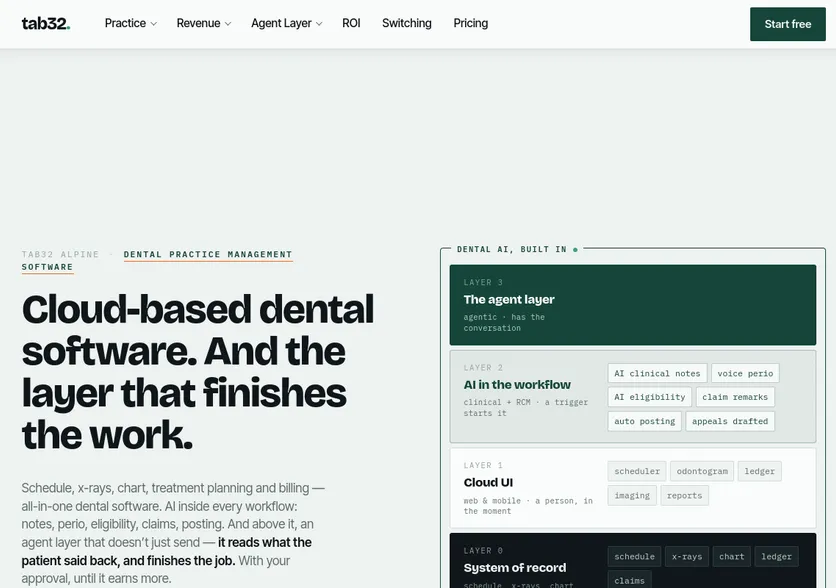
This tab32 plan costs ninety-five dollars a month, and it is the cheapest cloud practice system in this list. A practice gets scheduling, charting, treatment planning and billing in a browser, with no server to maintain. It leads this list for a small practice that wants published pricing and a full system at the lowest monthly cost.
What we like
- Lowest monthly price in this list
- Unlimited providers and users on one plan
- No setup fee and no price rise after year one
Watch out for
- Claims and eligibility checks bill per use on top
- Fewer advanced features than the pricier suites
How to try it
- Sign up for the trial and import the patient list
- Set up scheduling, charting and billing
- Turn on online booking and reminders for patients
2. Practice-Web
Best for: Solo and small practices that want a low-cost desktop system
Paid tool Starting price: $149/month · One hundred and forty-nine dollars per month for twelve months on the homepage offer, then ninety-nine dollars; the vendor pricing page lists one hundred and seventy-nine dollars then one hundred and twenty-nine dollars, so confirm the current figure; Next is two hundred and twenty-eight dollars and Pro is three hundred and twenty-two dollars
Free plan: Free trial
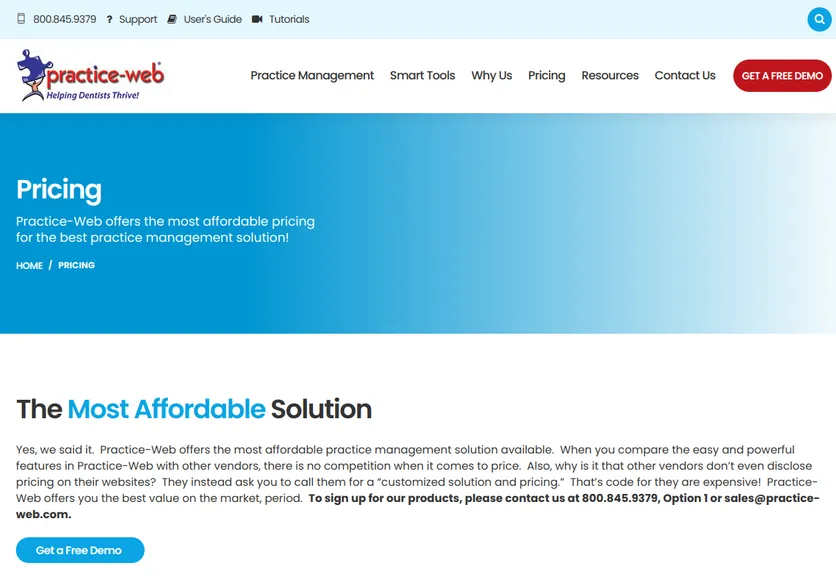
This Practice-Web plan costs one hundred and forty-nine dollars a month for the first year on the homepage offer, and it is a desktop system for solo and small practices. A practice gets scheduling, charting, imaging and billing with patient portals included, plus optional texting and online scheduling add-ons. It suits a small practice that wants a low-cost system and does not mind running it on site.
What we like
- Low entry price with portals included
- Covers scheduling, charting, imaging and billing
- More than one thousand seven hundred client practices
Watch out for
- Runs on Windows only, with no cloud version
- The homepage and pricing page show different prices
How to try it
- Install the software and import patient records
- Set up scheduling and charting for the team
- Add texting and online scheduling as needed
3. Weave
Best for: Practices that want phones, texting and reminders in one system
Paid tool Starting price: $199/month · One hundred and ninety-nine dollars per month for the Base plan; the Coordinate and Attract bundles cost one hundred and forty-nine dollars each per month; Pro and Elite tiers are quoted and a seven hundred and fifty dollar setup fee has been reported
Free plan: Free demo
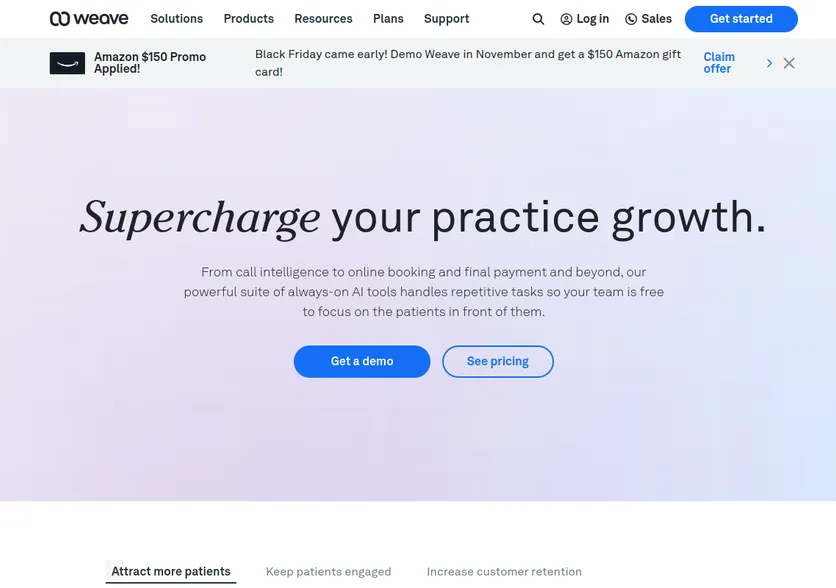
This Weave plan costs one hundred and ninety-nine dollars a month for the Base plan, and it is the only patient communication platform in this list. A practice gets a cloud phone system, two-way texting, appointment reminders and payments in one place, so the front desk answers calls and texts from one inbox. It suits a practice that wants phones and patient messaging handled together.
What we like
- Phone system and two-way texting in one inbox
- Appointment reminders that cut no-shows
- Text-to-pay for faster collections
Watch out for
- Online scheduling and forms need a bundle on top
- Higher tiers are quoted rather than published
How to try it
- Set up the phone system and team inbox
- Turn on texting, reminders and text-to-pay
- Add the scheduling and reviews bundles as needed
4. Open Dental
Best for: Practices that want full control and transparent pricing
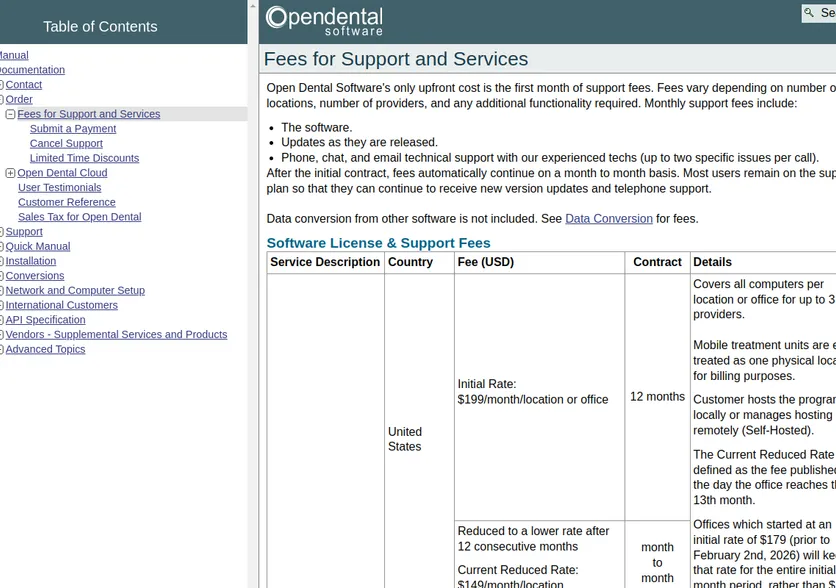
Paid tool Starting price: $199/month · One hundred and ninety-nine dollars per month per location for the first twelve months, then one hundred and forty-nine dollars; each provider beyond three costs twenty dollars a month and the eServices bundle is one hundred and sixty-five dollars a month; cloud hosting starts at two hundred and fifty dollars extra
Free plan: 90-day money-back guarantee
This Open Dental plan costs one hundred and ninety-nine dollars a month per location for the first year, and it is the most transparent practice system in this list. A practice gets charting, scheduling, treatment planning and insurance billing with an open API, and the price drops after twelve months. It suits a practice that wants full control of its data at a published price.
What we like
- Published price that drops after twelve months
- Open API with wide third-party support
- Full charting, scheduling and billing included
Watch out for
- Patient-facing services cost extra as add-ons
- The interface is plainer than the cloud competitors
How to try it
- Install the software and import patient records
- Set up scheduling, charting and claims
- Add eServices for texting and online booking
5. Oryx
Best for: Startups and solo practices that want imaging and claims bundled
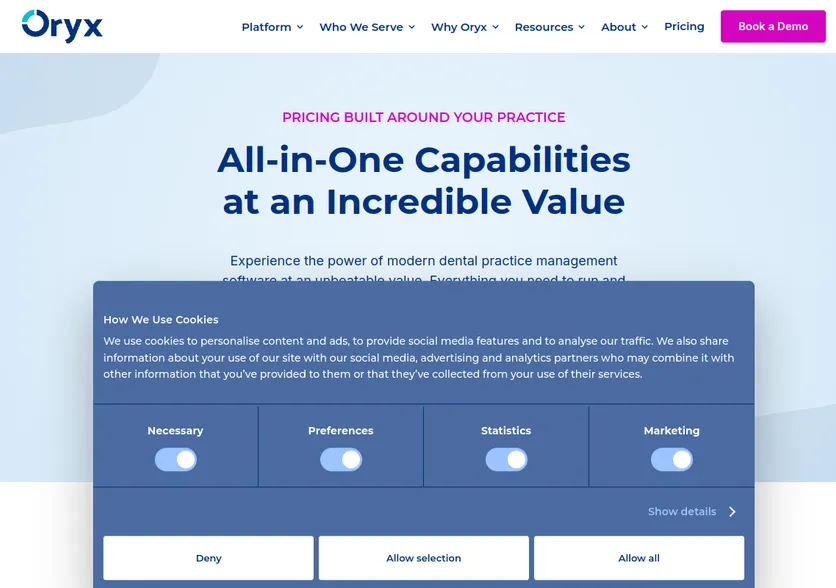
Paid tool Starting price: $650/month · Six hundred and fifty dollars per month on the Pro plan for up to two providers; Automate is eight hundred and ninety-nine dollars and Oryx AI is one thousand three hundred and ninety-nine dollars; each extra provider costs one hundred dollars a month and the Startup Offer runs at zero dollars until two hundred patients or twelve months
Free plan: Startup Offer
This Oryx plan costs six hundred and fifty dollars a month for up to two providers, and it bundles native imaging with a built-in clearinghouse. A practice gets clinical charting, X-ray tools, billing and patient communication in one cloud system, with no add-ons needed for core work. It suits a startup or solo practice that wants imaging and claims included from day one.
What we like
- Native imaging and clearinghouse included
- Zero dollar startup offer until two hundred patients
- Cloud system with no server to maintain
Watch out for
- Only two providers included at the entry price
- AI charting needs the most expensive tier
How to try it
- Start with the Startup Offer while the practice grows
- Set up charting, imaging and billing
- Turn on online scheduling and two-way texting
6. CareStack
Best for: Busy and multi-location practices that want one cloud suite
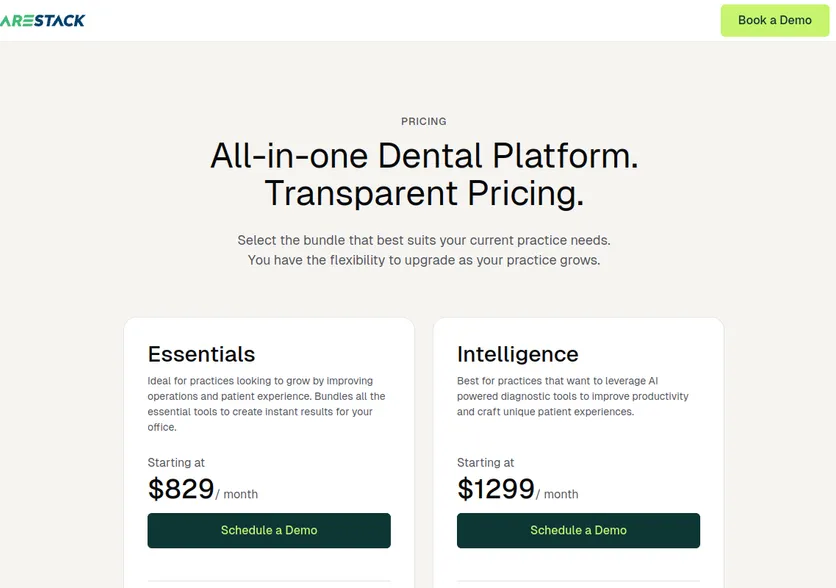
Paid tool Starting price: $829/month · Eight hundred and twenty-nine dollars per month starting on the Essentials bundle; higher tiers are quoted and the price covers multi-specialty scheduling, native imaging, claims and analytics for more than three thousand practices
Free plan: Free demo
This CareStack plan costs eight hundred and twenty-nine dollars a month starting on the Essentials bundle, and it is the most complete cloud suite in this list. A practice gets scheduling, native imaging, claims, patient communication and analytics in one platform, with central reporting for groups. It suits a busy or multi-location practice that wants one system for everything.
What we like
- Scheduling, imaging, claims and analytics in one suite
- Central reporting for groups and multi-location practices
- Used by more than three thousand practices
Watch out for
- Highest price in this list after Archy
- More system than a small solo practice needs
How to try it
- Book a demo and map the current workflow
- Set up scheduling, imaging and claims
- Roll out the patient portal and digital forms
7. Archy
Best for: Busy locations that want one flat price with no seat counts
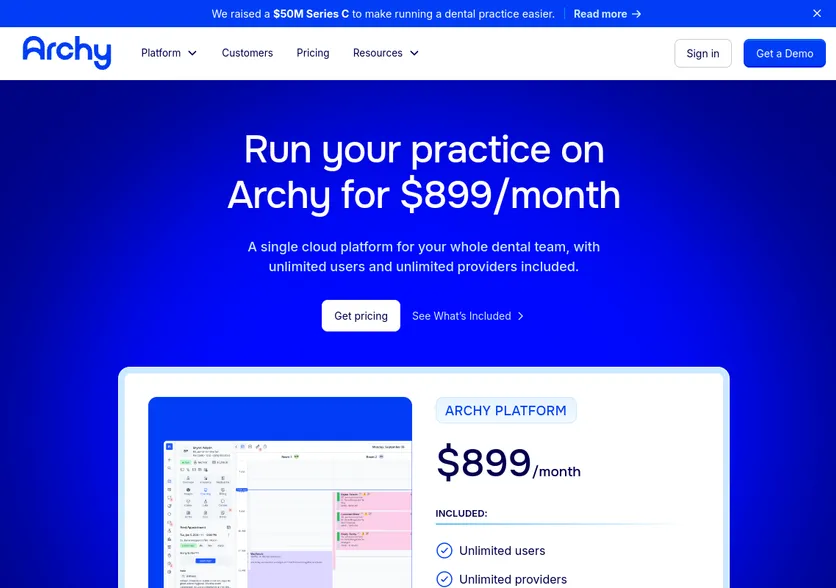
Paid tool Starting price: $899/month · Eight hundred and ninety-nine dollars per month per location with unlimited providers, claims, eligibility checks and texting; new practices pay four hundred dollars until four hundred patients or one year
Free plan: Free demo
This Archy plan costs eight hundred and ninety-nine dollars a month per location, and it is the simplest bill in this list. One flat fee covers unlimited providers, unlimited claims, eligibility checks and texting, so a growing practice never pays per seat. It suits a busy location that wants one predictable monthly price with no counting.
What we like
- One flat fee with unlimited providers and claims
- Texting and eligibility checks included
- New-practice rate for the first year
Watch out for
- Highest monthly price in this list
- More than a small practice needs to spend
How to try it
- Sign up and import the patient list
- Set up scheduling and claims with unlimited users
- Turn on two-way texting for patients
Prices above were checked on each vendor’s own website on Nov 28, 2026 and can change — the vendor’s page is the final word. Vendor links are editorial: nobody paid to be listed or ranked here. Vendors who want a featured listing can see how it works on our Get listed page.
How to onboard a new patient without phone tag
Put online booking on the website first, because a patient who can book at midnight will not wait until morning to call. Send the intake forms with the confirmation, so the patient arrives with paperwork done and the front desk has ten minutes back per visit. Set reminders by text, not only by email, since texts get read and emails get buried. Finally, ask for a review after the first visit, because a new patient who had a smooth first appointment is the most likely to recommend the practice.
Before you buy
- Confirm the price covers your whole location, since some tools charge per provider on top
- Check whether online scheduling, reminders and digital forms are included or priced as add-ons
- Ask if the tool integrates with your current practice management system before you switch
- Make sure patient data stays protected with proper security and a signed agreement
- Test the patient intake flow yourself, since a confusing form will cost you bookings
Official websites
Official websites of the products reviewed above. Features and prices were checked against these sites when this guide was written, and they can change, so confirm on the vendor site before you buy.
Frequently asked questions
What is onboarding software for dental practices?
For a dental practice, onboarding means getting a new patient booked, registered and reminded without phone tag or paper forms. The tools in this list handle that job in different ways: Weave covers phones and texting, while the practice systems cover online scheduling, digital forms and reminders. The best fit depends on whether the bottleneck is the phone, the forms or the schedule.
Which dental onboarding tool is cheapest?
tab32 charges ninety-five dollars a month on the Alpine plan for unlimited providers and users, with claims and eligibility checks billed per use. Open Dental and Weave both start at one hundred and ninety-nine dollars a month, while Archy is the most expensive at eight hundred and ninety-nine dollars. The cheapest tool fits a small practice that only needs the core system.
Can I try dental onboarding software for free?
Yes, tab32 offers a fourteen day trial and Open Dental offers a ninety day money-back guarantee instead of a trial. Oryx has a Startup Offer that runs at zero dollars a month until two hundred patients or twelve months. The trials are enough to test scheduling and intake with real patients before paying.
What matters most in dental onboarding software?
The intake form is the part that matters most. A patient who books online and completes forms before arriving saves the front desk ten minutes per visit, and a confusing form costs bookings. Pick a tool where digital forms, online scheduling and reminders are included, and test the form yourself as a patient before you commit.
Do I need a practice system or a communication tool?
Not always. A patient communication tool such as Weave handles phones, texting and reminders, but it does not run charting or billing. A practice system such as Open Dental or tab32 handles the clinical and billing side, and may need a communication tool alongside it. Many practices use one of each, which is why this list includes both kinds.
Compare the seven tools above, then book a demo with the one that matches how your practice already works before you commit to a full year.
Browse Business Tools tools