On this page
A new customer who cannot track an order, start a return or reach a human will not come back for a second one, so onboarding after the purchase matters as much as the sale itself. The seven tools below were picked because each one publishes a real price and handles post-purchase support well. Gorgias leads the list because its Starter plan costs ten dollars a month and shows order data next to every ticket, and the rest are ranked on the same test: how much of the customer journey they cover for the price.
How we researched this
We checked every price on the vendor pricing page on November 28, 2026, and only included tools with a published US dollar list price. The support platforms that sell by quote, including Kustomer and Gladly, publish no prices, so they are not in this list. Prices change, so confirm the current figure on the vendor site before you buy.
Compare the tools
| Name | Best for | Starting price | Free plan | |
|---|---|---|---|---|
 Gorgias | Small stores that want support tied directly to orders | $10/month | 7-day free trial | Visit |
 Freshdesk | Growing brands that want an affordable full helpdesk | $15/agent/month | Free plan for up to 2 agents | Visit |
 Zendesk | Brands that want a proven support platform at scale | $19/agent/month | Free trial | Visit |
 Front | Brands where support, sales and success share one inbox | $25/seat/month | Free trial | Visit |
 Help Scout | Small support teams that want a personal, human feel | $25/user/month | Free trial | Visit |
| Re:amaze | Stores that sell through chat and social as much as their website | $29/team member/month | Free trial | Visit |
| Richpanel | Brands whose support volume comes mostly from order questions | $29/user/month | Free plan with 3 seats | Visit |
The onboarding software for ecommerce brands, compared
1. Gorgias
Best for: Small stores that want support tied directly to orders
Paid tool Starting price: $10/month · Ten dollars per month on the Starter plan for fifty tickets, monthly billing only; Basic is fifty dollars per month billed annually or sixty dollars monthly for three hundred tickets; Pro is three hundred dollars and Advanced is seven hundred and fifty dollars; the AI Agent costs ninety cents to one dollar per automated interaction and the pricing page defaults to the AI Agent toggle on
Free plan: 7-day free trial
This Gorgias plan costs ten dollars a month for fifty tickets, and it is built for stores that live in their inbox. A support agent sees the order, the tracking and the customer history next to every ticket, so a refund or a reship takes seconds. It leads this list for a small store that wants customer onboarding and support tied directly to orders.

What we like
- Order and tracking data next to every ticket
- Lowest entry price in this list
- Built for ecommerce stores, not generic support
Watch out for
- The entry plan covers only fifty tickets
- The AI Agent is billed per interaction on top
How to try it
- Connect the store and import order history
- Set up macros for refunds and reships
- Turn on the help centre for common questions
2. Freshdesk
Best for: Growing brands that want an affordable full helpdesk
Paid tool Starting price: $15/agent/month · Fifteen dollars per agent per month billed annually on the Growth plan, or nineteen dollars month to month; Pro is forty-nine dollars and Enterprise is seventy-nine dollars; the free tier covers up to two agents and the omnichannel track is a separate plan
Free plan: Free plan for up to 2 agents
This Freshdesk plan costs fifteen dollars an agent a month on annual billing, and it is the most affordable full helpdesk in this list. A store gets ticketing, a knowledge base and automation in one place, with a free tier for the first two agents. It suits a growing brand that wants a proper helpdesk without paying enterprise prices.

What we like
- Full helpdesk with a knowledge base included
- Free tier for up to two agents
- Automation that routes tickets to the right agent
Watch out for
- The omnichannel plan is priced separately
- AI features need a higher tier
How to try it
- Connect email and chat to one inbox
- Build a knowledge base for common questions
- Set up automations to route tickets by topic
3. Zendesk
Best for: Brands that want a proven support platform at scale
Paid tool Starting price: $19/agent/month · Nineteen dollars per agent per month billed annually on the Suite Team plan, or twenty-five dollars month to month; Suite Professional is one hundred and fifteen dollars and the Copilot add-on costs fifty dollars per agent per month; AI resolutions are metered on top
Free plan: Free trial
This Zendesk plan costs nineteen dollars an agent a month on annual billing, and it is the biggest name in customer support. A store gets email, chat, voice and social messages in one inbox, with a help centre and a huge integration library. It suits a brand that wants a proven platform its support team already knows.

What we like
- Email, chat, voice and social in one inbox
- Huge integration library for stores
- Help centre with a strong search
Watch out for
- AI resolutions are metered on top of the plan
- The professional tier costs far more than the entry plan
How to try it
- Connect all channels to the shared inbox
- Build a help centre for common questions
- Set up triggers to route tickets by order status
4. Front
Best for: Brands where support, sales and success share one inbox
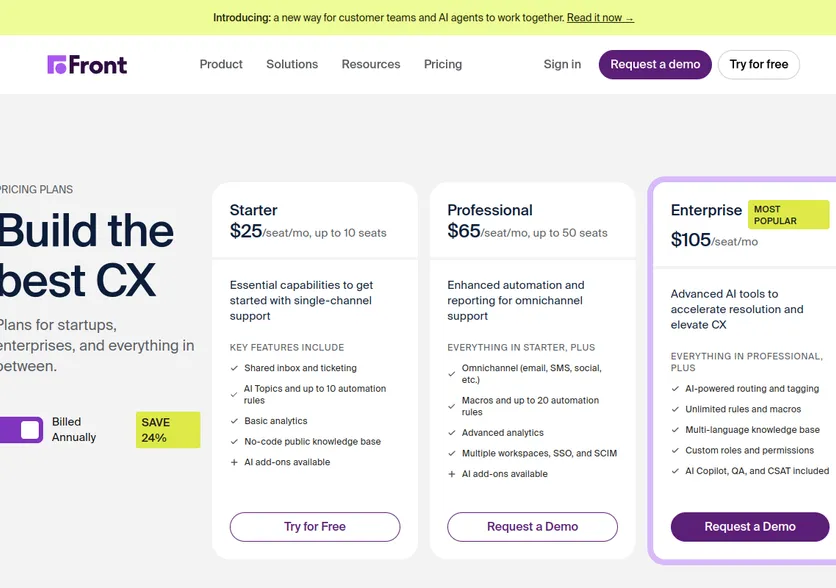
Paid tool Starting price: $25/seat/month · Twenty-five dollars per seat per month billed annually on the Starter plan, or thirty-five dollars month to month, with a maximum of ten seats and one channel type; Professional is sixty-five dollars and Enterprise is one hundred and five dollars; Copilot costs twenty dollars per seat extra
Free plan: Free trial
This Front plan costs twenty-five dollars a seat a month on annual billing, and it treats support like a shared team inbox. Agents assign messages, comment internally and hand off a conversation without losing the thread, which keeps a new customer from repeating the story. It suits a brand where support, sales and success all answer the same inbox.
What we like
- Shared inbox with internal comments and handoffs
- Clean interface that teams learn fast
- Good fit for collaborative support teams
Watch out for
- The entry plan caps at ten seats and one channel type
- The AI copilot costs extra per seat
How to try it
- Connect the first channel and invite the team
- Set up rules to assign messages by topic
- Use internal comments to hand off conversations
5. Help Scout
Best for: Small support teams that want a personal, human feel
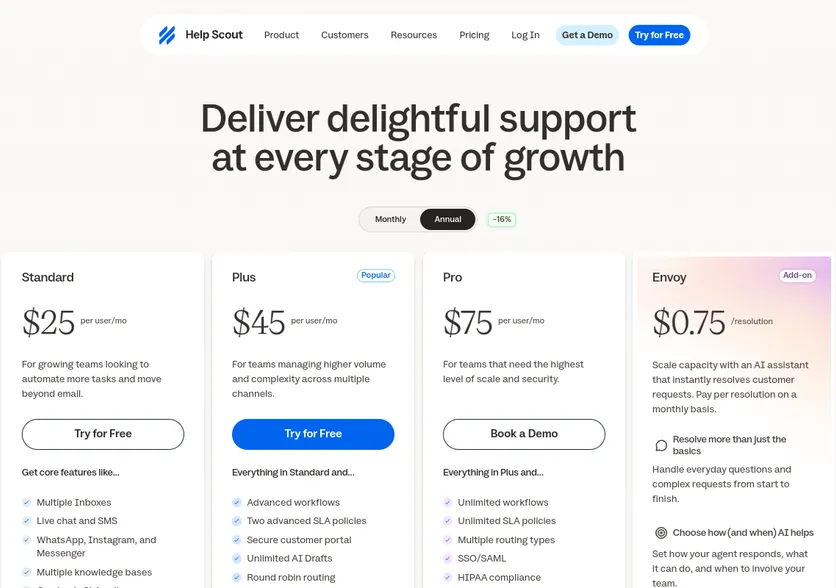
Paid tool Starting price: $25/user/month · Twenty-five dollars per user per month on the Standard plan; higher tiers are available for larger teams with more automation and reporting, and the exact higher-tier prices should be confirmed on the vendor pricing page
Free plan: Free trial
This Help Scout plan costs twenty-five dollars a user a month, and it is built for small support teams that want a human feel. A store gets a shared inbox, a knowledge base and customer profiles in a tool that reads like email rather than a ticket queue. It suits a brand that wants personal support without enterprise complexity.
What we like
- Shared inbox that reads like email
- Knowledge base and customer profiles included
- Simple setup that small teams finish in a day
Watch out for
- Higher-tier prices are not published in this list
- Fewer enterprise automations than the bigger platforms
How to try it
- Connect email and chat to the shared inbox
- Build help articles for the most common questions
- Use customer profiles to personalise replies
6. Re:amaze
Best for: Stores that sell through chat and social as much as their website
Paid tool Starting price: $29/team member/month · Twenty-nine dollars per team member per month on the Basic plan, or twenty-six dollars and ten cents billed annually; Pro is forty-nine dollars and Plus is sixty-nine dollars; the Starter plan is fifty-nine dollars a month flat for up to five hundred responded conversations; AI resolutions are included per seat then cost eighty-five cents each
Free plan: Free trial
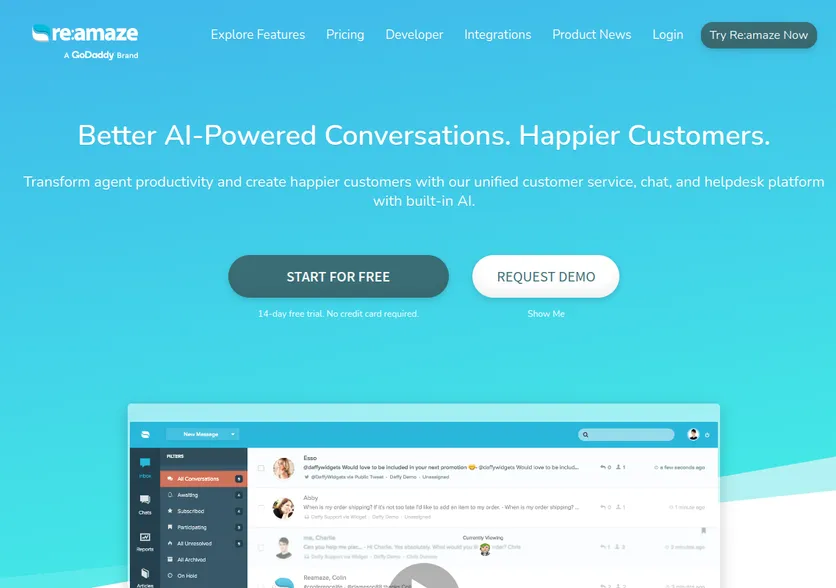
This Re:amaze plan costs twenty-nine dollars a team member a month, and it puts live chat, email and social messages in one inbox for stores. A brand can answer a customer on chat, follow up by email and keep the whole conversation in one thread. It suits a store that sells through chat and social as much as through its website.
What we like
- Live chat, email and social in one inbox
- Flat Starter plan for up to five hundred conversations
- Good fit for chat-first stores
Watch out for
- AI resolutions cost extra beyond the included allowance
- Smaller integration library than the biggest platforms
How to try it
- Add live chat to the store
- Connect email and social channels to the inbox
- Set up canned replies for common questions
7. Richpanel
Best for: Brands whose support volume comes mostly from order questions
Paid tool Starting price: $29/user/month · Twenty-nine dollars per user per month on the Help Desk Starter plan billed monthly, or twenty dollars billed annually according to one November source; Pro is ninety-nine dollars or eighty-five dollars annually; the free plan covers three seats and the self-service portal is a separate plan priced by order volume
Free plan: Free plan with 3 seats
This Richpanel plan costs twenty-nine dollars a user a month, and it is built for stores that want self-service to carry the load. A customer can track an order, start a return or find an answer without opening a ticket, which keeps the inbox small as the store grows. It suits a brand whose support volume comes mostly from order questions.
What we like
- Self-service portal for order tracking and returns
- Free plan with three seats to start
- Built around ecommerce order data
Watch out for
- The annual price is reported differently across sources
- The self-service portal is priced separately by order volume
How to try it
- Connect the store and sync order data
- Set up the self-service portal for tracking and returns
- Route the remaining tickets to the shared inbox
Prices above were checked on each vendor’s own website on Nov 28, 2026 and can change — the vendor’s page is the final word. Vendor links are editorial: nobody paid to be listed or ranked here. Vendors who want a featured listing can see how it works on our Get listed page.
How to onboard a new customer after the first order
Send the tracking link the moment the order ships, because a customer who can see the parcel will not open a ticket to ask where it is. Add a help centre article for the three questions every store gets, namely delivery times, returns and sizing, and link it from the order confirmation. Answer the first message fast, since a quick reply after the first order builds more loyalty than a discount code. Finally, review the tickets each month and turn the most common one into a self-service page.
Before you buy
- Confirm the price counts tickets the way your store does, since some tools charge per conversation
- Check whether live chat, email and social messages share one inbox or need separate plans
- Ask if the AI agent is billed per resolution on top of the subscription price
- Make sure the tool connects to your store platform so agents see orders and tracking
- Test the help centre search yourself, since customers who find answers never open a ticket
Official websites
Official websites of the products reviewed above. Features and prices were checked against these sites when this guide was written, and they can change, so confirm on the vendor site before you buy.
Frequently asked questions
What is onboarding software for ecommerce brands?
For an ecommerce brand, onboarding means guiding a new customer from the first order through delivery, returns and the next purchase. The tools in this list handle that job with shared inboxes, live chat, help centres and self-service portals. The best fit depends on whether customers mostly need answers, order tracking or a human to talk to.
How much does Gorgias cost for a small store?
Gorgias charges ten dollars a month on the Starter plan for fifty tickets, billed monthly. Basic costs fifty dollars a month billed annually for three hundred tickets, and the AI Agent is billed per automated interaction on top. It is the cheapest entry price in this list and the most tied to order data.
Can I onboard ecommerce customers for free?
Freshdesk has a free tier for up to two agents, and Richpanel has a free plan with three seats. Gorgias offers a seven day free trial, and the other tools offer free trials as well. The free options are enough to handle a small store's first tickets before paying.
What matters most in ecommerce onboarding software?
The help centre is the part that matters most. A customer who finds the answer to a delivery or return question in thirty seconds never opens a ticket, which keeps the inbox small as orders grow. Pick a tool where the help centre search works well, where articles are easy to write, and where the inbox shows the order next to the question.
Do I need a shared inbox or just live chat?
A shared inbox keeps every message about an order in one thread, so a customer never repeats the story when the conversation moves from chat to email. A live chat tool alone answers fast but loses the history when the channel changes. Most stores in this list use both: chat for speed and a shared inbox for the record.
Compare the seven tools above, then start with a free trial on the one that matches how your customers already reach you before you commit to a full year.
Browse Business Tools tools