On this page
Privileged accounts are the keys to the whole network, and when they are shared, standing and unlogged, one stolen password opens everything. The seven tools below cover that job for teams of every size, from a five-dollar certificate service to a full vault and session platform. StrongDM leads because it gives every admin one audited client for servers, databases and clusters at fifty dollars per user a month, and the rest are ranked on how much control they give you for the price.
How we researched this
We checked every price on the vendor pricing page on November 28, 2026, and only included tools with a published US dollar list price. The big enterprise PAM platforms that sell by quote, including CyberArk, Delinea, BeyondTrust, WALLIX, One Identity, Senhasegura and ARCON, publish no prices, so they are not in this list. Prices change, so confirm the current figure on the vendor site before you buy.
Compare the tools
| Name | Best for | Starting price | Free plan | |
|---|---|---|---|---|
| StrongDM | IT teams that want audited access without a vault project | $50/user/month | No free plan; 14-day free trial | Visit |
| ManageEngine PAM360 | Teams that want a full PAM suite at a published price | $15/user/month | Free edition (1 admin, 10 resources) | Visit |
| Teleport | Engineering teams that want certificate-based access cheaply | $5/user/month | Free Starter plan (Community Edition) | Visit |
| Microsoft Entra ID P2 | Microsoft 365 shops that need just-in-time admin roles | $9/user/month | Free tier included with Microsoft 365 | Visit |
 JumpCloud | Small IT teams that want directory, SSO and devices together | $11/user/month | No free plan; 30-day free trial | Visit |
| ManageEngine Password Manager Pro | Teams that want a self-hosted privileged password vault | $595/year | Free edition (1 admin, 10 resources) | Visit |
| HashiCorp Vault | Regulated teams that need dynamic secrets and PKI | $1,152/month | Free Community Edition (self-hosted) | Visit |
The PAM software for IT security, compared
1. StrongDM
Best for: IT teams that want audited access without a vault project
Paid tool Starting price: $50/user/month · Fifty dollars per user a month on the Basic plan; volume discounts are quoted and there is no free tier
Free plan: No free plan; 14-day free trial
An IT team that wants one client for every server, database and cluster will find the price easy to forecast, since this StrongDM plan costs fifty dollars per user a month. Every session runs through a gateway that logs who connected, what they ran and when, so audits stop being a scramble through shared logins. Short-lived credentials replace standing passwords, which closes the most common way an old admin account gets reused after someone leaves.
What we like
- One client covers SSH, RDP, databases and Kubernetes
- Every session is logged with the named user behind it
- Short-lived credentials replace standing shared passwords
Watch out for
- Fifty dollars a seat adds up fast past twenty users
- No credential vaulting, so some teams still need a vault beside it
How to try it
- Install the client on each admin workstation and add the gateway
- Connect servers, databases and clusters and assign access by role
- Review the session log weekly and revoke access that is no longer used
2. ManageEngine PAM360
Best for: Teams that want a full PAM suite at a published price
Paid tool Starting price: $15/user/month · Fifteen dollars per user a month billed annually for the cloud edition at ten users (one thousand eight hundred dollars a year); monthly billing is twenty dollars per user a month; the on-premise Enterprise edition starts at seven thousand nine hundred and ninety-five dollars a year for ten administrators
Free plan: Free edition (1 admin, 10 resources)
For a team that needs a full privileged access platform rather than a single-purpose tool, this ManageEngine PAM360 plan costs fifteen dollars per user a month billed annually on the cloud edition. It vaults credentials, rotates passwords automatically, records privileged sessions and manages SSH keys and certificates from one console. The free edition covers one administrator and ten resources, so a small shop can prove the workflow before paying.
What we like
- Vaulting, rotation, session recording and key management in one console
- Free edition covers one admin and ten resources
- Per-admin slab pricing keeps the bill predictable
Watch out for
- The cloud and on-premise editions price on different bases, which confuses quotes
- Setup and discovery take real time on a large estate
How to try it
- Start on the free edition with one administrator and ten resources
- Import privileged accounts and turn on automatic password rotation
- Enable session recording for the accounts auditors ask about most
3. Teleport
Best for: Engineering teams that want certificate-based access cheaply
Paid tool Starting price: $5/user/month · Five dollars per user a month billed annually on the Team plan (six dollars billed monthly); Business is listed at fifteen dollars per user a month in some reads and ten dollars in others, and one November 2026 read found no published rates on the vendor page, so confirm the tier before budgeting
Free plan: Free Starter plan (Community Edition)
Engineering-led teams that live in SSH and Kubernetes get the cheapest seat in this list here, because this Teleport plan costs five dollars per user a month billed annually. Access is issued as short-lived certificates instead of standing passwords, and every request can carry an approval step in Slack or the web console. The free Community Edition is genuinely usable for a small self-hosted setup, which makes Teleport the easiest PAM tool to try before spending anything.
What we like
- Short-lived certificates replace standing SSH keys and passwords
- Free Community Edition for small self-hosted setups
- Approval workflows built into access requests
Watch out for
- The published price is disputed by one November 2026 read that found no rates
- First deployment needs planning around identity providers and audit storage
How to try it
- Install Teleport on a small server or start the cloud trial
- Connect servers, databases and clusters behind the proxy
- Set approval rules for privileged roles and test a request end to end
4. Microsoft Entra ID P2
Best for: Microsoft 365 shops that need just-in-time admin roles
Paid tool Starting price: $9/user/month · Nine dollars per user a month for the P2 tier; P1 is six dollars and the Entra Suite is twelve dollars; P2 is included in Microsoft 365 E5, so E5 shops already own it
Free plan: Free tier included with Microsoft 365
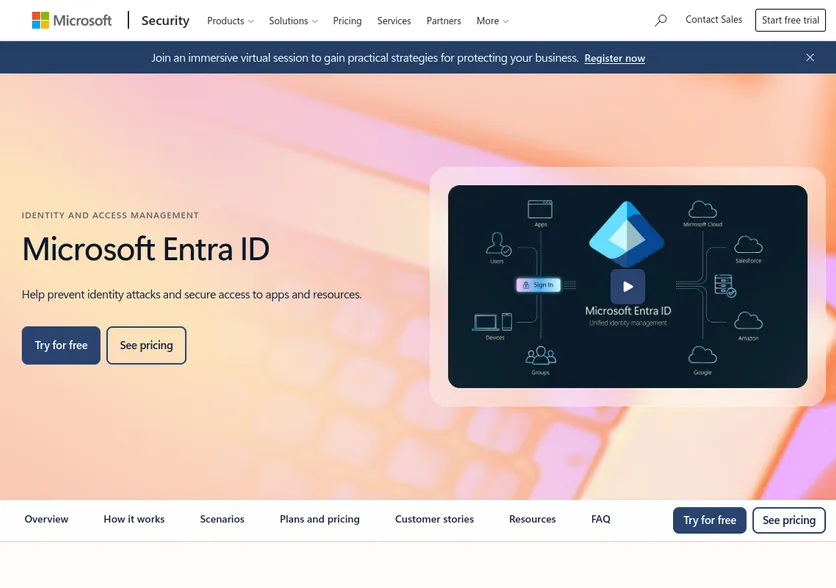
A Microsoft 365 shop can add privileged identity controls without a new vendor, since this Microsoft Entra ID P2 plan costs nine dollars per user a month. Privileged Identity Management turns admin roles into just-in-time grants with approval and expiry, while Identity Protection scores sign-in risk and access reviews force a regular check of who still holds what. It is not a credential vault, so teams that rotate service-account passwords still need one beside it.
What we like
- Just-in-time admin roles with approval and automatic expiry
- Risk-based sign-in protection and regular access reviews
- Already included in Microsoft 365 E5 licences
Watch out for
- Not a credential vault, so service-account passwords need another tool
- Full value needs access reviews run properly, not just switched on
How to try it
- Assign eligible admin roles instead of permanent ones in the portal
- Require approval and a time limit on every activation
- Run access reviews each quarter and remove roles nobody uses
5. JumpCloud
Best for: Small IT teams that want directory, SSO and devices together
Paid tool Starting price: $11/user/month · Eleven dollars per user a month billed annually for the SSO package (thirteen dollars billed monthly); Device Management is nine dollars and Device Identity Management is thirteen dollars; the Platform bundles are quote-only
Free plan: No free plan; 30-day free trial
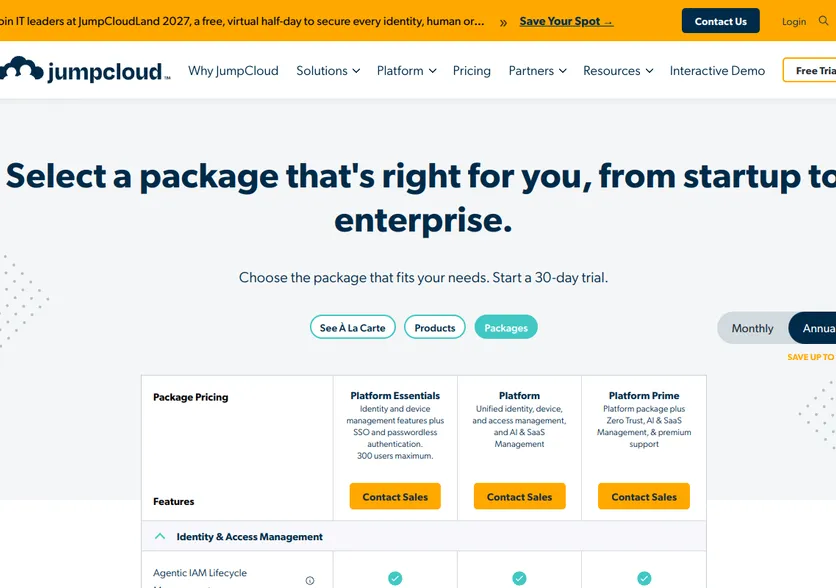
Small IT teams that run the directory, the devices and the logins from one place will like the packaging here, because this JumpCloud plan costs eleven dollars per user a month billed annually for the SSO package. It bundles a cloud directory with MFA, single sign-on, user lifecycle management and password management, and the same console can manage devices and push patches. Buying features a la carte at three dollars each is an option for teams that only need one piece.
What we like
- Cloud directory, MFA, SSO and password management in one package
- Device management and patching from the same console
- A la carte features at three dollars each for narrow needs
Watch out for
- LDAP and RADIUS sit behind the quote-only Platform plans
- No free tier remains, only a thirty-day trial
How to try it
- Import users from the existing directory or HR system
- Turn on MFA and single sign-on for the core apps first
- Add device management for the laptops the team supports
6. ManageEngine Password Manager Pro
Best for: Teams that want a self-hosted privileged password vault
Paid tool Starting price: $595/year · Five hundred and ninety-five dollars a year for the Standard edition with two administrators; Premium is one thousand three hundred and ninety-five dollars a year for five administrators and Enterprise is three thousand nine hundred and ninety-five dollars for ten
Free plan: Free edition (1 admin, 10 resources)
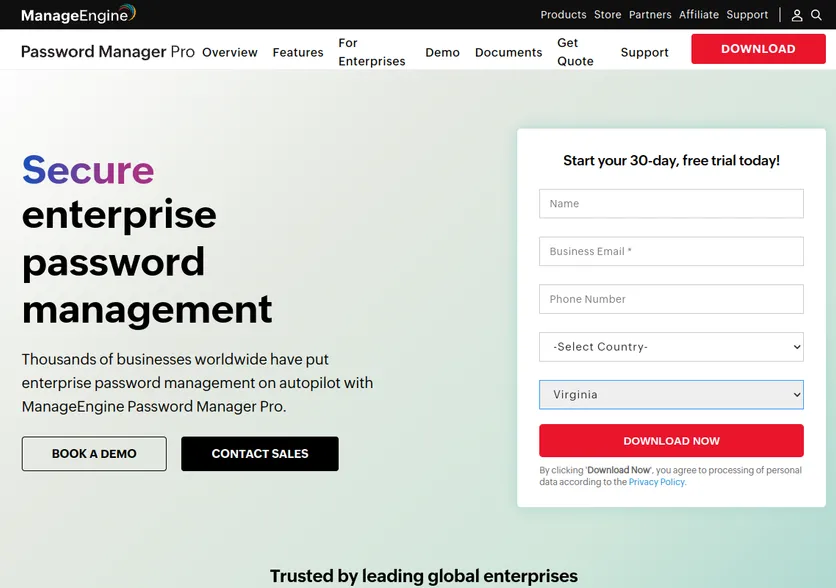
An on-premise vault that a security team can run on its own servers is the draw here, since this ManageEngine Password Manager Pro plan costs five hundred and ninety-five dollars a year for the Standard edition. It stores shared privileged passwords centrally, controls who can see or check out each one, and keeps an audit trail of every access. Standard lacks rotation and session recording, so teams that need those should price Premium before they commit.
What we like
- On-premise vault with full control of the data
- Checkout controls and audit trails on every privileged password
- Free edition covers one admin and ten resources
Watch out for
- Standard has no automatic rotation or session recording
- On-premise means the team runs patching and backups itself
How to try it
- Install the vault on a secured server and import privileged accounts
- Set checkout rules so no password is seen without a record
- Schedule rotation for the accounts that change hands most often
7. HashiCorp Vault
Best for: Regulated teams that need dynamic secrets and PKI
Paid tool Starting price: $1,152/month · One thousand one hundred and fifty-two dollars a month for an HCP Vault Dedicated Essentials Small cluster (one dollar and fifty-eight cents an hour) plus seventy-two dollars and ninety-two cents per client a month; Development is about four hundred and fifty dollars a month for non-production use only; self-managed Enterprise is quote-only
Free plan: Free Community Edition (self-hosted)
Compliance-heavy teams that need dynamic secrets and encryption as a service will recognise the ceiling here, because this HashiCorp Vault managed cluster costs one thousand one hundred and fifty-two dollars a month before client fees. It issues short-lived database credentials, runs a PKI and transit encryption engine, and enforces policy on every secret request. The cluster floor makes it the most expensive start in this list, so it fits teams with an auditor asking for Vault-grade controls rather than a team buying its first vault.
What we like
- Dynamic database credentials that expire automatically
- Built-in PKI and transit encryption engines
- Policy engine controls every secret request
Watch out for
- The cluster floor is over a thousand dollars a month before client fees
- Running it well needs real Vault expertise on staff
How to try it
- Choose the Essentials tier and size the cluster for the workload
- Connect the database engines that need dynamic credentials
- Set policies so each app can only read its own secrets
Prices above were checked on each vendor’s own website on Nov 28, 2026 and can change — the vendor’s page is the final word. Vendor links are editorial: nobody paid to be listed or ranked here. Vendors who want a featured listing can see how it works on our Get listed page.
How to roll out privileged access without locking everyone out
Start with the accounts that hurt most: domain admins, database owners and the shared root logins that three people know by heart. Put those in the vault or behind the gateway first, then work down the list, because a half-finished rollout leaves the riskiest accounts exactly where they were. Give every grant an expiry date from day one, so access that nobody renews simply disappears instead of lingering for years. Keep the session logs somewhere the admins cannot edit, and read them once a week until the pattern of normal use is obvious, because a log nobody reads is just storage.
Before you buy
- Confirm the tool vaults credentials and rotates them, not just stores them in a shared spreadsheet
- Check whether session recording covers the systems auditors ask about, including SSH and databases
- Ask if privileged access expires automatically or needs someone to remember to revoke it
- Make sure the tool fits the stack the team already runs, on-premise servers or cloud only
- Test the tool on one real admin workflow before paying, including a password checkout and a session review
Official websites
Official websites of the products reviewed above. Features and prices were checked against these sites when this guide was written, and they can change, so confirm on the vendor site before you buy.
Frequently asked questions
What is PAM software for IT security?
Privileged access management software controls who can use admin accounts, vaults their passwords, rotates them automatically, records privileged sessions and grants access just in time instead of leaving it standing. It replaces shared root passwords and standing admin rights with named, logged, expiring access that an auditor can trace back to one person.
How much does StrongDM cost?
StrongDM costs fifty dollars per user a month on the Basic plan, with a fourteen-day free trial and no free tier. That covers one client for servers, databases, Kubernetes clusters and internal web apps, with every session logged against the named user who opened it. Volume discounts are quoted, so a larger team should ask sales before budgeting.
Can I try PAM software for free?
Yes, with limits. Teleport offers a free Community Edition for small self-hosted setups, ManageEngine PAM360 has a free edition for one administrator and ten resources, and HashiCorp Vault has a free self-hosted Community Edition. Microsoft Entra ID has a free tier bundled with Microsoft 365, while StrongDM and JumpCloud offer trials instead of free plans.
Which PAM tool is cheapest for a small IT team?
Teleport is the cheapest seat in this list at five dollars per user a month billed annually on the Team plan, with a free Community Edition for small self-hosted setups. ManageEngine PAM360 Cloud is next at fifteen dollars per user a month billed annually, and Microsoft Entra ID P2 is nine dollars per user a month for teams already on Microsoft 365.
Do I need a vault as well as a PAM tool?
It depends on the tool. PAM360 and Password Manager Pro include vaulting and rotation, while StrongDM and Teleport focus on brokered access and short-lived credentials rather than storing passwords. Microsoft Entra ID P2 is not a vault at all. If the chosen tool does not rotate service-account passwords, pair it with a vault rather than leaving them standing.
Compare the seven tools above, then start with a free trial or the free Teleport or PAM360 edition on the tool that matches how the team already reaches its servers before paying for a full year.
Browse Security & Privacy tools