On this page
Education law means many small cases at once: parents, students and schools, each with their own deadlines, hearings and documents. The firm needs intake that never drops an enquiry and a system that keeps every case moving without manual chasing. The eight tools below were picked because they publish a US dollar list price, with every figure checked on the vendor site on November 28, 2026. Clio leads because it is the market standard, with time, billing and trust accounting in one system, at forty-nine dollars per user a month billed annually.
How we researched this
We checked every price on the vendor pricing page on November 28, 2026, and only included tools with a published US dollar list price. Smokeball, Filevine and Actionstep sell by quote only and publish no prices, so they are not in this list, and Zola Suite is now CARET Legal, so it appears under its new name. Prices change, so confirm the current figure on the vendor site before you buy.
Compare the tools
| Name | Best for | Starting price | Free plan | |
|---|---|---|---|---|
 Clio | Law firms of any size that want the market standard | $49/user/month | 7-day free trial | Visit |
 MyCase | Firms that want client communication built into the case file | $50/user/month | 10-day free trial | Visit |
 PracticePanther | Firms that want strong automation at a low entry price | $49/user/month | 7-day free trial | Visit |
 CosmoLex | Firms that want accounting and case management in one system | $49/user/month | 10-day free trial | Visit |
 Rocket Matter | Firms that want a long-running platform with strong billing | $59/user/month | No free plan; demo available | Visit |
 Lawcus | Firms that want visual matter management at a low price | $49/user/month | 14-day free trial | Visit |
 CARET Legal | Firms that want an all-in-one platform with built-in email | $79/user/month | No free plan; demo available | Visit |
| Lawmatics | Firms that need serious intake and client relationship tools | $199/user/month | No free plan; demo available | Visit |
The practice management software for education law firms, compared
1. Clio
Best for: Law firms of any size that want the market standard
Paid tool Starting price: $49/user/month · Forty-nine dollars per user a month on the EasyStart plan billed annually, or fifty-nine dollars a month billed monthly; Essentials is eighty-nine dollars a month annually and Advanced is one hundred and twenty-nine dollars a month annually
Free plan: 7-day free trial
For an education law firm handling cases for schools, parents and students, this Clio plan costs forty-nine dollars per user a month billed annually, and it keeps matters, time and trust accounting in one system. It is the market standard for a reason: time tracking, billing, trust accounting and document management all sit in one system that most legal staff already know. The integration list is the largest in this list, so the firm can keep the accounting, intake and e-signature tools it already likes.

What we like
- The most widely used practice management platform in the US
- Huge integration list, including accounting, intake and e-signature tools
- Time tracking, billing and trust accounting in one system
Watch out for
- The entry plan is light on automation and reporting
- Costs rise quickly once the firm moves past the entry tier
How to try it
- Create the firm account and import matters and contacts
- Set up time tracking, billing and trust accounting rules
- Connect the integrations the firm already uses, such as accounting
2. MyCase
Best for: Firms that want client communication built into the case file
Paid tool Starting price: $50/user/month · Fifty dollars per user a month on the Basic plan billed annually, or sixty dollars a month billed monthly; Pro is one hundred dollars a month annually and Advanced is one hundred and thirty dollars a month annually
Free plan: 10-day free trial
For an education law firm that needs parents and schools kept informed at every step, this MyCase plan costs fifty dollars per user a month billed annually, with the client portal built into every matter. Its strength is client communication: the portal, messaging and payments are built into every matter, so clients stop phoning for updates. The built-in website and lead management suit a firm that wants intake and case work in the same system, and the interface is easy for the whole team to learn.

What we like
- Client portal, messaging and payments built into every matter
- Built-in website and lead management for firms that need intake
- Easy to learn, with a clean interface for the whole team
Watch out for
- The entry plan is light on automation and workflow features
- The price steps up sharply between the Basic and Pro tiers
How to try it
- Import matters, contacts and the client list
- Set up the client portal and payment links for each matter
- Turn on the built-in website and lead capture for new enquiries
3. PracticePanther
Best for: Firms that want strong automation at a low entry price
Paid tool Starting price: $49/user/month · Forty-nine dollars per user a month on the Solo plan billed annually, or fifty-nine dollars a month billed monthly; Essential is sixty-nine dollars a month annually, Business is eighty-nine dollars and Business Pro is one hundred and fourteen dollars a month annually
Free plan: 7-day free trial
For an education law firm that wants intake and billing to run themselves across many small cases, this PracticePanther plan costs forty-nine dollars per user a month billed annually. Its automation is the draw at this price: intake, reminders and billing run themselves from the entry plan, and the client portal and online payments come with it. The clean interface and mobile app suit lawyers who work away from the desk, and the Solo plan keeps the entry cost low.

What we like
- Automation for intake, reminders and billing at a low price
- Client portal and online payments included from the entry plan
- Clean interface with a useful mobile app for lawyers on the move
Watch out for
- The Solo plan is built for one user, so firms need higher tiers
- Reporting is lighter than the dearer platforms in this list
How to try it
- Import matters and set up the intake forms and automations
- Turn on the client portal and online payment links
- Set the billing reminders so invoices chase themselves
4. CosmoLex
Best for: Firms that want accounting and case management in one system
Paid tool Starting price: $49/user/month · Forty-nine dollars per user a month on the Starter plan billed annually, or fifty-nine dollars a month billed monthly; Core is ninety-nine dollars a month annually and Pro is one hundred and twenty-nine dollars a month annually
Free plan: 10-day free trial
For an education law firm that needs its books as organised as its case files, this CosmoLex plan costs forty-nine dollars per user a month billed annually, with legal accounting built in. It is the one tool here where legal accounting is built in rather than bolted on: trust accounting, general ledger and reconciliation sit beside matter management and billing. A firm that wants one system for both the case file and the books gets it here without a separate accounting subscription.

What we like
- Built-in legal accounting with trust and general ledger included
- Matter management, billing and documents in a single platform
- Compliant trust accounting with built-in reconciliation tools
Watch out for
- The entry plan is light on automation compared with rivals
- The interface feels older than the newer tools in this list
How to try it
- Import matters, contacts and the trust balances
- Set up the chart of accounts and the billing rules
- Turn on the client portal so clients see invoices and pay online
5. Rocket Matter
Best for: Firms that want a long-running platform with strong billing
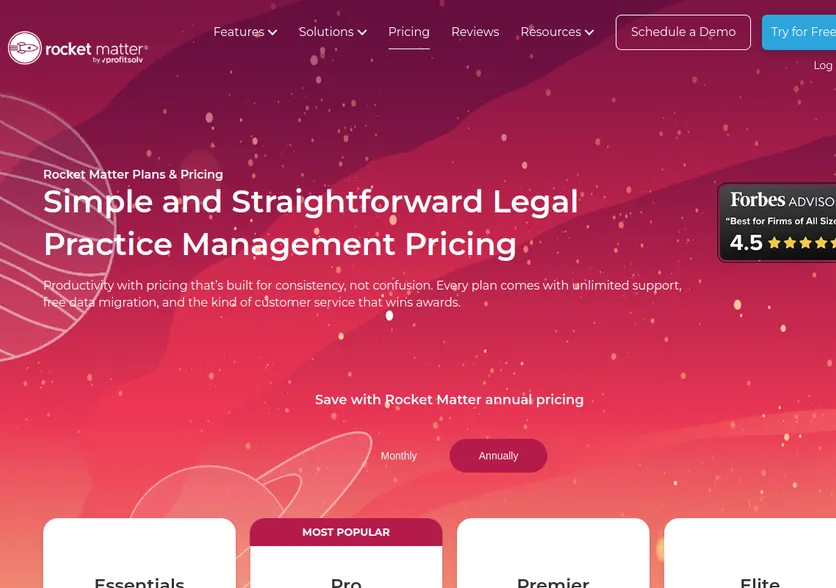
Paid tool Starting price: $59/user/month · Fifty-nine dollars per user a month on the Essentials plan billed annually; Pro is ninety-five dollars, Premier is one hundred and fifteen dollars and Elite is one hundred and forty-five dollars a month annually
Free plan: No free plan; demo available
For an education law firm that bills by the hour and needs a system with a long track record, this Rocket Matter plan costs fifty-nine dollars per user a month billed annually. It has a long track record with billing and time tracking at its core, and document automation sits beside matter management in the same system. The mobile app suits lawyers who bill on the move, and the platform has been serving firms for years without the churn of newer tools.
What we like
- Long track record with billing and time tracking at its core
- Document automation and matter management in one system
- Good mobile app for lawyers who bill on the move
Watch out for
- No free plan and no free trial, only a demo
- The entry plan is light on automation and integrations
How to try it
- Book a demo and confirm the Essentials price for the team size
- Import matters and set up time tracking and billing
- Turn on document automation for the firm's standard letters
6. Lawcus
Best for: Firms that want visual matter management at a low price
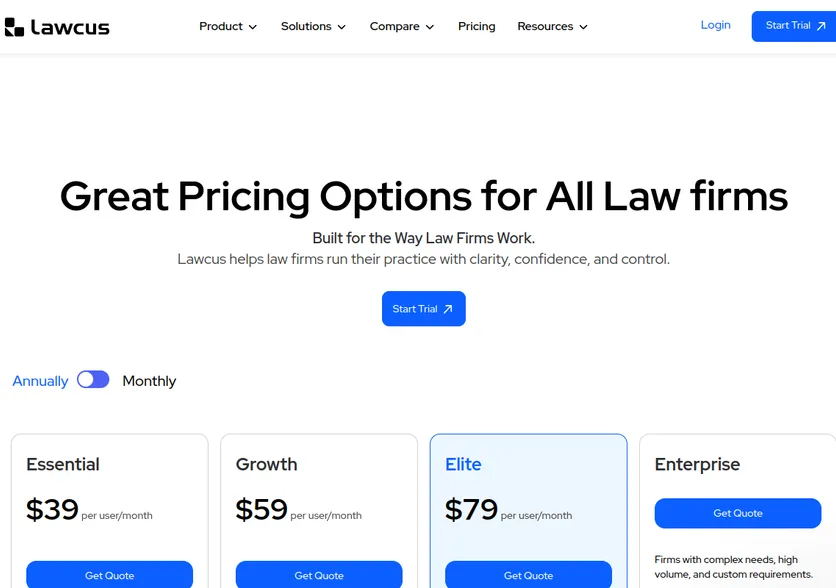
Paid tool Starting price: $49/user/month · Forty-nine dollars per user a month on the entry plan billed annually; the vendor lists higher tiers for automation and reporting on the pricing page
Free plan: 14-day free trial
For an education law firm that manages cases by stage across many schools, this Lawcus plan costs forty-nine dollars per user a month billed annually, with visual kanban boards for the pipeline. Its visual kanban boards make the whole matter pipeline easy to see at a glance, which suits a firm that manages cases by stage rather than by list. Intake, e-signatures and payments are built in, and the low entry price with a fourteen-day trial makes it easy to test on real matters.
What we like
- Visual kanban boards make the matter pipeline easy to see
- Built-in intake, e-signatures and payments in one system
- Low entry price with a fourteen-day free trial
Watch out for
- It is a smaller vendor, so the integration list is shorter
- Reporting is lighter than the bigger platforms in this list
How to try it
- Import matters and lay out the kanban pipeline stages
- Set up the intake forms and e-signature templates
- Turn on client payments and the portal for each matter
7. CARET Legal
Best for: Firms that want an all-in-one platform with built-in email
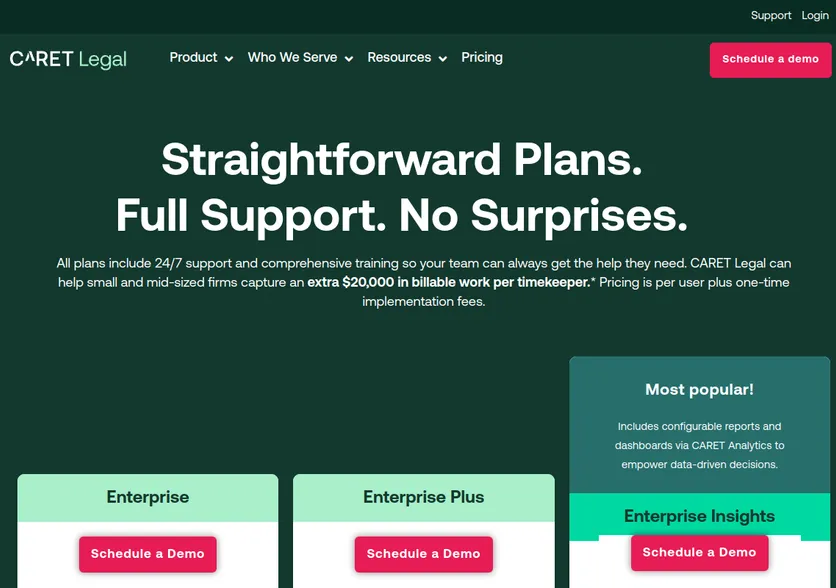
Paid tool Starting price: $79/user/month · Seventy-nine dollars per user a month on the Enterprise plan billed annually; Enterprise Plus is ninety-nine dollars and Enterprise Insights is one hundred and nineteen dollars a month annually; the product was formerly Zola Suite
Free plan: No free plan; demo available
For an education law firm that wants email, calendar and matters in one place, this CARET Legal plan costs seventy-nine dollars per user a month billed annually. It is the all-in-one option: email and calendar are built into the platform, so the firm stops paying for a separate inbox tool and the matter file holds every message. Matter management, billing and documents sit in the same system, and the higher tiers add analytics for firm leaders.
What we like
- Built-in email and calendar mean no separate inbox tool
- Matter management, billing and documents in one platform
- Strong analytics on the higher tiers for firm leaders
Watch out for
- No free plan and no free trial, only a demo
- The entry price is higher than the other tools in this list
How to try it
- Book a demo and confirm the Enterprise price for the team
- Import matters and connect the firm email accounts
- Set up billing, trust accounting and the document templates
8. Lawmatics
Best for: Firms that need serious intake and client relationship tools
Paid tool Starting price: $199/user/month · One hundred and ninety-nine dollars per user a month on the Lite plan and two hundred and ninety-nine dollars on Pro, as last published by the vendor; the vendor has moved some pricing behind a sales call, so confirm the figure before buying
Free plan: No free plan; demo available
For an education law firm that wins clients through intake and needs every enquiry tracked, this Lawmatics plan costs one hundred and ninety-nine dollars per user a month on the Lite plan. It is the intake and client relationship specialist here: forms, CRM and marketing automation are built for law firms, and the client journey is tracked from first call to signed engagement. It pairs with a practice management system rather than replacing it, which suits a firm that already likes its case software.

What we like
- Intake, CRM and marketing automation built for law firms
- Client journey tracking from first call to signed engagement
- Integrates with the main practice management platforms
Watch out for
- It is intake and CRM, not a full practice management system
- The vendor has moved some pricing behind a sales call
How to try it
- Book a demo and confirm the Lite price for the team size
- Set up the intake forms and the client journey stages
- Connect it to the practice management system the firm already uses
Prices above were checked on each vendor’s own website on Nov 28, 2026 and can change — the vendor’s page is the final word. Vendor links are editorial: nobody paid to be listed or ranked here. Vendors who want a featured listing can see how it works on our Get listed page.
How an education law firm can keep many small cases moving
Start with intake, because an education practice hears from parents and schools in waves, often around term dates and hearing deadlines. Build matter templates for the case types the firm handles most, so each new case starts with the right checklist and deadlines already set. Turn on the client portal so parents and schools can see progress without phoning the office. Set billing reminders to run automatically, since a firm with many small cases cannot chase every invoice by hand. Check the intake list every morning so no parent or school waits a week for a reply.
Before you buy
- Check whether the price is per user a month, because a growing team pays for every seat
- Ask if the intake tools can handle enquiry waves around term dates and hearings
- Confirm trust accounting and reconciliation are built in for client funds
- Make sure the matter templates fit the case types the firm actually handles
- Test the tool on a real matter, including intake and billing, before paying
Official websites
Official websites of the products reviewed above. Features and prices were checked against these sites when this guide was written, and they can change, so confirm on the vendor site before you buy.
Frequently asked questions
What is the best practice management software for education law firms?
Clio is the best overall pick for most education law firms, because it is the market standard and combines time tracking, billing, trust accounting and document management in one system. Lawmatics is the best choice for intake-heavy firms, and CARET Legal is the best all-in-one, with email and calendar built into the platform.
How much does Lawmatics cost?
Lawmatics costs one hundred and ninety-nine dollars per user a month on the Lite plan and two hundred and ninety-nine dollars on Pro, as last published by the vendor. The vendor has moved some pricing behind a sales call, so the firm should confirm the figure before buying. Lawmatics is intake and CRM, not a full practice management system.
What is CARET Legal and why was it called Zola Suite?
CARET Legal is the new name for Zola Suite, which rebranded in February 2023. It is the all-in-one option here, with email and calendar built into the platform alongside matter management, billing and documents. The Enterprise plan costs seventy-nine dollars per user a month billed annually.
What is the cheapest practice management software for a law firm?
CaseFox is the cheapest tool in this series at thirty-nine dollars per user a month billed annually, with a free plan for one user, but it is not in this post. Of the tools here, Clio, PracticePanther, CosmoLex and Lawcus all start at forty-nine dollars per user a month billed annually, and Clio leads on breadth.
Why are Smokeball and Filevine not in this list?
Smokeball, Filevine and Actionstep all sell by quote only and publish no prices on their own sites. This list only includes tools with a published US dollar list price, so every figure here can be checked on the vendor site. A firm that needs one of the quote-only platforms should book a demo and ask for the price in writing.
Compare the eight tools above, then start with a free trial on the one that matches how the firm actually handles education cases before paying for a full year.
Browse Business Tools tools