On this page
Most CLM rollouts fail the same way: a big launch, an empty repository and a team that goes back to email within a month. The seven tools below support a different rollout, one that starts with the archive, proves value in the first week and grows from there. ContractWorks leads because its searchable repository works from day one for four hundred and twenty-five dollars a month, and the rest are ranked on how quickly they pay back.
How we researched this
We checked every price on the vendor pricing page on November 28, 2026, and only included tools with a published US dollar list price. The big CLM suites that sell by quote, including Ironclad, Agiloft, Evisort, LinkSquares and Malbek, publish no prices, so they are not in this list. Prices change, so confirm the current figure on the vendor site before you buy.
Compare the tools
| Name | Best for | Starting price | Free plan | |
|---|---|---|---|---|
 ContractWorks | Teams that need a searchable contract repository | $425/month | No free plan; 14-day free trial | Visit |
 Concord | Teams that negotiate contracts end to end | $499/month | No free plan; demo available | Visit |
 ContractSafe | Teams that want a flat-price contract archive | $450/month | No free plan; free trial available | Visit |
| CobbleStone Contract Insight | Small teams moving off spreadsheets | $59/user/month | No free plan; 30-day free trial | Visit |
 Zoho Contracts | Zoho shops that want full CLM cheaply | $25/user/month | Free plan for 3 users and 10 contracts | Visit |
 DocuSign | Teams that need trusted e-signatures fast | $25/user/month | 30-day free trial | Visit |
 PandaDoc | Teams that send proposals and contracts weekly | $19/user/month | Free plan | Visit |
The CLM software for a rollout that works, compared
1. ContractWorks
Best for: Teams that need a searchable contract repository
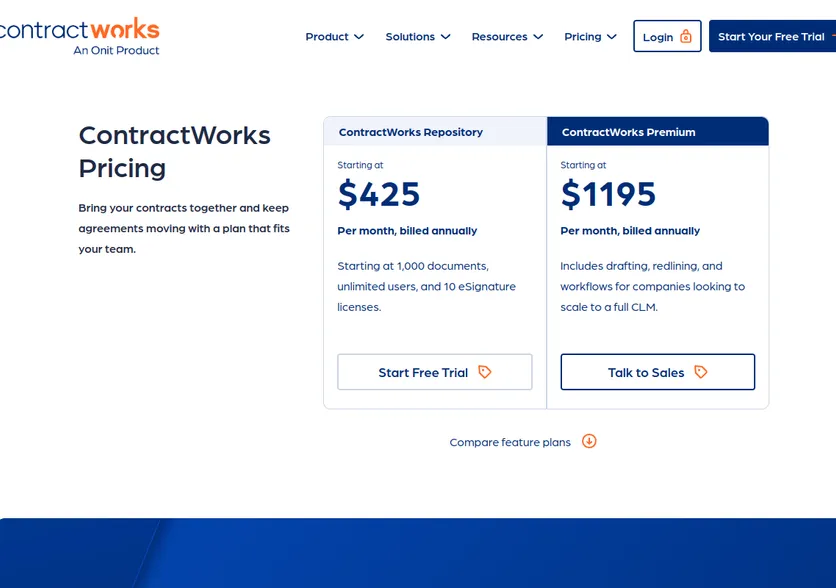
Paid tool Starting price: $425/month · Four hundred and twenty-five dollars a month on annual billing for the Repository plan; unlimited users and contracts included
Free plan: No free plan; 14-day free trial
A rollout fails when the repository is empty on day one, and this ContractWorks plan costs four hundred and twenty-five dollars a month to give the whole team one searchable home for signed agreements. Upload the archive first, tag the key dates, then switch on renewal alerts, and the system starts paying back before the drafting workflows arrive. It is the implementation-first pick here because the repository works from the first week, not the first quarter.
What we like
- Unlimited users and contracts on every plan
- AI search finds clauses across the whole repository
- Built-in e-signature keeps signing inside the tool
Watch out for
- Repository focus means lighter drafting tools
- Flat monthly price is steep for a small archive
How to try it
- Upload the signed agreements into the repository
- Tag each contract with its key dates and owners
- Set renewal alerts so nothing lapses unnoticed
2. Concord
Best for: Teams that negotiate contracts end to end
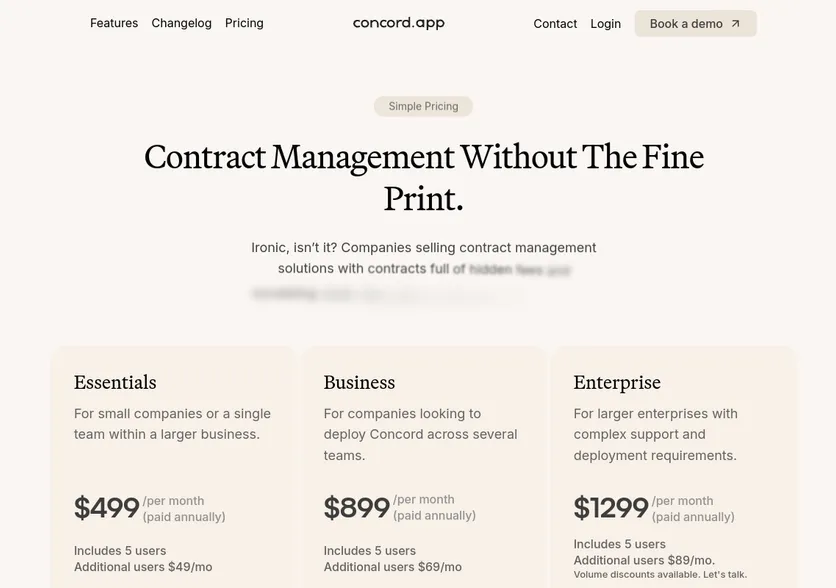
Paid tool Starting price: $499/month · Four hundred and ninety-nine dollars a month; the platform was rebuilt as Concord Horizon in November 2026 with unlimited e-signatures
Free plan: No free plan; demo available
Teams that negotiate by email thread lose the thread, and this Concord plan costs four hundred and ninety-nine dollars a month to move drafting, redlining and approval into one workspace. Start with a single contract type, prove the approval flow, then roll the next type in, and the team learns the system on real work rather than training slides. It suits a rollout that needs negotiation and signing in the same place from the start.
What we like
- Drafting, negotiation and signing in one workspace
- Unlimited e-signatures on the rebuilt platform
- Approval workflows route contracts without email chains
Watch out for
- Flat price suits teams, not occasional users
- Advanced analytics sit on higher tiers
How to try it
- Draft the contract from a template in the workspace
- Send it for internal approval and counterparty review
- Collect the signature and file the executed copy
3. ContractSafe
Best for: Teams that want a flat-price contract archive
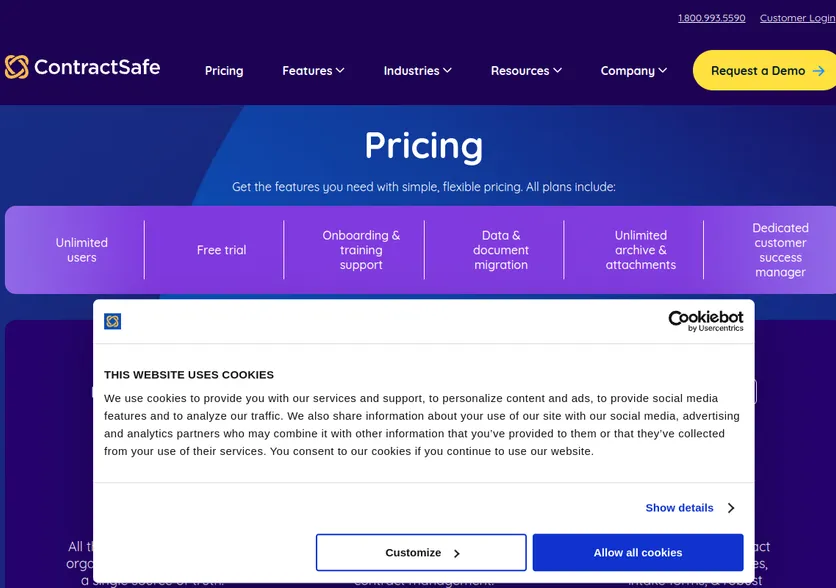
Paid tool Starting price: $450/month · Four hundred and fifty dollars a month flat, priced by contract volume rather than seats, with unlimited users
Free plan: No free plan; free trial available
The fastest CLM win is finding any contract in seconds, and this ContractSafe plan costs four hundred and fifty dollars a month flat for an AI-indexed archive with unlimited users. Import the existing agreements, let the AI index them, then set renewal alerts, and every department can search the archive without a legal ticket. It is the best first step for a team that wants value in week one.
What we like
- Flat price with unlimited users at every tier
- AI search answers clause questions in seconds
- Renewal and deadline alerts run automatically
Watch out for
- Priced by contract volume, so big archives cost more
- Drafting tools are lighter than full CLM suites
How to try it
- Import the contract archive and let the AI index it
- Set alerts for every renewal and expiry date
- Search the repository when a clause question comes up
4. CobbleStone Contract Insight
Best for: Small teams moving off spreadsheets
Paid tool Starting price: $59/user/month · Fifty-nine dollars per user a month on the Express Edition, priced per user; the Enterprise Edition is quoted per deal, so confirm the figure for larger deployments
Free plan: No free plan; 30-day free trial
A team moving off spreadsheets needs structure without enterprise complexity, and this CobbleStone Contract Insight plan costs fifty-nine dollars per user a month on the Express Edition to give it a real repository. Custom fields carry the dates and amounts the team already tracks, and email alerts replace the spreadsheet reminder column. It is the low-risk starting point for a first CLM rollout.
What we like
- Express Edition gives small teams a real repository
- Custom fields and checklists fit odd contract types
- Email alerts and calendars track every obligation
Watch out for
- Advanced workflow and AI sit in the quoted Enterprise edition
- Per-user pricing climbs fast as the team grows
How to try it
- Load the contracts into the Express repository
- Add custom fields for the dates and amounts that matter
- Turn on email alerts for renewals and milestones
5. Zoho Contracts
Best for: Zoho shops that want full CLM cheaply
Paid tool Starting price: $25/user/month · Twenty-five dollars per user a month; a free plan covers 3 users and 10 contracts; Zoho One subscribers get it bundled
Free plan: Free plan for 3 users and 10 contracts
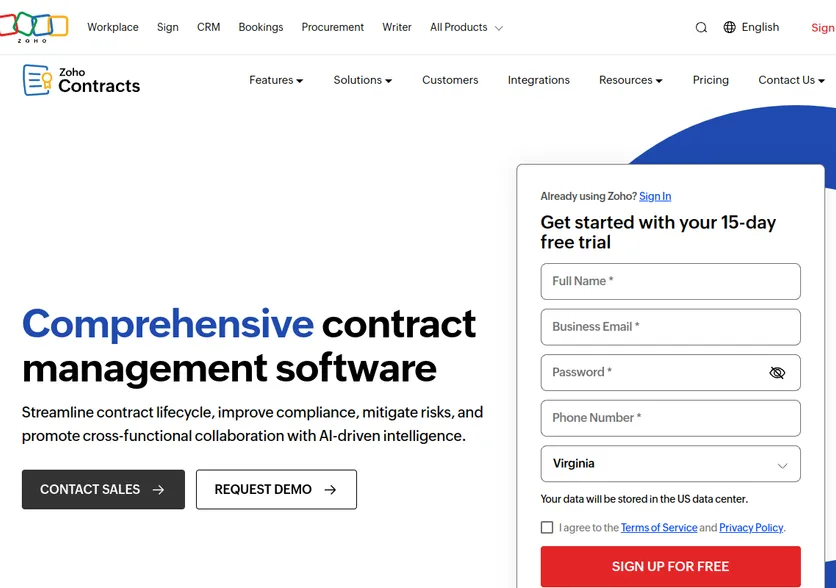
A small team should not pay enterprise prices to learn CLM, and this Zoho Contracts plan costs twenty-five dollars per user a month for the full lifecycle from drafting to renewal. The free plan covers three users and ten contracts, so the team can pilot the real workflow before spending anything. It is the cheapest honest way to prove CLM works inside the firm.
What we like
- Full lifecycle at the lowest price in this list
- Renewal and milestone alerts run without add-ons
- Free plan covers three users and ten contracts
Watch out for
- Best inside the Zoho ecosystem, thinner outside it
- AI features lag the dedicated CLM suites
How to try it
- Create the contract from a template or import it
- Set the approval chain and renewal reminders
- Track obligations from the dashboard after signing
6. DocuSign
Best for: Teams that need trusted e-signatures fast
Paid tool Starting price: $25/user/month · Twenty-five dollars per user a month billed annually upfront on Standard ($300 a user a year); $30 a user a month on an annual plan billed monthly and $45 month to month; Personal is $10 a month and Business Pro is $40 a user a month billed annually upfront; Standard and Business Pro include 100 envelopes per user a year; the $30 figure in older posts is the billed-monthly rate, not the headline
Free plan: 30-day free trial
Most teams already sign with DocuSign, so the rollout starts where they are, and this DocuSign plan costs twenty-five dollars per user a month billed annually upfront for Standard signing with templates. Add the signature workflow first, then connect the repository, and the team adopts the tool because it removes a step they already hate. It is the lowest-friction entry point in this list.

What we like
- Signing and templates the whole market already trusts
- One hundred envelopes a year on Standard and Business Pro
- Integrations cover most CRMs and cloud drives
Watch out for
- Envelope caps push heavy senders up a tier
- Full CLM features need the separate CLM product
How to try it
- Upload the agreement and place the signature fields
- Send it for signature and watch the status
- Store the completed copy in the repository
7. PandaDoc
Best for: Teams that send proposals and contracts weekly
Paid tool Starting price: $19/user/month · Nineteen dollars per user a month on Starter; Business is $49 per user a month; a free plan covers occasional documents
Free plan: Free plan
A CLM rollout stalls when the documents are hard to build, and this PandaDoc plan costs nineteen dollars per user a month on Starter for templates and e-signatures in one editor. Teams build the first agreement from a template, send it for signature with payment attached, and track the whole exchange from the dashboard. It suits a rollout that starts with the documents people send every week.

What we like
- Templates and e-signatures in one editor
- Free plan covers occasional documents
- Payment collection sits inside the document
Watch out for
- CLM depth is lighter than dedicated suites
- Advanced workflows need the Business tier
How to try it
- Build the document from a template
- Send it for signature with payment attached
- Track opens and signatures from the dashboard
Prices above were checked on each vendor’s own website on Nov 28, 2026 and can change — the vendor’s page is the final word. Vendor links are editorial: nobody paid to be listed or ranked here. Vendors who want a featured listing can see how it works on our Get listed page.
How to roll out CLM without the team going back to email
Start with the archive, not the workflow, because a repository that holds every signed agreement is useful on day one while an approval chain takes a month to design. Pick one contract type and run it end to end before touching the next, so the team learns the system on real work instead of training slides. Name one owner for the rollout who answers questions in the first two weeks, and measure the win in contracts found in seconds rather than features switched on.
Before you buy
- Check whether the repository is searchable on day one or needs weeks of setup first
- Confirm the tool imports the existing archive without manual retyping of every contract
- Ask if renewal and expiry alerts run automatically once the archive is loaded
- Make sure one contract type can run end to end before the next type is added
- Pilot the tool on a real contract type before paying, with the team that will use it daily
Official websites
Official websites of the products reviewed above. Features and prices were checked against these sites when this guide was written, and they can change, so confirm on the vendor site before you buy.
Frequently asked questions
What is the first step when implementing CLM software?
The first step is loading the existing contract archive into a searchable repository, because that delivers value on day one while workflows take weeks to design. Import the signed agreements, let the tool index them, switch on renewal alerts, and the team can find any contract in seconds before a single approval chain is built.
How much does ContractWorks cost for a CLM rollout?
ContractWorks costs four hundred and twenty-five dollars a month on annual billing for the Repository plan, with unlimited users and contracts included. That flat price is why it leads this list: the whole team can use the repository from the first week without per-seat maths.
Can a small team pilot CLM for free?
Yes, with Zoho Contracts, which offers a free plan covering three users and ten contracts with the full lifecycle included. That is enough to run a real contract type end to end before spending anything, and the paid plan starts at twenty-five dollars per user a month.
Which CLM tool is best for finding old contracts fast?
ContractSafe is the best pick for finding old contracts, at four hundred and fifty dollars a month flat, because its AI indexes the whole archive and answers clause questions in seconds. ContractWorks is close behind with AI search across an unlimited repository for four hundred and twenty-five dollars a month.
Why do most CLM rollouts fail?
Most rollouts fail because they start with complex approval workflows instead of the archive, so the team sees no value for weeks and drifts back to email. The fix is to load the repository first, prove one contract type end to end, name one rollout owner, and only then add the next workflow.
Compare the seven tools above, then pilot the free Zoho Contracts plan or a free trial on the tool that matches the contract type the team handles most before paying for a full year.
Browse Business Tools tools