On this page
A factory runs on timing: materials arriving before the run, machines serviced before they break, and orders shipped the day they are promised. The eight tools below automate that timing for manufacturers, from a production planner that ties orders to the shop floor to a connector that links the sales stack to the schedule. Katana leads because it tracks materials through production to finished goods for two hundred and ninety-nine dollars a month, and the rest are ranked on how much of the factory's admin they take off the floor.
How we researched this
We checked every price on the vendor pricing page on November 28, 2026, and only included tools with a published US dollar list price. The enterprise ERP and MES platforms that sell by quote publish no flat starting price, so they are not in this list. Prices change, so confirm the current figure on the vendor site before you buy.
Compare the tools
| Name | Best for | Starting price | Free plan | |
|---|---|---|---|---|
 Katana | Small manufacturers who make their own products | $299/month | No free plan; 14-day free trial | Visit |
 Fishbowl Inventory | Manufacturers with a warehouse feeding production | $229/month | No free plan; free trial | Visit |
 MRPeasy | Small factories that need production planning beside stock | $49/user/month | No free plan; 30-day free trial | Visit |
 MaintainX | Plants that need work orders and preventive maintenance | $20/user/month | Free plan (Basic) | Visit |
 UpKeep | Manufacturers who want assets, parts and work orders together | $24/user/month | No free plan; free trial | Visit |
 EZOfficeInventory | Manufacturers who need to track equipment across sites | $44.75/month | No free plan; free trial | Visit |
 Zapier | Manufacturers who want orders, stock and shipments connected | $19.99/month | Free plan (100 tasks a month) | Visit |
 Make | Factories that want order and stock data on one canvas | $9/month | Free plan (1,000 credits a month) | Visit |
The process automation software for manufacturers, compared
1. Katana
Best for: Small manufacturers who make their own products
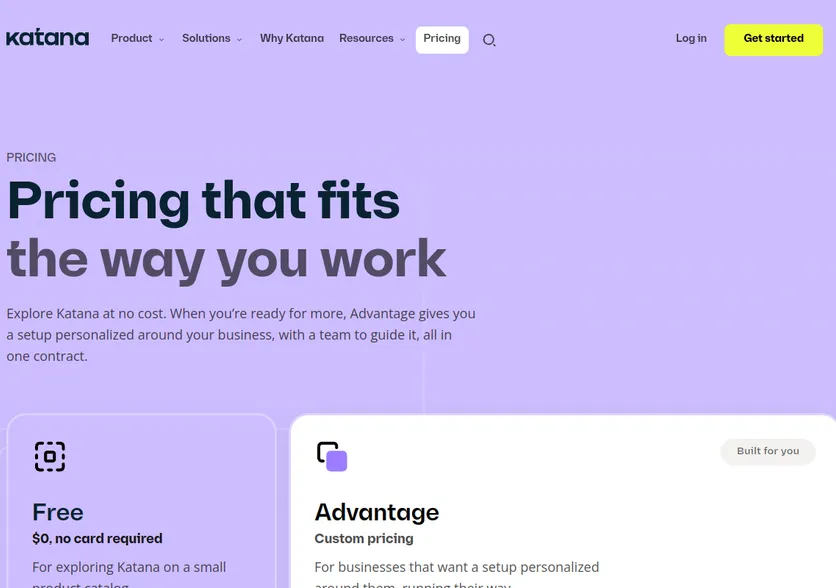
Paid tool Starting price: $299/month · Two hundred and ninety-nine dollars a month on Core; Advantage is a custom tier only; the older lower figures in some listings are superseded by the current vendor page
Free plan: No free plan; 14-day free trial
A manufacturer that makes its own products needs raw materials and finished goods in one view, and this Katana plan costs two hundred and ninety-nine dollars a month, and it ties bills of materials to production, stock and sales in one system. A new order can reserve materials, schedule the run and update the stock level without a spreadsheet. It is the manufacturing-native pick in this list for a small factory that wants real production planning.
What we like
- Bills of materials tied to production, stock and sales
- Real-time stock levels across materials and finished goods
- Sales orders flow straight into the production schedule
Watch out for
- The entry price is the highest in this list
- Advanced features need the custom Advantage tier
How to try it
- Import the product list and build the bills of materials
- Connect the sales channel and set the reorder points
- Schedule the first production run from a real sales order
2. Fishbowl Inventory
Best for: Manufacturers with a warehouse feeding production
Paid tool Starting price: $229/month · Two hundred and twenty-nine dollars a month on Essentials for the inventory product; Advanced Manufacturing adds full production power; this is not the Fishbowl restaurant product, whose Essential plan is one hundred and twenty-five dollars per location a month
Free plan: No free plan; free trial
A manufacturer with a warehouse feeding the production line will find this Fishbowl plan costs two hundred and twenty-nine dollars a month billed annually on Essentials, and it brings reorder points, barcode receiving and lot tracking to the stockroom. An order can pull materials, update the stock level and trigger a reorder without a manual count. It is the warehouse-strength pick in this list for a factory that also wholesales parts.
What we like
- Reorder points and barcode receiving for the stockroom
- Lot and serial tracking for regulated goods
- Advanced Manufacturing adds bills of materials and work orders
Watch out for
- The inventory product is easy to confuse with the restaurant product
- Full production power needs the Advanced Manufacturing tier
How to try it
- Import the SKU list and set the reorder points for each item
- Connect the barcode scanners and the receiving workflow
- Link the sales channel so orders pull stock automatically
3. MRPeasy
Best for: Small factories that need production planning beside stock
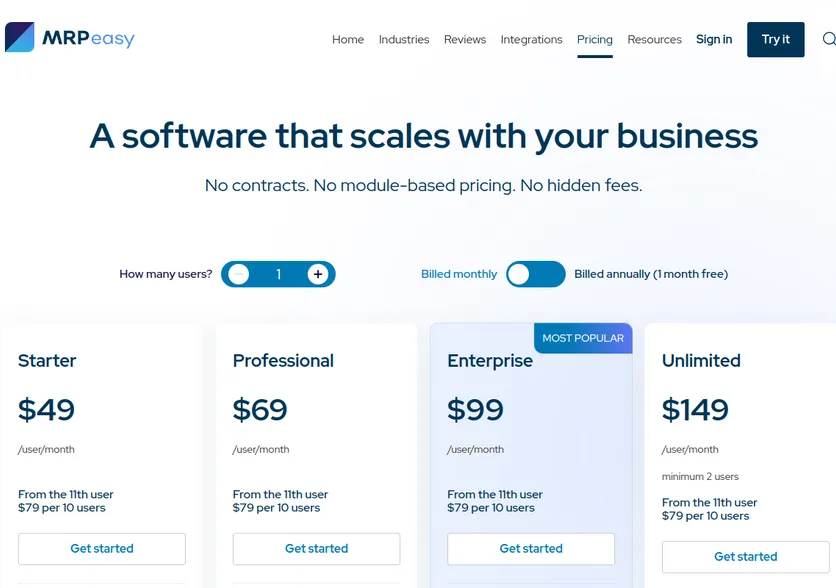
Paid tool Starting price: $49/user/month · Forty-nine dollars per user a month on Starter with annual billing equal to one month free (fifty-nine dollars billed monthly); Professional is sixty-nine dollars; Enterprise is ninety-nine dollars; Unlimited is one hundred and forty-nine dollars; from the eleventh user, seventy-nine dollars per block of ten users regardless of tier
Free plan: No free plan; 30-day free trial
A small factory that plans production on spreadsheets will find this MRPeasy plan costs forty-nine dollars per user a month on Starter, and it adds real production planning to inventory, with bills of materials, stock control and shop-floor reporting in one place. A sales order can become a production plan, a purchase order and a stock update in one flow. It is the manufacturing ERP in this list, built for small factories that need planning beside stock control.
What we like
- Production planning, bills of materials and shop-floor reporting in one place
- A B2B customer portal on the Professional plan
- Straightforward pricing that small factories can follow
Watch out for
- The per-user price rises with the team, plus blocks after ten users
- The interface is practical rather than polished
How to try it
- Import the products and build the bills of materials
- Connect the sales orders and set the production calendar
- Run the first production plan and check the shop-floor report
4. MaintainX
Best for: Plants that need work orders and preventive maintenance
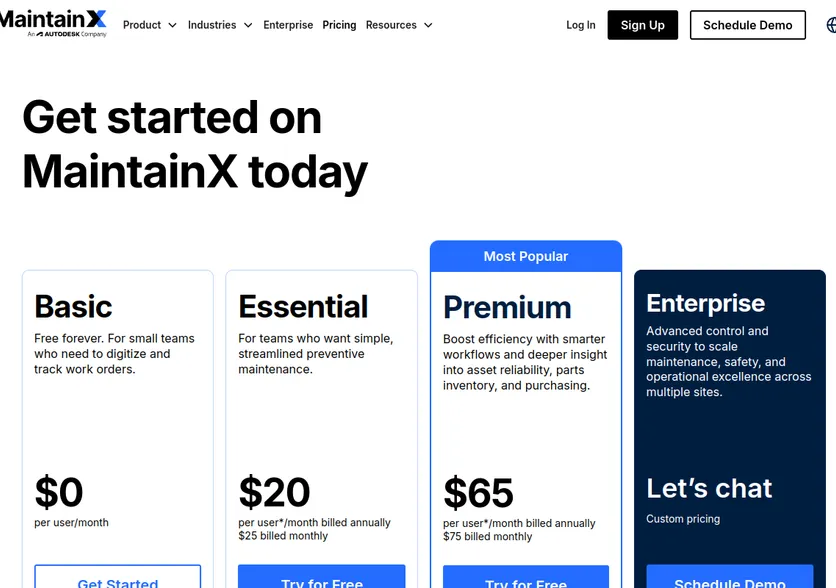
Paid tool Starting price: $20/user/month · Twenty dollars per user a month billed annually on Essential (twenty-five dollars billed monthly); Premium is sixty-five dollars a month billed annually; Enterprise is custom; Basic is free; requesters are free on every plan; Autodesk acquired MaintainX, with the deal closing in August 2026
Free plan: Free plan (Basic)
A plant that loses hours to breakdowns needs work orders that keep downtime short, and this MaintainX plan costs twenty dollars per user a month billed annually on Essential, and it runs work orders, assets and preventive maintenance from a phone. A technician can open a work order, follow the procedure and log the parts without returning to a desk. It is the maintenance platform in this list, with a free Basic tier for a team that only needs the essentials.
What we like
- Work orders, assets and preventive maintenance from a phone
- A free Basic tier for teams that only need the essentials
- Requesters are free on every plan
Watch out for
- Full inventory and reporting need the Premium plan
- The Autodesk acquisition may change the roadmap
How to try it
- Import the asset list and set the preventive maintenance schedule
- Create the work order templates for the common repairs
- Give technicians the phone app and track the first week of jobs
5. UpKeep
Best for: Manufacturers who want assets, parts and work orders together
Paid tool Starting price: $24/user/month · Twenty-four dollars per user a month on Essential; Premium is fifty-five dollars; the twenty-dollar Lite plan is retired; unlimited locations on every plan
Free plan: No free plan; free trial
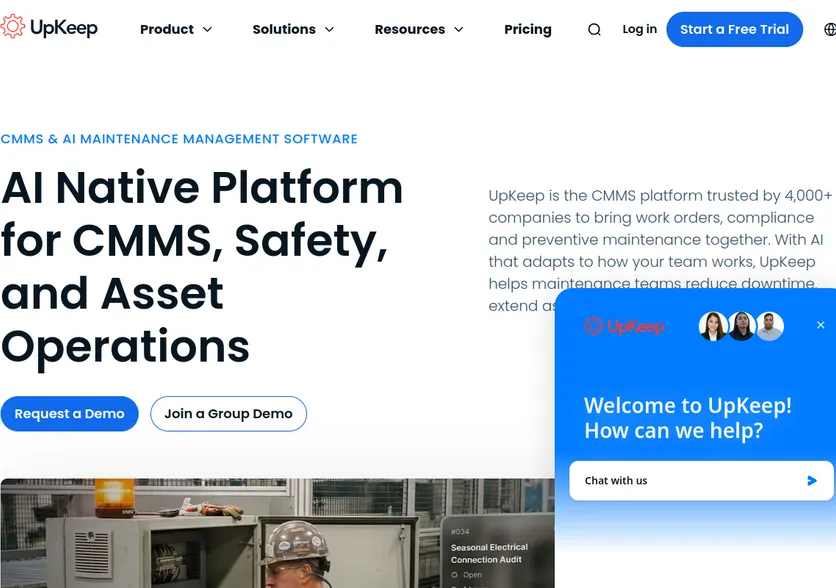
A factory whose machines, tools and spares all need servicing on schedule will find this UpKeep plan costs twenty-four dollars per user a month on Essential, and it manages assets with parts and work orders from a phone. Repairs become trackable work orders, so nothing waits on a phone call or a sticky note. It is the asset-first pick in this list for a manufacturer that wants maintenance and inventory in the same system.
What we like
- Asset tracking with parts and work orders from a phone
- Unlimited locations on every plan
- Preventive maintenance schedules that run themselves
Watch out for
- The Lite plan is retired, so Essential is the entry point
- Advanced reporting needs the Premium plan
How to try it
- Import the asset list and tag the machines and tools
- Set the preventive maintenance schedule for each asset
- Create the first work orders and track the parts used
6. EZOfficeInventory
Best for: Manufacturers who need to track equipment across sites
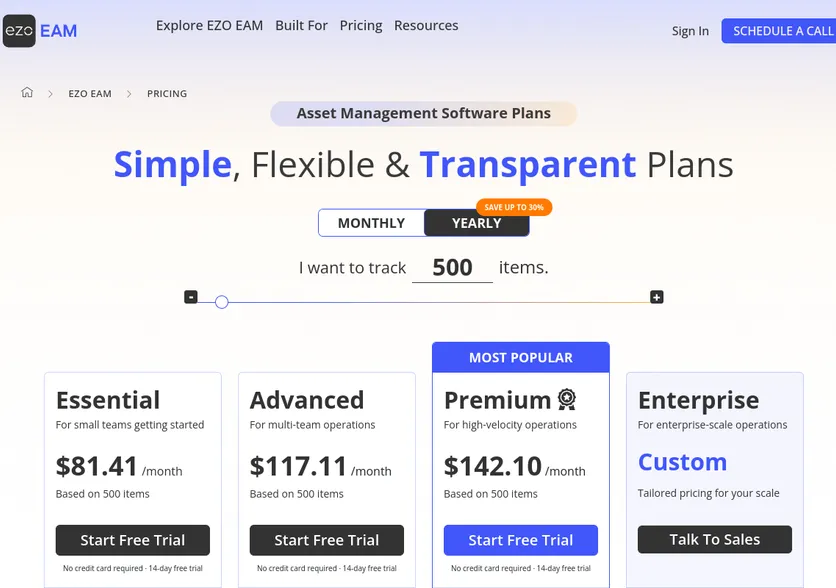
Paid tool Starting price: $44.75/month · Forty-four dollars and seventy-five cents a month billed annually on Essential at one hundred items (forty-eight dollars billed monthly; sixty-three dollars and fifty-five cents at three hundred items; eighty-one dollars and forty-one cents at five hundred); Advanced is eighty-five dollars and fifty-one cents at three hundred items; Premium is one hundred dollars and eighty-eight cents; now sold as EZO
Free plan: No free plan; free trial
A manufacturer with equipment spread across trucks, sites and a yard needs to know where each item is, and this EZOfficeInventory plan costs forty-four dollars and seventy-five cents a month billed annually at one hundred items, and it tracks the full equipment lifecycle from purchase to retirement. Reservations, maintenance and check-outs share one register, so a missing tool is found in seconds. It is the equipment-register pick in this list, priced by item count rather than by user.
What we like
- Full equipment lifecycle from purchase to retirement
- Reservations and maintenance beside the tracking register
- Priced by item count, so a large team costs no more
Watch out for
- The price rises with the item count, so count honestly
- The EZO rebrand means older reviews use a different name
How to try it
- Import the equipment list and tag each item
- Set the reservation rules and the maintenance schedule
- Open the register to the team and track the first check-outs
7. Zapier
Best for: Manufacturers who want orders, stock and shipments connected
Paid tool Starting price: $19.99/month · Nineteen dollars and ninety-nine cents a month billed annually on Professional (twenty-nine dollars and ninety-nine cents billed monthly); Team is sixty-nine dollars a month billed annually; the free plan covers one hundred tasks a month and two-step Zaps only
Free plan: Free plan (100 tasks a month)
A manufacturer that rekeys orders from the web store into the production schedule will find this Zapier plan costs nineteen dollars and ninety-nine cents a month billed annually, and it carries order, stock and shipment data between systems automatically. A new order can reserve materials, update the schedule and email the customer without a spreadsheet in sight. It is the cheapest way to connect a shop floor system to the sales stack.

What we like
- Carries order, stock and shipment data between systems
- Multi-step workflows with filters and formatting
- Connects more apps than any other automation tool here
Watch out for
- Per-task pricing grows with order volume
- It connects systems rather than replacing them
How to try it
- Connect the web store, the inventory system and the email app
- Build the flow from new order to material reservation to shipment
- Test it with a fake order, then switch it on
8. Make
Best for: Factories that want order and stock data on one canvas
Paid tool Starting price: $9/month · Nine dollars a month billed annually on Core (ten dollars and fifty-nine cents billed monthly); Pro is sixteen dollars a month billed annually; Teams is twenty-nine dollars; the free plan includes one thousand credits a month
Free plan: Free plan (1,000 credits a month)
A factory that tracks orders, stock and shipments in three different systems will find this Make plan costs nine dollars a month billed annually, and it moves that data between systems on a visual canvas where every step is visible. A low-stock alert can raise a purchase order, notify the buyer and update the production schedule in one run. Ten thousand credits a month cover a busy plant, and the visual layout makes a broken flow easy to trace.

What we like
- Visual scenarios show every data step on one canvas
- Ten thousand credits a month for less than ten dollars
- Routers handle low stock, reorder and schedule in one flow
Watch out for
- The visual builder takes longer to learn than a simple trigger list
- Credit counting is less obvious than a plain task count
How to try it
- Connect the sales, inventory and shipping systems
- Draw the low-stock scenario with branches for reorder and schedule
- Test it with a fake alert, then switch it on
Prices above were checked on each vendor’s own website on Nov 28, 2026 and can change — the vendor’s page is the final word. Vendor links are editorial: nobody paid to be listed or ranked here. Vendors who want a featured listing can see how it works on our Get listed page.
How to automate a factory without stopping the line
Start with the order, because that is where a factory's day is decided: a sale that reserves materials, schedules the run and notifies the customer without anyone retyping the order. Then automate the maintenance, such as the service reminder that fires before a machine breaks and the work order that follows the technician's phone. Keep a human on the schedule, since a machine that breaks at midnight still needs a person to decide what happens next. Finally, count the stock every week against what the system says, because automation only helps when the register tells the truth.
Before you buy
- Confirm the tool covers orders, materials and production in one flow
- Check whether the price is per user, per item or flat, and what it caps
- Make sure maintenance and work orders are included, not bolted on
- Ask if the tool handles the factory's real units, lots and serial numbers
- Test the order-to-production flow on a real order before paying
Official websites
Official websites of the products reviewed above. Features and prices were checked against these sites when this guide was written, and they can change, so confirm on the vendor site before you buy.
Frequently asked questions
What is the best process automation software for manufacturers?
Katana is the best overall pick, at two hundred and ninety-nine dollars a month, because it ties bills of materials to production, stock and sales in one system. MaintainX is the best pick for maintenance at twenty dollars per user a month, with work orders and preventive maintenance from a phone. Zapier is the best choice for connecting the sales stack to the shop floor.
How much does Katana cost per month?
Katana Core costs two hundred and ninety-nine dollars a month. That plan includes bills of materials, production planning, stock control and sales order management. Advantage is a custom tier only, with pricing by quote. A fourteen-day free trial lets a manufacturer test the production flow before paying.
Can I automate a factory for free?
Yes, partly. MaintainX offers a free Basic tier for work orders and asset tracking, and Zapier and Make have free plans for connecting the sales stack to the shop floor. A full production planning system needs a paid plan, with MRPeasy the cheapest at forty-nine dollars per user a month on Starter.
Is Fishbowl or Katana better for a small manufacturer?
Katana is better for a manufacturer that makes its own products, at two hundred and ninety-nine dollars a month, because production planning and bills of materials are built in. Fishbowl is better for a manufacturer with a big warehouse, at two hundred and twenty-nine dollars a month, because reorder points and barcode receiving are stronger. A factory that both makes and stocks should compare both.
Which tool is best for factory maintenance?
MaintainX is the best pick for factory maintenance, at twenty dollars per user a month billed annually, with work orders, assets and preventive maintenance from a phone and a free Basic tier. UpKeep is the best alternative at twenty-four dollars a month, with asset tracking and parts management in the same system. Both beat a spreadsheet for keeping machines running.
Compare the eight tools above, then start with a free trial of the tool that matches how the factory already runs before paying for a full year.
Browse Business Tools tools