On this page
A managed service provider sells one promise: client systems that stay up, tickets that get fixed fast, and bills that match the work done. The seven tools below automate that promise, from a combined RMM and PSA to a connector that links the tools an MSP already owns. Syncro leads because it combines monitoring, tickets and billing in one login for one hundred and twenty-nine dollars per user a month, and the rest are ranked on how much admin they take off a technician's day.
How we researched this
We checked every price on the vendor pricing page on November 28, 2026, and only included tools with a published US dollar list price. The big RMM and PSA platforms that sell by quote, including ConnectWise, Autotask, NinjaOne, N-able and Kaseya, publish no flat starting price, so they are not in this list. Prices change, so confirm the current figure on the vendor site before you buy.
Compare the tools
| Name | Best for | Starting price | Free plan | |
|---|---|---|---|---|
 Syncro | Small MSPs who want RMM and PSA in one login | $129/user/month | No free plan; 14-day free trial | Visit |
 Atera | MSPs who want unlimited devices per technician | $129/technician/month | No free plan; 30-day free trial | Visit |
 SuperOps | MSPs who manage many client sites from one dashboard | $129/technician/month | No free plan; 14-day free trial | Visit |
| HaloPSA | MSPs who want every PSA module in one price | $99/agent/month | No free plan; 30-day free trial | Visit |
 Pulseway | MSPs whose technicians work from a phone | $27/month | No free plan; 14-day free trial | Visit |
 Zapier | MSPs who want tickets, billing and monitoring connected | $19.99/month | Free plan (100 tasks a month) | Visit |
 Make | MSPs who want client onboarding on one canvas | $9/month | Free plan (1,000 credits a month) | Visit |
The process automation software for MSPs, compared
1. Syncro
Best for: Small MSPs who want RMM and PSA in one login
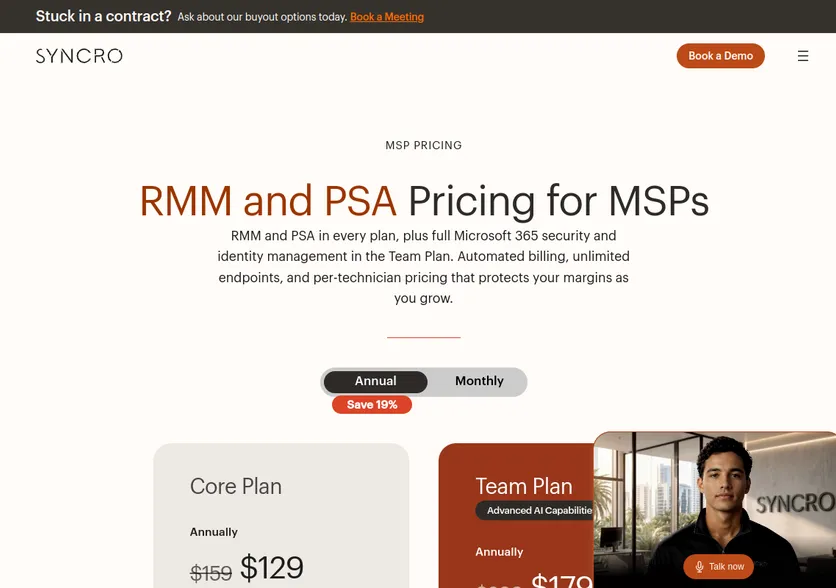
Paid tool Starting price: $129/user/month · One hundred and twenty-nine dollars per user a month billed annually on Core (one hundred and fifty-nine dollars billed monthly); Team is one hundred and seventy-nine dollars a month billed annually; IT Teams is one hundred and seventy-nine dollars; unlimited endpoints on every plan
Free plan: No free plan; 14-day free trial
A small MSP that runs monitoring, tickets and billing from three logins will find this Syncro plan costs one hundred and twenty-nine dollars per user a month billed annually, and it combines RMM and PSA so tickets, billing and endpoints share one system built for MSPs. A resolved ticket can raise the invoice and update the client record without a technician touching the admin. It is the simplest combined platform in this list for a small MSP that wants one login for the whole shop.
What we like
- Remote monitoring and PSA share one subscription and one login
- Unlimited endpoints on every plan
- Billing and documentation sit beside the ticket queue
Watch out for
- Per-user pricing climbs as the team grows
- Reporting is lighter than the specialist PSA tools
How to try it
- Import the client endpoints and set the monitoring policies
- Create the ticket queues and the billing rules for each client
- Switch on the client portal and the automated invoicing
2. Atera
Best for: MSPs who want unlimited devices per technician
Paid tool Starting price: $129/technician/month · One hundred and twenty-nine dollars per technician a month billed annually on MSP Pro (one hundred and thirty-nine dollars billed monthly); Growth is one hundred and fifty-nine dollars a month billed annually, though one source lists one hundred and seventy-nine dollars; Power is two hundred and nine dollars; IT department plans run from one hundred and forty-nine dollars; unlimited devices; the AI Copilot is now included free on all plans
Free plan: No free plan; 30-day free trial
An MSP that pays per device will find this Atera plan costs one hundred and twenty-nine dollars per technician a month billed annually, and it covers unlimited devices with remote monitoring, PSA, patching and remote access under one per-technician price. One subscription covers every computer, server and network device that technician manages. The AI Copilot is now included free on all plans, which removes the add-on cost other vendors still charge.
What we like
- One per-technician price covers unlimited devices
- RMM, PSA and patching in a single subscription
- AI Copilot now included free on all plans
Watch out for
- The Growth annual price is listed differently in different places
- Per-technician pricing suits small teams better than large ones
How to try it
- Install the agent on the client endpoints and set the patch policy
- Create the ticket queues and the billing rules for each client
- Switch on the AI Copilot and the automated ticket summaries
3. SuperOps
Best for: MSPs who manage many client sites from one dashboard
Paid tool Starting price: $129/technician/month · One hundred and twenty-nine dollars per technician a month billed annually on MSP Pro (one hundred and forty-nine dollars billed monthly); Super is one hundred and fifty-nine dollars a month billed annually; PSA-only is seventy-nine dollars; RMM-only is ninety-nine dollars; one hundred and fifty endpoints per technician; Super Plus is per-endpoint from two dollars and fifty cents a month
Free plan: No free plan; 14-day free trial
An MSP that manages many client sites from one dashboard will find this SuperOps plan costs one hundred and twenty-nine dollars per technician a month billed annually, and it pairs patch management with remote monitoring and professional services automation in one modern platform. Tickets, patching, remote access and billing share the same login, so a technician never switches apps mid-job. It is the most modern interface in this list, built for MSPs who run everything from the cloud.
What we like
- Modern interface built for cloud-first MSPs
- RMM and PSA in one platform with patch management
- PSA-only and RMM-only plans for MSPs who need one side
Watch out for
- One hundred and fifty endpoints per technician, not unlimited
- Younger platform, so some deep PSA features are still maturing
How to try it
- Add the client sites and install the agent on their endpoints
- Set the patch policies and the ticket routing rules
- Connect the billing rules and switch on the client portal
4. HaloPSA
Best for: MSPs who want every PSA module in one price
Paid tool Starting price: $99/agent/month · Ninety-nine dollars per agent a month billed annually for one to twenty-four agents; ninety-five dollars at twenty-five to forty-nine agents; eighty-nine dollars at fifty to ninety-nine; eighty-five dollars at one hundred to two hundred and forty-nine; one plan with every module and no tiers; an onboarding package is required and priced by scope; the vendor page defaults to UK pricing at sixty-six pounds
Free plan: No free plan; 30-day free trial
An MSP that wants every module in one price will find this HaloPSA plan costs ninety-nine dollars per agent a month billed annually, and it packs service desk, CRM, projects, billing and asset management into a single plan with no tiers and no add-ons. Contract rules, proration and invoicing automate the money side of the business beside the ticket queue. It is the billing-led option in this list, though an onboarding package is required and priced by scope.
What we like
- Every module included in one plan with no tiers or add-ons
- Contract rules and invoicing automate the money side
- Deep configuration for MSPs who want it their way
Watch out for
- An onboarding package is required and priced by scope
- Configuration depth means setup takes longer
How to try it
- Set up the service desk queues and the client records
- Configure the contract rules and the invoicing schedule
- Connect the asset list and switch on the client portal
5. Pulseway
Best for: MSPs whose technicians work from a phone
Paid tool Starting price: $27/month · From twenty-seven dollars a month for ten to twenty devices, with per-installation pricing and tier discounts at scale; no native PSA, so it pairs with a separate billing tool; fourteen-day free trial
Free plan: No free plan; 14-day free trial
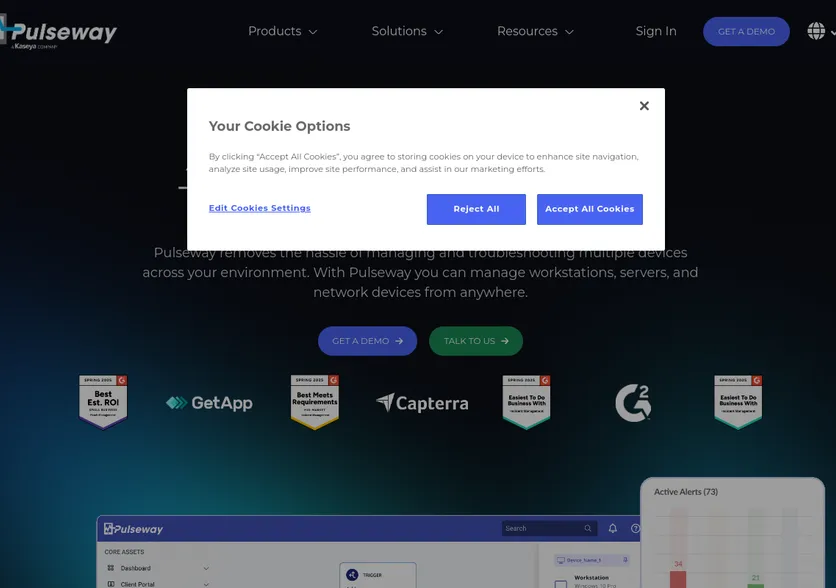
An MSP whose technicians fix machines from the field will find this Pulseway plan costs about twenty-seven dollars a month for up to twenty devices, and it is the mobile-first remote monitoring tool that lets a technician fix endpoints from a phone. The phone app carries monitoring, patching and remote access, so the office can stay in a pocket. It has no native PSA, so it pairs with a separate billing tool rather than replacing one.
What we like
- Mobile-first app that fixes endpoints from anywhere
- The cheapest entry point in this list for a small MSP
- Monitoring, patching and remote access in one app
Watch out for
- No native PSA, so billing needs a separate tool
- Per-installation pricing gets complicated at scale
How to try it
- Install the agent on the client endpoints and set the alerts
- Install the phone app and test a remote fix from the field
- Set the patch policies and the monitoring thresholds
6. Zapier
Best for: MSPs who want tickets, billing and monitoring connected
Paid tool Starting price: $19.99/month · Nineteen dollars and ninety-nine cents a month billed annually on Professional (twenty-nine dollars and ninety-nine cents billed monthly); Team is sixty-nine dollars a month billed annually; the free plan covers one hundred tasks a month and two-step Zaps only
Free plan: Free plan (100 tasks a month)
A managed service provider that runs tickets, billing and monitoring on separate logins will find this Zapier plan costs nineteen dollars and ninety-nine cents a month billed annually, and it passes client, ticket and invoice data between those systems on its own. A resolved ticket can close the billing entry, update the client record and send the report without a technician touching the admin. The plan covers seven hundred and fifty tasks a month, which suits a small MSP testing its first automations.

What we like
- Passes client, ticket and invoice data between systems on its own
- Multi-step workflows with filters and formatting
- Connects more apps than any other automation tool here
Watch out for
- Per-task pricing grows with ticket volume
- It automates around the PSA rather than replacing it
How to try it
- Connect the PSA, the monitoring tool and the invoicing app
- Build the flow from resolved ticket to billing entry to report
- Test it with a fake ticket, then switch it on
7. Make
Best for: MSPs who want client onboarding on one canvas
Paid tool Starting price: $9/month · Nine dollars a month billed annually on Core (ten dollars and fifty-nine cents billed monthly); Pro is sixteen dollars a month billed annually; Teams is twenty-nine dollars; the free plan includes one thousand credits a month
Free plan: Free plan (1,000 credits a month)
An MSP that onboards a new client across five tools will find this Make plan costs nine dollars a month billed annually, and it turns that onboarding into a visual scenario with a box for each app and data flowing between them. A new client can be created in the RMM, the PSA and the billing system from a single trigger. The visual canvas beats a list of rules when a flow breaks at two in the morning.

What we like
- Visual scenarios show the whole onboarding flow on one canvas
- Ten thousand credits a month for less than ten dollars
- Routers handle client, site and service in one flow
Watch out for
- The visual builder takes longer to learn than a simple trigger list
- Credit counting is less obvious than a plain task count
How to try it
- Connect the RMM, the PSA and the billing system
- Draw the onboarding scenario with a box for each app
- Test it with a fake client, then switch it on
Prices above were checked on each vendor’s own website on Nov 28, 2026 and can change — the vendor’s page is the final word. Vendor links are editorial: nobody paid to be listed or ranked here. Vendors who want a featured listing can see how it works on our Get listed page.
How to automate an MSP without dropping a client
Start with the alert, because that is where an MSP earns its fee: a monitoring alert that opens a ticket, assigns the engineer and notifies the client before the client notices the problem. Then automate the money, such as the invoice that raises itself when a ticket closes and the contract that renews on its own date. Keep the client portal honest, since a portal that hides an outage destroys more trust than the outage itself. Finally, review the unassigned queue and the unbilled time every Friday, because automation only helps when someone checks what it missed.
Before you buy
- Confirm the tool covers monitoring, ticketing and billing for every client
- Check whether the price is per technician or per device, and what it caps
- Make sure the client portal shows tickets, invoices and status honestly
- Ask if patching, remote access and AI are included or paid extras
- Test the onboarding flow for a new client before paying for a year
Official websites
Official websites of the products reviewed above. Features and prices were checked against these sites when this guide was written, and they can change, so confirm on the vendor site before you buy.
Frequently asked questions
What is the best process automation software for MSPs?
Syncro is the best overall pick, at one hundred and twenty-nine dollars per user a month billed annually, because it combines remote monitoring with a PSA so tickets, billing and endpoints share one system. Atera is the best per-technician value at the same headline price, with unlimited devices. Pulseway is the best mobile-first pick for technicians who work from a phone.
How much does Atera cost per technician?
Atera MSP Pro costs one hundred and twenty-nine dollars per technician a month billed annually, or one hundred and thirty-nine dollars billed monthly. That plan includes remote monitoring, PSA, patching and remote access with unlimited devices. Growth costs one hundred and fifty-nine dollars a month billed annually, and a thirty-day free trial is available.
Is Syncro or Atera better for a small MSP?
Atera is better for an MSP with many devices per technician, at one hundred and twenty-nine dollars per technician a month billed annually, because every device is covered under one price. Syncro is better for an MSP that wants billing and documentation beside the RMM in the same login. Both charge the same headline price, so the choice comes down to device count versus billing depth.
Can I automate an MSP for free?
No full RMM and PSA platform in this list has a free plan, though Syncro, Atera, SuperOps and HaloPSA all offer free trials. Zapier and Make have free plans for connecting the tools an MSP already owns. The cheapest paid entry is Pulseway, from about twenty-seven dollars a month for up to twenty devices.
Which tool is best for an MSP that works from the field?
Pulseway is the best pick for field work, from about twenty-seven dollars a month for up to twenty devices, because its phone app lets a technician monitor, patch and fix endpoints from anywhere. It has no native PSA, so it pairs with a separate billing tool. MSPs who need billing built in should look at Syncro or Atera instead.
Compare the seven tools above, then start with a free trial of the platform that matches how the MSP already works before paying for a full year.
Browse Business Tools tools