On this page
Independent retailers order little and often, from many small suppliers, and a missed delivery or a double-paid invoice hurts far more at this scale than at a chain. The eight tools below keep that buying tidy without a procurement department, from a free card platform to a twenty-nine-dollar stock system. Spendwise leads because nine dollars a user a month buys requisitions, purchase orders, receiving and budgets in a tool a shop team learns in a day, and the rest are ranked on how much control they give a small retailer for the price.
How we researched this
We checked every price on the vendor pricing page on November 28, 2026, and only included tools with a published US dollar list price. The enterprise suites that sell procurement by quote, including Coupa, SAP Ariba, Jaggaer, Zip and Spendesk, publish no prices, so they are not in this list. Prices change, so confirm the current figure on the vendor site before you buy.
Compare the tools
| Name | Best for | Starting price | Free plan | |
|---|---|---|---|---|
 Spendwise | Small teams replacing spreadsheet purchase orders | $9/user/month | No free plan; free trial | Visit |
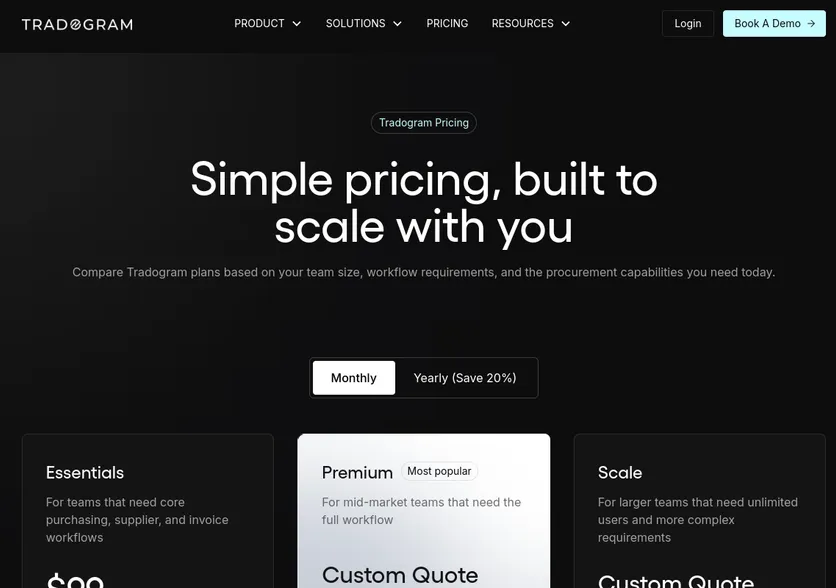
 Tradogram | Small teams that need purchase orders first | $99/month | No free plan; free trial | Visit |
 ApprovalMax | Approval workflows on Xero or QuickBooks Online | $49.50/organization/month | No free plan; 14-day free trial | Visit |
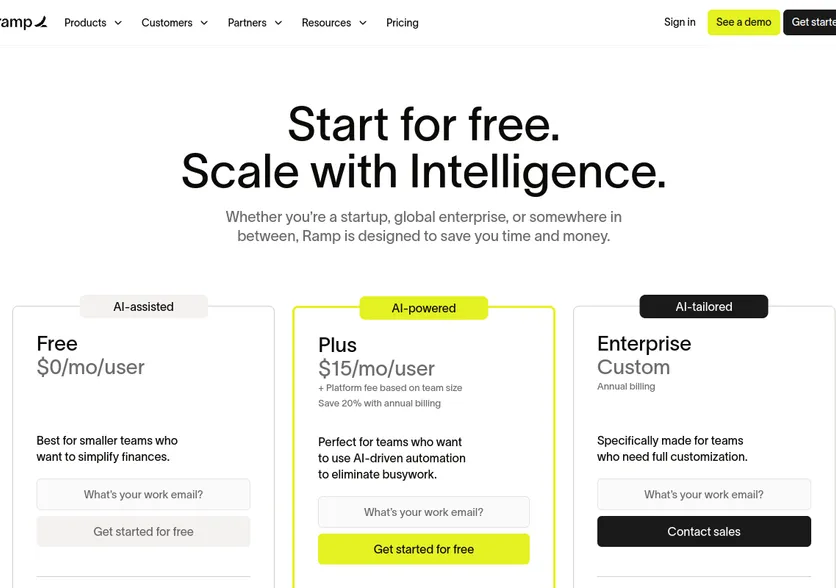
 Ramp | Card-based spend control with free core tools | $15/user/month | Free plan | Visit |
 Zoho Inventory | Stock and order control for small product teams | $29/month | Free plan (50 orders a month) | Visit |
 QuickBooks Online | Buying and bookkeeping in one familiar ledger | $38/month | No free plan; 30-day free trial | Visit |
 Xero | Bill tracking with unlimited users at a low price | $25/month | No free plan; 30-day free trial | Visit |
 BILL | Invoice approvals and payments for finance teams | $49/user/month | No free plan; free demo | Visit |
The procurement software for independent retailers, compared
1. Spendwise
Best for: Small teams replacing spreadsheet purchase orders
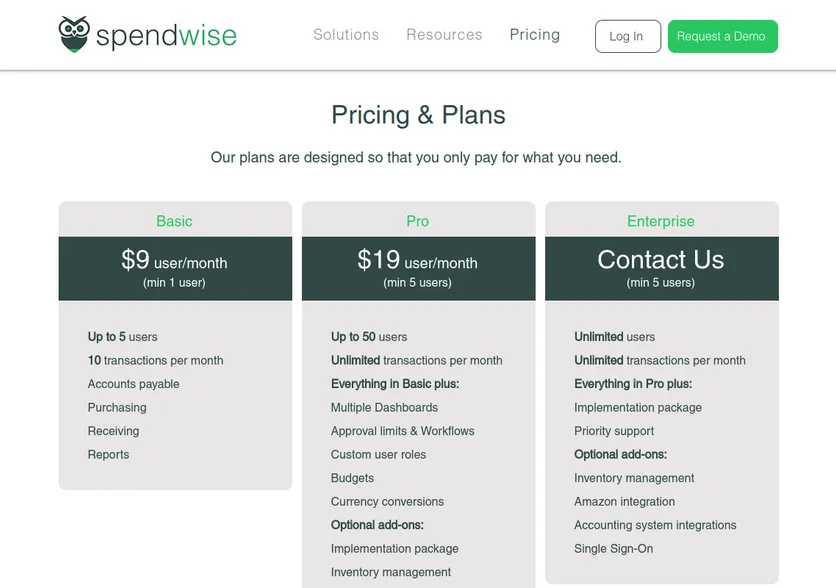
Paid tool Starting price: $9/user/month · Basic is $9 a user a month for up to 5 users and 10 transactions a month; Pro is $19 a user a month for 5 to 50 users with unlimited transactions; Enterprise is quoted
Free plan: No free plan; free trial
For an independent retailer ordering stock in small, frequent batches, this Spendwise plan costs nine dollars a user a month, and it replaces spreadsheet purchase orders with requisitions, approvals and receiving. Purchase orders, budgets, vendor records and receiving sit in one simple screen that a small team learns in a day. It is the lowest-cost way in here for an independent retailer to put purchase orders under control.
What we like
- Cheapest per-seat procurement on this list by a wide margin
- Purchase orders, receiving, budgets and vendor records included
- Set-up takes days rather than weeks
Watch out for
- Basic stops at 5 users and 10 transactions a month
- Implementation and accounting integrations are paid add-ons with unpublished prices
How to try it
- Raise a purchase requisition and send it for approval
- Convert the approved request into a purchase order
- Receive the goods and match the invoice before releasing payment
2. Tradogram
Best for: Small teams that need purchase orders first
Paid tool Starting price: $99/month · Essentials is $99 a month billed monthly; annual billing is $950.40 a year, about $79.20 a month; Premium and Scale are quoted; an extra fee applies per additional user and is not published
Free plan: No free plan; free trial
For an independent retailer ordering stock in small, frequent batches, this Tradogram plan costs ninety-nine dollars a month, and it covers purchase orders, supplier records and invoices for small teams. TradoScan AI reads supplier invoices without manual entry, and TradoPay settles them from the same screen. It is the cheapest real procurement suite here for an independent retailer that needs purchase orders first.
What we like
- Lowest published entry price of any full procurement suite here
- Purchase orders, supplier records and AP invoices in one place
- TradoScan AI reads invoices without manual entry
Watch out for
- Requisitions, receiving and budget tracking are add-ons on Essentials
- The per-user fee is unpublished, so team costs are hard to model
How to try it
- Create a purchase order from the catalog or a supplier quote
- Send it for approval, then track delivery against the order
- Scan the supplier invoice and match it before paying
3. ApprovalMax
Best for: Approval workflows on Xero or QuickBooks Online
Paid tool Starting price: $49.50/organization/month · Standard is $49.50 per organization a month billed annually ($59.40 billed monthly); Advanced is $79.20 and Premium is $111 a month billed annually; NetSuite plans are quoted; prices exclude tax
Free plan: No free plan; 14-day free trial
For an independent retailer ordering stock in small, frequent batches, this ApprovalMax plan costs forty-nine dollars and fifty cents per organization a month billed annually, and it adds multi-step approval matrices to Xero and QuickBooks Online. Every plan includes unlimited users and requests, and budget checks stop an order before it overspends. It is the best approval layer here for an independent retailer that already runs its books on Xero or QuickBooks.
What we like
- Unlimited users and requests on every plan
- Multi-step approval matrices with budget checks
- Native sync with Xero, QuickBooks Online and NetSuite
Watch out for
- It approves documents rather than running full procurement, so pair it with a PO tool
- Document allowances cap at 500 approved documents a month on Premium
How to try it
- Connect ApprovalMax to the accounting ledger and set the approval matrix
- Route each purchase order or bill to the right approvers in order
- Approve on mobile and let the approved document post back automatically
4. Ramp
Best for: Card-based spend control with free core tools
Paid tool Starting price: $15/user/month · Plus is $15 a user a month, plus a platform fee based on team size that Ramp does not publish; annual billing takes 20% off the per-user rate; the core card and expense platform is free; Enterprise is quoted
Free plan: Free plan
For an independent retailer ordering stock in small, frequent batches, this Ramp plan costs fifteen dollars a user a month on Plus, and it pairs corporate cards with approval workflows and bill pay. The free core covers unlimited cards, OCR invoice capture and basic accounting sync, which is rare at this price. It is the card-first pick here for an independent retailer that wants spend control without a software fee.
What we like
- Core corporate cards and bill pay cost nothing at all
- Price intelligence flags savings on vendor contracts
- Approval workflows and real-time budgets on Plus
Watch out for
- The unpublished platform fee makes the true Plus total hard to pin down
- Procurement controls are an add-on, not part of the free core
How to try it
- Issue virtual cards with spend limits for each buyer
- Route purchase requests through the approval workflow
- Pay the approved bill and sync the record to the ledger
5. Zoho Inventory
Best for: Stock and order control for small product teams
Paid tool Starting price: $29/month · Standard is $29 a month billed annually per organization ($39 billed monthly); Professional is $79, Premium is $129 and Enterprise is $249 a month billed annually
Free plan: Free plan (50 orders a month)
For an independent retailer ordering stock in small, frequent batches, this Zoho Inventory plan costs twenty-nine dollars a month billed annually, and it manages purchase orders, stock and supplier bills per organization. It tracks serial numbers and batches, handles dropshipping and backorders, and syncs stock with Zoho Books. It is the stock-first pick here for an independent retailer that orders against what is actually on the shelf.
What we like
- Priced per organization, not per user, so the whole team can log in
- Free plan covers 50 orders a month with no time limit
- Serial and batch tracking from the paid plans upward
Watch out for
- Standard caps at 500 orders and two warehouses
- It manages stock and orders, not approvals or sourcing
How to try it
- Create a purchase order for the items running low
- Receive the delivery and update stock in the right warehouse
- Match the supplier bill against the order before paying
6. QuickBooks Online
Best for: Buying and bookkeeping in one familiar ledger
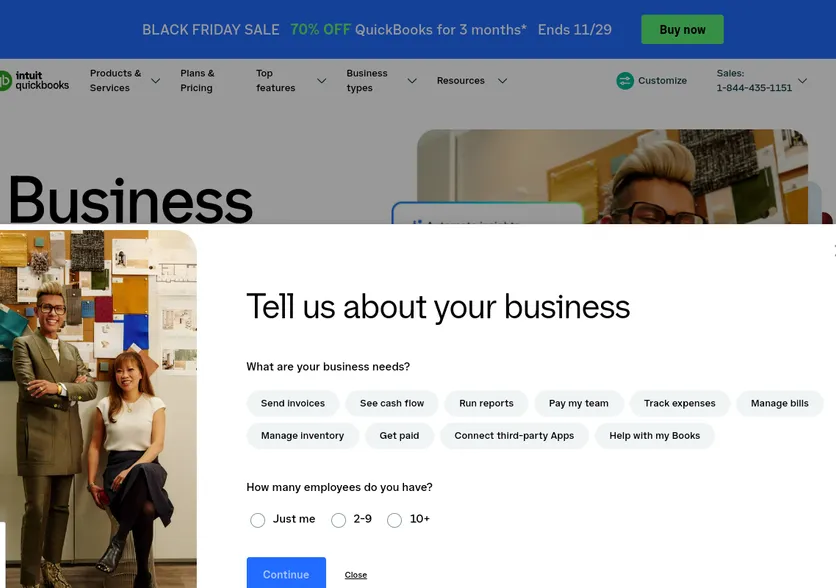
Paid tool Starting price: $38/month · Simple Start is $38 a month; Essentials is $85, Plus is $140 and Advanced is $340 a month; a 50% first-three-months promo is not the list price
Free plan: No free plan; 30-day free trial
For an independent retailer ordering stock in small, frequent batches, this QuickBooks Online plan costs thirty-eight dollars a month on Simple Start, and it keeps purchase orders and bills in the same app as the books. Most US accountants already know it, which makes hand-offs at month end far easier than with a niche ledger. It is the safe-ledger pick here for an independent retailer that wants buying and bookkeeping in one place.
What we like
- The ledger most US accountants already know
- Purchase orders and bill tracking in the same app as the books
- Hundreds of integrations through the app store
Watch out for
- Purchasing is basic next to a dedicated procurement suite
- Per-user pricing climbs fast as the team grows
How to try it
- Create a purchase order from the vendor record
- Enter the bill when the delivery arrives
- Match the bill to the order and schedule the payment
7. Xero
Best for: Bill tracking with unlimited users at a low price
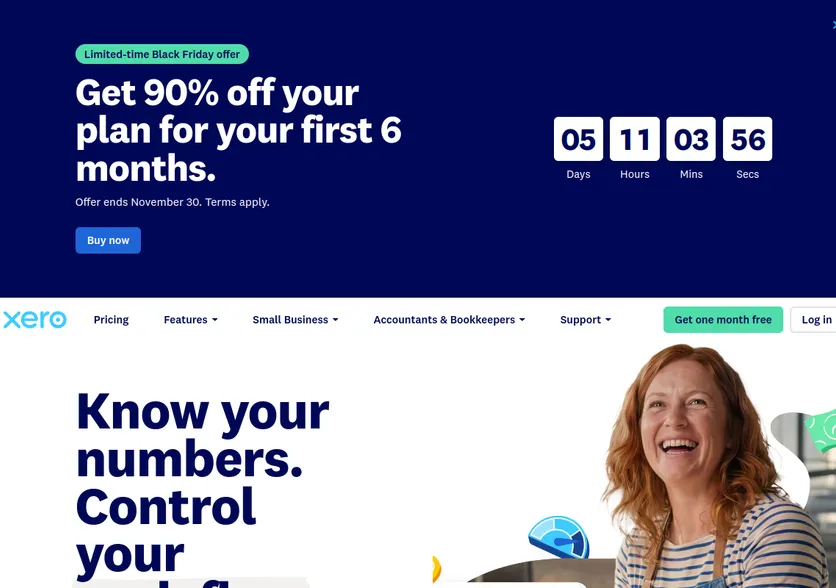
Paid tool Starting price: $25/month · Early is $25 a month for 20 invoices and 5 bills; Growing is $55 and Established is $90 a month; a 90% discount for the first six months is a promo, not the list price; all plans include unlimited users
Free plan: No free plan; 30-day free trial
For an independent retailer ordering stock in small, frequent batches, this Xero plan costs twenty-five dollars a month on Early, and it tracks supplier bills and bank reconciliation with unlimited users. Hubdoc capture pulls bill details straight from the document, and Growing adds automated bill entry with unlimited transactions. It is the clean-ledger pick here for an independent retailer that wants bills handled without per-seat fees.
What we like
- Unlimited users on every plan at no extra seat cost
- Clean bank reconciliation with automatic bill entry on Growing
- Hubdoc capture included for bills and receipts
Watch out for
- Early caps at 20 invoices and 5 bills a month
- It tracks bills rather than running purchase approvals
How to try it
- Raise a purchase order from the supplier record
- Capture the supplier bill with Hubdoc when it arrives
- Reconcile the payment against the bank feed
8. BILL
Best for: Invoice approvals and payments for finance teams
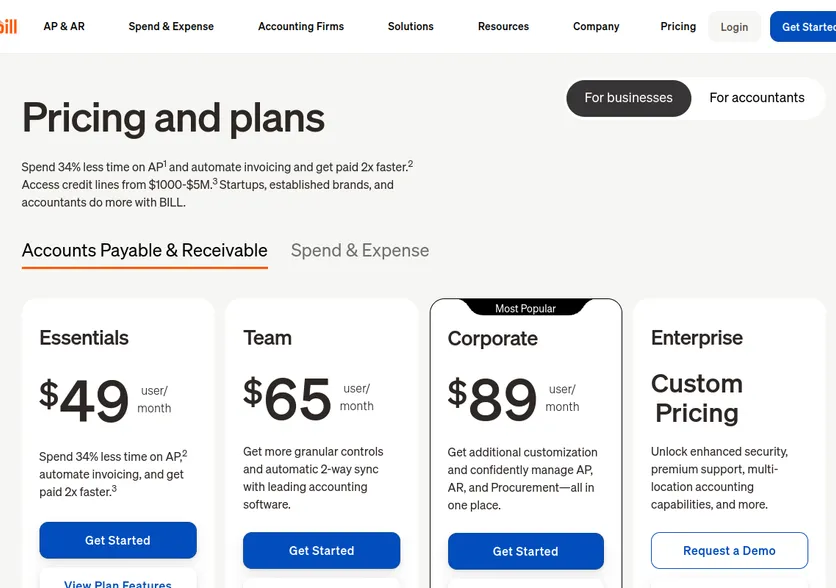
Paid tool Starting price: $49/user/month · Essentials is $49 a user a month; Team is $65 and Corporate is $89 a user a month; older listings showing $45 appear stale against the November 2026 reads; transaction fees apply on top
Free plan: No free plan; free demo
For an independent retailer ordering stock in small, frequent batches, this BILL plan costs forty-nine dollars a user a month on Essentials, and it runs invoice approvals and payments for finance teams. Two-way and three-way matching catch invoice errors before money leaves, and the ledger sync keeps the books current. It is the finance-team pick here for an independent retailer that pays suppliers through approval chains.
What we like
- Approval workflows built for finance teams
- Two-way and three-way matching on invoices
- Syncs with QuickBooks, Xero, NetSuite and Sage Intacct
Watch out for
- Per-user pricing adds up fast for a large buying team
- Transaction fees sit on top of the subscription
How to try it
- Enter the bill and let the system capture the details
- Route it through the approval chain
- Pay by ACH or card and sync the record back
Prices above were checked on each vendor’s own website on Nov 28, 2026 and can change — the vendor’s page is the final word. Vendor links are editorial: nobody paid to be listed or ranked here. Vendors who want a featured listing can see how it works on our Get listed page.
How an independent retailer should order stock without overbuying
Order against what is actually on the shelf, not against a feeling, so start every order from a stock count or a low-stock alert. Keep the supplier list short, because a retailer that knows five suppliers well gets better prices and faster fixes than one juggling twenty. Approve anything unusual before it is ordered, even if that just means a quick message to the owner. Match the delivery to the order at the back door, since a short delivery found at invoice time is already paid for. Review the slowest-moving lines every month and stop reordering them until they clear.
Before you buy
- Order against a stock count or a low-stock alert rather than against a feeling
- Keep the supplier list short so the retailer's best suppliers get the volume
- Approve anything unusual before it is ordered, even if only by a quick message
- Check the delivery against the order at the back door, not at invoice time
- Test the tool on a real ordering week before paying, including a split delivery
Official websites
Official websites of the products reviewed above. Features and prices were checked against these sites when this guide was written, and they can change, so confirm on the vendor site before you buy.
Frequently asked questions
What is procurement software for independent retailers?
It is software that runs the buying side of a shop, from purchase orders and approvals through receiving and supplier bills, so stock arrives on time and nothing gets paid twice. For an independent retailer that usually means ordering in small frequent batches from many suppliers, checking each delivery at the back door, and keeping the supplier list short enough to manage by name. The tools here do that without enterprise overhead.
How much does Spendwise cost for an independent retailer?
Spendwise costs nine dollars a user a month on Basic, which covers up to five users and ten transactions a month. Pro costs nineteen dollars a user a month for five to fifty users with unlimited transactions, which is the realistic plan for a shop ordering most days. Enterprise is quoted, and implementation and accounting integrations are paid add-ons with unpublished prices.
Can an independent retailer run procurement for free?
Yes, up to a point. Ramp offers a genuinely free core plan covering corporate cards, bill pay and basic reporting, and Zoho Inventory is free for fifty orders a month. Both cover real buying for a very small shop, though the free tiers cap volume and features. The cheapest paid step up is Spendwise at nine dollars a user a month.
Which tool is best for keeping stock and buying together?
Zoho Inventory is the best fit, because its Standard plan at twenty-nine dollars a month billed annually covers purchase orders, stock levels, serial and batch tracking and supplier bills in one place. It manages stock and orders rather than approvals, so add ApprovalMax at forty-nine dollars and fifty cents a month when multi-step approvals matter.
Do these tools replace the point-of-sale system?
No. These tools run buying and supplier bills, while the point of sale runs the shop floor. Zoho Inventory and QuickBooks Online both connect to common point-of-sale and ecommerce tools, so stock levels and sales stay in step. Keep the buying tool for orders and the till for sales, and let the integration carry the numbers between them.
Compare the eight tools above, then start with a free trial on the one that matches how the shop already buys before paying for a full year.
Browse Business Tools tools