On this page
Retail product work spans design, sourcing, pricing and the shop floor, and lifecycle software keeps all of it in one place. We verified seven tools with published prices, and OpenBOM leads at thirty dollars a seat a month on annual billing, built specifically around bills of materials. The list also includes lighter workflow tools for retailers whose product work is mostly planning and coordination, so there is a priced option for engineering-led teams and for merchandising teams alike.
How we researched this
We only listed tools with a published dollar price verified in November 2026, which excludes the big enterprise PLM suites that price by quote. The list mixes true PLM tools, like OpenBOM, Aligni, Fusion Manage and PDXpert, with work-management tools that retailers use for line planning and launches. Prices below are headline list prices on annual billing where the vendor offers it, and the framing is stated in each description so you can tell which is which.
Compare the tools
| Name | Best for | Starting price | Free plan | |
|---|---|---|---|---|
| OpenBOM | Retail product teams managing bills of materials | $30/seat/month | Free plan: up to 2,000 records | Visit |
| Aligni | Small manufacturers and retailers tracking parts and stock | $187/month | No free plan; 30-day free trial | Visit |
| Autodesk Fusion Manage | Engineering-led teams that need cloud PLM with CAD links | $93/user/month | No free plan; free trial | Visit |
| PDXpert PLM | Small teams that want real PLM without an enterprise budget | $49/user/month | No free plan; free trial | Visit |
 Monday.com Basic | Visual boards for tracking products from idea to shelf | $9/seat/month | Free plan | Visit |
 Asana Starter | Teams coordinating product launches across departments | $10.99/user/month | Free plan | Visit |
 Smartsheet | Spreadsheet-style tracking of assortments and line plans | $9/member/month | No free plan; 30-day free trial | Visit |
The 7 best product lifecycle management tools for retailers
1. OpenBOM
Best for: Retail product teams managing bills of materials
Paid tool Starting price: $30/seat/month · Professional Team costs thirty dollars a seat a month when billed annually. Company costs ninety dollars a seat a month. Enterprise is quoted, and read-only users are free. Some older listings show twenty-five dollars a user a month, so confirm the current figure at checkout.
Free plan: Free plan: up to 2,000 records
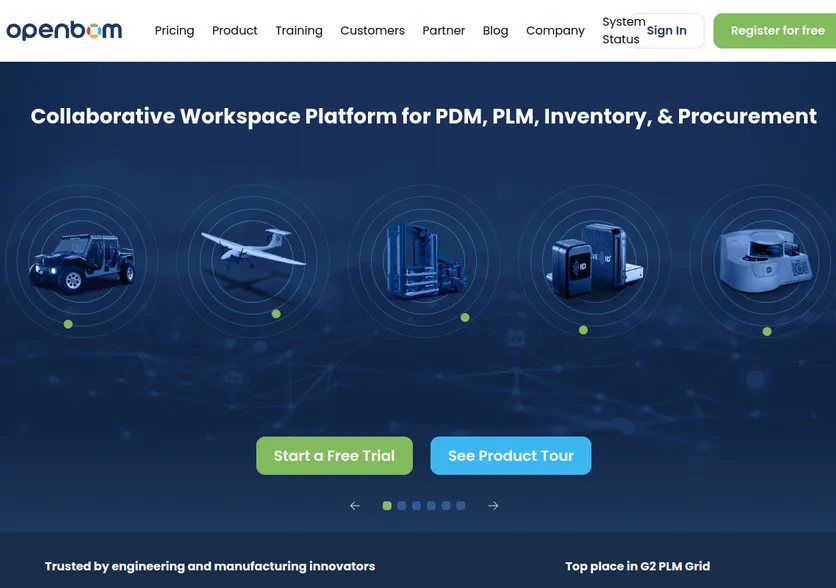
OpenBOM costs thirty dollars a seat a month on annual billing for Professional Team, and it is built around bills of materials rather than generic tasks. Retail product teams can track parts, revisions and supplier changes in one place, with read-only seats free for everyone else. It is the most direct PLM fit here for teams whose products are assemblies of parts.
What we like
- Purpose-built for bills of materials
- Free plan covers up to two thousand records
- Read-only seats cost nothing
Watch out for
- Per-seat pricing adds up on larger teams
- Less of a full PLM suite than the enterprise tools
How to try it
- Import your bill of materials from a spreadsheet
- Invite suppliers and engineers as collaborators
- Track revisions and approve changes in one place
2. Aligni
Best for: Small manufacturers and retailers tracking parts and stock
Paid tool Starting price: $187/month · Basic costs one hundred eighty-seven dollars a month as a flat plan price. Pro costs two hundred forty dollars a month. Some older listings show seventy-nine dollars and ninety-nine cents a month, which does not match the current published tiers, so confirm the figure at checkout.
Free plan: No free plan; 30-day free trial
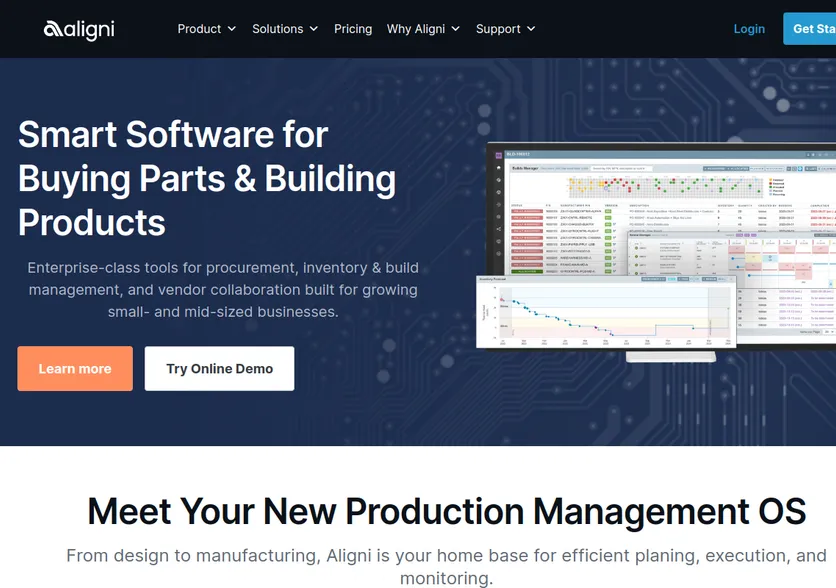
Aligni charges one hundred eighty-seven dollars a month as a flat plan price, and it covers parts, inventory and purchasing without per-seat charges. A small retail team can run its whole product stock from one account, raising purchase orders when levels run low. It suits teams that want predictable pricing and a tool that does not charge per head.
What we like
- Flat monthly pricing with no per-seat charges
- Combines parts, inventory and purchasing
- Quick to set up for small teams
Watch out for
- Flat price is high for a one-person team
- Fewer integrations than cloud PLM suites
How to try it
- Import your parts list and stock levels
- Build bills of materials for each product
- Raise purchase orders when stock runs low
3. Autodesk Fusion Manage
Best for: Engineering-led teams that need cloud PLM with CAD links
Paid tool Starting price: $93/user/month · Fusion Manage costs ninety-three dollars a user a month, per vendor-supplied listing data. One directory lists eighty-five dollars a user a month, which may reflect an older price or a different Autodesk product, so confirm the current figure at checkout. Enterprise pricing is quoted.
Free plan: No free plan; free trial
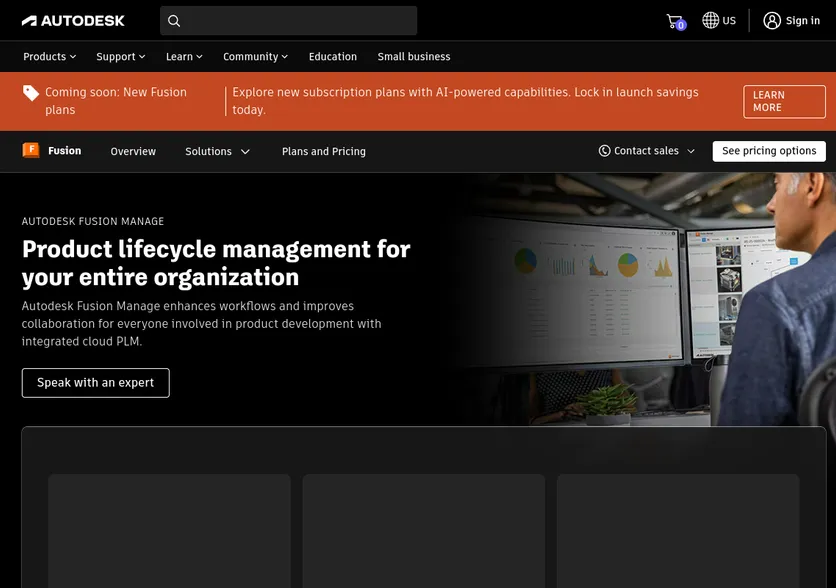
Fusion Manage costs ninety-three dollars a user a month, and it brings Autodesk cloud PLM to teams that design as well as sell. Change requests, approvals and CAD-linked product records live together, so engineering and retail planning share the same source of truth. It fits teams already working in Autodesk tools.
What we like
- Cloud PLM tied directly to Autodesk design tools
- Change management and approvals built in
- Scales from small teams to enterprise
Watch out for
- Price is only published through listing sites, not Autodesk's own page
- Needs Autodesk expertise to configure well
How to try it
- Start a trial and import your product data
- Set up workflows for change requests and approvals
- Connect your CAD files to the product records
4. PDXpert PLM
Best for: Small teams that want real PLM without an enterprise budget
Paid tool Starting price: $49/user/month · A full-function subscription costs forty-nine dollars a user a month for a single seat. Volume pricing falls to thirty-nine dollars at ten seats, twenty-seven dollars at one hundred seats, and twenty-two dollars at three hundred seats. Read-only seats cost twelve dollars a month or less. Perpetual licences are also offered.
Free plan: No free plan; free trial
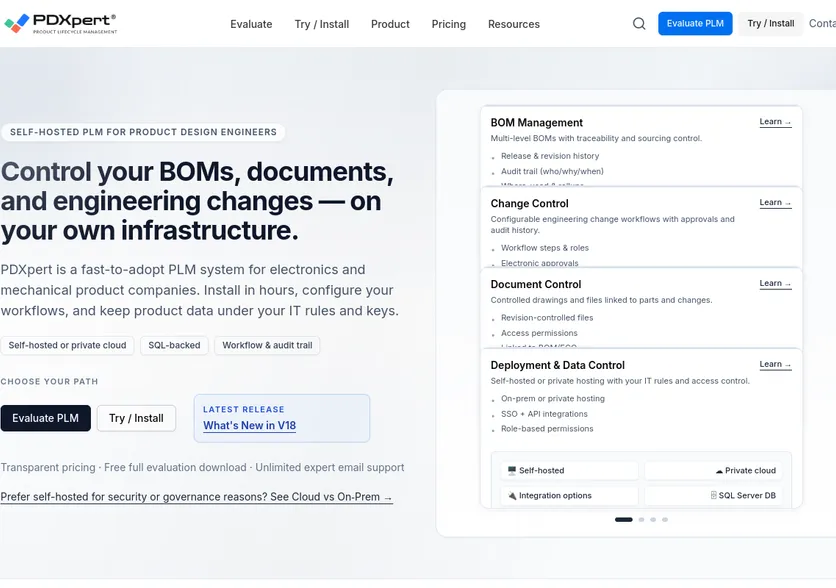
PDXpert charges forty-nine dollars a user a month for a single full-function seat, and it offers real PLM features at a small-team price. Document control, change workflows and volume discounts make it grow gracefully from one seat to three hundred. It suits a retailer that needs proper PLM without an enterprise contract.
What we like
- True PLM features at a small-team price
- Volume discounts reward growing teams
- Perpetual licences available as an alternative
Watch out for
- Smaller vendor with a narrower integration list
- Desktop-style interface feels dated next to cloud tools
How to try it
- Download the trial and import your parts list
- Set up document control and change workflows
- Invite the team and assign user or read-only seats
5. Monday.com Basic
Best for: Visual boards for tracking products from idea to shelf
Paid tool Starting price: $9/seat/month · Basic costs nine dollars a seat a month when billed annually, or twelve dollars month to month. Standard and Pro tiers cost more for automation and integrations. The free plan covers up to two seats.
Free plan: Free plan
Monday starts at nine dollars a seat a month on annual billing for Basic, and it gives retail teams a visual way to run product development. Boards track products from idea to shelf, with templates for launches and assortments and automations for status changes. It is not a true PLM system, but it is the easiest way here to keep a launch on track.

What we like
- Colourful boards anyone can read at a glance
- Templates for product launches and assortments
- Automations handle status changes and reminders
Watch out for
- Costs rise per seat as the team grows
- Not a true PLM system for engineering data
How to try it
- Pick a product launch or assortment template
- Add your products, dates and owners
- Set up automations for status changes
6. Asana Starter
Best for: Teams coordinating product launches across departments
Paid tool Starting price: $10.99/user/month · Starter costs ten dollars and ninety-nine cents a user a month when billed annually, or thirteen dollars and forty-nine cents month to month. Advanced and Enterprise tiers cost more. The free plan covers basic task tracking for small teams.
Free plan: Free plan
Asana costs ten dollars and ninety-nine cents a user a month on annual billing for Starter, and it coordinates product launches across departments. Timeline and board views show who owns each step, from design to the shop floor, and integrations pull in design and chat tools. It suits retailers whose product work is mostly coordination rather than engineering data.

What we like
- Timeline and board views for launch planning
- Strong integrations with design and chat tools
- Free plan covers small teams well
Watch out for
- Per-user pricing adds up on larger teams
- Not built for engineering bills of materials
How to try it
- Create a project from a launch template
- Assign tasks, owners and due dates
- Track progress on the timeline view
7. Smartsheet
Best for: Spreadsheet-style tracking of assortments and line plans
Paid tool Starting price: $9/member/month · Pro costs nine dollars a member a month when billed annually, or twelve dollars month to month. Business is nineteen dollars a member a month on annual billing. Pro caps at ten members and two hundred fifty automations a month.
Free plan: No free plan; 30-day free trial
Smartsheet charges nine dollars a member a month on annual billing for Pro, and it runs line plans and assortments in a familiar grid. Forms collect product data from suppliers, automations chase updates, and the sheet stays the single source of truth. It fits retail teams that already live in spreadsheets and want project features on top.

What we like
- Familiar grid layout with real project features
- Forms and automations for collecting product data
- Good for teams that live in spreadsheets
Watch out for
- Pro caps at ten members
- No free plan, only a thirty-day trial
How to try it
- Start from a product launch or line plan template
- Fill in products, dates and owners in the grid
- Share the sheet and set up update requests
Prices above were checked on each vendor’s own website on Nov 28, 2026 and can change — the vendor’s page is the final word. Vendor links are editorial: nobody paid to be listed or ranked here. Vendors who want a featured listing can see how it works on our Get listed page.
How to pick PLM software for a retail team
Decide first whether you need engineering PLM or planning PLM, because they are different jobs. If your products are assemblies with parts, revisions and supplier changes, a true PLM tool like OpenBOM or PDXpert is the right fit. If your work is mostly line plans, assortments and launch dates, a visual tool like Monday or Asana will serve you better for far less money. Check who actually needs a paid seat: read-only seats are free on OpenBOM, and only makers pay on Productboard-style tools. Finally, start with a trial on real product data, since a PLM tool only proves itself when your own parts and revisions are inside it.
Before you buy
- Decide whether you need engineering PLM or planning tools before comparing prices
- Check how many paid seats you really need, since read-only users are often free
- Test the tool with your real parts, revisions and supplier data on the trial
- Confirm the tool handles bills of materials if your products are assemblies
- Compare per-seat pricing against flat pricing for your team size
Official websites
Official websites of the products reviewed above. Features and prices were checked against these sites when this guide was written, and they can change, so confirm on the vendor site before you buy.
Frequently asked questions
What is product lifecycle management software?
Product lifecycle management software, or PLM, tracks a product from its first idea through design, sourcing, production and retirement. It holds bills of materials, revisions, documents and approvals in one place, so everyone works from the current version. For a retailer that means fewer wrong orders, fewer supplier mistakes and a clear record of what changed, when, and who approved it.
How much does PLM software cost for retailers?
The tools here range from nine dollars a seat a month for Monday Basic to one hundred eighty-seven dollars a month flat for Aligni. True PLM tools cost more: OpenBOM is thirty dollars a seat a month, PDXpert is forty-nine dollars a user a month, and Fusion Manage is ninety-three dollars a user a month. The big enterprise PLM suites are not listed here because they price by quote.
Is there a free PLM tool?
There is no free full PLM tool in this list, but several tools have free tiers. OpenBOM has a free plan up to two thousand records, Monday and Asana both offer free plans, and Pimcore Community Edition is free for product data. Fusion Manage, Aligni and PDXpert offer free trials instead. Start on a free plan or trial with your real product data before paying.
Which PLM tool is best for retailers?
OpenBOM is the best overall pick for retailers whose products are assemblies of parts, at thirty dollars a seat a month. Aligni is the best flat-priced option for small teams that want parts, stock and purchasing without per-seat charges. Monday is the best lightweight pick for retailers whose product work is mostly planning, launches and assortments rather than engineering data.
Do retailers need full PLM or just planning tools?
It depends on what your products are. If you design and source physical products with parts, revisions and suppliers, full PLM saves real money by preventing mistakes. If you buy finished goods and your work is choosing ranges, setting prices and planning launches, a planning tool like Monday, Asana or Smartsheet covers the job for a fraction of the price. Many retailers use both: PLM for the product record and a planning tool for the launch.
Pick one of the 7 tools above, trial it with your real product data, and start with the free plan where one exists.
Browse Business Tools tools