On this page
Retail runs on seasons, so a store roadmap has to show ranges, launches and promotions in the order shoppers will meet them. We verified eight tools with published prices, and Productboard leads at nineteen dollars a maker a month on annual billing, keeping the range plan grounded in customer feedback. The rest run from five to nineteen dollars a user a month, so a single store or a small chain can plan the year without a corporate budget.
How we researched this
We only listed tools with a published dollar price verified in November 2026, which is why the roadmap tools that price by quote are absent. Each tool was judged on how well it handles seasonal planning, whether store staff can contribute without extra seats, and whether the roadmap stays readable for buyers, managers and the shop floor. Prices below are headline list prices on annual billing where the vendor offers it.
Compare the tools
| Name | Best for | Starting price | Free plan | |
|---|---|---|---|---|
 Productboard | Turning customer feedback into a prioritised roadmap | $19/maker/month | Free Starter plan | Visit |
 Roadmunk | Quick, good-looking roadmaps without a big setup | $19/editor/month | Free plan | Visit |
 Trello Standard | Simple visual roadmaps on cards and boards | $5/user/month | Free plan | Visit |
 Notion Plus | Roadmaps living next to docs, wikis and meeting notes | $10/member/month | Free plan | Visit |
 Monday.com Basic | Visual boards for tracking products from idea to shelf | $9/seat/month | Free plan | Visit |
 Asana Starter | Teams coordinating product launches across departments | $10.99/user/month | Free plan | Visit |
 ClickUp Core | All-in-one work management with roadmap views included | $9/user/month | Free plan | Visit |
| StoriesOnBoard | Story mapping a product before building the roadmap | $9/user/month | No free plan; 14-day free trial | Visit |
The 8 best product roadmap tools for retail stores
1. Productboard
Best for: Turning customer feedback into a prioritised roadmap
Paid tool Starting price: $19/maker/month · Essentials costs nineteen dollars a maker a month when billed annually. Pro is fifty-nine dollars a maker a month on annual billing. Some 2026 reads list twenty dollars and fifty dollars, so confirm the current figures at checkout. Only makers are charged; contributors and viewers are free.
Free plan: Free Starter plan
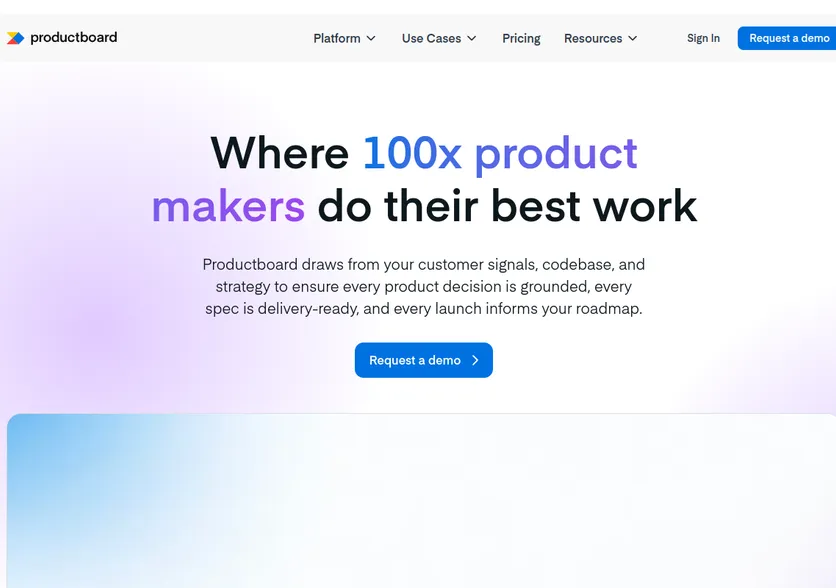
Productboard costs nineteen dollars a maker a month on annual billing, and it keeps a retail roadmap grounded in customer feedback. Store staff and buyers contribute insights, makers prioritise them, and the roadmap shows what is coming and why. It fits retailers whose range planning depends on what shoppers actually want.
What we like
- Feedback hub collects insights from every channel
- Only makers pay, contributors are free
- Clean prioritisation with scores and segments
Watch out for
- Per-maker pricing grows with the product team
- Some 2026 sources disagree on the exact tier prices
How to try it
- Connect your feedback sources like email and Intercom
- Tag insights and link them to features
- Build a roadmap view and share it with the team
2. Roadmunk
Best for: Quick, good-looking roadmaps without a big setup
Paid tool Starting price: $19/editor/month · Starter costs nineteen dollars an editor a month when billed annually, or twenty-nine dollars month to month. Business is forty-nine dollars an editor a month, and Professional is ninety-nine dollars. Extra reviewers cost five dollars a month. Roadmunk is now part of Tempo, and its pricing page redirects there.
Free plan: Free plan
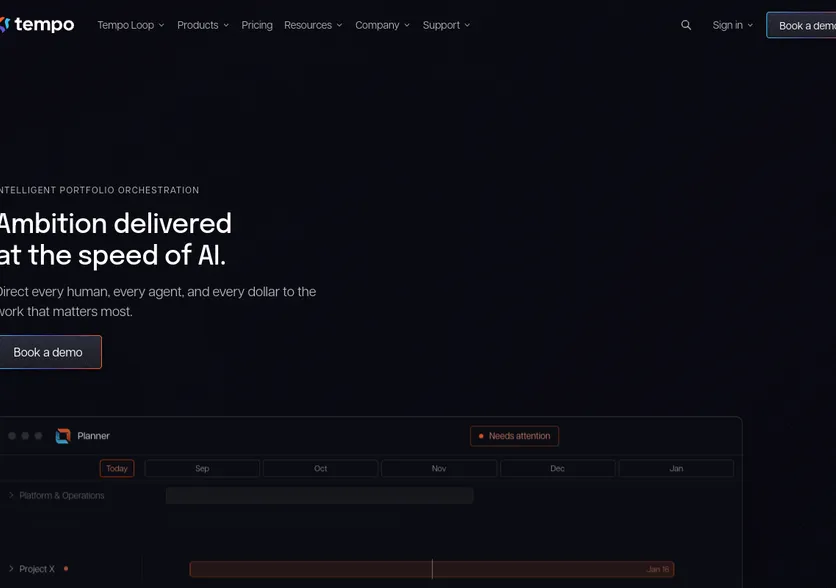
Roadmunk charges nineteen dollars an editor a month on annual billing for Starter, and it gives a retailer a visual timeline of seasons, launches and promotions. Swimlane views separate ranges, stores and marketing so everyone sees their own slice. It suits stores that plan in seasons and want the plan visible on the wall.
What we like
- Fast to build a roadmap that looks professional
- Timeline and swimlane views for every audience
- Reviewers cost only five dollars a month
Watch out for
- Now sold through Tempo, so branding has changed
- Fewer idea-management features than full suites
How to try it
- Create a roadmap from a template
- Add items, dates and owners on the timeline
- Share the view with reviewers and stakeholders
3. Trello Standard
Best for: Simple visual roadmaps on cards and boards
Paid tool Starting price: $5/user/month · Standard costs five dollars a user a month when billed annually, or six dollars month to month. Premium is ten dollars a user a month on annual billing. Enterprise is seventeen dollars and fifty cents a user a month, annual only. The free plan covers up to ten collaborators per workspace.
Free plan: Free plan
Trello starts at five dollars a user a month on annual billing, and it keeps a retail roadmap on boards the whole team can read. Cards carry each product or promotion, lists mark the seasons, and Power-Ups add calendars and timelines. It suits stores that want a plan with no learning curve.

What we like
- Easiest board tool to learn in this list
- Free plan covers up to ten collaborators
- Power-Ups add calendars, timelines and more
Watch out for
- Too simple for complex multi-product roadmaps
- Reporting is basic without paid add-ons
How to try it
- Create a board with lists for each quarter
- Add cards for every feature or initiative
- Move cards as priorities change
4. Notion Plus
Best for: Roadmaps living next to docs, wikis and meeting notes
Paid tool Starting price: $10/member/month · Plus costs ten dollars a member a month when billed annually, or twelve dollars month to month. Business is twenty dollars a member a month on annual billing. Full Notion AI is only included from Business. Some older listings show eight and fifteen dollars, which are stale.
Free plan: Free plan
Notion starts at ten dollars a member a month on annual billing, and it combines a roadmap database with the docs a retailer already writes. Product specs, supplier notes and meeting records link straight to roadmap items. It suits stores that want the plan and the paperwork in one workspace.

What we like
- Docs, databases and roadmaps in one workspace
- Flexible views: board, timeline, calendar
- Free plan is generous for small teams
Watch out for
- Needs setup to work well as a roadmap tool
- Full AI features need the Business tier
How to try it
- Create a database for your roadmap items
- Add timeline and board views for the same data
- Link roadmap items to specs and meeting notes
5. Monday.com Basic
Best for: Visual boards for tracking products from idea to shelf
Paid tool Starting price: $9/seat/month · Basic costs nine dollars a seat a month when billed annually, or twelve dollars month to month. Standard and Pro tiers cost more for automation and integrations. The free plan covers up to two seats.
Free plan: Free plan
Monday charges nine dollars a seat a month on annual billing for Basic, and it is the most visual way here to track a retail range from idea to shelf. Boards show each product's status, and templates cover launches and seasonal assortments. It suits stores where the whole team needs to see the plan at once.

What we like
- Colourful boards anyone can read at a glance
- Templates for product launches and assortments
- Automations handle status changes and reminders
Watch out for
- Costs rise per seat as the team grows
- Not a true PLM system for engineering data
How to try it
- Pick a product launch or assortment template
- Add your products, dates and owners
- Set up automations for status changes
6. Asana Starter
Best for: Teams coordinating product launches across departments
Paid tool Starting price: $10.99/user/month · Starter costs ten dollars and ninety-nine cents a user a month when billed annually, or thirteen dollars and forty-nine cents month to month. Advanced and Enterprise tiers cost more. The free plan covers basic task tracking for small teams.
Free plan: Free plan
Asana charges ten dollars and ninety-nine cents a user a month on annual billing for Starter, and it turns a retail roadmap into assigned work with deadlines. Launch templates cover new ranges and store openings, and the timeline shows how everything overlaps. It suits retailers whose roadmap lives or dies on execution.

What we like
- Timeline and board views for launch planning
- Strong integrations with design and chat tools
- Free plan covers small teams well
Watch out for
- Per-user pricing adds up on larger teams
- Not built for engineering bills of materials
How to try it
- Create a project from a launch template
- Assign tasks, owners and due dates
- Track progress on the timeline view
7. ClickUp Core
Best for: All-in-one work management with roadmap views included
Paid tool Starting price: $9/user/month · Core costs nine dollars a user a month when billed annually, or twelve dollars month to month. Business is seventeen dollars a user a month on annual billing. The free plan covers basic task management.
Free plan: Free plan
ClickUp charges nine dollars a user a month on annual billing for Core, and it handles a retail roadmap with timeline and Gantt views plus the tasks underneath. Docs and automations keep the plan and the work together. It suits retailers who want one workspace for planning and doing.

What we like
- Dozens of views including Gantt and timeline
- Free plan is genuinely useful
- Automation and docs built in
Watch out for
- So many features it can feel overwhelming
- Roadmap views need setup to look right
How to try it
- Create a space for your product team
- Add lists for features and set statuses
- Switch to the timeline view for the roadmap
8. StoriesOnBoard
Best for: Story mapping a product before building the roadmap
Paid tool Starting price: $9/user/month · Story Mapping Basic costs nine dollars a user a month, with the first user at nineteen dollars a month. Standard is twelve dollars a user a month, and Pro is fifteen dollars. The Product Management Platform starts at sixteen dollars a month for Personal. A fourteen-day free trial is included.
Free plan: No free plan; 14-day free trial
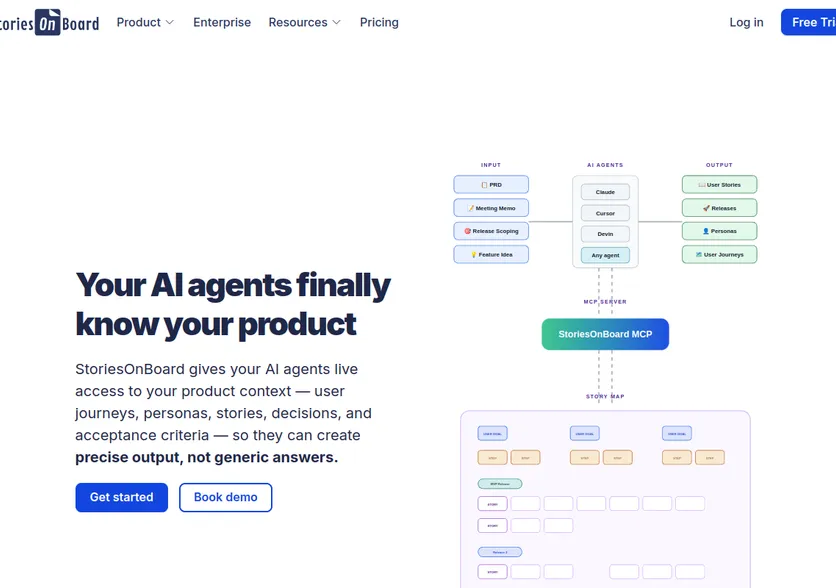
StoriesOnBoard costs nine dollars a user a month for Story Mapping Basic, and it plans a retail range as a user journey before it becomes a roadmap. The story map shows what shoppers experience first, then releases are cut from the map. It fits retailers who plan around the customer journey rather than a calendar.
What we like
- Story maps show the user journey clearly
- Simple pricing with no per-seat surprises on lower tiers
- Good for teams that plan in user stories
Watch out for
- First user costs more than extra users
- No free plan, only a fourteen-day trial
How to try it
- Create a story map for your product
- Break the journey into releases and stories
- Share the map and turn stories into a roadmap
Prices above were checked on each vendor’s own website on Nov 28, 2026 and can change — the vendor’s page is the final word. Vendor links are editorial: nobody paid to be listed or ranked here. Vendors who want a featured listing can see how it works on our Get listed page.
How to pick roadmap software for a retail store
Plan in seasons, because retail does not run on software quarters. The tool should let you lay out ranges, launches and promotions by season, with a view the whole team can read at a glance. Check who can contribute: store staff spot trends first, so a tool that charges for every viewer will either cost too much or leave the best ideas unheard. Finally, keep the roadmap where the work happens. A plan that lives next to specs, supplier notes and meeting records gets used, while a standalone roadmap gets forgotten after the first season.
Before you buy
- Choose a tool that plans in seasons, not just in software quarters
- Check whether store staff can contribute ideas without a paid seat
- Make sure the roadmap view is readable for buyers, managers and the shop floor
- Start on the free plan and only upgrade when the roadmap earns it
- Pick a tool that also holds specs, supplier notes and meeting records
Official websites
Official websites of the products reviewed above. Features and prices were checked against these sites when this guide was written, and they can change, so confirm on the vendor site before you buy.
Frequently asked questions
Why does a retail store need roadmap software?
A retail store plans ranges, launches, promotions and refits months ahead, and a roadmap keeps that plan visible to everyone. Without one, buyers, managers and the shop floor work from different versions of the plan, and launches slip. Roadmap software puts the seasons, the products and the owners in one place, so the store knows what is coming, when it arrives and who is responsible for it.
How much does roadmap software cost for a retail store?
The tools here start at five dollars a user a month for Trello Standard and run to nineteen dollars a user or maker a month for the rest of the list. Productboard, Roadmunk, Craft and Asana all sit at or under nineteen dollars a user a month on annual billing. Free plans cover small teams on several tools, and Productboard charges only makers, so the whole store can contribute feedback for free.
Which roadmap tool is best for a retail store?
Productboard is the best overall pick, keeping the range plan grounded in customer feedback for nineteen dollars a maker a month. Trello is the simplest option at five dollars a user a month, with boards the whole shop floor can read. Monday is the best visual pick at nine dollars a seat a month, tracking each product from idea to shelf.
Can store staff add ideas without a paid licence?
Yes, on several tools here. Productboard charges only makers, so store staff contribute feedback for free. Trello's free plan covers up to ten collaborators per workspace, and Notion and ClickUp both offer generous free plans. Roadmunk charges only five dollars a month for extra reviewers. Check the seat rules before rolling a tool out across the store.
Is story mapping useful for retail planning?
Yes, when the range plan starts from the shopper rather than the calendar. StoriesOnBoard maps the customer journey first, then cuts releases from the map, which suits retailers who plan around what shoppers experience. It costs nine dollars a user a month for Basic. For most stores a board or timeline is enough, and story mapping is a useful extra when the journey itself needs redesigning.
Pick one of the 8 tools above, lay out your next season on the free plan, and share it with the whole store before you pay.
Browse Business Tools tools