On this page
A law firm runs on matters, hours and invoices, and professional services automation ties those three together so nothing leaks between them. The eight tools below cover that job for firms of every size, from a ten dollar a user a month planner to a quoted enterprise suite. Scoro leads because it runs projects, time and billing for twenty-six dollars a user a month, and the rest are ranked on how well they track a matter from intake to invoice.
How we researched this
We checked every price on the vendor pricing page on November 28, 2026, and only included tools with a published US dollar list price. Kantata, Certinia, Replicon, Workday, Deltek Vantagepoint and BQE CORE sell by quote, and Monograph publishes no list price, so they are not in this list. Prices change, so confirm the current figure on the vendor site before you buy.
Compare the tools
| Name | Best for | Starting price | Free plan | |
|---|---|---|---|---|
 BigTime | Law firms that bill hours against matter budgets | $20/user/month | No free plan; free demo | Visit |
| Accelo | Firms that want intake, projects and billing in one system | $24/user/month | No free plan; 14-day free trial | Visit |
 Scoro | Firms that want quotes, time and invoices in one place | $26/user/month | No free plan; 14-day free trial | Visit |
 Productive | Firms that plan capacity and budgets before taking work | $10/user/month | No free plan; 14-day free trial | Visit |
 Rocketlane | Firms that onboard clients through a shared project | $49/user/month | No free plan; 14-day free trial | Visit |
 Teamwork.com | Firms that manage matters as projects with owners | $10.99/user/month | Free plan (up to 5 users, 2 projects) | Visit |
 Avaza | Firms that want one flat price for the whole account | $9.96/month | Free plan | Visit |
 Harvest | Firms that want simple time tracking and invoicing | $11/seat/month | Free plan (1 seat, 2 projects) | Visit |
The professional services automation software for law, compared
1. BigTime
Best for: Law firms that bill hours against matter budgets
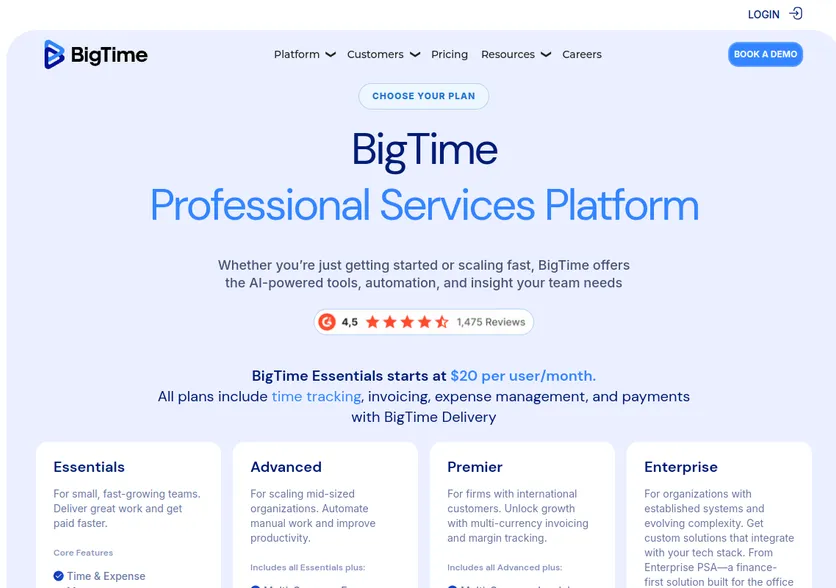
Paid tool Starting price: $20/user/month · Twenty dollars a user a month on Essentials, the only price the vendor publishes; the billing period is not stated on the vendor page; Advanced and Premier are quoted and a third-party listing puts them at thirty-five and forty-five dollars
Free plan: No free plan; free demo
A firm that bills by the hour and needs budgets it can trust gets them here, because this BigTime plan costs twenty dollars a user a month. It tracks time against matter budgets, flags overruns before they happen and turns approved hours into invoices. The vendor publishes only this one price, so higher tiers are quoted rather than listed.
What we like
- Time tracking tied to matter budgets
- Overrun alerts before the budget breaks
- Invoices built from approved hours
Watch out for
- Only one price is published, higher tiers are quoted
- No free plan, only a demo
How to try it
- Set up the matter and its budget
- Log time against the matter each day
- Turn approved hours into an invoice
2. Accelo
Best for: Firms that want intake, projects and billing in one system
Paid tool Starting price: $24/user/month · Twenty-four dollars a user a month on Plus billed annually with a five-user minimum, per product per user; Premium is thirty-nine dollars; a fifty dollar a user a month listing conflicts with the vendor page and is disclosed here
Free plan: No free plan; 14-day free trial
A firm that runs client work end to end, from intake to invoice, gets one system here, because this Accelo plan costs twenty-four dollars a user a month billed annually. It covers sales, projects, retainers and billing, and the per-product pricing lets a firm pay only for the modules it uses. The five-user minimum means a solo practice will pay for seats it does not fill.

What we like
- Sales, projects, retainers and billing together
- Pay only for the modules the firm uses
- Retainer tracking for ongoing clients
Watch out for
- Five-user minimum on paid plans
- A fifty dollar listing conflicts with the vendor page
How to try it
- Turn on the modules the firm needs
- Set up clients, matters and retainers
- Track time and invoice from the same system
3. Scoro
Best for: Firms that want quotes, time and invoices in one place
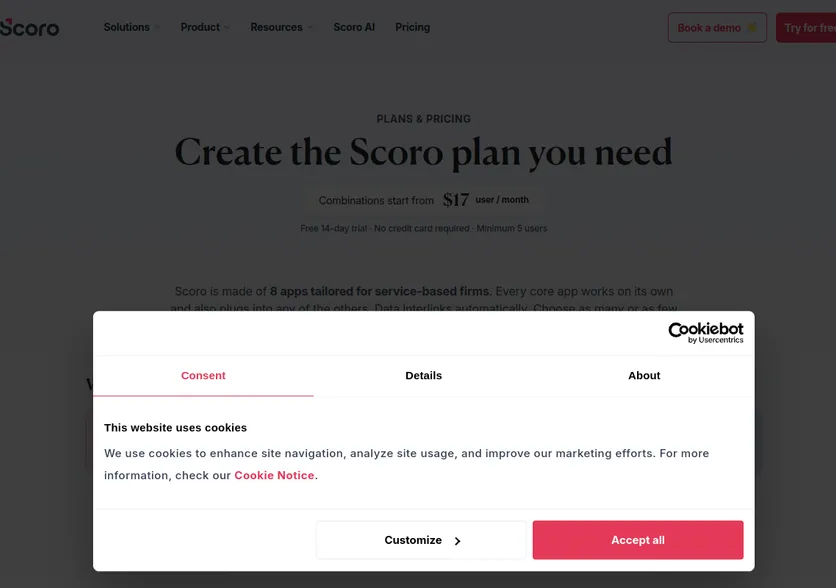
Paid tool Starting price: $26/user/month · Twenty-six dollars a user a month on Essential billed annually (twenty-eight dollars billed monthly); Standard is thirty-seven dollars and Pro is sixty-three dollars; five-user minimum on all plans; older nineteen dollar and ninety cent listings are stale
Free plan: No free plan; 14-day free trial
A firm that wants the whole matter in one view, from quote to cash, gets it here, because this Scoro plan costs twenty-six dollars a user a month billed annually. It plans work, tracks time, manages budgets and invoices clients without a second system, and the reporting shows which matters make money. The five-user minimum sets a one hundred and thirty dollar a month floor on every plan.
What we like
- Projects, time, budgets and invoices together
- Profit reporting per matter and client
- Quoting built into the workflow
Watch out for
- Five-user minimum on all plans
- Older nineteen dollar listings are stale
How to try it
- Create the matter with its quote and budget
- Plan the work and log time daily
- Invoice the client from the same record
4. Productive
Best for: Firms that plan capacity and budgets before taking work
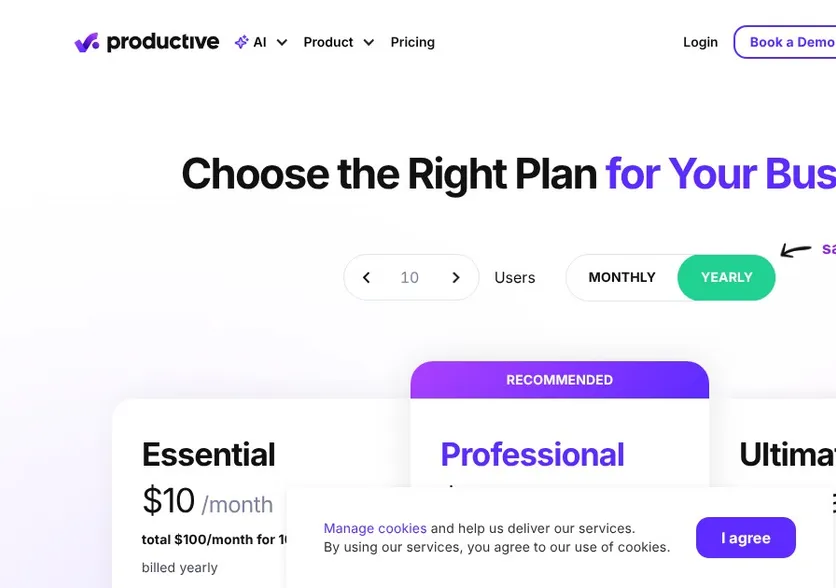
Paid tool Starting price: $10/user/month · Ten dollars a user a month on Essential billed annually (twelve dollars billed monthly) with a three-seat minimum; Professional is twenty-five dollars; Ultimate is quoted
Free plan: No free plan; 14-day free trial
A firm that plans capacity and budgets before it takes work on gets a clear view here, because this Productive plan costs ten dollars a user a month billed annually. It schedules people against matters, tracks budgets in real time and shows profitability per client. The three-seat minimum keeps the entry cost low for a small firm.
What we like
- Capacity planning against live matters
- Real-time budget and profitability views
- Low entry price with a three-seat minimum
Watch out for
- No free plan, only a fourteen-day trial
- Ultimate features need a sales quote
How to try it
- Add the team and their capacity
- Schedule people against each matter
- Watch budgets and profitability weekly
5. Rocketlane
Best for: Firms that onboard clients through a shared project
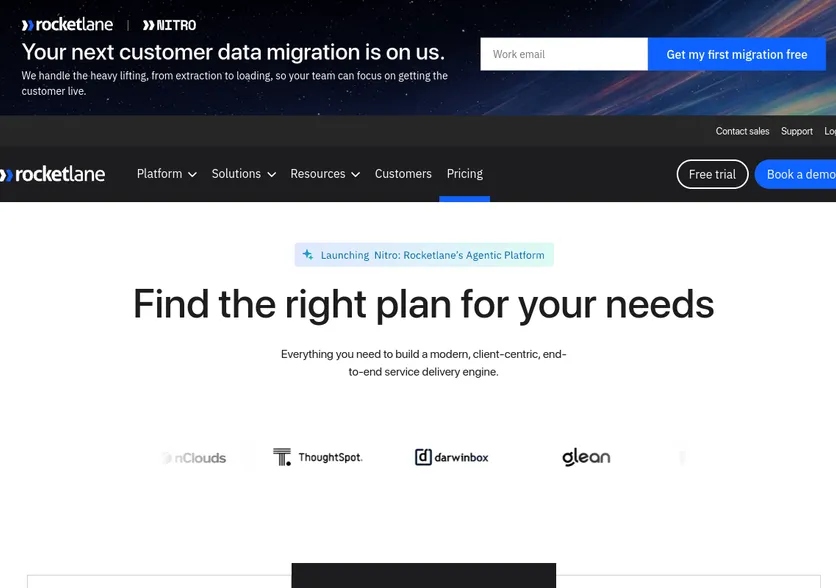
Paid tool Starting price: $49/user/month · Forty-nine dollars a user a month on Standard billed annually (fifty-nine dollars billed monthly); Premium is sixty-nine dollars (seventy-nine dollars monthly); five-user minimum; AI Fills add-on is twenty-nine dollars a user a month
Free plan: No free plan; 14-day free trial
A firm that onboards clients through a careful, visible process gets it here, because this Rocketlane plan costs forty-nine dollars a user a month billed annually. It runs client onboarding as a shared project with tasks, documents and status the client can see, and the AI Fills add-on drafts updates for the team. The five-user minimum means the smallest firms pay for seats they may not use.
What we like
- Client onboarding as a visible shared project
- Documents and tasks in one client portal
- AI Fills add-on drafts status updates
Watch out for
- Five-user minimum on paid plans
- Priced for onboarding, not full practice billing
How to try it
- Create the onboarding project for the client
- Share the portal link with the client
- Track tasks to completion together
6. Teamwork.com
Best for: Firms that manage matters as projects with owners
Paid tool Starting price: $10.99/user/month · Ten dollars and ninety-nine cents a user a month on Deliver billed annually (thirteen dollars and ninety-nine cents billed monthly) with a three-user minimum; Grow is nineteen dollars and ninety-nine cents (twenty-five dollars and ninety-nine cents monthly); one read shows nine dollars and ninety-nine cents for Deliver, which conflicts and is disclosed here
Free plan: Free plan (up to 5 users, 2 projects)
A firm that manages matters as projects with clear owners gets them here, because this Teamwork.com plan costs ten dollars and ninety-nine cents a user a month billed annually. It covers tasks, Gantt charts, time tracking and client billing, and the free plan handles five users and two projects. The Grow tier adds the workload views a busy firm needs for capacity.

What we like
- Tasks, Gantt and time tracking together
- Free plan for five users and two projects
- Client billing built into projects
Watch out for
- Workload views need the Grow tier
- One read shows a lower Deliver price that conflicts
How to try it
- Create the matter as a project
- Assign tasks and track time
- Bill the client from the project
7. Avaza
Best for: Firms that want one flat price for the whole account
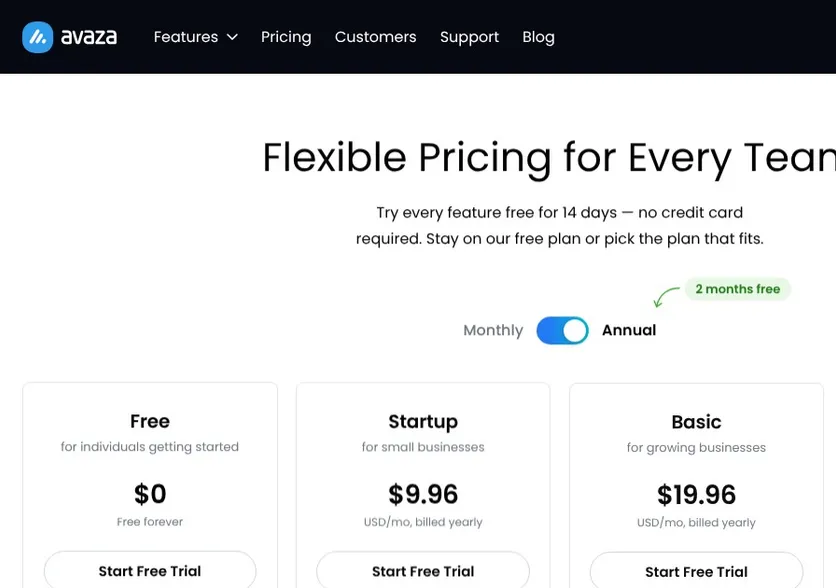
Paid tool Starting price: $9.96/month · Nine dollars and ninety-six cents a month on Startup billed annually (eleven dollars and ninety-five cents billed monthly); Basic is nineteen dollars and ninety-six cents and Business is thirty-nine dollars and ninety-six cents; priced per account, not per seat; extra role seats are seven dollars a user a month
Free plan: Free plan
A firm that hates per-seat billing gets a flat account price here, because this Avaza plan costs nine dollars and ninety-six cents a month billed annually. It covers project management, time tracking, expense tracking and invoicing for the whole account, and extra role seats cost seven dollars a user a month. The account-based price makes the bill easy to predict as the team grows.
What we like
- One flat price, not per-seat billing
- Time, expenses and invoicing together
- Free plan for small teams
Watch out for
- Role seats beyond the account cost extra
- Fewer integrations than the bigger suites
How to try it
- Create the account and invite the team
- Set up matters with budgets
- Track time and invoice from the account
8. Harvest
Best for: Firms that want simple time tracking and invoicing
Paid tool Starting price: $11/seat/month · Eleven dollars a seat a month on Pro billed annually (thirteen dollars and seventy-five cents billed monthly); Premium is fourteen dollars (seventeen dollars and fifty cents monthly); some November 2026 reads list nine dollars for Teams or twelve dollars for Pro, which conflict with the vendor page read
Free plan: Free plan (1 seat, 2 projects)
A firm that bills by the hour and wants the simplest possible tracker gets it here, because this Harvest plan costs eleven dollars a seat a month billed annually. It tracks time and expenses, builds invoices from hours and shows which matters are profitable. The free plan covers one seat and two projects, so a solo practitioner can start free.

What we like
- Simple time and expense tracking
- Invoices built straight from hours
- Free plan for one seat and two projects
Watch out for
- Project planning is lighter than Scoro or Productive
- Some reads list lower prices that conflict
How to try it
- Create the matter and its budget
- Start the timer or log hours daily
- Send the invoice from the tracked hours
Prices above were checked on each vendor’s own website on Nov 28, 2026 and can change — the vendor’s page is the final word. Vendor links are editorial: nobody paid to be listed or ranked here. Vendors who want a featured listing can see how it works on our Get listed page.
How a law firm picks automation that pays for itself
Start with the leak, not the feature list, because automation earns its keep by catching billable hours and invoices that currently slip through. Pick a tool whose trial covers a full billing cycle, then run one matter end to end, from intake to invoice, before paying. Check the seat minimum, since a five-user floor turns a twenty-six dollar price into a one hundred and thirty dollar monthly bill. Make sure time, budgets and invoices live in the same system, or the firm will keep reconciling spreadsheets. Finally, confirm the tool handles trust accounting and client retainers the way the firm already works, because a billing tool that fights the ledger will be abandoned.
Before you buy
- Confirm the seat minimum and work out the real monthly floor before buying
- Check whether time, budgets and invoices live in one system or three
- Ask if the tool handles client retainers and trust accounting the firm needs
- Make sure matter profitability is reported, not just hours logged
- Run one matter from intake to invoice on the trial before paying
Official websites
Official websites of the products reviewed above. Features and prices were checked against these sites when this guide was written, and they can change, so confirm on the vendor site before you buy.
Frequently asked questions
What is the best professional services automation software for law?
Scoro is the best overall pick for law firms, at twenty-six dollars a user a month billed annually, because it runs quotes, projects, time, budgets and invoices in one system. BigTime is the best pick for firms that bill hours against budgets, at twenty dollars a user a month. Productive is the best value at ten dollars a user a month.
How much does Scoro cost for a law firm?
Scoro costs twenty-six dollars a user a month on Essential billed annually, or twenty-eight dollars billed monthly. Standard is thirty-seven dollars and Pro is sixty-three dollars a user a month billed annually. Every plan has a five-user minimum, so the smallest bill is one hundred and thirty dollars a month on Essential.
Is there a free professional services automation tool for law firms?
There is no full free tier among the main picks, but Teamwork.com offers a free plan for five users and two projects, Avaza offers a free plan, and Harvest is free for one seat and two projects. These free tiers cover a solo practitioner or a tiny firm, and a growing firm should compare the paid plans above.
What is the difference between Scoro and Productive for a firm?
Scoro covers the whole matter from quote to invoice for twenty-six dollars a user a month, with billing and profitability reporting built in. Productive focuses on capacity planning and budgets for ten dollars a user a month, with invoicing as a secondary feature. Choose Scoro for billing depth and Productive for planning value.
Do law firms need professional services automation software?
A firm needs it once matters, hours and invoices live in separate tools and billable time starts leaking. Automation ties intake, planning, time and billing together, so the firm bills what it worked and sees which matters make money. A solo practice can start free on Harvest or Avaza and move up when the caseload grows.
Compare the eight tools above, then start with the free Teamwork.com plan or the Harvest free tier on the tool that matches how the firm already tracks matters before paying for a full year.
Browse Business Tools tools