On this page
A publisher's list is a long pipeline: acquisition, editing, design, production and marketing, each with its own deadlines and owners, repeated for every title. The eight tools below cover that job for publishers of every size, from a small press with a handful of books a year to a house with hundreds of titles in print. Asana leads because its timelines keep every book on track to its pub date for ten dollars and ninety-nine cents a user a month, and the rest are ranked on how well they fit publishing work for the price.
How we researched this
We checked every price on the vendor pricing page on November 28, 2026, and only included tools with a published US dollar list price. The specialist publishing platforms that sell by quote, including knkPublishing and Klopotek, publish no prices, so they are not in this list. Prices change, so confirm the current figure on the vendor site before you buy.
Compare the tools
| Name | Best for | Starting price | Free plan | |
|---|---|---|---|---|
 Asana | Teams that need timelines and portfolios | $10.99/user/month | Free plan (Personal, up to 2 users) | Visit |
 Notion | Teams that keep plans and notes together | $10/member/month | Free plan | Visit |
 Airtable | Teams that track work as linked records | $20/user/month | Free plan (up to 5 editors) | Visit |
 monday.com | Teams that want boards for any workflow | $9/seat/month | Free plan (up to 2 seats) | Visit |
 ClickUp | Small teams that want everything in one app | $9/user/month | Free plan | Visit |
 Trello | Small teams that want simple boards | $5/user/month | Free plan (10 collaborators, 10 boards) | Visit |
 Zoho Projects | Budget teams that need Gantt and timesheets | $4/user/month | Free plan (up to 5 users, 3 projects) | Visit |
 ProofHub | Teams that want unlimited users for one flat fee | $45/month | No free plan; 14-day free trial | Visit |
The project management software for book publishers, compared
1. Asana
Best for: Teams that need timelines and portfolios
Paid tool Starting price: $10.99/user/month · Ten dollars and ninety-nine cents per user a month billed annually ($13.49 billed monthly); Advanced is $24.99 a user a month billed annually ($30.49 monthly); Enterprise is quoted; seats are sold in blocks above five users
Free plan: Free plan (Personal, up to 2 users)
Publishers juggling manuscripts, edits and production schedules across many titles will lean on this Asana plan, which costs ten dollars and ninety-nine cents per user a month billed annually, and its timelines keep every book on track to its pub date. Its timeline and board views keep every workstream visible in one place, and custom fields track the details that matter to the team. Automations clear routine status updates from the calendar, and portfolios roll many projects into a single progress view.

What we like
- Timeline and Gantt views with dependencies built in
- Unlimited automations and custom fields on Starter
- Portfolios roll many projects into one progress view
Watch out for
- Seats are sold in blocks above five users, so small teams can overpay
- Goals and workload tracking need the Advanced plan
How to try it
- Create a project from a template and set its timeline and milestones
- Assign owners and due dates, then add custom fields for the details that matter
- Open the portfolio view each week to check progress across every project
2. Notion
Best for: Teams that keep plans and notes together
Paid tool Starting price: $10/member/month · Ten dollars per member a month billed annually on Plus ($12 billed monthly); Business is $20 a member a month billed annually ($24 monthly); Enterprise is quoted; full Notion AI is only on Business and above
Free plan: Free plan
An editorial team that keeps manuscripts, style guides and author notes together will love this Notion plan, which costs ten dollars per member a month billed annually, and its databases track every title from acquisition to print. Its pages and databases let a team keep project plans, meeting notes and reference material in one connected workspace. Templates and linked views turn a simple page into a tracker, a roadmap or a content calendar with little setup.

What we like
- Pages and databases keep plans and notes in one workspace
- Templates turn a page into a tracker, roadmap or calendar
- Guests are free, so clients can view without a seat
Watch out for
- Full AI and single sign-on need the Business plan
- It is a workspace first, so strict project controls need setup
How to try it
- Create a page for the project and add a database for its tasks
- Link related pages so plans, notes and decisions stay connected
- Share the page with guests who only need to view progress
3. Airtable
Best for: Teams that track work as linked records
Paid tool Starting price: $20/user/month · Twenty dollars per user a month billed annually on Team ($24 billed monthly); Business is $45 a user a month billed annually ($54 monthly); Enterprise Scale is quoted; Team bills commenters as seats while Business does not
Free plan: Free plan (up to 5 editors)
For a publisher that manages title lists, authors and rights as linked records, this Airtable plan costs twenty dollars per user a month billed annually, and its views give editorial, sales and production each their own slice. Its bases combine spreadsheet familiarity with linked records, views and automations that behave like a lightweight database. Interfaces turn a base into a focused app for each role, and templates cover common project setups.

What we like
- Linked records and views behave like a lightweight database
- Interfaces turn a base into a focused app for each role
- Automations move records between stages without manual work
Watch out for
- Team bills commenters as seats, so costs grow fast
- Record limits force an upgrade once a base grows large
How to try it
- Create a base from a template and define its tables and fields
- Build views for each role, from kanban to calendar to gallery
- Add automations to move records and alert owners at each stage
4. monday.com
Best for: Teams that want boards for any workflow
Paid tool Starting price: $9/seat/month · Nine dollars per seat a month billed annually on Basic ($12 billed monthly); Standard is $12 a seat a month billed annually ($14 monthly); Pro is $19 ($24 monthly); Enterprise is quoted; paid plans need a three-seat minimum
Free plan: Free plan (up to 2 seats)
A publishing house that tracks manuscripts through editing, design and marketing will like this monday.com plan, which costs nine dollars per seat a month billed annually, and its boards show every title's stage at a glance. Its boards bend to almost any workflow, from simple task lists to multi-stage approvals with owners and due dates. Automations move work forward without manual chasing, and dashboards give managers a live view of progress across every project.

What we like
- Boards adapt to almost any workflow without code
- Automations and integrations cover the routine chasing
- Dashboards show live progress across every project
Watch out for
- Paid plans need a three-seat minimum, so solo users pay for three
- Basic has no automations, so most teams need Standard or Pro
How to try it
- Pick a board template and add the columns the workflow needs
- Set up automations for status changes and deadline reminders
- Build a dashboard that pulls progress from every active board
5. ClickUp
Best for: Small teams that want everything in one app
Paid tool Starting price: $9/user/month · Nine dollars per user a month billed annually on Core ($12 billed monthly); Business is $17 a user a month billed annually; Enterprise is quoted; a Max plan at $100 a user a month is listed for AI-heavy teams
Free plan: Free plan
Small publishers that want docs, schedules and chat in one place can start cheaply with this ClickUp plan, which costs nine dollars per user a month billed annually, and its custom fields track ISBNs, formats and print runs. Its docs, whiteboards, goals and chat sit beside tasks, so a team can plan and discuss work without leaving the app. Custom views and automations adapt to almost any process, and the free plan is generous enough for small teams to start properly.

What we like
- Docs, whiteboards, goals and chat sit beside tasks
- Custom views and automations adapt to almost any process
- The free plan is generous enough for small teams to start properly
Watch out for
- The depth of features can overwhelm a team that wants simple boards
- Some advanced reporting sits on the higher Business plan
How to try it
- Create a space for the team and add lists for each active project
- Choose the views each role needs, from board to Gantt to calendar
- Set automations for handoffs so nothing waits on a manual update
6. Trello
Best for: Small teams that want simple boards
Paid tool Starting price: $5/user/month · Five dollars per user a month billed annually on Standard ($6 billed monthly); Premium is $10 a user a month billed annually ($12.50 monthly); Enterprise is $17.50 a user a month billed annually for fifty seats or more
Free plan: Free plan (10 collaborators, 10 boards)
Editorial teams that move manuscripts through simple stages will adopt this Trello plan, which costs five dollars per user a month billed annually, and its boards make the state of every book obvious. Its boards and cards make the state of every job visible at a glance, and Power-Ups add calendars, timelines and automation without complexity. It is the lightest tool in this list, which is exactly why small teams adopt it fast.

What we like
- Boards and cards show the state of every job at a glance
- Power-Ups add calendars, timelines and automation without complexity
- The free plan covers ten collaborators and ten boards
Watch out for
- No built-in Gantt or workload view on the lower plans
- Billing counts every member plus guests on two or more boards
How to try it
- Create a board for the project and add lists for each stage
- Add cards with owners, due dates and checklists for every job
- Turn on the calendar or timeline view to see deadlines across the board
7. Zoho Projects
Best for: Budget teams that need Gantt and timesheets
Paid tool Starting price: $4/user/month · Four dollars per user a month billed annually on Premium ($5 billed monthly); Enterprise is $9 a user a month billed annually ($10 monthly); Ultimate is $14 ($15 monthly); some listings show slightly different free-plan limits, so confirm at sign-up
Free plan: Free plan (up to 5 users, 3 projects)
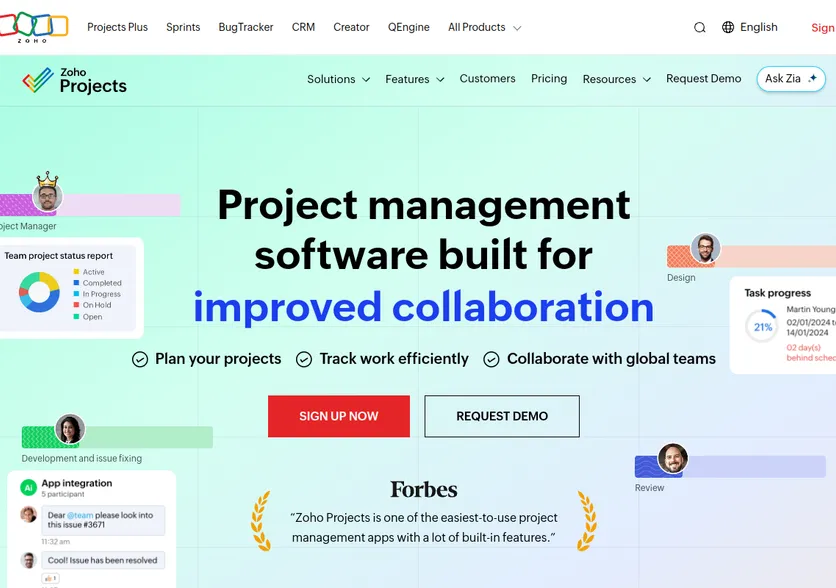
A budget-conscious publisher that needs Gantt charts and timesheets at a low price fits this Zoho Projects plan, which costs four dollars per user a month billed annually, and its templates repeat the production schedule for each new title. Its Gantt charts, timesheets and blueprints cover planning and billing in one affordable package. It connects cleanly with the rest of the Zoho suite, and the free plan suits tiny teams getting started.
What we like
- Gantt charts, timesheets and blueprints at a low price
- Connects cleanly with the rest of the Zoho suite
- Free plan covers five users and three projects
Watch out for
- Custom fields and single sign-on need the Enterprise plan
- The interface feels dated next to newer rivals
How to try it
- Create a project from a template and add its milestones
- Assign tasks with dates, then switch on the Gantt view
- Log time against tasks so budgets and invoices stay accurate
8. ProofHub
Best for: Teams that want unlimited users for one flat fee
Paid tool Starting price: $45/month · Forty-five dollars a month billed annually on Essential ($50 billed monthly) for unlimited users and forty projects; Ultimate Control is $135 a month billed annually ($150 monthly) after a three-month introductory rate of $89 a month billed annually
Free plan: No free plan; 14-day free trial
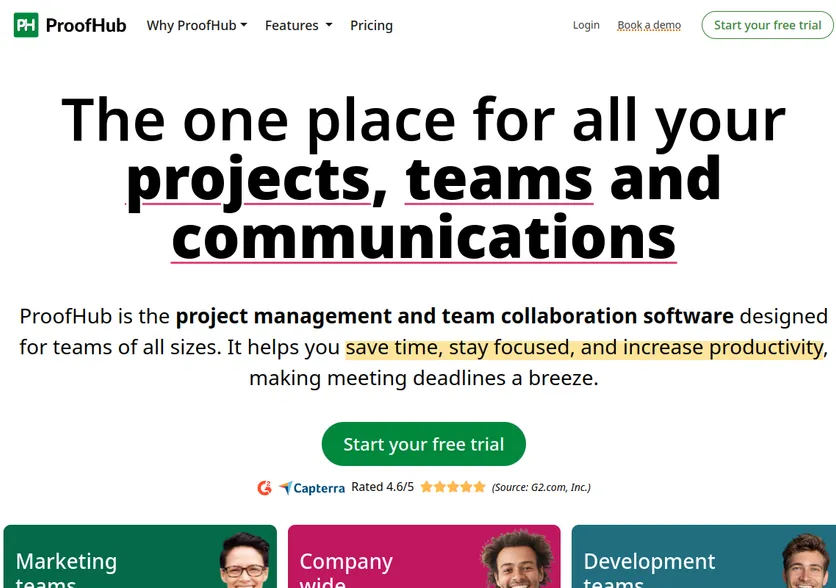
Publishers that want unlimited seats for freelancers, authors and designers will save money on this ProofHub plan, which costs forty-five dollars a month billed annually, and its proofing collects corrections on cover files in the same workspace. Its flat monthly fee covers unlimited users, so growing teams never pay per seat. Tasks, Gantt charts, time tracking, chat and file proofing all live in one workspace, and custom roles keep client access tidy.
What we like
- Flat monthly fee covers unlimited users
- Tasks, Gantt, time tracking, chat and proofing in one place
- Custom roles keep client access tidy
Watch out for
- Essential caps at forty projects and fifteen gigabytes of storage
- No free plan, only a fourteen-day trial
How to try it
- Create a project and invite the whole team at no extra cost
- Set up tasks, milestones and a Gantt chart for the schedule
- Use proofing to collect client feedback on files in the same workspace
Prices above were checked on each vendor’s own website on Nov 28, 2026 and can change — the vendor’s page is the final word. Vendor links are editorial: nobody paid to be listed or ranked here. Vendors who want a featured listing can see how it works on our Get listed page.
How to keep a publishing list on schedule
Start with one list that covers every title from acquisition to print, because a publisher that tracks books in separate spreadsheets will miss a deadline every season. Give each title a stage, an owner and a pub date, and move it through the same steps every time, from manuscript to edit to design to marketing. Keep author notes and rights details against the title they belong to, and record every decision with a date. Review the list weekly, chase overdue manuscripts early, and confirm the print date with production before the marketing starts.
Before you buy
- Confirm the tool can track every title from acquisition to print in one list
- Check whether manuscripts, rights and author notes can sit against each title
- Ask if the schedule can show every stage, from edit to design to marketing
- Make sure templates can repeat the production workflow for each new title
- Test the tool on a real title list before paying, including an editorial round
Official websites
Official websites of the products reviewed above. Features and prices were checked against these sites when this guide was written, and they can change, so confirm on the vendor site before you buy.
Frequently asked questions
What is project management software for book publishers?
It is software that plans and tracks the work of a publisher, from acquiring a manuscript through editing, design, production and marketing. Good tools keep every title, its stage, its owner and its pub date in one list, which matters when a house runs dozens of books through the same pipeline.
How much does Asana cost for book publishers?
Asana costs ten dollars and ninety-nine cents per user a month billed annually on Starter, or thirteen dollars and forty-nine cents billed monthly. Advanced is twenty-four dollars and ninety-nine cents per user a month billed annually and adds portfolios, goals and workload views, which suit larger houses.
Can I manage a publishing list for free?
Yes, with ClickUp, which offers a free plan, and Trello, which offers a free plan for up to ten collaborators and ten boards. Both work for a small press with a handful of titles, though storage and features are limited. A larger house will outgrow either free tier and should compare the paid plans above.
Which tool is best for tracking titles, authors and rights?
Airtable is the best pick for title lists, at twenty dollars per user a month billed annually on Team, because titles, authors and rights link together as records with views for each department. Notion is the better pick where editorial notes and manuscripts must live beside the list.
Which tool is best for a small publisher?
Asana is the best overall pick for a small publisher, at ten dollars and ninety-nine cents per user a month, because its timelines keep every title on track to pub date. Notion is the better pick where the team wants manuscripts and notes in the same workspace as the schedule.
Compare the eight tools above, then start with a free trial on the tool that matches how the house already tracks titles and pub dates before paying for a full year.
Browse Business Tools tools