
On this page
Nonprofits run on tight budgets and borrowed time — every program means grants, volunteers and events that all land in the same week. The eight tools below run from four dollars a user a month to about forty-nine dollars a month flat, and every price was checked on the vendor site on November 26, 2026. Most include free plans or trials, so compare how each one handles programs, volunteers and budgets before you commit. Asana is our first pick — the clearest timelines for a whole nonprofit.
How we researched this
We started with the project tools nonprofits actually buy, then read each price on the vendor pricing page on November 26, 2026 and noted the free plan or trial each one carries. We judged them for a nonprofit that needs clear boards, timelines and a low price across programs and events, and we kept only tools with a published price.
Compare the tools
| Name | Best for | Starting price | Free plan | |
|---|---|---|---|---|
 Asana | Nonprofits who want clean timelines and portfolios across many programs | $10.99/user/month | Free Personal plan for up to 2 users | Visit |
 ClickUp | Nonprofits who want tasks, docs and automations on one low-cost plan | $9/user/month | Free Forever plan | Visit |
 Monday | Nonprofits who want visual boards and dashboards that volunteers can read | $9/user/month | Free plan for up to 2 seats | Visit |
 Trello | Nonprofits who want simple visual boards for events and programs | $5/user/month | Free plan for up to 10 collaborators | Visit |
 Zoho Projects | Nonprofits who want the cheapest full project tool with time tracking and budgets | $4/user/month | Free plan for up to 5 users | Visit |
 Bitrix24 | Nonprofits who want CRM, projects and chat for one flat monthly price | $49/month | Free plan with unlimited users | Visit |
 Basecamp | Nonprofits who want one flat monthly price with unlimited users | $29/month | Free plan for 1 project | Visit |
 Smartsheet | Nonprofits who plan in sheets and need grid, Gantt and card views of the same data | $9/user/month | No free plan; 30-day free trial | Visit |
The project management software for nonprofits, compared
1. Asana
Best for: Nonprofits who want clean timelines and portfolios across many programs
Paid tool Starting price: $10.99/user/month · Starter plan, ten dollars ninety-nine cents a user a month billed annually or thirteen dollars forty-nine cents billed monthly; Advanced twenty-four dollars ninety-nine cents a month
Free plan: Free Personal plan for up to 2 users
Asana helps a nonprofit track grants, programs and events without losing the thread between them. This Asana Starter plan costs ten dollars ninety-nine cents a user a month and adds timeline views, dashboards and unlimited automations. A team running several programs at once can watch every project in a portfolio instead of chasing email updates.

What we like
- Timeline and Gantt views included from Starter
- Portfolios and goals for multi-program teams
- Unlimited free guests for volunteers and partners
Watch out for
- Time tracking needs a paid add-on
- Advanced jumps to about twenty-five dollars a user a month
How to try it
- Open the Asana pricing page and start with the free Personal plan
- Create a project for one program and switch on the timeline view
- Add a portfolio to watch every active program in one place
2. ClickUp
Best for: Nonprofits who want tasks, docs and automations on one low-cost plan
Paid tool Starting price: $9/user/month · Core plan, $9 a user a month billed annually ($12 billed monthly); Business $17 a user a month billed annually
Free plan: Free Forever plan
ClickUp lets a nonprofit run programs, events and grants from one workspace instead of three apps. This ClickUp Core plan lists at nine dollars a user a month billed annually billed annually, with unlimited Gantt charts and storage included. A small team can plan an event, draft the grant and track the volunteers from the same login for less than most rivals charge.

What we like
- Tasks, docs and goals in one workspace
- Unlimited Gantt charts from the Core plan
- Generous free plan for trying real work
Watch out for
- The feature list is so wide it can overwhelm new teams
- The page shows a nine-dollar promotional rate, not the twelve-dollar list price
How to try it
- Open the ClickUp pricing page and start the Free Forever plan
- Create a space for one program with a board, a doc and a goal
- Turn on automations for moving tasks between stages
3. Monday
Best for: Nonprofits who want visual boards and dashboards that volunteers can read
Paid tool Starting price: $9/user/month · Basic plan, nine dollars a user a month billed annually or twelve dollars billed monthly; Standard twelve dollars and Pro nineteen dollars a month on annual billing
Free plan: Free plan for up to 2 seats
Monday gives a nonprofit boards that show every program, event and deadline in one colorful view. This Monday Basic plan starts at nine dollars a user a month and covers unlimited items, docs and templates. Standard adds the timeline and Gantt views that help a team plan a fundraiser across several committees at once.

What we like
- Boards and dashboards anyone can read at a glance
- Strong timeline and Gantt views from Standard up
- Nonprofit discount published for qualified organizations
Watch out for
- Paid plans start at three seats, so a small team pays for three
- Basic has no timeline view, so most teams need Standard
How to try it
- Open the Monday pricing page and start the fourteen-day Pro trial
- Build a board for your next event with phases and due dates
- Ask about the nonprofit discount before you buy
4. Trello
Best for: Nonprofits who want simple visual boards for events and programs
Paid tool Starting price: $5/user/month · Standard plan, five dollars a user a month billed annually or six dollars billed monthly; Premium ten dollars a user a month on annual billing
Free plan: Free plan for up to 10 collaborators
Trello keeps nonprofit work visual, because every program is a board of cards you drag from idea to done. This Trello Standard plan costs five dollars a user a month and adds unlimited boards, card mirroring and more automation. A team planning a fundraiser will see the whole event at a glance.

What we like
- Simplest boards in this comparison
- Unlimited cards even on the free plan
- Huge template library for events and programs
Watch out for
- No Gantt view until the Premium plan
- Automation limits bite on bigger boards
How to try it
- Open the Trello pricing page and start the free plan
- Create a board for your next event with three lists
- Upgrade to Standard when you need unlimited boards
5. Zoho Projects
Best for: Nonprofits who want the cheapest full project tool with time tracking and budgets
Paid tool Starting price: $4/user/month · Premium plan, four dollars a user a month billed annually or five dollars billed monthly; Enterprise nine dollars and Ultimate fourteen dollars a user a month
Free plan: Free plan for up to 5 users
For a nonprofit that counts every dollar, Zoho Projects packs a full project system into a four-dollar seat. This Zoho Projects Premium plan costs four dollars a user a month and covers unlimited projects with time logs and timesheets. A nonprofit watching every dollar can run real programs, track hours and report cost against progress for less than any rival here.
What we like
- Cheapest starting price in this comparison
- Gantt charts, timesheets and budgets included
- Strong value against per-user priced rivals
Watch out for
- The interface takes time to learn
- Single sign-on needs the Enterprise plan
How to try it
- Open the Zoho Projects pricing page and start the fifteen-day trial
- Create a project and switch on the Gantt chart
- Log time for a week and check the budget report
6. Bitrix24
Best for: Nonprofits who want CRM, projects and chat for one flat monthly price
Paid tool Starting price: $49/month · Basic plan, forty-nine dollars a month flat for up to five users billed annually or sixty-nine dollars billed monthly; Standard ninety-nine dollars a month for up to fifty users
Free plan: Free plan with unlimited users
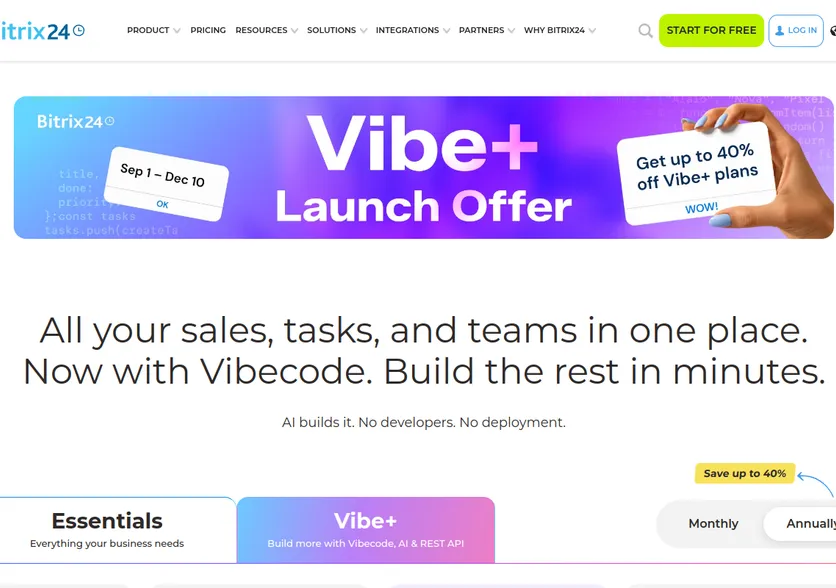
Bitrix24 bundles CRM, tasks, chat and projects into one flat monthly price, so a nonprofit can stop paying for five tools. This Bitrix24 Basic plan costs forty-nine dollars a month flat for up to five users billed annually and covers the whole suite. A team that tracks donors, volunteers and programs in one place will find the flat price easier to budget than per-seat plans.
What we like
- Flat price with CRM, chat and projects included
- Free plan covers unlimited users
- One login for donors, volunteers and programs
Watch out for
- The interface feels busier than focused tools
- Lower tiers limit automations and storage
How to try it
- Open the Bitrix24 pricing page and start the free plan
- Create a project for one program and add your team
- Upgrade to Basic when you need the full suite
7. Basecamp
Best for: Nonprofits who want one flat monthly price with unlimited users
Paid tool Starting price: $29/month · Freelancer plan, twenty-nine dollars a month for three projects and up to five users; Pro seventy-nine dollars and Pro Plus ninety-nine dollars a month
Free plan: Free plan for 1 project
Basecamp gives a nonprofit one calm place for messages, to-dos, files and schedules, with no per-user fees at all. This Basecamp Freelancer plan costs twenty-nine dollars a month and covers three projects with up to five users. A small team can invite volunteers and partners without counting seats or watching the bill grow.

What we like
- Flat price with no per-user fees
- One calm place for messages, files and schedules
- Ten percent off for registered nonprofits
Watch out for
- Freelancer caps you at three projects
- No Gantt view for program planning
How to try it
- Open the Basecamp pricing page and start the free plan
- Create a project for one program and add to-dos and files
- Ask about the ten percent nonprofit discount before you buy
8. Smartsheet
Best for: Nonprofits who plan in sheets and need grid, Gantt and card views of the same data
Paid tool Starting price: $9/user/month · Pro plan, nine dollars a member a month billed annually or twelve dollars billed monthly; Business nineteen dollars a member a month on annual billing
Free plan: No free plan; 30-day free trial
Smartsheet fits a nonprofit that already runs on spreadsheets, because the same plan shows as a grid, a Gantt chart or a card board. This Smartsheet Pro plan costs nine dollars a member a month and covers up to ten members with unlimited contributors. A team tracking grants, volunteers and events can keep its sheet habits and still get real project tracking.

What we like
- Grid, Gantt, card and calendar views of one plan
- Unlimited free contributors on every plan
- Strong formulas and reports for data-heavy teams
Watch out for
- No free plan, only a thirty-day trial
- The sheet interface feels plain next to visual boards
How to try it
- Open the Smartsheet pricing page and start the thirty-day trial
- Import a spreadsheet of open programs and switch it to a Gantt view
- Share the sheet with volunteers who need no paid seat
Prices above were checked on each vendor’s own website on Nov 26, 2026 and can change — the vendor’s page is the final word. Vendor links are editorial: nobody paid to be listed or ranked here. Vendors who want a featured listing can see how it works on our Get listed page.
What project management software costs for nonprofits in 2026
Nonprofits usually pay per seat, so the headline rate is only half the story — a ten-person team on the cheapest paid plans here spends between forty and about one hundred twenty dollars a month. The flat-rate exceptions are Basecamp at twenty-nine dollars a month for three projects and Bitrix24 at forty-nine dollars a month for up to five users, which suit a team that invites volunteers without counting seats. The spread in this list runs from four dollars a user a month to forty-nine dollars a month flat, and the free plans from Monday, Asana, ClickUp, Trello and Bitrix24 cover small teams well enough to test a real program before spending anything.
Start with the free plan or trial on two tools and run one real program through each, from planning to wrap-up. Compare how clear the board is to a volunteer, how fast you can track a grant, and whether the price fits your budget. Pick the tool your staff and volunteers actually open, because the best nonprofit tool is the one the whole team uses.
Before you buy
- Ask every vendor about nonprofit pricing, because Monday publishes a discount and Basecamp offers ten percent off.
- Count the seats first, because per-user pricing turns a volunteer team into a four-figure yearly bill.
- Check the free plan limits, because Monday caps free at two seats and Asana caps it at two users.
- Test the tool on one real program, because a demo board hides how volunteers behave.
- Compare annual and monthly billing, because most tools here cut the price by a fifth on annual plans.
Official websites
Official websites of the products reviewed above. Features and prices were checked against these sites when this guide was written, and they can change, so confirm on the vendor site before you buy.
Frequently asked questions
Which project management software is best for nonprofits in 2026?
Asana, at about eleven dollars a user a month on the Starter plan, is the safest default because timelines and portfolios suit multi-program teams. Zoho Projects wins on price at four dollars a user a month, with Gantt charts, timesheets and budgets included. Bitrix24 is the best flat-rate choice at forty-nine dollars a month, with CRM, chat and projects in one login.
How much does project management software cost for a nonprofit?
Most tools in this list cost between four and twelve dollars a user a month for a small team, with annual billing cutting the monthly rate. A ten-person team on the cheapest plans spends roughly forty to one hundred twenty dollars a month, while Basecamp charges a flat twenty-nine dollars a month for three projects. Ask every vendor about nonprofit pricing before you budget, because several offer discounts.
Do these tools offer nonprofit discounts?
Yes, Monday publishes a discount for qualified nonprofit organisations, and Basecamp offers ten percent off for registered nonprofits. Other vendors run nonprofit programs too, so ask each one for the current terms before you buy. A discount can cut the bill by a tenth or more, which matters when every dollar comes from donations.
Is there a free project management tool for nonprofits?
Yes, Monday covers two seats free, Asana offers a free Personal plan for two users, and ClickUp runs a Free Forever plan with unlimited tasks. Trello is free for up to ten collaborators, Bitrix24 is free for unlimited users, and Zoho Projects is free for up to five users. A free plan is enough to run one program end to end, then upgrade when the team outgrows the limits.
What should a nonprofit look for in project management software?
Look for clear boards your volunteers can open without training, plus timelines and a price your budget can carry. Check the per-user cost if you plan to add volunteers, and test the tool on one real program before you buy. The best tool is the one your staff and volunteers actually open, not the one with the longest feature list.
Need everyday business help too? Try Toolsvine's free business tools right in your browser.
Browse Business Tools tools


