
On this page
Most freelancers send a proposal and then wait in the dark, guessing whether the client read it, ignored it or lost it. Proposal tracking software shows you the moment a client opens your pitch, which pages they read, and when they sign — so you follow up at the right time instead of guessing. The nine tools below cover the full tracking job: open alerts, read analytics, reminders and e-signatures in one place. PandaDoc is our first pick — real-time open tracking and e-signatures for forty nine dollars a user a month.
How we researched this
We started with the proposal tools freelancers use to track what happens after they send a pitch, then read each price on the vendor pricing page on November 26, 2026 and noted what the tracking really covers. We judged them for a freelancer who needs to know the moment a client opens a proposal, which pages they read, and when to follow up. We kept only tools with a published price, and we dropped any tool whose price we could not verify; Quote Roller publishes no price at all, and ClientPoint asks for a demo instead of listing one.
Compare the tools
| Name | Best for | Starting price | Free plan | |
|---|---|---|---|---|
 PandaDoc | Freelancers who want to know the moment a client reads a proposal | $49/user/month | Free eSign plan, 5 documents a month | Visit |
 Proposify | Freelancers who want view analytics on every proposal | $39/user/month | 14-day free trial; no free plan | Visit |
 GetAccept | Freelancers who want live chat with their tracking | $25/user/month | 14-day free trial; no free plan | Visit |
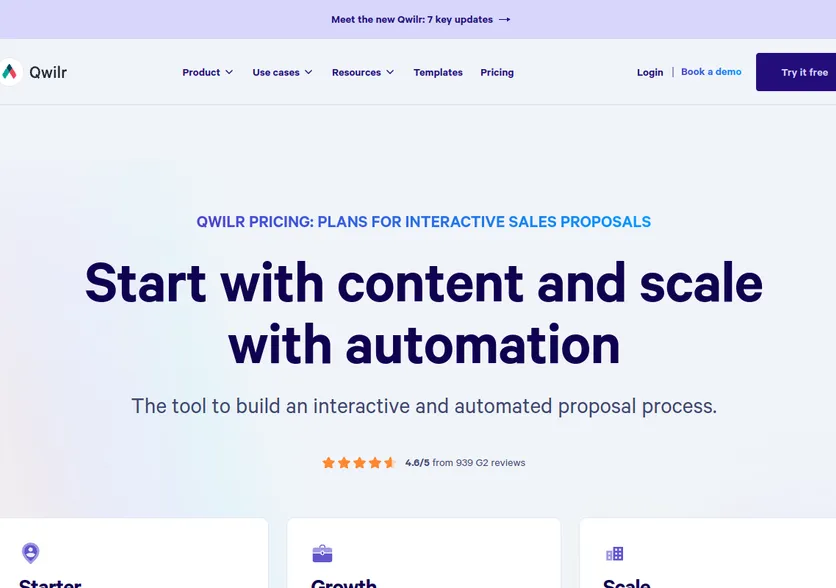
 Qwilr | Freelancers who want page-by-page proposal analytics | $35/user/month | 14-day free trial; no free plan | Visit |
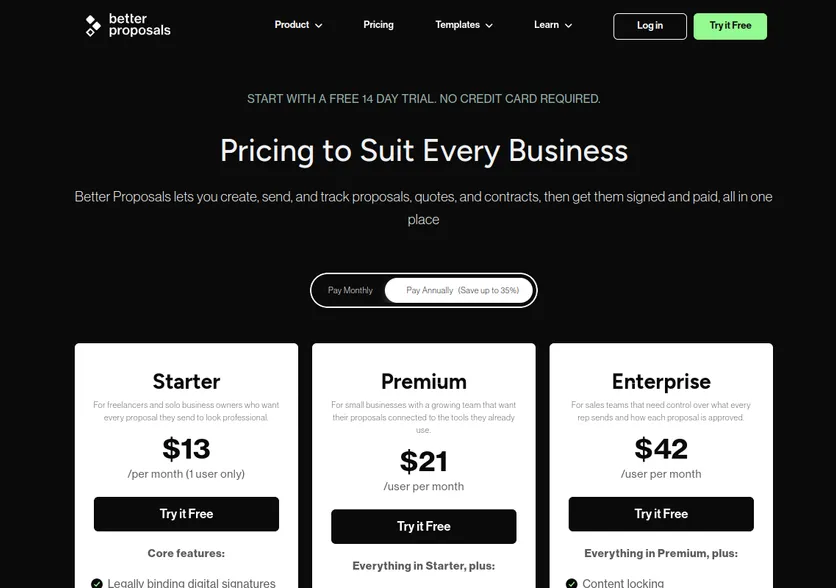
 Better Proposals | Budget freelancers who want open tracking | $13/user/month | 14-day free trial; no free plan | Visit |
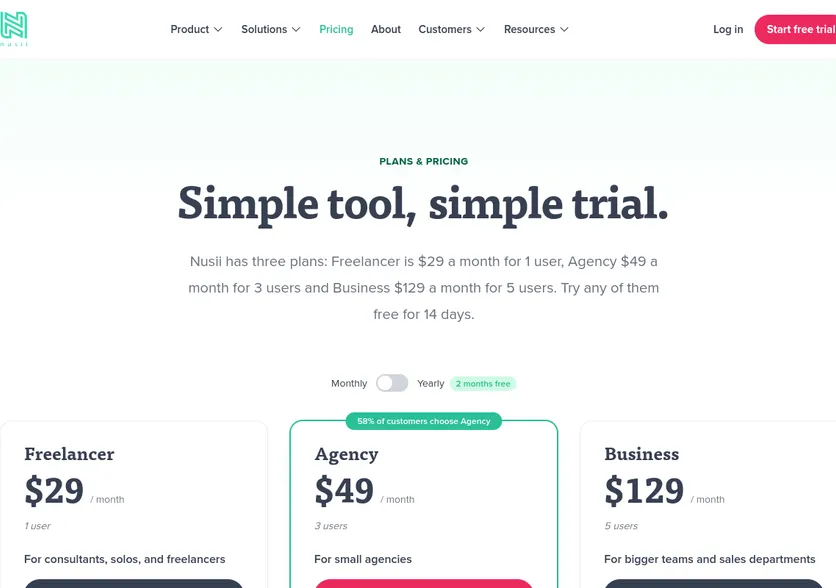
 Nusii | Freelancers who need reminders to follow up | $29/user/month | 14-day free trial; no free plan | Visit |
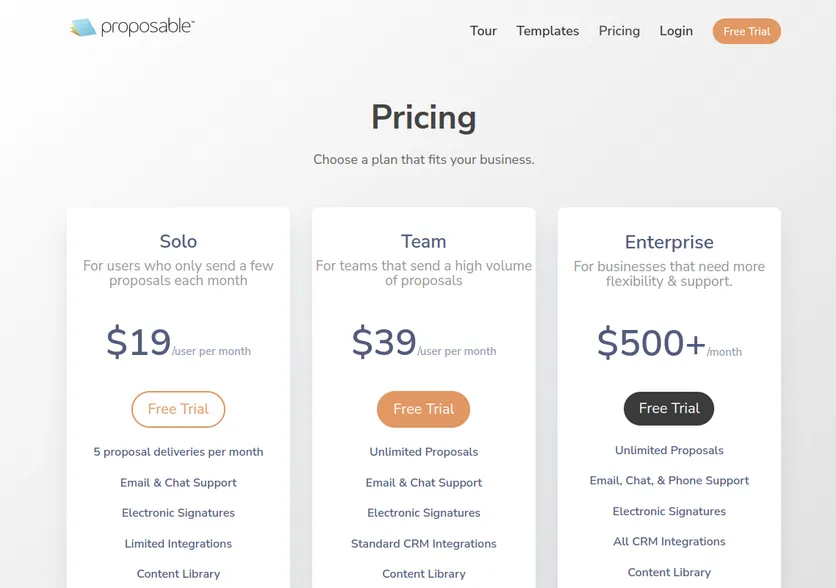
 Proposable | Freelancers who want simple open alerts | $19/user/month | Free trial; no free plan | Visit |
 Quotient | Freelancers who track quotes through to acceptance | $28/month | Free trial; no free plan | Visit |
 HoneyBook | Freelancers who want tracking through to payment | $29/month | 7-day free trial; no free plan | Visit |
The proposal tracking software for freelancers, compared
1. PandaDoc
Best for: Freelancers who want to know the moment a client reads a proposal
Paid tool Starting price: $49/user/month · Business plan, $49 a user a month billed annually; Essentials/Starter is $19 a user a month billed annually; free eSign plan covers 5 documents a month
Free plan: Free eSign plan, 5 documents a month
PandaDoc tells a freelancer the moment a client opens a proposal, which pages they read, and when they sign. This PandaDoc Business plan covers real-time open alerts, page-level analytics, e-signatures and CRM integrations for forty nine dollars a user a month. A freelancer can watch the proposal move through the client, follow up the day it is read, and close without guessing.

What we like
- Real-time alerts the moment a client opens it
- Page-level analytics show what they read
- E-signatures built in
Watch out for
- Business costs forty nine dollars a user a month
- Essentials is cheaper but drops analytics
How to try it
- Open the PandaDoc pricing page and create a free account
- Send a proposal and turn on open notifications
- Follow up the day the client reads it
2. Proposify
Best for: Freelancers who want view analytics on every proposal
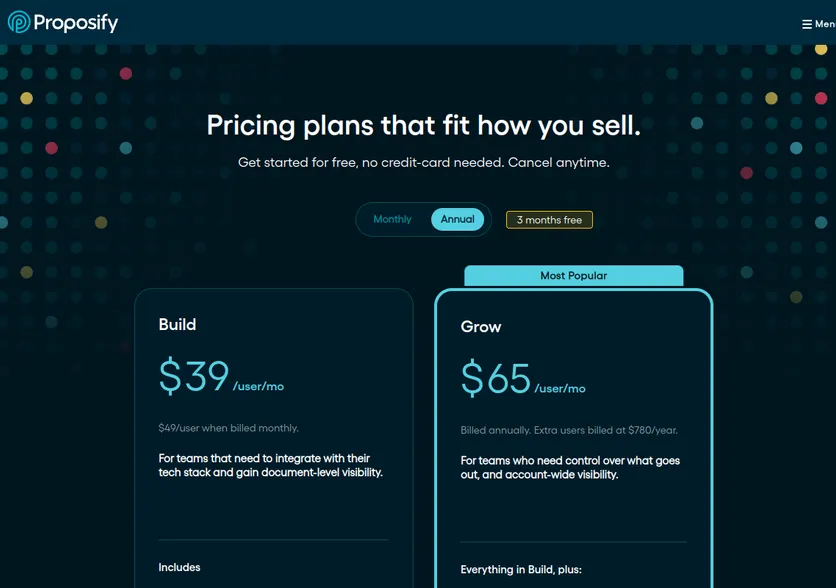
Paid tool Starting price: $39/user/month · Build plan, $39 a user a month billed annually or $49 a user a month billed monthly
Free plan: 14-day free trial; no free plan
Proposify tracks every view of a freelance proposal, so you know which pages a client read and when they lost interest. This Proposify Build plan covers view analytics, e-signatures, templates and integrations for thirty nine dollars a user a month. A freelancer can see the proposal open in real time, follow up while it is fresh, and stop chasing clients who never read it.
What we like
- View analytics show what clients read
- Real-time notifications on opens
- Templates for almost any freelance job
Watch out for
- Build costs thirty nine dollars a user a month billed annually
- No free plan, only a fourteen-day trial
How to try it
- Open the Proposify pricing page and start the 14-day trial
- Send a proposal and watch the view analytics
- Follow up while the proposal is still fresh
3. GetAccept
Best for: Freelancers who want live chat with their tracking
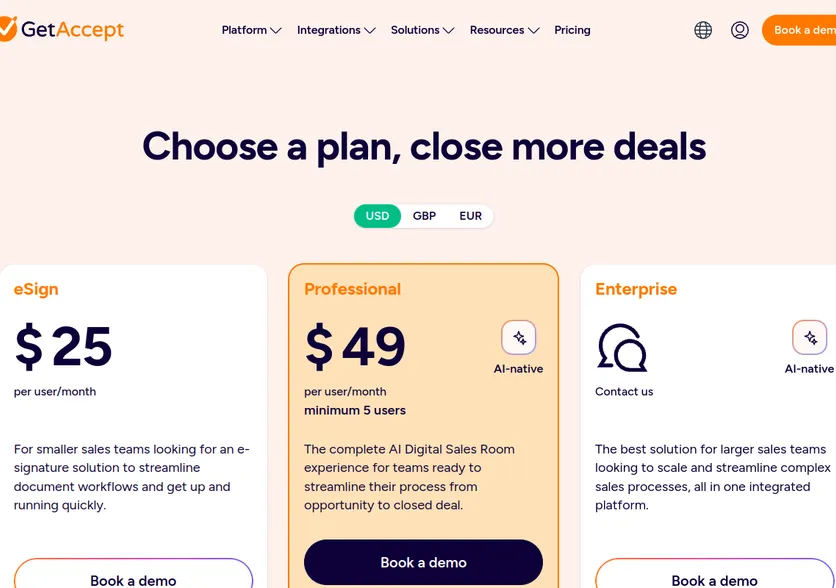
Paid tool Starting price: $25/user/month · Essential plan, $25 a user a month billed annually; Pro is $49 a user a month billed annually
Free plan: 14-day free trial; no free plan
GetAccept turns proposal tracking into a live conversation, with chat and video alongside the open alerts. This GetAccept Essential plan covers real-time tracking, video messages, chat and e-signatures for twenty five dollars a user a month. A freelancer can see the client open the proposal, answer a question in the chat, and get a signature in the same place.
What we like
- Live chat inside the tracked proposal
- Video messages make follow-ups personal
- Real-time open alerts
Watch out for
- Essential costs twenty five dollars a user a month billed annually
- No free plan, only a fourteen-day trial
How to try it
- Open the GetAccept pricing page and start the 14-day trial
- Send a proposal with tracking turned on
- Reply in the chat when the client opens it
4. Qwilr
Best for: Freelancers who want page-by-page proposal analytics
Paid tool Starting price: $35/user/month · Business plan, $35 a user a month billed annually or $49 a user a month billed monthly
Free plan: 14-day free trial; no free plan
Qwilr shows a freelancer exactly how a client moves through a proposal, page by page, in real time. This Qwilr Business plan covers view analytics, open alerts, e-signatures and CRM integrations for thirty five dollars a user a month. A freelancer can see which section held the client and which one they skipped, then follow up with the right detail.
What we like
- Page-by-page analytics in real time
- Proposals open as web pages, not PDFs
- Open alerts on every view
Watch out for
- Business costs thirty five dollars a user a month billed annually
- No free plan, only a fourteen-day trial
How to try it
- Open the Qwilr pricing page and start the 14-day trial
- Send a proposal link and watch the analytics
- Follow up on the section the client spent time on
5. Better Proposals
Best for: Budget freelancers who want open tracking
Paid tool Starting price: $13/user/month · Starter plan, $13 a user a month billed annually or $19 a user a month billed monthly
Free plan: 14-day free trial; no free plan
Better Proposals tracks opens and views on every freelance proposal, so you know when to follow up and when to wait. This Better Proposals Starter plan covers open tracking, view analytics, e-signatures and templates for thirteen dollars a user a month. A freelancer who sends a few proposals a month can see the client read it, follow up the same day, and close faster.
What we like
- Open tracking at thirteen dollars a user
- View analytics included
- E-signatures built in
Watch out for
- Starter costs thirteen dollars a user a month billed annually
- Fewer integrations than the big names
How to try it
- Open the Better Proposals pricing page and start the 14-day trial
- Send a proposal and turn on tracking
- Follow up the day the client opens it
6. Nusii
Best for: Freelancers who need reminders to follow up
Paid tool Starting price: $29/user/month · Freelance plan, $29 a user a month billed annually or $39 a user a month billed monthly
Free plan: 14-day free trial; no free plan
Nusii watches a freelance proposal after you send it, then reminds you when a client goes quiet. This Nusii Freelance plan covers open tracking, reminders, e-signatures and analytics for twenty nine dollars a user a month. A freelancer can send a pitch, get a nudge when the client reads it but does not reply, and follow up at the right moment.
What we like
- Reminders chase quiet clients for you
- Open tracking on every proposal
- Built for freelancers and small agencies
Watch out for
- Freelance costs twenty nine dollars a user a month billed annually
- No free plan, only a fourteen-day trial
How to try it
- Open the Nusii pricing page and start the 14-day trial
- Send a proposal and turn on tracking
- Follow the reminder when the client goes quiet
7. Proposable
Best for: Freelancers who want simple open alerts
Paid tool Starting price: $19/user/month · Solo plan, $19 a user a month billed annually or $24 a user a month billed monthly
Free plan: Free trial; no free plan
Proposable keeps proposal tracking simple, with open alerts and view counts on every pitch you send. This Proposable Solo plan covers open tracking, e-signatures, templates and notifications for nineteen dollars a user a month. A freelancer can send a proposal in minutes, see the client open it, and follow up without guessing.
What we like
- Simple open alerts on every proposal
- Nineteen dollars a user a month
- E-signatures and tracking included
Watch out for
- Solo costs nineteen dollars a user a month billed annually
- Fewer templates than the big names
How to try it
- Open the Proposable pricing page and start a free trial
- Send a proposal and watch for the open alert
- Follow up the day the client reads it
8. Quotient
Best for: Freelancers who track quotes through to acceptance
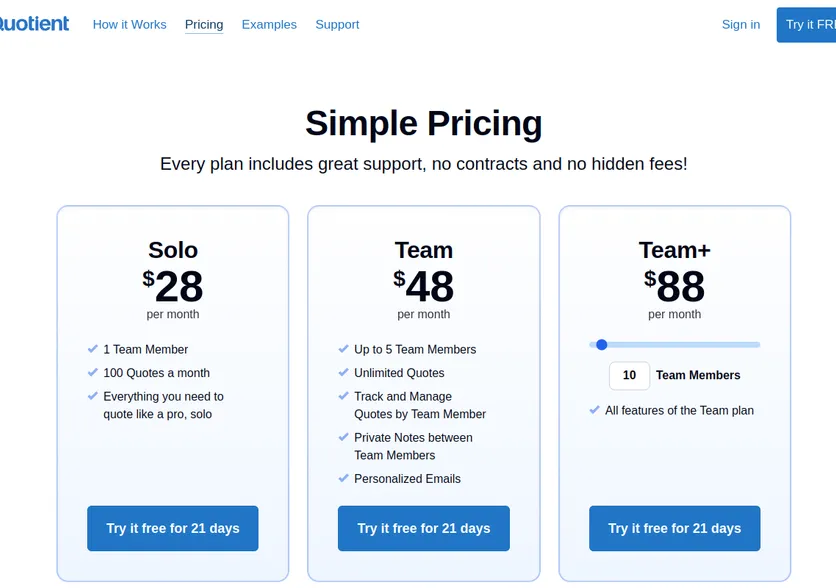
Paid tool Starting price: $28/month · Solo plan, $28 a month for 1 team member and 100 quotes a month; Team is $48 a month for up to 5 members
Free plan: Free trial; no free plan
Quotient tracks a quote from the moment it lands in the client inbox to the moment they accept it online. This Quotient Solo plan covers open tracking, online acceptance, e-signatures and templates for twenty-eight dollars a month. A freelancer can send a quote, see the client open it, and get an acceptance without a phone call.
What we like
- Tracks quotes through to acceptance
- Online acceptance built in
- Simple pricing at twenty five dollars a month
Watch out for
- Solo costs twenty five dollars a month billed annually
- Smaller template library than rivals
How to try it
- Open the Quotient pricing page and start a free trial
- Send a quote and watch for the open alert
- Follow up when the client has read it
9. HoneyBook
Best for: Freelancers who want tracking through to payment
Paid tool Starting price: $29/month · Starter plan, $29 a month billed annually or $36 a month billed monthly
Free plan: 7-day free trial; no free plan
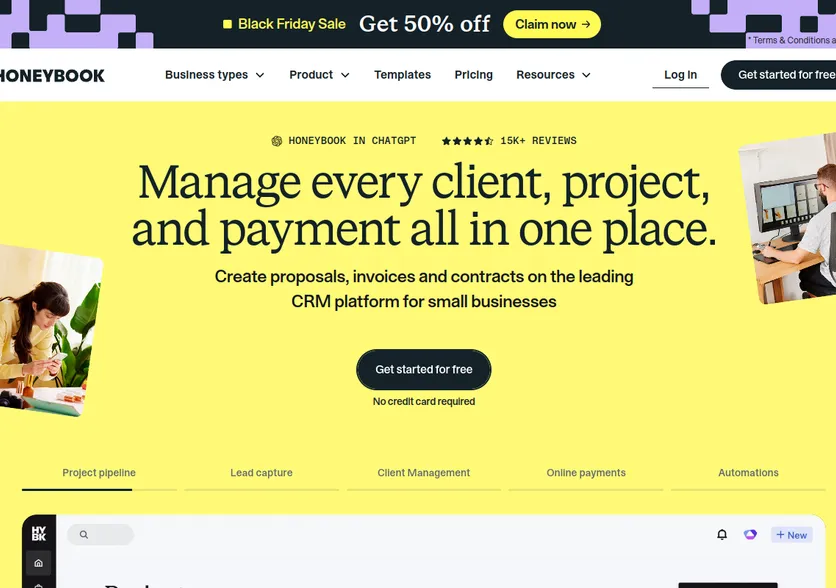
HoneyBook tracks a freelance proposal from the first view to the signed contract and the first payment. This HoneyBook Starter plan covers proposal tracking, contracts, e-signatures, invoices and payments for twenty nine dollars a month. A freelancer can send a proposal, watch the client open it, get the contract signed, and take the deposit in one flow.
What we like
- Tracking, contracts and payments in one flow
- Open alerts on every proposal
- Built for freelancers from the ground up
Watch out for
- Starter costs twenty nine dollars a month billed annually
- No free plan, only a seven-day trial
How to try it
- Open the HoneyBook pricing page and start the 7-day trial
- Send a proposal and turn on tracking
- Follow up when the client opens it, then send the contract
Prices above were checked on each vendor’s own website on Nov 26, 2026 and can change — the vendor’s page is the final word. Vendor links are editorial: nobody paid to be listed or ranked here. Vendors who want a featured listing can see how it works on our Get listed page.
What proposal tracking costs a freelancer in 2026
Proposal tracking costs the same as proposal software, because tracking is built into the same plans. Better Proposals Starter is thirteen dollars a user a month, Proposable Solo nineteen, GetAccept Essential twenty five, Quotient Solo twenty eight, HoneyBook Starter twenty nine, Nusii Freelance twenty nine, Qwilr Business thirty five, Proposify Build thirty nine, and PandaDoc Business forty nine. The difference is what the tracking shows: PandaDoc, Proposify and Qwilr give page-level analytics, Nusii adds reminders, and HoneyBook follows the proposal through to payment.
Start with a trial on two tools and send a real proposal through each one.
Before you buy
- Check the tracking is real-time, because a next-day report is too late to follow up.
- Ask about page-level analytics, because knowing which section a client read changes the pitch.
- Test the reminders, because a tracker that never nudges you is just a log.
- Compare the annual price, because monthly billing costs roughly a quarter more on most of these tools.
- Start with a trial, because most proposal tools offer fourteen days to track a real proposal.
Official websites
Official websites of the products reviewed above. Features and prices were checked against these sites when this guide was written, and they can change, so confirm on the vendor site before you buy.
Frequently asked questions
What is the best proposal tracking software for a freelancer in 2026?
PandaDoc Business, at forty nine dollars a user a month billed annually, is the best default because it covers real-time open alerts, page-level analytics and e-signatures in one place. HoneyBook Starter is the pick when you want tracking through to payment at twenty nine dollars a month, and Better Proposals Starter is the cheapest tracker at thirteen dollars a user a month.
How much does proposal tracking cost a freelancer?
Proposal tracking costs thirteen to forty nine dollars a user a month: Better Proposals thirteen, Proposable nineteen, GetAccept twenty five, Quotient twenty eight, HoneyBook and Nusii twenty nine, Qwilr thirty five, Proposify thirty nine, and PandaDoc forty nine. Most tools offer a fourteen-day trial, and PandaDoc has a free eSign plan covering five documents a month.
What is the cheapest proposal tracking tool for freelancers?
Better Proposals Starter, at thirteen dollars a user a month billed annually, is the cheapest tracker here, and it covers open tracking, view analytics, e-signatures and templates. Proposable Solo is the next cheapest at nineteen dollars a user a month. Both are safe cheap starts for a freelancer who sends a few proposals a month.
Can proposal tracking show which pages a client read?
Yes, on the better tools. PandaDoc, Proposify and Qwilr all show page-level analytics, so you can see which section a client read and which one they skipped. Better Proposals and GetAccept show opens and views without the same page-level detail, so pick PandaDoc or Qwilr when the detail matters.
Do proposal tools send reminders when a client goes quiet?
Yes, on Nusii. Its Freelance plan, at twenty nine dollars a user a month billed annually, sends reminders when a client reads your proposal but does not reply, so you follow up at the right moment. PandaDoc and Proposify send open alerts instead, which tell you when to follow up but do not nudge you themselves.
Track every proposal? Explore Toolsvine's free business tools right in your browser.
Browse Business Tools tools


