On this page
A wholesale distributor buys in bulk every week, so a purchase without an approval is a leak the warehouse cannot afford. The eight tools below put a requisition, a budget check and an approver in front of every order, and they start at three dollars a user a month. Precoro leads because its approval chains and three-way matching fit high-volume buying, and the cheaper tools cover the small distributors that buy in small lots.
How we researched this
We checked every price on the vendor pricing page on November 28, 2026, and only included tools with a published US dollar list price. SAP Ariba, Oracle Fusion Cloud Procurement, GEP SMART, Zycus, Basware and NetSuite publish no prices, so they are not in this list. Prices change, so confirm the current figure on the vendor site before you buy.
Compare the tools
| Name | Best for | Starting price | Free plan | |
|---|---|---|---|---|
 Precoro | Nonprofits and distributors that need requisitions with approval chains | $499/month | No free plan; demo available | Visit |
 ProcurementExpress.com | Nonprofits that approve spending by budget, not by seat | $415/month | 14-day free trial; no free plan | Visit |
 ProcureDesk | Distributors that need purchase orders with receiving | $830/month | Free onboarding; no free plan | Visit |
 Spendwise | Tiny teams that want simple spend approval | $9/user/month | Free trial; no free plan | Visit |
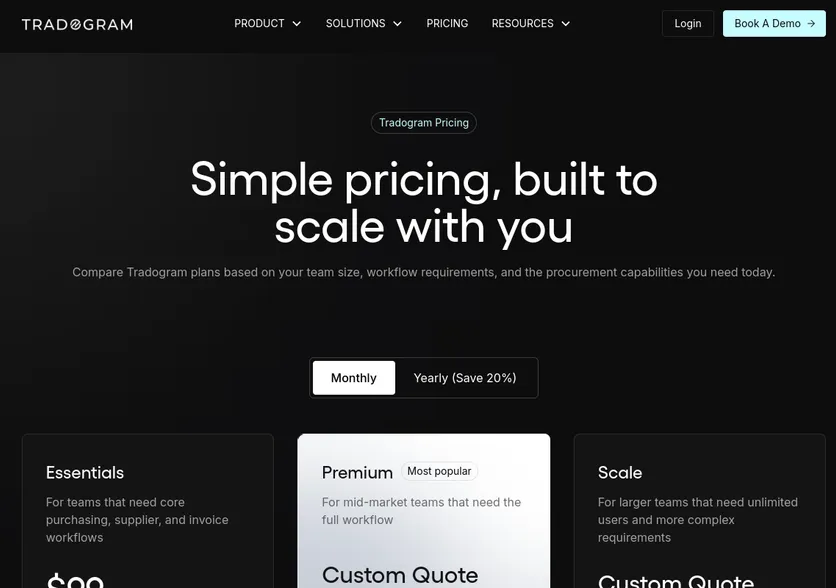
 Tradogram | Small teams that want simple purchase orders | $99/month | Free plan (1 user) | Visit |
 ApprovalMax | Teams that approve bills and purchase orders in Xero or QuickBooks | $49.50/organisation/month | 14-day free trial; no free plan | Visit |
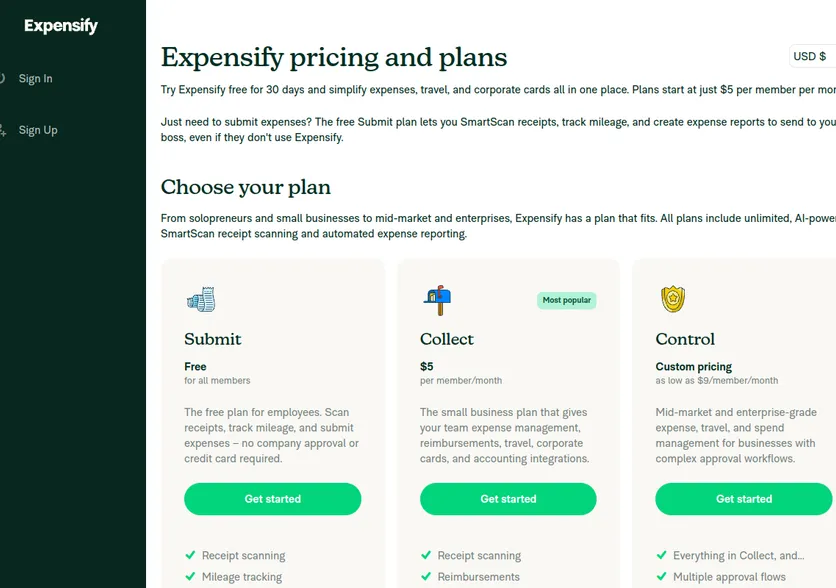
 Expensify | Nonprofits that want expense reports without a finance team | $5/member/month | Free plan (Submit, for individuals) | Visit |
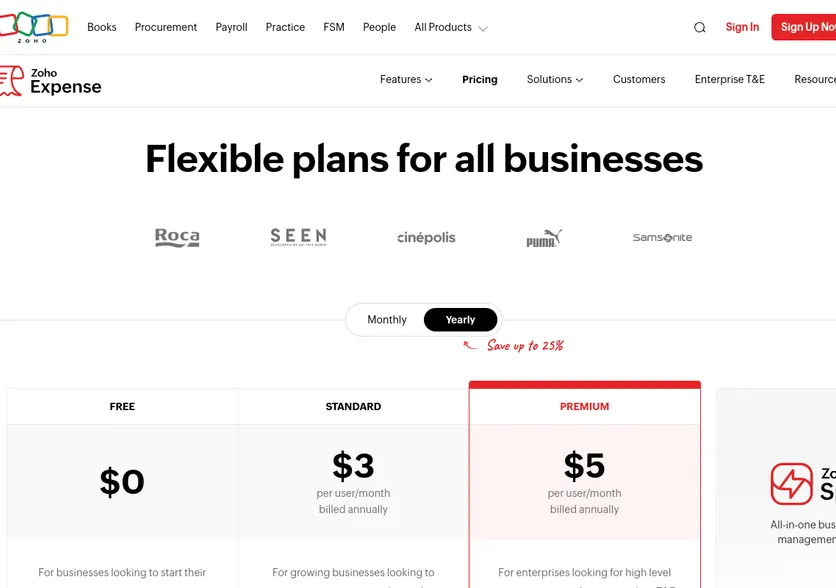
 Zoho Expense | Small nonprofits already using Zoho apps | $3/user/month | Free plan (up to 3 users) | Visit |
The purchase requisition software for wholesale distributors, compared
1. Precoro
Best for: Nonprofits and distributors that need requisitions with approval chains
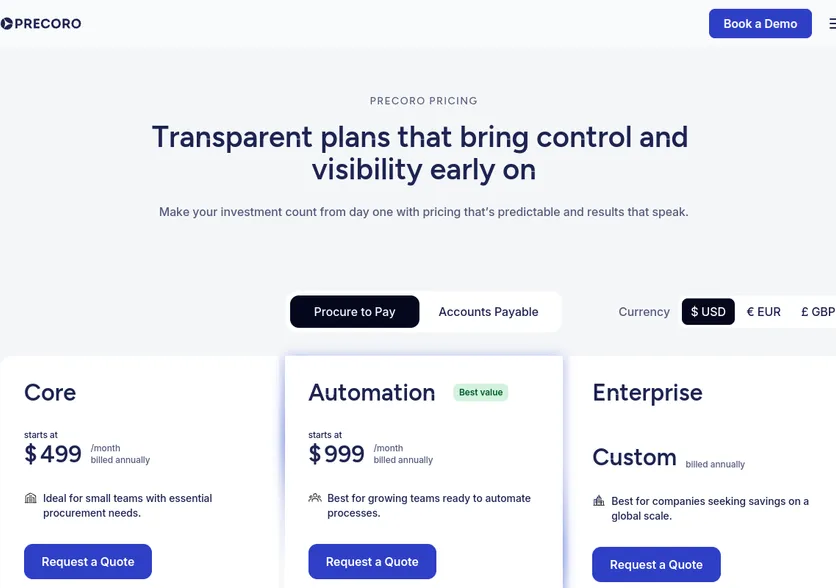
Paid tool Starting price: $499/month · Four hundred and ninety-nine dollars a month on Core billed annually; Automation is nine hundred and ninety-nine dollars a month; Enterprise is quoted; a standalone accounts payable module also starts at four hundred and ninety-nine dollars a month
Free plan: No free plan; demo available
Wholesale distributors that buy in volume need requisitions that cannot be skipped, and this Precoro plan costs four hundred and ninety-nine dollars a month billed annually to enforce them. Every purchase request carries its budget code and approval chain, and the purchase order, goods receipt and invoice stay linked to the same record. It is the strongest control in this list for a distributor whose buying volume makes manual approvals risky.
What we like
- Approval workflows mirror real purchase requisitions
- Budgets, purchase orders and receipts stay in one place
- Integrates with QuickBooks, Xero and NetSuite
Watch out for
- Entry price is high for a small nonprofit
- Advanced automation needs the dearer Automation tier
How to try it
- Create a requisition and attach the supplier quote
- Send it through the approval chain for sign-off
- Convert the approved request into a purchase order
2. ProcurementExpress.com
Best for: Nonprofits that approve spending by budget, not by seat
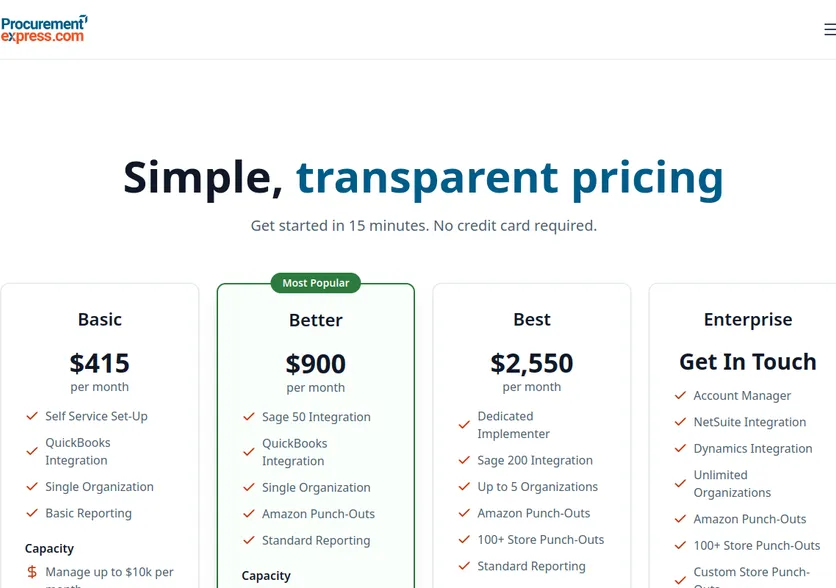
Paid tool Starting price: $415/month · Four hundred and fifteen dollars a month flat on Basic for up to ten thousand dollars of monthly spend and ten users; Better is nine hundred dollars a month; Best is two thousand five hundred and fifty dollars a month; Enterprise is quoted
Free plan: 14-day free trial; no free plan
Distributors that hate per-seat pricing get a flat bill here, because this ProcurementExpress.com plan costs four hundred and fifteen dollars a month flat for up to ten users. Budget caps per warehouse or product line stop overspend before it happens, and approvals work from email or a phone on the warehouse floor. It suits a distributor where ten people buy and nobody wants to count seats.
What we like
- Flat pricing with no per-user fees
- Budget limits stop overspend before it happens
- Simple approval chains non-finance staff can use
Watch out for
- Entry plan caps monthly spend at ten thousand dollars
- No inventory or receiving module
How to try it
- Set budgets for each department or grant
- Raise a purchase request against the budget
- Approve or reject from email or the mobile app
3. ProcureDesk
Best for: Distributors that need purchase orders with receiving
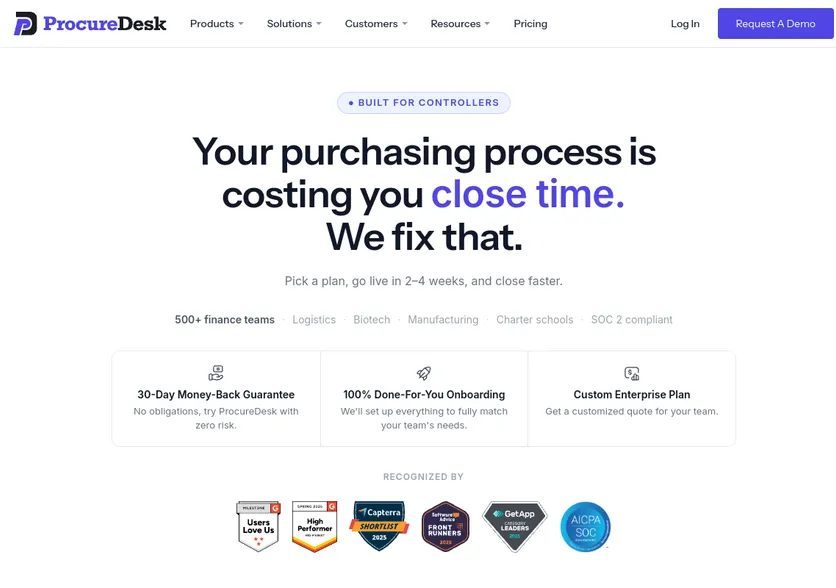
Paid tool Starting price: $830/month · Eight hundred and thirty dollars a month on Startup billed annually, nine hundred and ninety-six dollars month to month, with ten users included; Growth is one thousand two hundred and fifty dollars a month billed annually with twenty users; extra users are twenty dollars a month; Enterprise is quoted
Free plan: Free onboarding; no free plan
A distributor that still matches invoices to orders by hand will save hours here, since this ProcureDesk plan costs eight hundred and thirty dollars a month billed annually with ten users included. Purchase orders, receiving and three-way matching run in one place, and punchout catalogues connect straight to major suppliers. It is the most complete buying workflow in this list for a distributor ready to replace spreadsheets.
What we like
- Purchase orders, receiving and three-way matching in one place
- Catalogues with punchout to major suppliers
- Free onboarding included on paid plans
Watch out for
- Entry price is steep for a small distributor
- Extra users beyond the included seats add up fast
How to try it
- Import suppliers and build the product catalogue
- Raise a purchase order and send it for approval
- Match the invoice to the order and the receipt
4. Spendwise
Best for: Tiny teams that want simple spend approval
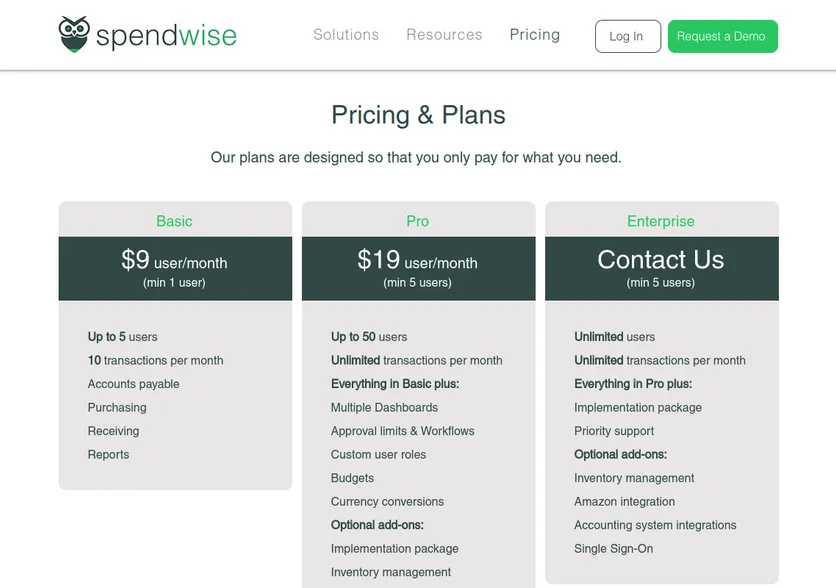
Paid tool Starting price: $9/user/month · Nine dollars per user a month on Basic for up to five users and ten transactions a month; Pro is nineteen dollars per user a month for five to fifty users with unlimited transactions; Enterprise is quoted
Free plan: Free trial; no free plan
A small distributor that buys in small lots does not need an enterprise suite, and this Spendwise plan costs nine dollars per user a month on Basic for a team of up to five. Purchase requests route to the right approver in minutes, and live budget tracking shows what is left before the next order goes out. It is the cheapest honest start in this list for a distributor buying on a tight leash.
What we like
- Basic plan is genuinely cheap for a five-person team
- Purchase orders and approvals take minutes to set up
- Real-time spend tracking against budgets
Watch out for
- Basic caps at ten transactions a month
- No advanced inventory or receiving features
How to try it
- Set a budget and invite the team
- Raise a purchase request and route it for approval
- Track the spend against the budget in real time
5. Tradogram
Best for: Small teams that want simple purchase orders
Paid tool Starting price: $99/month · Ninety-nine dollars a month on Essentials, about nine hundred and fifty dollars a year with the annual discount; Premium and Scale are quoted; requisitions need the Premium tier, not Essentials; a free plan exists for one user
Free plan: Free plan (1 user)
Distributors that reorder the same lines every week get a tidy catalogue workflow here, since this Tradogram plan costs ninety-nine dollars a month on Essentials, and suppliers see their orders through the portal. Purchase orders carry budgets and delivery notes, and the free single-user plan lets a buyer test the flow on real orders. Requisitions sit on the quoted Premium tier, so confirm the plan if approval chains matter.
What we like
- Clean purchase order workflow with a supplier portal
- Catalogues and budgets keep spending visible
- Free single-user plan for trying it out
Watch out for
- Requisitions are not in the entry Essentials plan
- Older listings show stale prices, so confirm at checkout
How to try it
- Add suppliers and build a product catalogue
- Create a purchase order from an approved request
- Send the order to the supplier through the portal
6. ApprovalMax
Best for: Teams that approve bills and purchase orders in Xero or QuickBooks
Paid tool Starting price: $49.50/organisation/month · Forty-nine dollars and fifty cents per organisation a month on Standard billed annually, fifty-nine dollars and forty cents month to month; Advanced is seventy-nine dollars and twenty cents billed annually; Premium is one hundred and eleven dollars; NetSuite is quoted; some regions are moving to per-document pricing
Free plan: 14-day free trial; no free plan
A distributor whose accounts run on Xero or QuickBooks Online should start here, because this ApprovalMax plan costs forty-nine dollars and fifty cents per organisation a month billed annually. Approval matrices route bills and purchase orders by amount and department, and the audit trail satisfies the accountant at year end. It is the best approval layer in this list for a distributor that already trusts its accounting system.
What we like
- Multi-step approvals that match real finance rules
- Deep Xero and QuickBooks Online integration
- Audit trail on every approval decision
Watch out for
- Priced per organisation, so a second entity costs again
- Regional move to per-document pricing may change the bill
How to try it
- Connect ApprovalMax to Xero or QuickBooks Online
- Build an approval matrix by amount and department
- Approve bills and purchase orders from any device
7. Expensify
Best for: Nonprofits that want expense reports without a finance team
Paid tool Starting price: $5/member/month · Five dollars per unique member a month on Collect for new workspaces; Control is nine dollars per active member a month billed annually when at least half of settled US spend runs on the Expensify Card, otherwise eighteen dollars billed annually or thirty-six dollars pay per use; a free Submit plan covers individuals
Free plan: Free plan (Submit, for individuals)
Warehouse staff who buy fuel, parts and supplies on the road need expenses that file themselves, and this Expensify plan costs five dollars per unique member a month on Collect. SmartScan reads the receipt, the report routes itself for approval, and reimbursement lands without a finance chase. It is the best expense add-on in this list for a distributor whose buyers rarely sit at a desk.
What we like
- SmartScan reads receipts in seconds
- One-click card reconciliation
- Free plan for a single submitter
Watch out for
- The nine-dollar Control rate depends on card spend
- Pay-per-use billing can surprise a busy month
How to try it
- Snap receipts with SmartScan
- Submit the expense report for approval
- Reimburse straight from the app
8. Zoho Expense
Best for: Small nonprofits already using Zoho apps
Paid tool Starting price: $3/user/month · Three dollars per user a month on Standard billed annually, four dollars month to month; Premium is five dollars a month billed annually; Enterprise is quoted; paid plans need at least three users
Free plan: Free plan (up to 3 users)
Distributors already running Zoho Books get expense control almost free here, since this Zoho Expense plan costs three dollars per user a month billed annually, and three users cost nothing at all. Receipts scan and sort by cost centre, mileage and per diem are tracked, and approved reports export straight to the books. It is the best value in this list for a Zoho shop that wants tidy expenses.
What we like
- Free plan covers a three-person finance team
- Receipt scanning and auto-categorisation work well
- Per diem and mileage tracking included
Watch out for
- Paid plans start at three users, so a solo bookkeeper pays for seats
- Advanced controls sit on the Premium tier
How to try it
- Connect a card or bank feed to pull expenses in
- Scan receipts and let the app categorise them
- Approve the report and export it to the accounts
Prices above were checked on each vendor’s own website on Nov 28, 2026 and can change — the vendor’s page is the final word. Vendor links are editorial: nobody paid to be listed or ranked here. Vendors who want a featured listing can see how it works on our Get listed page.
How to tighten wholesale buying without slowing the warehouse
Begin with the ten most-ordered lines, because they carry most of the spend and most of the mistakes. Set a budget cap per warehouse or product line, then put a single approver on orders under the cap and a second approver above it. Run the new flow beside the old one for two weeks, and compare the invoice matches before you switch off the spreadsheets. Make receiving part of the flow, so stock is counted against the order before the invoice is paid. Check the exceptions each week, because the orders that break the rules show where the rules are wrong.
Before you buy
- Confirm the tool handles receiving and three-way matching, not just orders
- Check whether pricing is flat or per user before counting seats
- Ask if supplier catalogues and punchout work with your main vendors
- Make sure approval chains survive a busy week without a bottleneck
- Test the tool on your ten most-ordered lines before paying
Official websites
Official websites of the products reviewed above. Features and prices were checked against these sites when this guide was written, and they can change, so confirm on the vendor site before you buy.
Frequently asked questions
What is purchase requisition software for wholesale distributors?
It is software that turns every purchase into a requisition with an approver, a budget check and a paper trail before the order goes out. For a distributor it stops duplicate orders and overspend, and it links the request, the purchase order, the goods receipt and the invoice to one record. Without it, buying happens on phone calls and the warehouse never knows what is coming.
How much does ProcureDesk cost for a distributor?
ProcureDesk costs eight hundred and thirty dollars a month on Startup billed annually, with ten users included and Growth at one thousand two hundred and fifty dollars a month. Extra users cost twenty dollars a month and Enterprise is quoted. It is the most expensive tool in this list, but it is also the only one with full receiving and three-way matching.
Can a distributor manage purchasing for free?
Partly, with Zoho Expense, which offers a free plan for up to three users, and Tradogram, which offers a free plan for one user. Both cover basic expense and purchase order control, but neither handles warehouse receiving or three-way matching. A distributor that needs those features should look at ProcureDesk or Precoro instead.
What is the cheapest purchase requisition tool for distributors?
Zoho Expense is the cheapest paid option at three dollars per user a month billed annually, with a free plan for three users. Spendwise follows at nine dollars per user a month on Basic. Both suit a small distributor, but a high-volume warehouse will need the stronger controls in Precoro or ProcureDesk.
Which tool is best for a wholesale distributor?
Precoro is the best overall pick for a distributor that buys in volume, at four hundred and ninety-nine dollars a month with approval chains and budget controls. ProcureDesk is the better pick if receiving and three-way matching matter most. ProcurementExpress.com suits a distributor that wants flat pricing with no per-user fees.
Compare the eight tools above, then start with the free plan or trial on the tool that matches how the distributor already buys before paying for a full year.
Browse Business Tools tools