
On this page
Remote support is the freelancer job where the client is waiting on the phone while you fix their computer, so the tool has to connect fast and just work. The seven tools below run from about nine dollars a month to about fifty dollars a month, and every price was checked on the vendor site on November 26, 2026. Most offer a free plan or a trial, so you can run a real support session before paying. Splashtop is our first pick — attended support from twenty-two dollars a month per technician.
How we researched this
We started with the remote support tools freelancers actually buy, then read each price on the vendor pricing page on November 26, 2026 and noted the free plan or trial each one carries. We judged them for a solo technician who connects to client machines, fixes problems fast and needs a price that fits one seat. We kept only tools with a published price and dropped any tool whose price we could not verify, including GoTo Resolve, whose prices conflict across sources after its rebrand.
Compare the tools
| Name | Best for | Starting price | Free plan | |
|---|---|---|---|---|
 Splashtop | Freelancers who fix client computers by session code | $22/month | Free trial; no free plan | Visit |
 TeamViewer | Freelancers who support clients on every system | $50.90/month | Free plan for personal use | Visit |
 AnyDesk | Freelancers who need a fast session without a heavy install | $28.90/month | Free plan for personal use | Visit |
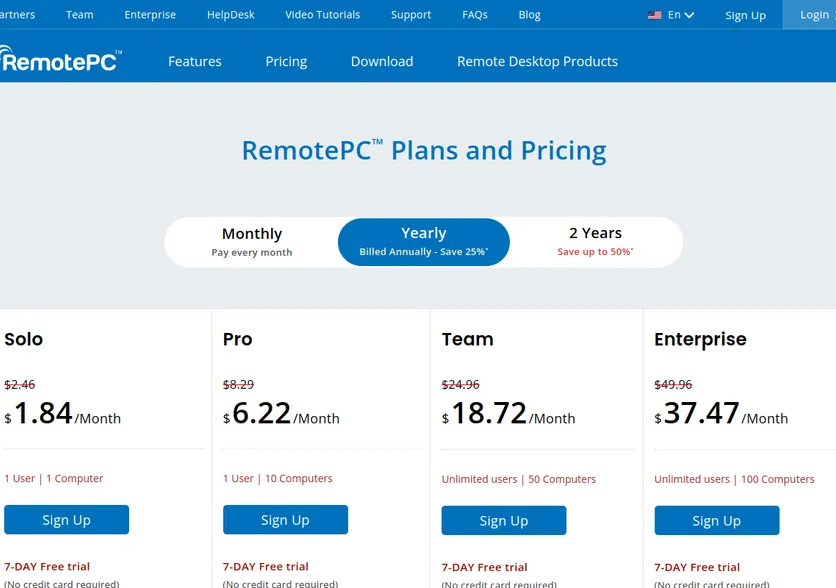
 RemotePC | Freelancers who look after the same machines every month | $99.50/year | Free plan for 1 computer | Visit |
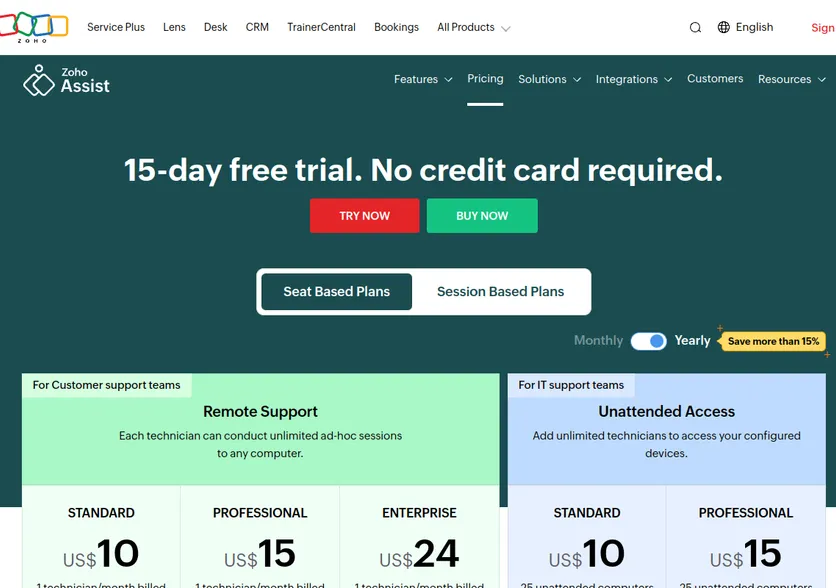
 Zoho Assist | Freelancers who want the cheapest per-technician price | $10/technician/month | Free plan for 1 remote session at a time | Visit |
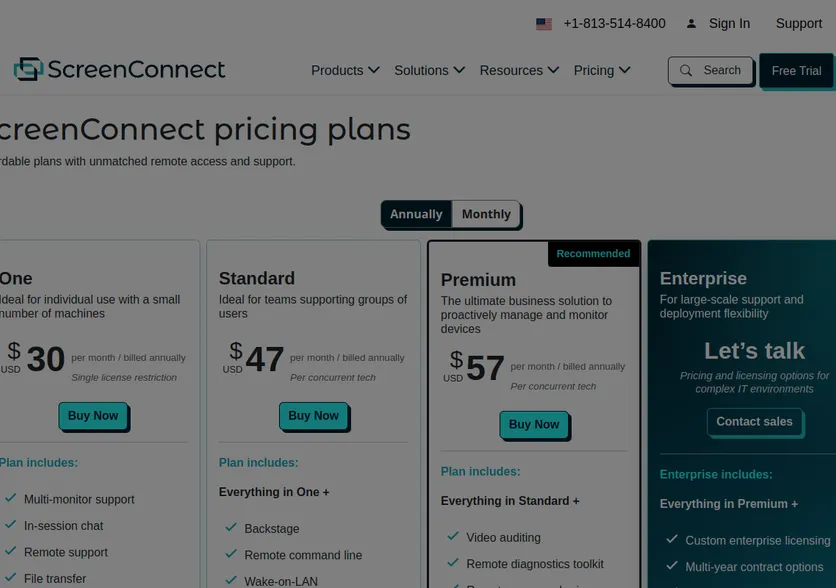
 ScreenConnect | Freelancers who run support as a core service | $30/month | Free trial; no free plan | Visit |
 RealVNC Connect | Freelancers who need steady unattended access to a few machines | $8.75/month | Free Home plan for personal use | Visit |
The remote support software, compared
1. Splashtop
Best for: Freelancers who fix client computers by session code
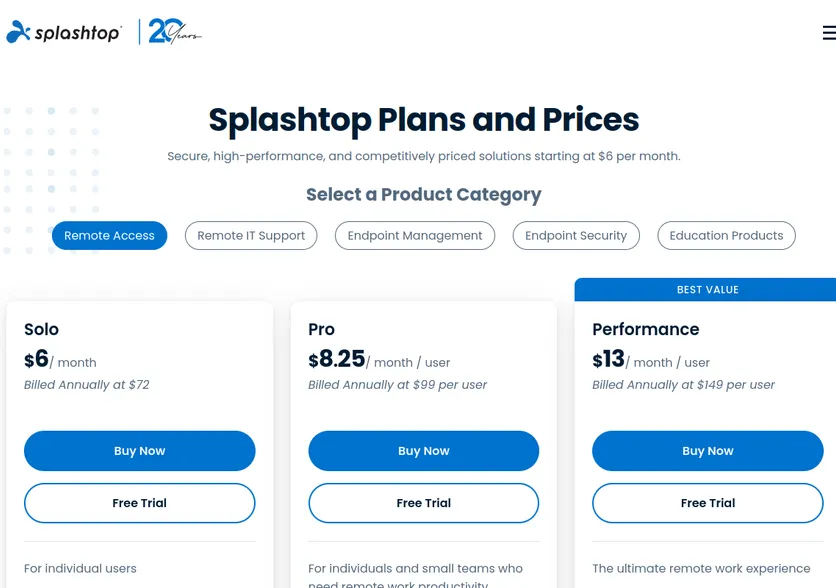
Paid tool Starting price: $22/month · Remote Support SOS plan, from $22 a month per concurrent technician, $259 a year
Free plan: Free trial; no free plan
Splashtop SOS is the remote support tool for freelancers who fix other people's computers, because it connects with a simple session code and no install on the client side. This Splashtop SOS plan starts an attended session from a nine-digit code, transfers files and reboots the remote machine as needed. A freelancer who supports small business clients can fix a problem in minutes without driving to the office.
What we like
- Session code connects with no client install
- File transfer and remote reboot included
- Cheapest per-technician price for attended support
Watch out for
- SOS covers attended sessions, not unattended access
- Price is per concurrent technician, not per user
How to try it
- Open the Splashtop pricing page and start the free trial
- Ask the client for the nine-digit session code
- Connect, fix the problem and transfer any files needed
2. TeamViewer
Best for: Freelancers who support clients on every system
Paid tool Starting price: $50.90/month · Business plan, $50.90 a month billed annually
Free plan: Free plan for personal use
TeamViewer is the remote support name every client already knows, which means fewer explanations when you ask them to install something. This TeamViewer Business plan connects to client machines, transfers files and runs sessions from any device. A freelancer who supports clients across different systems can rely on the tool everyone has heard of.
What we like
- Clients already know the name and trust it
- Works across Windows, Mac and mobile
- File transfer and sessions from any device
Watch out for
- Business costs about fifty-one dollars a month
- Most expensive plan on this list
How to try it
- Open the TeamViewer pricing page and start the free trial
- Install TeamViewer and invite the client to join
- Connect to the client machine and fix the problem
3. AnyDesk
Best for: Freelancers who need a fast session without a heavy install
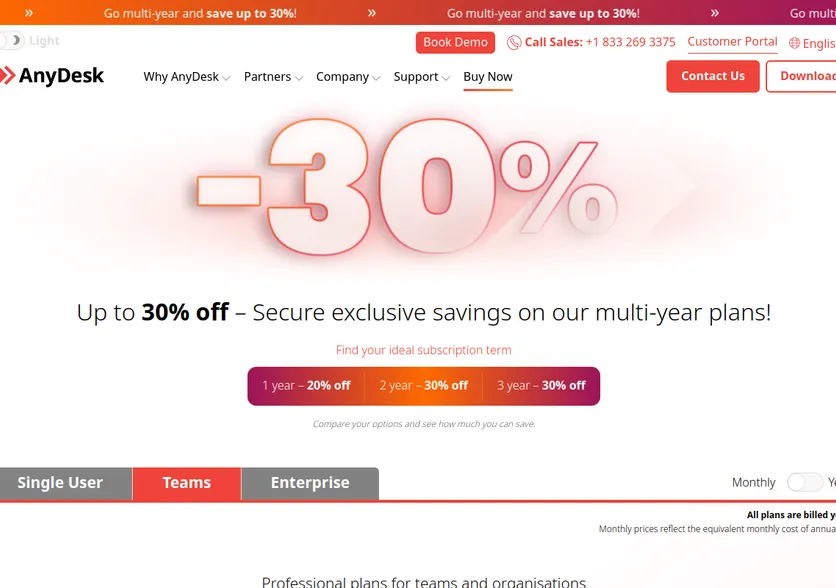
Paid tool Starting price: $28.90/month · Solo plan, $28.90 a month billed annually at list; a 20 percent first-year promo cuts it to $23.12 and is ignored here
Free plan: Free plan for personal use
AnyDesk is the lightweight alternative for quick remote sessions, with fast connections that feel local even on a slow line. This AnyDesk Solo plan connects to one machine at a time, transfers files and works from a small download. A freelancer who needs a fast session without a heavy install can be inside a client machine in under a minute.
What we like
- Small download and fast connections
- Feels local even on a slow line
- Free plan covers personal use
Watch out for
- Solo covers one machine at a time
- Costs about twenty-nine dollars a month
How to try it
- Open the AnyDesk pricing page and start the free trial
- Download the small AnyDesk app and share your address
- Connect to the client machine and start the session
4. RemotePC
Best for: Freelancers who look after the same machines every month
Paid tool Starting price: $99.50/year · SOHO plan, $99.50 a year at list; a first-year promo cuts it to $74.62 and is ignored here; Consumer is $29.50 a year
Free plan: Free plan for 1 computer
RemotePC is the budget pick for freelancers who support a fixed set of machines, because its yearly price covers a whole year of access. This RemotePC SOHO plan gives unattended access to a set of computers, with file transfer and remote printing built in. A freelancer who looks after the same small business machines every month can log in any time without paying per session.
What we like
- Yearly price covers a whole year of access
- Unattended access to a set of machines
- File transfer and remote printing included
Watch out for
- SOHO covers a fixed set of machines
- Yearly billing only, no monthly option
How to try it
- Open the RemotePC pricing page and start the free trial
- Install RemotePC on the machines you look after
- Log in any time for unattended access and file transfer
5. Zoho Assist
Best for: Freelancers who want the cheapest per-technician price
Paid tool Starting price: $10/technician/month · Standard plan, $10 a technician a month billed annually; $12 billed monthly
Free plan: Free plan for 1 remote session at a time
Zoho Assist is the cheapest per-technician option here, and it still covers unattended access, file transfer and session recording. This Zoho Assist Standard plan connects to client machines on demand or unattended, with chat and reboot built in. A freelancer who wants proper remote support for ten dollars a technician a month will find it hard to beat.
What we like
- Cheapest per-technician price on this list
- Unattended access and session recording included
- Chat and reboot built into sessions
Watch out for
- Standard costs ten dollars a technician a month
- Works best inside the Zoho ecosystem
How to try it
- Open the Zoho Assist pricing page and start the free plan
- Invite the client to a session or set up unattended access
- Connect, chat with the client and record the session
6. ScreenConnect
Best for: Freelancers who run support as a core service
Paid tool Starting price: $30/month · One plan, $30 a month billed annually; Standard is $47 and Premium is $57
Free plan: Free trial; no free plan
ScreenConnect is the technician-first remote support tool, built for people who run support sessions all day. This ScreenConnect One plan runs attended and unattended sessions, transfers files and records sessions for the client record. A freelancer who does support as a core service can run a professional session from a tool built for the job.
What we like
- Built for technicians who run sessions all day
- Attended and unattended access in one plan
- Session recording for the client record
Watch out for
- One costs thirty dollars a month
- Interface is built for technicians, not beginners
How to try it
- Open the ScreenConnect pricing page and start the free trial
- Set up attended and unattended access for clients
- Run sessions, transfer files and record them for the record
7. RealVNC Connect
Best for: Freelancers who need steady unattended access to a few machines
Paid tool Starting price: $8.75/month · Essentials plan, $8.75 a month billed annually, $105 a year
Free plan: Free Home plan for personal use
RealVNC Connect is the quiet veteran of remote access, with reliable connections and simple pricing for small teams. This RealVNC Essentials plan gives remote access to a set of devices, with file transfer and session control built in. A freelancer who needs steady unattended access to a few machines can set it up once and forget it.
What we like
- Cheapest paid plan on this list
- Set up once and forget it
- Reliable connections from a long-running vendor
Watch out for
- Essentials costs about nine dollars a month
- Fewer support features than ScreenConnect
How to try it
- Open the RealVNC pricing page and start the free trial
- Install RealVNC on the devices you look after
- Connect any time for unattended access and file transfer
Prices above were checked on each vendor’s own website on Nov 26, 2026 and can change — the vendor’s page is the final word. Vendor links are editorial: nobody paid to be listed or ranked here. Vendors who want a featured listing can see how it works on our Get listed page.
What remote support software costs a freelancer in 2026
Most freelancers pay for one technician seat, so the per-technician price is the whole budget and the cheapest plan is not always the cheapest deal. This list runs from about nine dollars a month for RealVNC Essentials to about fifty-one dollars a month for TeamViewer Business, and every figure is the list price on the vendor site, checked on November 26, 2026. Free plans cover personal use on TeamViewer, AnyDesk and RealVNC, while the rest offer trials, so you can run a real support session before paying.
Start with two tools on a real client call and compare how fast each one connects and how the client reacts to the install step. The tool that gets you inside the machine without a phone call is the one worth paying for, even when it is not the cheapest on the list.
Before you buy
- Count the technicians first, because most plans here charge per technician and a freelancer feels every extra seat on the invoice.
- Check attended versus unattended access, because a plan that only covers attended sessions cannot fix a machine overnight.
- Test the client install step, because a tool the client cannot install without help costs you the session.
- Ask whether the tool fits your clients, because a business client needs session recording while a home user needs simplicity.
- Add up the travel saved, because one avoided site visit pays for a month of any tool on this list.
Official websites
Official websites of the products reviewed above. Features and prices were checked against these sites when this guide was written, and they can change, so confirm on the vendor site before you buy.
Frequently asked questions
Which remote support software is best for a freelancer in 2026?
Splashtop SOS, from twenty-two dollars a month per concurrent technician, is the safest default because it connects with a simple session code and no client install. Zoho Assist is better on price, at ten dollars a technician a month with unattended access included. TeamViewer wins when clients already know the name and trust it.
What is the cheapest remote support software for freelancers?
RealVNC Connect Essentials, at eight dollars seventy-five cents a month billed annually, is the cheapest paid plan here and covers unattended access to a set of devices. Zoho Assist Standard, at ten dollars a technician a month, is the cheapest per-technician plan with full support features. RemotePC SOHO, at ninety-nine dollars fifty cents a year, is the cheapest yearly plan.
Can I use remote support software for free?
Yes, on three of these seven tools. TeamViewer, AnyDesk and RealVNC all offer free plans for personal use, which cover helping family or a single machine. The other four tools offer free trials, so you can run a real support session before paying. Business use needs a paid plan on every tool here.
What is the difference between attended and unattended access?
Attended access means the client is at the machine and lets you in, which is how Splashtop SOS works with a session code. Unattended access means you can connect any time without the client present, which is how RemotePC, RealVNC and Zoho Assist handle machines you look after. Most freelancers need both, for different clients.
Do I need remote support software to fix client computers?
Not strictly, because a phone call and a screen share can fix simple problems. But remote support software lets you take control, transfer files and reboot the machine, which a screen share cannot do. One avoided site visit pays for a month of any tool on this list, so the software earns its price fast.
Need everyday business help too? Try Toolsvine's free business tools right in your browser.
Browse Business Tools tools


