On this page
Consulting firms sell their people's time, and a plan that ignores who is actually available is fiction by the second week. The eight tools below show who is free, who is overbooked and what the next quarter will earn, from a five dollar starter to a twenty-nine dollar enterprise suite. Float leads because its seven dollar Starter plan pairs a visual planning timeline with time tracking in one place, and the rest are ranked on how much planning power each dollar buys.
How we researched this
We checked every price on the vendor pricing page on November 28, 2026, and only included tools with a published US dollar list price. Kimble, Kantata, Mavenlink, Deltek Vantagepoint, Forecast and Accelo publish no prices, so they are not in this list. Prices change, so confirm the current figure on the vendor site before you buy.
Compare the tools
| Name | Best for | Starting price | Free plan | |
|---|---|---|---|---|
 BigTime | Consulting firms that want planning plus invoicing in one system | $20/user/month | No free plan; demo only | Visit |
 Harvest | Small firms that want simple planning with time tracking | $9/seat/month | Free plan (1 seat, 2 projects) | Visit |
 Float | Firms that want a visual plan of future capacity | $7/scheduled person/month | No free plan; 30-day free trial | Visit |
 Resource Guru | Small firms that need a clear planning calendar | $5/person/month | No free plan; 30-day free trial | Visit |
 Runn | Firms that plan capacity months ahead | $7/resource seat/month | No free plan; 30-day free trial | Visit |
 Teamwork | Firms that manage delivery and planning together | $9.99/user/month | Free plan (5 users, 5 projects) | Visit |
 Scoro | Larger firms that want one platform for everything | $29/user/month | No free plan; 14-day free trial | Visit |
 Projectworks | Firms that plan resources around project margin | $17/user/month | No free plan; free demo | Visit |
The resource planning software for consulting firms, compared
1. BigTime
Best for: Consulting firms that want planning plus invoicing in one system
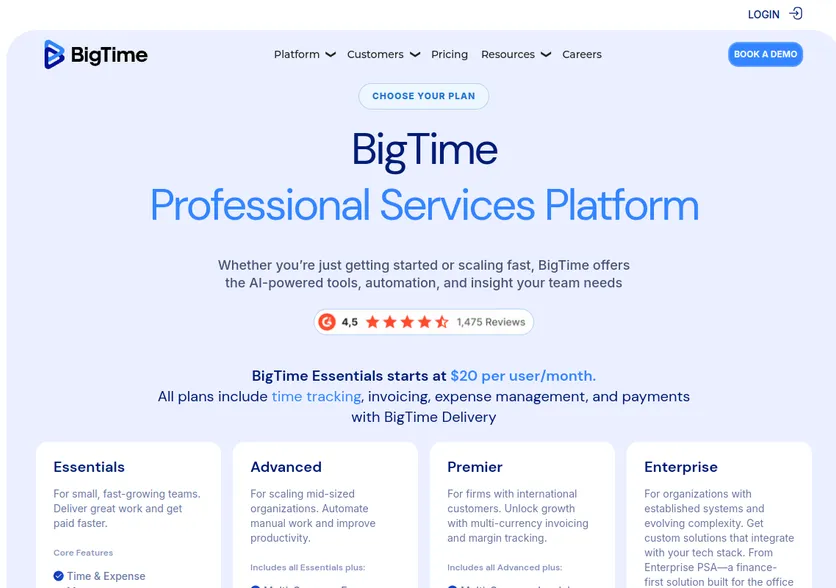
Paid tool Starting price: $20/user/month · Twenty dollars per user a month on Essentials is the only published price; Advanced, Premier and Enterprise plans and the Resource Management module are quote-only; the vendor page states no billing period or minimum, so confirm before buying
Free plan: No free plan; demo only
Twenty dollars per user a month buys BigTime Essentials, a platform that pairs resource planning with time, expenses and invoicing for consulting firms. It tracks availability, logs time and expenses, and produces invoices without re-entry, which suits firms that want planning and billing in one system. The deepest resource planning features sit in the quote-only Resource Management module, so confirm what Essentials includes before budgeting.
What we like
- Planning with time, expenses and invoicing together
- Utilization tracking shows who is over or under booked
- Built for professional services rather than generic teams
Watch out for
- Resource Management module is quote-only
- No free trial, so the demo is the only preview
How to try it
- Book a demo and confirm what Essentials includes
- Set up projects and plan staff for the next quarter
- Track utilization weekly and adjust the plan as projects shift
2. Harvest
Best for: Small firms that want simple planning with time tracking
Paid tool Starting price: $9/seat/month · Nine dollars per seat a month billed annually on Teams (eleven dollars billed monthly); Enterprise is fourteen dollars per seat a month billed annually; flex billing adds unpublished usage charges for projects, clients, tasks and invoicing on top of the seat rate
Free plan: Free plan (1 seat, 2 projects)
Nine dollars per seat a month billed annually buys Harvest Teams, a time tracker that gives a small firm a simple view of who is working on what. It logs hours against projects, shows capacity in a clean report and invoices from the same data, with a free plan for one seat and two projects. Flex billing adds unpublished usage charges for projects, clients, tasks and invoicing on top of the seat rate, so read the fine print before scaling up.

What we like
- Simplest interface in this list, staff learn it in minutes
- Free plan for one seat and two projects
- Invoices generated from tracked time without re-entry
Watch out for
- Flex billing adds unpublished usage charges on top of the seat rate
- No deep capacity forecasting, so larger firms outgrow it
How to try it
- Start on the free plan and track the first project
- Add the team and plan hours for the next month
- Invoice from tracked time and check the flex billing charges
3. Float
Best for: Firms that want a visual plan of future capacity
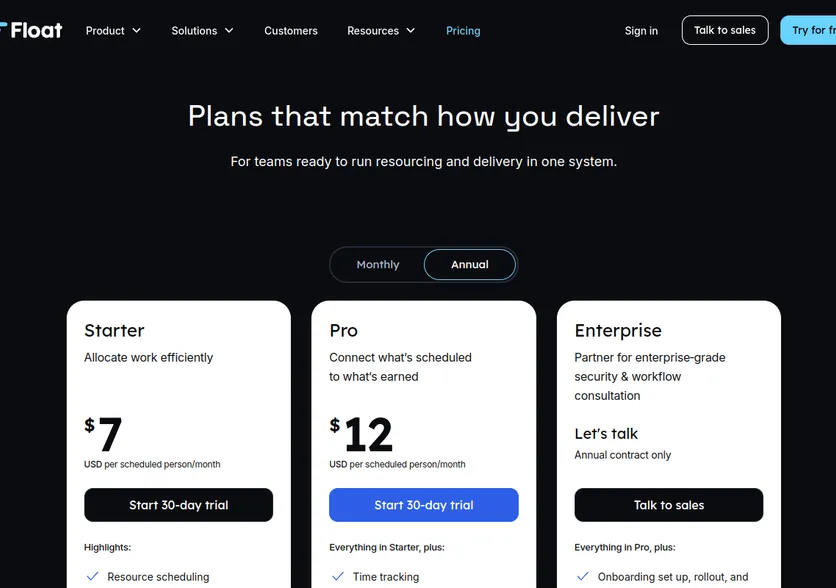
Paid tool Starting price: $7/scheduled person/month · Seven dollars per scheduled person a month billed annually on Starter (eight dollars and fifty cents billed monthly); Pro is twelve dollars per scheduled person a month billed annually; unscheduled guests are free and there is no free plan
Free plan: No free plan; 30-day free trial
Seven dollars per scheduled person a month billed annually buys Float Starter, a planning tool whose timeline makes future capacity visible at a glance. Managers drag projects weeks ahead, see over-allocation before it happens and log time against the same schedule, so the plan and the actuals never drift apart. Only scheduled people are billed, which keeps the cost honest for firms with guests and part-time staff, and the thirty-day trial needs no card.
What we like
- Timeline shows future capacity at a glance
- Time tracking linked to the same plan
- Only scheduled people are billed, guests are free
Watch out for
- No free plan, so the trial is the only way to test it
- Advanced forecasting and reporting need the Pro plan
How to try it
- Add the team and set working hours for each person
- Drag projects weeks ahead and check capacity
- Log time against the plan and compare plan to actuals
4. Resource Guru
Best for: Small firms that need a clear planning calendar
Paid tool Starting price: $5/person/month · Five dollars per person a month billed annually on Grasshopper (six dollars billed monthly); Blackbelt is eight dollars per person a month billed annually and Master is twelve dollars; the price rose effective July 1, 2026 and non-human resources are billed at half rate
Free plan: No free plan; 30-day free trial
Five dollars per person a month billed annually buys Resource Guru Grasshopper, a planning calendar that shows who is booked, who is free and who is on leave in one clean view. Clients can book through a self-service portal, which cuts the email back-and-forth that usually fills a project manager's day. Non-human resources such as rooms and equipment bill at half rate, so the same calendar covers the whole office, though deep forecasting needs the Blackbelt plan.

What we like
- Cheapest planning starting point in this list
- Leave management and client portal included
- Non-human resources billed at half rate
Watch out for
- No time tracking, so billable hours live elsewhere
- Multi-month capacity forecasting needs the Blackbelt plan
How to try it
- Add the team and mark working hours and leave
- Plan the next month and check for gaps
- Share the availability calendar with clients for self-service booking
5. Runn
Best for: Firms that plan capacity months ahead
Paid tool Starting price: $7/resource seat/month · Seven dollars per resource seat a month billed annually on Lite (nine dollars billed monthly); Standard is eleven dollars per resource seat a month billed annually and Advanced is quote-only; a twenty-seat minimum applies, so the smallest Lite bill is one hundred and forty dollars a month
Free plan: No free plan; 30-day free trial
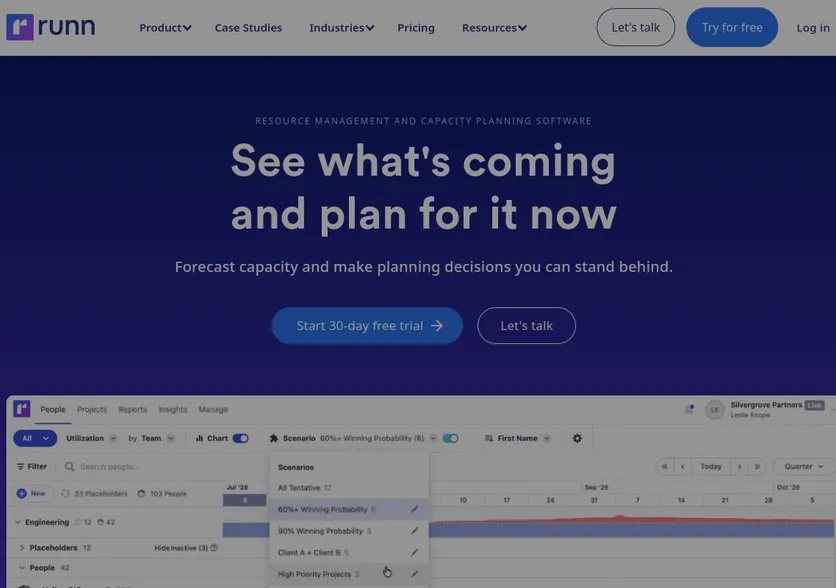
Seven dollars per resource seat a month billed annually buys Runn Lite, a planning tool built for firms that forecast people months ahead. It shows utilization, flags over-allocation and models what-if scenarios before a project is sold, so managers can promise a start date with real numbers behind them. The twenty-seat minimum means the smallest Lite bill is one hundred and forty dollars a month, so it fits firms with a real team rather than a handful of people.
What we like
- What-if scenario planning before a project is sold
- Utilization and capacity reports built for managers
- Thirty-day free trial to test the planning workflow
Watch out for
- Twenty-seat minimum means the smallest bill is $140 a month
- No free plan for small firms that want to try it longer
How to try it
- Add the team and set each person's capacity
- Plan the next quarter and check utilization
- Run a what-if scenario before committing to a new project
6. Teamwork
Best for: Firms that manage delivery and planning together
Paid tool Starting price: $9.99/user/month · Nine dollars and ninety-nine cents per user a month billed annually on Basics; Accelerate is twenty-four dollars and ninety-nine cents per user a month billed annually
Free plan: Free plan (5 users, 5 projects)
Nine dollars and ninety-nine cents per user a month billed annually buys Teamwork Basics, a project platform where consulting firms plan resources next to tasks, time and client work. It shows who is available, tracks project progress and bills from the same workspace, which suits consulting firms that manage delivery and planning together. The free plan covers five users and five projects, so a small firm can start without paying and upgrade when the team grows.

What we like
- Planning with tasks and time in one workspace
- Free plan for five users and five projects
- Client work and billing tracked from the same project
Watch out for
- Advanced planning features need the Accelerate plan
- Monthly billing price is not published, so confirm before buying
How to try it
- Start on the free plan and set up the first five projects
- Plan staff for the next quarter and check the workload view
- Upgrade to Basics when the team passes five users
7. Scoro
Best for: Larger firms that want one platform for everything
Paid tool Starting price: $29/user/month · Twenty-nine dollars per user a month on the entry bundle; the Essential, Standard and Pro bundles were retired November 1, 2026, so confirm current bundle names on the vendor page
Free plan: No free plan; 14-day free trial
Twenty-nine dollars per user a month buys Scoro on the entry bundle, a platform that plans resources, tracks time and manages projects and quotes for consulting firms in one place. It shows utilization across the whole firm, flags under-used staff and links resource plans directly to quotes and invoices. The old Essential, Standard and Pro bundles were retired November 1, 2026, so confirm the current bundle names before budgeting.

What we like
- Full platform from plan to quote to invoice
- Utilization reporting across the whole firm
- Fourteen-day free trial to test the full workflow
Watch out for
- Old bundle names were retired November 1, 2026
- Higher entry price than the five to ten dollar rivals
How to try it
- Start the fourteen-day trial and add the team
- Plan resources for the next quarter and check utilization
- Link a resource plan to a quote and invoice from the same record
8. Projectworks
Best for: Firms that plan resources around project margin
Paid tool Starting price: $17/user/month · Seventeen dollars per user a month billed annually on Build; Scale is twenty-four dollars per user a month and Unleash is forty-one dollars
Free plan: No free plan; free demo
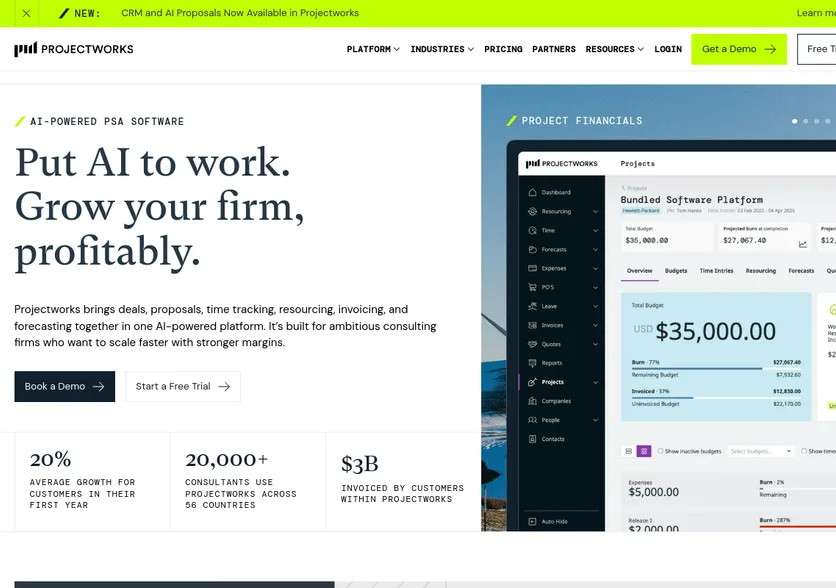
Seventeen dollars per user a month billed annually buys Projectworks Build, a platform that plans resources, tracks time and forecasts revenue for consulting firms from the same data. It shows who is available, what each project will earn and where the bench sits, which suits firms that plan around margin rather than just hours. Scale adds advanced forecasting and Unleash adds the full enterprise feature set for larger firms.
What we like
- Planning linked to revenue forecasting
- Time tracking and billing from the same project
- Clear upgrade path from Build to Scale to Unleash
Watch out for
- No free trial, so the demo is the only preview
- Built for professional services, not general teams
How to try it
- Book a demo and confirm the Build price in writing
- Set up projects and plan staff by margin
- Forecast revenue from the plan for the next quarter
Prices above were checked on each vendor’s own website on Nov 28, 2026 and can change — the vendor’s page is the final word. Vendor links are editorial: nobody paid to be listed or ranked here. Vendors who want a featured listing can see how it works on our Get listed page.
How to plan your people before you sell the work
Start with real capacity, not headcount, because a person on leave or part-time is not a full resource no matter what the org chart says. Plan the next quarter before you sign a new project, and check utilization weekly so an overbooked senior gets help before they burn out. Keep the plan visible to the whole firm: a hidden spreadsheet is how double-bookings happen. Review the bench every month, since idle time is the clearest signal that the next project needs to start sooner and the plan stays honest.
Before you buy
- Confirm the tool plans capacity months ahead, not just this week's calendar
- Check whether resource planning links to project revenue or only to hours
- Ask how the tool flags over-allocation before a booking goes live
- Make sure the plan is visible to managers without a separate report
- Test the tool with the firm's actual projects during the free trial before moving the whole team
Official websites
Official websites of the products reviewed above. Features and prices were checked against these sites when this guide was written, and they can change, so confirm on the vendor site before you buy.
Frequently asked questions
What is resource planning software for consulting firms?
Resource planning software shows who is available, who is booked and who is overworked across every project, so a consulting firm can staff work without double-booking its best people. It usually pairs an availability calendar with capacity planning, utilization reports and time tracking linked to project revenue. The goal is to sell the right amount of work for the people you actually have.
How much does Float cost?
Float costs seven dollars per scheduled person a month billed annually on Starter, or eight dollars and fifty cents billed monthly. Pro is twelve dollars per scheduled person a month billed annually and adds advanced reporting and forecasting. Only scheduled people are billed, so guests and unscheduled staff cost nothing, and every plan starts with a thirty-day free trial.
What is the cheapest resource planning software?
Resource Guru is the cheapest at five dollars per person a month billed annually, with a thirty-day free trial. Float and Runn both start at seven dollars a month, though Runn has a twenty-seat minimum that makes its smallest bill one hundred and forty dollars a month. Harvest starts at nine dollars per seat a month and offers a free plan for one seat and two projects.
Do consulting firms need capacity forecasting or just a calendar?
A calendar shows who is free this week, while capacity forecasting shows whether the firm can take on a project next quarter. Runn and Scoro are built for forecasting months ahead with what-if scenarios, while Resource Guru and Float focus on the near-term calendar. Firms that sell projects months in advance need forecasting; firms that staff week to week can start with a calendar and upgrade later.
Can resource planning software handle leave and part-time staff?
Yes, the better tools track real capacity rather than headcount. Resource Guru includes leave management on every plan, Float lets managers set working hours per person, and Runn models capacity per resource seat. The key test is whether the tool reduces a part-time person's available hours automatically, since a tool that treats everyone as full-time will overbook them every week.
Compare the eight tools above, then start the free trial on the tool that matches your team size and planning horizon before paying for a full year.
Browse Business Tools tools