On this page
A pharmacy group juggles prescribers, suppliers and local customers, and each group needs follow-up that a busy counter team can actually keep up. The eight tools below cover that job for pharmacies, from a shared CRM to email tools that keep patients and partners informed. HubSpot Sales Hub leads because it tracks every contact and follow-up in one free-to-start CRM for fifteen dollars a seat a month, and the rest are ranked on how well they fit a small healthcare team.
How we researched this
We checked every price on the vendor pricing page on November 28, 2026, and only included tools with a published US dollar list price. Outreach, Salesloft and Salesforce Sales Cloud publish no prices, so they are not in this list. Prices change, so confirm the current figure on the vendor site before you buy.
Compare the tools
| Name | Best for | Starting price | Free plan | |
|---|---|---|---|---|
 HubSpot Sales Hub | Teams that want CRM and follow-up in one place | $15/seat/month | Free CRM plan | Visit |
 Pipedrive | Teams that want a visual pipeline above all | $14/user/month | No free plan; 14-day free trial | Visit |
 Zoho CRM | Teams that want the most features per dollar | $14/user/month | Free plan (up to 3 users) | Visit |
 ActiveCampaign | Teams that automate email and SMS journeys | $15/month | No free plan; 14-day free trial | Visit |
 Mailchimp | Teams whose main need is email and SMS campaigns | $13/month | Free plan (250 contacts) | Visit |
 Keap | Small businesses that want everything on one invoice | $249/month | No free plan; 14-day free trial | Visit |
 Close | Inside sales teams that live on the phone | $49/user/month | No free plan; 14-day free trial | Visit |
 Freshsales | Small teams that want phone and AI scoring cheap | $15/user/month | Free plan (up to 3 users) | Visit |
The sales engagement software for pharmacies, compared
1. HubSpot Sales Hub
Best for: Teams that want CRM and follow-up in one place
Paid tool Starting price: $15/seat/month · Fifteen dollars per seat a month on Starter billed annually (twenty dollars billed monthly); Professional is one hundred dollars a seat a month billed annually plus a mandatory one-thousand-five-hundred-dollar onboarding fee and Enterprise is one hundred and fifty dollars; HubSpot's own blog lists Starter at nine dollars a seat a month billed annually, which conflicts with the fifteen-dollar figure in most November 2026 reads, so confirm at checkout
Free plan: Free CRM plan
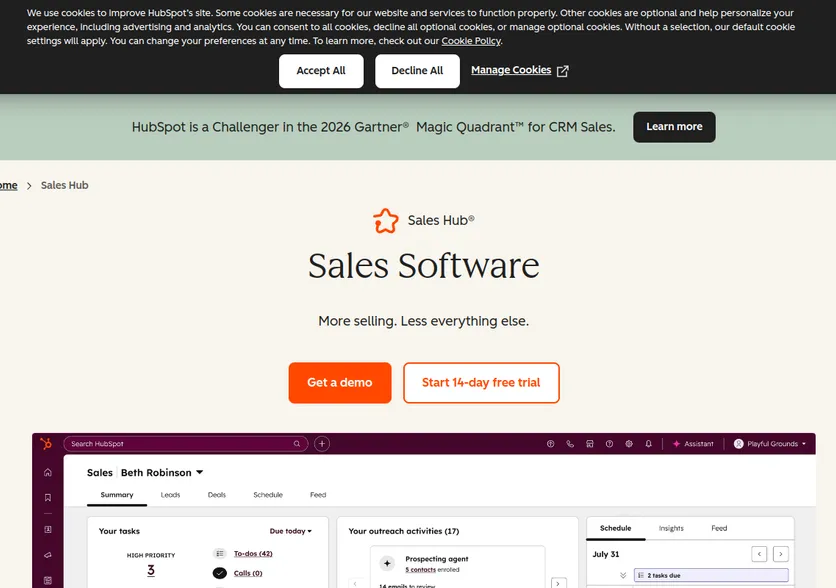
When a pharmacy group follows up prescribers and local partners in one CRM, this HubSpot Sales Hub plan costs fifteen dollars per seat a month billed annually, and it ties pipelines, email tracking, meeting links and simple automation to the free CRM. Every contact record carries its full history, and the free plan never expires, so a team can organise contacts before paying anything. Real sequences, forecasting and custom reporting sit behind the Professional tier, which costs far more per seat and adds a mandatory onboarding fee.
What we like
- Free CRM never expires and holds unlimited users
- Every contact carries its full history
- Huge ecosystem of connected apps
Watch out for
- Sequences and forecasting need the hundred-dollar Professional tier
- Professional adds a mandatory onboarding fee
How to try it
- Import contacts and set up pipelines by stage
- Add email tracking and meeting links for the team
- Build simple automations for follow-up tasks
2. Pipedrive
Best for: Teams that want a visual pipeline above all
Paid tool Starting price: $14/user/month · Fourteen dollars per user a month on Essential billed annually (twenty-four dollars billed monthly); Advanced is twenty-nine dollars, Professional is forty-nine dollars, Power is sixty-four dollars and Enterprise is ninety-nine dollars a user a month billed annually; some November 2026 reads show renamed Lite, Growth, Premium and Ultimate tiers at the same entry price, so confirm the plan names at checkout
Free plan: No free plan; 14-day free trial
When a pharmacy team tracks outreach from first contact to partnership, this Pipedrive plan costs fourteen dollars per user a month billed annually, and it shows every deal as a card moving through a visual pipeline with email integration. Activity reminders, basic reporting and a mobile app keep follow-up visible, and the interface takes a new user about an hour to learn. Two-way email sync and real workflow automation start on Advanced, so the cheapest tier suits tracking more than automating.

What we like
- Clearest visual pipeline in this list
- New users are productive within an hour
- Strong mobile app for field follow-up
Watch out for
- Two-way email sync starts on Advanced
- Essential allows only thirty automation actions per account
How to try it
- Set up pipeline stages that match the real follow-up journey
- Import contacts and assign owners to every deal
- Review overdue activities each morning and clear them
3. Zoho CRM
Best for: Teams that want the most features per dollar
Paid tool Starting price: $14/user/month · Fourteen dollars per user a month on Standard billed annually (twenty dollars billed monthly); Professional is twenty-three dollars, Enterprise is forty dollars and Ultimate is fifty-two dollars a user a month billed annually; prices exclude tax
Free plan: Free plan (up to 3 users)
When a pharmacy group needs contact records at a low seat price, this Zoho CRM plan costs fourteen dollars per user a month billed annually, and it covers contacts, pipelines, mass email, forecasting and custom modules at a low seat price. It sits inside an ecosystem of dozens of connected apps, from campaigns to desk support, so a team can grow without changing vendors. The interface packs in a lot, so teams without an admin to configure it may find the first weeks slower than a simpler pipeline tool.

What we like
- Most features per dollar in this list
- Free plan covers three users
- Dozens of connected Zoho apps to grow into
Watch out for
- Interface feels dense without an admin
- AI assistant only arrives on Enterprise
How to try it
- Import contacts and set up multiple pipelines
- Turn on mass email and sales forecasting
- Add workflows for routine follow-up tasks
4. ActiveCampaign
Best for: Teams that automate email and SMS journeys
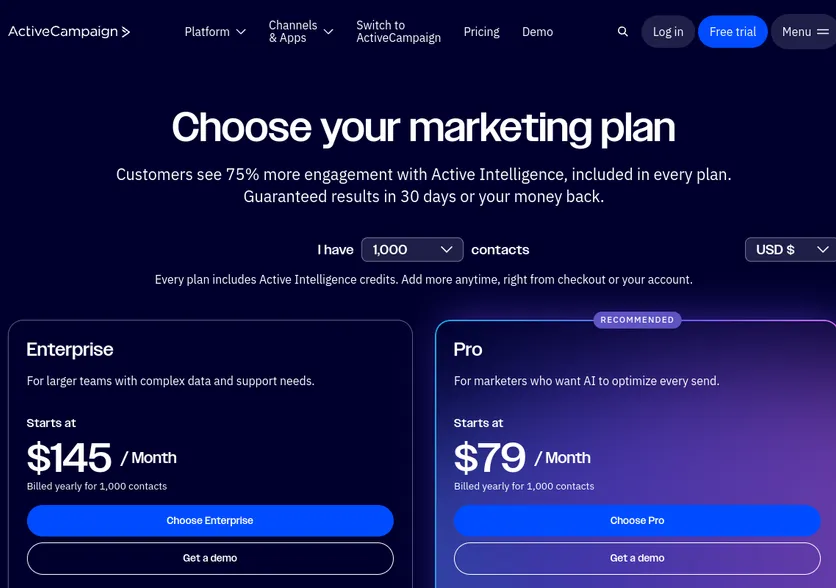
Paid tool Starting price: $15/month · Fifteen dollars a month on Starter billed annually (nineteen dollars billed monthly) for one thousand contacts; Plus is forty-nine dollars, Pro is seventy-nine dollars and Enterprise is one hundred and forty-five dollars a month at that list size; the bill rises steeply with contacts, and accounts created after November 3 2025 are charged for every contact including unsubscribed ones
Free plan: No free plan; 14-day free trial
When a pharmacy sends reminders and health campaigns to patients, this ActiveCampaign plan costs fifteen dollars a month billed annually, and it builds behaviour-triggered email and SMS journeys with deal pipelines and lead scoring. Hundreds of ready-made automation recipes cover welcome series, win-back flows and abandoned-cart nudges, and the builder needs no code. Every plan is priced by contact count, so the bill climbs as the list grows, and Starter caps each automation at five actions.
What we like
- Hundreds of ready-made automation recipes
- Behaviour-triggered journeys across email and SMS
- Deal pipelines and lead scoring built in
Watch out for
- Bill climbs steeply as the contact list grows
- Starter caps each automation at five actions
How to try it
- Import contacts and segment them by behaviour
- Pick a recipe for the welcome series and adapt it
- Add deal stages and lead scoring for hot contacts
5. Mailchimp
Best for: Teams whose main need is email and SMS campaigns
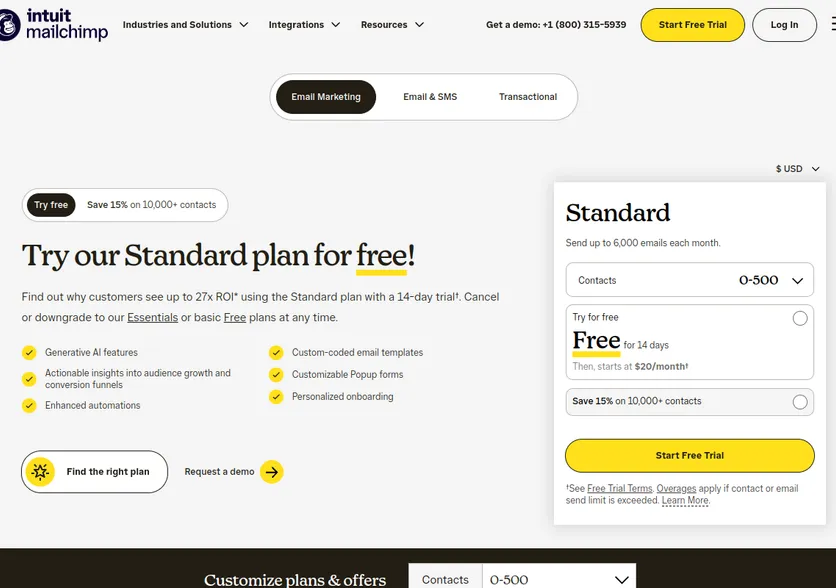
Paid tool Starting price: $13/month · Thirteen dollars a month on Essentials for five hundred contacts; Standard starts at twenty dollars and Premium at three hundred and fifty dollars a month; the price climbs with list size, reaching seventy-five dollars at five thousand contacts on Essentials; a fifteen-percent first-year discount for lists of ten thousand or more is a promo, not the list price; Intuit agreed in November 2026 to sell Mailchimp to Bending Spoons
Free plan: Free plan (250 contacts)
When a pharmacy sends newsletters and promotions to local customers, this Mailchimp plan costs thirteen dollars a month, and it sends newsletters, event announcements and segmented campaigns with simple automations. Templates look good out of the box, and more than three hundred integrations connect the audience to the rest of the business. It is an email platform first, so pipeline tracking and deal follow-up need a CRM beside it, and the price rises steeply with list size.
What we like
- Best-looking templates in this list
- More than three hundred integrations
- Free plan covers two hundred and fifty contacts
Watch out for
- No pipeline or deal tracking built in
- Price rises steeply as the list grows
How to try it
- Import the audience and segment it by interest
- Pick a template and schedule the first campaign
- Review open rates and move engaged readers to a follow-up list
6. Keap
Best for: Small businesses that want everything on one invoice
Paid tool Starting price: $249/month · Two hundred and forty-nine dollars a month billed annually (two thousand nine hundred and eighty-eight dollars a year) for two users and one thousand five hundred contacts; month to month is two hundred and ninety-nine dollars; extra users are thirty-nine dollars a month each and a paid implementation package is required but not priced on the page; some listings still show older Pro, Max and Ultimate tiers, but Keap now sells one all-features plan
Free plan: No free plan; 14-day free trial
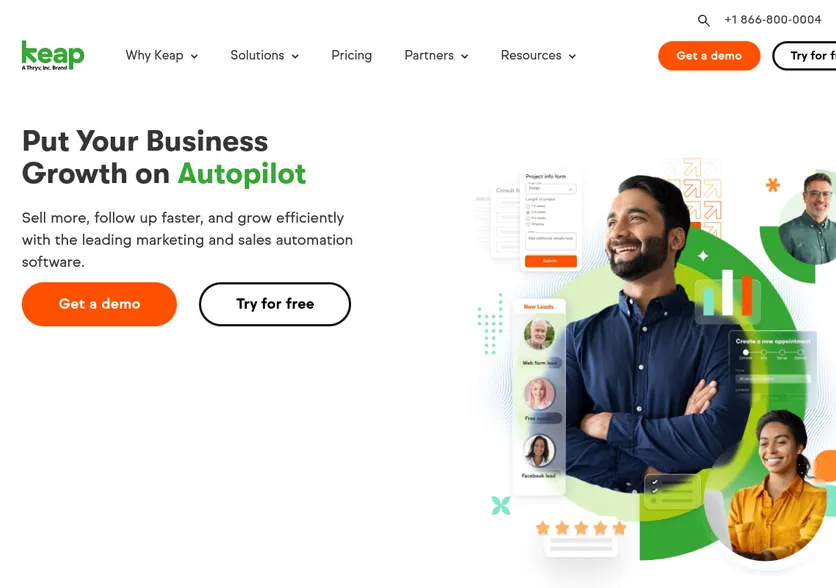
When a pharmacy office bills, books and follows up from one system, this Keap plan costs two hundred and forty-nine dollars a month billed annually, and it puts CRM, email and text marketing, automation, appointments, invoicing and payments on one invoice. The visual automation builder handles the whole journey from first touch to paid invoice, and phone support is included. The single plan is expensive for what it is, a paid implementation package is required, and cancelling an annual contract early costs a fee.
What we like
- CRM, email, payments and invoicing on one invoice
- Visual automation builder covers the whole journey
- Phone support included
Watch out for
- Two hundred and forty-nine dollars a month is a big commitment
- Paid implementation package is required but unpriced
How to try it
- Import contacts and tag them by service and stage
- Build the follow-up automation from first touch to invoice
- Set up appointments and payments inside the same account
7. Close
Best for: Inside sales teams that live on the phone
Paid tool Starting price: $49/user/month · Forty-nine dollars per user a month on Startup billed annually, for up to three users; Professional is ninety-nine dollars and Enterprise is one hundred and thirty-nine dollars a user a month billed annually, though some listings show Enterprise at one hundred and forty-nine dollars, so confirm at checkout
Free plan: No free plan; 14-day free trial
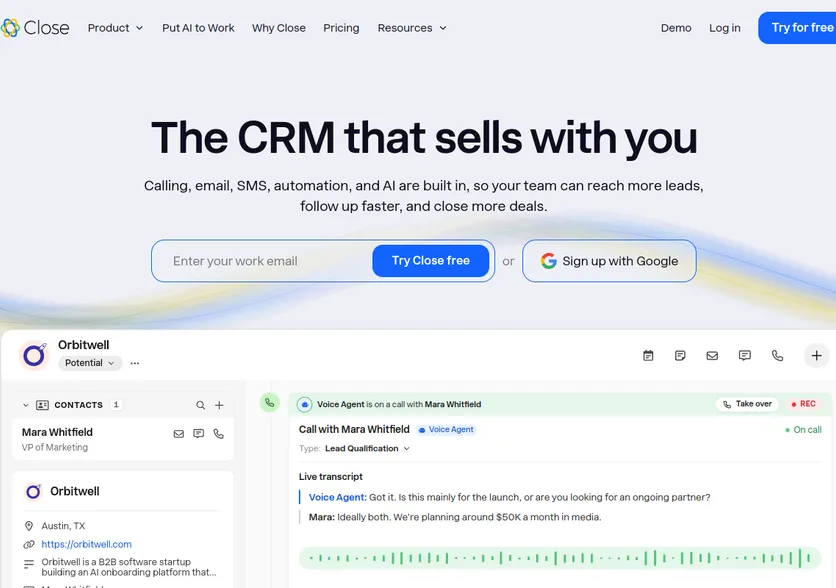
When a pharmacy team works the phones to reach prescribers and suppliers, this Close plan costs forty-nine dollars per user a month billed annually, and it puts a built-in dialer, email sequences, SMS and call recording beside the pipeline. Calling, emailing and texting happen inside the deal view, so a rep never leaves the record to make the next touch. The entry plan covers up to three users and lacks some automation depth, so growing teams should price the Professional tier as well.
What we like
- Built-in calling replaces a separate phone system
- Power dialer built for high daily call volume
- Email, SMS and calls logged on the deal automatically
Watch out for
- Startup covers only three users
- No free plan and no marketing automation depth
How to try it
- Import leads and set up pipelines by stage
- Work the call list with the built-in dialer each morning
- Log outcomes and move deals forward the same day
8. Freshsales
Best for: Small teams that want phone and AI scoring cheap
Paid tool Starting price: $15/user/month · Fifteen dollars per user a month on Growth billed annually; Pro is thirty-nine dollars and Enterprise is sixty-nine dollars a user a month billed annually; Growth covers one sales pipeline and up to twenty workflows
Free plan: Free plan (up to 3 users)
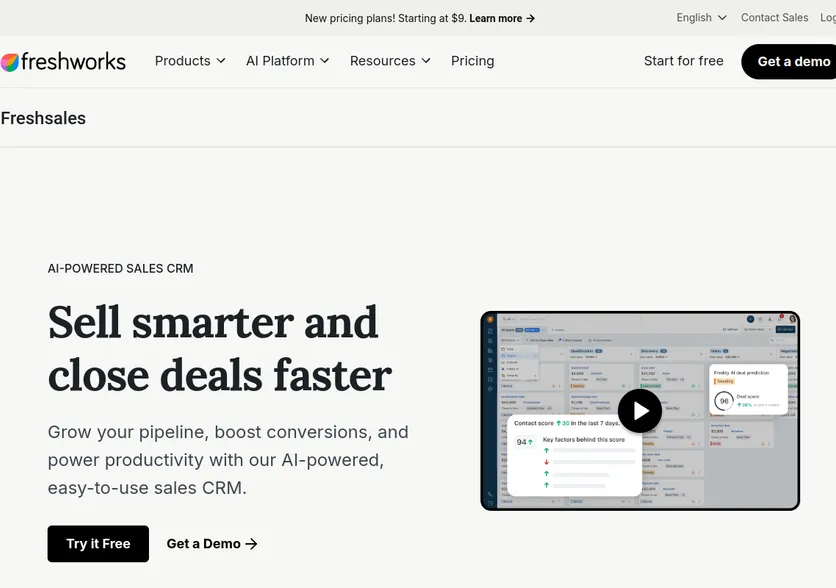
When a small pharmacy group tracks leads and renewals on a tight budget, this Freshsales plan costs fifteen dollars per user a month billed annually, and it combines pipeline management with built-in phone, email tracking and AI lead scoring. Sequences, workflows and a mobile app come with Growth, and the free plan covers three users who only need basic contact and deal tracking. Growth allows only one sales pipeline and twenty workflows, so teams with several product lines will outgrow it and need Pro.
What we like
- Built-in phone and AI lead scoring at a low price
- Free plan covers three users
- Clean interface that new reps learn fast
Watch out for
- Growth allows only one sales pipeline
- Only twenty workflows on Growth
How to try it
- Import contacts and set up the single sales pipeline
- Turn on email tracking and lead scoring
- Build sequences for follow-up and review the pipeline daily
Prices above were checked on each vendor’s own website on Nov 28, 2026 and can change — the vendor’s page is the final word. Vendor links are editorial: nobody paid to be listed or ranked here. Vendors who want a featured listing can see how it works on our Get listed page.
How to follow up prescribers and patients without extra admin
Keep prescriber, supplier and patient lists separate, because each group needs different messages and different rules about what can be said. Use the CRM for prescriber and supplier follow-up, and an email tool for patient reminders and health campaigns, since the two jobs need different features. Automate appointment reminders and refill nudges, but keep the sales follow-up personal, because a prescriber relationship is built on trust. Review the pipeline weekly, clear overdue tasks, and never message a patient who asked to stop hearing from you. Keep one owner per list, so prescriber follow-up never competes with patient reminders, and review consent records every month before any campaign goes out.
Before you buy
- Confirm the tool keeps prescriber, supplier and patient lists separate
- Check whether patient messaging meets local privacy and consent rules
- Ask if appointment reminders and refill nudges can run automatically
- Make sure counter staff can use it without training
- Test the tool on a real contact list before paying, including a prescriber
Official websites
Official websites of the products reviewed above. Features and prices were checked against these sites when this guide was written, and they can change, so confirm on the vendor site before you buy.
Frequently asked questions
What is sales engagement software for pharmacies?
It is software that organises prescriber outreach, supplier follow-up and patient communication in one place, using pipelines and automated sequences borrowed from sales teams. A pharmacy adapts the stages to its own work, from first contact with a prescriber to partnership, reminder and refill. The tools in this list range from a shared CRM to email platforms, and every price was checked on the vendor site.
How much does HubSpot Sales Hub cost for a pharmacy?
HubSpot Sales Hub costs fifteen dollars per seat a month on Starter billed annually, or twenty dollars billed monthly, and the free CRM underneath costs nothing with unlimited users. Sequences, forecasting and custom reporting need Professional at one hundred dollars a seat a month plus a mandatory onboarding fee. Most small pharmacy groups can run on the free plan or Starter.
Can a pharmacy use sales engagement software for free?
Yes, with HubSpot Sales Hub, which offers a free CRM with unlimited users, and Mailchimp, which offers a free plan for two hundred and fifty contacts. Zoho CRM also offers a free plan for three users, and Freshsales covers three users free. Free plans suit a single pharmacy, but patient messaging at scale soon needs a paid tier.
Which tool is best for a small pharmacy group?
HubSpot Sales Hub is the best pick for a small pharmacy group, because the free CRM tracks prescribers, suppliers and patients in one place. Zoho CRM is the better pick if the lowest seat price matters most, at fourteen dollars a user a month. Close suits pharmacy teams that work the phones to reach prescribers, at forty-nine dollars a user a month.
Can pharmacies message patients with these tools?
Yes, for reminders, refill nudges and health campaigns, but patient messaging must meet local privacy and consent rules, so check both before sending anything. Keep patient lists separate from prescriber and supplier lists, and always honour an opt-out immediately. Use the CRM for prescriber follow-up and an email tool for patient messages, since the two jobs need different features.
Compare the eight tools above, then start with a free trial or the free plan on the tool that matches how pharmacies already handles outreach before paying for a full year.
Browse Business Tools tools