On this page
A photographer books two kinds of time, client sessions and the crew behind them, and the tools below cover both without a shared spreadsheet. They handle client booking, contracts, invoices and the staff rota, from a solo portrait shooter to a studio with a team. Calendly leads because clients book straight from a link for ten dollars per seat a month, and the rest are ranked on how much of the business they run for the price.
How we researched this
We checked every price on the vendor pricing page on November 28, 2026, and only included tools with a published US dollar list price. HotSchedules and Shiftboard publish no prices, so they are not in this list even though they appear on the Toolnimba page, which is really about employee scheduling. Prices change, so confirm the current figure on the vendor site before you buy.
Compare the tools
| Name | Best for | Starting price | Free plan | |
|---|---|---|---|---|
 Calendly | Solo photographers who want a simple booking link | $10/seat/month | Free plan (1 event type) | Visit |
 When I Work | Studios with a rotating crew of assistants and editors | $2.50/user/month | No free plan; 14-day free trial | Visit |
 HoneyBook | Photographers who want booking, contracts and invoices together | $30/month | No free plan; free trial | Visit |
 Homebase | Studios with a front desk and hourly staff | $24/location/month | Free plan (1 location, up to 10 employees) | Visit |
 Deputy | Studio managers who build the rota every week | $5/user/month | No free plan; up to 31-day free trial | Visit |
 Sling | Small studios that want a simple cheap rota | $1.70/user/month | Free plan (up to 30 users) | Visit |
 Connecteam | Photo businesses with field shooters and office editors | $29/month | Free plan (up to 10 users) | Visit |
 Acuity Scheduling | Photographers with several session types to sell | $16/month | 7-day free trial | Visit |
The scheduling software for photographers, compared
1. Calendly
Best for: Solo photographers who want a simple booking link
Paid tool Starting price: $10/seat/month · Ten dollars per seat a month on Standard billed annually; Teams is sixteen dollars a seat a month billed annually and Enterprise is quoted; the free plan covers one event type and one calendar
Free plan: Free plan (1 event type)
Photographers who take bookings through a website need a link clients can use without an email chain, and this Calendly plan costs ten dollars per seat a month billed annually. Clients pick a session time from live availability, answer intake questions and get reminders automatically, so the photographer stops playing receptionist. It is the lightest booking tool in this list, which is exactly right for a solo shooter.

What we like
- Clients book from live availability with no email chain
- Intake questions attach to every session automatically
- Reminders go out without the photographer lifting a finger
Watch out for
- The free plan covers only one event type and one calendar
- No built-in contracts or invoicing
How to try it
- Create one event type per session and set its length
- Embed the booking link on the portfolio website
- Connect the calendar and turn on automatic reminders
2. When I Work
Best for: Studios with a rotating crew of assistants and editors
Paid tool Starting price: $2.50/user/month · Two dollars and fifty cents per user a month on Essentials; Pro is five dollars and Premium is eight dollars; time tracking is a paid add-on of about one dollar and fifty cents per user; the vendor pricing page does not state whether the figures are monthly or annual billing, and its FAQ and plan table disagree on single versus multi-location pricing, so confirm both at signup
Free plan: No free plan; 14-day free trial
A studio that juggles assistants, second shooters and editors needs a rota they can all read on their phones, and this When I Work plan costs two dollars and fifty cents per user a month on Essentials. Shifts, swap requests and messages live in one app, so the manager stops texting the rota around every Sunday night. It fits a studio whose crew changes from shoot to shoot.

What we like
- Shifts, swaps and messages in one mobile app
- Staff see the rota on their phones instantly
- Simple enough for a crew that changes every shoot
Watch out for
- Time tracking costs extra as a paid add-on
- Billing period is not stated on the vendor pricing page
How to try it
- Add the team and set each person availability
- Build the weekly rota and publish it to the app
- Approve swap requests from the phone when plans change
3. HoneyBook
Best for: Photographers who want booking, contracts and invoices together
Paid tool Starting price: $30/month · Thirty dollars a month on Starter; higher tiers are quoted on the vendor site; price settled in wave 14
Free plan: No free plan; free trial
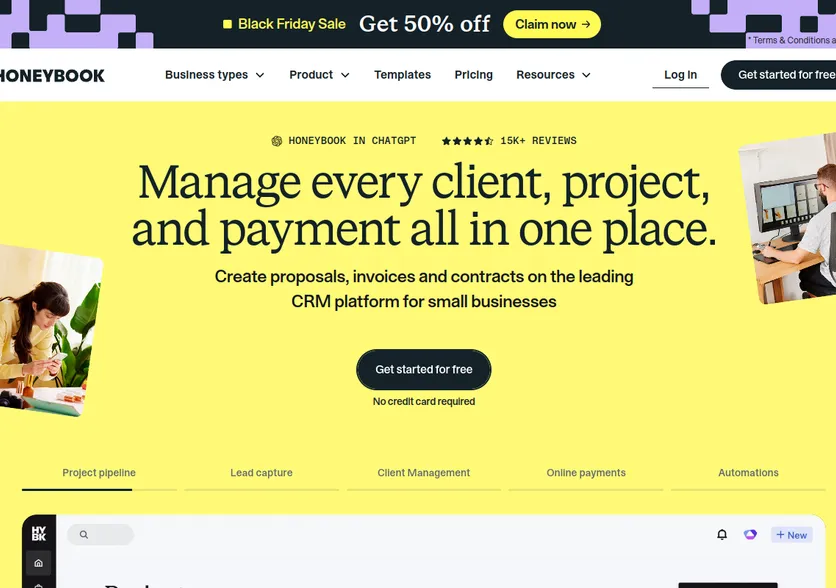
A photographer who books clients, sends contracts and chases invoices in three different apps can do it all here, since this HoneyBook plan costs thirty dollars a month on Starter. The inquiry form, contract, invoice and payment sit in one flow, so a booking never stalls between tools. It suits a photographer who wants the business side handled in one place.
What we like
- Inquiry, contract, invoice and payment in one flow
- Templates speed up every client email
- Payments tracked against each booking automatically
Watch out for
- No free plan, only a trial before paying
- Higher tiers are quoted rather than published
How to try it
- Create the inquiry form and link it from the website
- Send the contract and invoice from the same booking
- Track payments and follow up from the dashboard
4. Homebase
Best for: Studios with a front desk and hourly staff
Paid tool Starting price: $24/location/month · Twenty-four dollars per location a month on Essentials billed annually, thirty dollars billed monthly; Plus is fifty-six dollars a month billed annually and All-in-One is ninety-six dollars; the free Basic plan covers one location and up to ten employees; paid tiers include unlimited employees
Free plan: Free plan (1 location, up to 10 employees)
A photography studio with a front desk and a rotating crew needs scheduling plus time tracking in one place, and this Homebase plan costs twenty-four dollars per location a month billed annually. The rota, time clock and team messages live together, so the studio manager runs the crew from one dashboard. It fits a studio with a physical front desk and hourly staff.

What we like
- Rota, time clock and messaging in one dashboard
- Free plan covers one location and ten employees
- Paid tiers include unlimited employees
Watch out for
- The free plan covers only one location
- Payroll tools cost extra on the higher tiers
How to try it
- Add the team and set the studio opening hours
- Build the weekly rota and publish it
- Turn on the time clock for hourly staff
5. Deputy
Best for: Studio managers who build the rota every week
Paid tool Starting price: $5/user/month · Five dollars per user a month on Lite billed annually, five dollars and fifty cents billed monthly; Core is six dollars and fifty cents and Pro is nine dollars; a thirty-dollar monthly minimum applies per invoice; HR, payroll and analytics are paid add-ons; the Lite rate dropped from five dollars and fifty cents to five dollars on November 22 2026
Free plan: No free plan; up to 31-day free trial
A studio manager who builds the rota every Sunday night will save hours here, since this Deputy plan costs five dollars per user a month billed annually. The rota, leave requests and time tracking connect, so the manager sees who is available before building the week. It suits a studio that needs a proper rota tool without paying enterprise prices.

What we like
- Rota, leave and time tracking connect in one place
- Staff confirm shifts from their phones
- Cheap per-user price for a small team
Watch out for
- A thirty-dollar monthly minimum applies per invoice
- HR and payroll cost extra as add-ons
How to try it
- Add the team and set roles and availability
- Build the weekly rota from the templates
- Publish the rota and let staff confirm shifts
6. Sling
Best for: Small studios that want a simple cheap rota
Paid tool Starting price: $1.70/user/month · One dollar and seventy cents per user a month on Premium billed annually, two dollars billed monthly; Business is four dollars per user a month; the free plan covers up to thirty users
Free plan: Free plan (up to 30 users)
A small studio that just needs the team to know when to show up will find the cheapest rota here, because this Sling plan costs one dollar and seventy cents per user a month billed annually. The rota, messaging and time clock are simple enough that nobody needs training, and the free plan covers thirty people. It fits a studio that wants a rota, not a management system.

What we like
- Cheapest rota in this list per user
- Free plan covers up to thirty users
- Simple enough that nobody needs training
Watch out for
- Fewer integrations than the bigger scheduling tools
- Advanced reporting needs the Business plan
How to try it
- Add the team and set the studio hours
- Build the rota and publish it to the app
- Turn on the time clock for hourly staff
7. Connecteam
Best for: Photo businesses with field shooters and office editors
Paid tool Starting price: $29/month · Twenty-nine dollars a month per hub for the first thirty users on Basic billed annually, thirty-five dollars billed monthly; Advanced is forty-nine dollars and Expert is ninety-nine dollars; hubs are sold separately, so all three hubs on Basic cost eighty-seven dollars a month; a small business plan is free for up to ten users across all hubs
Free plan: Free plan (up to 10 users)
A photography business with shooters in the field and editors at desks needs one app for both, and this Connecteam plan costs twenty-nine dollars a month per hub for the first thirty users billed annually. Scheduling, time tracking, forms and chat live in one mobile app, so the field team and the office stay in sync. It suits a business whose team rarely sits in the same room.

What we like
- Scheduling, time tracking and chat in one mobile app
- Free plan covers up to ten users across all hubs
- Forms and checklists built in for shoots
Watch out for
- Hubs are sold separately, so the full price is three times the headline
- Per-additional-user fees apply past thirty users
How to try it
- Pick the scheduling hub and add the team
- Build the rota and share it to the mobile app
- Add forms for shoot checklists and client details
8. Acuity Scheduling
Best for: Photographers with several session types to sell
Paid tool Starting price: $16/month · Sixteen dollars a month on Starter billed annually, twenty dollars billed monthly, for one calendar; Standard is twenty-seven dollars a month billed annually for up to six calendars and Premium is fifty-five dollars for up to thirty-six; no free plan, seven-day trial
Free plan: 7-day free trial
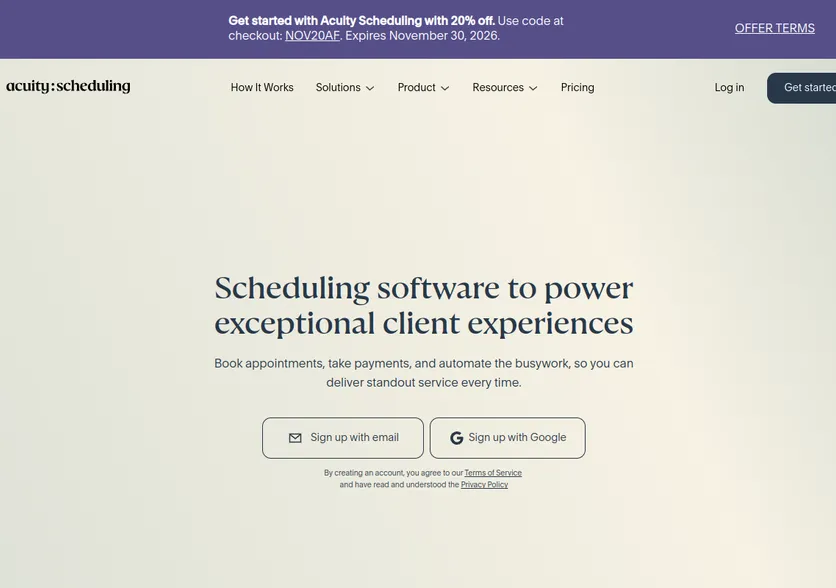
A photographer who offers several session types needs a booking page per service, and this Acuity Scheduling plan costs sixteen dollars a month billed annually for the first calendar. Portraits, weddings and mini-sessions each get their own page, intake form and payment rules, so clients book the right session without an email. It fits a photographer with a varied price list.
What we like
- A separate booking page and intake form per session type
- Payment rules and deposits per service
- Clients manage their own bookings and cancellations
Watch out for
- No free plan, only a seven-day trial
- The Starter plan covers just one calendar
How to try it
- Create a calendar for each session type
- Attach the intake form and payment rules to each one
- Publish the booking pages and link them from the portfolio
Prices above were checked on each vendor’s own website on Nov 28, 2026 and can change — the vendor’s page is the final word. Vendor links are editorial: nobody paid to be listed or ranked here. Vendors who want a featured listing can see how it works on our Get listed page.
How to run client bookings and the crew rota from one setup
Keep the two schedules separate, because client sessions and staff shifts break in different ways and one tool rarely does both well. Use a booking tool for clients and a rota tool for the crew, and connect them only where it helps, such as blocking a photographer calendar when they are on a shoot. Set intake questions on the booking form so the session starts with the details already in hand, and publish the crew rota a week ahead so nobody double-books a weekend shoot.
Before you buy
- Check whether clients can book, pay and answer intake questions in one flow
- Confirm the rota tool handles swap requests without the manager in the middle
- Ask if the booking page carries your own branding, or the vendor logo
- Make sure reminders go out by text and email, since clients miss emails
- Test the booking page on a phone, since most clients book from one
Official websites
Official websites of the products reviewed above. Features and prices were checked against these sites when this guide was written, and they can change, so confirm on the vendor site before you buy.
Frequently asked questions
What is scheduling software for photographers?
It is software that handles the two schedules a photography business runs: client sessions and the crew rota. Booking tools like Calendly and Acuity Scheduling let clients pick a session time online, while rota tools like When I Work, Deputy and Homebase manage assistants and editors. HoneyBook covers both sides plus contracts and invoices, which is why it suits a studio that wants one system.
How much does scheduling software for photographers cost?
Prices in this list run from one dollar and seventy cents per user a month for Sling to thirty dollars a month for HoneyBook, with most tools between five and thirty dollars a month. Booking tools charge per seat or per calendar, while rota tools charge per user, so a solo photographer pays far less than a studio with ten staff. Free plans cover a solo shooter well.
Can photographers take bookings for free?
Yes, with Calendly, which offers a free plan for one event type and one calendar, and Sling, which offers a free rota for up to thirty users. Homebase also offers a free plan for one location and up to ten employees. A solo photographer can run bookings on Calendly free plan and the crew rota on Sling free plan without paying anything.
Do these tools handle contracts and payments?
HoneyBook is the strongest here, because contracts, invoices and payments sit in the same flow as the booking. Acuity Scheduling handles deposits and payment rules per session type, and Calendly connects to payment tools on its paid plans. Rota tools like Deputy and When I Work do not handle client payments, so a photographer who needs both should start with HoneyBook or Acuity Scheduling.
Which tool is best for a solo photographer?
Calendly is the best pick for a solo photographer, at ten dollars per seat a month billed annually, with a free plan for one session type. Acuity Scheduling is the better pick when the photographer sells several session types and wants deposits per service. HoneyBook wins when the photographer also wants contracts and invoices handled in the same place.
Compare the eight tools above, then start with a free plan or a free trial on the tool that matches how the photography business books clients today before paying for a full year.
Browse Business Tools tools