On this page
A retail rota has to flex with foot traffic, cover weekends and survive last-minute call-outs, and the tools below are built for exactly that. They handle shift scheduling, time tracking and team messaging for shops of every size, from a single boutique to a small chain. Deputy leads because it builds the rota, tracks leave and time in one place for five dollars per user a month, and the rest are ranked on how well they keep the shop floor covered for the price.
How we researched this
We checked every price on the vendor pricing page on November 28, 2026, and only included tools with a published US dollar list price. HotSchedules and Workforce publish no prices, so they are not in this list. Prices change, so confirm the current figure on the vendor site before you buy.
Compare the tools
| Name | Best for | Starting price | Free plan | |
|---|---|---|---|---|
 Deputy | Store managers who post the rota every week | $5/user/month | No free plan; up to 31-day free trial | Visit |
 When I Work | Retailers with part-timers across departments | $2.50/user/month | No free plan; 14-day free trial | Visit |
 Homebase | Shops with hourly staff and a time clock | $24/location/month | Free plan (1 location, up to 10 employees) | Visit |
 Sling | Small shops that want a simple cheap rota | $1.70/user/month | Free plan (up to 30 users) | Visit |
 Connecteam | Retail chains with deskless floor staff | $29/month | Free plan (up to 10 users) | Visit |
 ZoomShift | Seasonal shops that pay only for active staff | $2/active user/month | Free plan (up to 20 users, 1 location) | Visit |
 Planday | Shops with repeating weekly shift patterns | $2.99/user/month | No free plan; 30-day free trial | Visit |
 Findmyshift | Small shops that want one flat team bill | $24/team/month | Free plan (up to 5 members) | Visit |
The scheduling software for retail stores, compared
1. Deputy
Best for: Store managers who post the rota every week
Paid tool Starting price: $5/user/month · Five dollars per user a month on Lite billed annually, five dollars and fifty cents billed monthly; Core is six dollars and fifty cents and Pro is nine dollars; a thirty-dollar monthly minimum applies per invoice; HR, payroll and analytics are paid add-ons; the Lite rate dropped from five dollars and fifty cents to five dollars on November 22 2026
Free plan: No free plan; up to 31-day free trial
A store manager who posts the rota every week and fields swap requests daily needs a tool built for retail shifts, and this Deputy plan costs five dollars per user a month billed annually. The rota, leave requests and time tracking connect, so the manager sees who is available before building the week. It suits a shop that needs a proper rota tool without paying enterprise prices.

What we like
- Rota, leave and time tracking connect in one place
- Staff confirm shifts from their phones
- Cheap per-user price for a small team
Watch out for
- A thirty-dollar monthly minimum applies per invoice
- HR and payroll cost extra as add-ons
How to try it
- Add the team and set roles and availability
- Build the weekly rota from the templates
- Publish the rota and let staff confirm shifts
2. When I Work
Best for: Retailers with part-timers across departments
Paid tool Starting price: $2.50/user/month · Two dollars and fifty cents per user a month on Essentials; Pro is five dollars and Premium is eight dollars; time tracking is a paid add-on of about one dollar and fifty cents per user; the vendor pricing page does not state whether the figures are monthly or annual billing, and its FAQ and plan table disagree on single versus multi-location pricing, so confirm both at signup
Free plan: No free plan; 14-day free trial
A retailer with part-timers across several departments needs a rota that updates on every phone at once, and this When I Work plan costs two dollars and fifty cents per user a month on Essentials. Shifts, swap requests and messages live in one app, so the manager stops texting the rota around every week. It fits a shop whose staff changes from week to week.

What we like
- Shifts, swaps and messages in one mobile app
- Staff see the rota on their phones instantly
- Simple enough for a team that changes weekly
Watch out for
- Time tracking costs extra as a paid add-on
- Billing period is not stated on the vendor pricing page
How to try it
- Add the team and set each person availability
- Build the weekly rota and publish it to the app
- Approve swap requests from the phone when plans change
3. Homebase
Best for: Shops with hourly staff and a time clock
Paid tool Starting price: $24/location/month · Twenty-four dollars per location a month on Essentials billed annually, thirty dollars billed monthly; Plus is fifty-six dollars a month billed annually and All-in-One is ninety-six dollars; the free Basic plan covers one location and up to ten employees; paid tiers include unlimited employees
Free plan: Free plan (1 location, up to 10 employees)
A shop that already uses Homebase for time clocks and payroll will find scheduling fits naturally, because this Homebase plan costs twenty-four dollars per location a month billed annually. The rota, time clock and team messages live together, so the manager runs the floor from one dashboard. It fits a shop with hourly staff and a till to close every night.

What we like
- Rota, time clock and messaging in one dashboard
- Free plan covers one location and ten employees
- Paid tiers include unlimited employees
Watch out for
- The free plan covers only one location
- Payroll tools cost extra on the higher tiers
How to try it
- Add the team and set the shop opening hours
- Build the weekly rota and publish it
- Turn on the time clock for hourly staff
4. Sling
Best for: Small shops that want a simple cheap rota
Paid tool Starting price: $1.70/user/month · One dollar and seventy cents per user a month on Premium billed annually, two dollars billed monthly; Business is four dollars per user a month; the free plan covers up to thirty users
Free plan: Free plan (up to 30 users)
A small shop that cannot justify a big monthly fee for a rota will like the price here, since this Sling plan costs one dollar and seventy cents per user a month billed annually. The rota, messaging and time clock are simple enough that nobody needs training, and the free plan covers thirty people. It fits a shop that wants a rota, not a management system.

What we like
- Cheapest rota in this list per user
- Free plan covers up to thirty users
- Simple enough that nobody needs training
Watch out for
- Fewer integrations than the bigger scheduling tools
- Advanced reporting needs the Business plan
How to try it
- Add the team and set the shop hours
- Build the rota and publish it to the app
- Turn on the time clock for hourly staff
5. Connecteam
Best for: Retail chains with deskless floor staff
Paid tool Starting price: $29/month · Twenty-nine dollars a month per hub for the first thirty users on Basic billed annually, thirty-five dollars billed monthly; Advanced is forty-nine dollars and Expert is ninety-nine dollars; hubs are sold separately, so all three hubs on Basic cost eighty-seven dollars a month; a small business plan is free for up to ten users across all hubs
Free plan: Free plan (up to 10 users)
A retail chain with floor staff who never sit at a desk needs scheduling on their phones, and this Connecteam plan costs twenty-nine dollars a month per hub for the first thirty users billed annually. Scheduling, time tracking, forms and chat live in one mobile app, so the floor team and the office stay in sync. It suits a shop whose team is always on the move.

What we like
- Scheduling, time tracking and chat in one mobile app
- Free plan covers up to ten users across all hubs
- Forms and checklists built in for stock counts
Watch out for
- Hubs are sold separately, so the full price is three times the headline
- Per-additional-user fees apply past thirty users
How to try it
- Pick the scheduling hub and add the team
- Build the rota and share it to the mobile app
- Add forms for stock counts and opening checklists
6. ZoomShift
Best for: Seasonal shops that pay only for active staff
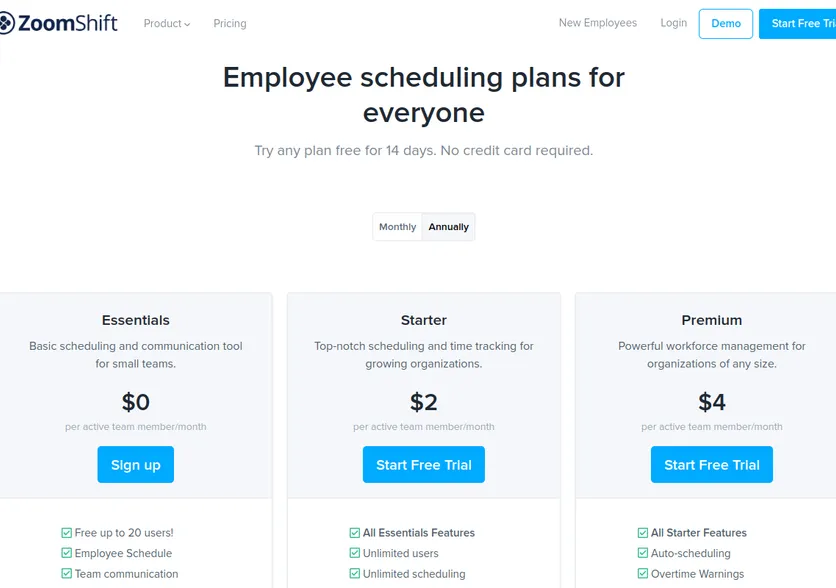
Paid tool Starting price: $2/active user/month · Two dollars per active user a month on Starter billed annually, two dollars and fifty cents billed monthly; Premium is four dollars per active user a month billed annually; the free Essentials plan covers up to twenty users at one location with a two-week scheduling horizon; subscriptions can be paused in slow seasons
Free plan: Free plan (up to 20 users, 1 location)
A store that only pays for the staff who actually worked will like the billing here, because this ZoomShift plan costs two dollars per active user a month billed annually. Inactive staff cost nothing, the rota covers a two-week horizon on the free plan, and the subscription can be paused in slow seasons. It fits a seasonal shop that does not want to pay for empty months.
What we like
- Pay only for staff who actually worked
- Free plan covers twenty users at one location
- Pause the subscription in slow seasons
Watch out for
- The free plan only schedules two weeks ahead
- Fewer payroll integrations than the bigger tools
How to try it
- Add the team and set the shop hours
- Build the rota for the next two weeks
- Publish the rota and pause billing in quiet months
7. Planday
Best for: Shops with repeating weekly shift patterns
Paid tool Starting price: $2.99/user/month · Two dollars and ninety-nine cents per user a month on Starter with a five-user minimum, billed in bundles of five; Plus is four dollars and forty-nine cents per user a month plus a fifteen-dollar monthly fee with a ten-user minimum; Pro is quoted; some third-party listings show two dollars and forty-nine cents, which does not match the November 2026 vendor-page reads
Free plan: No free plan; 30-day free trial
A retailer with shift patterns that repeat every week needs templates, not a blank rota, and this Planday plan costs two dollars and ninety-nine cents per user a month on Starter. Shift templates, time tracking and payroll exports come together, so the same rota feeds the pay run. It fits a shop with steady weekly patterns and a payroll to run.
What we like
- Shift templates save rebuilding the rota weekly
- Time tracking and payroll exports built in
- Scales from one shop to a small chain
Watch out for
- Billed in bundles of five users, so a small team overpays
- Plus adds a fifteen-dollar monthly fee on top
How to try it
- Add the team and build the first shift template
- Apply the template to the coming week
- Export hours to payroll at the end of the month
8. Findmyshift
Best for: Small shops that want one flat team bill
Paid tool Starting price: $24/team/month · Twenty-four dollars per team a month on Starter billed annually, twenty-seven dollars billed monthly, or two hundred and eighty-six dollars a year; Business is thirty-eight dollars a month billed annually and Enterprise is seventy-five dollars; the free plan covers up to five members; a three-month trial is offered
Free plan: Free plan (up to 5 members)
A shop that plans the rota by the team rather than by the person will find the pricing fits, since this Findmyshift plan costs twenty-four dollars per team a month billed annually. The whole team shares one flat bill, shift swaps are handled inside the app, and the free plan covers five members. It suits a small shop that wants one simple bill for the whole team.
What we like
- One flat bill for the whole team
- Free plan covers up to five members
- Three-month trial, longer than most rivals
Watch out for
- Per-team pricing gets expensive as the team grows
- Fewer payroll integrations than the bigger tools
How to try it
- Add the team and set the shop hours
- Build the rota and let staff swap shifts in the app
- Publish the rota and review hours at month end
Prices above were checked on each vendor’s own website on Nov 28, 2026 and can change — the vendor’s page is the final word. Vendor links are editorial: nobody paid to be listed or ranked here. Vendors who want a featured listing can see how it works on our Get listed page.
How to build a retail rota that survives the weekend rush
Start with the busy hours, not the quiet ones, because a rota that covers Tuesday morning and misses Saturday afternoon is worse than no rota at all. Build the rota from templates for the steady weeks and adjust for holidays and sales, then publish it early so staff can swap shifts before the weekend. Track the hours against sales each month, since a rota that costs more than the shifts it covers needs a rethink. Keep one on-call name on every rota, since a call-out with no cover loses sales fast.
Before you buy
- Check whether the rota handles weekend peaks and holiday cover, not just quiet weekdays
- Confirm staff can swap shifts in the app without the manager in the middle
- Ask if time tracking feeds payroll directly, or needs manual retyping
- Make sure the tool prices per active user, per team or per location before budgeting
- Test the rota on a real busy week, including a call-out, before paying
Official websites
Official websites of the products reviewed above. Features and prices were checked against these sites when this guide was written, and they can change, so confirm on the vendor site before you buy.
Frequently asked questions
What is scheduling software for retail stores?
It is software that builds the staff rota, tracks hours and lets the team swap shifts from their phones. The tools in this list cover rota building, time clocks, leave tracking and team messaging for shops of every size. Retail rotas change constantly, so the best tools handle swaps and call-outs without the manager retyping the whole week.
How much does retail scheduling software cost?
Prices in this list run from one dollar and seventy cents per user a month for Sling to twenty-nine dollars a month per hub for Connecteam, with most tools between two and five dollars per user a month. Per-team plans like Findmyshift suit tiny teams, while per-location plans like Homebase suit shops with many hourly staff. Free plans cover a single shop well.
Can a retail store schedule staff for free?
Yes, with Sling, which offers a free rota for up to thirty users, and Homebase, which offers a free plan for one location and up to ten employees. ZoomShift also offers a free plan for up to twenty users at one location, and Findmyshift offers a free plan for up to five members. A single shop can often run the rota entirely free and upgrade only when it opens a second location.
Which tool handles shift swaps best?
Deputy and When I Work handle swaps best, because staff request and approve swaps inside the app and the manager only steps in when a swap leaves a gap. Sling and Findmyshift also handle swaps in-app, while Homebase and Connecteam route swaps through the manager. Test a swap with a real team member before choosing, since this is the feature that saves the most manager time.
Which tool is best for a small retail store?
Deputy is the best overall pick for a small store, at five dollars per user a month billed annually, with rota, leave and time tracking in one place. Sling is the cheapest option, at one dollar and seventy cents per user a month with a free plan for thirty users. Homebase wins when the shop also wants a time clock and payroll tools in the same system.
Compare the eight tools above, then start with a free plan or a free trial on the tool that matches how the store builds its rota today before paying for a full year.
Browse Business Tools tools